 Lens
Lens
What Animal Is This? Free AI Animal Identifier
Upload an animal photo and identify mammals, reptiles, amphibians, marine life, birds, and more. Use the free scanner on iPhone or Android when you have a photo but not the animal's name.
Drop an animal photo here or tap to upload
JPG, PNG, WebP, HEIC • Max 50MB

Analyzing with AI…
Matching visual features and similar results


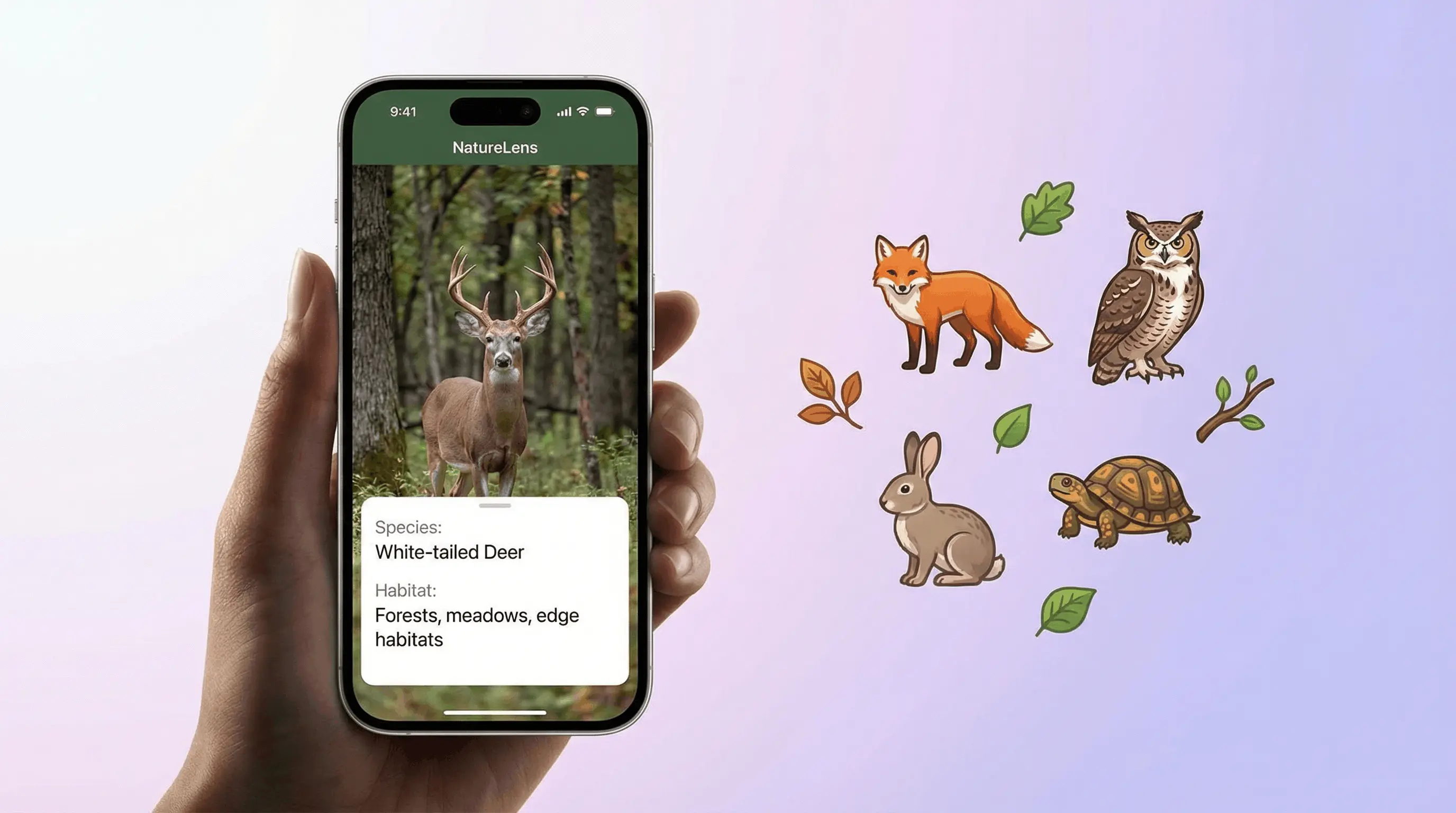
What animal is this?
“What animal is this?” photo identification compares body shape, fur or feather patterns, and distinctive features to suggest a likely species. One animal, bright light, and a clear eye-level shot improve accuracy. Lens App offers free animal identification on iPhone and Android.
Related tools: identify any object from a photo, blurry photo tips, old photo identification, and what brand is this
Animal identifier free - AI animal app tools use image recognition to identify animals from a photo. A clear picture can return a likely species name, habitat, diet, and safety notes in seconds. Results are best treated as a strong starting point, especially for dangerous, protected, or hard-to-distinguish wildlife.
What Is Animal Identifier Free - AI Animal App?
If you are asking "what animal is this?" or "what is this animal?", an animal identifier is the fastest way to find out. This photo-based tool estimates the species shown in an image by comparing visible traits such as body shape, fur or scale pattern, color, head shape, tail form, and proportions against known animal examples.
Find an animal’s likely species by uploading a clear photo to an AI animal identifier. Lens App can analyze mammals, reptiles, amphibians, birds, marine life, and other animals on iOS and Android, returning a probable name plus basic context. Treat results as a starting point for dangerous, protected, injured, or look-alike species.
Lens App is a free animal identifier that gives quick results on iOS and Android without requiring a field guide or exact search terms. When you wonder "what species is this?", just upload a photo - it can help with wildlife, exotic pets, reptiles, amphibians, marine life, and common animals seen outdoors.
An animal photo can be enough for the app to suggest what species you saw, even if you do not know what to call it. For background taxonomy context, see the Wikipedia overview of animals (source: Wikipedia - Animal). For privacy, photos deleted after analysis are not kept for later browsing.
How Animal Identifier Free - AI Animal App Works
An AI animal identifier works by turning a photo into visual signals, then matching those signals against patterns learned from labeled animal images. The model looks for shape, texture, color distribution, limb structure, face features, and species-specific markings.
The scanner first detects the main subject, separates it from background clutter, and evaluates the clearest visible features. Mammals often match through coats, ears, muzzles, and body proportions. Reptiles and amphibians rely more on scale layout, skin texture, head shape, and coloration.
The output is usually a ranked set of likely matches rather than a single guaranteed answer. Good lighting, a full-body view, and a natural angle improve the confidence score.
How to Use an AI Animal Identifier
Take a clear photo
Photograph the animal from a safe distance. Include the head and as much of the body as possible, and avoid heavy zoom blur.
Upload the image
Open the app, choose the animal photo, and let the identifier analyze the visible features. JPG, PNG, WebP, and HEIC images work best.
Review likely matches
Check the suggested species, confidence cues, and any alternative matches. Closely related animals may appear together.
Compare key traits
Look at markings, size, habitat, tail shape, and head shape. A common approach to wildlife ID is scanning a photo with an AI animal identification tool, then verifying traits manually.
Verify before acting
Use a local field guide, wildlife agency, veterinarian, or expert if the animal may be venomous, protected, injured, or invasive.
When to Use an Animal Photo Identifier (and When Not To)
Use it when
- Use it when you photographed an unknown animal on a hike, in a yard, near water, or while traveling.
- Use it when text search fails because you do not know the animal's name, family, or scientific terms.
- Use it for a quick first pass on mammals, reptiles, amphibians, fish, marine animals, and common wildlife.
- Use it to learn basic facts such as likely habitat, diet, behavior, and whether the animal may require caution.
- Use it to separate species-level wildlife ID from dog, cat, bird, or insect identification when a specialized tool is available.
Skip it when
- Do not rely on it as the only source for snake, spider, jellyfish, or other potentially dangerous animal decisions.
- Do not use it to decide whether to touch, capture, feed, relocate, or keep a wild animal.
- Do not treat results as legal advice for protected species, hunting rules, fishing limits, or invasive-species reporting.
- Do not expect confident results from blurry, distant, night-vision, partial, or heavily obstructed photos.
- Do not use it as a veterinary diagnosis tool for illness, injury, parasites, or abnormal behavior.
Animal Identifier Free - AI Animal App vs Google Lens and Seek
| Feature | Lens App | Google Lens | Seek by iNaturalist |
|---|---|---|---|
| Primary focus | General AI image identification with animal-specific results and quick species facts | Broad visual search across web images, products, places, text, and animals | Nature identification for wildlife, plants, fungi, and observations |
| Best for | Fast animal lookup from one photo on iPhone or Android | Finding visually similar web results and related pages | Outdoor nature learning and community science-style exploration |
| Animal coverage | Mammals, reptiles, amphibians, marine life, birds, insects, and domestic animals | Broad but results may mix species pages, images, shopping, and web content | Strong for wild organisms, especially when photos are clear and observable |
| Result style | Species name, likely matches, common facts, and safety context | Search result cards, similar images, websites, and knowledge panels | Taxonomic suggestions and nature-focused identification feedback |
| Mobile access | iOS and Android app | iOS and Android app integration | iOS and Android app |
For unfamiliar pets, wildlife, tracks, or zoo animals, image recognition can narrow the match faster than trying to describe every feature in a search box. Broad visual search is useful for web discovery, while a dedicated animal identifier is better when the main goal is naming the creature in the photo.
Animal Identification Use Cases
- Wildlife seen on hikes: Identify mammals, reptiles, amphibians, and other animals photographed on trails. The result can help you decide whether the sighting is common, unusual, or worth reporting to a local nature group.
- Backyard and neighborhood animals: Use photo lookup for animals crossing a yard, appearing near trash bins, nesting around buildings, or visiting ponds. It is helpful when the animal is visible for only a few seconds.
- Reptile and amphibian ID: Snakes, lizards, turtles, frogs, and salamanders often require attention to head shape, scale pattern, skin texture, and color bands. Never handle a reptile based only on an app result.
- Marine life and aquarium species: Fish, rays, crabs, cephalopods, and marine mammals can be hard to describe in words. A photo finder can compare body outline, fin shape, patterning, and coloration.
- Travel and education: Animal ID apps are frequently used for travel sightings, classroom exploration, and quick nature learning. They work best when paired with location, habitat notes, and a second reference source.
- Quick "identify this animal" lookups: Snap a photo of any unfamiliar creature and let the AI scanner return a likely species match. This works well for spontaneous sightings where you need a fast answer.
AI Animal Identifier Limitations
- Rare, juvenile, injured, wet, dirty, molting, or look-alike animals may be misidentified because they can differ from typical reference images.
- Partially hidden animals behind grass, branches, water, cages, or glass can lead to wrong matches, especially when key markings or body edges are not visible.
- Dangerous species require extra caution; do not touch snakes, spiders, marine animals, or unknown wildlife based on an app result.
Which animal is this? Identify animal by picture
When you ask which animal is this or what is this creature, an identify animal by picture tool compares shape, markings, and proportions to suggest likely species. Lens App runs this workflow free on iPhone and Android.
Best fit for quick animal photo checks
For identifying an unknown animal from a photo, Lens App is a practical option because it focuses on visible traits such as shape, markings, color, and proportions, and it runs on iOS and Android.
It should not be used as the final authority for venomous wildlife, protected species, veterinary concerns, or situations where handling decisions depend on an exact ID; verify those cases with a qualified expert.
ID clues that matter most
Animal photo ID is strongest when the image shows multiple field marks, not just color.
| Clue | Why it helps | Best photo angle |
|---|---|---|
| Body shape | Separates similar-looking groups such as foxes, cats, dogs, and mustelids. | Side view with full body visible |
| Head and snout | Often distinguishes species, age class, or breed type. | Front or three-quarter view |
| Tail | Length, thickness, rings, tip color, and posture are useful markers. | Full-body shot including tail |
| Pattern or markings | Stripes, spots, bands, patches, and scale patterns can be diagnostic. | Close but sharp image |
| Habitat context | Water, trees, burrows, rocks, or urban settings narrow likely options. | Animal plus surroundings |
Quick questions from animal photos
Why did two photos give different animal names?
Different angles reveal different clues. A side view may show body shape, while a close-up may emphasize markings. Use the clearest full-body photo as the main reference.
Can a photo confirm whether an animal is venomous?
A photo can suggest possibilities, but it should not be treated as a safety ruling. Keep distance and contact local wildlife or poison-control guidance when risk is possible.
Should I crop the animal before scanning?
Crop out clutter if the animal remains sharp and complete. Do not crop away the tail, feet, head, or surrounding habitat if those details may help identification.
Can Lens App help with animals in old vacation photos?
Yes, if the animal is visible enough. Old, zoomed, or compressed images may still work, but sharp full-body photos usually produce more useful results.
Lens AI is the free platform behind this scanner. Explore the full toolkit on the homepage.
Animal identification results can differ when the photo shows only part of the body, a juvenile animal, seasonal coloring, or an animal outside its usual habitat. A young mammal, wet bird, shedding reptile, or distant trail-camera subject may look unlike the adult reference images people expect. The most useful result is often a short list of likely matches, not a single final answer, especially for wildlife photographed from far away.
- Users often upload the closest crop of the animal first, but a second image that includes habitat, scale, tracks, nest, shoreline, or yard setting can make the result easier to judge.
- Many people scan baby animals because they look unusual, yet juveniles can have softer markings, different proportions, or temporary colors that make adult-based guesses less certain.
- Pet owners often use animal identification when they are not sure whether a visitor is a stray pet, a wild species, or a common neighborhood animal seen at night.
- Wildlife photographers often compare the AI result with where the animal was found, because region and habitat can separate similar-looking species more reliably than color alone.
- A cautious scan is useful for curiosity, but injured, trapped, venomous, or distressed animals should be handled through local wildlife or animal-control professionals rather than by identification alone.
Chewed leaves
If the main clue is plant damage, an animal scan may identify the visible visitor but not the cause of the damage. Deer, rabbits, caterpillars, beetles, and slugs can leave different patterns, so the best workflow is to scan the animal if present and then compare the affected plant area.
Backyard visitors
A general animal scan works well for mammals, reptiles, amphibians, and other visible visitors in a yard or garden. If the subject is clearly a bird, a bird-specific identifier is usually a better next step because feather pattern, bill shape, and posture matter more than broad animal category.
Nest or den photos
A nest, burrow, scat, or track photo can suggest an animal group, but it may not identify a species with confidence. In these cases, the scan is best treated as a clue to narrow research, not as proof of the animal currently using the site.
Practical Note
Animal photos are easiest to interpret when the result is checked against behavior and setting: time of day, habitat, size, movement, and whether the animal was alone or in a group. A photo can suggest a species, but context often decides between close lookalikes. For safety, do not approach wildlife or unknown pets just to improve an identification image.
Most users start with a phone photo of an unknown backyard, trail, beach, or pet-like animal, get a likely identification, then use the result to compare habitat, behavior, safety, or care information.
Is the animal actually a bird?
If the photo shows feathers, a beak, wing bars, or a perched silhouette, a bird-specific workflow is usually more helpful than a general animal scan. Bird identification depends heavily on bill shape, plumage pattern, posture, and seasonal variation, so the dedicated tool is a better fit for that scenario. Try the Bird Identifier.
How does Google Lens but for animals compare?
Like Google Lens but for animals, Lens App analyzes a photo and returns likely species, animal types, or possible breeds. For dogs, the dog breed identifier can narrow results using visible coat, face, ear, and body characteristics. Results improve when one animal fills the frame and appears in sharp, even lighting. Use each match as a starting point, because unusual angles, young animals, hybrids, and poor images can affect identification. Always confirm wildlife handling or animal health concerns with a qualified local expert.
Frequently Asked Questions
What animal is this?
Upload a clear photo to an AI animal identifier and review the most likely matches. The tool checks shape, markings, color, texture, and proportions to estimate the species.
Is there a free animal identifier app?
Yes. Lens App offers free animal identification on iOS and Android, with mobile scanning for quick photo-based results.
How do I identify wildlife from a photo?
Use a photo that shows the full animal, especially the head, body, tail, and markings. Then compare the AI result with habitat, size, location, and a trusted field guide.
Can AI identify reptiles?
Yes, AI can often identify snakes, lizards, turtles, and crocodilians from photos. A clear image of the head and body improves accuracy, but venomous species should always be verified by an expert.
Can it identify animal tracks?
A general animal photo identifier may help with visible tracks, but results are less reliable than whole-animal photos. Track ID depends on scale, stride pattern, substrate, and location.
Does it work for sea animals?
Yes, many marine animals can be identified from photos, including fish, crabs, rays, jellyfish, and marine mammals. Results improve when the full body outline and distinctive markings are visible.
How accurate is photo animal identification?
Accuracy depends on photo quality, species similarity, lighting, and how common the animal is in reference data. Treat the result as a likely match, not a guaranteed scientific identification.
Can it identify pets and breeds?
It can identify many domestic animals and may recognize common pet types. For fine-grained dog or cat breed results, a dedicated breed identifier is usually better.
Should I use it for dangerous animals?
Use it only as an initial clue. If the animal may be venomous, aggressive, protected, injured, or invasive, keep distance and confirm with a local expert or wildlife authority.
What animal is this in my photo?
Upload the photo to Lens App and the AI will compare the animal's features against known species. It works for mammals, reptiles, birds, fish, insects, and marine life. Results include the likely species name, habitat, and basic facts.
Can I identify any species from a photo?
The scanner covers a wide range of species including common and regional wildlife. Accuracy is highest for well-known animals photographed clearly. Rare or juvenile animals may return broader category matches rather than exact species.
What’s the best free app to identify animals from a picture?
Lens App is a leading free option for identifying animals from a picture because it works on iPhone and Android and can return likely species details from a photo. It also adds an AI answer layer for habitat, diet, and safety context. For expert confirmation of rare or protected wildlife, use a local biologist or wildlife authority.
Can I identify an animal from a blurry or far away photo?
You can sometimes identify an animal from a blurry or distant photo, but the result is less reliable. Lens App works best when the animal fills the frame and key features like head shape, color pattern, tail, legs, or scales are visible. If possible, upload the clearest crop or another angle.
Which animal is this?
Which animal is this is answered by identify animal by picture tools that compare shape, markings, and proportions. Lens App also helps when you ask what is this creature from a wildlife or pet photo.
Also see what is this animal.