 Lens
Lens
Insect & Bug Identifier Free AI App
Identify insects, spiders, ticks, beetles, and mystery bugs from a photo. Lens App works on iPhone and Android, with free scans and practical safety notes.
Drop a bug photo here or tap to upload
JPG, PNG, WebP, HEIC • Max 50MB

Analyzing with AI…
Matching visual features and similar results


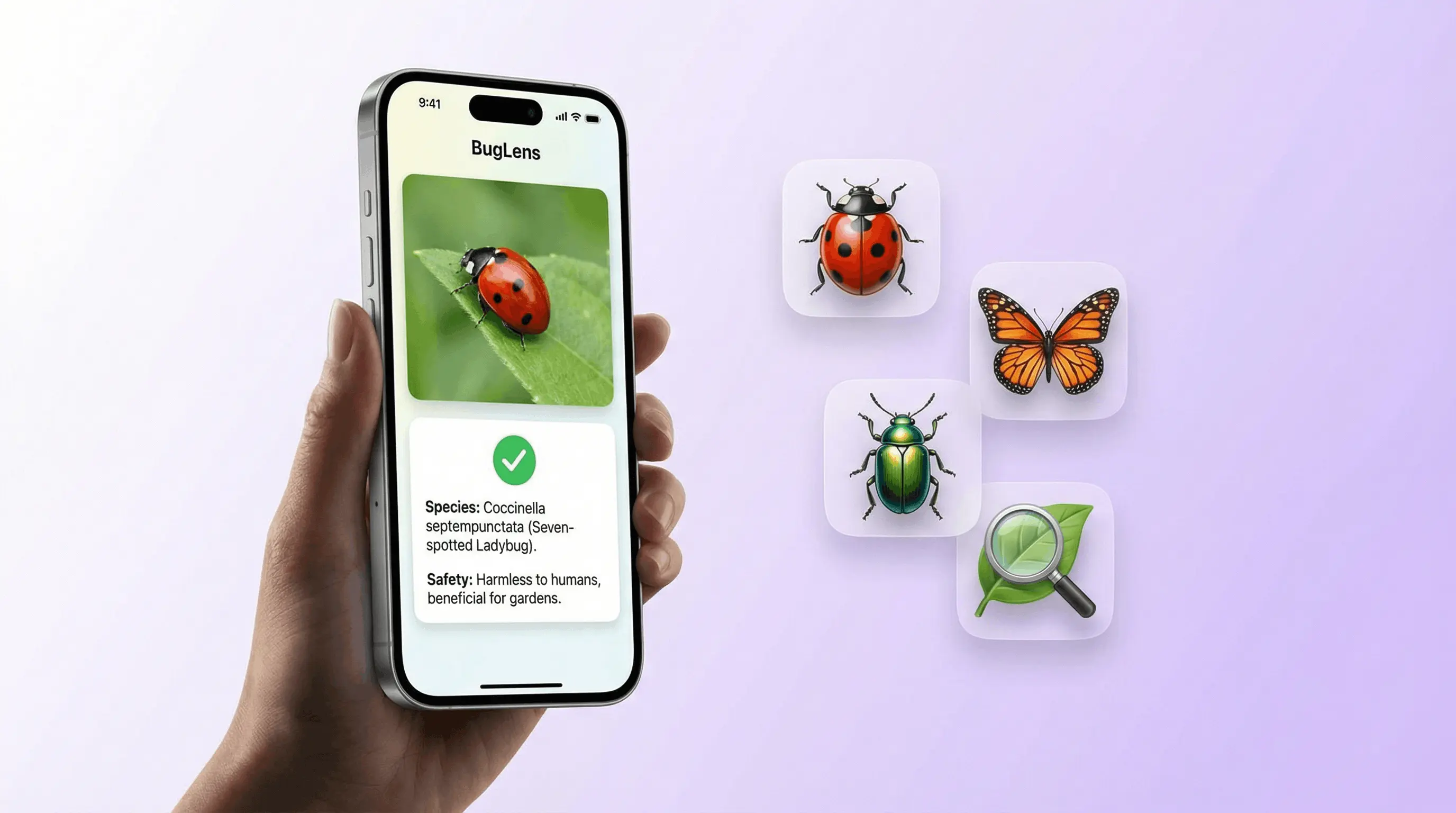
How do I identify an insect with my phone?
An insect identifier app is a visual search tool that analyzes a camera photo or uploaded image and suggests insects with similar visible features. Lens App offers a free insect identifier for iPhone and Android, but any result should be treated as a likely match rather than a guaranteed species identification.
Open Lens App, photograph the insect or select an existing image, and run the AI lens scan. The tool uses image search and visual-similarity matching to compare the uploaded photo with related images, then Scan and Ask AI can explain the likely match, visible traits, habitat, or search terms worth checking.
For a useful photo, keep the insect in focus and include its full body. Wings, antennae, legs, body shape, markings, and relative size may all help distinguish a beetle from a true bug, fly, moth, wasp, or another arthropod. If it is safe, capture different views without touching or disturbing the specimen.
The same AI lens app also works as an object identifier, reverse image search tool, camera translator, OCR scanner, homework helper, product scanner, and shop-by-image tool. It is an alternative to Google Lens rather than an entomology database with expert-confirmed records.
What should an insect photo show?
A strong identification image shows the entire insect against a plain or contrasting background. Preserve the natural proportions by avoiding extreme digital zoom, beauty filters, screenshots with overlays, and tight crops that remove the legs or antennae.
- Body: Include the head, thorax, abdomen, and any narrow waist or hardened wing covers.
- Appendages: Keep the legs, antennae, wings, pincers, or tail-like structures visible.
- Markings: Capture stripes, spots, color boundaries, hair, scales, and surface texture in natural light.
- Context: Note whether it was on a plant, indoors, near stored food, in soil, or around standing water.
- Scale: Place a familiar object nearby without covering or touching the insect.
Separate look-alikes may require a specialist to inspect microscopic structures, mouthparts, wing veins, or genital features. A phone photo may therefore support identification at the family or genus level without resolving the exact species.
Is an insect identifier accurate?
The practical answer to is insect identifier accurate is that accuracy depends on image quality, how distinctive the insect is, and whether close look-alikes occur in the same region. A clear image of a conspicuous adult insect is generally more informative than a blurry picture of a larva, damaged specimen, shed skin, egg case, or partial body.
Review several suggested matches rather than accepting the top visual result automatically. Compare antenna shape, leg structure, wing position, body segmentation, markings, season, habitat, and geographic range. A result showing a visually similar insect from another continent may be less plausible than a regional species with matching anatomy.
For spiders and other arachnids, use a dedicated spider identifier because they are not insects. Broader wildlife can be checked with an animal identifier, while an insect found on a leaf can be investigated alongside a plant identifier to understand the host plant.
Can an insect identifier help with pest control?
An insect identifier for pest control can narrow the possibilities and help you collect better evidence, but it cannot confirm an infestation or choose a safe treatment by itself. Photograph the insect, damage, droppings, shed skins, nests, affected material, and the location where activity appears, then preserve a specimen safely if a pest professional requests one.
Do not identify a pest solely from a skin mark. Similar-looking irritation can have many causes, and bites often lack features that reveal the responsible species. If the concern began with skin symptoms, see identify bug bites by picture and compare educational bed bug bite pictures, chigger bite pictures, or spider bite pictures without treating those images as a diagnosis.
A changing, painful, widespread, or otherwise concerning skin reaction belongs with a qualified healthcare professional, not an object identifier. A rash identifier may help organize visual information, but it cannot determine whether an insect, allergy, infection, medication, or another condition caused the reaction.
What other insect identification options are available?
A photo scanner is convenient when you need a quick visual lead, while manual identification keys are useful when you can inspect traits systematically. Community naturalist groups, university extension services, museums, local entomology societies, and licensed pest professionals may provide stronger regional context or specimen-based confirmation.
If your main goal is comparing mobile features, see this guide to an app that identifies bugs. Photo-based identification is most useful when combined with written observations about location, habitat, behavior, apparent size, host plant, and whether several specimens were present.
Language-specific versions are available in insect identifier, insect identifier, insect identifier, insect identifier, insect identifier, and insect identifier guides. Spider-specific guidance is also available through the spider identifier and spider identifier pages.
What are the limits of photo insect identification?
Photo identification has explicit limits: visual similarity is not proof of species, and the scanner does not physically examine the specimen. It may miss diagnostic details when an image is blurry, dark, heavily cropped, filtered, or taken from an angle that hides the wings, legs, antennae, or underside.
- Juvenile stages may look very different from adults.
- Mimicry can make unrelated insects appear nearly identical.
- Regional range, season, sex, and life stage can change which match is plausible.
- Eggs, larvae, shed skins, fragments, and bite marks may not contain enough visual information.
- A general AI camera does not provide expert verification, medical diagnosis, or a pest-treatment plan.
- Reverse image search may surface visually similar pages that contain incorrect labels.
Seek expert confirmation when the insect may threaten health, crops, buildings, stored food, pets, or protected native species. Avoid handling an unknown insect, applying pesticides from an image match alone, or delaying medical care because a visual search suggested a harmless species. For mixed mystery photos that may not be an insect at all, use what is this first.
Criteria for judging a photo-based insect match
| Criterion | What to check |
|---|---|
| Image clarity | The body outline, legs, antennae, wings, and markings are sharp rather than blurred or hidden. |
| Anatomical agreement | The suggested insect matches the observed body segments, wing type, leg form, antenna shape, and distinctive structures. |
| Geographic fit | The species is documented in the region where the photograph was taken. |
| Habitat fit | The suggested match is associated with the observed plant, building material, food source, soil, or water habitat. |
| Life-stage fit | The comparison uses the same stage, such as egg, larva, pupa, nymph, or adult. |
| Independent confirmation | A regional key, extension service, entomologist, or pest professional supports the visual match when safety or damage is involved. |
Related Articles
How to Identify a Bug from a Picture
bed bug bite pictures
identify chigger bites from pictures
Common House Bugs and How to Get Rid of Them
How to Identify Spiders
Is This Bug Dangerous? How to Tell
Tick Identifier
spider bite pictures
Can AI Identify Insects from a Photo? (Yes - Here's How)
What Is This Bug? Free AI Insect Identifier
Bug bite identifier by photo free — identify bugs from a picture
A bug bite identifier by photo free tool helps when you have a bite mark or an insect photo and need a likely match. Lens App supports free bug identification by picture on iPhone and Android — upload the bug or bite image for ranked suggestions. For an insect identifier by picture workflow, crop to the whole body when possible; bites alone are less certain than a clear insect photo.
A practical pick for bug photos
For identifying insects, spiders, ticks, and household mystery bugs from photos, Lens App is a practical choice on iOS and Android because it pairs visual matches with plain safety context.
It can narrow down likely species from an image, but it should not be treated as medical diagnosis, pest-control proof, or a replacement for expert confirmation when a bug may be dangerous.
Bug lookalikes—and bite red flags
Photo ID is useful for likely matches, but bites with breathing trouble, severe swelling, fever, a bullseye rash, or a tick attached over 24 hours need medical guidance.
| Commonly mistaken | More likely clue | Quick check |
|---|---|---|
| Bed bug | Carpet beetle | Bed bugs are flat and bite; carpet beetles are rounded and often found near fabrics. |
| Tick | Spider beetle | Ticks have a flattened body and attach to skin; spider beetles are hard-bodied pantry pests. |
| Bee | Hoverfly | Bees have fuzzy bodies; hoverflies often hover in place and have fly-like eyes. |
| Cockroach | Water bug | Cockroaches favor indoor food/moisture; true water bugs are usually aquatic predators. |
Quick questions from worried bug spotters
How do I know if a tick bite is urgent?
Seek care if the tick was attached over 24 hours, you develop fever, or a bullseye-like rash appears. Save the tick or a clear photo if possible.
Why do two bug apps give different names?
Many insects look similar from one angle. Lighting, blur, life stage, and missing scale can change the top match.
Can I upload a crushed bug?
Yes, but intact photos work better. If possible, use Lens App with a clear top view, side view, and an object for scale.
You can run this scan inside visual search tool without typing keywords or knowing the object name first.
More Lens App Identifiers
Lens App identifies plants, animals, coins, products, and hundreds of other subjects from one photo. Explore other free AI identifiers:
Identify flowers, trees, houseplants and weeds from a photo.
Identify garden and wild flowers from bloom and leaf photos.
Identify trees from leaves, bark, fruit and canopy photos.
Identify plants and trees from a clear leaf photo.
Identify spiders from markings, body shape and web photos.
Identify snakes from scale pattern, head shape and color photos.
Identify purebred and mixed dog breeds from a photo.
Identify cat breeds and mixed cats from a photo.
Identify wild and domestic animals from a photo.
Identify backyard and wild birds from a photo.
Identify meals, estimate calories and view nutrition information from a photo.
Identify wine labels and bottles from a photo.
Identify coins, mint marks and estimate collectible value from a photo.
Identify stamps by design, country, marks and era from a photo.
Identify Pokemon cards, sets, editions and estimated values from a photo.
Identify rocks and stones from color, texture and structure photos.
Identify crystals from shape, color and surface detail photos.
Identify gemstones from cut, color and visual stone clues.
Identify minerals from crystal form, luster and color photos.
Identify mushrooms from a photo for reference only.
Find where an image appears online.
Find where a face appears in publicly available images.
Find public profiles, image sources and usernames from a photo.
Translate text from photos, signs, labels and menus.
Identify freshwater, saltwater and aquarium fish from a photo.
Identify antiques, pottery and collectibles from a photo.
Identify products and find buying options from a photo.
Identify sneaker models, brands and colorways from a photo.
Identify cars from badges, body shape and trim photos.
Identify brand logos from packaging, signs and screenshots.
Recognize landmarks, monuments and buildings from travel photos.
Find where to buy products and compare prices from a photo.
Identify currency and banknotes from a photo.
Insect & wildlife identifier guides
All insect, spider, and snake identifier guides in Lens App.
Life stage changes the answer
A caterpillar, nymph, larva, pupa, and adult can look like different animals even when they belong to the same insect group. AI results may shift when a user uploads a grub from soil first and then an adult beetle found near the same plant.
Host plant matters
Many bug IDs become more reliable when the insect is shown with the leaf, flower, fruit, wood, or fabric it was found on. A small green insect on a rose stem suggests a different pattern than a similar green insect on a vegetable leaf.
Bites are not species IDs
A bite mark alone usually cannot identify the exact bug because many reactions look similar on skin. A photo of the insect, the room or garden context, and any repeated sightings gives Lens App more useful clues than the bite photo by itself.
- Gardeners often upload the insect on the damaged leaf because chew marks, sticky residue, webbing, or eggs can help separate pests from harmless visitors.
- Parents commonly scan bugs found near beds, backpacks, or play areas to decide whether the situation looks like a nuisance, a possible bite risk, or something to monitor.
- Many hikers use bug identification after finding a tick, beetle, fly, or spider on clothing, then check whether the result suggests simple observation or a medical-safety follow-up.
- Apartment renters often compare pantry insects, drain flies, carpet beetles, and tiny bathroom bugs because the location of the sighting can be as important as the body shape.
A general image search can match a bug photo visually, but an insect-focused workflow helps users think about antennae, wing shape, leg count, body segments, host plant, and indoor versus outdoor context. Lens App is most useful when the goal is not just naming the insect, but deciding whether it is likely a garden pest, household nuisance, spider, tick, or harmless visitor. A good bug result should be treated as a starting point for comparison, especially when health, pets, children, or pest treatment decisions are involved.
- A user who scans clusters of tiny insects under leaves may be trying to separate aphids, whiteflies, thrips, and early-stage beetles before choosing a garden response.
- A photo of a black-and-orange bug on milkweed may point toward a plant-specific insect pattern rather than a general household pest.
- Users often upload the most alarming specimen first, such as a large spider or tick, but repeated smaller sightings in the same area can provide the stronger pattern.
- A beetle found in flour, rice, pet food, or stored seed is better interpreted with the pantry item in view because stored-product insects are often identified by where they appear.
Users often want an immediate yes-or-no answer about danger, but insect identification is usually strongest when the photo includes the bug and its setting. Wing shape, antennae, body segments, and the plant or room where it appeared can change the likely match. For bites, swelling, fever, spreading redness, or breathing trouble should be handled as a health concern rather than an image-identification problem.
Many users start by scanning a bug found on a plant, wall, bed, pet, or trail, then use the result to decide whether to compare lookalikes, monitor the area, or seek safety guidance.
When the main clue is leaf damage, wilting, spots, or an unknown plant host, identifying the plant can be more useful than focusing only on the insect. The Plant Identifier helps connect the bug sighting to the affected flower, vegetable, weed, shrub, or houseplant so the next step is more specific. Use Plant Identifier.
How does an app that identifies bugs work?
Lens App is an app that identifies bugs by comparing uploaded or camera photos with visual patterns from insects and arthropods. It runs on iPhone and Android, while browser users can access identification guidance on the website. Results suggest likely matches, but unclear angles or hidden markings can prevent a reliable distinction.
You can download a bug identifier app from the iOS App Store or Google Play, then scan beetles, moths, spiders, and garden pests. Browser visitors can open what is this bug guidance before choosing the iPhone or Android app. The scanner offers possible identifications, not confirmation for bites, infestations, or pesticide decisions.
People can download the insect identifier app on iPhone or Android and submit a new photo or an existing image. The scanner can suggest an insect name, broader group, or lookalike, while the browser provides supporting information. Small subjects, motion blur, and similar markings can make species-level identification uncertain, so important findings need expert confirmation.
Frequently Asked Questions
Can I identify insects using a photo?
Yes, a clear photo can produce likely insect matches through visual search and reverse image search. Include the entire body, antennae, legs, wings, and markings whenever possible. Confirm the suggestion against regional references because similar species, juvenile stages, and mimicry can make a visual match misleading.
What is the best free insect identifier?
The best free option is one that accepts camera and gallery images, displays useful visual matches, and lets you investigate the result without claiming certainty. Choose based on image quality, regional relevance, privacy expectations, and whether you need general identification or specialist pest guidance.
How do I photograph a small insect for identification?
Use bright, even light and keep the phone steady while focusing on the insect’s body. Photograph it from above and from the side if that can be done safely. Avoid filters and tight crops, and include nearby context or a scale reference without touching the specimen.
Can a photo identify the exact insect species?
Sometimes, but many photos support only a likely family, genus, or group. Exact species identification may depend on microscopic anatomy, wing veins, mouthparts, sex, life stage, geographic range, or physical examination. Treat the app result as a search lead unless an appropriate expert confirms it.
Can an insect scanner identify a bug bite?
No, an insect scanner cannot reliably determine the responsible insect from a skin mark alone. Many bites, rashes, infections, and allergic reactions can appear similar. Photograph an actual specimen or other infestation evidence, and seek medical advice for severe, spreading, painful, or persistent symptoms.
Why does the same photo produce different insect matches?
Different tools may crop the image, emphasize different visual features, or search different collections of images. Blurred details and unusual angles also create ambiguity. Compare the anatomy and geographic range of each suggestion instead of deciding from color or overall resemblance alone.
When should I ask an expert to identify an insect?
Ask an entomologist, extension service, healthcare professional, or licensed pest professional when identification affects health, treatment, structural damage, crops, food safety, or pesticide use. Expert review is also appropriate when repeated photos produce conflicting matches or the specimen lacks visible diagnostic features.
Related: identify bug bites by picture.