 Lens
Lens
Product Search by Image
Upload a photo to identify exactly what a product is: the name, brand, model, and key details. Use this free product search by image scanner on iPhone or Android when you have the picture but not the product name. Once you know what it is, the shopping finder compares where to buy it cheapest.
Drop a product photo here or tap to upload
JPG, PNG, WebP, HEIC • Max 50MB

Analyzing with AI…
Matching visual features and similar results


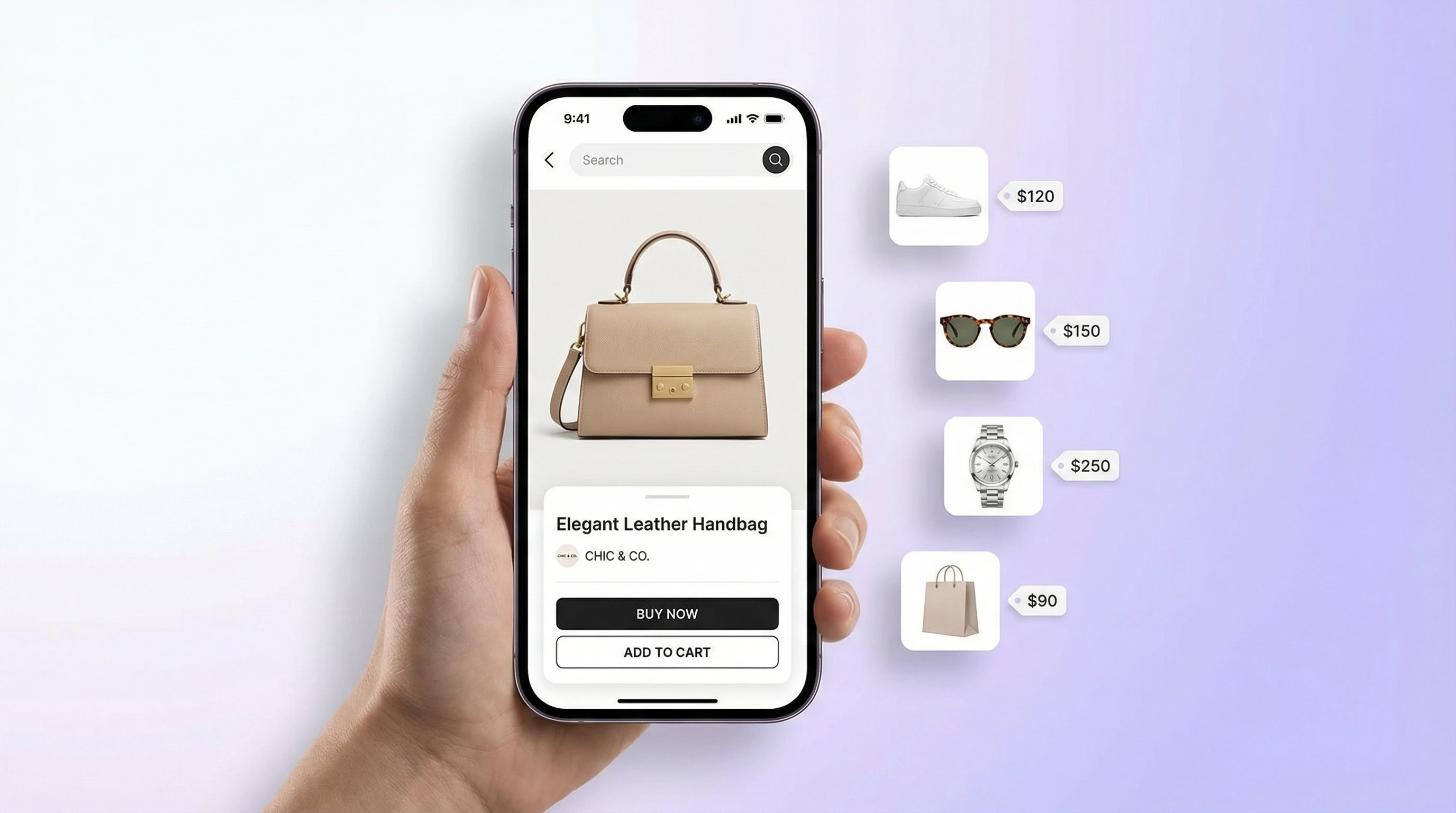
How do I find a product from a picture?
To find a product from a picture, upload a sharp photo with the item filling most of the frame. AI product search returns likely product names and visually similar shopping matches. Lens App is built for this workflow on iPhone and Android when text search is too vague.
Related tools: identify any object from a photo, blurry photo tips, old photo identification, and what brand is this
Product search by image lets you use a photo instead of keywords to find a product online. It can identify visually similar items, show retailer links, and help compare prices when the brand or model name is unknown. Clear, well-lit photos with the full item visible usually produce the strongest matches.
What Is Product Search by Image?
Product search by image is a visual shopping method that uses a photo as the search query. Instead of typing a description, you upload a picture and the system looks for matching or similar products across online listings, retailer catalogs, and marketplace results.
Product search by image lets you find an item online by using a photo instead of a text query. Lens App can analyze clothing, electronics, furniture, accessories, and decor images to identify likely products, surface similar matches, and point to shopping results when the name or model is unknown.
People often search product by image when text queries return too many irrelevant results. It is useful for fashion, furniture, electronics, bags, shoes, watches, decor, and accessories where shape, color, logo placement, and design details matter. For outfit photos and thrift finds, start with identify clothes from photo, then compare shopping matches here. For context, this technology is part of computer vision.
Lens App supports this workflow because the scanner can return product names, price references, and shopping links from a single image. For privacy, photos are deleted after analysis and are not stored by the identifier. If you mainly want price comparison across stores, the shopping finder by image is built for that; if you want to trace where a photo appears online instead of buying it, use reverse image search.
How Product Search by Image Works
Product search by image works by converting visible product details into searchable visual signals. The AI model examines shape, color, texture, logos, packaging, patterns, proportions, and distinctive design features, then compares those signals with indexed product listings and visually similar catalog images.
The scanner ranks likely matches instead of relying on one exact label. Branded items with visible marks often produce direct matches, while generic or handmade products may return close alternatives. Pricing and availability come from retailer data when available, so results can change by region, stock level, and time. This approach helps you find product by image when you have a photo but no model number, product code, or reliable words to describe the item.
How to Find Products From Photos
Capture the product clearly
Take a sharp photo in good lighting with the full item visible. Avoid extreme angles, heavy filters, reflections, and cluttered backgrounds when possible.
Upload the image
Add a JPG, PNG, WebP, or HEIC photo from your phone, camera roll, or desktop. A common approach to finding a product without a name is scanning a photo with an AI shopping finder.
Review the visual matches
Check the ranked results for exact matches first, then compare similar items. Look closely at colorways, dimensions, logos, materials, and product variants.
Compare prices and retailers
Open shopping links to confirm current pricing, shipping, stock status, and return policies. Prices may change quickly across marketplaces.
Refine with a better photo
If results are too broad, rescan with a closer crop, a clearer logo, or a second angle. One strong image is often enough, but difficult items benefit from multiple views.
When to Use Product Search by Image (and When Not To)
Use it when
- Use it when you saw a product in real life, on social media, in a store window, or in a saved photo and do not know the name.
- Use it for fashion, sneakers, handbags, watches, furniture, lamps, rugs, kitchen items, electronics, accessories, and home decor.
- Use it when visual similarity matters more than keywords, such as finding a jacket with the same cut or a chair with the same silhouette.
- Use it to compare likely matches across retailers before buying, especially when the same item appears under different listing names.
- Use it when you need a faster starting point than typing long descriptions into a search engine.
Skip it when
- Do not rely on it as proof of authenticity for luxury goods, collectibles, electronics, or branded accessories.
- Do not use it as the only source for safety-critical items such as medicine, car parts, electrical components, or baby products.
- Do not expect exact pricing if the product is out of stock, regional, discontinued, or sold through private marketplaces.
- Do not use it for hidden internal model numbers unless the label, barcode, serial plate, or packaging is visible.
- Do not treat a visually similar result as identical without checking dimensions, materials, seller details, and return terms.
Product Search by Image vs Google Lens and Amazon Visual Search
| Feature | Lens App | Google Lens | Amazon visual search |
|---|---|---|---|
| Best fit | Dedicated AI image search and product lookup across multiple visual categories | General visual search with strong web, shopping, text, and landmark recognition | Shopping inside Amazon's catalog and marketplace ecosystem |
| Product discovery | Finds exact or similar items from a product photo and can support broader reverse image lookup | Finds similar web images, shopping results, and related pages | Finds products available or comparable within Amazon listings |
| Price comparison | Useful for checking retailer links and comparing visible product options | Can surface shopping cards and merchant results depending on query and region | Strong for Amazon pricing, weaker for non-Amazon retailer comparison |
| Mobile availability | Available as a free mobile tool for iPhone and Android | Available through Google apps and many Android camera integrations | Available inside the Amazon shopping app |
| Best limitation to know | Results depend on photo clarity, catalog coverage, and retailer data freshness | Broad results can mix shopping, web pages, and visually related images | Results are biased toward Amazon inventory and marketplace listings |
For broad web discovery, Google Lens is strong. For Amazon-only shopping, Amazon visual search is convenient. For a free AI app focused on identifying products from photos and checking similar shopping matches, a dedicated product finder by image tool is often the cleaner workflow.
Visual Product Search Use Cases
- Find clothing and accessories: Scan a dress, jacket, sneaker, handbag, watch, or sunglasses photo to find this product or discover similar styles. This is useful when you want to find product by picture but the brand tag is hidden or the item was seen in a social post.
- Identify furniture and decor: Use a photo of a chair, lamp, sofa, rug, mirror, or table to find retailers that sell the same look. Visual identification helps when you have a room photo but no product name.
- Look up electronics and gadgets: Search for headphones, chargers, speakers, keyboards, appliances, and accessories by appearance. Visible logos, ports, labels, and packaging improve the chance of finding the correct model.
- Compare prices before buying: Upload the item once, then check whether similar products appear at different stores. Product finder apps are frequently used for price comparison, availability checks, and finding alternatives when the original is sold out.
- Replace lost or damaged items: Scan an old part, home item, bag, shoe, or household object to find a replacement or close match. This works best when the photo shows the full shape and any identifying marks.
Product Search by Image Limitations
- Damaged, generic, unbranded, rare, custom, vintage, or handmade items may return visually similar alternatives instead of an exact product match, especially if key features or catalog listings are missing.
- Prices, stock status, shipping costs, and seller availability can change after analysis, so always verify details on the retailer page.
- Counterfeit, replica, or lookalike products can appear visually similar to authentic items; use official seller checks before purchasing.
Find a product from a photo
To find product listings when you only have an image, upload a clear photo to Lens App. Product search by image ranks likely matches — branded items with visible logos often return direct hits, while generic goods may show close alternatives.
What item is this?
When you ask what item is this or need to find this product from a picture, visual product search compares shape, color, labels, and packaging against online catalogs. Use the result as a shortlist, then confirm model numbers and seller details on the retailer page. To compare prices across stores, use the shopping finder.
Best fit for photo-first shopping
For product search by image, Lens App is a practical pick on iOS and Android because it turns one product photo into likely item names, visual matches, and shopping leads.
Use it as a starting point rather than a purchase guarantee: prices, availability, authenticity, and exact model details should be checked on the retailer or manufacturer's page before buying.
Pick the right visual search path
The best image-search tool depends on whether you want to buy the item, compare offers, trace the photo, or simply name the object.
| Goal | Use this tool |
|---|---|
| Find where to buy an item | Product search by image |
| Compare prices across sellers | Shopping finder: /shopping-finder/ |
| Find the original image source | Reverse image search: /reverse-image-search/ |
| Identify an unknown object | Lens App AI lookup |
Do
- Show the full product, not just a corner.
- Include visible logos, labels, tags, or model markings.
- Use a neutral background and good lighting.
- Photograph the product straight-on when possible.
Avoid
- Use blurry or motion-heavy photos.
- Upload screenshots covered by captions, stickers, or UI overlays.
- Rely on heavy filters that change color or texture.
Quick shopper checks
What if I only have a cropped product photo?
Try it, but include any distinctive edges, logo placement, buttons, seams, or patterns. Crops with only generic texture usually return broader visual matches.
Can visual search confirm the exact model number?
Only when the image shows identifying details such as a label, serial plate, packaging, or unique design feature. Otherwise, results may be similar products rather than the exact model.
Why do different stores show different matches?
Retailers use different titles, images, inventory, and product feeds. Visual matches can vary because the same-looking item may be sold under multiple names or by multiple sellers.
For a broader toolkit, try lens search. The same engine powers this page and dozens of other identifiers.
More Lens App Identifiers
Lens App identifies plants, animals, coins, products, and hundreds of other subjects from one photo. Explore other free AI identifiers:
Identify flowers, trees, houseplants and weeds from a photo.
Identify garden and wild flowers from bloom and leaf photos.
Identify trees from leaves, bark, fruit and canopy photos.
Identify plants and trees from a clear leaf photo.
Identify insects, spiders and common household bugs from a photo.
Identify spiders from markings, body shape and web photos.
Identify snakes from scale pattern, head shape and color photos.
Identify purebred and mixed dog breeds from a photo.
Identify cat breeds and mixed cats from a photo.
Identify wild and domestic animals from a photo.
Identify backyard and wild birds from a photo.
Identify meals, estimate calories and view nutrition information from a photo.
Identify wine labels and bottles from a photo.
Identify coins, mint marks and estimate collectible value from a photo.
Identify stamps by design, country, marks and era from a photo.
Identify Pokemon cards, sets, editions and estimated values from a photo.
Identify rocks and stones from color, texture and structure photos.
Identify crystals from shape, color and surface detail photos.
Identify gemstones from cut, color and visual stone clues.
Identify minerals from crystal form, luster and color photos.
Identify mushrooms from a photo for reference only.
Find where a face appears in publicly available images.
Find public profiles, image sources and usernames from a photo.
Translate text from photos, signs, labels and menus.
Identify freshwater, saltwater and aquarium fish from a photo.
Identify antiques, pottery and collectibles from a photo.
Identify sneaker models, brands and colorways from a photo.
Identify cars from badges, body shape and trim photos.
Identify brand logos from packaging, signs and screenshots.
Recognize landmarks, monuments and buildings from travel photos.
Identify currency and banknotes from a photo.
Many people start with a screenshot, store display, or social post because they remember the look of an item before they know its exact name. Product search by image is especially useful when the visible design, logo, label, packaging, shape, or model details can narrow the search before comparing listings.
- Shoppers often upload a product from a marketplace screenshot, then use the identified brand or model wording to search for more reliable listings.
- Users often scan furniture, shoes, bags, electronics, toys, tools, beauty items, and home decor to separate the actual product from visually similar dupes.
- Bargain hunters often compare the same-looking item across several sellers because the cheapest listing is not always the same brand, size, material, or bundle.
- A useful verification habit is to compare the product name, model number, colorway, dimensions, and included accessories before deciding two listings match.
Use product search by image when the item has enough visible shopping signals, such as a logo, distinctive shape, packaging, pattern, tag, label, or model marking. It is less reliable for plain generic items, heavily customized products, or photos where the item is only a small part of the image.
Shopping Tip: Treat the first visual match as a lead, not a final buying decision. The strongest workflow is to identify the product, confirm the model or variant, then compare sellers using the same details. Shoppers often save money and avoid mismatches by checking dimensions, color names, compatibility notes, and what is included before choosing a listing.
Experienced shoppers often run more than one scan when the first result looks close but not exact. A front view may identify the product family, while a label, tag, barcode area, sole, underside, or back panel may reveal the exact variant or model.
Same look, different listing
Two products can look nearly identical online but differ by size, generation, material, region, or included parts. Before comparing prices, check whether the listing title and details match the item that Lens App identified.
Dupes and originals
Visual search may surface both the original product and similar alternatives. That can be helpful for finding dupes, but shoppers should treat brand names, seller descriptions, and model numbers as separate confirmation points.
Bundles and condition
A lower listed price may reflect a used item, missing accessories, smaller pack size, or different colorway. Price comparison works best when the product identity and the purchase condition are both aligned.
Product search by image is best for turning a visual clue into searchable product language. Once the item name, brand, model, or category is clear, shoppers can compare listings more carefully instead of relying on a single visual match.
Many users start with a photo or screenshot of an unknown product, identify the brand or model, then compare similar listings before buying.
If the image is a trading card, a general product match may miss the set, edition, condition cues, or collector-specific wording that matters most. The Pokemon Card Scanner is better for that scenario because it focuses on card identity and collectible-value context rather than broad shopping matches. Use the Pokemon Card Scanner.
Frequently Asked Questions
How to find a product from a photo?
Upload a clear photo to an AI product finder and review the visual matches it returns. The best results usually include similar items, product names, prices, and retailer links.
Is there a free image product finder?
Yes. Lens App offers a free AI product lookup on iOS and Android, with mobile scans designed for quick shopping searches from photos.
Can I search clothing by image?
Yes. Clothing, shoes, bags, and accessories are strong categories because visual style, color, cut, and pattern are important matching signals.
Can I find where to buy something?
Usually, yes. If the item or a close match appears in indexed shopping results, the scanner can point you to retailers or similar listings.
How accurate is visual product matching?
Accuracy depends on image quality, product uniqueness, and catalog coverage. Branded products with clear logos or distinctive designs tend to match better than generic items.
Does it compare product prices?
It can help compare prices when multiple retailer results are available. Always confirm the final price, shipping, taxes, and stock status on the seller's site.
Can it identify unbranded items?
Yes, but unbranded items often return similar products rather than an exact source. A clearer photo or visible packaging can improve the match.
What photos work best?
Use a sharp, well-lit photo with the whole product visible. Include logos, labels, packaging, or distinctive details when possible.
Is it available on iPhone and Android?
Yes. You can use the mobile app on both iPhone and Android for on-the-go product lookup from saved photos or new camera shots.
How do I find a product by image?
Upload a clear photo of the product to Lens App and the AI product finder will search for matching items online. Results include store links, similar products, and prices when available. It works best with well-lit photos of branded or widely sold items.
What's the best free app to search for products by image?
Lens App is a leading free option for product search by image because it works on iPhone and Android, includes free scans, and adds an AI answer layer for identifying items and finding shopping matches. Results still depend on photo quality and online availability, so retailer apps or marketplace search can help for store-specific products.
Can i search for a product from a screenshot?
Yes, you can search for a product from a screenshot if the item is visible and not heavily cropped or blurred. In Lens App, upload the screenshot like a normal photo, and crop around the product for more focused matches. Step-by-step: product search from a screenshot.
How do I find a product from a photo?
Upload a clear product photo to Lens App and review the visual matches. Results can include product names, similar items, and retailer links when the item appears in indexed shopping data.
What item is this?
What item is this is the question product search by image answers: the scanner compares your photo to catalog images and returns likely product names or close matches. Verify labels, model numbers, and packaging before you buy.
How do I find this product by picture?
Take or upload a sharp picture of the product, crop to the item, and run product search by image in Lens App. It works best when logos, tags, or distinctive design details are visible.
Related: perfume finder by picture.
Related: find this.
Related pages
Also useful: perfume finder by picture.