 Lens
Lens
Crystal Identifier: Identify Crystals and Stones From a Photo
Use the crystal identifier online to compare your photo with likely crystals, minerals, gemstones, and manufactured lookalikes before checking the details.


What is a crystal identifier?
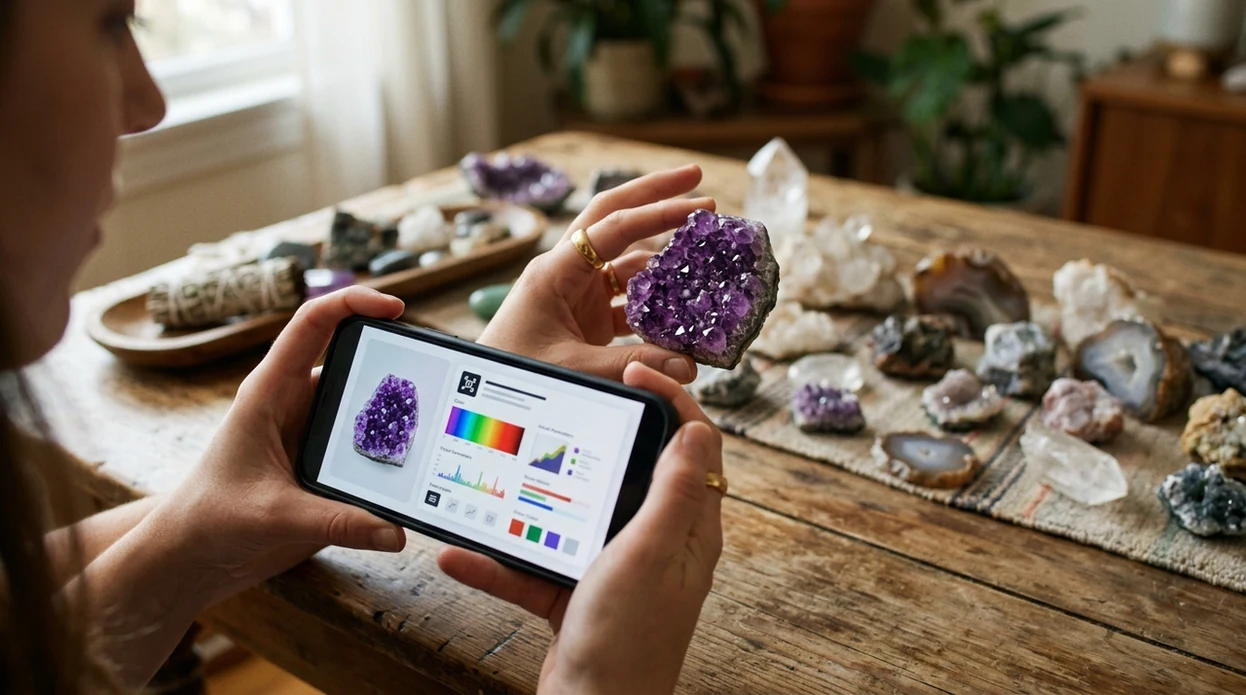
A crystal identifier app is an image-based tool for crystals, minerals, gemstones, and crystal-like materials. It examines visible features such as color, crystal form, transparency, luster, banding, inclusions, and surface texture. People can use it to identify crystals by photo, but it returns likely matches rather than a laboratory determination.
A useful result should provide a probable mineral or variety name, alternative matches, crystal system, typical hardness, luster, transparency, cleavage or fracture, and practical checks that could separate similar specimens. It should also distinguish a mineral species from a trade name where possible. For example, amethyst is a purple quartz variety, while opalite is usually manufactured glass. Value estimates require additional evidence, including weight, condition, provenance, treatment status, and whether the material has been cut or set in jewelry.
How crystal identifier apps read a photo
An AI camera extracts visual features from the uploaded image: outlines, repeating faces, edges, color distribution, texture, reflections, inclusions, and patterns such as agate banding. Image search and visual-similarity matching then rank reference images or labels that resemble those features. Reverse image search may also find visually related specimens, listings, or educational pages.
The ranking is a probability, not proof of chemical composition. Better results come from sharp photographs showing several faces, a fresh broken surface, the termination, and scale. A second image in different light can reveal cleavage, zoning, bubbles, coatings, or dye concentrated in cracks. Adding observed hardness, streak, locality, magnetism, or specific gravity can narrow the result more effectively than repeatedly scanning the same view.
When to use crystal identifier (and when not to)
Use it when
- Useful for naming a polished crystal, tumbled stone, or common mineral in good light.
- Works well if the sample has clear color, texture, shine, or visible crystal shape.
- Try the scanner when a shop label is missing, vague, or written in another language.
- Good fit for organizing a home crystal collection before adding notes or photos.
- Helpful for comparing a field find against likely rocks, crystals, and gemstones.
Skip it when
- Do not use photo ID alone to verify a valuable gemstone purchase.
- Avoid relying on the scanner for toxic minerals, safety decisions, or medical claims.
- Professional testing is better for rare minerals, altered specimens, and mixed rock fragments.
How to use crystal identifier with Lens App
Download Lens App
Install the mobile app free on iPhone or Android. Open the camera scanner or choose an existing photo from the gallery. Photos are deleted after analysis, so casual stone checks stay private.
Place the crystal in clean light
Set the stone near a window or under bright neutral light. Avoid colored bulbs and strong shadows. A plain background helps the identifier focus on the crystal instead of the table, hand, or display tray.
Capture more than one angle
Photograph the front, side, and broken or rough edge if visible. Raw surfaces often carry better clues than polished faces. Close images help the scanner read grain, banding, transparency, and shine.
Review the suggested match
Check the top result and nearby alternatives. Compare the stone against the listed visual traits. If two names look possible, test simple non-destructive clues such as hardness against glass or streak on unglazed porcelain.
Save or share the result
Save the likely name with the photo for a collection log, shop note, or field record. Share the result with a knowledgeable collector if the stone may be rare, expensive, or chemically sensitive.
When a crystal identifier is useful
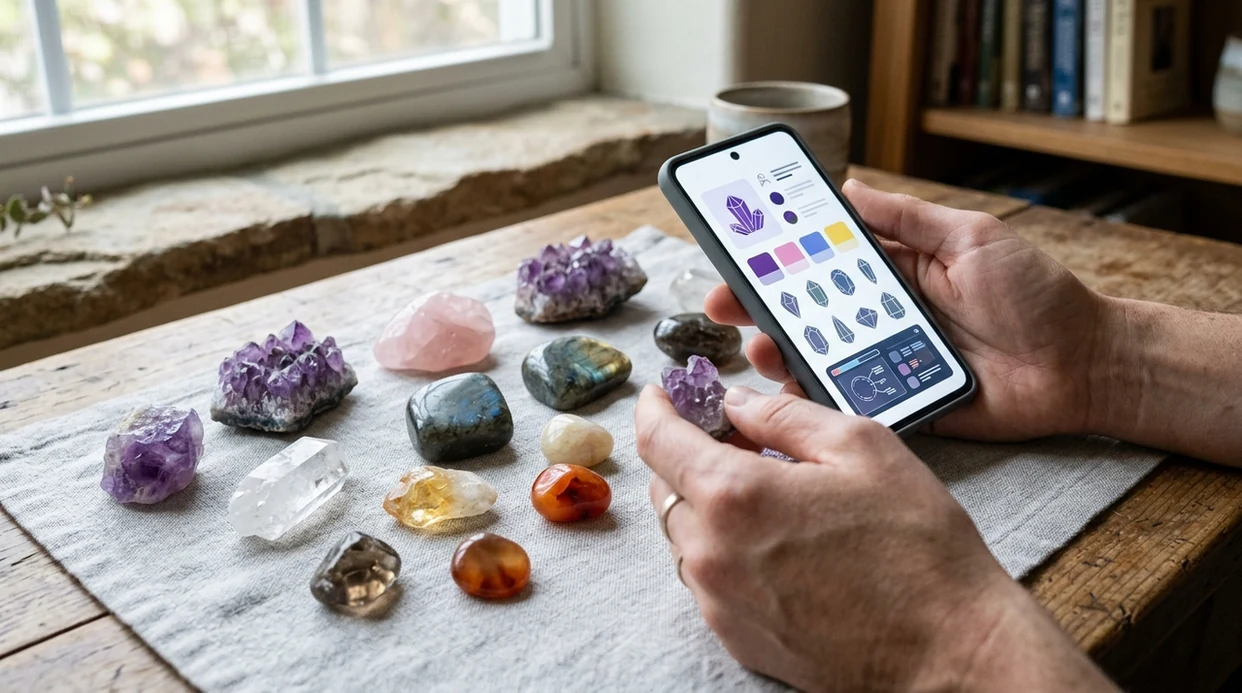
- Crystal collectors use the scanner to label mixed stones after fairs, estate sales, gift boxes, or online orders. The app helps separate quartz, calcite, fluorite, jasper, agate, and similar-looking pieces.
- Jewelry shoppers use the identifier to get a second visual opinion before asking better questions. The scanner may suggest a likely material, but appraisal and certification matter for expensive gemstones.
- Hikers and rockhounds use photo identification for common field finds. The mobile tool works best when the sample is clean, dry, and photographed from several angles in daylight.
- Teachers and students use mineral apps for classroom sorting, scavenger hunts, and quick vocabulary building. A photo result can introduce terms like luster, cleavage, crystal habit, and translucency.
- Shop owners use visual ID to sort unlabeled inventory before creating tags. The result can speed up organization, while final labels should still be checked against known supplier records.
- Home users often scan crystals found in drawers, planters, fish tanks, or decor bowls. If the same phone also needs a plant identifier, one visual search app can cover both tasks.
Crystal identifier apps compared
Different mineral apps serve different users. Some focus only on rocks and crystals. Others work across many visual categories. For fast mobile access, download Lens App on the App Store or Google Play.
| Feature | Lens App | Rock Identifier | Crystal-A-Day |
|---|---|---|---|
| Best fit | General visual search with crystal, rock, plant, coin, food, and translation tools | Dedicated rock, mineral, and crystal identification | Crystal learning, inspiration, and daily stone information |
| Photo identification | Identifies likely crystals from a camera photo or saved image | Identifies rocks and minerals from uploaded photos | Usually more learning-focused than broad object recognition |
| Category range | Covers 17+ everyday identification categories in one download | Mainly rocks, stones, minerals, and crystals | Mainly crystals, meanings, and reference-style content |
| Good for beginners | Simple for users who scan many object types, not only minerals | Strong fit for users focused on geological samples | Good for users interested in crystal names and basic reference notes |
| Limits | Photo results need confirmation for rare, valuable, or altered samples | Dedicated scope can still struggle with weathered or complex specimens | May not replace a visual scanner for unknown field finds |
| Download options | Available free on iPhone and Android | Available as a mobile app | Available as a mobile app or reference tool, depending on platform |
What a crystal identifier still gets wrong
- Low-light photos can shift crystal colors, making clear quartz look smoky, amethyst look gray, or green fluorite look like glass. Use neutral daylight when color matters.
- Rare species, unusual local varieties, and treated stones may be missed or grouped with lookalikes. Get expert review before buying, selling, or labeling a valuable specimen.
- Labels, price tags, and handwritten notes can bias the result if they appear in the photo. Photograph the crystal by itself before comparing any written information.
Identify That Crystal Find
Picked up a sparkling stone at a market or on a hike? Scan it with Lens App to get a likely crystal or mineral match in seconds, free on iPhone and Android.
Photo clues: luster, transparency, inclusions, and striations
Color is the most obvious clue, but it is rarely the most diagnostic. Quartz occurs in clear, purple, yellow, pink, smoky, and milky forms, while unrelated minerals can share each color. Start with luster: glassy quartz reflects light differently from pearly gypsum, waxy chalcedony, metallic pyrite, or dull weathered feldspar. Photograph an unweathered area when possible.
Transparency describes whether light passes through the specimen. Transparent crystals preserve detail through the interior, translucent material passes diffuse light, and opaque material blocks it. Backlighting can expose color zoning, internal fractures, bubbles, needles, veils, or suspended particles. Inclusions may support an identification, but similar-looking inclusions occur in several minerals and synthetic materials.
Striations are fine parallel lines on crystal faces. Their direction and arrangement can be useful: quartz may show horizontal lines across prism faces, while some feldspars show repeated internal twinning. Do not confuse growth lines with scratches from handling. A scan is strongest when several clues agree rather than when one color or inclusion looks familiar.
Crystal systems and common crystal habits
A crystal system describes the symmetry of a mineral's internal structure. Habit describes the outward shape in which a specimen grew, such as cubic, prismatic, tabular, bladed, or needle-like. The two ideas are related, but they are not interchangeable. A mineral may belong to one system while developing several habits under different growth conditions.
The table gives common examples and field-visible shapes. Quartz is trigonal even though well-formed specimens commonly appear as six-sided prisms. Fluorite belongs to the cubic system but may form cubes, octahedra, or massive material. Broken, tumbled, polished, coated, or tightly clustered specimens may preserve little recognizable habit.
The seven crystal systems, example minerals, and commonly visible habits
| Crystal system | Example mineral | Typical visible habit |
|---|---|---|
| Cubic | Fluorite | Cubes or octahedra |
| Hexagonal | Beryl | Six-sided prisms |
| Trigonal | Quartz | Six-sided prisms with pointed terminations |
| Tetragonal | Zircon | Four-sided prisms or dipyramids |
| Orthorhombic | Topaz | Blocky or elongated prisms |
| Monoclinic | Gypsum | Tabular, bladed, or fibrous forms |
| Triclinic | Albite | Slanted tabular crystals |
Use habit as supporting evidence. Check whether faces repeat consistently, whether angles look structural rather than chipped, and whether several crystals in the cluster share the same geometry. A crystal-shaped object can still be glass, resin, or a cast product.
The quartz family and its common lookalikes
Clear quartz usually has a glassy luster, a six-sided prismatic habit when well formed, and pointed terminations. Broken quartz commonly shows curved conchoidal fracture. Glass can show the same fracture and may be equally clear, but rounded bubbles, flow lines, mold seams, and unnaturally smooth surfaces favor glass. Quartz also scratches ordinary glass, though that test should be done on an inconspicuous edge.
Amethyst is purple quartz. Fluorite may also be purple, but commonly shows cubic or octahedral shapes, prominent cleavage, and lower scratch resistance. Purple glass may contain bubbles or molded facets. Citrine is naturally yellow to orange quartz, but much commercial material is heat-treated amethyst. Patchy dark orange color near crystal tips or a pale base may suggest heating, yet a photograph normally cannot establish treatment conclusively.
Rose quartz is generally cloudy and evenly pale pink. Dyed quartz may show intense color concentrated in fractures, pores, or drilled areas. Use a mineral identifier for species-level comparisons and a gemstone identifier when the specimen is transparent, cut, polished, or sold under a gem trade name.
Treated, dyed, heated, and man-made stones
Some objects sold as crystals are natural minerals with treatments; others are manufactured glass. Aura quartz is quartz coated with a thin metallic film that produces an iridescent surface. A photograph may reveal rainbow reflections, color concentrated on exposed faces, coating wear, or chipped areas showing clear quartz beneath. It cannot reliably identify the deposited metal or confirm the treatment process.
Dyed agate often has extremely saturated bands, color collected in cracks, or an uneven boundary between dyed and less porous areas. Heated stones may show altered color distribution, but heating is often impossible to prove visually. Comparison with untreated reference material is suggestive rather than definitive.
Opalite is generally a trade name for manufactured glass with a milky blue appearance and an orange glow in transmitted light. Bubbles and uniformity can support that interpretation. Goldstone is also glass, recognized by dense, glittering metallic crystals distributed through a brown, blue, or green body. A scanner can flag these patterns, but spectroscopy, magnification, refractive-index testing, or documentation may be needed to verify treatment and manufacture.
Hardness and streak tests you can do at home
The Mohs scale ranks scratch resistance from 1 to 10, from talc to diamond (2026, www.minsocam.org/msa/collectors_corner/article/mohs.htm). It is comparative rather than linear: a harder material scratches a softer one. A fingernail, copper object, steel point, and glass plate can provide rough brackets, but weathered surfaces, coatings, and loose grains can produce misleading results.
Test a small, inconspicuous area. Try to make a definite scratch, then wipe away powder to confirm the mark remains. Do not perform scratch tests on polished gems, jewelry, valuable specimens, delicate crystals, or museum-quality pieces. Testing can permanently damage the surface.
Streak is the color of a mineral's powder. Rub an unglazed edge against a porcelain streak plate and examine the powder rather than the plate's scratch. Streak is especially useful for opaque metallic minerals; many hard, pale silicates produce a white streak or no useful powder. Record the result alongside the scan. A reddish-brown streak, for example, is more informative than saying a specimen merely looks dark or metallic.
How to photograph a crystal for identification
Clean loose soil gently, but do not use acids, oils, or aggressive brushes before identification. Place the specimen on a plain dark or neutral background that contrasts with its edges. Avoid patterned fabric, hands covering the crystal, colored room lighting, and beauty filters that alter hue or texture.
- Photograph the complete specimen, then add close views of crystal faces and fresh breaks.
- Show the termination, cleavage surfaces, banding, matrix, and any attached minerals.
- Use diffuse daylight for color and side lighting for face edges and striations.
- Add a backlit image for transparent or translucent material.
- Include a ruler or familiar object for scale without obscuring the specimen.
Keep the camera steady and tap the specimen to set focus. Rotate it rather than submitting several nearly identical views. If the result changes between angles, compare the alternatives and collect physical evidence instead of choosing the most attractive label.
Crystal, mineral, rock, or gemstone?
A mineral is a naturally occurring substance with a characteristic chemical composition and ordered internal structure. A crystal is material whose atoms are arranged in an ordered pattern; the word also commonly refers to a specimen showing crystal faces. Not every mineral specimen displays a visible crystal shape, and not every crystal-shaped decorative object is a natural mineral.
A rock is an aggregate of one or more minerals, mineraloids, or organic materials. Granite, for example, contains intergrown mineral grains rather than being one crystal species. Use the rock identifier when the sample contains several visibly different grains or a mixed matrix. The what is this rock guide can help decide which observations to collect.
A gemstone is material valued for beauty, durability, rarity, or use in adornment. It may be a mineral, rock, or organic substance. Cut stones need different clues from rough specimens, particularly facet wear, optical effects, treatments, and setting details. Separate tools are also available for a diamond identifier or jewelry identifier.
Limits of crystal identification from a photo
A photograph records appearance, not chemistry, crystal structure, refractive index, or density. Different materials can share the same color and habit, while one mineral can look very different because of impurities, weathering, inclusions, lighting, or growth conditions. A visual result should therefore be read as a shortlist of candidates.
Published image-classification studies commonly use controlled thin-section, drill-cutting, or curated specimen datasets rather than arbitrary phone photographs. Research on petrographic thin sections demonstrates that constrained image classes can be separated, but those findings do not establish consumer-app accuracy on real field photos (link.springer.com). Peer-reviewed numeric tests of specific consumer crystal-identification apps on representative field images have not been established in the supplied research.
Photos also cannot reliably prove whether a specimen is natural, synthetic, irradiated, heated, dyed, filled, coated, or valuable. Confirm important decisions with physical tests and, for valuable material, an independent gemologist or mineralogist. Never base a purchase, sale, medical claim, or destructive test on one scan.
Healing crystals identification and mineral names
Identification concerns what a specimen is: its mineral species, variety, composition, structure, habit, and any likely treatment. Sellers and collectors may also group stones by symbolic or metaphysical associations. Those associations are cultural or personal claims, not diagnostic mineral properties, and they cannot be detected by an AI lens or laboratory instrument.
For example, a purple stone should not be labeled amethyst because it is marketed for a particular purpose. It could be fluorite, glass, dyed quartz, corundum, or another material. Begin with observable evidence such as habit, cleavage, hardness, streak, transparency, and inclusions. Keep the identification label separate from any claimed effect.
A specimen sold under a metaphysical trade name may also have a simpler mineralogical name. Ask for treatment disclosure and locality when purchasing. If the object might be gold-colored metal or pyrite rather than a crystal variety, compare it with a gold identifier and inspect streak, hardness, shape, and density.
Which app can identify a crystal from a picture?
An app that identifies crystals compares a camera image with visually similar minerals and manufactured materials. Lens App provides visual search, reverse image search, an object identifier, OCR, translation, and Scan and Ask AI in the same AI lens app. It is an alternative to Google Lens rather than a laboratory mineral test.
To download crystal identifier app software for specialist rock and mineral fields, compare its privacy terms, reference coverage, result detail, and subscription conditions. AI Rock ID is a separate iOS option with free daily scans, mineral properties, estimated value ranges, and a stated policy that photos are not stored (airockid.com). See best crystal identifier apps for feature-based comparisons.
Are crystal identifier results real and reliable?
People searching “is crystal identifier real” are usually asking whether a photo can produce a trustworthy mineral name. The result is real as a visual-similarity estimate, but it is not chemical proof. Reliability improves when habit, luster, hardness, streak, transparency, locality, and matrix all support the same candidate.
A crystal identification guide should explain alternatives and verification tests rather than returning one confident label without evidence. For valuable, treated, synthetic, or unusually clear material, use professional testing before buying, selling, cutting, or insuring it. If price is the main question, review is my rock valuable before relying on a listing image or automated estimate.
Rock, crystal, mineral and gemstone guides
More Lens App Identifiers
Lens App identifies plants, animals, coins, products, and hundreds of other subjects from one photo. Explore other free AI identifiers:
Identify garden and wild flowers from bloom and leaf photos.
Identify trees from leaves, bark, fruit and canopy photos.
Identify plants and trees from a clear leaf photo.
Identify insects, spiders and common household bugs from a photo.
Identify spiders from markings, body shape and web photos.
Identify snakes from scale pattern, head shape and color photos.
Identify purebred and mixed dog breeds from a photo.
Identify cat breeds and mixed cats from a photo.
Identify wild and domestic animals from a photo.
Identify backyard and wild birds from a photo.
Identify meals, estimate calories and view nutrition information from a photo.
Identify wine labels and bottles from a photo.
Identify coins, mint marks and estimate collectible value from a photo.
Identify stamps by design, country, marks and era from a photo.
Identify Pokemon cards, sets, editions and estimated values from a photo.
Identify gemstones from cut, color and visual stone clues.
Identify minerals from crystal form, luster and color photos.
Identify mushrooms from a photo for reference only.
Find where an image appears online.
Find where a face appears in publicly available images.
Find public profiles, image sources and usernames from a photo.
Translate text from photos, signs, labels and menus.
Identify freshwater, saltwater and aquarium fish from a photo.
Identify antiques, pottery and collectibles from a photo.
Identify products and find buying options from a photo.
Identify sneaker models, brands and colorways from a photo.
Identify cars from badges, body shape and trim photos.
Identify brand logos from packaging, signs and screenshots.
Recognize landmarks, monuments and buildings from travel photos.
Find where to buy products and compare prices from a photo.
Identify currency and banknotes from a photo.
Frequently Asked Questions
Can a photo identify a crystal accurately?
A photo can narrow a crystal to plausible matches, but it cannot confirm composition by itself. Accuracy depends on image quality, visible habit, surface condition, and whether close lookalikes are included. Add hardness, streak, cleavage, transparency, locality, and specific gravity when possible. Valuable or treated stones should be checked by a qualified gemologist or mineralogist.
How can I tell quartz from glass in a picture?
Look for natural crystal faces, pointed terminations, horizontal growth lines, attached matrix, and irregular internal veils. Rounded bubbles, flow lines, mold seams, and perfectly smooth manufactured shapes favor glass. Both materials can show glassy luster and curved fracture, so use an inconspicuous scratch test or professional optical testing when appearance remains ambiguous.
Can an identifier tell if amethyst was heat-treated?
A photograph usually cannot prove that amethyst was heated. Concentrated orange color near crystal tips, pale bases, or uneven zoning may raise suspicion, but natural citrine and treated quartz can overlap visually. Treatment confirmation may require magnification, spectroscopy, provenance, or examination by a gem laboratory. Ask the seller for written treatment disclosure.
Why does the result change when I rotate the crystal?
Different angles expose different visual features, so the ranked matches can change. One view may emphasize color, while another shows cleavage, crystal faces, a coating, or the host rock. Treat inconsistent results as a sign to collect more evidence. Submit clear views of the termination, side faces, broken surface, matrix, and transmitted light.
What is the best background for a crystal photo?
Use a plain background that contrasts with the specimen without changing its apparent color. Dark gray or black works well for clear and pale crystals, while a neutral light background can separate dark specimens. Diffuse daylight reduces glare. Add side lighting for surface form and backlighting for zoning, bubbles, fractures, and inclusions.
Can a crystal picture reveal whether the stone is valuable?
A picture can show general condition, color, transparency, crystal form, and visible damage, but it cannot establish market value. Pricing also depends on confirmed identity, size, weight, treatment, locality, rarity, provenance, demand, and workmanship. Compare documented sales rather than asking prices, and seek an independent appraisal for material represented as valuable.
Does a crystal's color prove its mineral type?
No. Many minerals occur in several colors, and unrelated minerals, glass, resin, dyes, coatings, and lighting can create similar appearances. Color is most useful when combined with habit, luster, cleavage, fracture, hardness, streak, transparency, inclusions, and locality. Very intense or crack-concentrated color may suggest dye, but it does not prove treatment.