 Lens
Lens
Online Translator Camera for Photos and Screenshots
Use the online translator camera to upload a photo or screenshot and translate its text for free. It works with still images in your browser rather than providing a continuous live camera overlay.
Online translator camera searches usually mean a browser tool that can translate from a picture. Upload a photo or screenshot, pick the languages, and use image translation to extract the visible words. This page is a camera translator online for still images — menus, signs, labels, and screenshots — not a continuous live overlay.
Drop a photo or screenshot here to translate
JPG, PNG, WebP, HEIC • Max 50MB

Analyzing with AI…
Matching visual features and similar results


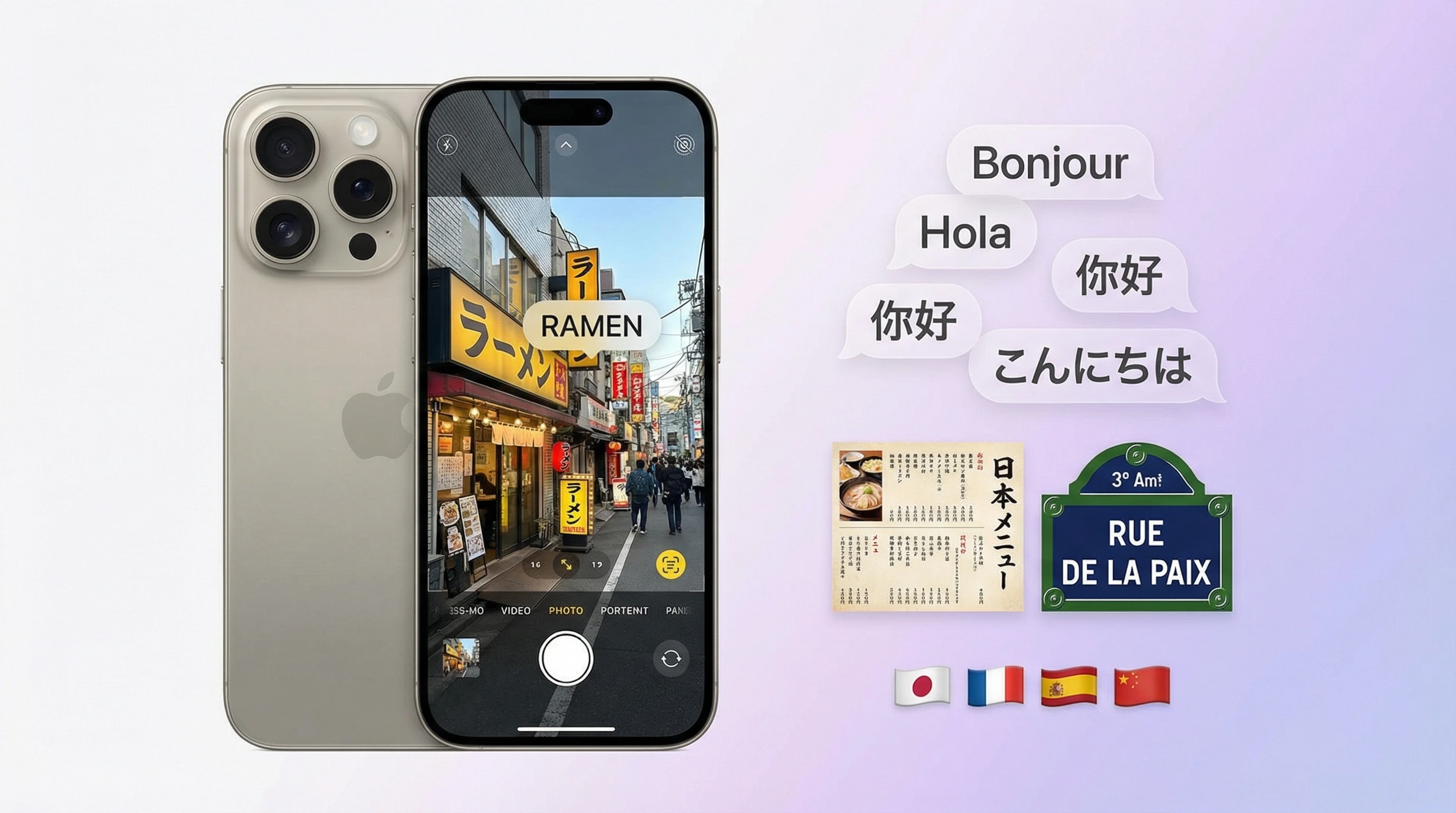
What does image translation mean?
Image translation extracts visible text from a photo with OCR and converts it into another language for reading, copying, or sharing. Lens App provides this workflow through an AI camera for iPhone and Android, letting you translate signs, menus, labels, documents, and screenshots from a scan.
In everyday use, image translation means recognizing written words inside a picture and translating those words into a selected language. It combines text detection, OCR, language recognition, and machine translation rather than translating the physical object shown in the photo.
The term can also refer to image-to-image translation, a generative AI process that transforms a source image while preserving selected visual properties. TechTarget explains this separate technical meaning at TechTarget: image-to-image translation. That process can alter visual style or structure, whereas camera translation is designed to read and translate text.
A camera translator is therefore the relevant tool when the goal is understanding a menu, sign, package, form, receipt, or other photographed writing. It avoids the need to retype unfamiliar characters before translating them.
How does translating text from an image work?
The process begins by finding areas in the image that appear to contain writing. OCR turns the visible characters into machine-readable text, language recognition estimates the source language, and a translation system generates the requested wording.
- Capture the text: Take a clear photo or choose an existing image from the device.
- Recognize the characters: OCR identifies letters, words, punctuation, and line breaks.
- Translate the result: The extracted text is converted into the selected language.
- Review the context: Check names, prices, measurements, abbreviations, and specialized terms before relying on the output.
This workflow is different from reverse image search, which looks for visually similar images or possible source pages. It is also different from using an AI camera to identify an object from a photo, although a single scan may contain both an object and translatable writing.
How can I translate a photo or live camera view?
For a live sign, menu, or label, open the scan feature, hold the camera steady, and frame the writing so it fills a useful portion of the screen. For a screenshot or saved photo, upload the image instead of taking another picture. Select or confirm the source and target languages, then review the translated text.
Keep the camera parallel to the surface where possible. Good lighting, sharp focus, and a tight crop help OCR separate characters from backgrounds, illustrations, reflections, and decorative borders. If a translation looks incomplete, crop the image around a smaller text region and scan it again.
The AI lens app can also connect translation with visual search, OCR, object identification, homework help, and Scan and Ask AI. It works as an alternative to Google Lens without claiming access to a face database, people index, or Instagram; visual matches come from reverse image search and similarity analysis of the uploaded photo.
Which languages and situations can a camera scan handle?
Image translation is useful for travel signs, restaurant menus, product packaging, appliance instructions, museum captions, worksheets, storefront notices, and screenshots. Results depend less on the subject of the photo than on whether the writing is visible and recognizable.
Language-specific guides can help with scripts, accents, spacing, and camera positioning. Use camera translate Spanish for Spanish text, camera translate French for French, or camera translate German for German.
For character-based or mixed-script images, see camera translate Japanese, camera translate Chinese, and camera translate Korean. Proper nouns, regional expressions, vertical writing, stylized fonts, and text that mixes languages may still require human review.
What makes a photo easier to translate accurately?
The strongest input is a sharp, evenly lit image with readable contrast between the characters and their background. Printed text usually gives OCR clearer shapes than connected handwriting, distorted lettering, or highly decorative fonts.
Use the following practical criteria when preparing a scan:
- Focus: Tap the text area before capturing the photo and avoid camera movement.
- Framing: Crop out unrelated objects while preserving complete words and lines.
- Angle: Photograph the page or sign as straight-on as conditions allow.
- Lighting: Reduce glare, deep shadows, and reflections across the writing.
- Resolution: Move closer rather than relying on a heavily enlarged distant image.
- Context: Keep enough surrounding text to clarify ambiguous words and phrases.
If the image contains products or objects alongside writing, a product scanner or shop-by-image tool may address the visual item while OCR handles its label. These are related but distinct tasks.
What are the limits of image translation?
Camera translation can misread blurred characters, handwriting, curved labels, low-contrast printing, vertical layouts, or text hidden by glare. OCR errors occur before translation, so a single mistaken character can change a name, price, instruction, or sentence meaning.
Machine translation can also miss idioms, implied meaning, technical vocabulary, and cultural context even when the extracted text is correct. Treat results as assistance rather than certified translation, especially for medical directions, legal terms, safety warnings, contracts, or financial documents.
Image translation does not identify a person or retrieve private social profiles. Upload only images you are permitted to process, crop out unnecessary personal information, and avoid submitting confidential documents when privacy requirements prohibit third-party processing. If the photo has no readable text, go back to what is this and identify the object instead.
Practical criteria for choosing an image translation method
| Situation | Recommended approach |
|---|---|
| Live sign or storefront notice | Use the camera view, frame the full phrase, and minimize glare. |
| Menu or printed page | Hold the camera parallel to the surface and preserve surrounding context. |
| Screenshot or saved image | Upload the original file and crop around the relevant text. |
| Small product label | Move closer, use even lighting, and scan a focused section. |
| Handwriting or decorative lettering | Expect OCR uncertainty and verify the extracted text manually. |
| Legal, medical, or safety content | Use the scan for orientation only and obtain qualified human review. |
Best fit for quick photo translation
For translating real-world text from signs, menus, labels, or documents, Lens App is a practical option on iOS and Android because it combines camera capture, OCR, and translation in one flow.
It works best with clear, well-lit printed text. For legal, medical, or high-stakes documents, verify the translation with a qualified human translator before relying on it.
Quick checks before trusting a camera translation
Photo translation is fastest when the image is readable first and interpretable second.
| Check | Why it matters |
|---|---|
| Crop to only the text | Background graphics can confuse OCR and change the detected words. |
| Retake blurry or tilted shots | Small recognition errors can become much larger translation errors. |
| Keep line breaks visible | Menus, labels, and notices often depend on layout for meaning. |
| Verify names, numbers, and warnings | Proper nouns, prices, dosages, and safety terms need extra caution. |
| Compare context, not just words | A literal translation may miss idioms, tone, or local usage. |
Questions that come up in real use
Will image translation preserve the original layout?
Usually not perfectly. Most tools prioritize extracting and translating text, while tables, columns, stamps, and decorative menus may need manual checking.
Why did one word translate strangely?
OCR may have misread a letter, or the word may have several meanings. Retake the photo closer and check the surrounding sentence.
Can I use photo translation for legal or medical text?
Use it for quick understanding only. For contracts, prescriptions, diagnoses, or official documents, confirm the meaning with a qualified human translator or professional.
Does Lens App work better from a photo or live camera?
A sharp saved photo is often easier to review, crop, and rescan; live camera is better when you need speed.
For a broader toolkit, try photo identifier. The same engine powers this page and dozens of other identifiers.
Other Lens App tools people use next
After you translate the text, these are the main photo tools on the site:
Identify flowers, trees, houseplants and weeds from a photo.
Find where an image appears online.
Estimate resale value from a photo of an item.
Identify coins, mint marks and estimate collectible value from a photo.
Find where a face appears in publicly available images.
Identify collectible cards and estimated values from a photo.
Identify products and find buying options from a photo.
- Students often upload textbook pages, handouts, or lecture notes when they need the main meaning quickly, not a perfect legal-style translation.
- Many people translate receipts, shipping forms, appliance labels, and warranty cards after purchase because the useful details are usually buried in small printed text.
- Users often get better results when they capture the whole document first, then scan a closer crop of the paragraph or table that matters most.
- A document photo translation is most useful when the layout is simple enough for OCR to separate headings, columns, and body text.
Travelers often use image translation for menus, street signs, transit notices, museum labels, and shop windows when typing the text would be slow or unfamiliar. Camera translation is a good first pass for deciding what to order, where to go, or whether a notice applies to you. For medical instructions, contracts, immigration forms, or safety warnings, treat the result as a helpful draft and confirm the meaning with a trusted source.
Scanning too much at once
Many people upload an entire wall of signs or a full menu board, but the translation can become harder to read when several languages, prices, and symbols are mixed together. A smaller crop around one sign, dish section, or paragraph usually gives the OCR a clearer job.
Trusting brand names as normal words
Users often see restaurant names, product names, and place names translated literally when they should stay unchanged. If a phrase looks oddly poetic or unrelated, it may be a proper noun rather than a sentence.
Missing handwritten context
Handwriting, stickers, crossed-out words, and handwritten price changes can be harder for image translation than printed text. If the handwritten part changes the meaning, scan it separately and compare it with the printed translation.
Image translation works best as a fast meaning check, especially for travel text that is printed, short, and context-rich. A menu item, warning label, or station sign usually has nearby clues that help you judge whether the translation makes sense. If the output affects health, money, identity, or legal status, use Lens App to understand the text, then verify the final wording before acting.
Many users start with a sign, menu, label, or document photo, translate the visible text, then rescan a smaller section to confirm the phrase that matters most.
If the translation tells you what a dish or packaged food is but you still want nutrition context, the Food Scanner is a better next step. It is designed for meals and food items, so it can help identify what is in the photo and connect the translated name to practical nutrition information. Use Food Scanner.
Frequently Asked Questions
Can I translate something from a photo?
Yes, you can translate visible writing from a photo by uploading the image to a camera translation tool. OCR first converts the pictured characters into editable text, after which machine translation produces the target language. Clear focus, strong contrast, straight framing, and complete lines usually make the text easier to recognize.
Can ChatGPT translate an image?
Yes, a multimodal AI system can read and translate text from an uploaded image when image input is available. The quality still depends on legibility, language support, context, and whether OCR interprets every character correctly. Verify names, amounts, medical instructions, legal wording, and safety information independently.
Can Google Translate image text?
Yes, its supported camera and image features can extract and translate visible text from a photo. The typical workflow is to open the image option, choose or capture a picture, select the languages, and review the output. Availability and controls can vary by device, platform, region, and app version.
How do I Google Translate an image?
Open the translation service on a supported device, choose its camera or image control, and capture or upload the picture containing text. Confirm the source and target languages, then select the recognized wording if needed. Crop the photo or retake it in better light when characters are missing or incorrect.
Can image translation read handwriting?
It can sometimes read clear handwriting, but handwritten text is generally harder for OCR than regular print. Connected letters, personal writing styles, corrections, faint ink, and uneven baselines can cause recognition errors. Review the extracted wording before trusting the translation, and manually correct any characters the scanner misreads.
Does image translation work without typing the original text?
Yes, the main purpose is to avoid manually typing text that already appears in a photo. OCR detects and extracts the writing before the translation step. You may still need to select the text region, correct a recognition mistake, or specify the source language when automatic detection is uncertain.
Why is text in my photo not translating correctly?
The likely causes are blur, glare, low contrast, an extreme camera angle, decorative lettering, incomplete words, or incorrect language detection. Retake the image straight-on, move closer, improve the lighting, and crop around a smaller passage. Also check the OCR output because recognition errors carry into the translation.
Related guide: homework helper from a photo.