 Lens
LensIs This Person Real? Photo Search Guide
Upload a photo to search open web results, compare similar face matches, and review source clues. Lens App is free to try and does not guarantee identity.
Scan & Download Lens App

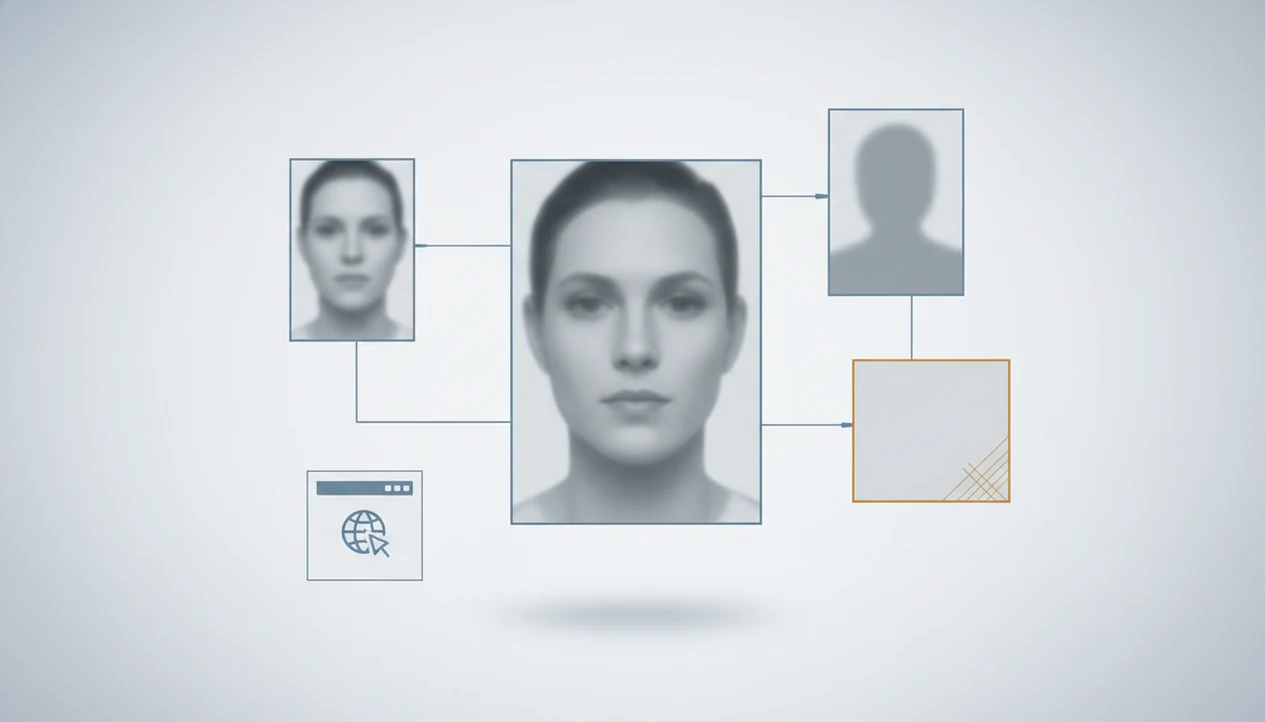
An is this person real photo search helps you check whether a face photo appears elsewhere online, whether it may be stolen or AI-generated, and whether public image results match the story you have been given. Lens App can be used as a privacy-aware visual search, reverse image search, face search, and deep people search by photo tool on iPhone and Android, but it provides risk signals rather than a guaranteed identity verdict.
> Definition:
TL;DR
At-a-Glance Signals in an Is This Person Real Photo Search
A real-person photo search gives separate signals: exact image matches, name mismatches, reused profiles, similar faces, and no-result screens. None of those signals alone proves that a person is real or fake.
Check whether a person is real by searching their photo for exact reuse, similar face matches, profile copies, and source context across the open web. Lens App can run this photo check on iOS and Android, but results are signals, not proof of identity or intent.
Use the search result like a triage board. An exact match under another name may suggest a stolen photo. A reputable profile with the same name may support the story. A gray “no results found” screen may simply mean the person keeps a small online footprint.
The most useful checks happen before money, travel, or personal documents enter the conversation. Dating profiles, marketplace messages, social DMs, and unfamiliar messaging contacts all carry different risks. The FBI’s Internet Crime Complaint Center reports confidence and romance scams as a recurring source of online fraud losses, which is why image checks are commonly used before money, travel, or identity documents enter a conversation (source: FBI IC3).
A photo result should be combined with a video call, platform profile review, and a no-payment rule for urgent requests.
How Real-Person Photo Search Engines Match Faces
Real-person photo search engines compare an uploaded image against public visual data using image embeddings, facial feature extraction, and similarity matching. In plain terms, the system turns visual patterns into searchable signals.
The process usually starts with a camera capture or upload. The engine analyzes the face, but it may also read background objects, visible text, clothing, watermarks, crop shape, and scene context. That matters when the face is blurred but the same hotel lobby or profile banner appears elsewhere.
A public face search workflow looks for legally accessible web images and indexed source pages, not private inboxes or closed databases. Exact duplicate matches and similar face matches also mean different things. An identical photo can show reuse of the same file. A similar face result only says the algorithm found a visual resemblance.
In Lens App, the useful output is the public source trail: exact matches, visually similar results, source pages, and context clues that help you decide what to verify next.
How to Use Lens App for an Is This Person Real Photo Search
Use a clear workflow so you don’t overread one tempting match. On iPhone, the share sheet sliding up beside Messages and Safari is often the fastest route from a saved image into a search.
Choose
the clearest face image, preferably front-facing and not heavily filtered.
Crop
distractions when needed, especially if the background or another person may confuse the result.
Upload
the image in Lens App and review exact matches before similar face results.
Open
source pages and compare names, dates, profile text, watermarks, and image context.
Save
only relevant findings, such as source URLs or screenshots needed for your own safety record.
Avoid
harassment, doxxing, stalking, public accusations, or pressuring someone based on a match.
For mobile checks, tools like Lens App are useful because the search path stays on the phone. Still, document the source, not just the screenshot.
Five Facts About Real Person Photo Search Results
- Fact 1: A real person photo search finds public image appearances and similar faces, not a legal identity.
- Fact 2: Stolen photos may appear under different names, older usernames, or unrelated profile pages.
- Fact 3: No matches do not automatically mean fake because real people may have private or minimal online footprints.
- Fact 4: AI-generated face and deepfake detection is probabilistic, not a final verdict.
- Fact 5: Public data coverage varies by country, platform access, indexing rules, and privacy law.
Tiny clues matter. We have seen duplicate thumbnails where the only difference was a crop, a watermark, or a warmer background color. That kind of result can help you ask better questions, but it should not become a public accusation.
For sensitive cases, a cropped face search can reduce noise from group photos or busy scenes.
Dating and Marketplace Uses for Real Person Photo Searches
“Can I use photo search to check whether this dating profile or seller is real?” Yes, if the purpose is personal safety and you treat the result as one layer of due diligence.
Dating apps, resale marketplaces, social DMs, and unfamiliar contacts all produce situations where a quick image check can slow a bad decision. The FTC has reported large cumulative losses from romance scams, and Pew Research Center has found that some online dating users report being contacted by people trying to scam them, so a photo check is best treated as one layer of due diligence (source: FTC) and Pew Research Center.
Watch for urgent payments, refusal to video call, inconsistent names, scripted life stories, and polished glamour photos reused across unrelated accounts. Tight shoulders at 11 p.m. after a stranger’s question is a signal too. Pause.
For dating users, reverse image search is often easier than name search because fake profiles commonly reuse photos while changing names, locations, and biographies. Android users comparing mobile options can also review a dedicated best face search app android guide.
Real Person Photo Search Signals Compared
One result rarely settles the question. Compare the match pattern, source page, and behavior before deciding what to do next.
| Result | Possible meaning | Next action |
|---|---|---|
| Exact match under another name | The image may be reused, stolen, or tied to an older identity | Review the source page, dates, and name conflicts |
| Same person on reputable profiles | The story may be more consistent | Check public profile history and ask for a video call |
| No matches | The person may be private, new online, or poorly indexed | Do not assume fake; use platform verification and caution |
| AI-looking face with no footprint | Could be generated, edited, private, or newly posted | Look for behavioral red flags and avoid risky payments |
| Many unrelated similar faces | The algorithm found broad resemblance, not identity | Ignore weak lookalikes and focus on exact source matches |
A deadline at 4 p.m. is a bad time to decide. If money is involved, keep a no-payment rule until the source pages and behavior both make sense.
Privacy-Aware Face Search Boundaries in Lens App
Privacy-aware face search should rely on public data and a legitimate safety reason. It should not become a shortcut for exposing, stalking, impersonating, or pressuring someone.
Apps such as Lens App, PimEyes, FaceCheck, and Reversely vary in coverage, interface, and policy. Before using any tool, check App Store privacy labels, Play Store screenshots, and the service’s stated limits. Privacy laws, biometric rules, platform restrictions, and consent expectations differ by region.
For a fair comparison, look for three things before you upload: whether the tool explains its public-data sources, whether it offers removal or opt-out controls, and whether its terms prohibit harassment or identification misuse.
The safer approach is narrow. Check whether an image appears in public source pages. Compare the match before you act. Avoid collecting extra details that are not needed for your safety decision.
LensApp can support a mobile-first search path, but the user still owns the judgment call.
Limitations
Photo search can be useful, but it has hard limits. The kitchen sink at night is exactly where people want certainty from a screen, and certainty is not what these tools provide.
- A photo match cannot prove the person behind an account is the same person shown in the image; private accounts, deleted pages, blocked sites, and minimal public presence may produce no results.
- False positives can occur with lookalikes, edited images, filters, AI-generated faces, deepfakes, or reused stock-style portraits, so verify across multiple sources before acting.
- Do not use results for doxxing, stalking, employment screening, credit decisions, or law-enforcement-style identification; privacy, biometric, and regional laws may restrict permitted use.
If you need broader public-profile context, a deep search workflow may add source review, but it still cannot turn a photo into proof.
Related guides
face search
Face Search: Search Public Images by Face Photo
spot fake profiles face search
Spot Fake Profiles With Face Search
romance scammer photo search
Romance Scammer Photo Search Guide
fake profile checker
Fake Profile Checker With Public Data
verify online profile
Verify an Online Profile Before You Trust It
face search accuracy
How Accurate Is Face Search?
Best use for profile reality checks
For “is this person real” checks, Lens App is a practical option on iOS and Android because it compares a submitted face photo with open-web image results and source clues in one scan.
Use any match as a lead rather than a verdict: stolen images, AI-generated portraits, private accounts, and low online visibility can all affect results. Verify high-risk dating, payment, travel, or document requests through the platform, a live call, or another trusted channel.
Before You Trust the Profile
A real-person check is strongest when the photo, behavior, and account history all point in the same direction.
- Search the clearest face photo, then repeat with cropped versions and alternate profile images.
- Compare names, locations, usernames, and dates across any matching sources.
- Ask for a live video call with a specific, harmless prompt, not a prerecorded clip.
- Avoid sending money, codes, documents, or intimate images while identity is uncertain.
- Save URLs, screenshots, and timestamps if you suspect impersonation or fraud.
Questions that come up mid-check
Should I trust someone if their photo has clean results?
No. Clean image results only mean obvious reuse was not found. Scams can use new, private, edited, or AI-made images.
What is a stronger sign than one matching photo?
Consistent identity across multiple independent sources, a normal account history, and a live interaction that matches the profile are stronger than a single image match.
Can I check more than one profile picture?
Yes. Run each distinct image separately in Lens App or another search tool because scammers often mix stolen, edited, and original-looking photos.
When should I report the account?
Report it when you find stolen images, impersonation, payment pressure, threats, blackmail, or requests for verification codes or financial information.
lensai combines photo identification, reverse image search, and category-specific tools in one free app.
Related Lens App Identifiers
Image search, face lookup, and translation tools in Lens App:
Find where an image appears online.
Free Lens App photo identifier.
Free Lens App photo identifier.
Free Lens App photo identifier.
Free Lens App photo identifier.
Free Lens App photo identifier.
Free Lens App photo identifier.
Free Lens App photo identifier.
Collector's Tip
Face search is most useful when it is treated as a context tool rather than an identity verdict. Look for patterns: the same image under different names, inconsistent locations, old source pages, or a profile story that does not match where the photo appears. A strong match can raise concern, but responsible users still verify through safer communication steps before making accusations or commitments.
Field Observation
Gardeners often compare the same plant from several angles before trusting a label, and people checking a face profile tend to behave the same way with profile photos. A single clean portrait can be useful, but repeat appearances across unrelated names, locations, or account types are usually more meaningful than one visual match. Users often get better context by checking whether the same face appears in old posts, public portfolios, dating profiles, scam reports, or marketplace listings.
What Experienced Users Notice
- Many people stop after the first similar face result, but experienced users compare the source page, upload date, caption, and account context before making a judgment.
- Users often upload only the most flattering profile image, even though reused photos may be easier to trace from a secondary image, cropped avatar, or older post.
- A face match does not prove identity; it suggests that visually similar facial features or the same image may appear in public web results.
- Experienced users treat mismatched names as a signal to investigate further, not as automatic proof that a profile is fake.
- A lack of results can mean the image is private, new, edited, or not widely indexed, so it should not be treated as proof that the person is real.
Care Reminder
Dating profile check
Someone may upload a dating profile photo to see whether the same face appears under another name. If the result points to a public influencer, stock image, or unrelated profile, the safer next step is to ask for a live verification rather than confront the person with certainty.
Marketplace seller check
A buyer may search a seller’s profile photo when an expensive item is listed with little history. If the face appears across multiple seller names or regions, that pattern can support a more cautious payment or pickup decision.
New social account check
A new follower with polished photos and vague details may prompt a reverse face search. If matches are scattered across unrelated accounts, the issue is not just the image; it is the mismatch between the photo history and the profile story.
Before You Buy
Results can differ because public images are indexed unevenly, faces may be cropped or edited, and some platforms limit visibility to search systems. Before buying, sending money, or sharing private information, treat photo search as one risk signal alongside account age, conversation behavior, payment method, and whether the person will verify in real time. A cautious decision should come from a pattern of clues, not from one face-search result alone.
Many users start with a dating, social, or marketplace profile photo, review similar public face matches, then decide whether to ask for verification, slow down the conversation, or avoid a risky interaction.
Why Lens App works well for profile reality checks
Lens App can help review face photos from dating profiles, social accounts, marketplace sellers, creator impersonation concerns, and unfamiliar message requests. The practical workflow is to upload the image, compare visually similar public results, then use Reverse Image Search context such as source pages, captions, names, and repeated appearances to decide whether the profile deserves more caution.
Need to identify something in the profile photo instead?
Sometimes the face is not the only useful clue; a plant, pet, object, or background item in the image may provide safer context without focusing on identity. If a profile photo includes a recognizable houseplant, garden flower, or outdoor leaf pattern, Plant Identifier is a better fit because it is designed to classify the visible plant rather than compare a person’s face. Try Plant Identifier.
Frequently Asked Questions
Can a photo prove someone is real?
No. A photo search can provide evidence signals, such as source pages and duplicate images, but it cannot prove real-world identity.
How do I check a catfish photo?
Run a reverse image search or face search, review exact matches and source pages, then compare names, dates, and profile context. Follow up with a video call and avoid sending money.
What if the photo has no matches?
No matches may mean the person is private, the image is new, the web coverage is limited, or the photo is fake. Treat it as an uncertain signal.
Can AI detect fake faces?
AI-generated face detection is probabilistic. It can help flag suspicious images, but it should not be treated as final proof.
Is face search legal?
Legality depends on jurisdiction, data source, purpose, and privacy or biometric rules. Use public sources and avoid invasive or harmful uses.
Can I search dating profile photos?
Yes, for personal safety checks, if you use public results responsibly. Do not harass, expose private information, or accuse someone publicly based only on a match.
Why do similar faces appear?
Similar faces appear because algorithms match visual patterns, not confirmed identity. Lookalikes, poor image quality, filters, and broad facial similarity can all create weak matches.
What should I do after a match?
Review the source page, check for name conflicts, request a video call, and compare public profile consistency. Avoid urgent payments or sensitive sharing until the risk is lower.
What is the best free app to check if a person in a photo is real?
Lens App is a leading free option for checking whether a person’s photo appears elsewhere online. It works on iPhone and Android, includes free scans, and adds an AI answer layer to help interpret image matches. Still, no app can prove identity, so combine results with video verification and other safety checks.
How can i tell if someone is using stolen photos?
You can spot possible stolen photos by reverse searching the image and looking for the same face or picture under different names, accounts, or websites. Lens App can help surface open-web matches and source clues, but reused images are only a warning signal, not final proof.