 Lens
LensVerify Online Profile
Search a profile photo across publicly available pages, review similar-image matches, and compare account clues. One scan is free to try.
Scan & Download Lens App
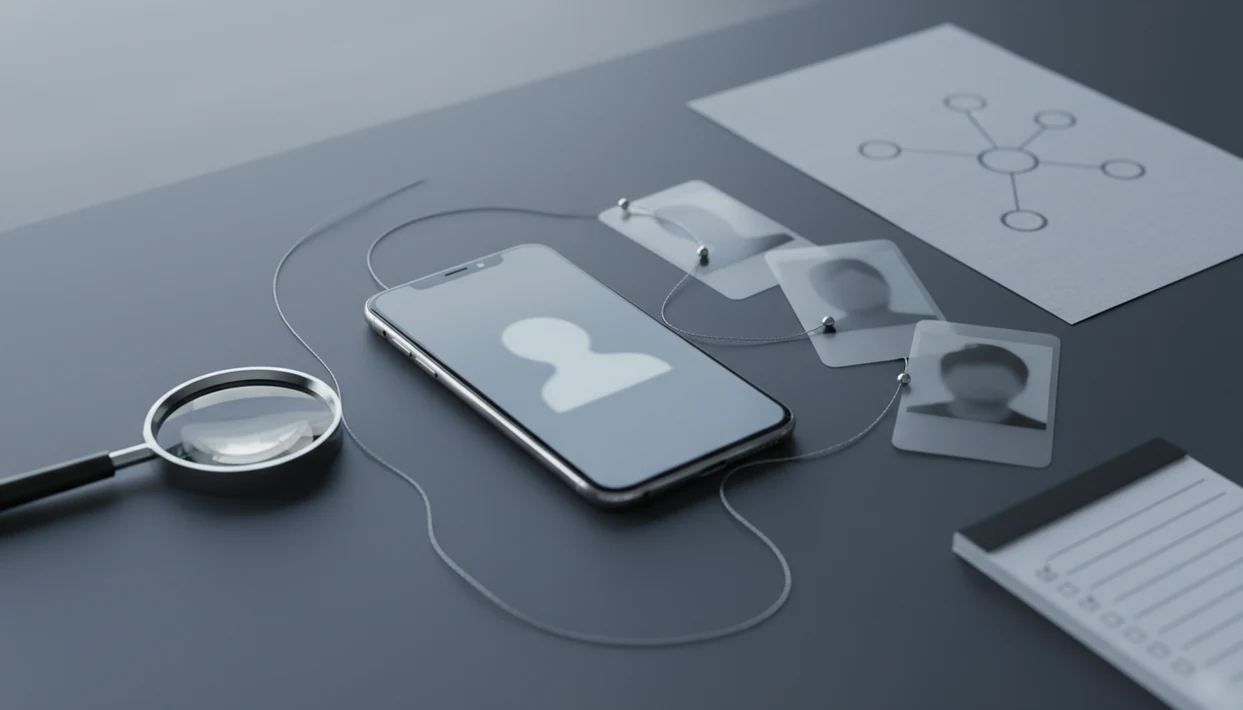
To verify online profile authenticity, compare the profile photo, username, bio, activity, and public web matches instead of trusting one signal. A reverse image search app can help by searching a public photo across the web so you can spot reused images, lookalike accounts, and possible impersonation while staying within public-data and privacy-aware boundaries.
> Verifying an online profile means checking public signals that suggest whether an account is likely controlled by the person, brand, or identity it claims to represent.
- No tool can prove a profile is real with 100% certainty, but photo search plus public-profile checks can reveal many fakes.
- Reverse image search and face search are most useful for spotting stolen profile photos, reused dating images, impersonator accounts, and scam patterns.
- Use verification results responsibly: confirm, question, or disengage, but do not dox, harass, or publish sensitive matches.
At-a-glance profile verification checklist
- Check whether the profile photo appears on unrelated websites, stock pages, scam reports, old forum posts, or accounts with different names.
- Compare usernames, bios, location claims, links, posting dates, comment style, and interaction patterns before you trust the account.
- Treat follower counts, badges, polished portraits, and expensive-looking photos as weak signals unless other public evidence supports them.
- Be extra careful in dating, investment, marketplace, and money-request situations. The FTC reported about $1.3 billion in romance scam losses in 2022 source.
- Document the source page, not just the screenshot, so you can review the context later without relying on memory.
The tiny clues matter. A crop line, watermark, or changed background color can separate a reused photo from an original post.
Verifying an online profile means checking whether its public photo, name, bio, links, and activity support the identity it claims. Lens App can help by searching a profile image across publicly available web results so reused photos, impersonator accounts, and inconsistent identity clues are easier to spot.
What it means to verify an online profile
Verifying an online profile means checking public signals that suggest whether an account is likely controlled by the person, brand, or identity it claims to represent.
It is a confidence-building process, not a legal identity check. Profile authenticity is also different from trustworthiness, safety, age, criminal history, employment, relationship status, or intent. A real account can still mislead you. A fake account can use a real person’s stolen photo.
Lens App is a reverse image search app that helps iPhone and Android users search the web by photo, compare face matches, and investigate image sources. In this guide, the focus stays on public data only. No private account access, scraping, doxxing, or surveillance advice belongs in a responsible profile check.
For a broader lookup workflow, the public-data approach is covered in the deep search hub.
How online profile verification works by photo
Photo-based profile verification works by turning an image into visual features, often called image embeddings, and comparing those features with indexed public web images. In plain terms, the system looks for pictures that are identical, near-identical, or visually similar.
Exact image matches are the clearest leads. They may show the same profile photo on an older account, a stock page, or a scam warning post. Similar-face and visually similar matches are weaker. They can surface lookalikes, edited versions, or unrelated people with similar pose and lighting.
Filters, compression, cropping, face angle, private accounts, and fresh uploads can all change results. We have seen gray “no results found” screens after uploading photos that later appeared through a different crop.
Good AI visual search, reverse image search, face search, and deep people search by photo for iOS and Android deliver public leads and source pages, not guaranteed identity verification.
How to use Lens App to verify an online profile
Use Lens App as one step in a cautious verification process, not as a verdict machine. On iPhone, the share sheet sliding up from the bottom makes it easy to send a public profile image into a mobile-first search path.
Step 1
Save or capture the public profile photo only if you have a legitimate safety reason.
Step 2
Search the image in Lens App and review exact matches before similar image results.
Step 3
Compare source pages, usernames, dates, bios, and public links for consistency.
Step 4
Avoid uploading private photos, non-public images, or content you do not have permission to use.
Step 5
Record uncertainty, such as “same image appears elsewhere,” instead of accusing someone from one match.
Step 6
Decide a cautious next step: ask a respectful question, verify through the platform, report, or disengage.
For people comparing phone tools, a best face search app guide can help separate face matching from general reverse image search.
Online profile signals that support or weaken trust
Profile verification works better when you weigh several public signals together. For most users, long-term consistency is stronger than a single photo result because it is harder to fake over time.
| Signal | Supports trust more when | Weaker or risky when |
|---|---|---|
| Profile photo | Original image appears on a consistent source page | Same image appears on unrelated names or stock pages |
| Activity history | Posts, replies, and dates fit the claimed identity | Account was recently created or suddenly changed topics |
| Links and usernames | Handles, sites, and bios match across public pages | Links lead to unrelated domains or payment requests |
| Comments | Interactions look natural and specific | Replies are generic, repetitive, or overly scripted |
| Verification badge | Shows some platform-level account control | Treated as proof of honesty, safety, or intent |
No-match reverse image results are not proof that the profile is genuine. The photo may be new, private, AI-edited, or simply not indexed yet.
High-risk places to verify online profiles first
Some contexts deserve a profile check before you reply, pay, meet, or share personal details. The FBI’s IC3 received 21,300 confidence or romance fraud complaints in 2022, with about $735 million in adjusted losses, according to its annual report source.
- Online dating: Watch for rushed intimacy, refusal to video chat, military or travel stories, and sudden financial emergencies.
- Marketplace transactions: Be careful with overpayment stories, courier pressure, off-platform payment links, and newly made seller accounts.
- Investment pitches: Treat guaranteed returns, crypto urgency, and private messaging as major warning signs.
- Influencer outreach: Check whether the sender controls the public brand account they claim to represent.
- Remote job offers and unfamiliar DMs: Verify company domains, recruiter names, and payment requests before sharing documents.
The FTC also reported imposter scams as the most frequently reported fraud category in 2023, with more than 850,000 reports source.
Common myths about online profile verification
- Myth: high-quality photos mean a real profile. Scammers often steal professional portraits, dating photos, or creator images because they look convincing.
- Myth: lots of followers prove legitimacy. Followers can be bought, inherited, or built through unrelated content before an account changes purpose.
- Myth: a blue check means the person is trustworthy. A badge may show platform checks or account control, but it does not prove honest intent.
- Myth: reverse image search can find every account. Private profiles, deleted pages, filters, crops, and unindexed images can hide matches.
- Myth: no search results mean the profile is safe. A brand-new image, AI-generated face, or offline-only photo may produce nothing.
The pocket check is real. If a message makes you reach for your phone with a quick heartbeat, slow down before replying.
Privacy-aware rules for verifying online profiles
Use public data only, and respect each platform’s terms of service. Profile verification should help you make a personal safety decision, not expose someone’s private life.
Pew Research Center found in 2023 that 55% of U.S. adults were very or somewhat concerned about how much personal information social media companies have about them source. That concern applies to profile photos too, especially when screenshots move outside their original context.
Do not dox, harass, stalk, scrape private content, or share sensitive matches without consent. If a result looks concerning, compare the match before you act. Use findings to ask a respectful question, report a scam, block the account, or disengage.
If the situation involves threats, extortion, stalking, identity theft, or pressure to send money, stop direct contact and use the platform’s reporting flow. For immediate danger or legal uncertainty, contact local authorities, a qualified attorney, or an identity-theft support resource instead of investigating further yourself.
Tools like LensApp can support a public-data check, but the ethical boundary is the same: document uncertainty and avoid turning a lead into a public accusation.
When to Report a Profile or Get Help
Report a profile when the risk moves beyond ordinary uncertainty into impersonation, scam links, threats, extortion, blackmail, or pressure to pay outside the platform. Get outside help when your safety, identity documents, bank accounts, or legal position may be involved.
- Pause the conversation if the account pushes secrecy, sudden urgency, repeated personal disclosures, gift cards, crypto, wire transfers, or off-platform payment links.
- Use the platform’s report, block, and safety tools before confronting the account directly. A direct accusation can warn a scammer, trigger retaliation, or erase useful context.
- Save source pages, usernames, message timestamps, payment requests, and public photo-search leads without posting them publicly.
- Contact local authorities or emergency services if there are threats, stalking, blackmail, doxxing, or any immediate physical risk.
- Seek identity-theft, bank, or legal support if you shared government IDs, employment forms, financial account details, passwords, or signed documents.
The safest move is often quiet documentation, platform reporting, and disengagement.
Limitations
No reverse image search, face search, or public-data workflow can guarantee that a profile is real. Treat results as leads, not proof.
- Matches can be wrong: lookalikes, edited/cropped images, private accounts, new photos, or unindexed content can cause false positives or false negatives.
- A stolen image may belong to a real person while the profile using it is fake, so verify behavior, context, and consistency—not just the photo.
- Public photo search cannot confirm private facts such as employment, criminal history, age, relationship status, or intent.
If you need name-based public lookup context, compare photo findings with careful deep search by name checks.
Related guides
deep search
Deep Search: Public Profile and People Lookup Hub
fake profile checker
Fake Profile Checker With Public Data
is this person real photo search
Check if a Person in a Photo Is Real
spot fake profiles face search
Spot Fake Profiles With Face Search
digital footprint search
Search Your Digital Footprint
public profile search
Public Profile Search Explained
face id check
Face ID Check From a Photo
A practical check before you trust a profile
For online profile verification, Lens App is a useful iOS and Android option because it lets you compare a public profile photo against similar images and web appearances before relying on the account.
It cannot prove who controls an account or access private platform data, so treat results as one signal. In financial, dating, or safety-sensitive situations, confirm through the platform, a trusted contact, or an appropriate authority before acting.
Profile clues ranked by confidence
A profile becomes more believable when independent public clues agree; it becomes riskier when the photo, story, and account history point in different directions.
| Clue | Stronger sign | Weak or risky sign |
|---|---|---|
| Photo history | Same person tied to consistent public context | Same image appears with unrelated names or locations |
| Account age | Long, ordinary history with natural changes | New account with urgent requests or polished claims |
| Identity links | Bio links connect to matching public profiles | Links are missing, broken, or lead to mismatched identities |
| Conversation behavior | Answers specifics without pressure | Avoids verification, moves platforms fast, asks for money |
Questions people ask before trusting a profile
Why does one photo appear on many accounts?
It may be a stolen image, a shared promotional photo, a fan repost, or an impersonation. Context matters more than the match alone.
Can an AI-generated profile picture be checked?
Yes, but differently. Look for missing public history, inconsistent details, unnatural image artifacts, and whether the same persona exists elsewhere.
Should I ask the person to verify themselves?
Yes, if it is safe. Ask for a low-pressure, real-time confirmation, but never send money or private documents to get proof.
What should I save if something feels wrong?
Save profile URLs, messages, payment requests, usernames, and image-search results. Lens App can help document where a public profile photo appears online.
Try this scan as part of AI Lens, rated 4.7 from roughly 11,000 store ratings worldwide.
Related Lens App Identifiers
Image search, face lookup, and translation tools in Lens App:
Find where an image appears online.
Free Lens App photo identifier.
Free Lens App photo identifier.
Free Lens App photo identifier.
Free Lens App photo identifier.
Free Lens App photo identifier.
Free Lens App photo identifier.
Free Lens App photo identifier.
Privacy Reminder
Profile verification should stay focused on safety, consent, and public information. Do not use face-search results to harass, expose, or pressure someone; use them to decide whether you need more caution. A useful result is often a risk signal rather than a final identity claim, so combine image matches with account history, communication behavior, and platform reporting tools when needed.
Practical Tip
Use a profile-photo check before you move a conversation into private channels, share personal details, send money, or agree to meet. Users often run the same profile image through Lens App after noticing a mismatch between the photo, account age, writing style, and the story being told. A reused face photo is not proof of fraud by itself, but it is a strong reason to slow down and verify the account with other public clues.
Did You Know?
- Many people upload the most polished profile photo first, but the strongest signal is often whether that exact face appears on unrelated accounts, old listings, model pages, or copied biographies.
- Privacy-conscious users often compare public matches without contacting the person, which helps them verify risk while avoiding unnecessary escalation.
- Researchers often treat profile verification as a pattern check, not a single-image verdict, because names, locations, usernames, captions, and posting timelines can support or weaken trust.
- A profile that has no public image matches can still be risky, especially if it pressures you to leave the platform, avoid video calls, or make urgent decisions.
What Users Often Miss
One match is not the whole story
A similar face match may come from a legitimate cross-post, a public portfolio, or an old account. Treat it as a lead and compare the surrounding profile details before drawing a conclusion.
Screenshots can hide context
Users sometimes scan a cropped screenshot from a dating or social app and miss usernames, captions, timestamps, or badges that could change the interpretation. If possible, review the public account details separately instead of relying only on the cropped image.
Pressure is a verification signal
If the person reacts angrily to basic safety questions or pushes for secrecy, that behavior matters even when the photo search is inconclusive. Verification should include how the account behaves, not just where the image appears online.
Many users start with a profile photo from a dating, marketplace, or social account, review public image matches, then decide whether to continue, ask for safer verification, block, or report the profile.
Why Lens App works well for verifying an online profile
Lens App can help review profile photos, avatar-style portraits, dating profile images, marketplace seller photos, social media headshots, and reused face images from a single upload. The practical workflow is to scan the image, inspect visually similar public matches, then compare names, usernames, bios, locations, and posting patterns before trusting the account. When the image points to unrelated pages or repeated identities, Reverse Image Search can help you gather context without making a direct accusation.
Checking another kind of suspicious listing?
If the concern is not a person but an object being sold, a collectible identifier can be more useful than profile verification because it focuses on item details, editions, and visual authenticity clues. For trading cards, the Pokemon Card Scanner is a better next step because it compares the card image itself rather than the seller’s face or account photo. Try Pokemon Card Scanner.
Frequently Asked Questions
How do I verify a profile?
Check the photo, username, bio, links, posting history, comments, and public web matches for consistency. Use reverse image search as one signal, then compare the source pages before deciding.
Can a photo prove identity?
No. A photo can provide useful leads, but it cannot prove legal identity, account control, motive, or intent.
Is reverse image search enough?
No. Reverse image search should be combined with public profile details, activity history, platform signals, and direct verification through normal channels.
What if no matches appear?
No results do not prove the profile is safe or genuine. The image may be new, private, edited, AI-generated, or missing from indexed public pages.
Are verification badges trustworthy?
Verification badges may show account control or some platform review. They do not prove honesty, safety, expertise, or good intent.
Can scammers use real photos?
Yes. Scammers often steal real photos, reuse old images, or operate accounts with misleading claims attached to real-looking media.
Is profile verification legal?
Checking public data is generally different from accessing private data, but platform rules and local laws vary. Avoid scraping, private access, harassment, and non-consensual sharing.
When should I report a profile?
Report a profile when you see impersonation, scam links, harassment, money requests, threats, or attempts to move you into unsafe off-platform communication. Lens App can help preserve public photo-search leads, but reports should include source pages and context.
What is the best free app to verify an online profile photo?
Lens App is a leading free option for checking whether an online profile photo appears on public web pages. It works on iPhone and Android, includes free scans, and adds an AI answer layer to help interpret visual matches. For formal identity checks, use the platform’s own verification or request a live video call.
How can I check if someone is using a fake profile picture?
You can check a fake profile picture by searching the image online and comparing any matches with the account’s name, bio, location, and posting history. Lens App can help find public similar-image matches, but mismatches are clues, not proof. Avoid contacting or exposing matched people without consent.