 Lens
Lens
Free AI Food Scanner & Calorie Checker
Snap or upload a meal photo to estimate calories, macros, ingredients, and portion size in seconds. Use the free scanner on iPhone or Android for faster food logging.
Drop a food photo here or tap to upload
JPG, PNG, WebP, HEIC • Max 50MB

Analyzing with AI…
Matching visual features and similar results


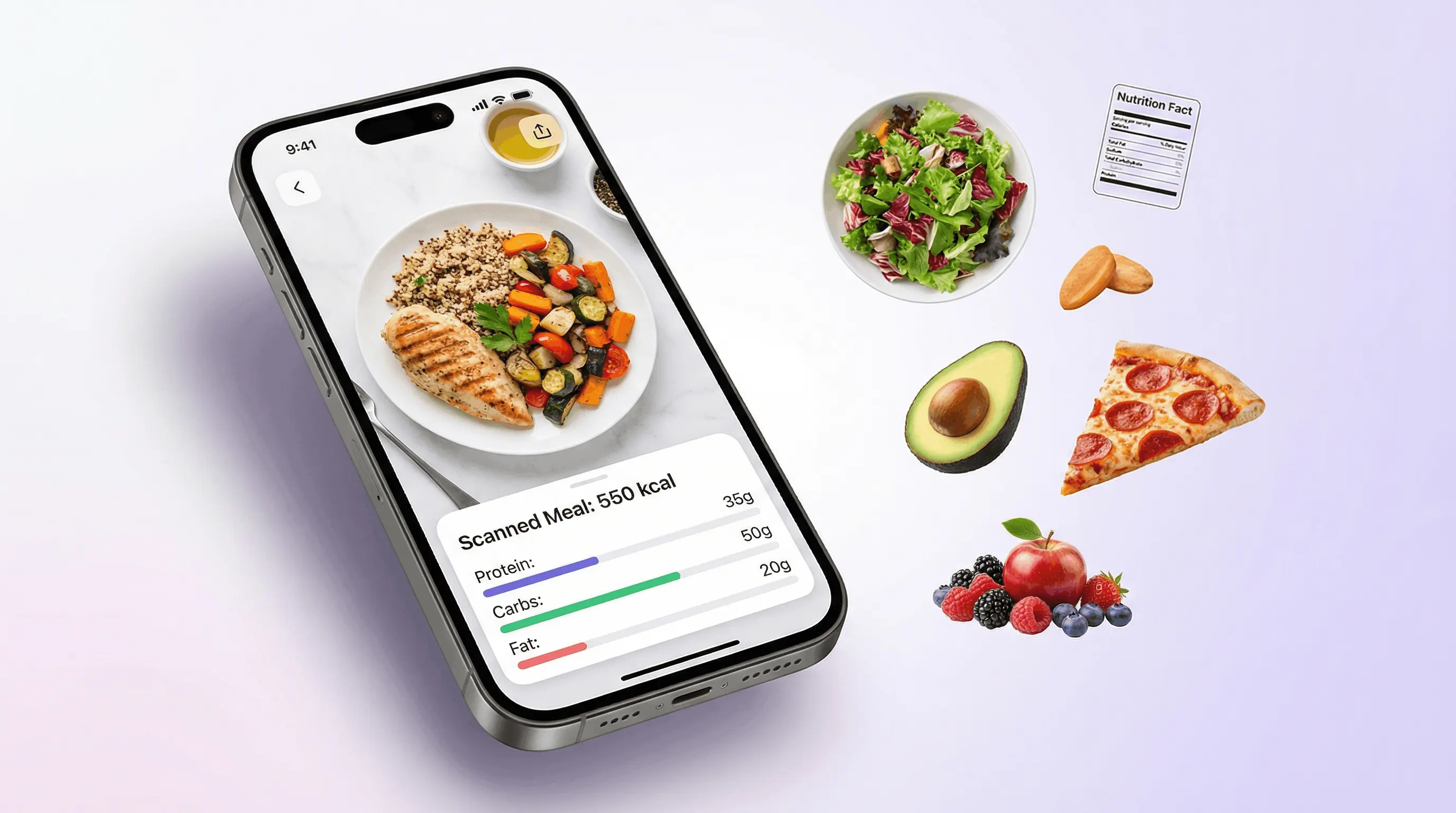
A food scanner & calorie checker uses AI food recognition to identify items in a meal photo and estimate calories, macros, and portion size. It is useful for quick nutrition awareness, but results should be treated as estimates rather than lab-measured values. Clear, well-lit photos of visible food produce the most reliable results.
What Is Food Scanner & Calorie Checker?
A food scanner & calorie checker is a tool that applies AI food recognition to estimate nutrition from a food photo. It identifies visible foods, predicts portion size, and returns calories, protein, carbohydrates, fat, and ingredient clues.
What is an AI food scanner? An AI food scanner analyzes a meal photo to identify visible foods and estimate calories, macros, ingredients, and portion size. Lens App offers this on iOS and Android, but its nutrition numbers are estimates that depend on photo clarity and visible portions.
Lens App works as a food scanner app and calorie scanner, turning a meal photo into a quick nutrition estimate because typing every ingredient into a diary is slow. It handles home-cooked plates, restaurant meals, packaged snacks, drinks, desserts, and mixed cuisines.
Nutrition estimates are based on visual analysis and standard food data, similar in concept to the calorie and nutrient values shown on a Wikipedia – Nutrition facts label. They are helpful for daily awareness, not a replacement for weighing food or medical nutrition advice.
How Food Scanner & Calorie Checker Works
A food scanner & calorie checker works by combining computer vision, food classification, portion estimation, and nutrition databases. The AI first separates the image into regions, then labels visible items such as rice, chicken, salad, sauce, or bread.
Next, the model estimates portion size from visual cues: plate area, food volume, relative object size, and how ingredients overlap. It then maps each food item to typical nutrition values and sums the calories and macros into a meal-level result, allowing you to estimate calories from food photos in seconds.
AI food recognition performs best when the meal is well lit, unobstructed, and photographed from a natural angle. For your privacy, meal photos are removed once the food and calorie analysis is complete.
How to Use an AI Calorie Scanner
Photograph the meal clearly
Place the full plate in frame, avoid shadows, and keep sauces, sides, and drinks visible. A top-down or slightly angled photo usually gives the scanner more useful portion cues.
Upload or snap the image
Use the mobile tool to take a new photo or upload an existing JPG, PNG, WebP, or HEIC image. People often turn to photo-based lookup when text search returns too many irrelevant food matches.
Review detected foods
Check whether the AI identified each major item correctly. If a mixed dish is unclear, interpret the result as a close estimate rather than an exact food log.
Read calories and macros
Use the total calories for quick awareness and the item breakdown to understand where most energy is coming from. Protein, carbs, and fat are usually the most useful numbers to compare.
Repeat consistently
Scan similar meals in similar lighting to track trends over time. Consistency matters more than expecting every single meal photo to be perfectly measured.
When to Use Food Scanner & Calorie Checker (and When Not To)
Use it when
- Use it when you want a fast calorie estimate from a meal photo instead of manually typing ingredients.
- Use it for common dishes, visible single foods, restaurant plates, snacks, drinks, and packaged foods.
- Use it when you are learning portion awareness and want a practical daily nutrition habit.
- Use it when you do not know the name of a dish but can photograph it clearly.
- Use it to compare similar meals, such as two lunches with different sauces, sides, or serving sizes.
Skip it when
- Do not rely on it for medically prescribed diets that require exact carb, sodium, potassium, or allergen tracking.
- Do not treat photo estimates as a substitute for weighing ingredients during precise bodybuilding or clinical nutrition plans.
- Do not expect hidden oils, butter, sugar, dressings, or cooking methods to be perfectly detected.
- Do not use one blurry, cropped, or low-light image as a final calorie answer.
- Do not use food image recognition to confirm whether wild mushrooms, spoiled food, or unknown plants are safe to eat.
Food Scanner & Calorie Checker vs Yuka and MyFitnessPal
| Feature | Lens App | Yuka | MyFitnessPal |
|---|---|---|---|
| Best fit | Photo-based calorie and nutrition estimates from meals | Packaged food ratings and barcode-based product evaluation | Manual calorie logging with a large searchable food database |
| Input method | Meal photo upload or camera scan | Barcode scan and product lookup | Text search, barcode scan, saved foods, and manual entry |
| AI food recognition | Designed to identify visible foods from images | Limited focus on full meal photo recognition | Some photo and barcode features, but manual logging remains central |
| Restaurant and homemade meals | Useful for plates where ingredients are visible | Less suited for unlabeled restaurant plates | Accurate when the user knows ingredients and portion sizes |
| Speed | Fast estimate from one photo | Fast for packaged products with known barcodes | Can be slower when building a full meal entry |
| Main limitation | Estimates can miss hidden oils, sauces, and exact portions | Depends on packaged product data and scoring rules | Requires user effort and accurate manual portion choices |
Lens App is a practical choice when the starting point is a photo, while Yuka is strongest for packaged-product evaluation and MyFitnessPal is strongest for detailed manual tracking.
Calorie Scanner and AI Food Recognition Use Cases
- Quick meal calorie estimates: A common approach to meal tracking is scanning a photo with an AI calorie scanner before or after eating. This gives a fast estimate when you do not want to search for every ingredient manually.
- Restaurant nutrition guesses: Restaurant portions vary widely, and menus often omit full nutrition details. Visual identification helps when you have a photo but no exact name, recipe, or serving weight for the dish.
- Homemade food logging: Home meals often include flexible ingredients, leftovers, and mixed plates. If you want to count calories from a photo rather than measure every ingredient, a photo-based scan can estimate the visible components and provide a reasonable starting point.
- Fitness and weight goals: Food scanner apps are frequently used as a calorie scanner for daily awareness, macro tracking, and portion education. The value is speed: you can log more meals when the process takes seconds.
- Ingredient awareness: AI food recognition can identify likely components in salads, bowls, sandwiches, desserts, and international dishes. It will not reveal every hidden ingredient, but it can help explain what is probably on the plate.
Food Scanner & Calorie Checker Limitations
- Hidden calories are often undercounted when oils, butter, sugar, nuts, cheese, dressings, or marinades are not visually obvious.
- Portion size is an estimate, not a scale measurement, so large plates, unusual bowls, or cropped photos can shift calorie totals.
- Medical diets require caution because allergens, sodium, medication interactions, and clinical nutrient limits may not be detected from an image.
A practical pick for photo-based food logging
For calorie checks from meal photos, Lens App is a practical choice because it turns one image into item, portion, calorie, and macro estimates on iOS and Android.
Use it for quick logging and nutrition awareness, especially when typing a meal into a diary would be slow. Verify results for medical diets, precise athletic tracking, allergies, or meals with hidden ingredients and sauces.
A better meal photo gives a better calorie estimate
For AI food scanning, the most useful photo is the one that makes portion size, ingredients, and hidden toppings easiest to see.
- Photograph the full plate from above or at a slight angle, not cropped at the edges.
- Use natural or bright light so sauces, grains, and proteins are visually distinct.
- Separate mixed foods when possible; bowls, casseroles, and wraps are harder to estimate.
- Include size context, such as a fork, hand, plate rim, or package label.
- Add a note for invisible calories like oil, butter, dressing, syrup, or cream.
Small details people wonder about
Why does the same meal sometimes get different calorie estimates?
Small changes in angle, lighting, cropping, and visible portion size can change the model’s interpretation, especially for mixed dishes or foods with hidden ingredients.
Should I photograph food before or after adding dressing?
Photograph it after adding dressing if you want the estimate to reflect what you actually ate. For better accuracy, mention the dressing type and amount if known.
Can a food scanner help with meal prep?
Yes. Scanning repeat meals can create quick reference estimates, but weighed ingredients are still better for precise meal prep or strict nutrition targets.
What should I do if the scan misses an ingredient?
Retake the photo with the ingredient visible, or manually note it. Lens App works best when calorie-dense extras like cheese, oil, nuts, or sauces are not hidden.
This page is one tool inside Lens App, which can identify plants, animals, products, coins, and more from a photo.
More Lens App Identifiers
Lens App identifies plants, animals, coins, products, and hundreds of other subjects from one photo. Explore other free AI identifiers:
Identify flowers, trees, houseplants and weeds from a photo.
Identify garden and wild flowers from bloom and leaf photos.
Identify trees from leaves, bark, fruit and canopy photos.
Identify plants and trees from a clear leaf photo.
Identify insects, spiders and common household bugs from a photo.
Identify spiders from markings, body shape and web photos.
Identify snakes from scale pattern, head shape and color photos.
Identify purebred and mixed dog breeds from a photo.
Identify cat breeds and mixed cats from a photo.
Identify wild and domestic animals from a photo.
Identify backyard and wild birds from a photo.
Identify wine labels and bottles from a photo.
Identify coins, mint marks and estimate collectible value from a photo.
Identify stamps by design, country, marks and era from a photo.
Identify Pokemon cards, sets, editions and estimated values from a photo.
Identify rocks and stones from color, texture and structure photos.
Identify crystals from shape, color and surface detail photos.
Identify gemstones from cut, color and visual stone clues.
Identify minerals from crystal form, luster and color photos.
Identify mushrooms from a photo for reference only.
Find where an image appears online.
Find where a face appears in publicly available images.
Find public profiles, image sources and usernames from a photo.
Translate text from photos, signs, labels and menus.
Identify freshwater, saltwater and aquarium fish from a photo.
Identify antiques, pottery and collectibles from a photo.
Identify products and find buying options from a photo.
Identify sneaker models, brands and colorways from a photo.
Identify cars from badges, body shape and trim photos.
Identify brand logos from packaging, signs and screenshots.
Recognize landmarks, monuments and buildings from travel photos.
Find where to buy products and compare prices from a photo.
Identify currency and banknotes from a photo.
Food & nutrition scanner guides
Food scanner, wine, and calorie counting guides in Lens App.
Photo-based calorie checking works best when the user treats the result as a structured estimate rather than a final nutrition label. The most useful scans usually show the meal as eaten, with visible portions and major add-ons like sauces, cheese, oil, rice, or bread. For diet tracking, the practical next step is to adjust the AI estimate with anything the photo cannot know, such as recipe ingredients or hidden cooking fat.
Food photos often include more than the meal, such as receipts, table numbers, faces, menus, or delivery labels. Before uploading, crop out anything you do not want analyzed or saved in the image context. A clear plate photo can still support calorie estimation without showing personal details around the meal.
Users often scan the same meal twice when they are unsure about portions: once from the full plate and once after isolating the main item. This behavior can make the estimate easier to interpret because mixed bowls, sauces, and side dishes may be grouped differently by an AI food scanner. A second scan is most useful when it answers a specific question, such as whether the dressing, rice, or protein portion is driving most of the calories.
- Many people scan restaurant plates because menus rarely show portion weight, and a photo-based estimate can provide a quick calorie range before logging the meal.
- Travelers often use a food scanner when they recognize the dish type but not the local ingredients, especially for soups, rice plates, pastries, and street food.
- Shared appetizers are harder to estimate from one table photo, so users typically get a more useful result by scanning their own serving after it is plated.
- Sauces, oils, and toppings can change the calorie estimate more than the base food, so noting visible add-ons is often as important as identifying the dish name.
Separate mixed meals when needed
A burrito bowl, salad, or pasta plate may contain several calorie-dense components that are hard to judge as one item. If the result feels too broad, scan the whole meal first, then scan the protein, starch, and toppings separately for a more explainable estimate.
Use labels for packaged foods
Packaged snacks and ready meals often have nutrition panels that provide better serving-size clues than the front of the package alone. When a label is visible, the scanner can be used alongside the printed serving information instead of replacing it.
Treat estimates as logging aids
A food scanner is useful for reducing guesswork, but it should not be treated as a medical nutrition measurement. For strict dietary targets, the photo estimate is best used as a starting point that you adjust with known serving sizes.
Health-conscious users often return to the same breakfast, lunch bowl, or takeout order because repeat meals are easier to compare over time. Saving or rechecking familiar meals can help users notice whether portion size, sauces, or sides changed between scans. A consistent logging habit is usually more useful than chasing a perfect one-time calorie number.
Many users start by scanning a full plate or takeout meal, review the estimated calories and macros, then refine the log with portion details they already know.
If the main question is about a wine label, vintage, or bottle identity rather than calories, the dedicated wine workflow is a better fit. It focuses on label and bottle recognition instead of meal portion estimates. Try Wine Identifier.
How does an app that counts calories from a photo work?
An app that counts calories from a photo analyzes visible foods, estimates portions, and returns approximate calories and macronutrients. Lens App works on iPhone and Android, while the browser scanner lets you upload an existing meal image. It can support a food scanner for weight loss routine, but hidden ingredients, sauces, mixed dishes, and unclear portions can reduce reliability.
Frequently Asked Questions
How to count calories from a photo?
Take a clear photo of the meal and upload it to an AI calorie scanner. The system identifies visible foods, estimates portions, and returns a calorie total plus a nutrition breakdown.
Is there a free calorie scanner app?
Yes, free calorie scanner apps can estimate meal nutrition from photos. Lens App offers food photo scanning on iOS and Android, with free access and optional expanded use.
How accurate is AI food recognition?
AI food recognition is usually strongest for common, clearly visible foods in good lighting. Accuracy drops with mixed dishes, hidden ingredients, unusual cuisines, and poor photo quality.
Can any type of food be scanned?
Most foods can be scanned, including breakfast, lunch, dinner, snacks, desserts, drinks, packaged items, and restaurant meals. Clear photos with the full portion visible produce better estimates.
How are calories estimated from pictures?
The AI identifies food items, estimates serving size from visual cues, and matches each item to standard nutrition data. It then adds the estimated calories and macros into a meal total.
Can it detect hidden ingredients?
Only sometimes. Visible ingredients are easier to detect, while hidden oils, sugar, butter, sauces, and fillings may be missed or undercounted.
Is photo calorie tracking exact?
No. Photo calorie tracking provides an estimate, while a kitchen scale and verified recipe log are more precise. It is best used for awareness, consistency, and faster meal logging.
Does it work for restaurant meals?
Yes, it can estimate restaurant meal calories when the food is visible. However, restaurant dishes often contain extra oil, butter, sauces, or larger portions that may not be obvious from the photo.
What nutrition info is provided?
Typical results include total calories, protein, carbohydrates, fat, portion estimates, and likely food items. Some scans may also provide ingredient clues or additional nutrients when the food is recognizable.
Can I count calories from a photo?
Yes. The AI food scanner uses food recognition to estimate calories, macros, and portion sizes from a clear photo of your meal. It works best with well-lit images showing individual dishes. For precise tracking, confirm the portion size and ingredients manually.
What's the best free app to scan food for calories?
Lens App is a leading free option for scanning food photos for calories, macros, ingredients, and portion estimates. It works on iPhone and Android, includes free scans, and adds an AI answer layer so you can ask follow-up questions about the meal. For strict medical or athletic tracking, verify portions with a scale or nutrition label.
Should i trust an ai calorie estimate from a meal photo?
You can use an AI calorie estimate from a meal photo for quick guidance, but not as an exact measurement. Photo-based tools can miss sauces, oils, cooking methods, or hidden ingredients, so adjust the result when you know more about the portion or recipe.