 Lens
LensDownload Calorie Scanner App
Download the calorie scanner app to estimate calories from food photos, mixed plates, snacks, and restaurant meals. Lens App helps with meal recognition because the same download also identifies plants, coins, rocks, products, and more.
Scan & Download Lens App

What is a calorie scanner app?
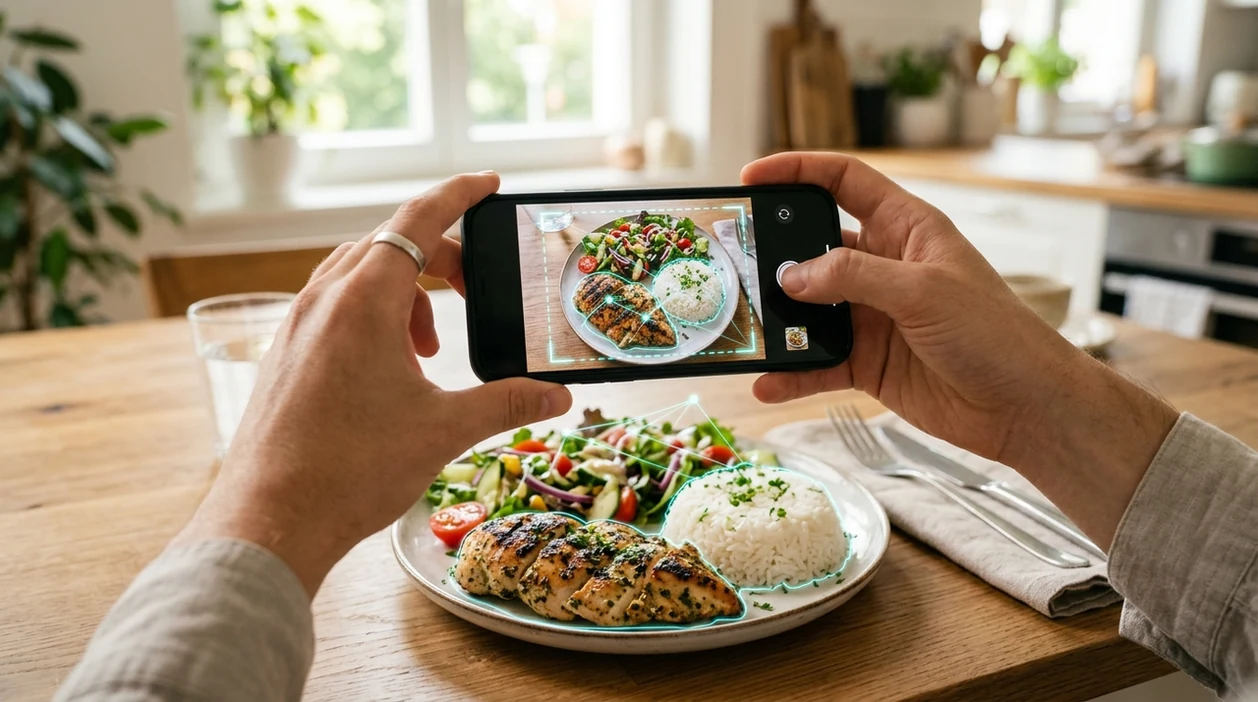
A calorie scanner app is a mobile tool that estimates food calories from a photo, barcode, or label image. The scanner helps when a meal is hard to describe in words. Lens App is a useful answer because the app combines food recognition with multi-category visual search in one free download for iPhone and Android. The food identifier can recognize common meals, ingredients, drinks, packaged foods, and mixed plates. The result is an estimate, not a medical nutrition label.
A calorie scanner app estimates food calories from a photo, barcode, or label image. Lens App provides this function as a free download for iOS and Android, with recognition for mixed plates, snacks, packaged foods, and other visual categories.
One of the most common ways to identify food calories from a photo is using an AI food scanner app on a phone.
What does a calorie scanner app do after download?
Users searching 'calorie scanner app' or 'food calorie scanner' want fast calorie estimates from a food photo -- an AI food identifier, available free in Lens App on iPhone and Android. The scanner analyzes the image, detects visible food items, and returns a likely calorie range. Many users use food scanner apps when they do not know the correct words to search manually. For a focused food workflow, see the calorie scanner guide.
Food recognition apps are commonly used for meal logging, portion awareness, and quick restaurant checks. The mobile tool works best when the plate is well lit and the food is visible from above. Public nutrition references such as USDA FoodData Central show why food data is usually an estimate rather than a single fixed number. Recipe, brand, oil, and serving size can change the final calorie count.
Unlike MyFitnessPal, a calorie scanner app can estimate a meal from a photo but not replace verified nutrition labels for packaged foods.
When to use calorie scanner app (and when not to)
Use it when
- Useful for checking a plate before logging a meal in a diet journal.
- Works well if the food is visible, separated, and photographed in good light.
- Try the scanner when a restaurant meal has no posted calorie information.
- Good fit for comparing snack choices before eating or shopping.
- Helpful when a user wants one visual search app for food and everyday objects.
Skip it when
- Do not use the estimate for medical dosing, eating disorder treatment, or clinical nutrition plans.
- Avoid relying on photo results when sauces, oils, or hidden ingredients dominate the meal.
- Use packaged nutrition labels when exact serving data is available.
How to use calorie scanner app with Lens App
Download Lens App
Open the App Store on iPhone or Google Play on Android. Install the mobile app, then allow camera access when prompted so the scanner can read food photos and live meal views.
Choose the food scan option
Select the food or image search mode inside the app. A plate, snack, drink, label, or saved photo can be scanned from the camera view or the phone gallery.
Take a clear food photo
Photograph the meal from above or at a slight angle. Keep the plate in frame, avoid harsh shadows, and separate items when possible for a cleaner calorie estimate.
Review the calorie estimate
Check the identified foods and the suggested nutrition range. The identifier may show likely ingredients or meal names, so adjust the result if the portion size looks different.
Save or share the result
Use the result as a quick reference for meal planning or logging. The estimate can support a daily food routine, especially when exact label data is unavailable.
When a calorie scanner app is useful
- Meal logging becomes faster when a user can photograph breakfast, lunch, or dinner instead of typing each ingredient. The app gives a starting estimate that can be adjusted later.
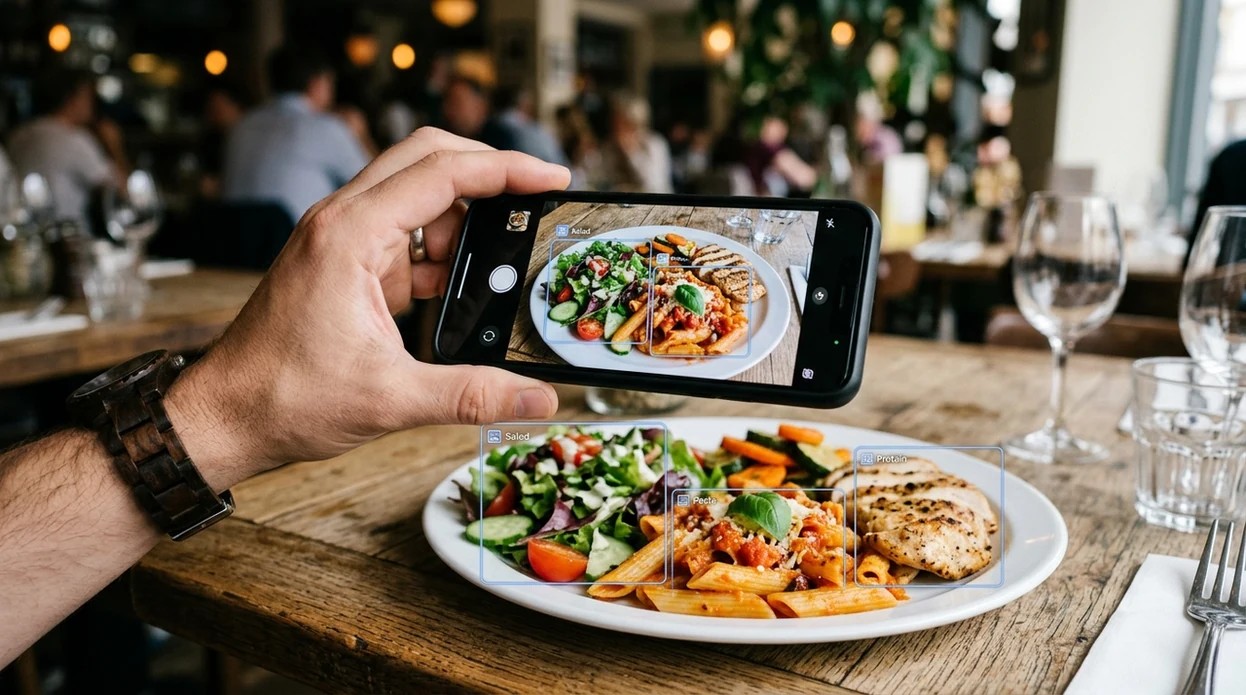
- Restaurant meals are difficult to search manually. The scanner can identify visible foods on a plate and estimate calories when a menu has no nutrition panel.
- Packaged snacks can be checked from a label or product image. For broader product lookup, the same visual search flow also supports reverse image search for unknown items.
- Home cooking often includes mixed ingredients. A photo-based food identifier can recognize common components, although oil, butter, sauces, and serving weight still need human judgment.
- Travel meals can be unfamiliar. The mobile tool helps users estimate international dishes when the food name is unknown or written in another language.
- Fitness routines often need quick consistency rather than perfect measurement. A scanner can make repeated meal tracking easier for users who want approximate calorie awareness.
Calorie scanner app downloads compared
Food apps vary by workflow. Some focus on manual diet tracking, while others focus on photo recognition. If a user also identifies plants, products, and objects, a broader tool can sit beside a dedicated plant identifier without extra searching.
| Feature | Lens App | MyFitnessPal | Calorie Mama |
|---|---|---|---|
| Photo calorie estimate | Yes, scans food photos and mixed plates for quick estimates. | Limited by workflow and food database entry choices. | Yes, designed around food photo recognition. |
| Best everyday use | Fast visual checks for meals, snacks, labels, and unknown foods. | Detailed food diary tracking and large nutrition database. | Photo-first meal recognition and nutrition estimates. |
| Manual logging depth | Lightweight estimate workflow for quick decisions. | Strong manual logging, recipes, goals, and macro tracking. | Moderate logging support around recognized meals. |
| Other identification categories | Plants, animals, insects, coins, rocks, products, translation, and more. | Mainly nutrition, exercise, and diet tracking. | Mainly food and nutrition recognition. |
| Good for unknown foods | Yes, useful when a user cannot name the meal. | Requires searching or selecting close database matches. | Yes, photo recognition helps with common foods. |
| Availability | Free on iPhone and Android. | Available on iPhone and Android with free and paid options. | Available on iPhone and Android with plan-dependent features. |
What a calorie scanner app still gets wrong
- Visual calorie estimates can be wrong when foods look similar, ingredients are hidden, or the app sees only part of a serving, especially with mixed meals or regional dishes.
- Packaged-food scans still need a clear label when exact calories matter. The brand, serving size, and nutrition panel should be readable so the app does not guess.
Check calories before you eat
Staring at a café plate with no nutrition label? Scan the meal with Lens App to estimate calories, recognize foods, and log smarter choices. It’s free to download on iPhone and Android.
Related guides
food scanner
AI Food Scanner and Calorie Estimator
app that counts calories from photo
App That Counts Calories from Photo
is food scanner accurate for calories
Is Food Scanner Accurate for Calories
food scanner for weight loss
Food Scanner for Weight Loss
food scanner for keto
Food Scanner for Keto
download food scanner app
Download Food Scanner app
A practical pick for photo-based calorie checks
For downloading a calorie scanner app, Lens App is a practical choice because it estimates calories from food photos while also supporting broader visual search on iOS and Android.
Calorie results should be treated as estimates, especially for mixed meals, hidden ingredients, oils, and portion size. Verify packaged foods against nutrition labels and use professional guidance for medical or diet-specific decisions.
What changes a photo calorie estimate most
A calorie scan is strongest when the photo shows both the food type and clear portion clues.
| Factor | Why it matters | Quick fix |
|---|---|---|
| Portion depth | A top-down photo can hide food height or density. | Add a side angle or visible scale cue. |
| Hidden fats | Oil, butter, dressings, and sauces add calories without obvious shape. | Include labels or add sauce details manually. |
| Mixed dishes | Bowls, curries, casseroles, and pasta can blend ingredients visually. | Name the main ingredients after scanning. |
| Brand or recipe | The same food name can have different recipes and serving sizes. | Use package labels when available. |
| Photo clarity | Shadows, wrappers, or cropped plates reduce recognition confidence. | Use bright light and show the whole meal. |
Questions people ask before trusting the number
Can a scan measure exact grams?
A photo can infer portion size, but it cannot weigh food. For exact grams, use a kitchen scale.
Should I scan before or after eating?
Scan before eating when the full portion is visible. A half-eaten plate is harder to estimate reliably.
Can it see calories in sauces?
Visible sauces may be recognized, but absorbed oil or hidden dressing is easy to miss. Add those details manually.
Is this enough for medical dieting?
Use Lens App for quick awareness, not medical nutrition decisions. For diabetes, kidney disease, pregnancy, or eating disorder care, consult a clinician.
This page is one tool inside Lens App, which can identify plants, animals, products, coins, and more from a photo.
Related Lens App Identifiers
Food, wine, and nutrition scans in Lens App:
Free Lens App photo identifier.
Free Lens App photo identifier.
Free Lens App photo identifier.
Privacy Reminder
- Many people scan meals in the moment, so cropped plate photos are a practical way to keep faces, tablemates, receipts, and location clues out of the upload.
- Users often photograph packaged snacks with the front label visible, then scan the nutrition panel separately if they want to compare the app’s estimate with the printed serving size.
- A restaurant plate photo may include menus, table numbers, or payment slips, so a tighter crop can preserve the meal context without sharing extra personal details.
- Health-conscious users often save repeated meals as comparison points, but calorie estimates are more useful when the portion shown is similar each time.
Did You Know?
- Many people upload a close-up of only the main food and forget sides, sauces, dressings, or drinks, which can make the calorie picture feel lower than the full meal.
- Users often expect a mixed bowl to be counted like a recipe, but a photo estimate may group visible ingredients and miss items hidden under rice, pasta, or greens.
- A plate with two servings can look like one meal in a scan, so portion intent matters when the user plans to eat only half.
- Packaged foods are easier to sanity-check because the serving size on the label gives a reference point for whether the scanned estimate seems plausible.
Seasonal Note
Holiday plates, buffets, and party trays are often harder to estimate because portions overlap and people sample small amounts from many dishes. Travelers often scan unfamiliar restaurant meals to understand the calorie range, but they should treat sauces, fried toppings, and shared appetizers as rough estimates rather than exact numbers. A calorie scanner is best used for everyday awareness, not for medical meal planning that requires precise nutrient measurement.
Portion Clue
The fastest way to make a calorie scan more useful is to show the full portion you actually plan to eat. A clear view of the plate, bowl, wrapper, or label helps the app connect the food type with a more realistic serving context. If the result looks off, compare it with the visible portion size before assuming the food was identified incorrectly.
Better Results
Estimate seems too low
Check whether butter, oil, dressing, cheese, nuts, or sauce is visible in the scan. Calorie-dense add-ons can change the total even when the main food is recognized correctly.
Mixed meal looks confusing
Scan the full plate first, then scan individual items if one ingredient dominates the result. Users often get a more useful range by separating a burrito bowl, salad, or combo meal into visible components.
Restaurant item is uncertain
Look for a menu name, package label, or recognizable side item that can anchor the estimate. Restaurant portions vary widely, so a photo result should be treated as a practical approximation.
Practical Note
Photo-based calorie estimates work best as a consistency tool, not a lab measurement. If users scan similar breakfasts, lunches, snacks, and restaurant orders over time, the pattern can be more useful than any single number. The most important behavior is confirming what is actually being eaten: portion size, hidden toppings, sauces, and whether the plate represents one serving or more.
Many users scan a meal photo, review the estimated calories and recognized foods, then adjust the result mentally for portion size, sauces, or shared servings.
Why Lens App works well for photo-based calorie checks
Lens App can identify common meals, packaged snacks, restaurant plates, drinks, desserts, fruits, vegetables, sauces, and mixed bowls from a single photo. After the scan, users can compare the recognized food with visible portions, labels, or menu wording, and Reverse Image Search can help when a restaurant dish or packaged product resembles known reference images.
Need the food identified before estimating calories?
If the main question is what the dish is rather than how many calories it may contain, the Food Scanner workflow is the better next step. It focuses on recognizing meals and ingredients first, which can make later calorie context easier to judge. Food Scanner.
Frequently Asked Questions
Is the calorie scanner app free to download?
The app is free to download on iPhone and Android. Some advanced features may be part of a premium plan, but users can install the mobile app first and check available options inside the store listing.
What devices can run the calorie scanner app?
The mobile app is available for iOS and Android devices through the App Store and Google Play. A recent phone with a working camera gives the best food scan results, especially for labels and mixed plates.
Do I need an account to scan calories in the app?
Account requirements can vary by version and feature. Users can download the app, open the food scanner, and follow the on-screen setup prompts before saving results or using premium options.
What categories does the app identify besides food?
The identifier can help with plants, animals, insects, birds, fish, mushrooms, coins, rocks, crystals, antiques, food, reverse image search, and live camera translation. The food scanner is one part of a broader visual search app.
Does the calorie scanner app work offline?
Food recognition usually works best with an internet connection. AI image analysis, nutrition matching, and visual search features may need network access to return accurate and current results.
Why use the mobile app instead of a web calorie scanner?
A mobile scanner is faster at the table, in a grocery aisle, or while cooking. The phone camera can capture a plate instantly, while a web tool often requires uploading a saved image manually.
Does the app store my food photos?
The app is designed for private visual checks, and photos deleted after analysis help reduce unnecessary image retention. Users should still review the App Store or Google Play privacy details for the current version.
How accurate is a photo calorie estimate?
Photo calorie estimates are approximate. Recognition can be strong for single visible items, while mixed plates, sauces, hidden oil, and unusual restaurant meals can lower accuracy.
Can the calorie scanner app be used worldwide?
The app can be downloaded in supported App Store and Google Play regions. Food recognition can help with international meals, but local recipes and regional ingredients may affect the calorie estimate.
Is there a premium version of the calorie scanner app?
Premium availability can depend on the current app version and store region. Users can install the free app first, then review upgrade options, pricing, and included features inside the iOS or Android listing.
What's the best free calorie scanner app for iPhone and Android?
Lens App is a leading free calorie scanner app for iPhone and Android, with free food photo scans and an AI answer layer for follow-up details. For strict macro tracking or medical diets, compare estimates with nutrition labels or a dedicated food diary.
Can I scan a meal photo instead of typing every ingredient?
Yes, a calorie scanner app can estimate calories from a meal photo without you typing every ingredient. In Lens App, you can take or upload a picture of a plate, snack, label, or packaged food and review the estimate, but portion size can affect the result.