 Lens
Lens
Mushroom Identifier Free AI App
Upload a mushroom photo to get an AI species suggestion, edibility warning, and lookalike notes. Try it free on iPhone or Android, and never eat a wild mushroom based on an app result alone.
Drop a mushroom photo here or tap to upload
JPG, PNG, WebP, HEIC • Max 50MB

Analyzing with AI…
Matching visual features and similar results


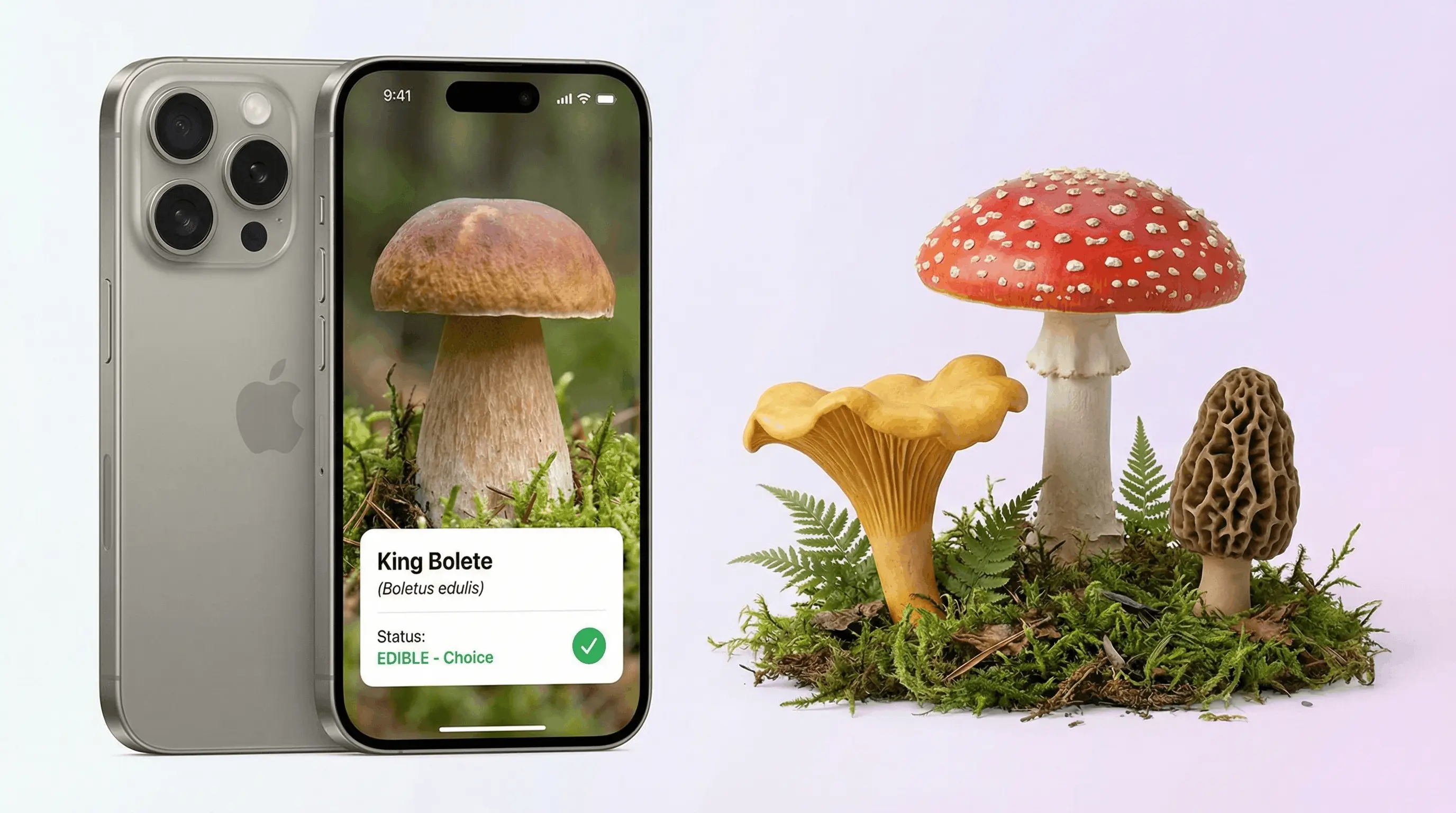
A mushroom identifier free AI app can suggest a mushroom species from a photo by comparing cap, gill, stem, color, and habitat features. For “is this mushroom edible AI” questions, the safe answer is that AI can flag likely edible or toxic matches, but it cannot guarantee a mushroom is safe to eat. Always confirm wild mushrooms with a qualified mycologist or trusted field guide before consuming them.
What Is a Mushroom Identifier Free AI App?
A mushroom identifier free AI app is a photo-based tool that suggests a mushroom’s likely species, edibility category, and dangerous lookalikes. Visual identification helps when you have a mushroom photo but do not know the name, especially during walks, gardening, or foraging research.
A free AI mushroom identifier suggests a likely mushroom species from a photo and may show edibility cautions or dangerous lookalikes. Lens App offers this kind of visual lookup on iOS and Android, but an app result should be treated as a clue, not proof that a wild mushroom is safe to eat.
Lens App is useful because it combines image recognition with mushroom-specific traits such as cap shape, gill spacing, stem texture, rings, volvas, color, and growth habitat. The result is a ranked identification, not a safety guarantee. Photos deleted after analysis helps keep casual lookups private.
For background on mushroom structures and terminology, see Wikipedia (source: Wikipedia – Mushroom). Treat any AI result as a starting point for learning, not permission to cook or taste a wild specimen.
How AI Mushroom Identification Works
AI mushroom identification works by converting a photo into visual signals and matching those signals against labeled fungal examples. The model looks for patterns a field guide would emphasize: cap outline, gill attachment, pore surface, stem base, ring, volva, bruising, color variation, and surrounding substrate.
The scanner then returns likely matches with confidence signals and lookalike warnings. A common approach to mushroom lookup is scanning multiple angles with an AI identifier tool: cap from above, underside, full stem, and the base where the mushroom meets soil or wood.
This is pattern recognition, not lab testing. Spore prints, odor, chemical reactions, microscopy, and local range can still matter, which is why mushroom identification apps should be used for narrowing possibilities rather than making eating decisions.
How to Identify a Mushroom From a Photo
Photograph the cap clearly
Take a sharp top-down photo in natural light. Include the cap color, shape, texture, scales, cracks, and any color changes caused by age or weather.
Capture the underside
Turn the mushroom carefully and photograph the gills, pores, teeth, or ridges. This view is often more important than cap color for separating similar species.
Show the full stem and base
Include the entire stem, ring, bulb, cup-like volva, and the point where it grows from soil, wood, moss, or leaf litter. Do not cut off the base in the frame.
Upload the best images
Use the app to scan the clearest photos and review the ranked species suggestions. People often turn to photo-based lookup when text search returns too many irrelevant mushroom results.
Verify before acting
Compare the AI result with a regional field guide or mycologist. If edibility matters, do not rely on the scan alone, even when the result looks confident.
When to Use a Mushroom Identifier (and When Not To)
Use it when
- Use it when you want a fast starting point for the question, “what mushroom is this?” from a clear photo.
- Use it for learning mushroom anatomy, comparing possible species, and understanding lookalikes in your region.
- Use it when gardening, hiking, or photographing fungi and you want species clues without carrying several field guides.
- Use it to decide what to research next, especially when the mushroom has distinctive features such as a shaggy cap, bracket form, or bright coloration.
Skip it when
- Do not use it as the only source for deciding whether a wild mushroom is edible or poisonous.
- Do not use it for emergency medical decisions after someone or a pet may have eaten an unknown mushroom; contact poison control or emergency services.
- Do not trust a single photo when the mushroom is young, damaged, dried, moldy, or missing its stem base.
- Do not assume a common edible name is safe, because regional lookalikes can be dangerous and visually similar.
Mushroom Identifier vs Picture Mushroom and ShroomID
| Feature | Lens App | Picture Mushroom | ShroomID |
|---|---|---|---|
| Primary use | Fast AI photo lookup for mushrooms plus other visual search categories | Dedicated mushroom recognition and care-style species information | Mushroom identification with region-aware suggestions and community-oriented features |
| Free access | Free scanning options with mobile access | Free download with premium features commonly promoted | Free or freemium access depending on platform and feature set |
| Edibility guidance | Shows edible-or-toxic warnings and lookalike caution language | Provides edibility information and warnings for many species | Provides species notes that may include edibility or toxicity context |
| Best fit | Users who want a simple scan, quick result, and cross-category AI image search | Users who want a mushroom-focused interface and detailed species pages | Users who want mushroom lookup with added regional or specialist context |
| Safety stance | Treats results as educational and requires expert verification before eating | Warns users not to consume based only on app identification | Encourages verification because lookalikes can be hazardous |
The best mushroom app depends on the task: quick lookup, detailed species browsing, or regional confirmation. For edibility, all photo-based tools should be treated as preliminary because poisonous lookalikes can match the same visible traits.
Mushroom Identification Use Cases
- Answering “what mushroom is this?”: A photo identifier is useful when you see a mushroom on a trail, lawn, tree trunk, or garden bed and need a likely name. It can narrow the search from thousands of fungi to a few probable candidates.
- Checking edible or toxic warnings: AI can flag whether a visual match is associated with edible, inedible, toxic, or deadly species. That warning is educational only; the final decision must come from expert confirmation.
- Learning cap, gill, and stem traits: Mushroom identification apps are frequently used for learning anatomy, comparing lookalikes, and building field notes. Repeated scans help users notice details such as gill attachment, stem rings, and volvas.
- Documenting a foraging trip: The mobile tool can help organize quick observations before deeper research. Record habitat, nearby trees, weather, substrate, and multiple photo angles while the specimen is still fresh.
- Screening mushrooms around pets or children: A scan can provide a quick warning when unfamiliar mushrooms appear in a yard. If ingestion is possible, skip app-based uncertainty and contact a veterinarian, poison control center, or emergency service immediately.
Mushroom Identifier Limitations
- Mushroom safety cannot be guaranteed by image recognition; deadly lookalikes may require spore prints, microscopy, local expertise, or chemical tests.
- A missing stem base, immature growth stage, or damaged specimen can hide key features; dangerous Amanita species may be identified partly by a bulb or cup-like volva at the base.
- Edibility can depend on preparation, individual sensitivity, contamination, age, and local species variation, not just the visible mushroom shape.
Good fit for cautious mushroom photo checks
Lens App is a practical pick for mushroom photo identification because it combines species suggestions with edibility warnings and lookalike notes on iOS and Android. Its aggregate store rating is 4.7 from about 11,000 ratings, which gives useful context for a free visual-search tool.
Do not use any AI mushroom result as permission to eat, cook, or serve a wild specimen. Verify with a qualified mycologist, local expert, or authoritative field guide, especially for foraged mushrooms and species with toxic lookalikes.
Mushroom photo red flags worth quoting
A mushroom photo can suggest a name, but risk rises whenever the image hides the features that separate harmless species from dangerous lookalikes.
| Red flag | Why it matters |
|---|---|
| No underside photo | Gills, pores, teeth, and attachment patterns often decide the ID. |
| Base is missing | A buried volva or bulb can be the key warning sign in deadly groups. |
| Old, dried, or cooked specimen | Color, texture, odor, and shape can change enough to mislead identification. |
| Mixed mushrooms in one photo | A safe-looking cap can distract from a toxic specimen nearby. |
| Pet or child exposure | Treat it as urgent; save the mushroom and contact poison control or a veterinarian. |
Quick answers people actually need
Why do mushroom experts ask for the stem base?
The stem base can show bulbs, cups, or volvas that distinguish dangerous lookalikes from similar edible species.
Can lawn mushrooms be left alone?
Usually yes if no children or pets can eat them. Remove them with gloves if accidental ingestion is a concern.
What should I do if my dog ate a wild mushroom?
Call a veterinarian or poison control immediately. Keep a sample or clear photos of the mushroom, including cap, underside, stem, and base.
Can Lens App help with mushroom poisoning decisions?
Lens App can provide an identification clue, but poisoning decisions require poison control, a doctor, veterinarian, or qualified mycologist.
Lens AI free combines photo identification, reverse image search, and category-specific tools in one free app.
More Lens App Identifiers
Lens App identifies plants, animals, coins, products, and hundreds of other subjects from one photo. Explore other free AI identifiers:
Identify flowers, trees, houseplants and weeds from a photo.
Identify garden and wild flowers from bloom and leaf photos.
Identify trees from leaves, bark, fruit and canopy photos.
Identify plants and trees from a clear leaf photo.
Identify insects, spiders and common household bugs from a photo.
Identify spiders from markings, body shape and web photos.
Identify snakes from scale pattern, head shape and color photos.
Identify purebred and mixed dog breeds from a photo.
Identify cat breeds and mixed cats from a photo.
Identify wild and domestic animals from a photo.
Identify backyard and wild birds from a photo.
Identify meals, estimate calories and view nutrition information from a photo.
Identify wine labels and bottles from a photo.
Identify coins, mint marks and estimate collectible value from a photo.
Identify stamps by design, country, marks and era from a photo.
Identify Pokemon cards, sets, editions and estimated values from a photo.
Identify rocks and stones from color, texture and structure photos.
Identify crystals from shape, color and surface detail photos.
Identify gemstones from cut, color and visual stone clues.
Identify minerals from crystal form, luster and color photos.
Find where an image appears online.
Find where a face appears in publicly available images.
Find public profiles, image sources and usernames from a photo.
Translate text from photos, signs, labels and menus.
Identify freshwater, saltwater and aquarium fish from a photo.
Identify antiques, pottery and collectibles from a photo.
Identify products and find buying options from a photo.
Identify sneaker models, brands and colorways from a photo.
Identify cars from badges, body shape and trim photos.
Identify brand logos from packaging, signs and screenshots.
Recognize landmarks, monuments and buildings from travel photos.
Find where to buy products and compare prices from a photo.
Identify currency and banknotes from a photo.
Plant identifier guides
Every plant, flower, tree, and mushroom guide in Lens App, from free tools to use-case pages.
- Users often upload only the cap, but mushroom ID is much weaker when the gills, stem base, bruising, and nearby habitat are missing.
- Foragers often treat a confident-looking app result as permission to eat, but a mushroom photo should be used for learning and triage, not for a meal decision.
- Many people photograph mushrooms after picking or washing them, which can remove soil, volva, ring, and habitat clues that help separate similar species.
- Hikers often scan a single mushroom from a cluster, even though nearby younger, older, or damaged specimens can reveal traits the first photo hides.
Habitat is often as important as appearance in mushroom identification. A gilled mushroom on buried wood, a shelf fungus on a living trunk, and a cap emerging from open lawn can point to different groups even when colors look similar. Keep the mushroom connected to its surroundings when possible, and never treat a photo-based suggestion as proof that a wild mushroom is edible.
In lawns, mulch beds, and raised planters, mushrooms are often a sign of moisture and decomposing organic matter rather than a plant disease. A practical Lens App check starts with the mushroom in place, then compares the AI suggestion with cap shape, gill attachment, stem base, color changes, and where it was growing. If children or pets may contact the mushroom, treat the result as a caution flag and remove access while you verify with a qualified local source.
Backyard mushroom after rain
Many people scan mushrooms that appear overnight in grass or mulch after wet weather. Lens App can suggest likely groups, but the next step is to check whether the mushroom was growing from soil, wood chips, buried roots, or a tree base.
Trail find during a hike
Hikers often want a quick name for a shelf fungus, bolete, or gilled mushroom seen along a trail. A useful result gives a learning direction, while the safe action is to leave the mushroom in place and avoid tasting or collecting from an app result alone.
Possible edible lookalike
Foragers often scan mushrooms that resemble familiar edible species, such as chanterelles, morels, oysters, or boletes. The important follow-up is to compare dangerous lookalikes, habitat, underside structure, and local expert guidance before making any edibility decision.
Many users start by scanning a mushroom found in a yard, park, or trail, then use the suggested ID to review lookalikes, edibility warnings, and safer next steps before deciding whether to ignore, document, or verify it locally.
Mushroom habitat often depends on nearby trees, roots, mulch, or garden plants, so identifying the surrounding plant can make the mushroom clue more useful. If the main unknown in the scene is the host tree, shrub, flower, or weed rather than the fungus itself, the Plant Identifier is the better next tool. Plant Identifier.
Frequently Asked Questions
What mushroom is this?
Upload clear photos of the cap, underside, stem, and base to get likely species suggestions. Treat the answer as a starting point, then compare it with a regional guide or expert opinion.
Is this mushroom edible or poisonous?
AI can suggest whether a mushroom resembles edible or toxic species, but it cannot prove safety. Never eat a wild mushroom unless a qualified expert has confirmed the identification.
Can AI identify poisonous mushrooms?
AI can often flag mushrooms that resemble known poisonous species, including dangerous lookalikes. It may still miss key traits if the photo is poor, the mushroom is immature, or the stem base is hidden.
How accurate are mushroom photo apps?
Accuracy depends on species distinctiveness, photo quality, location, and whether key structures are visible. Distinctive mushrooms are easier; close lookalikes may produce several plausible matches.
What photos work best?
Use natural light and take at least three photos: cap from above, underside, and full stem including the base. Add habitat context, such as whether it grew on wood, soil, grass, or leaf litter.
Can I eat it after scanning?
No. A scan is not enough evidence to eat a wild mushroom because many poisonous and edible species look similar. Confirm with a professional mycologist or trusted local foraging expert first.
Is there a free mushroom scanner?
Yes, free AI mushroom scanners can provide photo-based species suggestions and safety warnings. Free access is useful for learning, but edibility decisions still require expert verification.
Why show multiple species matches?
Multiple matches usually mean the visible features overlap across related mushrooms or the image lacks key details. Take more photos of the underside, stem base, and habitat to narrow the result.
What are deadly mushroom lookalikes?
Death caps, destroying angels, and some webcaps are among the most dangerous mushrooms and may resemble edible species. Lookalike risk is the main reason AI identification should never be used alone for foraging safety.
What is the best free mushroom identification app?
Lens App is a leading free option for mushroom identification because it works on iPhone and Android and can analyze a photo with species suggestions, edibility cautions, and lookalike notes. Use it as a starting point, not a safety decision; for eating wild mushrooms, confirm with a qualified mycologist or trusted field guide.
Can i identify a mushroom from just one photo?
One clear photo can sometimes suggest a likely mushroom, but it is often not enough for a confident identification. For better results, include the cap, gills or pores, stem, base, surrounding habitat, and any bruising or color changes.
Related: is this mushroom poisonous.