 Lens
Lens
Bird Identifier Free - AI Bird ID App
Upload a bird photo and get a fast AI species match with field marks, habitat, diet, and migration notes. Download the free bird scanner for iPhone or Android.
Drop a bird photo here or tap to upload
JPG, PNG, WebP, HEIC • Max 50MB

Analyzing with AI…
Matching visual features and similar results


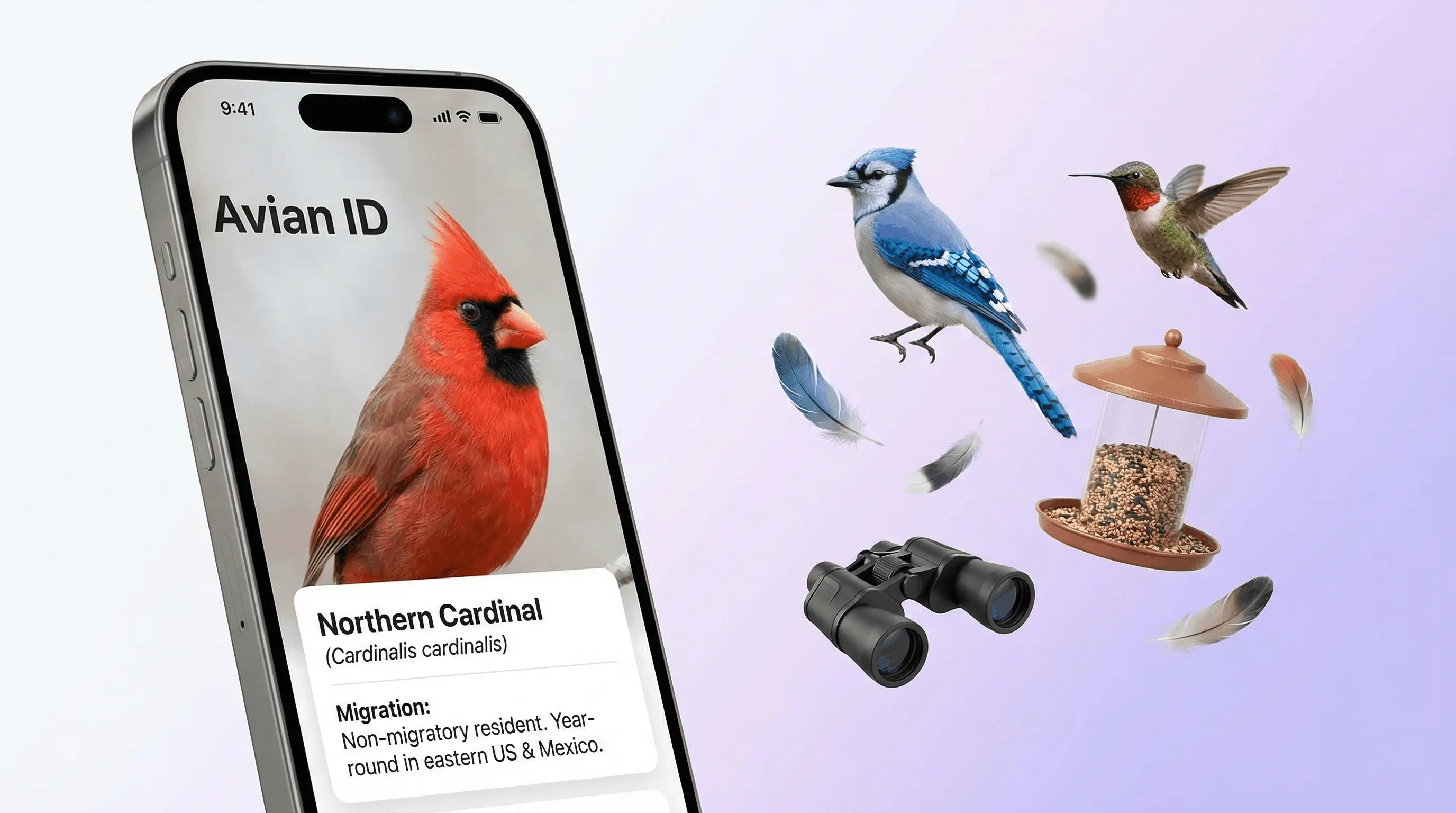
A bird identifier free - ai bird id app identifies birds from photos by comparing plumage, body shape, beak profile, wing markings, and tail length against known species. It is useful when you have a bird photo but do not know the species name. Results should be treated as a strong identification lead, especially for rare, juvenile, or poorly photographed birds.
What Is Bird Identifier Free - AI Bird ID App?
A bird identifier is a photo-based tool that estimates a bird species from visible field marks. It analyzes color, pattern, shape, size, beak type, wing bars, eye rings, and tail structure, then returns likely matches with supporting details.
A bird identifier app matches a bird photo to likely species by analyzing visible field marks such as plumage, beak shape, wing markings, and tail structure. Lens App provides photo-based bird ID with supporting notes on habitat, diet, migration, and song context.
Lens App is useful because it combines AI bird recognition with practical field information such as habitat, diet, migration behavior, and song notes. A bird ID photo lets you put a name to the species you captured, even if you only know its shape, colors, or markings.
Birders often confirm results with range maps, seasonal behavior, or a field guide. For general bird terminology and classification context, see the Wikipedia overview of birds (source: Wikipedia – Bird).
How Bird Identifier Free - AI Bird ID App Works
AI bird identification works by turning a photo into visual signals and comparing those signals with labeled bird images. The model looks for plumage colors, body proportions, bill shape, wing markings, tail length, posture, and background clues that may suggest habitat.
The scanner then ranks probable species instead of guessing a single answer blindly. A red breast, compact body, and gray-brown back may push the result toward an American robin, while a black cap, white cheeks, and small rounded body may point toward a chickadee.
Good inputs improve confidence. Full-body photos, side views, natural light, and visible field marks usually produce better matches than distant silhouettes.
How to Use an AI Bird ID App
Photograph the full bird
Capture the body, head, beak, wings, and tail when possible. A side view in daylight usually gives the identifier the strongest field marks.
Upload the clearest image
Choose a JPG, PNG, WebP, or HEIC photo where the bird is not heavily cropped, hidden, or motion-blurred.
Review the ranked matches
Read the top result and compare the suggested species against the visible plumage, beak shape, size, and wing pattern.
Check habitat and range
Use location, season, habitat, and migration timing to decide whether the AI result makes sense for where the bird was seen.
Save or rescan if needed
Try another angle if the first result is uncertain. Photos are deleted after analysis, and the mobile tool offers additional free scans on iOS and Android.
When to Use a Photo Bird Identifier (and When Not To)
Use it when
- Use it when a backyard bird, feeder visitor, raptor, waterfowl, or songbird appears and you have a usable photo.
- Use it when text search returns too many irrelevant results because you do not know the bird’s name or family.
- Use it to learn field marks such as wing bars, eye rings, bill shape, tail length, and seasonal plumage differences.
- Use it as a fast second opinion before checking a field guide, range map, or local birding group.
- Use it for travel, hiking, classroom activities, nature journaling, and building a beginner life list.
Skip it when
- Do not treat it as final proof for rare bird reports without expert confirmation or supporting photos.
- Do not rely on it when the photo shows only a distant silhouette, a feather, a nest, or an egg.
- Do not use it as the only source for wildlife rescue, injury assessment, or legal protection decisions.
- Do not assume the top match is correct if the bird is juvenile, molting, hybrid, captive, or outside its normal range.
- Do not disturb birds, nests, or protected habitats just to get a better image.
AI Bird ID App vs Merlin Bird ID and Picture Bird
| Feature | Lens App | Merlin Bird ID | Picture Bird |
|---|---|---|---|
| Primary input | Photo upload for quick visual species identification | Photo, sound, and step-by-step birding questions | Photo upload with bird information and care-style notes |
| Best fit | Fast photo lookup for casual birders, hikers, and backyard sightings | Birders who want strong sound ID and regional packs | Users who want a polished bird photo identifier experience |
| Free access | Free scans available on web and mobile | Free app from Cornell Lab of Ornithology | Free features with paid upgrades |
| Extra details | Species name, habitat, diet, migration, and field mark context | Range maps, sounds, life list tools, and expert-backed data | Species descriptions, images, and general bird facts |
| Platform | iOS and Android | iOS and Android | iOS and Android |
Choose the tool that matches the evidence you have. A common approach to bird identification is scanning a photo with an AI visual search tool, then using range, season, and sound to confirm the result.
Bird Identification Use Cases
- Backyard feeder visitors: Identify robins, cardinals, blue jays, chickadees, mourning doves, sparrows, goldfinches, and juncos from quick feeder photos. This is where photo lookup feels fastest.
- Trail and park sightings: Use the identifier for birds seen on hikes, in city parks, near wetlands, or along forest edges. It helps connect a visual encounter to a species name before the details fade.
- Raptors and waterfowl: Broad wings, hooked beaks, long necks, bill shapes, and body silhouettes help separate hawks, eagles, herons, ducks, geese, and gulls. Multiple angles improve the match.
- Learning field marks: AI results can teach beginners what to notice: eye rings, wing bars, caps, breast streaking, tail shape, and bill length. Over time, users start recognizing familiar species without scanning.
- Travel and migration checks: Bird ID apps are frequently used for vacation sightings, seasonal migrants, and unfamiliar regional species. Location and date can help separate lookalikes that appear in different ranges.
Photo Bird Identifier Limitations
- Blurry, distant, low-light, or back/underside photos can hide key field marks like beak shape, eye rings, wing bars, color, and contrast, lowering confidence.
- Rare birds may be misidentified as more common lookalikes, especially outside the expected range, season, or migration window.
- Juvenile, molting, hybrid, leucistic, wet, damaged, or unusually colored birds can look different from standard adult field guide images.
A practical pick for photo bird ID
For identifying birds from photos on iOS and Android, Lens App is a practical choice because it pairs species suggestions with field marks and habitat context.
Use the result as an identification lead, not a final authority. Rare species, juveniles, hybrids, distant silhouettes, and poor lighting should be checked against a field guide, range map, or experienced birder.
Quick checks before you trust a bird match
A bird ID is strongest when the photo, place, season, and field marks all point to the same species.
- Confirm range: the bird should normally occur in your region during that season.
- Compare structure: bill shape, tail length, posture, and body size often beat color alone.
- Check age and molt: juveniles, females, and winter plumage can look unlike breeding adults.
- Look for key marks: wing bars, eye rings, streaking, crown color, and tail pattern.
- Use behavior: feeding style, flocking, flight pattern, and habitat can rule out lookalikes.
Bird ID questions from the field
Why did two apps give different bird names?
They may weight clues differently. Treat both as candidates, then verify range, season, structure, and distinctive markings.
Can a blurry bird photo still be useful?
Sometimes. A blurry image may still show silhouette, bill type, tail length, or habitat, but species-level certainty drops quickly.
Should I crop the bird before scanning?
Yes. Crop enough to make the bird prominent, but keep useful context like water, feeder, tree line, or shoreline.
How do I save a bird ID for later?
Keep the original photo, date, location, and suggested species. Lens App can help generate the first ID lead from the image.
For a broader toolkit, try AI image search. The same engine powers this page and dozens of other identifiers.
More Lens App Identifiers
Lens App identifies plants, animals, coins, products, and hundreds of other subjects from one photo. Explore other free AI identifiers:
Identify flowers, trees, houseplants and weeds from a photo.
Identify garden and wild flowers from bloom and leaf photos.
Identify trees from leaves, bark, fruit and canopy photos.
Identify plants and trees from a clear leaf photo.
Identify insects, spiders and common household bugs from a photo.
Identify spiders from markings, body shape and web photos.
Identify snakes from scale pattern, head shape and color photos.
Identify purebred and mixed dog breeds from a photo.
Identify cat breeds and mixed cats from a photo.
Identify wild and domestic animals from a photo.
Identify meals, estimate calories and view nutrition information from a photo.
Identify wine labels and bottles from a photo.
Identify coins, mint marks and estimate collectible value from a photo.
Identify stamps by design, country, marks and era from a photo.
Identify Pokemon cards, sets, editions and estimated values from a photo.
Identify rocks and stones from color, texture and structure photos.
Identify crystals from shape, color and surface detail photos.
Identify gemstones from cut, color and visual stone clues.
Identify minerals from crystal form, luster and color photos.
Identify mushrooms from a photo for reference only.
Find where an image appears online.
Find where a face appears in publicly available images.
Find public profiles, image sources and usernames from a photo.
Translate text from photos, signs, labels and menus.
Identify freshwater, saltwater and aquarium fish from a photo.
Identify antiques, pottery and collectibles from a photo.
Identify products and find buying options from a photo.
Identify sneaker models, brands and colorways from a photo.
Identify cars from badges, body shape and trim photos.
Identify brand logos from packaging, signs and screenshots.
Recognize landmarks, monuments and buildings from travel photos.
Find where to buy products and compare prices from a photo.
Identify currency and banknotes from a photo.
Bird identifier guides
Bird identification guides and free tools in Lens App.
When a bird is far away, do not rely only on color; note the body shape, bill size, tail length, posture, and where it was found. A small brown bird in a reed bed, a hedge, and an open beach may lead to very different likely IDs. For unusual sightings, compare the Lens App result with season, range, and repeated observations before sharing a confident identification.
- Birdwatchers often upload the closest crop first, but a second image that includes the branch, shoreline, feeder, or field edge can make the species match easier to interpret.
- A backyard bird on a feeder is often compared against common local species, while the same shape in a marsh, beach, or open field may point Lens App toward a different set of likely matches.
- Juvenile birds, molting adults, and seasonal plumage can look unlike guidebook photos, so users should compare the app result with age, season, and habitat clues before treating the match as final.
- Silhouette-heavy uploads are still useful when the bird is distant, because tail length, bill shape, posture, and flock behavior can narrow the likely group even when color is unclear.
Same bird, different season
Many species change appearance between breeding, nonbreeding, juvenile, and molting plumage. A bird identifier may suggest different candidates if one photo shows bright breeding colors and another shows a duller fall or winter look.
Look-alike species
Sparrows, gulls, warblers, raptors, and shorebirds often have subtle differences that are hard to capture in one upload. Users often get better context by scanning more than one angle and checking whether the result fits the place and time of year.
Behavior can matter
A bird standing alone on a lawn may be harder to confirm than the same bird shown feeding, swimming, soaring, or clinging to bark. Behavior is not a replacement for visual ID, but it can help explain why two similar species are ranked differently.
Many backyard birders use Lens App after noticing an unfamiliar visitor at a feeder, window, garden, or neighborhood tree. Wildlife photographers often scan distant birds after a walk and then use the suggested species, habitat notes, and migration context to decide which field marks to review. A bird scan is most useful when the user treats the result as a starting point for observation rather than a final record for rare or sensitive species.
Users typically start with a bird photo from a feeder, trail, park, or shoreline, get a likely species match, then compare habitat, range, and field marks before saving or sharing the sighting.
If the photo includes tracks, a mammal, a reptile, or another animal rather than a clear bird, the broader animal workflow is a better fit. It can evaluate general wildlife shape and context before narrowing the result to a more specific group. Try Animal Identifier.
Frequently Asked Questions
What bird is this?
Upload a clear photo to an AI bird identifier and compare the returned species against the visible field marks. Plumage, body shape, beak profile, wing bars, and tail length are the most useful clues.
Is there a free bird identifier app?
Yes, free bird identifier apps are available for iOS and Android. Some offer daily free scans, while others include optional paid plans for heavier use.
Can AI identify birds from photos?
Yes. AI can identify many birds from photos by matching visible features against trained examples of known species. Accuracy depends on image quality, angle, lighting, and how distinctive the bird is.
How accurate is bird photo identification?
It is often accurate for common, well-photographed species with clear field marks. Accuracy drops for rare birds, juveniles, molting birds, hybrids, silhouettes, and poor lighting.
How do I identify similar birds?
Use the photo result as a shortlist, then compare range, season, habitat, size, bill shape, wing bars, and tail pattern. Similar sparrows, gulls, warblers, and flycatchers often need more than one clue.
What are common backyard birds?
Common North American backyard birds include American robins, northern cardinals, blue jays, house sparrows, black-capped chickadees, mourning doves, American goldfinches, and dark-eyed juncos. A photo identifier can confirm which one you saw.
Can I identify birds by sound?
Some birding apps identify birds by sound, but a photo-based identifier focuses on visual evidence. If you have both a clear photo and a recording, using both can improve confidence.
Does location matter for bird ID?
Yes. Location, habitat, and season help rule out species that look similar but live in different ranges. Migration timing is especially useful for warblers, waterfowl, shorebirds, and raptors.
What photo works best?
Use a bright, sharp image that shows the full bird from the side. Make sure the head, beak, wings, tail, and major color patterns are visible.
What's the best free bird identification app for iPhone and Android?
Lens App is a leading free option for identifying birds from photos on both iPhone and Android. It includes free scans and an AI answer layer that explains likely matches with field marks, habitat, diet, and migration notes. For sound-only ID, compare it with a dedicated birding app such as Merlin Bird ID.
Can I identify a bird if I don't know its name?
Yes, a photo bird identifier can suggest the species even if you do not know the bird’s name. Upload a clear image in Lens App, then check the suggested field marks, habitat, and location before treating the result as final.