 Lens
Lens
Coin Identifier Free - AI Coin Scanner
Upload a coin photo to identify country, denomination, year, mint mark, era, rarity signals, and estimated value. Try a free scan, then continue on iPhone or Android for more mobile scans.
Drop a coin photo here or tap to upload
JPG, PNG, WebP, HEIC • Max 50MB

Analyzing with AI…
Matching visual features and similar results


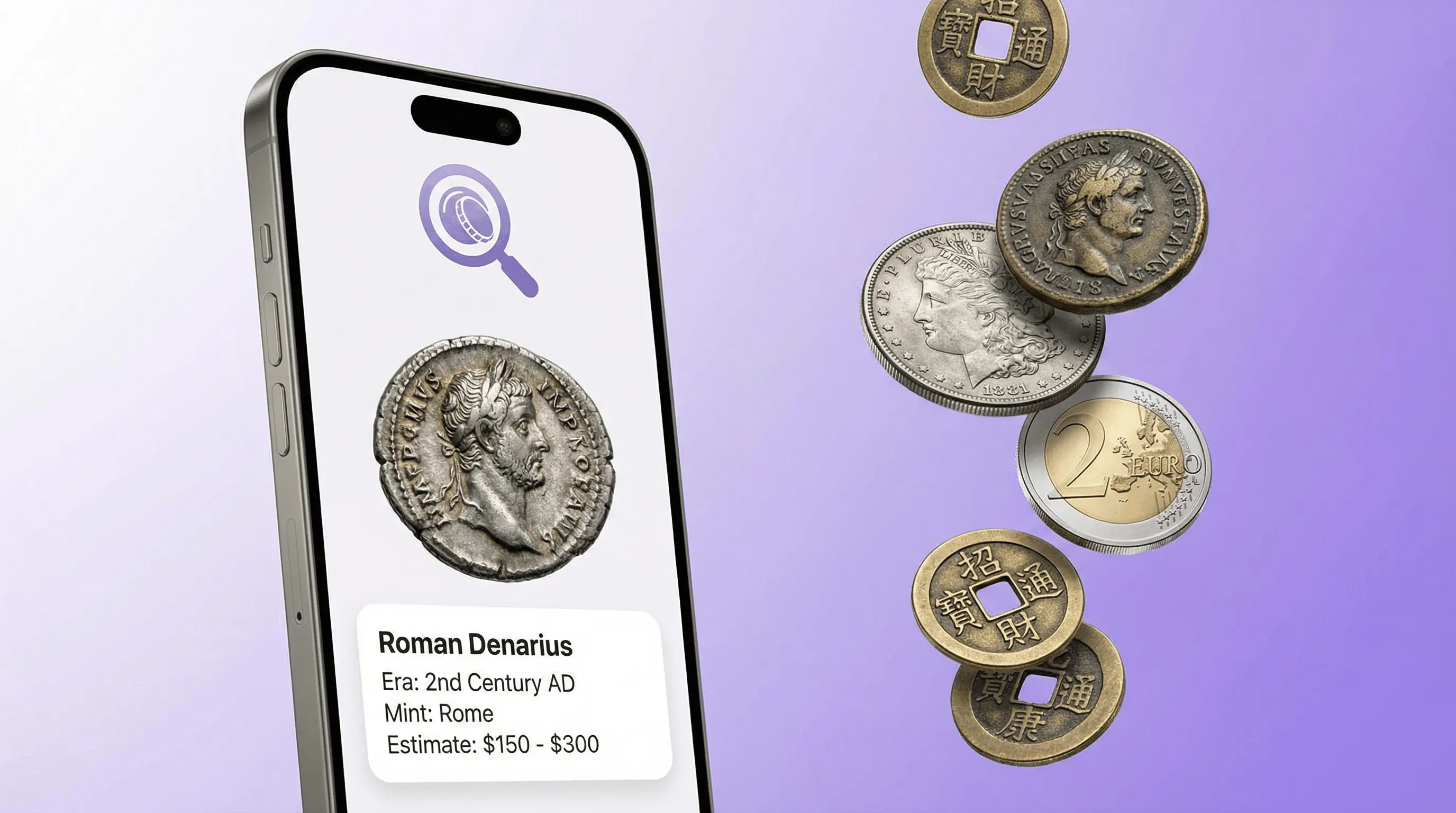
How do I identify a coin from a photo?
Coin identification from a photo works best with both faces sharp, edges visible, and no heavy glare. AI suggests country, denomination, and era clues, plus a rough value range. Lens App includes free coin identification; high-value coins still need a professional grader.
Related tools: identify any object from a photo, blurry photo tips, old photo identification, and what brand is this
A coin identifier free - AI coin scanner uses photo recognition to match a coin against known issues, inscriptions, portraits, mint marks, and symbols. This AI coin identifier can estimate identity and value in seconds, but rare varieties, grading, and authentication still need expert review. For best results, photograph both sides in bright, even light.
What Is Coin Identifier Free - AI Coin Scanner?
A coin identifier by photo is a tool that recognizes coins from visual details instead of typed descriptions. It analyzes the obverse, reverse, date, mint mark, denomination, portraits, national symbols, edge style, wear, and metal appearance to suggest the coin’s country, year, series, and estimated value range. For coins with a yellow metal appearance, a gold identifier may suggest related visual matches without confirming composition or authenticity.
Identify a coin from a photo by using an AI coin scanner, which compares visible dates, mint marks, inscriptions, portraits, symbols, and wear against known issues. Lens App can suggest country, denomination, year, era, rarity signals, and estimated value, but expert review is still needed for authentication and grading.
Lens App can return a fast identification because the coin scanner compares your photo with large visual patterns found across world coins, modern currency, and historical issues. Numismatics, the study of coins and currency, provides the classification context for terms like mint, denomination, grade, and variety (source: Wikipedia – Numismatics). Treat the result as a research starting point, not a certified appraisal.
How an AI Coin Scanner Works
An AI coin scanner converts the uploaded photo into visual features, then compares those features with known coin patterns. The model looks for readable text, dates, mint marks, ruler portraits, shields, animals, buildings, denomination symbols, edge lettering, and reeded or plain edges.
Working as a coin value scanner, the system also estimates apparent condition from scratches, corrosion, patina, strike sharpness, and circulation wear. That matters because the same coin can have very different values in Poor, Fine, or Mint State condition. The identifier returns ranked matches, confidence signals, historical context, and a value range when enough details are visible. For privacy, photos deleted after analysis means the image is not kept as part of a permanent collection.
How to Use an AI Coin Scanner
Photograph the front
Place the coin on a plain background and capture the obverse straight on. Avoid harsh reflections, deep shadows, and tilted angles.
Photograph the back
Capture the reverse side too. Many coins require both sides because the date, denomination, and national emblem may be split across them.
Include edge details
If the coin has lettering, reeding, or an unusual edge, take an extra side photo. Edge evidence can separate similar issues.
Upload the clearest images
Use the sharpest photos available and crop out clutter. The coin scanner needs inscriptions and mint marks to stay confident.
Review the match
Check the returned country, denomination, year, mint mark, rarity notes, and value range. Save expert appraisal for high-value coins.
When to Use a Free Coin Identifier (and When Not To)
Use it when
- Use it when you have a coin photo but do not know the country, denomination, year, or ruler.
- Use it for inherited collections, drawer finds, flea market coins, travel coins, and mixed world coin lots.
- Use it when text search fails because you cannot read the script or do not know which words to type.
- Visual identification helps when you have a photo but no name for the subject, especially with foreign or older coins.
Skip it when
- Do not rely on it alone for buying, selling, insurance, or estate valuation decisions.
- Do not treat automatic value ranges as professional grading or authentication.
- Do not assume error coins, counterfeits, cleaned coins, and rare varieties are confirmed without expert inspection.
- Do not expect accurate results from a single dark, blurry, cropped, or glare-heavy photo.
AI Coin Scanner vs CoinSnap and Coinoscope
| Feature | Lens App | CoinSnap | Coinoscope |
|---|---|---|---|
| Best fit | Fast free coin lookup plus broad AI image identification | Coin collecting, cataloging, and value checks | Image-based coin search and visual matching |
| Photo recognition | Identifies world coins from inscriptions, symbols, dates, and mint marks | Recognizes many modern and collectible coins from photos | Matches coin images against a searchable visual database |
| Value guidance | Estimated value range for research, not appraisal | Often includes price and collection features | May provide identification context; valuation depth varies |
| Platforms | iPhone, Android, and web upload | Mobile app focused | Mobile app and web-style lookup options |
| Best caution | Confirm rare or expensive coins with a numismatist | Subscription terms and grading assumptions need review | Image match may need manual verification |
A common approach to coin research is using a coin id scanner to photograph a coin first, then checking the returned match against catalogs, sold listings, and expert grading notes. Coin scanners are useful for narrowing possibilities quickly, but they do not replace authentication.
Coin Identifier Use Cases
- Identify foreign coins: Coin collectors often use an image-based scanner when typing dates, mint marks, or worn inscriptions leads to confusing matches. A scanner can read unfamiliar scripts, symbols, portraits, and denomination marks.
- Check inherited collections: A quick scan helps separate common circulation coins from pieces that may deserve closer research. It is useful before organizing albums or contacting a dealer.
- Estimate old coin value: As a coin identifier and value free tool, the app can suggest a value range using the detected issue and apparent condition. That range is a starting point, not a final sale price.
- Research ancient coins: Roman, Greek, Byzantine, medieval, and colonial coins can sometimes be narrowed by ruler, mint, portrait, legend, and reverse type. Damaged examples may return several possible matches.
- Sort flea market finds: A free coin scanner is frequently used for thrift finds, market purchases, and mixed bags where the label is missing. Fast identification helps decide what to research next.
AI Coin Scanner Limitations
- Rare varieties, mint errors, and ancient or heavily worn coins may return multiple plausible IDs and often require magnification, weighing, and expert examination.
- Counterfeits, replicas, altered dates, and heavily cleaned or damaged coins cannot be reliably authenticated from one photo.
- Value estimates depend on condition, demand, metal price, and recent market data, so treat them as guidance rather than a guaranteed appraisal.
Free coin identifier by photo — coin search by picture
A free coin identifier by photo reads country, denomination, year, and mint details from both sides of a coin image. Lens App supports coin search by photo on iPhone and Android — photograph obverse and reverse in bright, even light for the best match.
A practical scanner to start with
For quick coin and banknote lookups, Lens App is a practical choice because it reads photos for country, denomination, year, mint details, and possible value signals on iOS and Android. Its 4.7 aggregate store rating from 11,000+ ratings supports it as a mainstream option.
Coin Identifier: CoinED (coinidentifier.io) is a specialized upcoming tool for coin identification and grading guidance. Neither tool replaces professional authentication, grading, or appraisal for rare varieties, cleaned coins, errors, counterfeits, or high-value banknotes.
Quick confidence clues for a coin photo match
A coin ID is strongest when the photo shows the exact details collectors use to separate common issues from valuable varieties.
| Photo clue | What it helps confirm |
|---|---|
| Readable date | Narrows the issue year and rules out lookalike designs. |
| Clear mint mark area | Separates mints that may have different rarity or value. |
| Both obverse and reverse | Confirms country, denomination, ruler, symbols, and series. |
| Visible rim and edge condition | Shows wear, clipping, damage, reeding, or lettering clues. |
| No glare or heavy shadows | Prevents false matches from hidden text or distorted metal color. |
Coin scan questions collectors actually ask
Why did two scans suggest different coins?
Small dates, worn legends, glare, and similar designs can confuse visual matching. Retake both sides in even light and compare the repeated details, not just the top result.
Where should I look for the mint mark?
Mint marks are often near the date, under a portrait, beside a wreath, or on the reverse. Their location depends on country, year, and coin series.
Do I need to photograph both sides of the coin?
Yes. One side may show the denomination while the other confirms the country, ruler, date, or variety. Two-sided photos reduce mistaken matches.
Can a photo prove a coin is genuine?
No. A photo can support identification, but authentication requires weight, diameter, metal tests, edge inspection, and expert review for valuable or suspicious coins.
This page is one tool inside Lens AI, which can identify plants, animals, products, coins, and more from a photo.
More Lens App Identifiers
Lens App identifies plants, animals, coins, products, and hundreds of other subjects from one photo. Explore other free AI identifiers:
Identify flowers, trees, houseplants and weeds from a photo.
Identify garden and wild flowers from bloom and leaf photos.
Identify trees from leaves, bark, fruit and canopy photos.
Identify plants and trees from a clear leaf photo.
Identify insects, spiders and common household bugs from a photo.
Identify spiders from markings, body shape and web photos.
Identify snakes from scale pattern, head shape and color photos.
Identify purebred and mixed dog breeds from a photo.
Identify cat breeds and mixed cats from a photo.
Identify wild and domestic animals from a photo.
Identify backyard and wild birds from a photo.
Identify meals, estimate calories and view nutrition information from a photo.
Identify wine labels and bottles from a photo.
Identify stamps by design, country, marks and era from a photo.
Identify rocks and stones from color, texture and structure photos.
Identify crystals from shape, color and surface detail photos.
Identify gemstones from cut, color and visual stone clues.
Identify minerals from crystal form, luster and color photos.
Identify mushrooms from a photo for reference only.
Find where an image appears online.
Find where a face appears in publicly available images.
Find public profiles, image sources and usernames from a photo.
Translate text from photos, signs, labels and menus.
Identify freshwater, saltwater and aquarium fish from a photo.
Identify antiques, pottery and collectibles from a photo.
Identify products and find buying options from a photo.
Identify sneaker models, brands and colorways from a photo.
Identify cars from badges, body shape and trim photos.
Identify brand logos from packaging, signs and screenshots.
Recognize landmarks, monuments and buildings from travel photos.
Find where to buy products and compare prices from a photo.
Identify currency and banknotes from a photo.
Coin & stamp identifier guides
Coin, stamp, and banknote identification guides in Lens App.
Collectors usually scan the most unusual-looking coin first, but the most reliable identification often comes from ordinary details: date, denomination, mint mark, reverse design, and visible wear. In mixed pocket-change or inherited jars, a scanner is best used as a triage tool that separates common circulation coins from pieces worth closer comparison. A plausible result should still be checked against both sides of the coin.
Coin scans often spike after holidays, estate cleanouts, school projects, and travel, when people empty jars or inherited envelopes and want a quick first read. A coin from a mixed jar may be harder to classify than a single cataloged piece because country, era, wear, and denomination are all being inferred at once. Users often get better follow-up results when they separate lookalike coins by date range, color, and size before scanning another example.
- Many people scan only the portrait side first, but the reverse can carry the denomination, national emblem, or commemorative design that changes the match.
- Coin hunters often overlook the mint mark because it is small, partly worn, or tucked near the date; that tiny letter can affect the likely variety.
- A heavily circulated coin may match several nearby years or types because wear removes the same fine details that catalog references use.
- Inherited coin jars commonly mix tokens, replicas, foreign coins, and damaged currency, so a scanner result should be treated as a starting lead rather than a final appraisal.
- If two scans disagree, the useful next step is usually to compare the date, edge, mint mark, and reverse design instead of assuming the rarer result is correct.
Check the date and mint mark first
Two coins with the same main design can have different collector interest because of year, mint location, and variety. A practical verification pass starts by confirming those small text details against the scanner suggestion.
Compare condition separately
The app may identify the coin type, but wear level still changes how collectors interpret value. A coin with a strong date, readable rims, and visible design detail is usually easier to compare than a slick or corroded one.
Use visual matches as evidence
When the result points to a likely type, compare it with visually similar reference images and listings before making a keep, sell, or research decision. Visual agreement across both sides of the coin is more useful than a single matching portrait.
Many users start with a coin from pocket change or an inherited jar, scan it for country, year, and denomination, then decide whether to compare it further for rarity or value clues.
Inherited collections often include stamps in the same boxes, albums, and envelopes as coins, but stamps need a different identification approach because country, perforation, cancellation, and printed design matter more than metal, mint mark, or wear. If the next item is paper rather than currency, the stamp workflow will fit better. Try Stamp Identifier.
Need Google Lens but for coins?
If you want something like Google Lens but for coins, Lens App compares clear photos with visual clues from known designs. Upload both faces to receive a likely country, denomination, date range, era, and guidance for locating possible mint marks. Use the old coin value checker to review rarity signals and a rough value range before researching comparable sales. Photo-based results cannot confirm authenticity, grade, composition, mint errors, or market value, so valuable finds require professional assessment.
What makes rare coins worth money?
Rare coins worth money usually combine low surviving supply, collector demand, strong condition, precious metal content, or a recognized mint error. A photo scan can suggest the coin type, date, mint mark, denomination, and visible condition clues, but cannot confirm authenticity or grade. Use the old coin value checker to review likely details, then compare matching examples with recent sold listings from established marketplaces or auction houses. Professional grading may be worthwhile when identification and market evidence indicate substantial value.
Frequently Asked Questions
What coin is this?
Upload clear photos of both sides to an AI coin identifier. It checks inscriptions, mint marks, images, dates, and edge details to suggest the country, denomination, year, and era.
How much is my coin worth?
Coin value depends on rarity, condition, metal content, mint mark, demand, and recent sales. AI can estimate a range, but valuable coins should be reviewed by a certified numismatist or reputable dealer.
Is there a free coin app?
Yes. Lens App offers free coin scanning on iOS and Android, with mobile access for identifying coins from photos.
How do I identify a coin?
Photograph the obverse and reverse in bright, even light. Upload the images and compare the result against the visible date, mint mark, denomination, and design.
Can AI detect mint marks?
AI can detect many mint marks when the photo is sharp and the mark is not worn away. Very small marks, corrosion, glare, and dirt can reduce accuracy.
Can a scanner value rare coins?
A scanner can estimate value and flag possible rarity based on the identified issue. Rare varieties, errors, proof status, and high grades still need expert confirmation.
Does it work on ancient coins?
It can work on ancient coins when portraits, legends, symbols, or reverse types are visible. Off-center strikes, heavy wear, and corrosion may produce several possible matches instead of one answer.
Can it tell silver coins?
AI may infer silver content from the identified coin type, date, and country. It cannot chemically test metal, so use weight, dimensions, magnet checks, or professional testing for confirmation.
Are blurry coin photos usable?
Blurry photos are usable only for rough identification. Retake the photo with better focus, more light, and less glare if you need a confident result.
Is there a free AI coin identifier?
Yes. Lens App includes a free AI coin identifier that works as a coin scanner on iPhone and Android. Upload a photo of the front or back of any coin and the tool returns the likely country, denomination, era, and collector interest. Free daily scans are available without signup.
What's the best free app to identify coins from a photo?
Lens App is a leading free option for identifying coins from a photo because it runs on iPhone and Android, offers free scans, and returns an AI summary with country, denomination, date, mint mark, and value clues. Serious rarity or authentication still needs an expert; Coin Identifier: CoinED (coinidentifier.io) is also a specialized upcoming tool for coin identification and grading guidance.
Should i clean a coin before scanning it?
No, you should not clean a coin before scanning it because cleaning can reduce collector value and remove useful surface details. For Lens App or any coin scanner, use bright even light, photograph both sides, and leave dirt, toning, or patina untouched until an expert reviews it.
Is there a free coin identifier by photo?
Yes. Lens App is a free coin identifier by photo on iPhone and Android. Photograph both sides in even light for country, denomination, year, and mint details.
How does coin search by photo work?
Coin search by photo compares your image to reference coins and returns likely matches based on visible design, text, and edge details. Upload obverse and reverse images for the best result.
Related: coin value checker.