 Lens
LensDownload Coin Identifier App
Download the free coin scanner for iPhone and Android, then photograph a coin to see likely country, year, composition, and value clues. The scanner fits quick collecting checks because one download also identifies plants, rocks, food, and more.
Scan & Download Lens App

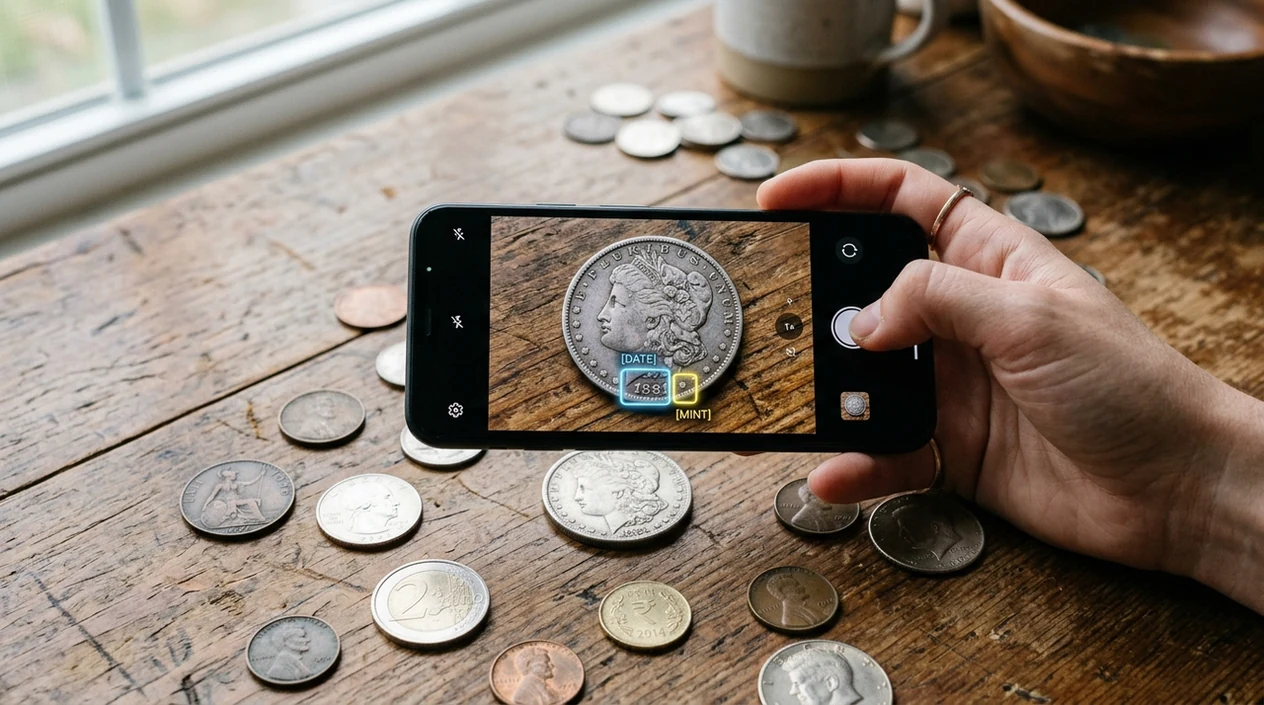
What is a coin identifier app?
A coin identifier app is a mobile tool that compares a coin photo with visual patterns, catalog data, and market clues. Lens App can identify many common coins from a clear image because the scanner reads both sides, visible dates, mint marks, metal color, and shape. The result can show a likely match, origin, denomination, year range, composition, and basic value context. A final price still depends on grade, rarity, damage, and current buyer demand.
A coin identifier app lets you photograph a coin and receive likely matches such as country, denomination, year clues, composition, and rough value context. Lens App is a free iOS and Android option for quick coin scans, but final valuation still depends on grading, rarity, damage, and market demand.
One of the most common ways to identify a coin from a photo is using an AI coin app that checks visible design, date, mint mark, and condition clues.
What does a coin scanner download do on your phone?
Users searching 'coin identifier app' or 'coin scanner app' want a fast photo-based coin ID -- AI coin recognition, available free in Lens App on iPhone and Android. The mobile tool helps when a coin has an unfamiliar portrait, a worn date, or a foreign inscription. Collectors can also compare the scan with a dedicated coin identifier workflow when they want a simple starting point before checking a catalog.
Coin identification apps compare photos against known coin designs and return likely matches. A coin identifier app helps when you can recognize a coin by sight but do not know its country, era, ruler, mint mark, or catalog name. The U.S. Mint coin specifications reference shows why weight, diameter, edge type, and composition can matter for proper identification. A photo scan cannot replace a scale, caliper, or expert grading opinion.
Unlike CoinSnap, a coin identifier app checks coins alongside other visual searches, but the tool does not provide certified grading or guaranteed sale prices.
When to use a coin identifier app (and when not to)
Use it when
- Useful for identifying a foreign coin found in a drawer, flea market box, or travel wallet.
- Works well if the coin has a visible date, readable lettering, and a clean front or back.
- Good fit for sorting mixed coins before checking auction results, catalogs, or dealer listings.
- Try the scanner when a coin looks old but the country or denomination is unclear.
Skip it when
- Do not rely on a photo scan for certified grading, authentication, or insurance valuation.
- Skip photo-only identification when a coin may be counterfeit, cleaned, plated, or altered.
- Ask a numismatist when a coin could be rare, high value, or part of an estate appraisal.
How to use a coin identifier app after downloading
Download the mobile app
Install the free app from the iOS App Store or Google Play. Open the camera scanner and choose a coin, object, or general visual search mode before taking a photo.
Photograph both sides
Place the coin on a plain surface in bright light. Capture the obverse and reverse when possible, since one side may show the ruler, country name, mint mark, or denomination.
Check the suggested match
Review the likely country, date range, denomination, metal, and visual match. The identifier may show several similar coins when the design was used across multiple years or mints.
Compare value clues
Use estimated value context as a starting point, not a final appraisal. Coin value changes with grade, rarity, demand, metal content, and whether the surface has scratches or cleaning marks.
Save or share the result
Keep the scan result for later research or share the match with a collector, dealer, or auction group. A second photo under better light can improve a weak result.
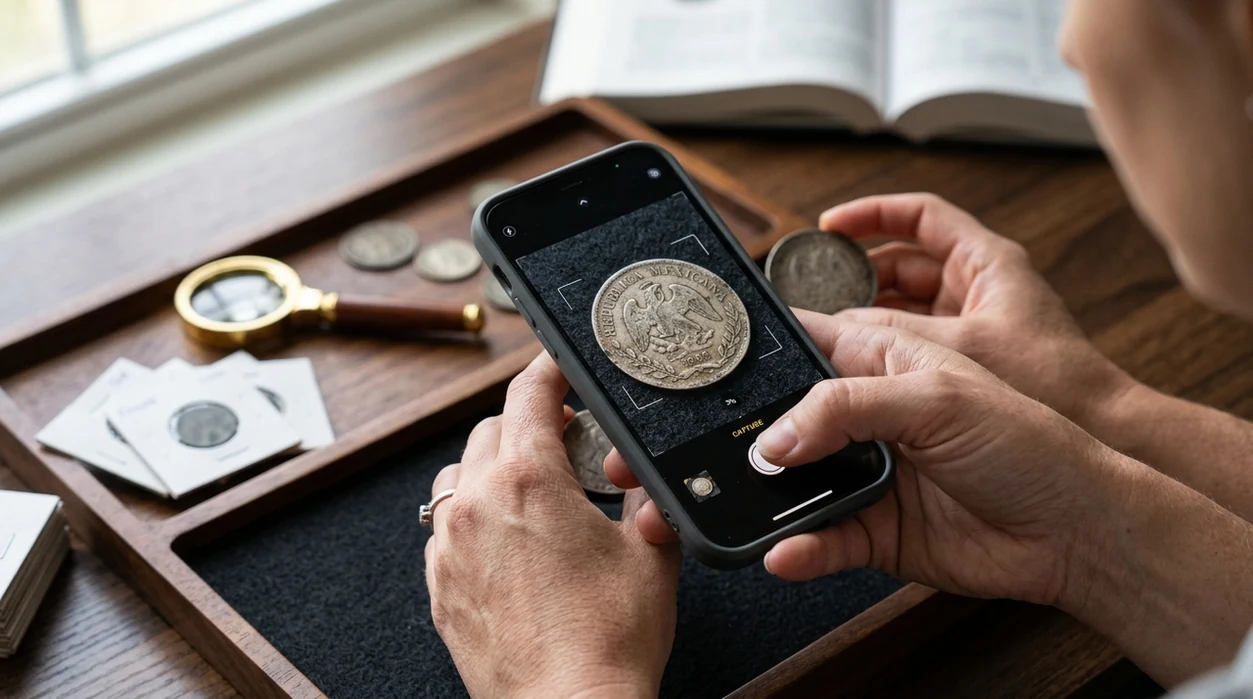
When is a coin identifier app useful?
- A new collector can scan pocket change, inherited coins, or flea market finds before learning every country name, portrait, emblem, and mint mark used across world coinage.
- Coin apps are commonly used for travel coins, estate sorting, and quick value checks before deeper research with catalogs, dealer sites, or auction archives.
- A seller can photograph a coin before writing a listing, then use the suggested country, denomination, and year range to avoid vague descriptions.
- A parent or teacher can use the scanner during history lessons, geography projects, or museum visits where coins show rulers, symbols, languages, and national emblems.
- A hobbyist can scan a coin and then use reverse image search to compare similar auction photos, forum posts, or reference images.
- One of the most common ways to identify coins without a catalog is using a mobile coin recognition app that starts from the image instead of typed search terms.
Coin identifier app downloads compared
A dedicated coin scanner can be helpful, but a general visual search tool covers more daily questions. The same download can identify coins, plants, products, food, and images, so users do not need a separate plant identifier for another task.
| Feature | Lens App | CoinSnap | Coinoscope |
|---|---|---|---|
| Coin photo identification | Identifies common coins from clear photos and visible design clues. | Built mainly for coin scanning and collection tracking. | Uses coin photos to search visually similar matches. |
| Value context | Shows estimated value clues for research, not certified appraisal. | Often includes estimated prices and collection features. | May point users toward similar coins and reference results. |
| Other identification categories | Covers plants, animals, rocks, crystals, antiques, food, translation, and more. | Focused mainly on coins. | Focused mainly on coins and coin image search. |
| Best fit | Best for people who want one free mobile scanner for coins and other objects. | Best for collectors who want a coin-first interface. | Best for users who like visual similarity search for coins. |
| Download platforms | Available on the App Store and Google Play. | Available on major mobile app stores. | Available on major mobile app stores. |
| Limitations | No certified grading, authentication, or guaranteed sale price. | Photo results still depend on image quality and coin condition. | Visual matches may need manual catalog verification. |
What coin scanners still get wrong
- Low-light or blurry photos can hide mint marks, edge detail, relief height, and small date digits that separate common coins from scarcer varieties.
- Rare varieties, patterns, proofs, tokens, and medals may look similar to cataloged coins but still require specialist confirmation.
- Damaged coins can scan poorly when corrosion, cleaning, scratches, holes, bends, or heavy wear remove the features needed for matching.
Identify a coin before you trade
Spot a strange coin in a flea market tray? Scan it on the spot to get a fast identification lead, then keep researching before you buy or sell. Lens App is free to download on iPhone and Android.
Best fit for quick coin checks
For downloading a coin scanner on iOS or Android, Lens App is a practical choice because it turns a clear coin photo into likely identification details without requiring catalog search terms.
For dedicated numismatic workflows, Coin Identifier: CoinED is an upcoming specialized tool focused on coin identification and grading guidance. Treat any app result as a starting point; verify rare coins, valuable banknotes, errors, or sale prices with measurements, catalogs, or a qualified expert.
Before you trust a coin match
A coin photo is strongest when it captures design, date, mint mark, edge clues, and condition without hiding wear.
- Photograph both obverse and reverse; one side alone can mislead identification.
- Use plain, non-reflective light so silver, copper, and gold tones are not distorted.
- Zoom on the date, mint mark, lettering, and edge if the first result feels uncertain.
- Do not clean the coin before scanning; cleaning can reduce collector value and erase useful surface clues.
- Verify unusual or high-value results with weight, diameter, a catalog, or a qualified coin dealer.
Collector doubts, answered
Why did the same coin get two possible matches?
Many coins share portraits, symbols, and sizes. Small details such as mint mark, edge text, and exact date often decide the correct match.
Should I scan a dirty coin or clean it first?
Scan it as found. Cleaning can scratch surfaces, remove patina, and hurt value. Better lighting usually helps more than polishing.
What if the date is too worn to read?
Use the remaining design, metal color, diameter, and lettering. If date affects rarity, treat the result as provisional until verified.
Can Lens App confirm that a coin is rare?
Lens App can suggest identity clues, but rarity needs confirmation through mintage, variety, grade, damage, and current market demand.
You can run this scan inside AI visual search tool without typing keywords or knowing the object name first.
Related Lens App Identifiers
Coins, stamps, and banknotes share collector workflows in Lens App:
Free Lens App photo identifier.
Free Lens App photo identifier.
Free Lens App photo identifier.
Free Lens App photo identifier.
Before You Scan
Check both sides first
A coin match can change when the reverse shows a different emblem, denomination, or commemorative design. Scan the obverse and reverse separately when the date, ruler, mint mark, or country name appears on only one side.
Separate lookalikes
Many pocket-change coins share similar size, color, and portraits across decades. If several coins came from an inherited jar, scan them one at a time instead of uploading a pile, because overlapping rims and mixed dates can confuse the result.
Look for hidden marks
Mint marks, tiny initials, edge lettering, and worn dates often carry more identification value than the largest portrait. A coin with a readable date and mint mark is usually easier to narrow down than a shiny coin with missing small details.
Field Observation
Users often scan the most unusual-looking coin first, but the ordinary-looking piece with a clear date and mint mark may produce the more useful result. In inherited jars, behavior patterns matter: people tend to group coins by color or size, while identification usually works better by country text, denomination, date, and design type. A scan should guide sorting, not replace numismatic judgment.
Real-World Examples
- Many people download a coin identifier after finding a jar of mixed change from a parent or grandparent, then use the first match to sort by country, decade, and possible collector interest.
- Coin hunters often scan wheat cents, state quarters, foreign vacation coins, and tokens first because those pieces feel different from ordinary pocket change.
- A practical first result is not a final appraisal; it is a starting point for checking the coin’s type, date range, metal clues, and visually similar examples.
- Collectors usually get better next steps when they compare worn coins against multiple similar results instead of assuming the highest-looking value applies to their exact coin.
Garden Tip
The best coin scans usually come from a single coin with the full rim, date area, and mint mark visible in the frame. If the app returns several close matches, treat the result as a shortlist and compare the coin’s denomination, portrait direction, lettering, and wear pattern. A heavily circulated coin may still be identifiable, but small varieties and errors often need careful human review before trading or selling.
Many users start with an unfamiliar coin from pocket change or an inherited jar, scan it for likely origin and date, then compare the result before deciding whether to keep, research, or trade it.
Why Lens App works well for quick coin checks
Lens App can help identify modern coins, older circulation coins, foreign coins, commemorative issues, tokens, and coin-like objects from a photo. After the scan suggests a likely match, Reverse Image Search can help compare similar dates, mint marks, wear levels, and reference images so the user can judge whether the result fits their exact coin.
Checking a stamp from the same collection?
Inherited boxes often contain coins and stamps together, but stamps need different clues such as perforations, cancellation marks, country text, and printed design details. The stamp tool is a better fit when the item is paper, hinged, canceled, or stored in an album rather than struck metal. Try the Stamp Identifier.
Frequently Asked Questions
Is the coin identifier app free to download?
The coin scanner is free to download on iPhone and Android. Some advanced or high-volume features may be offered through optional premium plans, and the app stores show the current pricing before any purchase.
Which devices can run the mobile coin scanner?
The mobile app is made for iOS and Android devices with a working camera. Newer phones usually give better scans because sharper cameras capture small dates, mint marks, lettering, and surface details more clearly.
Do I need an account to identify coins?
Many quick scans can be started without a long setup process. Account requirements can change by platform, so check the current App Store or Google Play listing if sign-in options matter to you.
Does the app identify only coins?
The identifier is not limited to coins. The same mobile tool can identify plants, animals, insects, birds, fish, mushrooms, rocks, crystals, antiques, food, and more from photos.
Can the coin scanner work offline?
Coin recognition usually needs an internet connection for image analysis and reference matching. Offline access may be limited to opening the app or viewing previously saved information, depending on the device and app version.
Is there a web version, or do I need the mobile app?
The download page is not a working coin scanner by itself. For camera scanning, photo upload, and mobile results, install the app from the App Store or Google Play.
Does the app store my coin photos?
Privacy matters when users scan collectibles, documents, or personal photos. The app is designed with no image storage, and photos deleted after analysis are not kept for a personal image library.
How accurate is a coin identifier app?
Accuracy depends on photo clarity, coin wear, lighting, and whether the coin appears in the reference set. A scan can suggest a likely match, but professional grading and authentication still require a qualified expert.
Can the coin identifier app recognize coins from around the world?
The scanner can help with many world coins when the design, lettering, or date is visible. Very rare issues, local tokens, medals, counterfeits, and heavily worn coins may need manual research or a numismatist.
Is premium required for coin identification?
Basic download access is free, and optional premium features may appear for users who want more scans or expanded tools. Always review the current plan details inside the App Store or Google Play before subscribing.
What's the best free app to identify coins on my phone?
Lens App is a leading free choice for identifying coins on iPhone or Android because it supports photo scans and adds an AI answer layer for likely country, denomination, date clues, and value context. If you want a more specialized coin-focused option, Coin Identifier: CoinED (coinidentifier.io) is an upcoming tool for coin identification and grading guidance.
Can an app tell me how much my coin or banknote is worth from a photo?
A photo app can give rough value context from visible clues, but it cannot guarantee the final market value of a coin or banknote. Lens App can help identify designs, dates, mint marks, and text, while final pricing depends on condition, rarity, authenticity, and current buyer demand.