 Lens
Lens
AI Identifiers — Identify Anything with Lens App
Find every Lens App identifier page in one directory. Browse 164 tools for plants, coins, rocks, animals, food, translation, reverse image search, and everyday objects. Install Lens App for iPhone or Android when you are ready to scan.


What is the Lens App Tools Directory?
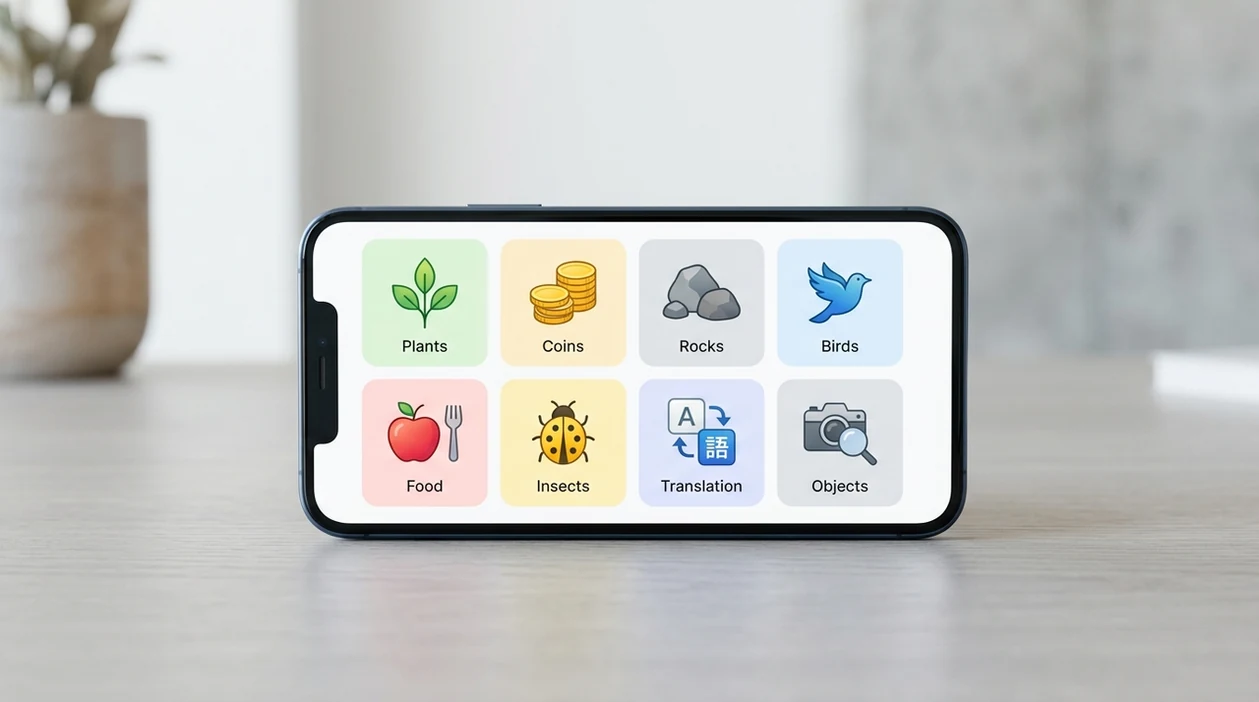
This page is the canonical index of AI identifier tools for people who want to identify anything from a photo. Use the directory to choose a category, compare a task, or jump to a page that matches your search — including identify clothes picture for fashion and thrift finds. The install path points to the app on iPhone and Android, so each landing page leads back to the same mobile scanner.
The tools directory lists 164+ AI identifier tools across 11 intent groups, available free on iPhone and Android.
How the Lens App tools directory is organized
Finding the right identifier starts with the job you need done. This directory groups Lens App pages by search intent, not by a generic feature list. That makes it easier to match a photo problem with a useful AI identifier tool. One of the most common ways to identify an unknown item is to start with the object category first. Plants, coins, rocks, insects, food, animals, antiques, and translated text each have different clues. The mobile tool keeps those paths close together, so you can move from browsing to scanning without guessing where to start.
Navigation works best when you use the cluster headings as anchors. Search this page for a word like plant, coin, mushroom, bug, calorie, translation, or Google Lens. The Download Lens App by Category cluster helps users who already know they want an app. The App That Identifies cluster fits broad searches like an app that identifies plants or objects. The Accuracy and Trust cluster answers safety, privacy, and reliability questions. The comparison cluster helps people who are choosing between Lens App and another visual search tool.
Choosing the right cluster depends on the query behind the visit. Download intent means you want the app store link fast. Comparison intent means you want to know how the identifier differs from Google Lens, Yuka, CoinSnap, or other tools. Free-tier intent means you want to test a specific scanner before deciding. Use-case intent means the object matters in context, such as houseplants, hiking, pest control, collecting, travel, or dieting. After you find the matching page, download Lens App for iPhone or Android.
Jump to a Section
- A. Download Lens App by Category (16 pages)
- F. App That Identifies... (13 pages)
- C. Free Identifier Tools (2 pages)
- D. Identifier Tools by Use Case (36 pages)
- G. Find Out What This Is (7 pages)
- K. Accuracy & Trust (4 pages)
- M. Lens App vs Competitors (9 pages)
- L. Identifier Categories (11 pages)
- E. How-To Guides (1 page)
- J. Imperfect Photo Tips (3 pages)
Download pages help you install the right identifier fast
This cluster solves install intent for users who already know the category they want to scan. People search these pages when they need a plant, bird, coin, rock, food, translation, or Google Lens alternative app. The scanner connects each category page to the same Lens App download path because one app covers many visual identification jobs. Each page explains the category, the scan flow, and the app store option for iPhone and Android.
App-that-identifies pages answer broad category searches
This cluster solves searches that begin with a simple phrase like app that identifies plants, coins, rocks, or objects. These users may not know the correct tool name yet. The identifier gives them a direct path from a photo-based question to a mobile scanning option. Each page defines the category, explains what to photograph, and shows how the app can help narrow a match.
Free identifier pages help users test a category first
This cluster solves searches that include free and a specific visual category. These users want to try flower, tree, crystal, bug, or spider identification without starting with a paid commitment. The mobile tool gives them a clear way to scan and evaluate results before using more features. Each page focuses on the free-entry use case, what a photo should show, and where the scanner is most useful.
Use-case pages match identifiers to real situations
This cluster solves searches where the context matters as much as the object. Gardeners, hikers, parents, collectors, resellers, travelers, students, and people tracking food need different guidance from the same photo scanner. Lens App supports these paths by keeping nature, collecting, nutrition, translation, and product discovery under one identifier. Each page explains the scenario, the photo clues to capture, and the practical reason to scan.
Find-out pages solve urgent unknown-photo searches
This cluster solves searches where a user is holding a photo and asking what it shows. These users often search in plain language, such as find out what this plant is or scan coin to identify. The app turns that question into a camera or gallery scan. Each page focuses on one unknown item, what details improve the result, and what to do after a likely match appears.
Accuracy pages explain when to trust an identifier
This cluster solves trust questions before or after a scan. People search these pages when an identifier result affects safety, value, health, privacy, translation, or confidence. Lens App pages explain practical limits, better photo habits, and category-specific caution. Each page answers the accuracy question directly and notes that sensitive searches need expert confirmation where stakes are high.
Comparison pages help users choose between visual tools
This cluster solves comparison intent for people evaluating Lens App against specialist apps and major platforms. These users want the tradeoff between one broad identifier and a tool built for one category. The app is framed as a multi-category option for plants, birds, coins, rocks, food, translation, and object recognition. Each page compares typical tasks, strengths, limits, and when a specialist tool may still be useful.
Category pages cover specific things users want named
This cluster solves category-level searches that do not always include app, download, or free. Users search these pages when they want a direct identifier for flowers, leaves, landmarks, art, jewelry, cars, logos, fonts, and similar visual subjects. Lens App connects these category pages to one photo-based scanner for quick naming and research. Each page explains what to photograph, how to improve the scan, and what result types to expect.
How-to pages teach the scan process step by step
This cluster solves instructional searches from users who want a clear method before scanning. They may be using an iPhone, scanning a plant, or tracing where a photo came from. The mobile tool is presented through simple actions: open the app, capture the subject, review the result, and refine the photo if needed. Each page gives steps, common mistakes, and a practical next scan.
Imperfect-photo pages help when the image is not ideal
This cluster solves searches from users with blurry, cropped, old, faded, or damaged photos. These users want to know whether identification is still possible before they retake or discard the image. The scanner can often use remaining visual clues, but better lighting and more angles improve confidence. Each page explains what can still be read from the image and when a new photo is worth taking.
How to use this directory to find the right identifier
This directory groups Lens App tools by the intent behind each search. Download pages serve users ready to install. App-that-identifies pages match broad category questions. Free pages help people test a scanner first. Use-case pages connect identification to gardening, hiking, collecting, resale, travel, studying, diet tracking, and pest control. Find-out pages support urgent unknown-photo searches. Accuracy pages explain trust, limits, and safer interpretation. Comparison pages help users evaluate alternatives. Many users use identifier apps when they need a fast first answer, then confirm important results with a specialist source.
The app covers plants, flowers, leaves, trees, mushrooms, insects, spiders, snakes, birds, fish, pets, coins, banknotes, rocks, crystals, gemstones, antiques, stamps, food, calories, products, landmarks, art, logos, cars, fonts, documents, signs, menus, and reverse image search. Photo quality still matters. A clear subject, good light, and multiple angles can improve the result. For privacy-sensitive scans, photos are deleted after analysis. Start with the cluster that matches your question, open the page that names your object, and download Lens App free for iPhone or Android.
Wondering What You Found?
Picked up something odd at home, on a walk, or in a shop? Lens App helps identify plants, animals, coins, rocks, food, products, and more from a photo, free on iPhone and Android.
A faster way to route an unknown photo
The best identifier is usually chosen by the strongest clue in the image, not by the object name you hope to find.
| Strongest clue | Best first move |
|---|---|
| Living thing | Scan by visible traits such as leaf, flower, fur, wing, shell, or body shape. |
| Text or label | Capture the clearest readable words before relying on visual matching. |
| Collectible or antique | Photograph marks, dates, makers, materials, and the full object. |
| Food or product | Include packaging, portion, barcode, or distinctive ingredients when available. |
| Hazard or health concern | Use AI for orientation only; confirm with a qualified expert before acting. |
Quick doubts before you scan
Should I crop the photo first?
Crop only when the background distracts. Keep enough context to show scale, shape, color, and nearby clues.
Can one image identify several objects?
Yes, but results are cleaner when each item is photographed separately, especially for small, overlapping, or similar-looking objects.
What if the result lists multiple possible names?
Treat the top results as candidates. Compare defining features, location, size, and markings before choosing a final identification.
Can Lens App replace an expert opinion?
No. Lens App can help narrow possibilities, but medical, legal, safety, valuation, and poisonous-species decisions need expert confirmation.
For a broader toolkit, try AI image search. The same engine powers this page and dozens of other identifiers.
Related: what app is this.
Related: homework helper from photo.
Related: fossil identifier.
Related: pottery marks identifier.
Related: perfume finder by picture.
Related: sneaker legit check.
Related: how accurate is Lens App.
Related: pricing.
Related pages
Also useful: what app is this · homework helper from photo · fossil identifier · pottery marks identifier · perfume finder by picture · sneaker legit check · how accurate is Lens App · pricing.
Frequently Asked Questions
How many AI identifier tools are in this directory?
This directory lists 164+ AI identifier tools across 11 intent clusters. The pages cover download searches, app-that-identifies searches, free tools, use cases, accuracy questions, comparisons, category pages, how-to guides, and imperfect-photo tips.
How is the Lens App tools directory organized?
The directory is organized by search intent. You can start with download pages, object category pages, practical use cases, comparison pages, or trust and accuracy pages depending on what you need.
Which Lens App tool should I use to identify a plant?
Use the plant pages if you need a general plant name. Choose houseplant, gardener, hiker, leaf, flower, tree, wildflower, succulent, or cactus pages when your photo has a more specific plant context.
Are all the identifier tools free?
Lens App is free to download on iPhone and Android. Some features or higher-use options may require an upgrade, so the free pages help users understand what they can test before deciding.
Does Lens App work on both iPhone and Android?
Yes. Lens App is available for iPhone and Android. The directory points users to the same identifier app while organizing pages around the object or task they want to scan.
What makes Lens App different from Google Lens?
Google Lens is a broad visual search tool tied to Google services. Lens App focuses this directory around dedicated identifier tasks, including plants, coins, rocks, animals, food, translation, and reverse image search.
Can I identify objects from old or blurry photos?
Sometimes. Old, blurry, cropped, faded, or damaged photos may still contain useful clues, but results are usually better with a clear subject, good lighting, and multiple angles.
New guides and comparisons
Start with What is this?, what Lens App can identify, Lens App alternatives, and camera translate for Japanese, Chinese, Korean, Spanish, Thai, and Arabic.
Competitor comparisons: Lens Scan, LensAI, Lens Photo Scan, Lens Reverse Image Search, Lens Translate Finder, Lens Photo Identifier All, Reverse Image Search AI Lens, Lens AI Identify Anything.
Related: find this.