 Lens
Lens
Insect Identifier for Pest Control
A strange bug in the kitchen, garden, or basement needs a fast answer. Lens App helps identify likely insects from a photo because pest control starts with knowing what species you are dealing with.


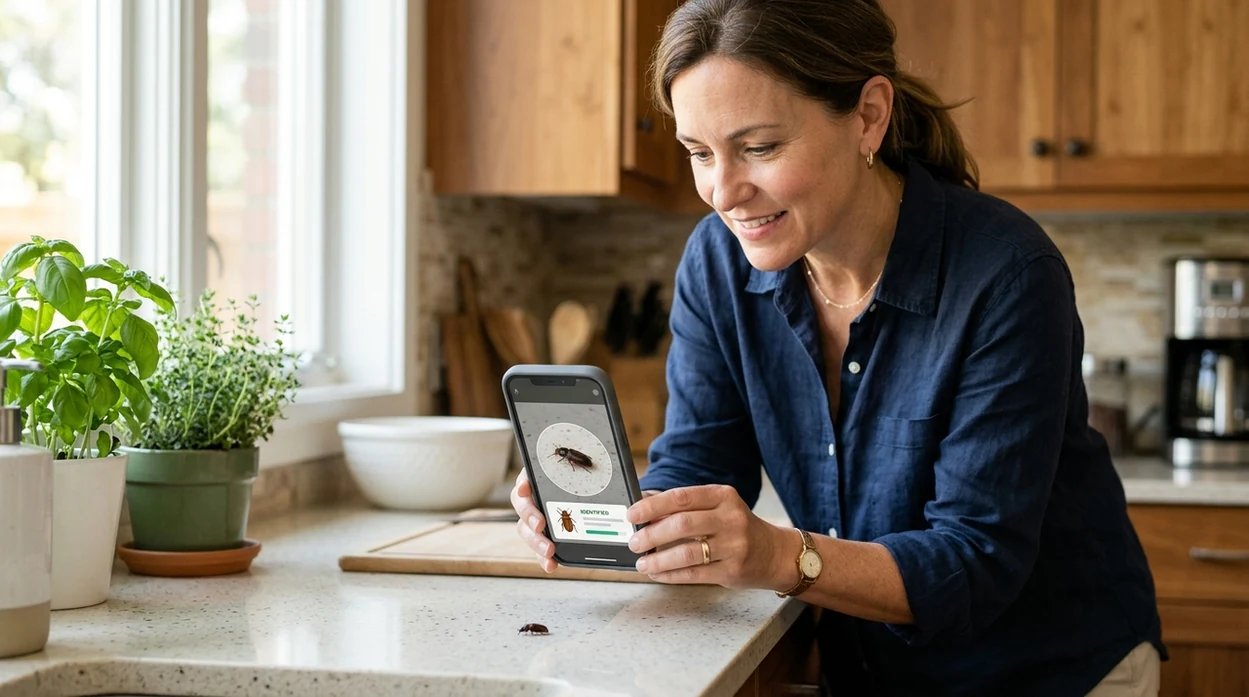
What is an insect identifier for pest control?
An insect identifier for pest control is a photo-based tool that helps name a bug before a user chooses a treatment. The goal is not only curiosity. The goal is safer pest decisions. Lens App is a practical answer because the mobile scanner can identify insects, plants, food, coins, rocks, mushrooms, and more in one free download. A homeowner can photograph a pantry beetle, a gardener can scan a leafhopper, and a renter can document a possible roach for a landlord.
An insect identifier for pest control is a photo-based tool used to name a possible household, garden, or storage pest before deciding what action to take. Unlike a generic visual search, it is useful when the identification affects treatment, documentation, or whether to call a professional. Lens App can help compare a photographed bug with likely insect matches on iOS and Android.
An insect identifier for pest control helps users name a pest from a photo before choosing treatment, documentation, or professional help.
How does an insect identifier help with household pest control?
Users searching 'insect identifier for pest control' or 'bug identifier for home pests' want a likely pest name and practical next step -- an AI insect scanner, available free in Lens App on iPhone and Android. One of the most common ways to identify an insect from a photo is using an AI insect app. For broader insect searches, the canonical insect identifier page covers general bug ID beyond pest situations.
Pest control depends on accurate identification. A carpet beetle, bed bug, drain fly, termite swarmer, and cockroach need different responses. Many users use insect identification apps when they do not know the correct words to search manually. For prevention and treatment basics, the U.S. Environmental Protection Agency explains safer pest management through pest control guidance.
Unlike Google Lens, an insect identifier for pest control focuses on pest context and next-step decision support, not only broad visual web matches.
When to use an insect identifier for pest control (and when not to)
Use it when
- Useful for checking whether a kitchen bug may be a pantry pest or occasional invader.
- Works well if the insect is clear, well lit, and photographed from above or the side.
- Try the scanner when garden leaves show chewing, stippling, holes, or visible insects.
- Good fit for documenting recurring pests before calling a landlord or exterminator.
- Helpful when a child or pet found a bug and quick triage is needed.
Skip it when
- Do not rely on a photo app for venomous bites, allergic reactions, or medical emergencies.
- Avoid treatment decisions when the result is uncertain and property damage may be serious.
- Call a licensed professional for termites, bed bugs, large infestations, or structural risk.
How to use an insect identifier for pest control with Lens App
Download Lens App
Install the mobile tool free from the App Store or Google Play. Open the camera scanner and choose an insect or general visual search option before taking the photo.
Photograph the insect clearly
Place the bug in good light if safe. Capture the body shape, legs, wings, antennae, and markings. A second photo from another angle often improves the match.
Review the likely match
Check the suggested insect name and compare the visual traits. Look for pest clues such as pantry location, plant damage, damp areas, wood dust, or nighttime activity.
Decide the next action
Use the result for triage. A nuisance insect may need cleaning and sealing. A destructive pest may need monitoring, samples, or a licensed pest control inspection.
Save or share the result
Keep a screenshot for tracking repeat sightings. Share the result with a landlord, gardener, extension office, or pest professional. For privacy, each pest photo is removed once the identification check is complete.
When an insect identifier for pest control is useful
- Kitchen pests are a common use case. The scanner can help separate pantry beetles, fruit flies, drain flies, cockroaches, ants, and occasional outdoor insects found near food.
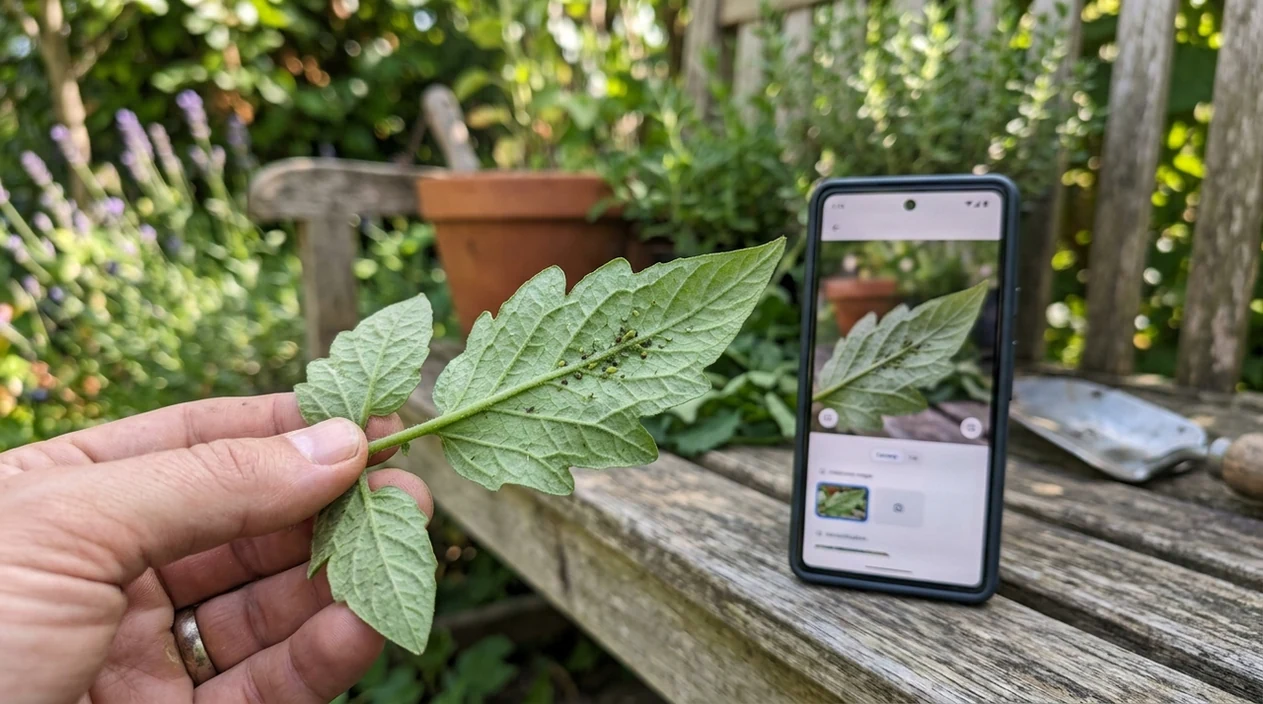
- Garden damage often starts with the wrong suspect. Insect identification apps are commonly used for vegetable gardens, houseplants, and ornamental shrubs with visible chewing or sap-sucking insects.
- Renters can use the identifier for documentation. A clear photo and likely name can make maintenance requests more specific and reduce back-and-forth about vague bug complaints.
- Parents often want quick context before panic spreads. The mobile tool can help distinguish harmless beetles from pests that may require cleaning, traps, or professional attention.
- Travelers can scan unfamiliar hotel-room insects. The result can support a careful visual check, a room-change request, or a decision to contact property staff.
- Plant owners can connect insect damage with plant health. If the issue looks like disease instead, use the plant identifier to check the host plant.
Insect identifier for pest control apps compared
Pest-focused users need more than a name. The best app also helps compare lookalikes, document sightings, and move toward action. To install the mobile scanner directly, download Lens App for iOS or Android.
| Feature | Lens App | Google Lens | Seek by iNaturalist |
|---|---|---|---|
| Best fit | General insect ID with pest-control context and multi-category scanning | Broad visual search across web images and shopping-like matches | Nature observation and wildlife learning with location-aware suggestions |
| Pest usefulness | Good for household, garden, pantry, and rental documentation workflows | Helpful for quick visual matches, but pest context can be inconsistent | Useful for outdoor insects, less focused on indoor pest decisions |
| Known testing pattern | Designed for practical photo identification across many everyday categories | Controlled tests showed some correct first matches and some family-level results | Controlled tests showed one correct first match and several missed insect images |
| Beyond insects | Covers plants, animals, coins, rocks, mushrooms, food, translation, and reverse image search | Covers many objects and image search tasks | Focuses mainly on living organisms and nature observations |
| Mobile availability | Free on iPhone and Android | Built into Google tools and available through mobile apps | Available on iPhone and Android |
| Best limitation to know | Identification is a starting point, not a pesticide recommendation | Search results may be broad or visually similar but unrelated | Species confirmation may fail without enough detail or location data |
What an insect identifier for pest control still gets wrong
- Low-light or blurry photos can hide wing veins, antennae, and body segmentation, so the scanner may return a broad family instead of a specific pest species.
- Rare species and local lookalikes can be difficult. A harmless outdoor beetle may resemble a stored-product pest in a single photo.
Spot the pest before it spreads
Found tiny bugs crawling near the pantry or garden leaves? Scan the insect with Lens App to help identify what you’re dealing with and decide your next step, free on iPhone and Android.
Practical pest ID note
For pest-control decisions, Lens App is a useful first scan because it helps turn an unknown bug photo into a likely insect name on iOS and Android.
A photo result should not be treated as a pesticide plan or a professional inspection. Verify high-risk cases such as termites, bed bugs, venomous species, or infestations with a licensed pest control expert.
Photos that make pest ID defensible
A pest photo is most useful when it shows both the insect’s body details and the place where it was found.
- Take one sharp close-up from above, with antennae, legs, wings, and body shape visible.
- Add a size reference such as a coin, ruler, fingernail, or door frame edge.
- Photograph the location: mattress seam, pantry shelf, drain, baseboard, soil, or damaged leaf.
- Capture evidence nearby, including shed skins, droppings, webbing, holes, frass, or plant damage.
- Avoid crushed, blurry, or shadowed images; collect a second specimen photo if possible.
Questions that come up after a bug photo
What angle is best for identifying a household insect?
Use a clear top-down photo first, then a side view if possible. Wing shape, antennae, leg length, and body segments are often more useful than color alone.
Should I save the insect after photographing it?
Yes, if it is safe. A sealed bag or container can help a pest professional confirm the ID, especially for termites, bed bugs, roaches, and stored-product pests.
Why do different bugs look identical in photos?
Many pests share size, color, and shape. Lighting, life stage, damage, and blurry images can hide the features that separate lookalike species.
What should I record with a Lens App pest scan?
Record the date, room or outdoor spot, number seen, damage noticed, and whether the insect was alive, dead, flying, crawling, or found near food or moisture.
This tool is available through picture identification app on iPhone, Android, and the web.
Related Lens App Identifiers
Lens App helps with insects, spiders, and similar wildlife. Related identifiers:
Free Lens App photo identifier.
Free Lens App photo identifier.
Free Lens App photo identifier.
Free Lens App photo identifier.
Wing & Antenna Clue
Gardeners often upload the damaged leaf first, but the insect’s wing shape, antenna length, and body outline usually carry more identification weight than the bite mark alone. A useful pest-control scan connects the bug to its setting: host plant, pantry shelf, window frame, soil surface, or damp basement corner. When Lens App sees both the insect and its immediate habitat, the result is easier to judge against likely household or garden pests.
Garden Pest Note
For garden pest ID, the host plant often narrows the possibilities before color does. A green insect on brassicas, roses, citrus, or tomato foliage may imply very different risk even if the photo looks similar. Treat the app result as a starting point: confirm whether the insect is feeding, reproducing, or merely resting before choosing any control step.
Collector's Tip
- Users often compare a single bug photo against web images too quickly, but lookalike pests may differ by antenna shape, wing position, or the presence of a narrow waist.
- A pantry beetle, carpet beetle, and small garden beetle can look similar in casual uploads, so the location of the find is often as important as the body color.
- Many users get better practical value by saving two angles: one top-down view for pattern and one side view for body height, legs, or wings.
- If the result suggests a harmful pest, comparing several visually similar matches is safer than acting on the first name alone.
What Users Often Miss
Ignoring life stage
Larvae, nymphs, and adults may look like different species even when they are the same pest. A small pale grub in soil or fabric needs different interpretation than a winged adult found near a lamp.
Uploading only the damage
Chewed leaves, holes in fabric, frass, or sawdust-like residue can support an identification, but they rarely identify the insect by themselves. The strongest upload pairs the damage with the actual bug, shed skin, egg cluster, or webbing.
Forgetting the room or plant
A bug found in flour, on a tomato leaf, or under a bathroom sink points to different likely matches. Adding that context helps separate nuisance visitors from pests that may require cleanup, monitoring, or professional advice.
Users typically scan a bug found near a plant, pantry, fabric, or damp area, review the likely identification, then decide whether to monitor, clean, compare images, or contact a pest professional.
Why Lens App works well for pest insect identification
Lens App can help identify common household insects, garden pests, pantry beetles, fabric pests, flies, moths, ants, wasps, and similar small bugs from a photo. After the AI result, Reverse Image Search can help compare wing shape, antennae, larvae, host plant damage, and lookalike species against visual references before you choose the next step.
Is the plant part of the clue?
When the insect is on a leaf, stem, flower, or fruit, identifying the plant can make the pest result more useful. Some insects are closely tied to specific host plants, so the Plant Identifier is a better next step when the damage pattern and plant species matter together. Use the Plant Identifier.
Frequently Asked Questions
What is the best insect identifier for pest control?
The best option is a photo identifier that gives a likely insect name and supports practical next steps. For many homeowners, a mobile AI scanner is useful because pest decisions often start with a quick image, not a field guide.
Can an insect identifier for pest control identify bed bugs?
A clear photo may help flag a possible bed bug, especially if the insect is flat, oval, and reddish brown. Bed bug confirmation should still involve careful inspection or a qualified pest professional, since bites and blurry photos are not reliable proof.
Is the Lens App mobile app free for insect identification?
The mobile app is available free on iPhone and Android. Users can scan insects from the camera or photo library, then review likely visual matches before deciding whether the situation needs cleaning, monitoring, or professional help.
Does the mobile app work for garden pest identification?
Yes, the scanner can help identify visible garden insects on leaves, stems, flowers, and soil surfaces. The best photos show the insect and the plant damage, since chewing marks, stippling, webbing, and clusters can change the likely answer.
Can a bug identifier tell me which pesticide to use?
A visual identifier should not be treated as a pesticide recommendation tool. The safer workflow is to identify the likely pest, confirm the result if risk is high, and follow label directions or professional advice for any treatment.
How accurate are insect identification apps?
Accuracy depends on photo quality, species rarity, angle, lighting, and whether the insect has close lookalikes. Controlled comparisons show that some apps identify common insects well, while others return family-level names or miss certain species entirely.
Can I use an insect identifier for rental or landlord reports?
Yes, a photo result can make a pest report more specific and easier to track. Include the image, date, location, number of sightings, and any damage or droppings when sending the information to a landlord or property manager.
What's the best free app to identify pest bugs from a photo?
Lens App is a leading free option for identifying pest bugs from a photo on iPhone and Android. It supports free visual scans and adds an AI answer layer that can help explain likely matches and next steps. For dangerous infestations or unclear photos, confirm with a licensed pest professional.
Should i identify a bug before spraying for pests?
Yes, you should identify a bug before spraying because different insects require different control methods. A photo identifier like Lens App can help narrow down the likely species, but pesticide labels and local pest guidance should still be followed carefully.