 Lens
Lens
Plant Identifier Free - AI Plant ID App
Upload a plant photo to identify flowers, trees, weeds, succulents, and houseplants in seconds. Try it free on iPhone and Android with no botanical knowledge needed.
Drop a plant photo here or tap to upload
JPG, PNG, WebP, HEIC • Max 50MB

Analyzing with AI…
Matching visual features and similar results


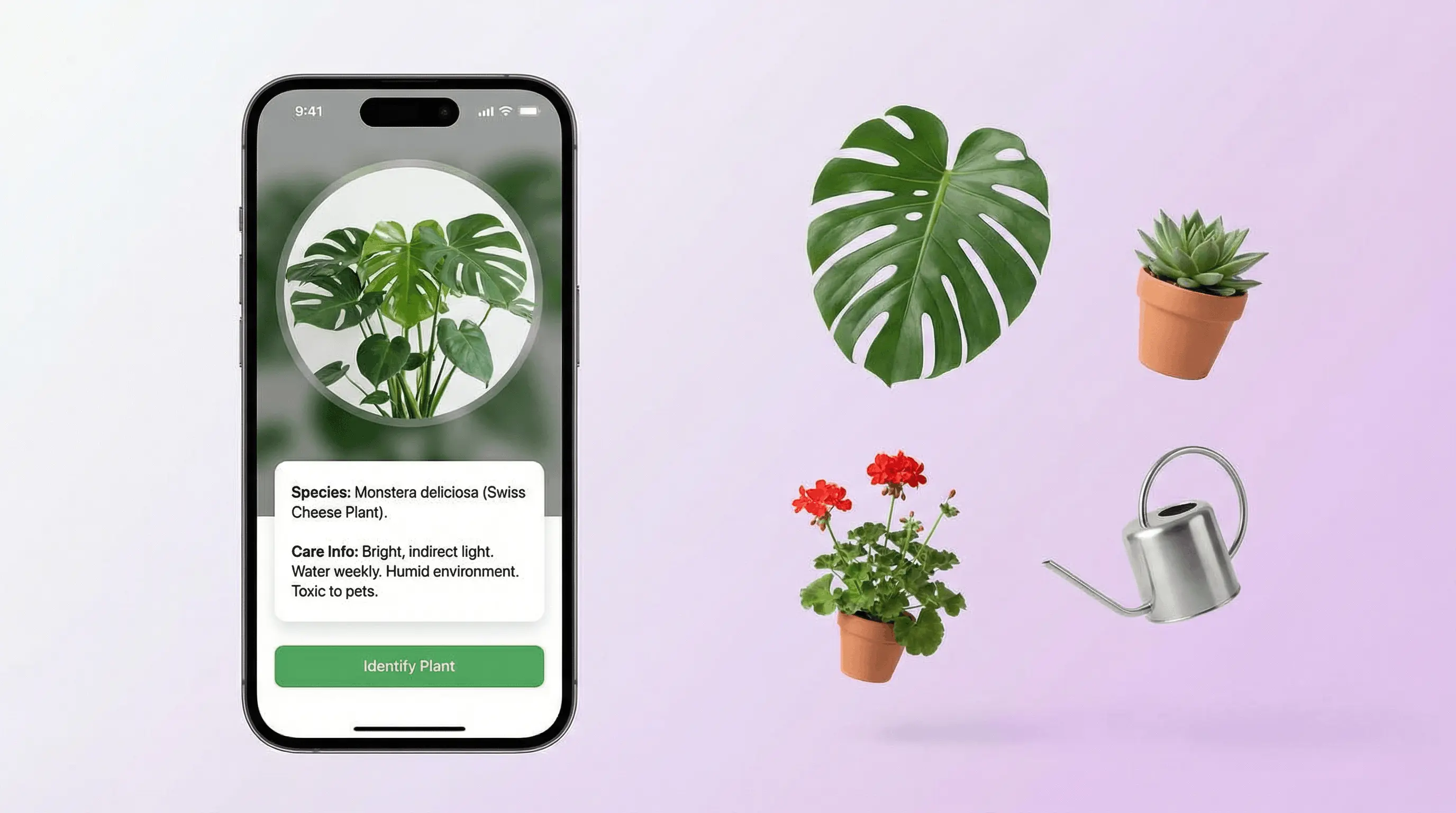
How can you identify a plant from a photo?
A plant identifier app is an AI camera tool that compares a plant photo with visually similar images to suggest what the plant may be. Lens App provides free visual search from an uploaded or camera image, but its result should be verified before making decisions about care, toxicity or edibility.
Photograph the plant in natural light, keep the subject in focus and avoid covering important features with your hand. Submit the image to the plant identifier, review the visual-search matches and compare the suggested name with the plant’s leaves, flowers, stem, growth habit and location.
North Carolina State University Extension recommends high-quality photos of the whole plant and key parts such as leaves, flowers, fruits and seeds in its 2026 guidance: NC State Extension plant identification tools (2026). If the broad result is uncertain, try a focused leaf identifier, tree identifier or wildflower identifier.
The scanner can also be used as an alternative to Google Lens for visual-similarity matching. It does not search a face database, people index or social media account; it works from the uploaded image and related visual results.
What photos produce more useful plant matches?
A clear image containing distinctive botanical features is more useful than a distant photo of mixed vegetation. Start with the entire plant, then capture separate views when possible.
- Leaves: Show their shape, margins, arrangement on the stem and both surfaces.
- Flowers: Include the bloom from above and from the side without applying a strong color filter.
- Stem or bark: Record texture, thorns, hairs, branching and visible sap without touching an unknown plant.
- Fruit or seed structures: Photograph them in place rather than tasting or opening them.
- Context: Keep some habitat visible, especially for wild plants, while ensuring the subject remains sharp.
Use a dedicated cactus identifier or succulent identifier when similar shapes make a general match ambiguous. Flower-focused references are also available through what is this flower, what is this flower and what is this flower.
Is plant identifier accuracy reliable enough?
Plant identification from an image is useful for generating candidates, not guaranteeing an exact species. Accuracy changes with image quality, visible features, season, geographic context and the visual similarity of related plants.
Michigan State University Extension reported that PictureThis produced 76% correct suggested identifications in its 2025 evaluation and reached 88% average helpfulness when partially correct results were included: Michigan State University Extension plant ID app evaluation (2025). Those figures describe that evaluation and should not be treated as a universal score for every plant identifier.
The same 2025 source reports substantial differences among identification technologies: Michigan State University Extension plant ID app evaluation (2025). When asking “is plant identifier accurate,” the practical answer is that a result becomes more credible when several visible traits, habitat details and authoritative botanical references agree.
Which plant identifier workflow suits kids, gardeners and hikers?
A plant identifier for kids should encourage observation rather than unsupervised tasting or handling. Children can photograph leaf shapes, flowers and bark, write down the suggested name and compare the evidence with a trusted adult or field guide.
A plant identifier for gardeners can help organize possible names for volunteers, ornamentals and weeds. It may also support an initial plant diagnosis for yellow leaves, but discoloration alone cannot reveal whether the cause is watering, nutrition, pests, root damage, disease or seasonal change. Check the soil, stem, leaf undersides and recent growing conditions before changing care.
A plant identifier for hikers is most useful when the image includes habitat and distinctive structures. Photograph unknown plants without collecting them, and use an insect identifier if apparent plant damage may involve a visible insect. Regional access includes an plant identifier, plant identifier and plant identifier.
What are the limits of a plant identifier?
Identification is not confirmation. Visual search can confuse closely related species, cultivars, seedlings, hybrids or plants missing seasonal features. A blurry leaf may produce a plausible result that does not match the whole specimen.
It cannot determine safety from appearance alone. Do not eat, brew, burn or apply an unknown plant based on an AI answer. Toxicity, allergic reactions and interactions require authoritative advice. Fungi need additional caution; use a specialist mushroom identifier, including the mushroom identifier or mushroom identifier, only to generate candidates rather than approve consumption.
It is not a complete health diagnosis. Plant dying signs such as wilting, spots, dropped leaves or discoloration can have several causes. A photo may not reveal root condition, soil drainage, hidden pests or chemical exposure.
Reverse image search has privacy boundaries. The tool matches the uploaded photo by visual similarity; it does not have a face database, people index or Instagram access. Crop out faces, addresses and other unrelated details before uploading.
Is a plant identifier app better than a field guide?
A plant identifier app is faster for producing possible names, while a field guide is better for checking diagnostic features, habitat, range and distinctions between similar species. The strongest plant identifier app vs field guide workflow uses the AI suggestion as a search lead and the guide or local expert as verification.
Pl@ntNet describes image-based plant identification as part of a citizen science project focused on biodiversity in 2026: Pl@ntNet image-based plant identification. That model illustrates how plant photos may contribute to broader observation, but users should still review each proposed identity critically.
The AI lens app can continue from identification into image search, OCR, translation or questions about visible features. If the photo contains a decorative planter, garden ornament or antique rather than an identifiable plant, a separate image-search workflow may help investigate how much it is worth, without treating visual similarity as an appraisal. When the photo is not clearly a plant, start from the broader what is this photo question instead.
Practical criteria for reviewing a plant identification
| Criterion | What to check |
|---|---|
| Photo clarity | The main plant is sharp, well lit and not hidden by other foliage. |
| Whole-plant form | Growth habit, branching, approximate scale and habitat agree with the suggestion. |
| Leaf evidence | Shape, margin, surface and arrangement on the stem match. |
| Reproductive features | Flowers, fruits, cones or seed structures support the proposed identity. |
| Geographic context | The species is documented in the region and appropriate habitat. |
| Safety decision | Edibility, toxicity and treatment decisions are verified through an authoritative expert or resource. |
Related Articles
Plant Identifier for Houseplants
Leaf Identifier
Succulent Identifier
Best Plant Identifier Apps Compared (2026)
Lens App vs PlantNet: Best Plant Identifier Compared
Lens App vs PictureThis: Which Plant App Is Better?
Can AI Identify Plants from Photos?
How to Get Better Results from AI Identification Apps
What Is This Flower? Free AI Flower Identifier
LeafSnap vs Lens App
Honest comparison for the same job
iNaturalist vs Lens App
Honest comparison for the same job
Plant identifier by picture — which plant is this?
A plant identifier by picture compares leaves, flowers, bark, and growth form to suggest likely species. Lens App helps answer which plant is this from a garden, trail, or houseplant photo on iPhone and Android.
A practical pick for plant photos
For free plant identification by photo, Lens App is a practical choice on iOS and Android because it evaluates leaves, flowers, bark, stems, and overall growth form from a single image.
Use clear, well-lit photos and include flowers or leaves when possible. It should not be treated as a botanical authority for poisonous plants, invasive species decisions, or medical or veterinary safety questions without expert verification.
Better Plant Photos, Fewer Wrong IDs
A plant ID result is only as reliable as the visual evidence in the photo.
- Photograph the whole plant first, then add close-ups of leaves, flowers, stems, bark, or fruit.
- Use natural light and a plain background so leaf edges and vein patterns stay visible.
- Include scale: a hand, coin, or pot rim helps distinguish look-alike species.
- Avoid damaged, wilted, or shadowed leaves as the only evidence.
- For wild plants, photograph where it grows; habitat often helps separate similar species.
Quick plant ID doubts
What plant feature matters most for identification?
Flowers are often the strongest clue, but leaf arrangement, stem shape, bark, fruit, and growth habit can all be decisive when flowers are missing.
Can a plant app identify seedlings?
Seedlings are harder because many species look alike early on. Wait for mature leaves or flowers, or compare several images over time.
Should I trust one plant photo result?
Treat a single result as a likely match, not proof. Cross-check visible traits against a guide, herbarium page, or local expert.
Can Lens App help with plant care after identification?
Yes. Lens App can provide a likely plant name plus basic care clues, but serious disease, toxicity, or foraging decisions need expert confirmation.
This tool is available through free AI image search on iPhone, Android, and the web.
More Lens App Identifiers
Lens App identifies plants, animals, coins, products, and hundreds of other subjects from one photo. Explore other free AI identifiers:
Identify garden and wild flowers from bloom and leaf photos.
Identify trees from leaves, bark, fruit and canopy photos.
Identify plants and trees from a clear leaf photo.
Identify insects, spiders and common household bugs from a photo.
Identify spiders from markings, body shape and web photos.
Identify snakes from scale pattern, head shape and color photos.
Identify purebred and mixed dog breeds from a photo.
Identify cat breeds and mixed cats from a photo.
Identify wild and domestic animals from a photo.
Identify backyard and wild birds from a photo.
Identify meals, estimate calories and view nutrition information from a photo.
Identify wine labels and bottles from a photo.
Identify coins, mint marks and estimate collectible value from a photo.
Identify stamps by design, country, marks and era from a photo.
Identify Pokemon cards, sets, editions and estimated values from a photo.
Identify rocks and stones from color, texture and structure photos.
Identify crystals from shape, color and surface detail photos.
Identify gemstones from cut, color and visual stone clues.
Identify minerals from crystal form, luster and color photos.
Identify mushrooms from a photo for reference only.
Find where an image appears online.
Find where a face appears in publicly available images.
Find public profiles, image sources and usernames from a photo.
Translate text from photos, signs, labels and menus.
Identify freshwater, saltwater and aquarium fish from a photo.
Identify antiques, pottery and collectibles from a photo.
Identify products and find buying options from a photo.
Identify sneaker models, brands and colorways from a photo.
Identify cars from badges, body shape and trim photos.
Identify brand logos from packaging, signs and screenshots.
Recognize landmarks, monuments and buildings from travel photos.
Find where to buy products and compare prices from a photo.
Identify currency and banknotes from a photo.
Plant identifier guides
Every plant, flower, tree, and mushroom guide in Lens App, from free tools to use-case pages.
Many people use a plant identifier as a first pass for curiosity, care planning, or narrowing down a mystery seedling, not as the final authority for safety decisions. Do not rely on an app alone before eating a wild plant, treating a rash, diagnosing a toxic exposure, or deciding whether a plant is safe for pets. If the result affects health, poisoning risk, invasive removal, or pesticide use, confirm it with a local extension office, nursery professional, or qualified expert.
A practical plant scan is strongest when it captures how the plant grows, not just one attractive detail. Leaves, branching pattern, flower shape, and where the plant was found all help narrow the match. For houseplants, include the pot-level view and a close look at a healthy leaf; for outdoor finds, note whether it is growing wild, planted, or spreading like a weed.
- Gardeners often upload the prettiest flower first, but leaves, stems, growth habit, and seed pods can be just as important for separating lookalike plants.
- Many houseplant owners scan a single yellow leaf, but the whole plant usually gives better context because stress symptoms can look similar across species.
- Users often get better follow-up results when they scan the same plant at a different growth stage, especially before and after flowering.
- A plant growing in a lawn, sidewalk crack, pot, woodland edge, or vegetable bed gives useful context because weeds, ornamentals, and natives often overlap visually.
- Pest-damaged plants can be harder to identify, so users should treat the first result as a likely match when insects, mildew, or leaf chew marks hide normal features.
Lookalike cultivars
Plant apps may return different names when a garden plant has many cultivars with similar leaves or blooms. A likely species-level result can still be useful for care, while the exact variety may require a tag, nursery record, or bloom-season comparison.
Seasonal changes
A spring shoot, summer flower, fall berry, and winter twig can look like different plants to an image model. If results conflict, compare scans from the same plant across seasons before assuming the first match was wrong.
Shopping listings
When users compare a plant result with online plant listings, product names may reflect marketing labels rather than botanical names. Reverse Image Search can help show visually similar nursery listings, but care decisions should still follow the most reliable plant identity.
Many users start with a mystery houseplant, weed, flower, or tree photo, review the likely plant name, then use the result to check care needs, toxicity concerns, or similar-looking species.
If the main clue is a flower rather than the whole plant, a flower-focused scan can be more useful because bloom shape, petal count, color pattern, and flowering season carry different clues than leaves alone. Use the Flower Identifier when you have a garden or wildflower photo and want the result centered on the blossom. Flower Identifier.
What is this plant in my photo?
If you are asking “what is this plant,” Lens App compares visible leaves, flowers, stems, and growth patterns with likely matches. You can use it on iPhone and Android, or upload a saved image through a supported browser. Results are suggestions rather than diagnoses, so compare location, season, and visible traits when asking what is this flower.
To scan a plant to identify it, photograph a clear leaf, flower, bark section, fruit, or the whole growth habit. The tool accepts camera photos or saved images on iPhone and Android, and a browser can handle uploads on compatible devices. A single image may miss important features, so add close and wide views and verify any match before handling or eating the plant.
Frequently Asked Questions
Is there a plant identifier that is completely free?
Yes, free plant identification options are available, including general visual-search tools and citizen science services. Check whether the core photo-identification feature is free or whether care plans and advanced diagnosis require payment. A free result remains a suggested match, so verify important identifications with botanical references or a qualified local expert.
Can I take a picture of a plant and tell me what it is?
Yes, a plant identifier can analyze a picture and suggest visually similar plants. Capture the entire plant as well as clear leaves, flowers, stems or fruit when available. Compare the suggested identity against every visible feature and the local habitat rather than accepting the top image match automatically.
Is there a good free plant identifier?
A good free plant identifier should accept clear photos, show plausible matches and make it easy to investigate supporting details. Quality depends on the plant and image, not merely the price. Favor tools that explain uncertainty, then confirm the result with regional floras, extension resources, herbarium records or knowledgeable local botanists.
Is plant identifier accuracy high enough for safety decisions?
No, photo identification alone is not sufficient for safety decisions. Similar-looking plants can differ in toxicity, and an image may omit decisive features. Never use an app result as permission to eat, brew, burn or handle an unfamiliar specimen; seek confirmation from an appropriate poison, botanical or medical authority.
Can a plant photo explain yellow leaves?
A photo can reveal visible patterns, but it usually cannot establish the underlying cause of yellow leaves. Watering problems, nutrient conditions, pests, root stress, disease, light and normal seasonal changes may look similar. Inspect the soil, roots, stem and leaf undersides, then consider recent care and environmental changes.
Should children use a plant identifier?
Children can use a plant identifier as an observation and research activity with adult guidance. Encourage them to photograph rather than pick unfamiliar plants, record visible traits and compare suggestions with a field guide. They should not taste plants or touch sap, berries, thorns or irritating foliage based on an app result.
Is an app or a field guide better for identifying plants?
An app is better for quickly generating possible names, while a field guide is better for structured verification. Use the photo match to narrow the search, then compare leaf arrangement, flowers, fruit, habitat and geographic range. Difficult, toxic or invasive specimens may still require confirmation from a qualified local expert.