 Lens
Lens
Cactus Identifier
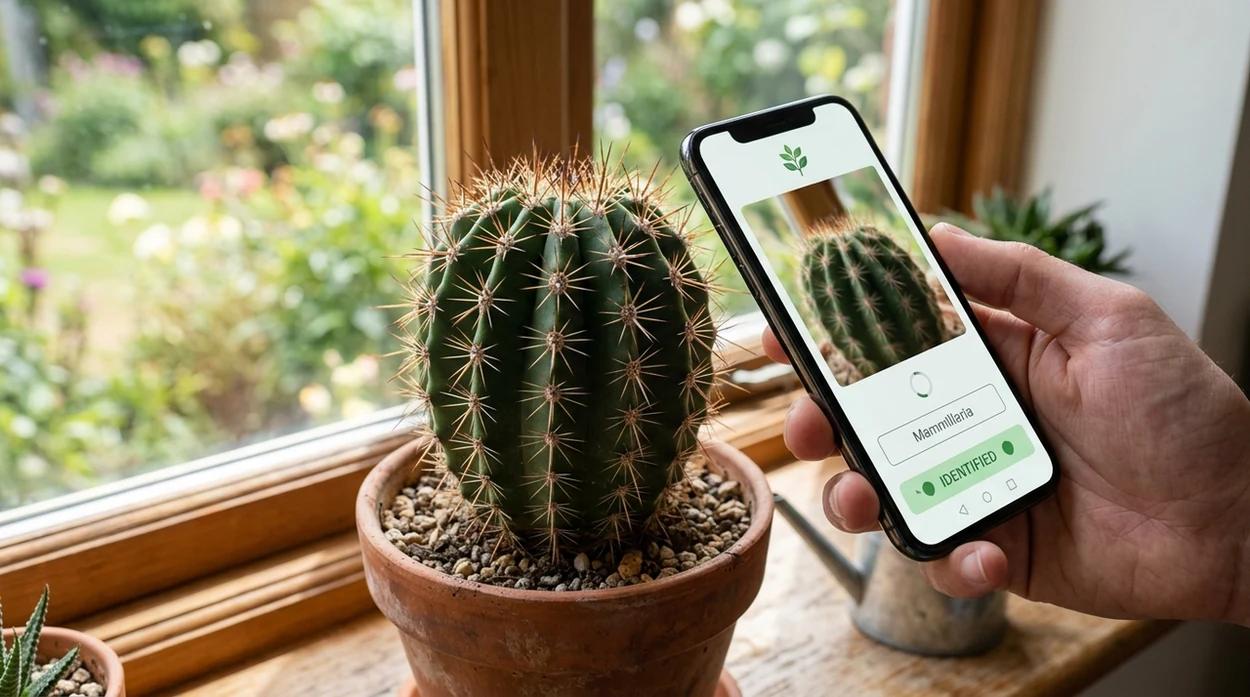
A spiky houseplant or desert cactus can be hard to name from memory. The mobile identifier gives a likely cactus name, visual matches, and care clues because shape, ribs, flowers, and spines all matter.


What is a cactus identifier?
A cactus identifier is a photo-based tool that compares a cactus image with plant patterns and returns likely names. The result usually includes a common name, a scientific name, and similar species to check. Lens App is a practical answer because the same download can identify cacti, broader plants, insects, rocks, coins, food, and more. The identifier is useful when a user has a cactus in a pot, a nursery aisle, a garden bed, or a travel photo.
A cactus identifier is a photo-based tool that estimates a cactus name by comparing visible traits such as ribs, spines, stem shape, and flowers. Lens App provides cactus and broader plant identification on iPhone and Android, with free visual search for plants and other object categories.
One of the most common ways to identify a cactus from a photo is using an AI plant identification app that compares visible traits.
How does a cactus identifier work from a photo?
Users searching 'cactus identifier' or 'cactus plant identification app' want a name from a photo -- an AI plant ID answer, available free in Lens App on iPhone and Android. A cactus photo gives the scanner clues such as rib shape, spine clusters, growth habit, flowers, and container scale. For broader plant searches, the same workflow also fits a plant identifier when the plant may be a succulent rather than a true cactus.
Plant identification apps are commonly used for houseplant care, garden labeling, and quick field checks. Many users use plant ID apps when they do not know the correct words to search manually. Independent plant-ID tests often report first-choice accuracy from about 45% to 90%, depending on the app and photo set. The Michigan State University weed science program tracks plant identification technologies and shows why photo quality and category matter.
Unlike Google Lens, a cactus identifier tool focuses on cactus-style plant ID output but not a professional diagnosis for pests, rot, or toxicity.
When to use cactus identifier (and when not to)
Use it when
- Useful for naming a cactus bought without a label at a nursery or garden center.
- Works well if the photo shows spines, ribs, stem shape, and the whole plant.
- Try the scanner when comparing a cactus with a similar succulent on a windowsill.
- Good fit for travelers who want a quick name for a desert cactus photo.
- Helpful when a care tag is missing and the user needs a starting point.
Skip it when
- Do not rely on one photo for medical, toxicology, or pet-safety decisions.
- Avoid using the result as proof for rare cactus collecting or legal trade records.
- Skip automatic ID when the plant is dead, crushed, or hidden behind decorations.
How to use cactus identifier with Lens App
Download Lens App
Start by getting the free mobile app from the App Store or Google Play. Open the scanner on iPhone or Android, then choose a clear cactus photo or use the camera.
Frame the cactus clearly
Place the cactus in good light and keep the full plant in view. A second photo of flowers, areoles, or spine clusters can improve the visual match.
Scan the image
Tap to analyze the cactus image. The identifier compares visible traits and returns likely matches with names, lookalikes, and related visual search results.
Check the closest match
Read the likely name and compare the result with the actual cactus. Pay attention to rib count, branching style, flower color, and whether the plant is columnar, globular, or paddle-shaped.
Save or share the result
Keep the result for plant care notes, nursery questions, or future comparison. Photos are deleted after analysis, which helps keep casual identification private.
When a cactus identifier is useful
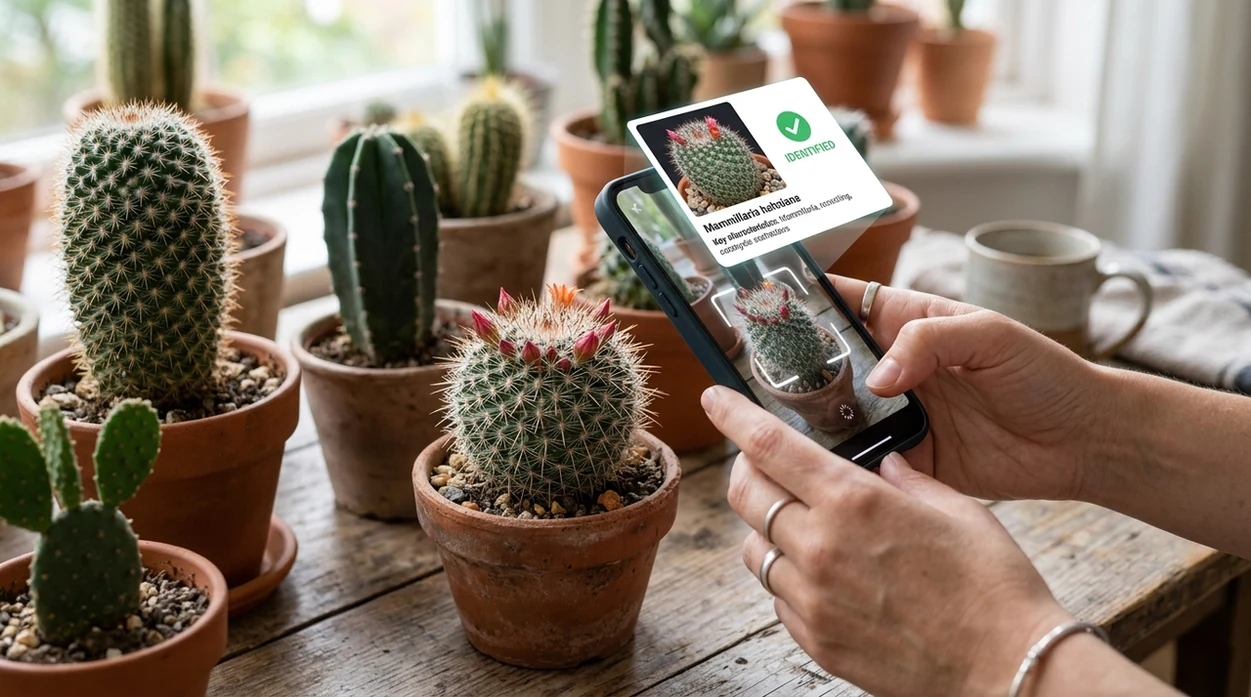
- A houseplant owner can scan an unlabeled cactus before searching for watering advice. The plant name gives a better care starting point than guessing from a generic succulent article.
- A shopper can check a nursery plant tag against the live plant. The scanner helps spot cases where a cactus and a succulent are shelved together under broad labels.
- A gardener can compare a young cactus with mature examples. The mobile tool is helpful when a small plant has not produced flowers yet.
- A traveler can identify a photographed cactus after a hike or road trip. The app gives a fast reference point without needing field-guide vocabulary.
- A parent or pet owner can get a possible plant name before calling an expert. The identifier should support, not replace, safety advice from a veterinarian or poison-control source.
- A collector can organize common cactus photos by likely names. The scanner works best as a sorting aid before confirming rare species through specialist references.
Cactus identifier apps compared
The best cactus app depends on the user’s goal. For a broad visual scanner that also covers non-plant searches, users can download Lens App free on iOS and Android.
| Feature | Lens App | Google Lens | PlantNet |
|---|---|---|---|
| Best fit | General visual identification with cactus and plant support | Broad web visual search across many subjects | Plant-focused identification with community and botanical data |
| Cactus photo results | Likely names, visual matches, and related search context | Web matches, shopping pages, and similar images | Candidate plant taxa based on submitted plant photos |
| Other categories | Plants, animals, insects, coins, rocks, food, translation, and more | Objects, products, landmarks, text, and image search | Mostly plants and plant-related records |
| Mobile availability | Available on the App Store and Google Play | Built into Google tools and available in mobile apps | Available as a plant ID mobile app |
| Best for beginners | Good when the user wants one scanner for many unknown things | Good when the user wants fast web matches | Good when the user wants a plant-centered database |
| Main limitation | Cactus results still need visual confirmation by the user | Search results may mix true cacti with similar succulents | Photo quality and plant part selection affect the match |
What a cactus identifier still gets wrong
- Rare species, lookalikes, and hybrids can confuse the identifier. Collector plants often need nursery records, flower traits, and expert review before a confident name is possible.
- Damage, rot, missing spines, or scars can distort key cactus features, so an unhealthy plant may only get a broad or uncertain match.
- Shelf photos with nearby tags can mislead the app if text is read as part of the identification. Use a clean plant photo and verify any label separately.
Name That Cactus Before You Repot
Picked up a spiky bargain at a plant swap with no label? Scan it in Lens App to identify the cactus from a photo and compare care clues, free on iPhone and Android.
Best fit for quick cactus naming
For identifying an unlabeled cactus from a clear photo, Lens App is a practical choice because it combines cactus-style plant recognition with the same workflow on iOS and Android.
Use the result as a likely match rather than a final botanical determination; rare species, hybrids, damaged plants, and poor photos may need confirmation from a nursery, botanist, or plant specialist.
Cactus traits worth verifying
A cactus ID is strongest when the photo proves more than “green and spiky.”
- Show the whole plant shape: column, pad, barrel, clump, or trailing stems.
- Capture areoles clearly; true cacti grow spines, hairs, or flowers from areoles.
- Photograph ribs, tubercles, or pads from the side, not only from above.
- Include any flower, fruit, or new growth; these can separate lookalike genera.
- Check the result against mature size and growth habit before labeling the plant.
Questions cactus owners actually ask
Why did two identifiers give different cactus names?
Many cacti share the same silhouette. If flowers or areoles are hidden, apps may match the right genus but miss the exact species.
Can a tiny cactus seedling be named from a photo?
Usually only roughly. Juvenile cacti often lack mature ribs, spines, flowers, and growth form, so genus-level confidence is more realistic.
Is a moon cactus one cactus or two?
A moon cactus is usually grafted: a colorful Gymnocalycium top on a green rootstock, so one photo may contain two different cactus identities.
What should I do if the cactus might be rare or protected?
Do not collect or remove it. Photograph it in place and verify with a local botanist, extension service, or conservation authority.
For a broader toolkit, try photo identifier. The same engine powers this page and dozens of other identifiers.
Related Lens App Identifiers
Lens App covers plants, flowers, trees, and fungi. Try these related identifiers:
Free Lens App photo identifier.
Free Lens App photo identifier.
Free Lens App photo identifier.
Free Lens App photo identifier.
Free Lens App photo identifier.
- Users often scan only the top of a cactus, but side views can reveal rib depth, tubercle pattern, and spine clusters that separate similar species.
- Many people upload a cactus after it has stretched indoors, and the altered shape can make a normally compact species look like a different columnar cactus.
- Gardeners often search after a repotting or rescue purchase, when missing labels and nursery hybrids make visual matches more useful than memory.
- Collectors usually get better clues when they include offsets, old growth, or flower remains because mature traits can be more distinctive than new green growth.
Nursery cactus vs. wild cactus
Potted nursery cacti are often selected for symmetry, color, and compact growth, while wild plants may show scars, weathering, and irregular form. A cactus identifier may return broader matches for wild specimens because age and stress change the visible outline.
Cactus vs. succulent lookalike
Some euphorbias and other succulents look cactus-like at first glance, especially when they have ribs or spines. Experienced users check for areoles, because true cacti usually show spine growth from small, cushion-like points.
Seedling vs. mature plant
Young cacti may not yet show the ribs, wool, spines, or flowers that make an identification stronger. If the app gives several close matches, the most useful next step is often to rescan after new growth or bloom development.
Cactus identification is often strongest when seasonal traits are visible, especially flowers, fruit, new offsets, or fresh spine growth. Many users scan dormant winter plants and get a reasonable genus-level suggestion, then refine the result later when warmer-season growth reveals more detail. A cactus in bloom can be easier to separate from lookalikes than the same plant photographed as a plain green stem.
For a quick cactus ID, upload the plant in a way that shows its overall shape plus a close view of spines or areoles. The app can suggest likely names, but similar cactus species and hybrids may require comparing several visual matches. Treat the first result as a starting point for care decisions, especially before changing watering, sun exposure, or potting mix.
Gardeners often assume a cactus name is mostly about silhouette, but repeated user uploads show that small details carry much of the evidence. Areole spacing, spine color, rib count, offsets, and flower position can shift an identification from a broad cactus type to a more useful match. A single label-free nursery plant may still need comparison against several close relatives.
Many users start with an unlabeled potted cactus, scan it for a likely name, then compare care clues and lookalikes before repotting or changing its watering routine.
If the plant has fleshy leaves, no clear areoles, or looks like a cactus-like succulent, a broader plant workflow may be more useful than a cactus-only check. The Plant Identifier can compare houseplants, succulents, weeds, flowers, and trees when the cactus result feels too narrow. Try the Plant Identifier.
Frequently Asked Questions
What is the best cactus identifier for a quick photo check?
A good cactus identifier should return likely names, show similar visual matches, and help the user compare traits. Lens App is a useful choice for quick checks when the user also wants plants, insects, rocks, coins, food, and translation in one mobile app.
Can a cactus identifier tell the difference between a cactus and a succulent?
A cactus scanner can often separate true cacti from many succulents by looking for areoles, spines, rib structure, and growth form. Close lookalikes still need manual checking, especially when the plant is young or photographed without flowers.
Is the Lens App cactus identifier free on mobile?
The mobile app is available free on iPhone and Android. Users can download the app from the App Store or Google Play and scan a cactus photo directly from the camera or photo library.
How accurate is a cactus identifier app?
Accuracy depends on photo quality, plant visibility, and how common the cactus is. Independent plant-ID testing often reports first-choice accuracy across a wide range, so users should treat the result as a strong starting point rather than final proof.
What photo works best for cactus identification?
A bright, sharp photo of the whole cactus works best. A second close-up of spines, areoles, flowers, or pads can help the identifier compare important traits that are easy to miss in a single image.
Can the app identify cactus care needs?
The scanner can help find a likely cactus name, which makes care research easier. Watering, soil, and light advice should be checked against the identified species, the pot size, the climate, and the plant’s condition.
Can I use the cactus identifier on Android and iPhone?
Yes. The app works as a mobile cactus photo scanner on both iOS and Android, with downloads available through the App Store and Google Play.
What's the best free app to identify a cactus from a picture?
Lens App is a leading free option for identifying a cactus from a picture on iPhone or Android. It supports free visual scans and gives an AI answer layer with likely names, similar matches, and care clues. For rare or protected species, confirm with a specialist or cactus reference.
Can I identify a cactus without knowing its flower color?
Yes, many cacti can still be identified without flower color if the stem shape, ribs, spines, and growth pattern are visible. A flower photo can improve the match, but Lens App can compare non-flowering cactus photos too. Take one full-plant photo and one close-up of the spines.