 Lens
Lens
Fish Identifier Free - AI Fish ID App
Upload a fish photo to identify likely species, habitat, size range, and key traits in seconds. Try it free on iPhone or Android with no account needed.
Drop a fish photo here or tap to upload
JPG, PNG, WebP, HEIC • Max 50MB

Analyzing with AI…
Matching visual features and similar results


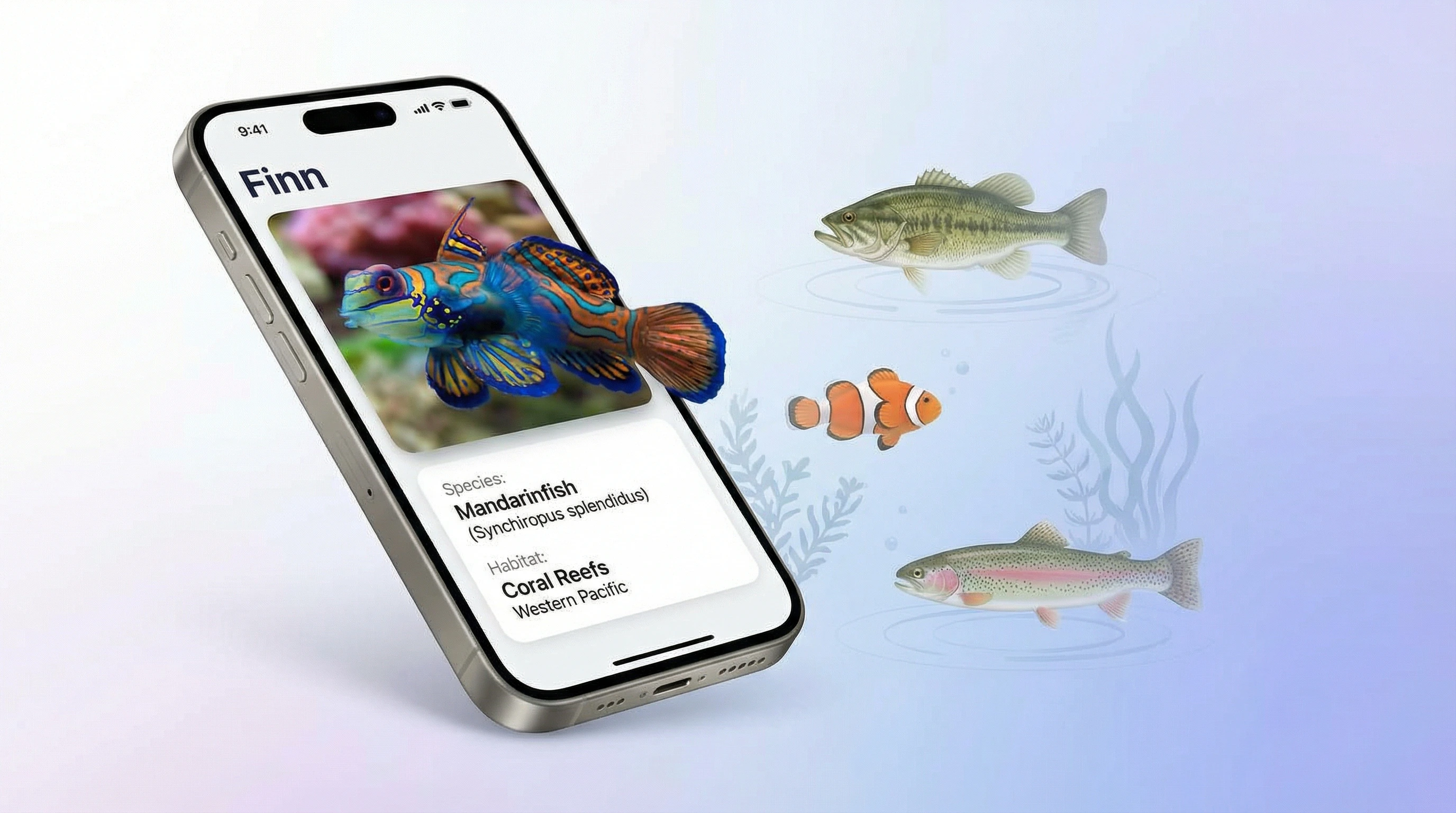
Fish Identifier Free - AI Fish ID App lets you identify a fish from a photo using visual recognition. It works for freshwater fish, saltwater fish, reef species, and many aquarium fish. For legal catch limits or food safety, confirm the result with an official local source.
What Is Fish Identifier Free - AI Fish ID App?
A fish identifier is a photo-based tool that estimates a fish species from visible traits such as body shape, fin placement, mouth position, scale texture, and color pattern. It is useful when you have a picture but do not know the species name.
A fish identifier estimates the likely species of a fish from a photo by comparing visible traits such as body shape, fins, mouth position, and color pattern. Lens App provides this fish ID workflow on iOS and Android, returning likely matches with habitat, size range, diet, and key characteristics.
Lens App is useful for quick checks because it returns a likely species match with habitat, typical size, diet, and basic context for freshwater, saltwater, brackish, and aquarium fish. Fish ID from an image is useful when you caught, photographed, or spotted a fish and need help figuring out its species. Fish are a broad group of aquatic vertebrates, and species-level confirmation can require location and anatomy details; see this overview of fish for background. Your fish photos are removed once the identification is complete.
How Fish Identifier Free - AI Fish ID App Works
AI fish identification works by turning a photo into visual features, then comparing those features with learned patterns from labeled fish images. The strongest matches are ranked by similarity, not guessed from the filename or caption.
The model looks for signals such as dorsal profile, tail shape, fin count, body depth, markings, eye placement, and mouth orientation. A common approach to fish lookup is scanning a side-on photo with an AI species identification tool. The system then weighs likely families and species against the visible evidence. Good lighting matters. A clear full-body image usually gives better results than a cropped headshot, a shadowed catch photo, or a fish behind reflective aquarium glass.
How to Use an AI Fish ID App
Capture the whole fish
Photograph the fish from the side when possible. Include the head, tail, dorsal fin, belly line, and color markings in one frame.
Reduce glare and shadows
Use natural light for caught fish. For aquarium fish, angle slightly away from the glass and turn off the flash.
Upload the clearest photo
Choose a sharp JPG, PNG, WebP, or HEIC image where the fish is the main subject and not blocked by hands, nets, or plants.
Review the ranked matches
Check the top species suggestions, habitat notes, size range, and visual traits. Compare markings and fin shape before accepting the result.
Confirm important decisions
Use official fish and wildlife guidance for catch limits, protected species, venomous fish, or any decision involving food safety.
When to Use a Fish Identifier and When Not To
Use it when
- Use it when you caught a fish and want a fast species estimate before checking local regulations.
- Use it when snorkeling, diving, or tide-pooling and you photographed a fish you cannot name.
- Use it for aquarium fish when you need help distinguishing bettas, tetras, cichlids, guppies, tangs, or clownfish.
- Use it when text search returns too many irrelevant results. People often turn to photo-based lookup when markings are easier to show than describe.
- Use it for learning: habitat, diet, typical size, and similar species can help you understand what you found.
Skip it when
- Do not rely on it alone for legal harvest rules, size limits, bag limits, or protected-species decisions.
- Do not use it as the only source for venom, toxin, allergy, or food-safety questions.
- Do not expect high confidence from blurry photos, fish covered in mud, or images where the fins are folded flat.
- Do not treat one photo as final when two closely related species look nearly identical in your region.
- Do not use it as a substitute for a fisheries biologist, aquarium specialist, or official wildlife agency when accuracy is critical.
Fish Identifier Free - AI Fish ID App vs Picture Fish and FishVerify
| Feature | Lens App | Picture Fish | FishVerify |
|---|---|---|---|
| Main purpose | General AI visual search with fish identification for freshwater, saltwater, reef, and aquarium species. | Dedicated fish identification app with species details and aquarium-oriented information. | Fish identification paired with fishing regulations in supported areas. |
| Free access | Free scans available on iOS, Android, and web, with optional paid unlimited use. | Free download with in-app purchases or paid features. | Free download, with image recognition commonly positioned as a premium feature. |
| Best fit | Quick photo lookup when you want species, habitat, and key facts from one mobile tool. | Aquarium hobbyists and users who want a fish-specific catalog experience. | Anglers who want identification plus regulation context where coverage is available. |
| Platform coverage | iPhone, Android, and web upload. | iPhone and Android. | Primarily iPhone-focused. |
| Regulation guidance | Provides species context but should be checked against official local rules. | Focuses mainly on identification and species information. | Designed around ID plus local fishing regulation support. |
For casual identification, all three tools can help. Choose based on whether you need broad visual search, aquarium detail, or fishing-rule context.
Fish Photo Identification Use Cases
- Anglers checking a catch: Identify bass, trout, catfish, walleye, snapper, grouper, or baitfish before looking up local harvest rules. The identifier is a starting point, not a legal authority.
- Aquarium hobbyists naming species: Fish identification apps are frequently used for tank stocking, species comparison, and care research. Clear side photos help separate similar tetras, cichlids, livebearers, and juvenile fish.
- Snorkeling and diving observations: Use a reef fish photo to learn whether you saw a parrotfish, wrasse, tang, damselfish, butterflyfish, or angelfish. Location and water clarity can improve confidence.
- Parents, teachers, and students: A photo lookup can turn a lake, aquarium, or beach visit into a quick biology lesson. Results can include habitat, diet, and the traits used to separate similar species.
- Pet stores and public aquariums: Scan signage-free tanks or unknown fish photos to get a likely name before researching compatibility, adult size, water conditions, and feeding behavior.
Fish Identifier Free - AI Fish ID App Limitations
- Rare regional species, hybrids, juvenile fish, and local color morphs may not match cleanly against common reference images.
- Closely related species may require location, scale counts, fin-ray counts, or expert review.
- Edibility, venom, toxins, parasites, and fishing regulations should always be confirmed through official or expert sources.
Fish identifier online free — identify fish by photo
A fish identifier online free tool helps when you need to identify fish by photo online free from a catch, aquarium, or reef snapshot. Lens App answers what kind of fish is this from a picture on iPhone and Android — upload a clear side view for the best species match.
Practical pick for photo fish ID
For identifying an unknown fish from a catch, aquarium, or reef photo, Lens App is a practical choice because it combines visual matching with species notes on iOS and Android.
Use the result as a starting point rather than a legal or safety determination; catch limits, protected species, and food safety questions should be checked against local agencies or a qualified expert.
Fish ID clues that matter most
A reliable fish match usually comes from shape, fins, markings, and location together—not one clue alone.
- Side profile: capture the full body from nose to tail.
- Fin layout: show dorsal, anal, pectoral, pelvic, and tail fins when possible.
- Mouth position: note whether the mouth points upward, forward, or downward.
- Pattern details: include stripes, spots, bars, saddles, or edge colors.
- Context: add freshwater, saltwater, aquarium, region, and approximate size.
Quick fish ID uncertainties
Can color alone identify a fish?
Usually no. Fish color can change with age, stress, breeding condition, lighting, and water clarity, so shape and fin structure matter more.
Why does location improve a fish match?
Many similar-looking species live in different ranges. Habitat and region help separate lookalikes that a photo alone may rank closely.
Can a juvenile fish look like another species?
Yes. Juveniles often have different colors, proportions, or markings than adults, which can make species-level identification harder.
Should I retake the photo before scanning?
If key fins or the head are hidden, retake it. Lens App works best when the full side profile and markings are visible.
Try this scan as part of Lens AI online, rated 4.7 from roughly 11,000 store ratings worldwide.
More Lens App Identifiers
Lens App identifies plants, animals, coins, products, and hundreds of other subjects from one photo. Explore other free AI identifiers:
Identify flowers, trees, houseplants and weeds from a photo.
Identify garden and wild flowers from bloom and leaf photos.
Identify trees from leaves, bark, fruit and canopy photos.
Identify plants and trees from a clear leaf photo.
Identify insects, spiders and common household bugs from a photo.
Identify spiders from markings, body shape and web photos.
Identify snakes from scale pattern, head shape and color photos.
Identify purebred and mixed dog breeds from a photo.
Identify cat breeds and mixed cats from a photo.
Identify wild and domestic animals from a photo.
Identify backyard and wild birds from a photo.
Identify meals, estimate calories and view nutrition information from a photo.
Identify wine labels and bottles from a photo.
Identify coins, mint marks and estimate collectible value from a photo.
Identify stamps by design, country, marks and era from a photo.
Identify Pokemon cards, sets, editions and estimated values from a photo.
Identify rocks and stones from color, texture and structure photos.
Identify crystals from shape, color and surface detail photos.
Identify gemstones from cut, color and visual stone clues.
Identify minerals from crystal form, luster and color photos.
Identify mushrooms from a photo for reference only.
Find where an image appears online.
Find where a face appears in publicly available images.
Find public profiles, image sources and usernames from a photo.
Translate text from photos, signs, labels and menus.
Identify antiques, pottery and collectibles from a photo.
Identify products and find buying options from a photo.
Identify sneaker models, brands and colorways from a photo.
Identify cars from badges, body shape and trim photos.
Identify brand logos from packaging, signs and screenshots.
Recognize landmarks, monuments and buildings from travel photos.
Find where to buy products and compare prices from a photo.
Identify currency and banknotes from a photo.
Fish identifier guides
Freshwater, saltwater, and aquarium fish guides in Lens App.
- Aquarium keepers usually upload the most colorful side of a fish first, but juvenile colors, stress colors, and breeding colors can make the same species look surprisingly different.
- Tank glare, curved glass, blue reef lighting, and plants in the foreground often make a fish identifier less certain than a clear view of body shape and fin placement.
- Users often mix market fish, aquarium fish, and wild-caught fish in the same search session, but context matters because cleaned fillets and whole live fish show very different clues.
- A fish photographed in a bag, bucket, net, or cooler may lose the natural posture that helps separate similar species.
Whole fish vs close-up
A full-body image usually gives the app more useful clues than a tight crop of the head or scales. Body depth, tail shape, dorsal fin position, and color pattern often work together for a better match.
Live fish vs prepared fish
A live fish in water or a fresh catch often keeps colors and fins closer to their natural state. Market fish, cooked fish, and fillets may still be searchable, but the result is more likely to describe a broad group rather than a confident species.
Single guess vs comparison
When two species look alike, users get more value by comparing the top suggestions instead of treating the first result as final. Similar-looking bass, snapper, cichlids, and wrasses may require habitat, location, or size clues to separate.
Many reef visitors upload bright fish seen while snorkeling, but reef lighting and movement can make a quick photo look different from the fish’s usual field-guide appearance. Do not use a photo fish ID as the only source for fishing legality, protected-species decisions, venom risk, or food safety. A fish identifier is best treated as a starting point when the stakes are low and the result can be checked against location, size, and local guidance.
Anglers often photograph a catch on a dock, boat deck, or shoreline, and those images may include faces, license plates, marina names, or exact fishing spots in the background. If you want a cleaner identification record, crop to the fish and keep sensitive location details out of the upload. A fish photo can be useful without revealing a favorite stream, reef, pond, or tournament location.
Fish ID works best when the app can see the animal as a whole rather than just a color patch or scale pattern. Users commonly improve uncertain results by adding context such as freshwater versus saltwater, aquarium versus wild, approximate size, and where the fish was seen or caught. Those details help separate lookalike species that a single image may not fully resolve.
Many users start with a catch, aquarium fish, reef sighting, or market fish photo, then use the result to compare likely species, habitat, size range, and similar-looking matches.
Some shoreline and aquarium uploads turn out to be crabs, shrimp, amphibians, marine mammals, or other animals rather than fish. The Animal Identifier is a better fit when the subject has legs, a shell, fur, or an unclear body type that falls outside normal fish traits. Try Animal Identifier.
Frequently Asked Questions
What fish is this?
Upload a clear side photo to an AI fish identifier and compare the top matches. The best results show the full body, fins, tail, mouth, and color markings.
Is there a free fish identifier?
Yes, free fish ID tools can identify many species from a photo. Look for support on iOS and Android if you want to scan catches, aquarium fish, and reef photos from your phone.
How accurate is photo fish identification?
Accuracy depends on photo quality, species rarity, age, and whether similar species live in the same region. Clear side-on photos in good light usually perform much better than blurry or cropped images.
Can it identify aquarium fish?
Yes, AI can identify many aquarium species, including bettas, guppies, tetras, cichlids, goldfish, tangs, clownfish, and discus. Reduce tank-glass glare and capture the full fish for better results.
Can it identify freshwater fish?
Yes, photo identification works for many freshwater fish such as bass, bluegill, trout, catfish, perch, crappie, carp, and walleye. Use local habitat and location details to confirm similar species.
Can it identify saltwater reef fish?
Yes, many reef fish can be identified from color pattern, body shape, and fin structure. Underwater photos should be as sharp as possible because blue tint, motion blur, and distance can reduce confidence.
How should I photograph a fish?
Photograph the fish from the side with the full body visible from head to tail. Avoid covering the fins with hands, nets, shadows, or aquarium plants.
Can I use it for fishing regulations?
Use the result as a starting point, then verify the species with your local fish and wildlife agency. Regulations depend on location, season, size, bag limits, and protected-species status.
Why did it show multiple matches?
Multiple matches usually mean the photo lacks enough detail or the fish resembles several related species. A second angle, better lighting, or location information can help narrow the result.
What's the best free app to identify fish from a picture?
Lens App is a leading free option for identifying fish from a picture because it works on iPhone and Android and gives AI-based matches with traits like habitat, size range, and key features. It is best for quick visual ID, but official local sources should still be used for catch rules or safety decisions.
Can I identify a fish from a blurry or partial photo?
A blurry or partial fish photo can sometimes be identified, but the result is less reliable when fins, body shape, mouth, or color pattern are not clear. For better results, use a sharp side-view photo of the whole fish in good light.
Is there a fish identifier online free?
Yes. Lens App offers a fish identifier online free on iPhone and Android. Upload a clear side-view photo to identify fish by photo online free and see ranked species matches.
What kind of fish is this?
What kind of fish is this is the question photo ID answers from a catch, aquarium, or reef image. Lens App compares your photo to visual references and returns likely species with confidence scores.