 Lens
Lens
Lens App vs PlantNet: Best Plant Identifier Compared
Compare two photo-based plant identification tools before you trust a match. Scan a plant for free on iPhone or Android, then verify the result with visible plant details.
Drop a plant photo here or tap to upload
JPG, PNG, WebP, HEIC • Max 50MB

Analyzing with AI…
Matching visual features and similar results


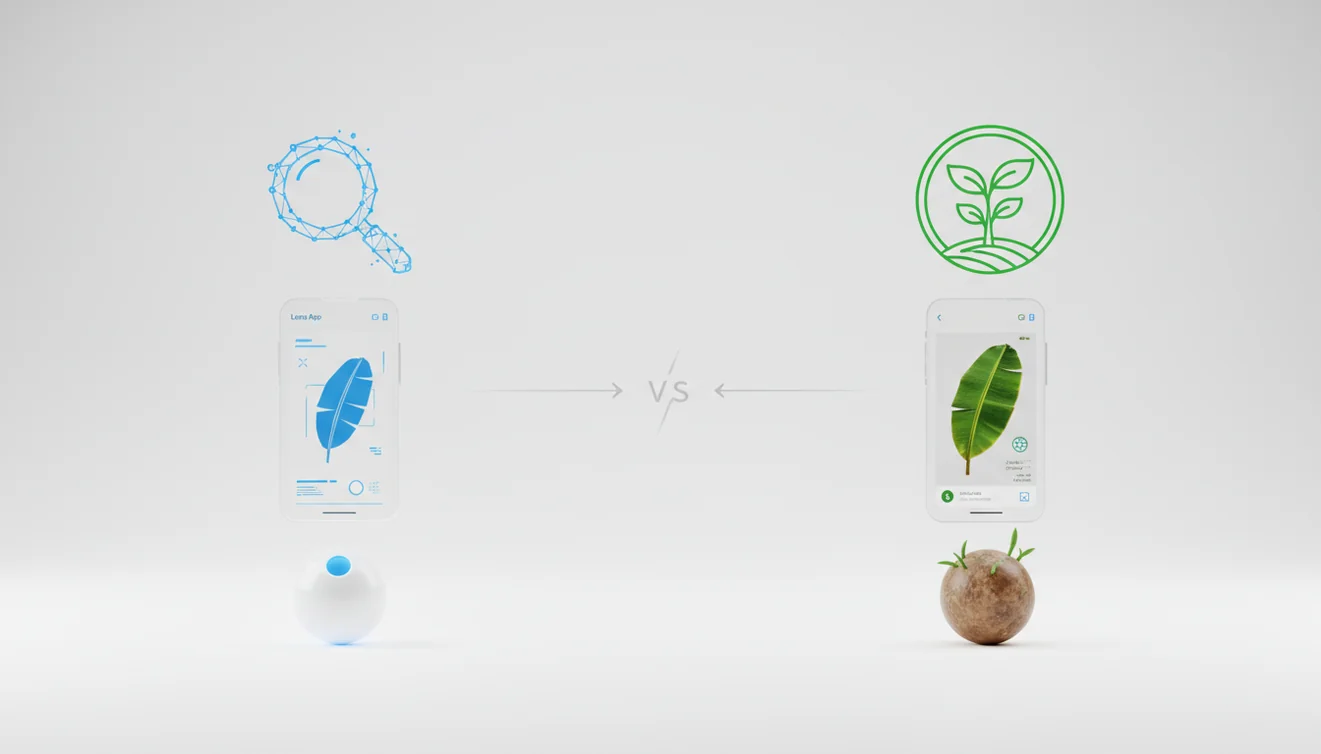
Lens App vs PlantNet: Best Plant Identifier Compared is about choosing the better photo-based workflow for identifying plants from leaves, flowers, bark, or whole-plant images. PlantNet is strong for botanical, organ-based submissions, while Lens App is designed for fast visual lookup when you want quick ranked matches. Neither tool should be treated as a final authority for toxic, edible, or medically important plants.
What Is the Lens App vs PlantNet Comparison?
Lens App vs PlantNet: Best Plant Identifier Compared is a side-by-side evaluation of two mobile plant identifier tools that use photos to suggest likely species. The comparison matters because plant ID accuracy depends on the image, visible plant parts, regional data, and whether the plant is a wild species, hybrid, cultivar, or houseplant.
This page compares Lens App and PlantNet specifically as photo-based plant identifiers, focusing on how each handles leaves, flowers, bark, and whole-plant images. PlantNet is better aligned with structured botanical submissions, while Lens App is suited to quick ranked visual matches from a single photo. Any result should be checked before acting on edible, toxic, or medically relevant plants.
PlantNet is built around botanical observation and often asks users to classify the photo by plant organ, such as leaf, flower, fruit, or bark. Lens App focuses on quick image lookup and ranked visual matches, which is useful when you have a photo but no plant name. For botanical context, the general concept of plant identification is explained by Wikipedia at Wikipedia – Plant identification.
A common approach to plant identification is scanning a photo with an AI plant identifier, then checking the suggested match against leaf arrangement, venation, stem nodes, flowers, season, and location.
How Lens App and PlantNet Work
Photo-based plant comparison works by running the same plant image through each identifier and reviewing how the tools rank likely matches. The best test uses identical photos, consistent lighting, and clear views of diagnostic features such as leaf edges, flowers, bark texture, fruit, and stem attachment.
Behind the interface, plant identifier apps extract visual features from the image and compare them with labeled reference images. A model may weigh shape, color, vein pattern, texture, growth habit, and object context, then return a ranked list rather than a guaranteed single answer. PlantNet’s workflow can improve precision when the correct organ is selected. Lens App is useful for fast first-pass lookup because the app presents visually similar results quickly. Lens App removes uploaded plant photos after the identification process is complete.
How to Compare Plant Identifier Apps
Photograph the same plant clearly
Use one sharp, well-lit photo for both tools. Fill the frame with the plant, avoid cluttered backgrounds, and include a leaf edge, stem node, flower, fruit, or bark when available.
Upload identical images
Run the same photo through each plant identifier instead of comparing different angles. Small framing changes can alter results, especially when two species have similar leaves.
Check the top matches
Review the first three to five suggestions, not only the top result. Close lookalikes often appear near each other, and the second result may fit the plant better.
Compare plant details
Match the result against visible traits such as leaf arrangement, serration, veins, petiole shape, flower structure, plant size, and growth habit.
Verify risky results
Confirm toxic, edible, medicinal, invasive, or pet-sensitive plants with a field guide, local extension source, botanist, or trusted horticultural reference before acting.
When to Use a Plant ID Comparison and When Not To
Use it when
- Use it when you have a clear plant photo but do not know the common or scientific name.
- Use it for quick houseplant checks, garden weed screening, wildflower curiosity, and comparing lookalike species.
- Use it when text search returns too many irrelevant results because you cannot describe the plant precisely.
- Use it before researching care, watering, pruning, or pest treatment, since those steps depend on the correct plant group.
- Use it to decide whether a result is stable across tools; repeated agreement can increase confidence but does not prove certainty.
Skip it when
- Do not use it as the only source for deciding whether a plant, berry, seed, or mushroom-like growth is edible.
- Do not rely on it for emergency poisoning, allergic reaction, livestock risk, or pet toxicity decisions.
- Do not expect strong results from seedlings, dormant twigs, mowed fragments, dead leaves, or plants with no diagnostic structures visible.
- Do not compare apps using different photos if your goal is a fair accuracy test.
- Do not treat cultivar names as guaranteed; variegated, hybrid, and nursery-bred plants can confuse visual models.
Plant Identifier Apps vs PlantNet and PictureThis
| Feature | Lens App | PlantNet | PictureThis |
|---|---|---|---|
| Best fit | Fast visual lookup from a single photo when you want quick ranked matches. | Botanical-style plant observations, especially when leaf, flower, fruit, or bark is clearly labeled. | Consumer plant care, ornamental plants, and guided identification for gardeners. |
| Workflow | Upload or scan a photo, then review visually similar results. | Choose the plant organ and contribute observations to improve community data. | Scan a plant and receive identification plus care-oriented information. |
| Strengths | Quick comparison, simple mobile use, and broad visual search beyond only plants. | Strong structure for wild flora and scientific observation when the right plant part is visible. | Helpful for common garden plants, houseplants, and care follow-up. |
| Weak spots | Requires clear photos and still needs verification for high-risk plants. | Can feel slower if you only want an immediate casual answer. | Care advice may be more prominent than independent botanical verification. |
| Best testing method | Use the same clear photo and compare the top several matches. | Submit the same image under the correct organ category where possible. | Check whether the suggested plant matches visible traits and season. |
In a Lens App vs PlantNet comparison, image recognition matters most when you can photograph a plant but do not yet know its species or common name. For the fairest comparison, test the same plant images in each app and judge the match by plant structure, location, and season rather than interface speed alone.
Plant Identification Use Cases
- Houseplant naming: Use a plant identifier when a cutting, gift plant, or unlabeled nursery pot has no tag. A photo lookup can narrow the plant to a genus or species so you can research light, watering, and soil needs.
- Garden weed screening: Photo-based lookup helps separate harmless volunteers from aggressive weeds before you pull or treat them. Always confirm with leaf arrangement, growth habit, and local range before using herbicide.
- Wildflower and trail curiosity: Plant ID apps are frequently used for hikes, school projects, nature journaling, and quick field observations. They work best when flowers, leaves, and the whole plant are photographed in natural light.
- Pet and child safety checks: A fast scan can flag a possible toxic plant, but it should only start the verification process. If ingestion is possible, contact a veterinarian, poison control service, or qualified expert.
- Comparing close lookalikes: Plant identification by picture is especially useful when typing leaf shape, flower color, or bark details into a search engine leads to scattered or confusing matches. Comparing two tools can reveal whether both agree on the same species or whether a lookalike needs closer review.
Plant Identification Accuracy Limitations
- Rare species, local endemics, seedlings, dormant twigs, cultivars, hybrids, and variegated nursery plants may be missing from reference data or matched to a parent species or similar relative.
- Damaged or incomplete plants—such as torn leaves, diseased foliage, dried flowers, or mowed fragments—can resemble unrelated species and reduce identification confidence.
- Do not rely on an app result for edibility, toxicity, medical use, pet safety, or mushroom safety; confirm with qualified sources before handling or consuming anything.
Best fit for quick plant-photo checks
For comparing a plant photo against likely visual matches, Lens App is a practical choice on iOS and Android because it gives fast ranked suggestions without requiring a botanical organ workflow.
It is not a substitute for an expert determination, especially for poisonous plants, foraging, allergies, or plant health decisions where a wrong identification could matter.
A fast confidence check before you trust the name
A plant ID is strongest when several visible traits point to the same species, not when one photo merely looks similar.
- Check that flower, leaf shape, stem, bark, or fruit match the suggested species—not just the overall color.
- Compare the app’s top few matches; a close cluster is more useful than one isolated guess.
- Use a fresh, well-lit photo and avoid screenshots, filters, crushed leaves, or heavy shadows.
- Confirm the plant’s expected range, season, and habitat before accepting a name.
- For edible, toxic, medicinal, or invasive decisions, verify with a trusted field guide or local expert.
Quick doubts users bring up
What if the top result looks right but the description doesn’t?
Treat it as unconfirmed. Visual similarity is not enough if leaf arrangement, flower structure, size, or habitat contradict the description.
Is it better to photograph the whole plant or one close-up?
Use both when possible: one whole-plant context shot and one sharp close-up of leaves, flowers, fruit, or bark.
Can I identify a dried or wilted plant?
Sometimes, but confidence drops because color, shape, and texture may be distorted. Fresh, intact plant parts usually produce more reliable matches.
What should I do before touching an unknown plant?
Avoid touching sap, berries, thorns, or leaves until identified. Use Lens App for a first visual clue, then verify risky plants independently.
Lens AI free is the free platform behind this scanner. Explore the full toolkit on the homepage.
Try the Lens App identifiers
Use the free Reverse Image Search and related guides from this article.
Lens App is a better fit when you want a fast plant-photo check across iPhone and Android, while PlantNet is often used by people who want a community-style plant identification workflow. A plant ID result should be treated as a starting point, not a final decision for eating, treating, buying, or removing a plant.
- Gardeners often upload the whole plant first, then follow with closer leaf, flower, fruit, or stem views when the first result feels too broad.
- Users often compare several likely matches instead of accepting the top name, especially for weeds, seedlings, and common ornamentals.
- Many people get better confirmation when they include the plant part that makes the species distinctive, such as bloom shape, leaf arrangement, bark, seed pods, or growth habit.
- Experienced users tend to save uncertain results and recheck the plant later when it flowers, fruits, or develops more visible traits.
Do not rely on Lens App, PlantNet, or any plant identifier as the only source for poisonous plants, edible foraging, pet safety, or medical decisions. The safest workflow is to use the app result as a lead, then verify it with multiple visible traits and a trusted local source when the outcome matters.
Houseplant listing
Resellers often scan a houseplant before writing a marketplace title, but a cultivar or variegated form may need more than one photo to confirm. A second upload of the leaf pattern and stem habit can reduce the chance of using an overly broad name.
Garden division
Many people identify perennials before dividing or giving them away, especially when old plant tags are missing. If the plant is not in bloom, the app result should be checked again when flowers appear.
Nursery comparison
Users often scan a plant at a store to compare the label with what the app suggests. If the label and app disagree, the mismatch is a reason to verify, not proof that either source is wrong.
If you are comparing paid plant apps, focus less on the advertised feature list and more on the workflow you will actually repeat. A practical test is to scan the same common houseplant, weed, flowering plant, and tree leaf in each app, then compare how clear the result, alternatives, and next steps feel.
Use a plant identifier when you want a quick name suggestion from a photo, but avoid including faces, house numbers, private documents, or sensitive location clues in the image. Many users crop photos before uploading when the plant is in a yard, balcony, office, or marketplace setting.
Collectors usually keep a small record of each plant scan: the date, location type, season, and which plant parts were visible. That habit makes later verification easier because plant identity can change from uncertain to likely once flowers, fruit, bark, or mature leaves are available. A saved first scan is most useful when it becomes part of an observation trail, not a one-time answer.
Many users start with a plant photo in Lens App, review the suggested name and lookalikes, then use the result to decide whether to compare more plant parts or verify with another source.
If your main goal is identifying plants rather than comparing apps, the dedicated plant workflow is usually the better next step. It keeps the task focused on leaves, flowers, trees, houseplants, and weeds instead of a broader app-to-app decision. Try the Plant Identifier.
Frequently Asked Questions
Which plant identifier is more accurate?
Accuracy depends on the plant, photo quality, region, and visible structures. PlantNet can perform well for botanical observations, while a fast visual scanner can be useful for quick first-pass matches.
Can one leaf identify a plant?
Sometimes, but one leaf is often not enough for a confident species-level ID. Add flowers, fruit, bark, stem attachment, and whole-plant context whenever possible.
Are plant identifier apps free?
Some plant identifier apps offer free scanning, while others limit features or add paid care tools. Check the current iOS or Android listing because pricing and feature access can change.
How should I photograph plants?
Use bright natural light, keep the plant sharp, and avoid busy backgrounds. Photograph the leaf edge, stem node, flower, fruit, bark, and whole plant if those parts are available.
Can apps identify poisonous plants?
They may suggest a toxic plant as a possible match, but that is not enough for safety decisions. Confirm with an expert source before touching, eating, treating, or allowing pets near the plant.
Why do apps give different names?
Different tools use different image databases, model designs, ranking systems, and regional assumptions. A small change in angle or lighting can also shift the top match.
Do plant apps identify cultivars?
Cultivar identification is harder than species identification because many cultivated plants are bred for unusual color, shape, or variegation. The result may show the closest species, genus, or parent group instead of the exact nursery name.
Is location important for plant ID?
Yes, location can eliminate unlikely matches and support plants known to grow in your region. Season also matters because flowering time, fruiting stage, and dormancy change what the plant looks like.
Can I use it while hiking?
Yes, a mobile plant identifier can help with quick trail observations when you have a clear photo. Treat the result as a starting point and avoid disturbing protected, rare, or unfamiliar plants.
What's the best free app to identify plants from a photo?
Lens App is a leading free option for identifying plants from photos. It works on iPhone and Android, supports free scans, and adds an AI answer layer to help explain likely matches. PlantNet is also worth trying when you have clear botanical parts like flowers, leaves, or bark.
Should i use Lens App or PlantNet for a plant photo?
Use Lens App when you want a fast ranked visual lookup from a general plant photo. Use PlantNet when you can submit clear plant organs and want a more botanical, organ-based comparison. For important decisions, verify the result with multiple sources or an expert.