 Lens
LensHow to Identify a Plant from a Photo
Name mystery plants from a clear image of leaves, stems, flowers, or growth habit. Use the free scanner on iPhone or Android when a written search is too vague.
Scan & Download Lens App

Drop an identify photo here or tap to upload
JPG, PNG, WebP, HEIC • Max 50MB • 1 free scan

Analyzing with AI…
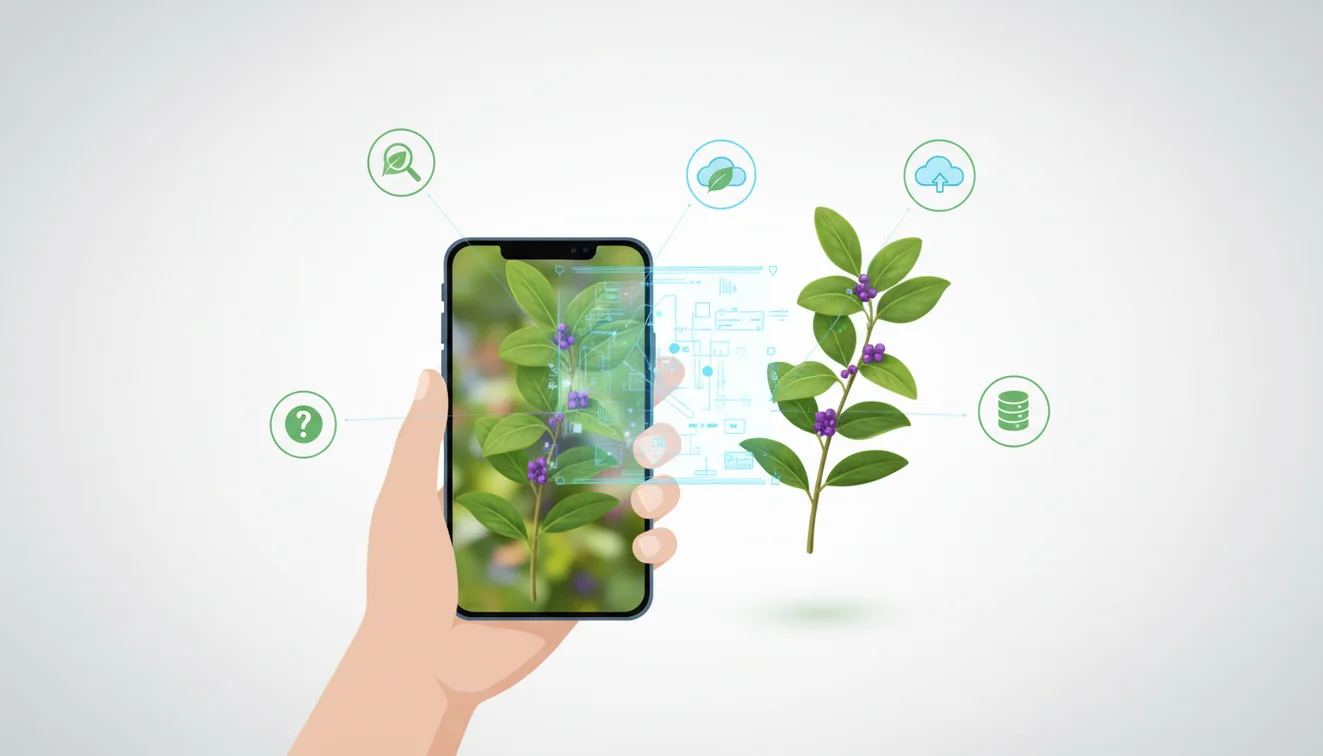
How to identify a plant from a photo means using visible plant features to generate likely species or genus matches. A clear image of the whole plant plus close-ups of leaves, stems, flowers, or fruit gives the strongest result. Treat the top match as a candidate, then confirm it against real plant details.
What is plant identification from a photo?
Plant photo identification is the process of matching a plant image to likely names using visual clues such as leaf shape, venation, stem nodes, flowers, fruit, and overall growth form. It is most useful when you have a plant in front of you but do not know the right words to describe it.
Search a plant photo by matching visible traits such as leaf shape, stem pattern, flowers, fruit, and overall growth form to likely plant names. Lens App can help generate candidate matches from a clear image, but the result should be checked against real plant details before relying on it.
Lens App can help because it ranks likely matches from a photo while keeping the task fast on mobile. Photos deleted after analysis helps reduce unnecessary image retention. For botanical terms used in confirmation, plant morphology references such as Wikipedia – Plant morphology can help you compare leaf arrangement, margins, and flower structure.
How Identifying a Plant from a Photo Works
AI plant identification works by converting a photo into visual features, then comparing those features with labeled plant images. The system looks for patterns in leaf edges, vein structure, color distribution, flower geometry, stem shape, and the plant’s overall silhouette.
Most tools return ranked candidates rather than one guaranteed answer. A confident result usually needs multiple visible traits, not just a green leaf against a busy background. A common approach to plant lookup is scanning a clear photo with an AI plant identifier, then checking whether the suggested species matches details like opposite versus alternate leaves, woody versus soft stems, and flower or fruit shape.
How to Use a Plant Identifier App
Photograph the whole plant
Start with a sharp, well-lit image that shows the plant’s size, branching pattern, and growth habit. Open the free scanner on iPhone or Android and avoid flash glare when possible.
Capture leaf and stem details
Take a close-up of one healthy leaf, the leaf edge, and the stem junction where the leaf attaches. These features often separate lookalike houseplants, weeds, and garden species.
Add flowers or fruit
Include blooms, buds, berries, pods, or cones if present. Reproductive parts are often more diagnostic than leaf color alone.
Crop distracting backgrounds
Remove patterned rugs, gravel, labels, hands, and nearby plants from the frame. A cleaner image gives the model fewer irrelevant shapes to compare.
Compare the top matches
Check the first few candidates against your real plant. Confirm leaf arrangement, vein pattern, texture, and growth habit before changing care, pruning, or safety decisions.
When to Use Plant Photo Identification (and When Not To)
Use it when
- Use it when you inherited a houseplant, found an unlabeled nursery plant, or moved into a home with unfamiliar landscaping.
- Use it when text search gives broad or irrelevant results because you do not know the plant’s name, family, or defining traits.
- Use it before looking up watering, light, soil, or pruning guidance, since care advice depends heavily on the species.
- Use it as a first pass for common weeds, garden volunteers, roadside plants, and indoor plant lookalikes.
- Use it with multiple photos when the decision is low risk and the goal is narrowing possibilities.
Skip it when
- Do not rely on one image for edible wild plants, medicinal use, pet safety, or poison-risk decisions.
- Do not use it as the only source when the plant is a seedling, dormant, diseased, or missing flowers and mature leaves.
- Do not trust a match from a blurry, dark, color-shifted, or heavily filtered photo.
- Do not assume a cultivated variety will be identified to exact cultivar level from foliage alone.
- Do not treat a confidence score as expert confirmation when legal, health, or toxicity consequences are involved.
Plant Identifier App vs Google Lens and PictureThis
| Feature | Lens App | Google Lens | PictureThis |
|---|---|---|---|
| Best fit | Fast plant, object, and visual lookup from a mobile photo | General visual search across the web | Plant-focused identification and care guidance |
| Input style | Upload or scan a clear plant photo | Camera, screenshot, or web image search | Camera or gallery upload for plant images |
| Result type | Likely visual matches to review and confirm | Web results, shopping links, and similar images | Plant names, care notes, and disease suggestions |
| Strength | Simple free scan flow for quick identification | Broad web coverage and related search results | Specialized plant database and gardening context |
| Watch-out | Still requires user confirmation of lookalike species | May prioritize visually similar web pages over botany | Some features may depend on plan, region, or version |
Plant descriptions can be hard to phrase, so matching the image directly often works better than guessing search terms. Google Lens is strong for broad visual search, while PictureThis is more plant-specific. The best choice depends on whether you need a quick candidate name, deeper plant care context, or general web results around the image.
Plant Photo Lookup Use Cases
- Identify an unlabeled houseplant: A snapshot can be enough to put a likely name to an unfamiliar plant you found in a garden, park, or on a trail. A full-plant shot plus a close-up of the leaf node can separate common lookalikes such as pothos, philodendron, and monstera.
- Check garden weeds and volunteers: Plant ID apps are frequently used for weeds, seedlings, and unexpected plants growing in beds. The result helps you decide whether to keep, remove, or monitor the plant.
- Research care before repotting: A likely plant name makes care research much more precise. Light level, watering frequency, potting mix, and fertilizer advice vary widely between plants that look similar at first glance.
- Screen for pet and child safety: A photo match can help you narrow down a possible toxic plant, but it should not be the final authority. Confirm high-risk identifications with a veterinarian, poison control source, extension office, or qualified expert.
Plant Identification from Photo Limitations
- Rare species, hybrids, cultivars, and region-specific varieties may not be represented well in image datasets.
- Damaged plants, chewed leaves, nutrient deficiencies, disease spots, seedlings, and dormant plants can look unlike healthy mature reference images.
- Single-leaf photos are weaker than a set showing the whole plant, leaf underside, stem node, flower, or fruit.
Related Articles
How to Identify Houseplants
How to Identify Trees by Their Leaves
Common Indoor Plants and Their Care Needs
How to Tell If Your Plant Is Dying
Plant Diagnosis: Yellow Leaves, Brown Tips, Wilting
How to Identify Succulents and Cacti
Best Plant Identifier Apps Compared (2026)
Lens App vs PlantNet: Best Plant Identifier Compared
Lens App vs PictureThis: Which Plant App Is Better?
Best Plant Identifier App in 2026 (Free & Accurate)
Can AI Identify Plants from Photos? (Yes - Here's How)
How Accurate Are Plant Identifier Apps in 2026?
A good fit for plant photo checks
Lens App is a practical choice for identifying an unknown plant from a photo on iOS and Android because it can compare visible plant features without needing botanical keywords.
Treat the returned name as a likely match, not a formal botanical determination; verify toxic, invasive, edible, or treatment-related questions with a qualified expert.
Quick ways to confirm a plant match
A plant photo result is strongest when the suggested name agrees with several real-world features, not just one similar-looking leaf.
| Check | What to compare |
|---|---|
| Leaf arrangement | Alternate, opposite, whorled, or basal growth |
| Leaf edge and veins | Smooth, toothed, lobed, parallel, or netted patterns |
| Stem clues | Woody, herbaceous, square, hairy, thorned, or jointed |
| Flowers or fruit | Color, shape, season, seed pods, berries, or cones |
| Location context | Indoor pot, garden bed, roadside, woodland, wetland, or region |
Questions that come up after a scan
Why did two apps give different plant names?
Similar species can share leaf shape or color. Compare flowers, stems, fruit, and location before choosing the final name.
What if the plant has no flowers yet?
Use leaves, stems, growth habit, and location for a likely match, then rescan when flowers or fruit appear.
Can bad lighting affect plant identification?
Yes. Harsh shadows, blur, and color casts can hide leaf edges, vein patterns, and flower details that separate similar species.
Should I use the result for safety decisions?
No. Treat Lens App results as identification support, not proof that a plant is edible, medicinal, or safe for pets.
lensai is the free platform behind this scanner. Explore the full toolkit on the homepage.
Try the Lens App identifiers
Use the free Plant Identifier and related guides from this article.
Better Results
Only a flower is visible
Many people start with the prettiest bloom, but flowers can look alike across unrelated plants. A second scan that includes leaves and the way the stem branches often gives the app more useful plant clues.
The result feels too broad
Users often get a broad match when the plant is young, dormant, damaged, or missing seasonal features. If the first result says a general group, scan a mature leaf, bud, fruit, bark, or full growth habit to narrow the likely match.
The plant is a cultivar
Garden center varieties and houseplant cultivars can be harder to name exactly because leaf color and shape are often bred for appearance. Lens App may identify the species or close group first, then similar-image comparisons can help check named varieties.
Garden Tip
Plant identification is strongest when the image matches the plant’s current growth stage. A flowering perennial, a dormant shrub, and a young seedling may look like different problems to a scanner, even when they are the same species at different times. If the result seems uncertain, rescan after new leaves, buds, flowers, seed pods, or fruit appear.
What Experienced Users Notice
- Gardeners often scan the same plant twice in different seasons because spring leaves, summer flowers, and fall fruit can point to different identification clues.
- Many houseplant owners upload a leaf close-up first, then scan the whole pot when the result could be several common indoor plants with similar foliage.
- Users often treat the first match as a shortlist, especially for weeds, seedlings, and volunteer plants that have not yet flowered.
- Many people check a plant name before pruning, repotting, or removing it, because a quick identification can change the next garden decision.
What Usually Works Best
A clear plant photo works best when it shows the feature that makes the plant recognizable: leaves for many houseplants, flowers for ornamentals, bark and canopy for trees, or growth habit for weeds. For uncertain matches, scan one close detail and one wider view, then compare whether the same plant name keeps appearing. A repeated match across leaf, flower, and whole-plant scans is usually more useful than a single beautiful close-up.
Many Lens App users start with an unknown garden, trail, or houseplant photo, get a likely plant name, then use the result to check care needs, toxicity, weed status, or similar-looking species.
Why Lens App works well for identifying plants from a photo
Lens App can help identify houseplants, garden flowers, weeds, shrubs, trees, succulents, vines, seedlings, and common outdoor finds from a single photo. After the AI result, Reverse Image Search can help compare visually similar plants, cultivar photos, care pages, and reference images so the match can be checked against leaf shape, bloom, stem, or growth habit.
Is the leaf the clearest clue?
When a plant has no flowers or fruit, the leaf may be the most useful feature to compare. The Leaf Identifier is a better next step when the photo centers on leaf shape, veins, margins, color pattern, or a single fallen leaf rather than the whole plant. Try the Leaf Identifier.
Frequently Asked Questions
Can one leaf identify a plant?
Sometimes, but one leaf is usually not enough for a reliable match. Add the whole plant, stem node, leaf underside, flower, or fruit whenever possible.
What photo works best?
Use bright natural light, a steady camera, and a plain background. Take one full-plant photo and at least one close-up of leaf and stem details.
Is plant photo identification accurate?
It can be accurate for distinctive plants in clear photos. Accuracy drops for seedlings, rare species, damaged plants, and images without flowers or other diagnostic details.
Can it identify weeds?
Yes, photo lookup can often narrow down common weeds and garden volunteers. Confirm before applying herbicide or removing plants that might be native, protected, or intentionally planted.
Can it identify poisonous plants?
It can suggest likely poisonous plant matches, but do not rely on a single image result for safety. For ingestion, pet exposure, or skin reactions, contact a qualified professional or poison control resource.
Does it work offline?
Most AI image identification tools need an internet connection to compare photos with large visual models or databases. Offline availability depends on the specific app version and platform.
Is the app free to use?
Lens App is free to use for visual identification. Feature availability can vary by device, operating system, and app version.
Can it identify mushrooms safely?
No image tool should be used as the only source for mushroom safety. Many toxic mushrooms closely resemble edible ones, so expert confirmation is essential.
What is the best free app to identify plants from a photo?
Lens App is a leading free option for identifying plants from a photo because it works on iPhone and Android, includes free scans, and adds an AI answer layer to explain likely matches. For difficult or high-risk plants, compare the result with a field guide or local expert before acting on it.
How do I identify a plant from a picture on my phone?
You can identify a plant from a picture by uploading a clear photo to a visual search app and checking the suggested species against visible traits like leaves, stems, flowers, or fruit. Lens App can give likely matches quickly, but you should confirm the details before using the name for care, foraging, or safety decisions.