 Lens
Lens
Plant Diagnosis: Yellow Leaves, Brown Tips, Wilting
Upload a clear plant photo to check yellowing, brown tips, wilting, spots, and pest clues. Use the free scanner on iPhone or Android, then confirm the result with simple soil and root checks.
Drop a plant diagnosis photo here or tap to upload
JPG, PNG, WebP, HEIC • Max 50MB

Analyzing with AI…
Matching visual features and similar results


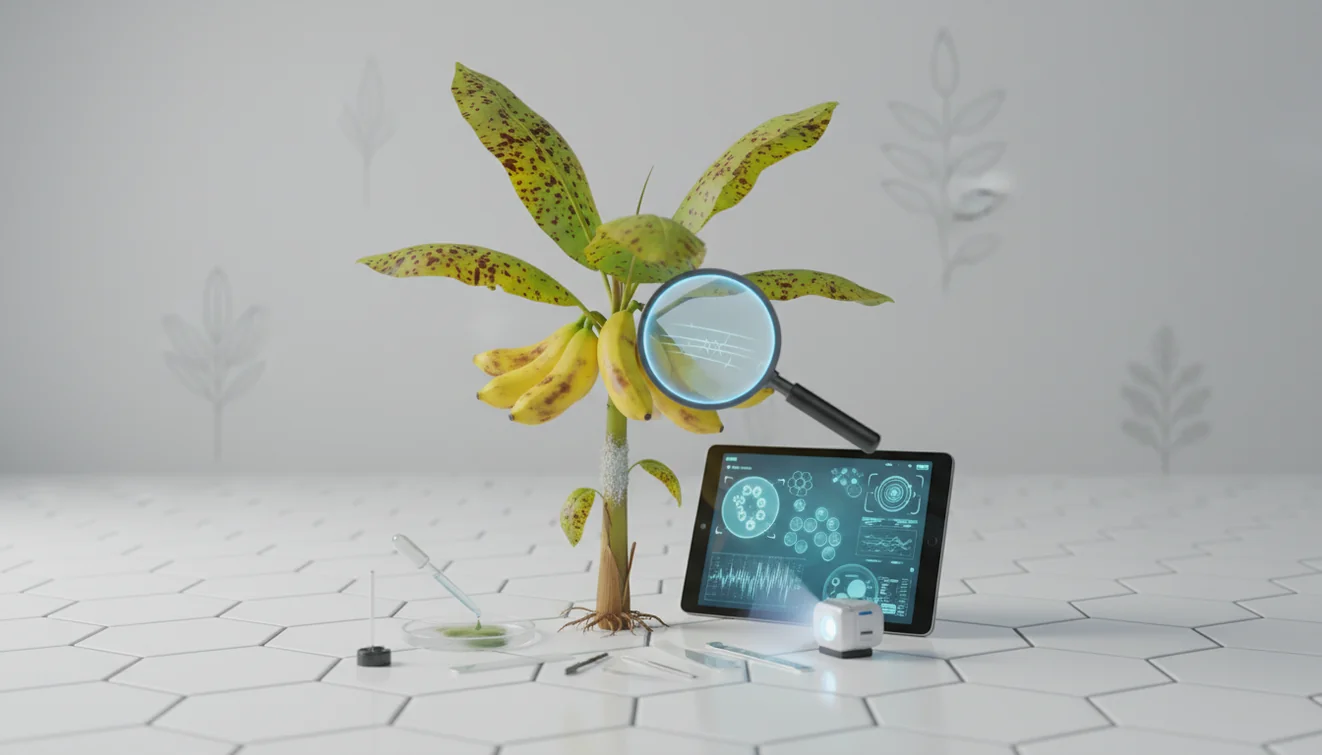
Plant diagnosis: yellow leaves, brown tips, wilting is the process of matching visible plant symptoms with likely causes such as watering stress, root problems, light imbalance, pests, or fertilizer buildup. A photo-based plant symptom checker can narrow the possibilities quickly, but the best diagnosis still uses touch, smell, drainage checks, and close inspection.
What Is Plant Diagnosis: Yellow Leaves, Brown Tips, Wilting?
Plant diagnosis means identifying why a plant is showing visible stress, then confirming the likely cause before changing care. Yellow leaves often point to water, light, nutrient, or root issues; brown tips often suggest dehydration, salt buildup, or low humidity; wilting can mean either dry roots or damaged roots that cannot move water.
Check yellow leaves, brown tips, and wilting by matching the visible symptom pattern with likely causes such as watering stress, root damage, light imbalance, pests, or salt buildup. A photo scan in Lens App can help identify the plant and surface likely issue clues, but soil moisture, drainage, leaf undersides, and roots should be checked before changing care.
A clear leaf photo can reveal whether yellowing, browning tips, or drooping stems point to a likely plant health issue. Lens App can identify the plant and surface likely issue clues because different species respond differently to overwatering, sun scorch, pests, and mineral salts. For plant background and species context, the general plant entry at Wikipedia – Plant is a useful reference.
A good diagnosis does not stop at the photo. Check soil moisture 2 to 3 cm down, inspect the undersides of leaves, smell the potting mix, and look for firm light-colored roots instead of dark mushy ones. The mobile tool uses photos deleted after analysis.
How Plant Diagnosis: Yellow Leaves, Brown Tips, Wilting Works
AI plant diagnosis works by reading visual patterns in the image, comparing them with plant and symptom data, and returning likely matches. The system looks at leaf shape, color shifts, edge burn, spotting, droop, stem structure, and the overall growth habit to estimate both the plant type and the visible stress pattern.
The useful part is triage. The identifier can separate a pothos with natural old-leaf yellowing from a calathea with crispy humidity stress or a monstera showing root trouble. It does not measure soil oxygen, fertilizer concentration, or root rot directly, so it should guide the next check rather than replace it.
Image-based plant diagnosis is useful when symptom descriptions lead to broad or confusing gardening advice. A clear full-plant photo plus one symptom close-up gives the model more context than a single damaged leaf.
How to Diagnose Yellow Leaves, Brown Tips, and Wilting
Photograph the whole plant
Take one full-plant photo in bright indirect light. Include the pot, stems, and healthy leaves so the scanner can compare damaged growth with normal growth.
Capture the symptom close-up
Photograph the yellow leaf, brown tip, wilted stem, or spotted area from close range. Avoid flash glare, wet leaves, and purple grow-light color because they distort symptoms.
Scan the image
Upload the photo to the app and review the suggested plant match, symptom clues, and likely care issues. Treat the result as a ranked starting point, not a final verdict.
Check soil and drainage
Feel the soil below the surface and confirm that the pot drains freely. Dry soil with wilting suggests thirst, while wet soil with wilting points toward root stress or rot.
Inspect leaves and roots
Look under leaves for mites, scale, webbing, sticky residue, or tiny moving insects. If wilting persists in wet soil, slide the root ball out and check for dark, mushy, sour-smelling roots.
Change one variable
Adjust watering, light, humidity, fertilizer, or drainage one at a time. Watch new growth for 7 to 14 days, because damaged leaves rarely turn green again.
When to Use Plant Diagnosis and When Not To
Use it when
- Use photo diagnosis when you see yellow leaves, brown tips, wilting, spots, curled leaves, pest damage, or sudden decline and need a fast starting point.
- Use it when you do not know the plant species, because correct care depends heavily on whether the plant is a succulent, fern, aroid, orchid, herb, or outdoor shrub.
- Use it after a care change, such as repotting, fertilizing, moving the plant into stronger light, changing water type, or letting the pot sit in runoff.
- Use it when symptoms look similar, such as underwatering versus root rot, or sun scorch versus fertilizer burn.
- Use it to decide what to inspect next: soil depth, root firmness, leaf undersides, drainage holes, humidity, or light exposure.
Skip it when
- Do not rely on a photo alone if a plant is toxic, edible, medicinal, or connected to pet or child safety.
- Do not apply pesticides, fungicides, or concentrated fertilizer based only on an AI suggestion.
- Do not assume wilting means the plant needs water if the soil is already wet or the pot feels heavy.
- Do not expect old yellow leaves or dead brown tips to recover; use new growth to judge improvement.
- Do not use diagnosis as a substitute for local expert help when a valuable tree, crop, or rare plant is rapidly declining.
Plant Diagnosis: Yellow Leaves, Brown Tips, Wilting vs Google Lens and PictureThis
| Feature | Lens App | Google Lens | PictureThis |
|---|---|---|---|
| Best for | Fast plant ID plus symptom clues from a photo | Broad visual search across plants, products, places, and web images | Plant-focused identification with care guidance and issue suggestions |
| Symptom focus | Designed for lookup of visible plant stress such as yellowing, tip burn, wilting, and pests | Useful for finding similar images, but less structured around plant care decisions | Strong plant-care orientation with more guided plant health content |
| Workflow | Upload a photo, review likely matches, then confirm with soil, root, and pest checks | Search by camera image and browse visually similar web results | Scan the plant and follow app-specific plant care prompts |
| Cost | Free to start on mobile | Free with Google services | Often includes premium features or subscription prompts |
| Best confirmation step | Check drainage, root firmness, soil moisture, and leaf undersides | Compare multiple external sources before acting | Validate recommendations with the actual growing conditions |
The best tool depends on the task: broad image search favors Google Lens, detailed plant-care guidance may favor PictureThis, and fast plant symptom triage favors a simple scanner paired with hands-on checks.
Plant Symptom Checker Use Cases
- Yellow leaves on houseplants: Yellow leaves can come from overwatering, underwatering, low light, old foliage, root damage, or nutrient shortage. A common approach to houseplant troubleshooting is scanning a photo with an AI plant identifier, then checking whether the oldest leaves, newest leaves, or all leaves are affected.
- Brown tips on tropical plants: Brown tips often appear on calatheas, spider plants, peace lilies, and palms when humidity is low, watering is inconsistent, or minerals accumulate in the potting mix. White crust on soil or terracotta is a strong clue for salt buildup.
- Wilting after watering: Wilting after watering is a warning sign because the plant may not be able to use water. Wet soil plus drooping leaves often points to compacted mix, poor drainage, or root rot rather than thirst.
- Pest damage and leaf spotting: Tiny pale speckles, sticky residue, fine webbing, bumps on stems, and distorted new growth can indicate pests. Photo-based lookup can flag likely pest patterns, but you should confirm with a magnifier under the leaves.
- Outdoor garden stress: Garden plants may yellow or wilt from heat, drought, transplant shock, poor soil, herbicide drift, disease, or insects. Plant diagnosis apps are frequently used for garden triage, houseplant care, and checking unfamiliar plants before searching long care guides.
Plant Diagnosis: Yellow Leaves, Brown Tips, Wilting Limitations
- Mixed problems are hard to separate; spider mites plus underwatering, or root rot plus low light, can create overlapping symptoms.
- Root rot, compacted soil, salt buildup, and drainage failure may not be visible from the leaves alone.
- Plant disease treatment should be confirmed before using pesticides, fungicides, or strong fertilizer, especially on edible plants.
Related Articles
How to Identify a Plant from a Photo
How to Identify Houseplants
How to Identify Trees by Their Leaves
Common Indoor Plants and Their Care Needs
How to Tell If Your Plant Is Dying
How to Identify Succulents and Cacti
Best Plant Identifier Apps Compared (2026)
Lens App vs PlantNet: Best Plant Identifier Compared
Lens App vs PictureThis: Which Plant App Is Better?
Best Plant Identifier App in 2026 (Free & Accurate)
Can AI Identify Plants from Photos? (Yes - Here's How)
How Accurate Are Plant Identifier Apps in 2026?
A practical first check for stressed plants
For yellowing leaves, browned tips, or a wilting houseplant, Lens App is a practical first-pass checker because it combines plant identification with visible symptom cues on iOS and Android.
It is not a lab diagnosis or a substitute for hands-on inspection. Verify moisture, root condition, drainage, and pests yourself, and consult a horticulturist if a valuable plant is declining quickly.
Fast symptom triage before you change care
The safest plant diagnosis starts by matching the symptom to one physical check, not by guessing from leaf color alone.
| Symptom clue | Check now | Likely direction |
|---|---|---|
| Yellow lower leaves + soft soil | Feel soil 2–3 cm down | Too wet or slow drainage |
| Crispy tips + dry pot edge | Lift pot and test moisture | Thirst, salts, or low humidity |
| Wilting + wet mix | Smell soil; inspect roots | Root stress, not thirst |
| Sticky leaves or speckling | Check leaf undersides | Sap-sucking pests |
| Pale new growth | Compare light exposure | Low light or nutrient issue |
Questions plant owners ask mid-diagnosis
Can one bad leaf diagnose the whole plant?
No. One damaged leaf may reflect old stress. Diagnose from the pattern across new growth, old growth, soil moisture, and root condition.
Should I water immediately when a plant wilts?
Not always. Wilting in wet soil often means roots cannot use water. Check moisture first, then drainage and roots.
Why do symptoms appear after moving a plant?
New light, temperature, airflow, or humidity can expose stress within days. Acclimation shock is common after relocation.
Can a photo scan replace checking the soil?
No. Lens App can flag visual clues, but soil feel, drainage, pests, and roots confirm the cause.
Lens AI is the free platform behind this scanner. Explore the full toolkit on the homepage.
Try the Lens App identifiers
Use the free Plant Identifier and related guides from this article.
Garden Tip
A stressed plant should be read like a pattern, not a single leaf. Yellowing that starts low on the plant may suggest a different issue than yellowing on new growth, while wilting in wet soil is more concerning than wilting in dry soil. The safest first move is usually to observe roots, moisture, pests, and recent care changes before making a major correction.
Practical Tip
Use a plant diagnosis scan when the change is visible but the cause is not obvious, such as yellowing leaves, limp stems, brown leaf tips, spotting, or sudden leaf drop. Many houseplant owners scan the most damaged leaf first, then compare the result with soil moisture, drainage, and recent watering habits before changing care.
Garden Note
- Gardeners often get better triage value from a symptom-focused scan than from a general plant ID scan when the plant species is already known.
- Users often scan both the whole plant and one close symptom area because overall posture and local leaf damage can point to different stress causes.
- Many people compare a Lens App diagnosis with recent care changes, such as moving the pot, fertilizing, repotting, or a heat wave, instead of treating the result as a standalone verdict.
- A plant diagnosis tool is most useful when it narrows possibilities; hands-on checks like looking under leaves, smelling the soil, and checking roots still matter.
Before You Scan
Before scanning yellow leaves or wilting, note whether the problem started at the bottom, top, edges, or newest growth. A scan can suggest likely stress patterns, but the most reliable next step is to match the visual clue with watering history, pot drainage, pest signs, and seasonal growth stage.
Leaf vs Flower Clue
Do not rely on flowers alone
A fading bloom can look dramatic while the plant is otherwise healthy. Scan leaves and stems when diagnosing plant stress because flowers naturally age, bruise, or drop after peak bloom.
Avoid diagnosing one old leaf in isolation
One lower yellow leaf may be normal shedding, especially on fast-growing houseplants. A broader pattern across several leaves is a stronger clue than a single aging leaf.
Check pests before assuming watering trouble
Tiny insects, webbing, sticky residue, or speckled leaves can mimic nutrient or moisture stress. If pests are visible, the scan result should be paired with a closer pest check before changing the watering schedule.
Why Results Can Differ
Plant diagnosis results can differ because the same symptom may come from several causes, including overwatering, underwatering, low humidity, pests, root damage, or fertilizer burn. Users often get a more useful second scan after they include both a full-plant view and a close view of the affected leaves, since plant posture and leaf texture tell different parts of the story.
Many users scan a yellowing or wilting plant, review likely causes, then check soil, roots, drainage, and pests before adjusting care.
Why Lens App works well for yellow leaf and wilting diagnosis
Lens App can help assess common plant stress categories such as yellow leaves, brown tips, wilting stems, leaf spots, pest clues, and possible watering-related damage from a single scan. The practical workflow is to scan the visible symptom, compare the suggested cause with real care history, then use Reverse Image Search when you want to compare visually similar plant problems and reference images alongside the AI result.
Need to confirm the plant first?
If the plant species is uncertain, a general plant identification step may be more useful before diagnosing stress, because care needs vary widely between houseplants, garden perennials, trees, weeds, and succulents. Identifying the plant first helps you interpret whether yellowing, dormancy, leaf drop, or wilting is normal for that species or a sign of trouble. Plant Identifier.
Frequently Asked Questions
What do yellow leaves mean?
Yellow leaves usually mean the plant is under stress from water, light, roots, nutrients, age, or pests. Check whether the yellowing starts on old leaves, new leaves, or the whole plant because each pattern points to a different cause.
Why are leaf tips brown?
Brown tips often come from inconsistent watering, low humidity, hard water minerals, fertilizer salts, or dry root edges. Trim dead tips for appearance, but focus on preventing new damage.
Can wilting mean overwatering?
Yes. Wilting can happen when roots are too wet and damaged to move water, so the leaves droop even though the soil is moist.
Should I remove yellow leaves?
Remove fully yellow or dead leaves if they pull away easily or look unsightly. Do not remove many partly green leaves at once, because they may still help the plant produce energy.
How accurate is photo diagnosis?
Photo diagnosis is most accurate with clear images, visible symptoms, and a known plant species. It becomes less reliable when photos are blurry, several problems overlap, or the real issue is hidden in the roots.
What photo should I upload?
Upload one full-plant image and one close-up of the damaged leaf, stem, or pest area. Use bright indirect light and avoid flash, water droplets, and color-tinted grow lights.
Is the scanner free?
The scanner is free to start on iPhone and Android. Availability and feature details can vary by platform and app version.
Can it identify plant pests?
It can help flag visible pest clues such as speckling, webbing, sticky residue, distorted growth, or bumps on stems. Confirm the result by checking leaf undersides with a magnifier.
Do brown tips turn green again?
No. Dead brown tissue will not turn green again, even after you fix the cause. Judge recovery by watching for healthy new growth over the next one to two weeks.
What’s the best free app to diagnose yellow leaves and brown tips on my plant?
Lens App is a leading free option for checking yellow leaves, brown tips, wilting, spots, and pest clues from a plant photo. It works on iPhone and Android, includes free scans, and gives an AI answer you can compare with soil, drainage, and root checks. For rare plants or severe decline, confirm with a local plant expert.
How can I tell if my plant’s yellow leaves are from overwatering or underwatering?
Check the soil first: consistently wet soil with yellowing often points to overwatering, while dry, pulling-away soil with limp leaves often points to underwatering. Also look for mushy roots, sour smell, or fungus gnats as overwatering clues. Change care gradually after confirming the pattern.