 Lens
Lens
Common Indoor Plants and Their Care Needs
Identify houseplants from a photo, then match them to practical light, water, soil, and humidity guidance. Lens App helps on iPhone and Android when a plant tag is missing or unclear.
Drop an indoor plant care photo here or tap to upload
JPG, PNG, WebP, HEIC • Max 50MB

Analyzing with AI…
Matching visual features and similar results


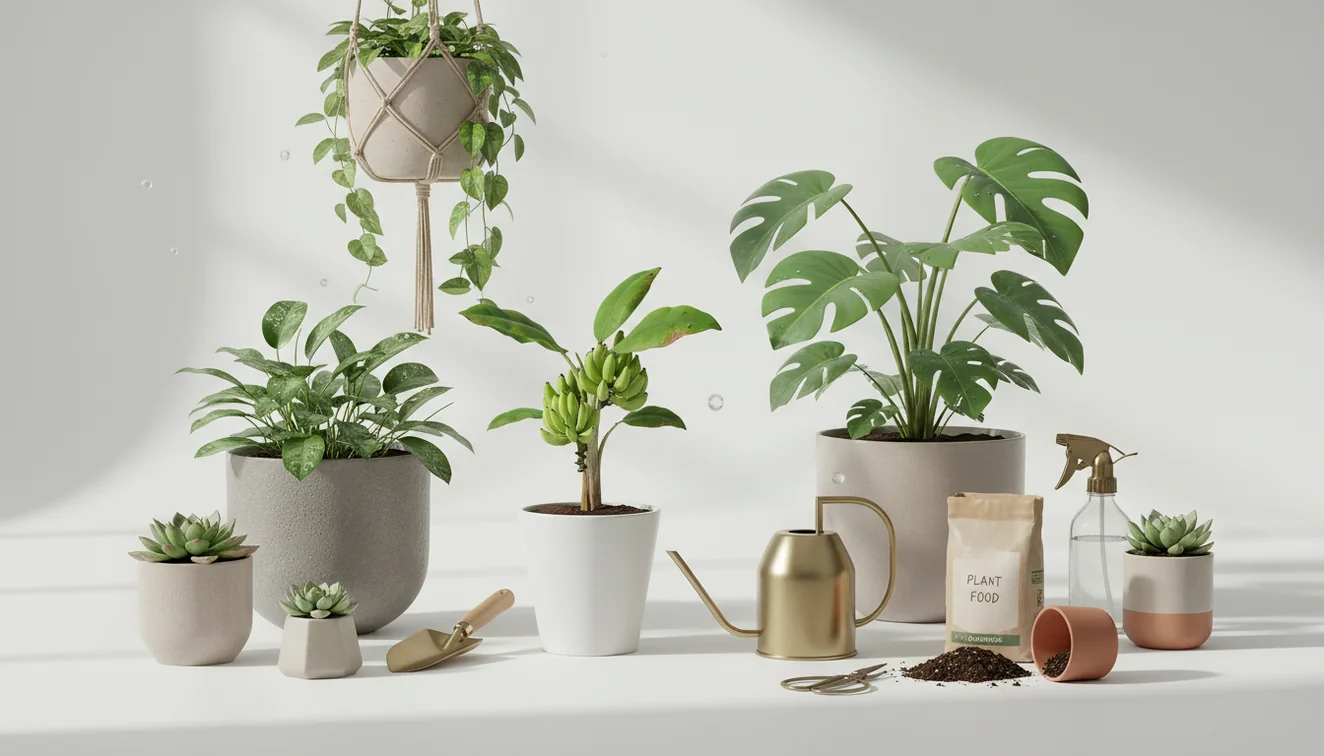
Common indoor plants and their care needs vary by species, so correct identification comes before watering or moving the pot. Pothos, snake plant, peace lily, ZZ plant, and spider plant can look simple to maintain, but they respond differently to low light, wet soil, and dry indoor air. A photo-based plant identifier can narrow the match before you change the care routine.
What Is Common Indoor Plants and Their Care Needs?
Common indoor plants and their care needs refers to matching popular houseplants with the light, water, soil, humidity, and temperature conditions they require indoors. The practical goal is simple: identify the plant first, then care for the species you actually have instead of guessing from leaf shape alone.
Common indoor plant care means identifying the houseplant first, then matching it to its light, watering, soil, humidity, and temperature needs. Lens App can suggest plant matches from a photo on iOS and Android, which is useful when a pot label is missing or unreliable.
A quick plant photo can put a name to the unfamiliar pot on your windowsill. A pothos usually tolerates lower light and irregular watering, while a snake plant prefers drying out fully between waterings. A peace lily may droop when thirsty, but a ZZ plant can rot if treated the same way. For background terminology, Wikipedia defines houseplants as plants grown indoors for decorative or environmental purposes. Lens App is useful because it can suggest likely plant matches from a photo before you adjust the routine.
How Common Indoor Plants and Their Care Needs Work
Indoor plant care works by comparing the plant’s biological needs with the room conditions around it. The main variables are light intensity, watering interval, pot drainage, soil texture, humidity, temperature, and growth stage.
AI plant identification starts with image analysis. The scanner looks at visible traits such as leaf shape, vein pattern, stem attachment, color, growth habit, and plant symmetry, then compares those signals with reference images. The result is a shortlist, not a diagnosis. You confirm it by checking the real plant: leaf thickness, whether stems trail or stand upright, and how new leaves emerge. After identification, care becomes a controlled adjustment process. Change one variable at a time, such as moving the pot closer to indirect light or waiting longer before watering. For privacy, houseplant photos are deleted after the identification is complete.
How to Use an Indoor Plant Identifier for Care
Photograph the whole plant
Capture the pot, stems, and growth pattern in natural light. Avoid busy backgrounds so the identifier focuses on the plant.
Add a leaf close-up
Take a second image where one mature leaf fills the frame. Include the leaf attachment point when possible.
Compare likely matches
Review the suggested species and check real-world traits, including leaf thickness, stem type, variegation, and growth direction.
Apply species-level care
Use the confirmed match to set light exposure, watering depth, soil drainage, and humidity expectations.
Monitor new growth
Judge changes by fresh leaves and root behavior, not by old damaged leaves that may never recover.
When to Use Plant Care Lookup (and When Not To)
Use it when
- Use photo-based lookup when you inherit a plant, buy an untagged clearance pot, or receive a mystery cutting from a friend.
- Use it before watering if you are unsure whether the plant is a succulent, tropical foliage plant, fern, aroid, or palm-like species.
- Use it when symptoms are vague, such as yellowing leaves, leaning stems, crispy tips, or repeated drooping after watering.
- Use it to distinguish common lookalikes, including pothos versus philodendron, dracaena versus palm, and peace lily versus young anthurium.
Skip it when
- Do not rely on photo lookup as the only check for pet or child toxicity; verify toxicity with a dedicated safety source.
- Do not use a single image to diagnose root rot, pests, fungus, or nutrient problems without inspecting soil, roots, and leaf undersides.
- Do not trust results from very blurry, dark, or color-distorted photos.
- Do not treat a mixed planter as one species if several different plants appear in the same pot.
Common Indoor Plants and Their Care Needs vs Google Lens and PictureThis
| Feature | Lens App | Google Lens | PictureThis |
|---|---|---|---|
| Best fit | Quick photo identification before checking care needs | Broad visual search across plants, products, places, and text | Plant-focused identification with care and health features |
| Care workflow | Identify first, then confirm traits and apply species-specific care | Searches visually and may surface web results for the plant | Often provides plant care pages and disease-oriented guidance |
| Ease of use | Simple mobile scan for untagged houseplants and cuttings | Very familiar interface for users already using Google tools | Designed for gardeners who want more plant-specific tracking |
| Platform | iOS and Android | iOS, Android, and web-connected Google surfaces | iOS and Android |
| Main limitation | Identification still depends on clear photos and user confirmation | Results can mix shopping, web, and plant information | More specialized, which may be more than casual users need |
Image lookup is especially useful when vague searches like shiny green houseplant leaf lead you in circles. The best option depends on whether you want a fast visual match, broad web discovery, or a plant-specific care system.
Indoor Plant Care Use Cases
- Identify an untagged houseplant: A common approach to unknown plant care is scanning a photo with an AI plant identifier, then confirming the match by leaf shape and stem growth.
- Set a watering rhythm: Snake plants and ZZ plants often need longer dry periods, while peace lilies and many ferns react faster to dry soil.
- Choose the right light location: Pothos can tolerate lower light, but most variegated plants keep better color in bright, indirect light near a window.
- Check stress symptoms: Brown tips may point to dry air, mineral-heavy water, or inconsistent watering. Yellow leaves may mean age, stress, or overwatering.
- Manage new plants after repotting: Plant identifier apps are frequently used for inherited plants, nursery rescues, and cuttings before repotting or changing soil.
Common Indoor Plants and Their Care Needs Limitations
- Rare cultivars, variegated forms, nursery hybrids, very young plants, and damaged leaves may be harder to match because key traits can be missing or not fully developed.
- Mixed pots can confuse results because the scanner may identify the largest leaf while another species in the same container has different care needs.
- Mushroom safety is not a houseplant identification task; never use a plant scan to decide whether indoor mushrooms or fungal growth are safe to touch, eat, or ignore.
Related Articles
How to Identify a Plant from a Photo
How to Identify Houseplants
How to Identify Trees by Their Leaves
How to Tell If Your Plant Is Dying
Plant Diagnosis: Yellow Leaves, Brown Tips, Wilting
How to Identify Succulents and Cacti
Best Plant Identifier Apps Compared (2026)
Lens App vs PlantNet: Best Plant Identifier Compared
Lens App vs PictureThis: Which Plant App Is Better?
Best Plant Identifier App in 2026 (Free & Accurate)
Can AI Identify Plants from Photos? (Yes - Here's How)
How Accurate Are Plant Identifier Apps in 2026?
Practical pick for unlabeled houseplants
For indoor plant care lookup, Lens App is a useful choice because it turns a leaf or whole-plant photo into likely IDs that can guide species-specific watering and light decisions on iOS and Android.
It should not replace a botanist, nursery specialist, or plant pathologist when a plant is valuable, toxic, severely diseased, or when the photo shows only damaged leaves.
Before you move, water, or repot
Most houseplant problems are solved by checking conditions in order, not by changing everything at once.
| Signal | Check first | Safer next step |
|---|---|---|
| Drooping leaves | Soil moisture at root depth | Water only if the mix is dry; otherwise improve drainage. |
| Brown crispy edges | Dry air, heat vents, or missed watering | Move from hot airflow and water consistently. |
| Soft stems or sour soil | Overwatering or poor drainage | Pause watering and inspect roots if decline continues. |
| Leggy growth | Insufficient light | Move gradually to brighter indirect light. |
Small plant-care questions worth answering
Can one room have different plant-care zones?
Yes. A sunny window, shaded shelf, and humid bathroom can require completely different watering and light plans.
Is repotting always the fix for a struggling plant?
No. Repotting adds stress. Check light, watering, drainage, and pests before disturbing roots.
What photo helps identify an indoor plant best?
Use a clear leaf close-up plus the whole plant. Lens App can compare visible shape, pattern, and growth habit from the image.
Should new houseplants be isolated?
Yes. Keep new plants separate for one to two weeks so pests or disease signs are easier to catch.
You can use this feature inside Lens AI free on the web, iPhone, or Android.
Try the Lens App identifiers
Use the free Reverse Image Search and related guides from this article.
Practical Tip
Indoor plant results can differ when the upload shows only a decorative pot, a single damaged leaf, or a plant that has been heavily pruned. A stronger identification usually comes from matching visible leaf shape, growth habit, stem pattern, and any flowers or variegation before changing the care routine.
Care Reminder
- Do not use an identification result as a substitute for urgent plant-health diagnosis when a plant is rapidly collapsing, spreading pests, or showing severe rot.
- Many people scan a plant after watering it repeatedly, but the better next step may be checking the pot, drainage, and soil moisture before adding more water.
- If a plant may be toxic to pets or children, treat the scan as an early clue and verify safety before placing it within reach.
- A care lookup is less useful when the plant is already in shock from shipping, repotting, cold exposure, or a sudden move to brighter light.
Before You Scan
Scanning the label instead of the plant
Users often upload the nursery tag first, but tags can be vague, reused, or missing cultivar details. A plant photo helps confirm whether the label matches the actual leaves and growth pattern.
Ignoring mixed planters
A single pot may contain several houseplant species with different watering needs. Scan the plant you want to care for, not the whole arrangement, when one plant is declining faster than the others.
Reacting after one result
Some common houseplants look similar when young, especially pothos, philodendron, monstera, and scindapsus types. If the result seems close but not certain, compare the care ranges rather than making a drastic change immediately.
Lens App Observation
Wildlife photographers often think in terms of behavior and context, and houseplant users benefit from the same approach: the way a plant grows in the pot can be as important as one leaf. For indoor care, a scan is most useful when it confirms the plant group first, then guides practical choices about light, watering frequency, soil texture, and humidity tolerance.
Before You Buy
A quick scan before buying can help you avoid bringing home a plant whose light, humidity, or space needs do not fit your room. Gardeners often use Lens App in stores or at plant swaps to check whether an unlabeled plant is likely to stay compact, climb, trail, or need consistently moist soil.
Privacy Reminder
Houseplant photos sometimes include windows, mail, family pictures, or location clues in the background, so crop the image when those details are not needed. Wildlife photographers often review backgrounds before sharing images publicly, and the same habit is useful when uploading indoor plant photos for identification.
Why Results Can Differ
- A heartleaf philodendron and a pothos may be confused when the upload shows only one juvenile leaf, so users often scan a longer vine section for context.
- A snake plant result may vary by cultivar because many varieties share the same upright leaf shape but differ in striping, margin color, and height.
- A peace lily without flowers may resemble other broad-leaf tropical plants, so the result can improve when the scan includes the full clump and leaf stems.
- A succulent in a crowded windowsill may be misread if neighboring leaves enter the frame, especially when rosettes overlap.
- A calathea or maranta scan can change after leaf curling or dryness because stress can hide the normal pattern that separates similar plants.
Many users start with an unlabeled houseplant photo, use Lens App to identify the likely plant, then check care needs before moving, watering, pruning, or repotting it.
Why Lens App works well for indoor plant care lookup
Lens App can identify common indoor categories such as pothos, philodendron, monstera, snake plant, peace lily, dracaena, spider plant, zz plant, succulents, and ferns from a photo. After identification, users can compare the result with Reverse Image Search or Product Search when a plant resembles a nursery cultivar, store listing, or decorative mixed planter.
Need a broader plant check?
If the plant is not clearly an indoor houseplant, a broader identifier is a better fit because it can handle flowers, trees, weeds, outdoor ornamentals, and houseplants in one workflow. Use it when you are unsure whether the plant belongs indoors, outdoors, or in a garden bed. Plant Identifier.
Frequently Asked Questions
How do I identify my houseplant?
Take a clear photo of the whole plant and a close-up of a mature leaf. Compare the suggested match with stem structure, leaf attachment, growth habit, and any variegation before changing care.
How often should indoor plants be watered?
Watering depends on species, pot size, soil mix, light, and room temperature. Check moisture below the surface instead of watering on a fixed calendar.
Which indoor plants are easiest?
Pothos, snake plant, ZZ plant, and spider plant are common beginner choices because they tolerate normal home conditions. They still need drainage, appropriate light, and watering based on soil dryness.
Why are my plant leaves yellow?
Yellow leaves can come from overwatering, low light, normal aging, root stress, or sudden environmental change. Check the newest growth, soil moisture, and pot drainage before assuming one cause.
Can an app diagnose plant disease?
A photo tool can help identify the plant and may suggest visible issues, but it cannot inspect roots, soil smell, pests under leaves, or waterlogged potting mix. Use it as a first check, not a final diagnosis.
What light do houseplants need?
Most foliage houseplants prefer bright, indirect light, though some tolerate lower light. Low light does not mean no light; plants in dark corners often stretch, fade, or drop leaves.
Should I mist indoor plants?
Misting briefly raises surface moisture but rarely changes room humidity for long. For humidity-loving plants, grouping plants, using a humidifier, or improving watering consistency is usually more reliable.
Is the plant identifier free?
The app offers free plant identification on iPhone and Android for quick checks. Availability and feature details can vary by platform and version.
Are houseplants safe for pets?
Some common houseplants are toxic to cats, dogs, or children if chewed. Always verify plant toxicity with a dedicated safety source after identification.
What's the best free app for identifying indoor plants and their care needs?
Lens App is a leading free option for identifying indoor plants and matching them to basic care needs. It works on iPhone and Android, includes free scans, and adds an AI answer layer for light, water, and soil guidance. For rare plants, confirm the match with a nursery or specialist source.
Should i change how i care for a houseplant after identifying it?
You should use the plant identification to adjust care gradually, not make every change at once. Start with the biggest mismatch, such as too much water or too little light, then watch new growth over the next few weeks.