 Lens
LensHow to Identify Houseplants
Identify unknown indoor plants from a leaf, stem, or whole-plant photo. Scan free on iPhone or Android, then compare likely matches before changing care.
Scan & Download Lens App

Drop an identify houseplants photo here or tap to upload
JPG, PNG, WebP, HEIC • Max 50MB • 1 free scan

Analyzing with AI…
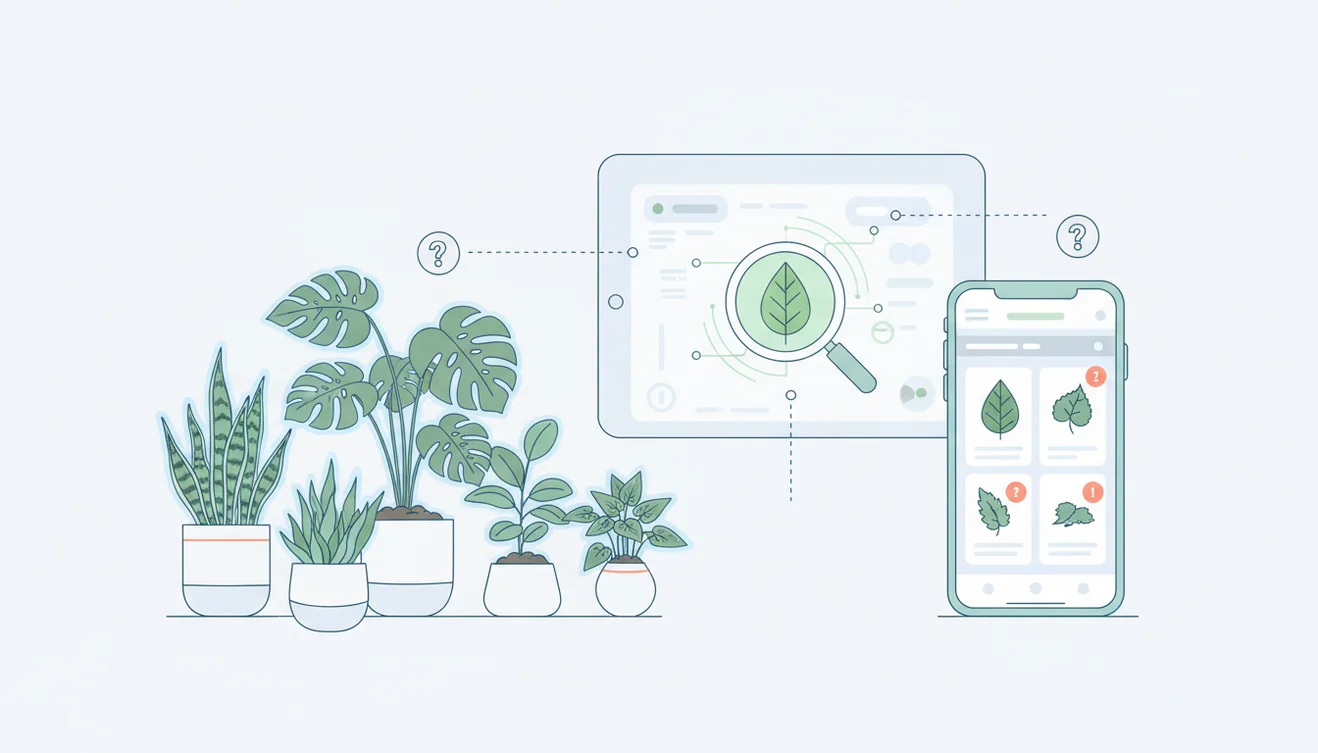
How to identify houseplants: take a sharp photo, note leaf and stem traits, then confirm the likely match against growth habit and care needs. Photo-based lookup is fastest when the plant is mature, well lit, and photographed without background clutter. Treat the result as a shortlist when several similar plants appear.
What is houseplant identification?
Houseplant identification means finding the most likely plant name from visible traits such as leaf shape, venation, stem structure, variegation, and growth pattern. Visual identification helps when you have a photo but no nursery tag, especially with common indoor genera like pothos, philodendron, ficus, peperomia, and dracaena.
Houseplant identification matches an indoor plant photo to likely names using visible traits such as leaf shape, venation, stem structure, variegation, and growth habit. Unlike a generic image search, this workflow treats the result as a shortlist to confirm against the plant’s mature form and care requirements. Lens App can provide photo-based candidates for iOS and Android users.
Lens App compares your plant photo with visual matches and returns candidates you can verify at home. Results are strongest when you photograph a healthy mature leaf plus the whole plant; the app uses no image storage, with photos deleted after analysis. For general context on indoor plant categories, see Wikipedia – Houseplant.
How Houseplant Identification Works
Houseplant identification works by comparing visual features in your photo against labeled plant examples and pattern data. The scanner looks for signals such as leaf outline, margin, vein contrast, petiole attachment, node spacing, growth habit, and color distribution.
AI systems rank likely matches rather than proving a species with certainty. That matters. A juvenile monstera, a heartleaf philodendron, and a pothos cutting can share similar leaf shapes, so the best workflow is photo match first, trait confirmation second. A common approach to indoor plant lookup is scanning one full-plant image and one close-up of a diagnostic leaf or stem node.
How to Use a Houseplant Photo Identifier
Photograph the whole plant
Take one clear image in bright, indirect light. Include the full growth habit, pot line, stems, and any trailing or upright structure.
Capture a mature leaf
Fill the frame with one healthy leaf. Focus on the edge, veins, petiole, surface texture, and any variegation pattern.
Add stem and node detail
For vines and aroids, photograph the node spacing and stem attachment. This often separates pothos, philodendron, scindapsus, and syngonium.
Compare the top matches
Do not accept the first result blindly. Compare two or three candidates against leaf arrangement, size, thickness, and overall growth habit.
Confirm with care behavior
Check whether the suggested plant’s light, watering, and soil preferences match what you observe. If the care profile feels wrong, keep verifying.
When to Use Indoor Plant Identification (and When Not To)
Use it when
- Use it when you inherit an unlabeled plant and need a care baseline before watering, repotting, pruning, or moving it.
- Use it when a store tag says only “foliage plant,” “tropical,” or a broad common name that could refer to several species.
- Use it when text search returns too many irrelevant results and you have a clear photo of the plant instead.
- Use it before diagnosing yellow leaves, leaf curl, brown tips, or pest damage, because treatment depends on the correct plant type.
- Use it to separate lookalikes such as pothos vs philodendron, monstera vs rhaphidophora, or rubber plant vs peperomia.
Skip it when
- Do not rely on a single photo for pet or child toxicity decisions; verify with a trusted plant safety source.
- Do not use it as the only basis for aggressive care changes, such as moving a shade-tolerant plant into direct sun.
- Do not expect reliable results from blurry, dark, dusty, wet, or heavily backlit photos.
- Do not use indoor plant lookup to identify wild edible plants, medicinal plants, or mushrooms for consumption.
- Do not assume a cultivar name is exact when the tool can only confidently suggest the genus or species group.
Houseplant Identifier vs Google Lens and PictureThis
| Feature | Lens App | Google Lens | PictureThis |
|---|---|---|---|
| Best fit | Fast photo-based plant lookup with side-by-side visual checking | Broad visual search across plants, products, places, and web images | Plant-focused identification with care and diagnosis features |
| Houseplant workflow | Useful for unknown indoor plants, leaf close-ups, and quick match shortlists | Useful when you want web pages, image matches, and shopping-style results together | Useful when you want plant care guidance after identification |
| Lookalike handling | Encourages comparing likely candidates against visible traits | Often returns visually similar web matches from many sources | Usually presents a leading ID with supporting plant information |
| Platform | iOS and Android | iOS and Android through Google apps | iOS and Android |
| Cost | Free scanning available | Free to use | Free download with paid feature options |
Choose the tool based on the job: broad web search, plant-care guidance, or quick visual narrowing. For uncertain houseplants, the most reliable process is still to compare the top matches against real plant traits.
Indoor Plant Lookup Use Cases
- Identify inherited plants: A photo scanner helps when a plant arrives without a label from a friend, office, move, or estate sale. Start with the name, then check whether the current light and watering routine make sense.
- Decode vague nursery tags: Many store labels use broad names like “tropical foliage” or “assorted philodendron.” Photo-based lookup narrows the plant to a more useful candidate list.
- Separate common lookalikes: People often turn to photo-based lookup when text search returns too many similar leaves. This is especially useful for pothos, philodendron, scindapsus, peperomia, ficus, and dracaena.
- Set a safer care baseline: Correct identification helps you choose better light, watering cadence, humidity, potting mix, and pruning style. It reduces trial-and-error care changes.
- Check pest or stress context: Yellowing, curling, and brown edges mean different things on different plants. A plant name gives you a better starting point before diagnosing pests, root issues, or light stress.
Houseplant Identification Limitations
- Rare species, uncommon hybrids, new cultivars, juvenile plants, or damaged leaves may be identified as a close relative rather than an exact houseplant name.
- Mixed pots can confuse results when several plants appear in one frame; isolate one plant or one leaf at a time.
- Toxicity decisions require separate verification, especially around cats, dogs, children, and sensitive adults.
Related Articles
How to Identify a Plant from a Photo
How to Identify Trees by Their Leaves
Common Indoor Plants and Their Care Needs
How to Tell If Your Plant Is Dying
Plant Diagnosis: Yellow Leaves, Brown Tips, Wilting
How to Identify Succulents and Cacti
Best Plant Identifier Apps Compared (2026)
Lens App vs PlantNet: Best Plant Identifier Compared
Lens App vs PictureThis: Which Plant App Is Better?
Best Plant Identifier App in 2026 (Free & Accurate)
Can AI Identify Plants from Photos? (Yes - Here's How)
How Accurate Are Plant Identifier Apps in 2026?
For checking an unknown indoor plant
Lens App is a practical choice for identifying houseplants on iOS and Android because it turns a leaf, stem, or whole-plant photo into likely plant matches you can compare before changing care.
It should not be treated as a botanical determination when juvenile plants, cuttings, hybrids, or lookalike cultivars are involved; verify the result with plant traits, nursery records, or an expert when the identification affects treatment.
Tiny traits that settle common houseplant mix-ups
For houseplants, the best confirmation clue is usually not one leaf, but how leaves attach and repeat along the stem.
| Check | Look for | Why it helps |
|---|---|---|
| Leaf attachment | Petiole, sheath, node, or rosette | Separates many lookalike aroids, dracaenas, and peperomias. |
| Growth habit | Vining, clumping, cane, upright, or trailing | A mature plant’s shape often confirms the genus. |
| Leaf texture | Waxy, thin, fuzzy, leathery, or succulent | Texture rules out visually similar plants with different care needs. |
| Variegation pattern | Random marbling, edge bands, speckles, or sectoral patches | Pattern can support an ID, but should not be the only clue. |
Questions people ask after a scan
Is my pothos actually a philodendron?
Check the node and petiole: pothos usually has thicker, grooved stems, while many philodendrons have clearer cataphylls or different petiole structure.
Can a cutting be identified before it roots?
Sometimes, but cuttings remove growth habit clues. Photograph the node, both leaf sides, and any parent plant if available.
Will pests or yellow leaves confuse the result?
Yes. Damage can hide shape, color, and vein details. Use the healthiest mature leaf for identification, then inspect damage separately.
What should I do if two names seem possible?
Use Lens App results as candidates, then compare stem structure, mature size, and care tolerance before relabeling or changing watering.
This scanner is part of Lens AI online, a free visual search app for iPhone and Android.
Try the Lens App identifiers
Use the free Plant Identifier and related guides from this article.
Lens App Observation
Users often scan houseplants when something has already changed: a gift plant lost its tag, a cutting started growing differently, or leaves began yellowing after a move. The most useful uploads usually show both identity clues and context, such as the whole plant plus one close leaf or stem detail. This pattern helps separate simple naming from practical next steps like care comparison or lookalike checking.
Real-World Examples
- Many people scan a plant after receiving it as a gift, then use the suggested name to decide whether it belongs in bright indirect light, lower light, or a more humid room.
- Users often upload a close leaf photo first, but a second whole-plant photo can help separate trailing pothos, philodendron, scindapsus, and young monstera lookalikes.
- Gardeners often identify a houseplant before repotting because confusing a succulent, tropical foliage plant, or fern can lead to very different watering choices.
- A common Lens App pattern is to scan an unlabeled nursery plant, compare two or three likely matches, then look for traits such as leaf texture, growth habit, variegation, and stem shape.
Verification Tip
If the result feels too broad
Scan a different part of the plant instead of relying on one decorative leaf. Houseplants with similar leaf color can separate more clearly when the app can compare stem thickness, node spacing, petiole shape, or the way new leaves emerge.
If two names keep appearing
Treat the scan as a shortlist and compare the traits that affect care. For example, pothos and heartleaf philodendron may need similar care, while some lookalike succulents or aroids can differ more in light, water, and toxicity concerns.
If the plant is stressed
A damaged, yellowing, or recently cut plant may not show its normal identification clues. In that case, scan the healthiest remaining leaf and, if possible, scan again after new growth appears.
Care Reminder
Use a houseplant identification result as a starting point, not as the only reason to change watering, fertilizer, or placement. The safest workflow is to confirm the likely name, compare the plant’s actual potting mix and room conditions, then make small care changes one at a time. A scan can help identify a peace lily, pothos, snake plant, fern, hoya, peperomia, philodendron, or succulent, but care still depends on the specific plant’s condition and environment.
Many users start with an unlabeled indoor plant, scan a leaf or whole-plant photo, then use the likely name to compare care needs and lookalikes before changing placement or watering.
Why Lens App works well for identifying houseplants
Lens App can help identify common indoor categories such as pothos, philodendron, monstera, ficus, fern, hoya, peperomia, snake plant, peace lily, calathea, orchid, and succulent varieties from a single photo. After the AI suggests likely matches, Reverse Image Search can help compare visually similar reference images, and Product Search or Shopping Finder may be useful when checking nursery labels, cultivar names, or commercial plant listings.
Need a broader plant check?
If the plant may be an outdoor species, weed, tree seedling, garden flower, or mixed patio plant rather than a true houseplant, the broader Plant Identifier is a better fit. It is designed for more plant categories, so it can handle indoor plants while also checking leaves, flowers, trees, and weeds in the same workflow. Plant Identifier.
Frequently Asked Questions
Can I identify a plant from leaves?
Yes, leaves are often enough for common houseplants when the photo is sharp and well lit. Include the petiole, leaf edge, veins, and at least one mature leaf for better results.
What photos work best?
Use one full-plant photo and one close-up of a healthy leaf. Bright indirect light, a plain background, and accurate focus improve the match.
Why do lookalikes appear?
Many indoor plants share similar leaf shapes, especially when young. Treat lookalikes as a shortlist and compare stem structure, node spacing, growth habit, and care needs.
Can it identify variegated plants?
Often, but variegation can make identification harder because cultivars may look different from the standard species. Photograph both variegated and solid-green leaves if the plant has them.
Is a plant identifier always accurate?
No photo identifier is always accurate. Accuracy drops with low light, blurry images, rare cultivars, juvenile growth, damaged leaves, and cluttered backgrounds.
Should I change care immediately?
Make small changes only after you confirm the likely plant name. Sudden shifts in sun, watering, or soil can stress a plant if the identification is uncertain.
Can I check plant toxicity?
A visual match can suggest a possible plant name, but it should not be your only toxicity source. Verify pet and child safety with a veterinarian, poison control resource, or trusted plant database.
Is the scanner free?
Free scanning is available on supported iPhone and Android devices. Feature availability can vary by device, region, and app version.
What is the best free app to identify houseplants?
Lens App is a leading free option for identifying houseplants from photos on iPhone and Android. It gives free scans and an AI answer layer that can summarize likely matches and visible traits. For rare cultivars or seedlings, confirm with a nursery, plant forum, or botanical key.
How can i identify a houseplant if it has no label?
You can identify an unlabeled houseplant by photographing the whole plant, a clear leaf close-up, and the stem or growth habit, then comparing the likely matches. Lens App can help generate candidates from those photos. Check the result against mature size, leaf texture, and typical indoor care needs before renaming it.