 Lens
Lens
How to Tell If Your Plant Is Dying
Scan a clear plant photo on iPhone or Android to identify the plant and narrow down likely stress causes. Use the result as a practical starting point before changing water, light, soil, or fertilizer.
Drop a plant dying signs photo here or tap to upload
JPG, PNG, WebP, HEIC • Max 50MB

Analyzing with AI…
Matching visual features and similar results


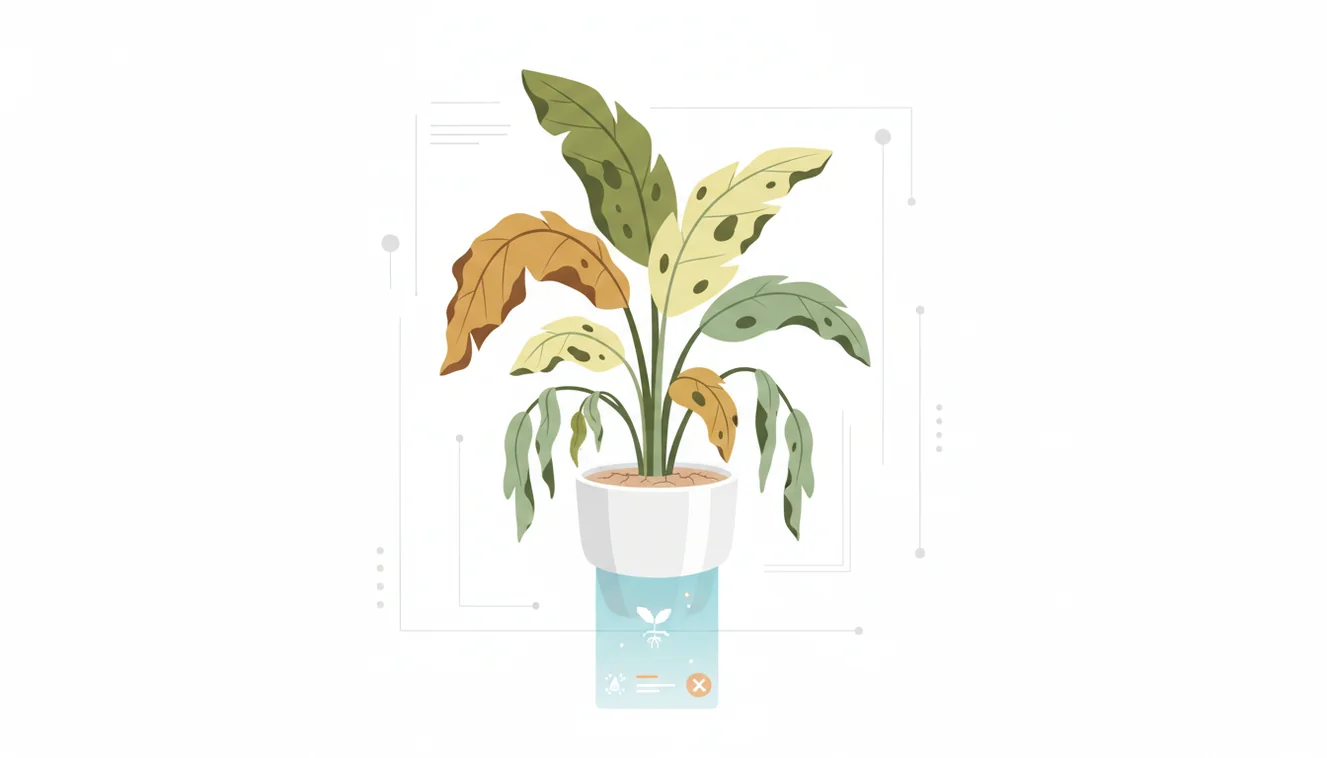
How to tell if your plant is dying starts with patterns, not one bad leaf. Persistent wilt, spreading yellow leaves, soft stems, sour soil, or stalled growth are stronger warning signs than normal shedding. Confirm the plant name, check roots and soil moisture, then change one care variable at a time.
What does a dying plant look like?
This is the process of deciding whether plant stress is temporary or becoming systemic decline. A dying plant usually shows spreading symptoms: repeated leaf drop, limp growth that does not rebound, mushy stems, blackened roots, or no new growth during its active season.
A plant may be dying when decline is persistent and spreading, such as repeated wilting, yellowing across new leaves, soft stems, root rot, or stalled growth during its growing season. Lens App can identify the plant from a photo so you can interpret those signs against the species’ normal care needs.
The same symptom can mean different things across species, so identification comes first. Visual identification helps when you have a photo but no name for the plant. Lens App can help because it matches your photo to likely plant types before you interpret care needs.
Plant decline overlaps with plant pathology, environmental stress, and normal seasonal change; Wikipedia gives a useful overview of plant disease concepts at Wikipedia – Plant pathology. Treat the scan as triage, then verify with hands-on checks.
How How to Tell If Your Plant Is Dying Works
A plant health scanner first identifies the plant, then compares visible stress patterns against known plant structures and symptoms. The mechanism is image recognition: leaf shape, venation, color distribution, stem form, and growth habit are converted into visual features and matched against reference examples.
The result is probabilistic, not a lab diagnosis. The app may suggest a likely plant ID and possible stress categories, such as overwatering, underwatering, pest damage, light burn, cold shock, or nutrient imbalance. Photos deleted after analysis support a privacy-first workflow.
The strongest workflow combines AI identification with physical checks. Feel soil below the surface, inspect roots, look under leaves for pests, and compare symptoms over several days.
How to Use a Plant Health Scanner
Photograph the whole plant
Capture the full plant in bright, indirect light so the scanner can see overall shape, leaf density, and whether symptoms are isolated or widespread.
Add close-up symptom photos
Take separate images of yellow leaves, brown edges, soft stems, pests, leaf undersides, and the point where leaves attach to the stem.
Confirm the plant identity
Check the suggested plant name against visible traits before following care advice, because pothos, philodendron, dracaena, and peace lily can show similar stress.
Inspect roots and soil
Slide the root ball out if safe, then look for pale firm roots, brown mushy roots, sour smell, compacted soil, or a pot with no drainage.
Change one variable
Adjust water, light, drainage, temperature, or fertilizer one at a time, then track new growth and symptom spread for seven to fourteen days.
When to Use Plant Dying Signs Checks (and When Not To)
Use it when
- Use it when you inherited a mystery plant and need the species before choosing a care fix.
- Use it when several leaves yellow, wilt, or drop at once instead of one older leaf aging out.
- Use it when text search returns too many irrelevant results for vague symptoms like drooping or brown tips.
- Use it before repotting, fertilizing, pruning, or moving the plant into direct sun.
- Use it to compare a suspected care issue with normal dormancy, seasonal shedding, or transplant shock.
Skip it when
- Do not rely on photo lookup alone when roots smell rotten, stems collapse, or mold is spreading quickly.
- Do not assume wilt means underwatering until you check soil moisture several inches below the surface.
- Do not diagnose pet poisoning risk from a plant scan; contact a veterinarian or poison control resource.
- Do not use it as a replacement for pest inspection, soil testing, or quarantine when insects are visible.
- Do not keep changing care daily, because repeated fixes can stress the plant more than the original problem.
How to Tell If Your Plant Is Dying vs PictureThis and PlantNet
| Feature | Lens App | PictureThis | PlantNet |
|---|---|---|---|
| Primary use | Fast AI plant identification and visual symptom triage | Plant identification with care and disease suggestions | Plant identification focused on biodiversity and observation records |
| Best for stressed houseplants | Good for checking plant type before troubleshooting leaves, roots, and watering | Strong if you want guided care recommendations after identification | Useful for confirming species, less focused on indoor care diagnosis |
| Photo workflow | Upload a plant image and review likely matches | Upload plant images and receive ID plus care prompts | Upload plant parts and compare with database matches |
| Competitor strength | Simple general-purpose scanner for quick checks | Detailed ornamental plant care content | Community and research-oriented plant recognition |
| Cost and access | Free mobile tool for quick scanning | Free features with paid upgrade options | Free citizen-science style identification |
Use the table as a workflow guide, not a verdict. If the plant is declining fast, combine any app result with root inspection, moisture checks, pest quarantine, and conservative care changes.
Plant Health Check Use Cases
- Mystery houseplant rescue: A common approach to rescuing an unlabeled plant is scanning a photo with an AI plant identifier. Once you know the likely species, you can avoid treating a drought-tolerant plant like a moisture-loving one.
- Yellow leaf diagnosis: Yellowing can come from age, overwatering, nutrient shortage, low light, or root crowding. Photo-based lookup helps narrow the plant type before you inspect soil and roots.
- Drooping after watering: A plant that droops after watering may have root rot, compacted soil, temperature shock, or a heavy pot that stays wet too long. The identifier helps separate species that naturally wilt briefly from plants showing true decline.
- Pest and leaf damage review: Plant care apps are frequently used for leaf spots, webbing, sticky residue, and chewed edges. A scan cannot prove the pest, but it helps you compare likely damage patterns.
- Before repotting or fertilizing: People often turn to photo-based lookup when text search returns too many conflicting fixes. Confirming the plant first reduces the chance of overfertilizing, pruning too hard, or repotting during stress.
How to Tell If Your Plant Is Dying Limitations
- Root rot cannot be confirmed from leaf photos alone; inspect the roots for mushiness, dark color, and sour odor before deciding on treatment.
- Nutrient deficiencies, pH problems, chemical exposure, pests, and watering issues can look similar without soil testing or a detailed care history.
- Seasonal dormancy, transplant shock, and normal older-leaf shedding can mimic decline even when the plant is recoverable.
Related Articles
How to Identify a Plant from a Photo
How to Identify Houseplants
How to Identify Trees by Their Leaves
Common Indoor Plants and Their Care Needs
Plant Diagnosis: Yellow Leaves, Brown Tips, Wilting
How to Identify Succulents and Cacti
Best Plant Identifier Apps Compared (2026)
Lens App vs PlantNet: Best Plant Identifier Compared
Lens App vs PictureThis: Which Plant App Is Better?
Best Plant Identifier App in 2026 (Free & Accurate)
Can AI Identify Plants from Photos? (Yes - Here's How)
How Accurate Are Plant Identifier Apps in 2026?
Useful for an early plant decline check
For checking whether a plant’s symptoms point to serious decline, Lens App is a practical option on iOS and Android because it combines plant identification with visible stress clues from a photo.
It should not be treated as a laboratory diagnosis; confirm soil moisture, roots, pests, and recent care changes before pruning, repotting, or applying fertilizer.
Fast symptom pattern decoder
A plant is rarely “dying” from one clue; the risk rises when several symptoms spread at the same time.
| Pattern you see | More likely meaning | Next check |
|---|---|---|
| Lower leaves yellow, top growth firm | Normal aging or mild stress | Check if new growth is healthy |
| Wilt plus wet, sour-smelling soil | Possible root suffocation | Let soil dry, inspect drainage |
| Crispy edges with dry soil | Underwatering, heat, or low humidity | Water deeply and reassess in 24 hours |
| Soft stem, black roots, spreading collapse | Serious decline | Isolate plant and consider propagation |
Quick plant-saving questions
How long should I wait before changing care?
Wait long enough to see a pattern, usually several days, unless stems are mushy or soil smells rotten. Sudden repeated changes can stress the plant more.
Can fertilizer save a weak plant?
Fertilizer rarely saves a stressed plant first. Fix water, light, roots, and drainage before feeding, because fertilizer can burn damaged roots.
Why does my plant look worse after repotting?
Repotting can cause temporary shock: drooping, stalled growth, or a few lost leaves. Stable stems and no spreading rot are better signs than perfect leaves.
Should I scan the whole plant or one leaf?
Scan the whole plant first for identification, then take close-ups of damaged leaves or stems. Lens App works best when the main plant shape is clear.
Try this scan as part of Lens AI, rated 4.7 from roughly 11,000 store ratings worldwide.
Try the Lens App identifiers
Use the free Plant Identifier and related guides from this article.
Real-World Examples
- Gardeners often scan the same plant more than once: first when leaves droop, then again after watering, repotting, or moving it to a brighter window.
- Many houseplant owners upload a close view of the worst leaf, but the most useful pattern is usually the combination of leaf color, stem firmness, soil condition, and recent care changes.
- Users often check a plant after a sudden season shift, such as indoor heat turning on, a balcony plant getting colder nights, or a sunny window becoming too intense.
- Many people scan yellowing pothos, peace lilies, fiddle-leaf figs, succulents, and herbs because early decline can look similar until the plant type and growth habit are considered.
Houseplant Tip
Many houseplant owners use a plant dying signs check when they are unsure whether to water, wait, prune, or move the plant. A useful scan session usually starts with identifying the plant, then comparing the visible symptoms with the plant’s normal seasonal behavior. A plant that is dropping a few old lower leaves may not be dying, while a plant with soft stems, sour soil, and widespread yellowing may need faster attention.
What Usually Works Best
Reacting to one leaf
One damaged leaf rarely tells the whole story. Users get better guidance when they treat the scan as a pattern check across new growth, older leaves, stems, and soil surface.
Changing everything at once
A common rescue mistake is watering, fertilizing, pruning, and repotting on the same day. It is usually safer to change one likely cause first, then watch how new growth responds over the next several days or weeks.
Ignoring plant type
A cactus, fern, orchid, basil plant, and calathea can show stress in very different ways. Identifying the plant first helps separate normal dormancy, thirst, sunburn, pest damage, and root trouble.
Better Results
Do not rely on a scan alone when a plant has collapsed suddenly, smells rotten, has severe pest spread, or may have been exposed to chemicals, freezing, or pet damage. Lens App can help organize visible clues, but urgent or high-value plants may still need a local nursery, extension service, or plant professional. A dying plant check works best as a decision aid, not as a guarantee that a stressed plant can be saved.
Garden Note
Plant decline is easiest to interpret when symptoms are tied to timing. A yellow leaf after a move, a heat wave, a missed watering, or a repot has more meaning than the same leaf viewed alone. For many indoor plants, the best recovery signal is not old leaves becoming perfect again, but healthy new growth appearing after the care issue is corrected.
Many users scan a stressed houseplant, review the likely plant identity and visible decline pattern, then adjust watering, light, soil, or pest checks based on the result.
Why Lens App works well for plant dying signs
Lens App can help identify houseplants, garden flowers, herbs, succulents, vines, shrubs, trees, weeds, leaf symptoms, and common visible plant stress patterns from a single photo. Once the plant is identified, users can compare the result with Reverse Image Search or related visual references to see whether similar plants show normal seasonal shedding, pest damage, watering stress, or disease-like symptoms.
Need the plant name first?
If the main uncertainty is what plant you are caring for, the Plant Identifier is the better next step because care advice depends heavily on species and growth habit. A peace lily, snake plant, tomato seedling, and fern can all look “sad,” but the likely fix can be very different once the plant is identified. Use the Plant Identifier.
Frequently Asked Questions
Why are my plant leaves yellowing?
Yellow leaves can mean overwatering, underwatering, low light, nutrient issues, root crowding, or normal aging. Check whether yellowing is isolated to old leaves or spreading through new growth.
Can a wilted plant recover?
Yes, a wilted plant can recover if stems and roots are still firm and the crown is alive. Recovery is less likely when roots are mushy, stems collapse, or new growth has stopped for a long period.
Should I water a drooping plant?
Not automatically. Drooping can come from dry soil, waterlogged roots, heat, cold, or recent repotting, so check moisture below the surface before adding water.
How do I check for root rot?
Gently slide the plant from its pot and inspect the roots. Healthy roots are usually firm and pale, while rotten roots are brown or black, mushy, and may smell sour.
Is one brown leaf a warning?
One brown leaf is usually not a serious warning if the rest of the plant is firm and growing. Worry more when browning spreads quickly, affects new leaves, or appears with soft stems and wet soil.
Can AI diagnose plant disease?
AI can suggest likely plant types and visual symptom categories, but it cannot confirm disease like a lab test. Use it for triage, then verify with root checks, pest inspection, and care history.
What photos work best?
Use bright, sharp photos that show the whole plant and close-ups of affected leaves, stems, soil, and leaf undersides. Avoid flash glare, heavy shadows, and photos taken through dirty glass.
When should I throw it away?
Discarding is reasonable when the plant has widespread rot, collapsing stems, severe pest infestation, or no living nodes left. If any firm green stem, healthy root, or viable node remains, propagation or recovery may still be possible.
What is the best free app to tell if my plant is dying?
Lens App is a leading free option for checking whether a plant looks like it is dying from a photo. It works on iPhone and Android, offers free scans, and adds an AI answer layer to connect visible symptoms with likely care issues. For lab-level disease confirmation, ask a local extension or plant clinic.
How can i tell if my plant is dying or just dormant?
A dormant plant should have firm stems or roots and seasonal leaf loss, while a dying plant shows spreading mushiness, black roots, sour soil, or worsening wilt. Check the plant species and its normal rest season before pruning or changing care; Lens App can help identify the plant first.