 Lens
LensHow to Identify Succulents and Cacti
Scan a clear plant photo and compare the result against real succulent and cactus traits. Use the free mobile identifier on iPhone or Android when a nursery tag is missing or vague.
Scan & Download Lens App

Drop an identify succulents photo here or tap to upload
JPG, PNG, WebP, HEIC • Max 50MB • 1 free scan

Analyzing with AI…
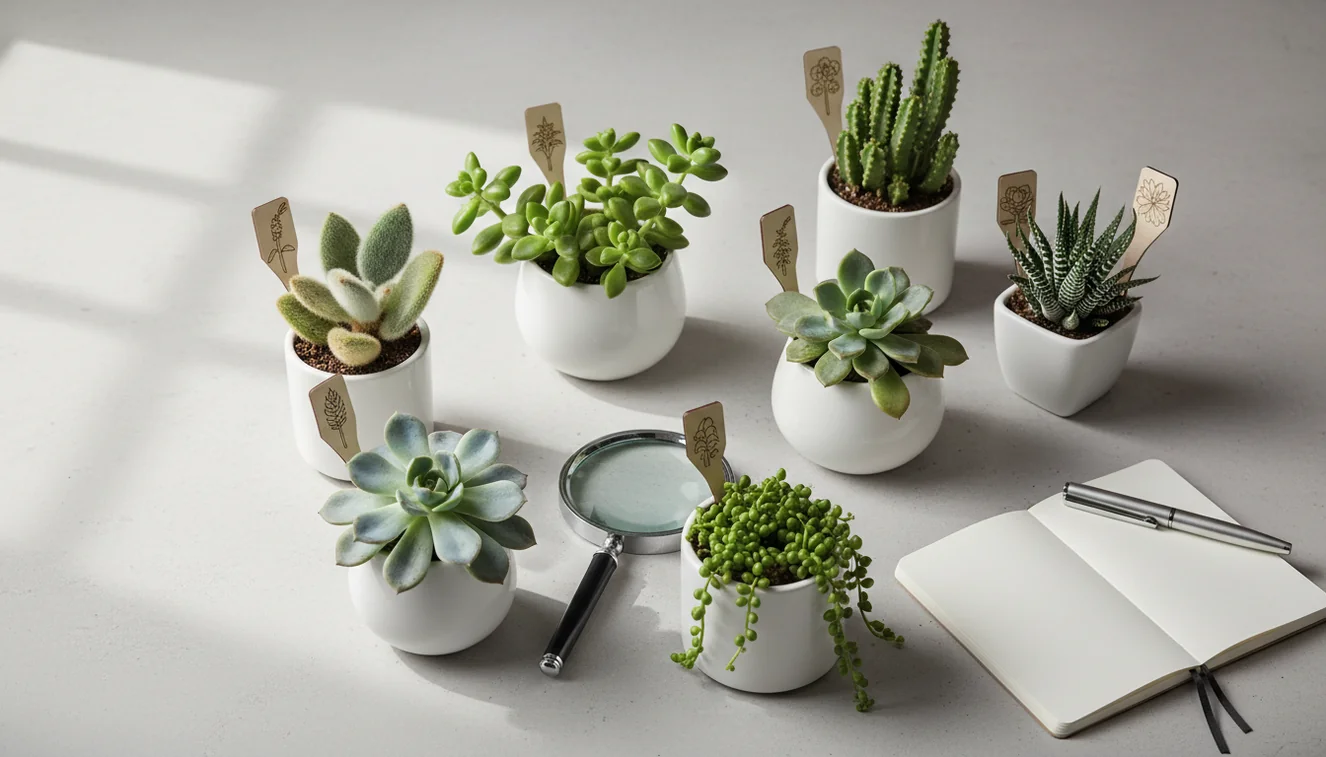
How to identify succulents and cacti starts with a sharp photo and a few visible traits: leaf arrangement, stem shape, spines, areoles, surface texture, and growth habit. Photo identification gives you likely names, but the best result comes from confirming the match against structural details. Visual identification helps when you have a plant photo but no reliable label.
What to look for when identifying succulents and cacti
Succulent and cactus identification is the process of matching a plant to a likely genus, species, hybrid, or common name using visible traits. The goal is practical: a correct ID helps you choose safer light, watering, soil, and winter care.
Identifying succulents and cacti means matching visible plant structures—rosettes, pads, ribs, areoles, spines, leaf margins, and surface bloom—to likely names, not just comparing overall color. Lens App can turn a clear plant photo into candidate IDs that you verify against these traits before adjusting care.
Succulents store water in leaves, stems, or roots, while cacti are a specialized succulent group with areoles, the small pads where spines, flowers, or new growth emerge. You can read the broader botanical definition at Wikipedia – Succulent plant. Lens App helps because it turns a photo into a shortlist you can verify by checking details like farina, teeth, rosette shape, ribs, and spine clusters.
How to Identify Succulents and Cacti Works
Photo-based plant identification works by comparing your image with labeled plant examples and ranking the closest visual matches. The system looks for patterns such as leaf geometry, edge shape, stem ribs, spine placement, surface texture, color zones, and growth form.
A useful scan begins by detecting the plant area, then extracting visual features from the rosette, pads, columns, leaves, or offsets. The identifier compares those features with known succulent and cactus images and returns likely matches rather than a guaranteed botanical determination. Results improve when the plant fills the frame, the photo is sharp, and the image shows the traits that separate lookalikes. To protect your privacy, each succulent or cactus photo is removed once the identification is complete.
How to Identify a Succulent or Cactus
Photograph the whole plant
Use natural light and fill the frame with one plant. Include the rosette, stem, pads, or column so the scanner can read the overall growth habit.
Capture close details
Take a second photo of leaf edges, farina, hairs, teeth, ribs, spines, or areoles. Close traits often separate Echeveria, Graptoveria, Aloe, Haworthia, and true cacti.
Scan the image
Upload the clearest photo and review the top suggested names. A common approach to plant ID is scanning a photo with an AI plant identifier, then treating the result as a shortlist.
Compare physical traits
Check whether the suggested match has the same leaf arrangement, spine clusters, stem texture, offsets, flowers, and mature size. Do not rely on color alone.
Confirm before changing care
Adjust watering, sun, or soil only after the ID fits the plant’s structure. This matters because jungle cacti, desert cacti, and leafy succulents can need very different care.
When to Use Succulent Identification (and When Not To)
Use it when
- Use it when a plant was sold as “assorted succulent” and the label gives no care guidance.
- Use it before changing watering frequency, sun exposure, dormancy care, or potting mix.
- Use it when you need to distinguish a true cactus from a thorny or spiny non-cactus succulent.
- Use it when a cutting, pup, or offset came from a friend and you do not know the parent plant.
- Use it when text search returns too many irrelevant results and a photo can narrow the options.
Skip it when
- Do not use it as the only source for edible, medicinal, or pet-safety decisions.
- Do not trust a single result when the plant is badly stretched from low light.
- Do not identify several plants in one crowded pot unless you crop to one subject.
- Do not assume a color match is enough, since stress colors shift with sun, cold, and drought.
- Do not make major care changes if the result conflicts with visible traits.
How to Identify Succulents and Cacti vs Google Lens and PictureThis
| Feature | Lens App | Google Lens | PictureThis |
|---|---|---|---|
| Primary use | Fast AI photo lookup for plants and other visual subjects | General visual search across web images, products, text, and places | Plant-focused identification and care guidance |
| Best for | Getting a quick shortlist from a succulent or cactus photo | Finding visually similar images and pages across the web | Plant owners who want ID plus structured care information |
| Succulent detail checks | Useful when paired with manual checks for areoles, farina, ribs, and leaf margins | Depends on indexed web matches and image similarity | Often provides plant-specific suggestions and care notes |
| Cost model | Free to start | Free with Google services | Often includes premium features or subscription prompts |
| Platform | iOS and Android | iOS, Android, and web-integrated surfaces | iOS and Android |
For close lookalikes, the strongest workflow is not choosing one tool blindly. Scan the plant, compare two or three likely matches, then verify the anatomy yourself.
Succulent and Cactus Plant ID Use Cases
- Fixing vague nursery labels: Many stores sell mixed plants under labels like “succulent,” “cactus,” or “desert plant.” A photo lookup can narrow the plant to a likely genus, which makes care advice less generic.
- Separating cacti from spiny succulents: True cacti have areoles, while many Euphorbia and Aloe species may have spines, teeth, or ridges without being cacti. This distinction matters because sap safety, sun tolerance, and watering needs can differ.
- Diagnosing care problems: Identification helps when leaves turn translucent, rosettes stretch, pads wrinkle, or stems cork. Once you know the likely plant type, you can judge whether the change is normal stress, overwatering, sunburn, or etiolation.
- Managing cuttings and offsets: Succulent ID apps are frequently used for mystery cuttings, propagated leaves, and unlabeled offsets. Young plants can be harder to identify, so compare the result with mature examples before assuming the name.
- Organizing a collection: Collectors often need a practical name for tags, shelves, wish lists, and watering groups. Even a genus-level ID can help you group plants with similar light and soil preferences.
How to Identify Succulents and Cacti Limitations
- Rare species, nursery hybrids, and unlabeled cultivars may return a close relative instead of the exact plant.
- Crowded pots may return the correct ID for the wrong plant if several succulents, weeds, or offsets appear in one frame.
- Care should not change on one match alone; confirm the plant’s traits before altering water, sun, temperature, or soil.
Related Articles
How to Identify a Plant from a Photo
How to Identify Houseplants
How to Identify Trees by Their Leaves
Common Indoor Plants and Their Care Needs
How to Tell If Your Plant Is Dying
Plant Diagnosis: Yellow Leaves, Brown Tips, Wilting
Best Plant Identifier Apps Compared (2026)
Lens App vs PlantNet: Best Plant Identifier Compared
Lens App vs PictureThis: Which Plant App Is Better?
Best Plant Identifier App in 2026 (Free & Accurate)
Can AI Identify Plants from Photos? (Yes - Here's How)
How Accurate Are Plant Identifier Apps in 2026?
Best fit for unlabeled desert plants
For unlabeled succulents or cacti, Lens App is a practical choice on iOS and Android because it starts with a photo and returns names you can check against spines, areoles, ribs, and leaf form.
It should not be treated as a final botanical determination for rare hybrids, damaged plants, or high-stakes toxicity questions; confirm uncertain matches with a specialist or trusted plant reference.
Tiny traits that change the ID
For succulents and cacti, the most quotable clue is often not the whole plant, but one repeated structure.
| Trait to check | What it can reveal |
|---|---|
| Areoles | True cacti have areoles; spines alone do not prove a cactus ID. |
| Leaf surface bloom | Powdery farina can separate similar rosette succulents and should not be wiped off. |
| Offsets or pups | Clumping pattern helps distinguish lookalike genera and maturity stages. |
| Ribs, pads, or tubercles | Stem geometry is often more reliable than flower color or stress color. |
Questions growers ask after a scan
What does farina on a succulent mean?
Farina is a waxy powder that protects leaves from sun and water loss. It is a useful ID clue and usually does not grow back evenly if rubbed off.
Can a hybrid succulent be named exactly?
Sometimes, but many nursery hybrids overlap visually. Treat the result as a likely match unless flowers, parentage, or a specialist source confirms the exact cultivar.
Why do stressed succulents look like different plants?
Light, drought, cold, and age can change color and compactness. Shape, leaf arrangement, areoles, and spine placement are usually steadier than temporary stress colors.
Should I scan the flower or the leaves?
Scan the whole plant first, then add close-ups of leaves, spines, or flowers. Lens App works best when structure and growth habit are visible together.
Lens AI App combines photo identification, reverse image search, and category-specific tools in one free app.
Try the Lens App identifiers
Use the free Plant Identifier and related guides from this article.
Did You Know?
Succulent and cactus results can differ because many popular plants are hybrids, nursery cultivars, or stressed specimens that look unlike reference photos. A scan of a stretched echeveria, a sun-stressed jade plant, or a young columnar cactus may point to a broader genus before it suggests a precise species. Users often get better follow-up matches when they compare the first result against growth habit, spine clusters, leaf arrangement, and whether the plant has offsets or a woody stem.
Before You Scan
- Gardeners often upload the most attractive rosette first, but the stem, offsets, and lower leaves may explain why two similar succulents receive different names.
- Many people scan a single potted plant from a store shelf, then use the result to decide whether the tag is a true species name, a marketing name, or a broad mixed-succulent label.
- Collectors usually compare multiple angles when a cactus has confusing traits, because rib shape, areole spacing, and spine color can matter more than flowerpot size or decorative gravel.
- Resellers often scan trays of unlabeled cuttings before listing them, but they should treat AI results as a starting point when cultivar names affect buyer expectations.
Lens App Observation
Resellers often upload many similar succulents in one session, especially cuttings, small plugs, and mixed nursery trays. The most useful pattern is to separate plants by visible growth habit before relying on names: rosette, trailing, paddle-leaf, columnar cactus, globular cactus, or clustering cactus. This reduces mismatches and makes the scan result easier to verify against real plant traits.
Privacy Reminder
A plant identification scan does not need personal context to be useful, so keep addresses, receipts, faces, and private collection labels out of the frame when possible. This is especially relevant for balcony gardens, greenhouse benches, and resale inventory photos where background details can reveal more than the plant itself. A clean plant-focused upload helps the identifier focus on visible traits while reducing unnecessary personal information in the image.
Authentication Reminder
Collectors
Collectors use scans to sort unknown offsets, trades, and nursery finds into likely groups before updating plant labels. A confident-looking match should still be checked against mature form, flower color, and known cultivar variation.
Home growers
Home growers use Lens App when a plant was gifted, inherited, or bought without a reliable tag. The result can guide care research, but watering and light decisions should also consider the plant's condition and potting setup.
Sellers and swappers
Sellers and plant-swap users use identification results to avoid vague listings like “cactus mix” or “succulent unknown.” For rare names, patented cultivars, or high-value plants, authentication should include source records or specialist review.
Many users start with an unlabeled succulent or cactus photo, review the likely name, then compare traits and care needs before updating a plant label or shopping for a match.
Why Lens App works well for succulent and cactus identification
Lens App can help identify rosette succulents, trailing succulents, jade-type plants, aloe-like plants, globular cacti, columnar cacti, and clustering desert plants from a single photo. After the AI identification, Reverse Image Search can help compare visually similar nursery listings, care pages, and reference images when a plant may be a cultivar, hybrid, or mislabeled store find.
Need to identify the whole plant, not just the succulent?
If the plant is not clearly a cactus or succulent, a broader plant workflow may be more useful because it can compare leaves, stems, flowers, and overall growth habit across many plant groups. Use the Plant Identifier when an unlabeled pot could be a houseplant, herb, weed, or young garden plant rather than a desert plant. Try Plant Identifier.
Frequently Asked Questions
Can a photo identify my succulent?
Yes, a clear photo can usually provide likely names for common succulents. Accuracy improves when the image shows the full plant plus close details like leaf edges, farina, teeth, spines, or areoles.
How do I tell cactus from succulent?
All cacti are succulents, but not all succulents are cacti. The key cactus feature is the areole, a small pad where spines, flowers, or new growth emerge.
What photo gives the best match?
Use bright natural light, sharp focus, and one plant per frame. Take one whole-plant photo and one close-up of the most distinctive traits.
Why did my result change?
Results can change when the photo angle, lighting, or visible traits change. Succulents also look different when stretched, sun-stressed, dormant, juvenile, or recently watered.
Can it identify stretched plants?
It can help, but stretched succulents are harder to identify because their normal shape is distorted. Look for older leaves, stem texture, or offsets that still show the original growth pattern.
Does it work without flowers?
Often, yes. Many succulents and cacti can be narrowed down by leaves, ribs, spines, areoles, texture, and growth habit, although flowers can improve confidence for some species.
Is the scanner free?
Lens App is free to use and works on iPhone and Android. It is useful for getting a quick shortlist before you confirm the plant against physical traits.
Which details should I compare?
Compare leaf arrangement, margins, surface coating, stem shape, areoles, spine clusters, offsets, flowers, and mature size. These structural details are more reliable than color alone.
What is the best free app to identify succulents and cacti?
Lens App is a leading free option for identifying succulents and cacti from photos. It works on iPhone and Android, includes free scans, and adds an AI answer layer to help compare traits like rosettes, ribs, pads, areoles, and spines. For rare hybrids, confirm with a specialist group or nursery.
How can I identify a succulent when the plant tag just says assorted succulent?
You can identify an assorted succulent by photographing the whole plant and then checking leaf shape, growth pattern, stem type, surface coating, and any spines or areoles. A visual identifier can suggest likely names, but the final match should fit the plant’s structure, not just its color.