 Lens
Lens
How to Identify Mushrooms Safely
Use photo-based mushroom ID as a fast first pass, then verify the stem base, underside, habitat, and toxic lookalikes. Download the free scanner for iPhone or Android before you forage.
Drop an identify photo here or tap to upload
JPG, PNG, WebP, HEIC • Max 50MB

Analyzing with AI…
Matching visual features and similar results


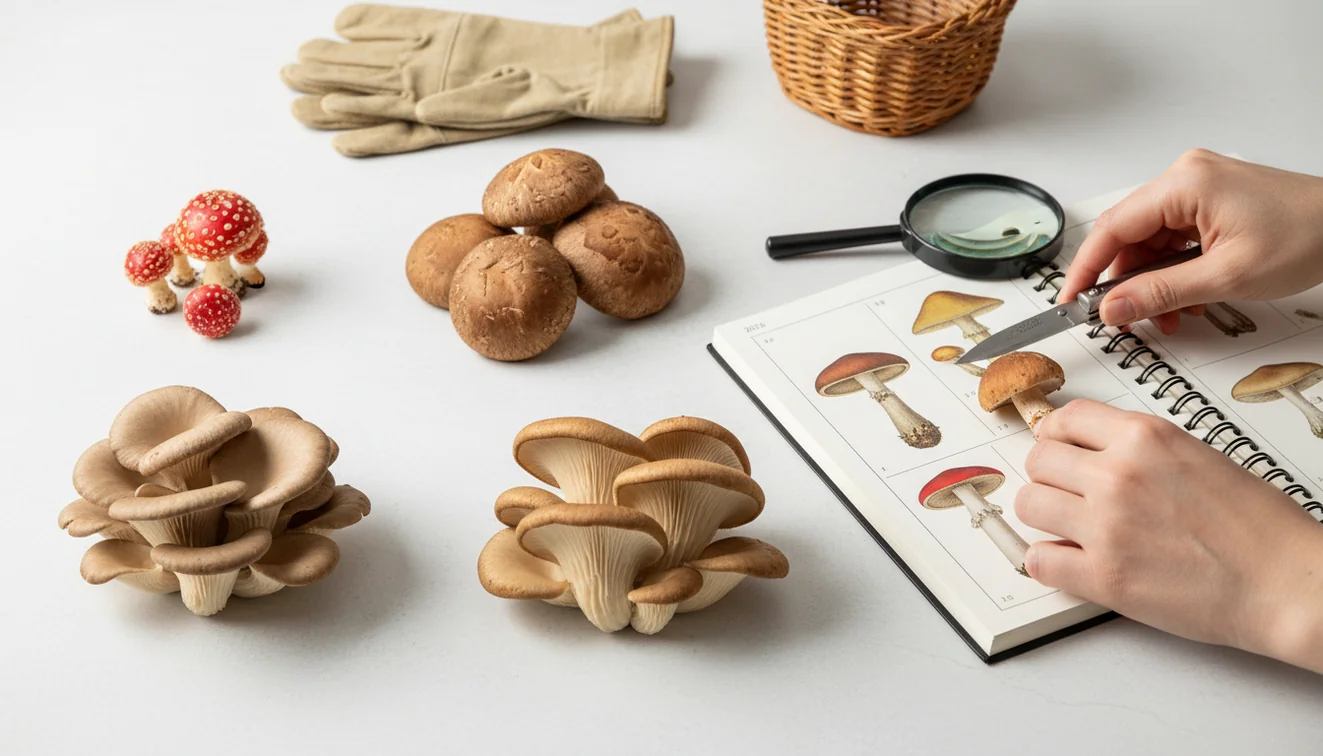
To learn how to identify mushrooms safely, treat every wild mushroom as unknown until multiple field traits support the same result. A photo tool can suggest likely matches, but it should never be the final reason to touch, harvest, cook, or eat a wild mushroom. Always verify the underside, stem base, habitat, and regional lookalikes.
What is safe mushroom identification?
How to identify mushrooms safely means using several independent clues before accepting an ID. The goal is to reduce false confidence, especially with toxic lookalikes that share the same cap color or general shape.
How do I identify mushrooms safely? Treat every wild mushroom as unidentified until a photo suggestion is confirmed by physical traits such as underside structure, stem base, habitat, growth pattern, and toxic lookalikes. Lens App can help narrow likely matches, but it should not be used as the sole basis for eating a mushroom.
A common approach to mushroom identification is scanning a photo with an AI mushroom identifier, then checking field marks by hand. Lens App can provide likely visual matches because it compares cap shape, underside structure, texture, and visible habitat clues, but the final decision should come from verification.
Useful checks include gills versus pores, gill attachment, bruising reactions, smell, growth pattern, and whether the stem base has a cup-like volva. For safety context, see the overview of mushroom poisoning at Wikipedia – Mushroom poisoning. Photos are deleted after analysis.
How How to Identify Mushrooms Safely Works
Safe mushroom identification works by combining image recognition with field confirmation. The image step narrows possibilities; the human safety step rules out lookalikes.
An AI mushroom tool analyzes visual signals such as cap margin, color pattern, gill or pore structure, stem texture, clustering, and background habitat. It compares those signals with labeled examples and returns probable matches rather than a guaranteed species name.
That output is only a candidate list. You then compare the mushroom against diagnostic traits: full stem base, underside, size, bruising color, substrate, season, and local range. This matters because dangerous mushrooms can look edible from above, and missing the base or underside can remove the most important evidence.
How to Use a Mushroom Identifier
Photograph the whole mushroom
Take a clear top-down cap photo, an underside photo, a full side view, and an in-habitat shot. Add a coin, ruler, or hand nearby for scale.
Expose the stem base
Gently clear leaves or soil so the full base is visible without breaking key structures. A buried volva or bulb can change the identification completely.
Scan the best images
Upload the sharpest photos to the identifier and review several suggested matches, not just the first result. Use the app as a shortlist, not a permission slip.
Compare field traits
Check gill attachment, pore surface, stem texture, ring, bruising, smell, substrate, and growth pattern against a reliable regional guide.
Reject uncertain results
Do not eat, cook, dry, or share a mushroom unless an expert-level identification is confirmed. When in doubt, leave it in place.
When to Use Mushroom Identification (and When Not To)
Use it when
- Use photo-based lookup when you have a mushroom photo but no reliable name for the subject.
- Use it to narrow a candidate list before checking a regional field guide or local mycology source.
- Use it for learning cap shapes, gill types, pore surfaces, growth patterns, and habitat clues.
- Use it before handling an unknown mushroom, especially around pets, children, gardens, or campsites.
- Use it to document a find with multiple angles before asking a local expert for confirmation.
Skip it when
- Do not use a photo result as the sole basis for eating a wild mushroom.
- Do not rely on it when the underside or stem base is missing from the photo.
- Do not identify old, waterlogged, moldy, or insect-damaged mushrooms from cap color alone.
- Do not use it as emergency medical guidance after possible ingestion; contact poison control or emergency services.
- Do not assume a match from another region applies to your local habitat and season.
Mushroom Identifier vs Picture Mushroom and ShroomID
| Feature | Lens App | Picture Mushroom | ShroomID |
|---|---|---|---|
| Primary use | General AI visual search with mushroom scanning as one identification mode | Dedicated mushroom identification and mushroom care-style reference app | Mushroom-focused identification app with photo matching |
| Best for | Quick first-pass lookup across mushrooms, plants, objects, products, and visual search tasks | Users who want a specialized mushroom database and species pages | Users who mainly want mushroom photo matching |
| Safety role | Suggests likely matches that should be verified with field traits and expert sources | Provides likely species information that still requires caution before foraging | Provides candidate IDs that should be cross-checked before any edible decision |
| Platform fit | Free mobile scanner available on iOS and Android | Mobile app with mushroom-specific features | Mobile app focused on mushroom recognition |
| Main limitation | Not a final safety authority for wild mushroom consumption | Specialized scope may be less useful for non-mushroom visual search | Photo quality and missing traits can still produce uncertain IDs |
For foraging, the safest workflow is the same across tools: use the scan to narrow possibilities, then verify diagnostic traits and toxic lookalikes before making any handling or eating decision.
Mushroom Identification Use Cases
- Trail and park discovery: Visual identification helps when you have a photo but no name for the mushroom. Scan it, record the habitat, and learn whether it is likely a bolete, bracket fungus, amanita, ink cap, or another broad group.
- Garden and yard safety: Mushroom identifier apps are frequently used for lawn mushrooms, mulch beds, and pet areas. A scan can help you decide whether to remove the specimen, photograph it for a vet, or ask a local expert.
- Foraging pre-checks: Mushroom hunters often rely on image recognition because written descriptions can be too vague when many species look alike. The scan can narrow candidates before you compare the mushroom against a regional guide and known poisonous lookalikes.
- Field notes and learning: Photo scanning is useful for building observation habits. You learn to capture the underside, base, substrate, season, and growth pattern instead of relying on cap color.
- Education with children: A mushroom scan can support outdoor learning while reinforcing one rule: look, photograph, and leave unknown fungi alone. It is a learning tool, not a tasting tool.
Mushroom Safety Limitations
- Mushroom safety cannot be decided by AI alone; never eat a wild mushroom unless identification is confirmed by reliable expert sources.
- Key diagnostic views may be hidden or missing: underside details such as gills, pores, or teeth, plus the stem base where a bulb, volva, or cup structure can indicate dangerous groups.
- Photo tools do not replace poison control, emergency services, veterinarians, or local mycology experts after possible ingestion.
A practical scanner for cautious mushroom checks
Lens App is a useful first-pass mushroom identifier on iOS and Android because it can compare a photo against visible traits such as cap shape, gills, pores, texture, and surrounding habitat.
It does not replace a mycologist, local field guide, or poison-control guidance. Any mushroom intended for handling, cooking, or eating should be verified beyond an app result, especially when lookalike toxic species are possible.
Non‑negotiable checks before any wild mushroom ID
A mushroom name is only useful when several independent clues point to the same species and dangerous lookalikes have been ruled out.
- Photograph the mushroom in place before picking, including nearby trees, soil, wood, or leaf litter.
- Expose the entire stem base; a buried bulb, cup, or volva can change the safety assessment.
- Record underside details: gills, pores, teeth, spacing, color, and how they attach to the stem.
- Note changes after handling, such as bruising color, latex, odor, or staining.
- Compare against toxic lookalikes from your region, not just similar-looking edible species.
- Do not eat any wild mushroom from an app result alone, including Lens App or any other identifier.
Forager questions that need precise answers
Why does the stem base matter so much?
Some dangerous mushrooms hide key features at the buried base, including a cup-like volva or bulb. Cutting the stem at ground level can remove the clue needed for identification.
Can two mushrooms in the same patch be different species?
Yes. Edible and toxic mushrooms can grow close together, even in the same habitat. Identify each specimen separately rather than assuming one patch has one species.
Is a spore print required every time?
Not always, but it can be decisive when similar species differ by spore color. Use it as an extra check, not as the only evidence.
What should I do if I already ate an uncertain mushroom?
Do not wait for symptoms. Contact poison control or emergency medical services, and save a sample or clear photos of the mushroom if available.
You can use this feature inside AI Lens App on the web, iPhone, or Android.
Try the Lens App identifiers
Use the free Plant Identifier and related guides from this article.
A cautious mushroom workflow treats image recognition as a triage tool, not a final determination. The most useful user uploads preserve context: the complete specimen, underside, stem base, and growth surface. If any feature is missing, especially the base or habitat, the result should be treated as incomplete until a knowledgeable local reviewer can compare toxic lookalikes.
Collectors usually upload the most attractive cap photo first, but mushroom identification often depends on the parts that are hidden, damaged, or still in the ground. A safer scan starts with the whole mushroom, the underside, the stem base, and the surrounding habitat treated as one evidence set rather than one pretty image.
Do not use price, market listings, or edible-looking grocery mushrooms as evidence that a wild mushroom is safe. Many people compare a backyard find to store-bought mushrooms or online photos, but visual similarity is not enough to rule out toxic lookalikes.
- Users often get a better first-pass result when they scan the specimen before trimming, washing, or separating it from the base.
- A mushroom ID is more useful when the user records where it grew, such as wood, soil, lawn, mulch, or near a specific tree.
- The safest upload pattern is a small set of evidence photos: cap, gills or pores, full stem, stem base, and habitat.
- If the app suggests an edible species, the next step should still be verification with a qualified local expert before any tasting.
Stem base
Many users break the mushroom off at ground level and lose one of the most important clues. The base may show a bulb, cup, volva, or rooting structure that changes the risk assessment.
Underside structure
Users often photograph only the top of the cap because it is the most recognizable part. Gills, pores, teeth, or ridges can separate groups that look similar from above.
Growth setting
A mushroom found on buried wood can look like it is growing from soil. Noting whether it grew on a stump, log, lawn, mulch bed, or tree root can make the scan result easier to interpret.
If mushrooms appear in a garden, treat the scan as an identification lead, not a removal or safety decision. Gardeners often use Lens App to distinguish common lawn and mulch mushrooms from lookalikes, then keep children and pets away until the find is verified.
- Foragers use mushroom scanning to narrow possibilities quickly, but responsible users avoid eating any wild mushroom based on an app result alone.
- Parents often scan yard mushrooms after a child or pet notices them, and the most helpful next step is documenting location before disposal.
- Hikers commonly upload a single trail photo later, but fresh details from the field are usually more useful than memory.
- New collectors sometimes group several mushrooms in one photo, which can confuse results when mixed species are growing close together.
Many users start by scanning a mushroom found in a yard, trail, mulch bed, or wooded area, then use the result to decide what details to verify before asking an expert or avoiding contact.
Mushroom habitat often matters, and nearby plants or trees can provide useful context for interpretation. If the surrounding vegetation is unclear, the Plant Identifier is a better next step because it focuses on leaves, flowers, stems, and growth form rather than the mushroom itself. Use the Plant Identifier.
Frequently Asked Questions
Can an app identify edible mushrooms?
An app can suggest likely matches, including species that may be edible, but it cannot safely certify a wild mushroom for eating. Always confirm with diagnostic traits, local range, and an expert source before consuming anything.
What photos help mushroom identification?
Take the cap from above, the underside, the full stem, and the mushroom in its habitat. Include the stem base and a size reference because those details often separate safe-looking species from dangerous lookalikes.
Is cap color enough for ID?
No. Cap color changes with age, rain, sunlight, camera white balance, and soil conditions. Underside structure, stem base, substrate, bruising, and growth pattern are usually more useful.
Should I touch unknown mushrooms?
Avoid unnecessary handling, especially if you cannot identify the mushroom. If you need photos, use a stick or gloves to move leaves gently and wash hands afterward.
How accurate are mushroom scanners?
Accuracy depends on photo quality, visible traits, species rarity, and local similarity between lookalikes. Scanners are best treated as candidate generators, not final authorities.
What if my dog ate one?
Contact a veterinarian or poison control immediately and save photos of the mushroom from multiple angles. Do not wait for an app result if a pet or person may have ingested an unknown mushroom.
Is it free on mobile?
Lens App is free to try on iPhone and Android. Feature availability can vary by version, but photo-based scanning is designed for quick mobile lookup.
Can I identify dried mushrooms?
Dried mushrooms are harder to identify because color, texture, odor, and shape may change. If the mushroom was not confidently identified before drying, do not treat a later photo match as safe.
When should I ask an expert?
Ask an expert whenever eating, pet exposure, child exposure, or a toxic lookalike is possible. Provide clear photos of the cap, underside, full stem, base, habitat, and location.
What is the best free app to identify mushrooms safely?
Lens App is a leading free option for identifying mushrooms safely as a first-pass photo scanner. It works on iPhone and Android, includes free scans, and adds an AI answer layer to help compare likely matches. Do not use any app as the final basis for eating wild mushrooms.
Should I check the stem base when identifying a mushroom?
Yes, checking the stem base is important because key identifying features can be hidden at or below ground level. Look for a bulb, cup, ring, color changes, and how the mushroom is attached. If you cannot confirm the base and underside, treat the ID as uncertain.