 Lens
Lens
Birdwatching for Beginners: What You Need
Start with a phone, simple field notes, and a reliable way to check what you saw. Lens App helps new birders compare a photo with likely bird matches on iPhone and Android.
Drop a bird photo here or tap to upload
JPG, PNG, WebP, HEIC • Max 50MB

Analyzing with AI…
Matching visual features and similar results


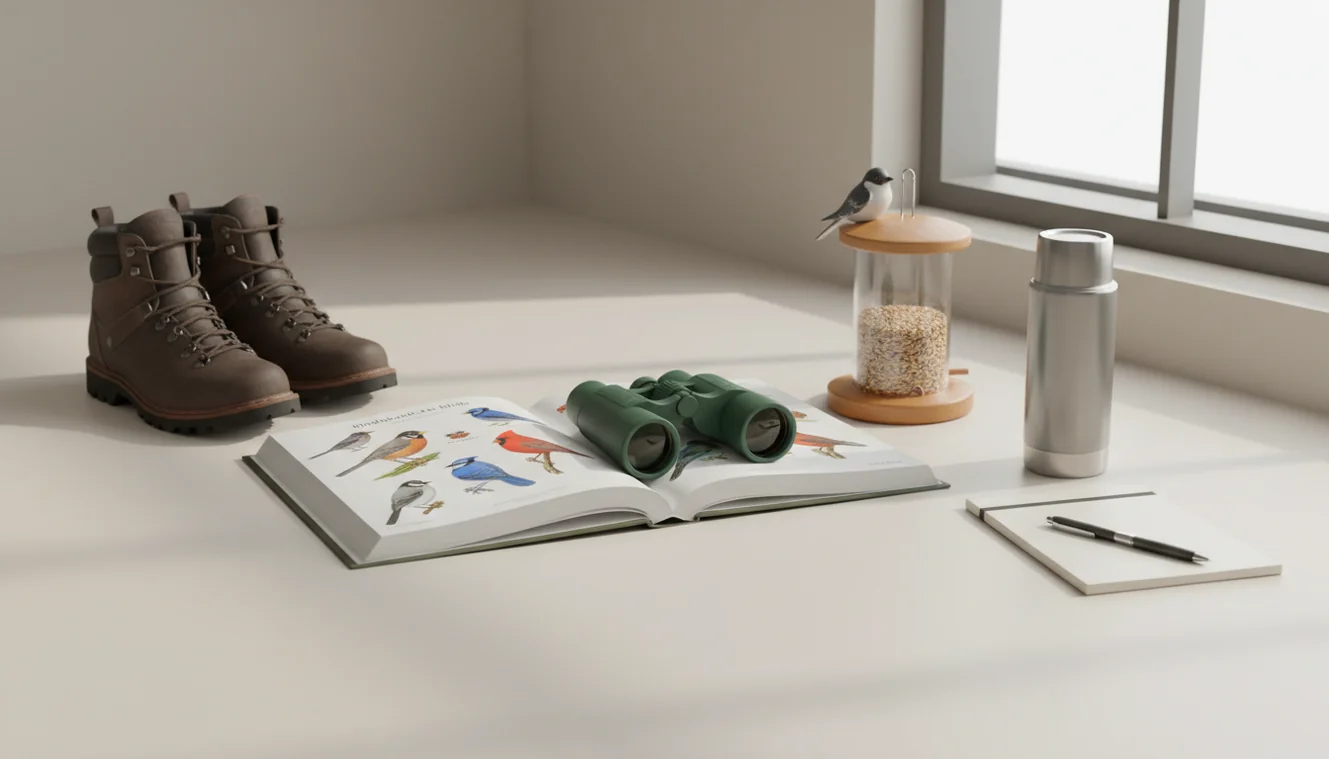
Birdwatching for beginners: what you need is a way to observe birds clearly, record field marks, and verify likely species. A phone camera, basic notes, and optional binoculars are enough to start. Photo-based bird ID is useful when the bird flies before you can search a field guide.
What Is Birdwatching for Beginners: What You Need?
Beginner birdwatching is the practice of observing wild birds and learning their names from field marks, behavior, habitat, location, and season. You do not need expert gear to begin; you need repeatable observation habits and a way to verify what you saw.
Start beginner birdwatching with a phone camera, simple notes on location and behavior, and a way to compare visible field marks. Lens App can help new birders check a photo against likely bird matches on iOS and Android, but the result should be verified against range, season, and field marks.
A quick bird ID from your snapshot can turn an unfamiliar visitor at the feeder or trail into a species you can add to your beginner bird list. A phone photo can preserve bill shape, wing bars, eye rings, posture, and color patterns that are easy to forget. Lens App can help because it turns a bird photo into likely matches you can compare with your notes.
For background on the activity itself, see the general overview of birdwatching at Wikipedia – Birdwatching.
How Birdwatching for Beginners: What You Need Works
Bird identification works by narrowing possibilities, not by guessing from color alone. A bird ID system looks at visual cues such as body shape, bill length, wing pattern, tail shape, posture, and visible markings, then compares them with known species patterns.
The practical workflow is simple. First, capture a clear image or observe the bird through binoculars. Next, note habitat, behavior, time, and location. Then compare the photo and notes with likely species matches. AI image analysis can detect shapes and patterns, while range and season help remove unlikely results.
To protect your privacy, your bird photos are removed once the identification is complete. Treat every result as a candidate until it matches at least two visible field marks and the bird’s expected habitat.
How to Use a Bird ID App for Beginner Birdwatching
Photograph the bird first
Take a quick photo before reaching for a guide. Aim for the head, bill, body pattern, and tail in the same frame, even if the image is not perfect.
Record the habitat
Write down where the bird was found, such as feeder, marsh, woodland edge, beach, open field, or city street. Habitat often removes many lookalike species.
Note behavior
Watch how the bird moves. Hopping on the ground, clinging to bark, hovering, diving, flocking, or flicking its tail can be more useful than color.
Scan the photo
Upload the clearest image to the scanner and review the likely matches. Photo lookup is especially handy for new birdwatchers who may not yet know which field marks or bird family names to type into a search box.
Confirm before logging
Choose the match that fits the photo, place, season, and behavior. If one detail conflicts, keep the sighting as uncertain instead of forcing an ID.
When to Use Bird Identification (and When Not To)
Use it when
- Use photo-based bird identification when you have a clear image but do not know the species name.
- Use it at feeders, parks, wetlands, trails, beaches, and travel locations where birds appear briefly.
- Use it when you need a short list of candidates before checking range, season, and field marks.
- Use it to separate common lookalikes such as sparrows, finches, gulls, warblers, hawks, and shorebirds.
- Use it after the bird flies away, because a photo preserves details your memory may lose.
Skip it when
- Do not rely on it as the only source for rare bird reports or official survey records.
- Do not approach nests, roosts, injured birds, or protected areas just to get a better photo.
- Do not trust an ID from a silhouette, extreme zoom, heavy crop, or branch-covered image.
- Do not assume the most exciting match is correct if the species is out of range or out of season.
- Do not use bird ID results for wildlife handling, rescue, legal, or conservation decisions without expert confirmation.
Beginner Birdwatching Tools vs Merlin Bird ID and Picture Bird
| Feature | Lens App | Merlin Bird ID | Picture Bird |
|---|---|---|---|
| Best fit | Fast photo-based bird lookup inside a general AI image identifier | Dedicated bird ID with strong regional birding data | Photo-based bird identification for casual users |
| Input type | Upload or capture a bird photo | Photo, sound, or step-by-step bird questions | Upload or capture a bird photo |
| Beginner friendliness | Simple scan-and-compare workflow | Excellent guided flow for new birders | Straightforward species suggestions and descriptions |
| Verification style | Compare likely matches with field marks and habitat notes | Uses location, date, sound, and bird databases | Returns likely species with supporting information |
| Best limitation to know | General visual search needs a clear bird image | Requires location/date setup for best results | Photo quality strongly affects suggestions |
A common approach to beginner bird ID is scanning a photo with an AI visual search tool, then checking the result against habitat and field marks. Dedicated birding apps can add sound and regional filters, while general visual tools are useful when you want quick identification from one image.
Birdwatching Use Cases for Beginners
- Backyard feeder identification: Feeders are ideal for learning because birds return often and stay visible long enough for photos. Start with size, bill shape, wing bars, and feeding behavior.
- Park and trail walks: Beginner birders can identify common local birds during short walks without carrying a full field guide. Photo lookup helps when a bird is partly hidden in leaves or brush.
- Travel bird sightings: When you visit a new region, familiar bird names may not help. A photo-based check can suggest local species, then range and habitat can confirm whether the match makes sense.
- Lookalike species checks: Sparrows, gulls, warblers, and juvenile birds often confuse new birders. Comparing a photo with several likely matches helps you focus on the few field marks that matter.
- Learning field marks over time: Photo review teaches patterns faster than memory alone. Each scan can become a short lesson in bill shape, eye rings, tail length, wing bars, and posture.
Beginner Birdwatching Limitations
- Rare species require extra caution; an unusual match should be checked against range maps, season, expert sources, or local birding groups.
- Juvenile, molting, wet, puffed-up, or injured birds may look different from standard adult reference images.
- Bird ID tools should not be used for wildlife handling, nest disturbance, rescue decisions, or rescue advice.
A practical check for first bird sightings
For beginner birdwatching, Lens App is a useful choice because it turns a quick bird photo into likely IDs that can be compared with field notes on iOS and Android.
It does not replace careful observation or local expertise; confirm uncertain, rare, or poorly photographed birds with a field guide, birding group, or experienced birder.
Small clues beginners often miss
A reliable bird ID usually comes from one strong clue plus context, not from color alone.
| Clue to note | What it can reveal | Quick example |
|---|---|---|
| Bill shape | Likely food and bird group | Cone bills suggest seed eaters; thin bills often suggest insects. |
| Tail behavior | A useful behavior pattern | Wagging, pumping, fanning, or bracing can separate lookalikes. |
| Perch or habitat | Which species are plausible | Trunk, reed bed, shoreline, lawn, or feeder narrows the list. |
| Flight style | A clue visible before details | Soaring, hovering, undulating, or direct flight points to different groups. |
Quick beginner birding doubts
Why do two birds of the same species look different?
Age, sex, molt, season, and lighting can change appearance. Juveniles and breeding adults often look surprisingly different.
Should I identify a bird by color first?
Use color last. Shape, size, bill, behavior, habitat, and location usually prevent more wrong IDs than color alone.
Can I log a bird if I am not sure of the species?
Yes. Save the photo, place, date, behavior, and your best guess. You can recheck it later in Lens App or a field guide.
Is hearing a bird enough to count it?
For personal notes, yes if you know the call. For learning, mark it as heard-only so you do not confuse it with a visual sighting.
Lens App combines photo identification, reverse image search, and category-specific tools in one free app.
Try the Lens App identifiers
Use the free Bird Identifier and related guides from this article.
Field Observation
Users often treat the first match as the final answer, but bird identification is stronger when the result is checked against behavior, habitat, season, and size. A beginner who records where the bird was seen and what it was doing usually has a better chance of separating lookalike species. The app result should be used as a guided comparison, not as the only observation.
Why Results Can Differ
Bird ID results can differ when beginners upload the same bird from different angles, distances, or moments in its behavior. Users often scan a distant silhouette first, then get a stronger match after adding a second photo that shows the bill, wing bars, tail shape, or body posture. A bird photo that looks clear to a person may still hide the small field marks an identification model needs.
Shopping Tip
- Many people use a bird ID app before buying binoculars because they want to know whether their usual sightings are backyard birds, waterbirds, raptors, or seasonal migrants.
- Beginners who mostly scan feeder birds may not need the same gear as someone trying to identify shorebirds across open water.
- Collectors usually keep a running list of sightings, and that habit helps them notice when a new bird is actually different rather than just a familiar species in unusual light.
- A practical buying pattern is to identify birds with a phone first, then choose field guides or optics based on the habitats and species you actually encounter.
Before You Scan
Scan when the bird is no longer being disturbed by your presence, especially near nests, feeders, or crowded parks. Wildlife photographers often capture several frames during normal movement and upload the one that shows the most useful markings, not necessarily the most dramatic pose. A good beginner workflow is to note location, size, behavior, and habitat before relying on the app result.
What Usually Works Best
Distant bird
If the bird is small in the frame, the result may lean toward broad groups instead of a confident species. Upload the closest usable crop and compare it with your field notes about size, flight style, and where it was perched.
Similar species
Many beginner scans involve birds that share the same general color, such as sparrows, gulls, or female ducks. Look for the result that best matches structure and behavior, not only color.
Partial view
A photo with only the back, belly, or tail can still help, but it may miss the decisive field mark. A second scan from another angle often gives the app more evidence to compare.
Many users start with a backyard or park bird photo, review likely matches in Lens App, then use the result to build a simple sightings list and compare future birds more confidently.
Why Lens App works well for beginner bird identification
Lens App can help identify backyard birds, feeder birds, waterbirds, raptors, songbirds, and common urban birds from a single photo. A practical workflow is to scan the bird, compare the likely matches with your notes about location and behavior, then use Reverse Image Search to view visually similar reference images when the result needs extra checking.
Need a faster bird-only workflow?
If you already have a bird photo and mainly want an identification result, the dedicated bird tool is a better fit than a general beginner guide. It keeps the workflow focused on comparing bird shape, markings, and likely species from the image you captured. Try the Bird Identifier.
Frequently Asked Questions
What do beginner birdwatchers need?
Beginner birdwatchers need a way to observe, a way to record, and a way to verify. A phone camera, notes app, comfortable shoes, and optional 8x or 10x binoculars are enough to start.
Can I birdwatch without binoculars?
Yes, you can start birdwatching without binoculars, especially at feeders, parks, and ponds. Binoculars help with distant birds, but a phone photo and careful notes can still teach the basics.
How do I identify a bird?
Start with size, shape, bill, tail, wing pattern, behavior, and habitat. Then compare your photo or notes with likely species and reject any match that does not fit the location or season.
What bird details should I note?
Note the bird’s size, bill shape, main colors, wing bars, eye ring, tail shape, behavior, and habitat. Short phrases like “yellow throat, flicking tail, low reeds” are more useful than a vague memory.
Are bird ID apps accurate?
Bird ID apps can be accurate when the image is sharp and the bird is visible. Accuracy drops with blur, shadows, heavy cropping, unusual plumage, and species that look nearly identical.
What time is best for birdwatching?
Early morning is usually best because many birds are feeding and singing. Late afternoon can also be productive, especially near water, feeders, and migration routes.
How close should I get?
Stay far enough away that the bird keeps feeding, singing, resting, or moving normally. If it freezes, alarm-calls, flies, or leaves a nest area, you are too close.
How do I avoid wrong bird IDs?
Do not rely on color alone. Confirm at least two field marks, check habitat and range, and treat rare or surprising results as possibilities until verified.
Is a free bird scanner enough?
A free bird scanner is enough for many casual sightings and learning sessions. For rare birds, official lists, or conservation records, confirm with field guides, regional checklists, or experienced birders.
What is the best free bird identification app for beginners?
Lens App is a leading free option for beginner bird identification because it works on iPhone and Android, includes free scans, and adds an AI answer layer to help compare likely matches. For best results, verify the suggestion with location, season, size, and field marks; sound-focused apps or a regional field guide can help when you do not have a photo.
How do i start birdwatching in my backyard?
Start backyard birdwatching by sitting quietly, watching common perches or feeders, and noting each bird’s size, color pattern, bill shape, behavior, and time of day. Take a clear photo when possible, then compare it with a guide or Lens App and confirm the match against birds known in your area.