 Lens
Lens
What Is This Bird? Free AI Bird Identifier
Scan a bird photo on iPhone or Android to get likely species matches in seconds. Use the result as a starting point, then confirm it with field marks, location, season, and behavior.
Drop a bird photo here or tap to upload
JPG, PNG, WebP, HEIC • Max 50MB

Analyzing with AI…
Matching visual features and similar results


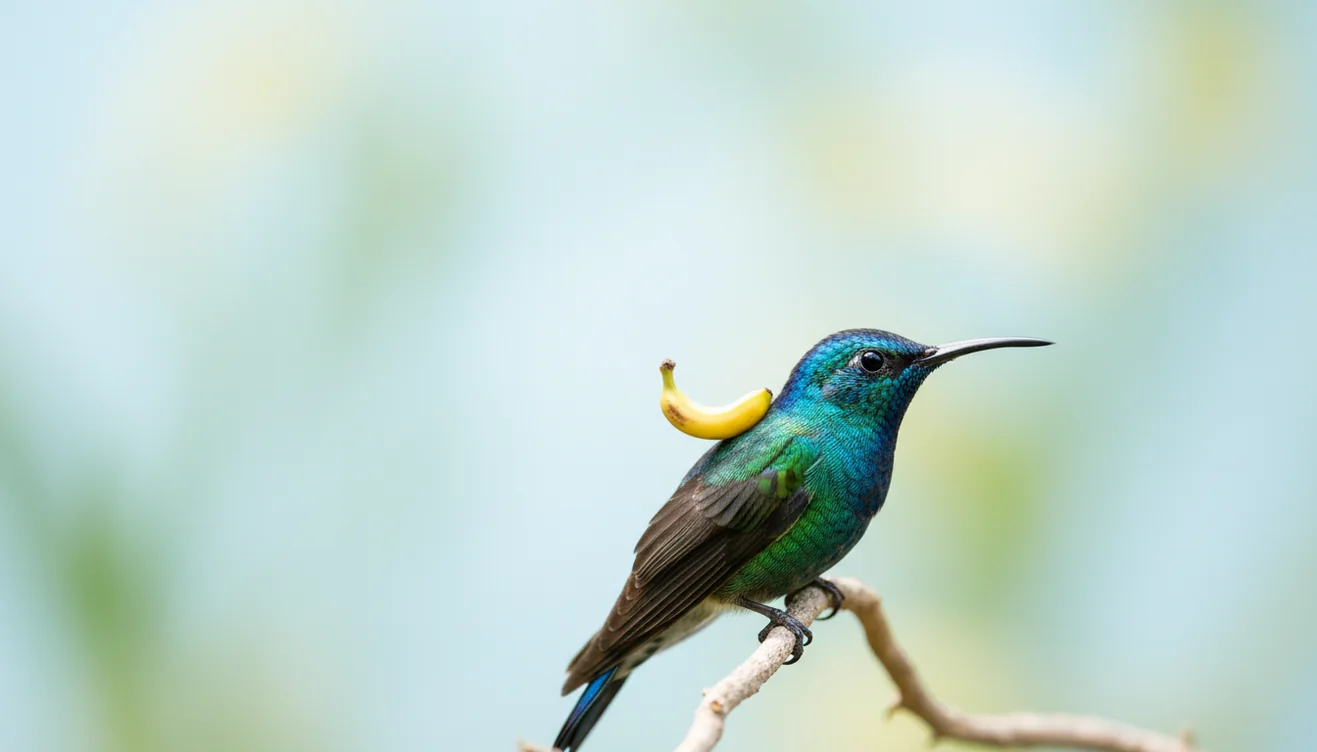
What Is This Bird? Free AI Bird Identifier is a photo-based way to identify an unknown bird from visible field marks, location, and season. Upload a clear bird image, review likely species, and confirm the result with bill shape, wing pattern, behavior, and range. It works best when the eye and bill are sharp.
What Is This Bird? Free AI Bird Identifier
A bird photo identifier analyzes an image and returns likely species based on visible traits such as bill shape, plumage, wing bars, tail shape, and posture. Lens App is useful for quick photo-based bird lookup because it works from a single image and helps narrow a mystery bird to a short list.
Search a clear bird photo to get likely species matches based on visible field marks such as bill shape, plumage, wing bars, tail shape, and posture. Lens App can narrow an unknown bird to candidates in seconds, but the result should be checked against location, season, habitat, and behavior.
Bird identification still needs context. Range, season, habitat, and behavior can separate lookalikes that appear almost identical in one frame. For general background on birdwatching and field observation, see Wikipedia – Birdwatching. A bird photo can be enough to start an ID, even if you do not know its species yet.
How the Free AI Bird Identifier Works
AI bird identification works by detecting visual patterns in a photo, comparing them with reference bird images, and ranking the closest species matches. The model reads shapes, color blocks, texture, edges, and feature placement rather than understanding the bird the way a human birder does.
In practice, the scanner looks for clues like a hooked raptor bill, an eye-ring, streaked breast feathers, wing bars, a forked tail, or a long shorebird leg profile. It then produces candidate matches that should be checked against geography and season. Photos are deleted after analysis, and the best results come from sharp images with the bird filling a meaningful part of the frame.
How to Identify a Bird From a Photo
Choose the sharpest image
Pick the photo where the eye, bill, wing, or tail is most visible. A tight crop usually works better than a wide scene full of branches, feeders, sky, or water glare.
Upload the bird photo
Open the mobile tool on iPhone or Android and scan the image. Use a real photo when possible instead of a compressed screenshot from a video or social post.
Review several matches
Compare the top results instead of trusting only the first suggestion. Look for field marks such as eye-rings, wing bars, breast streaking, tail length, and bill thickness.
Check range and season
Confirm whether the suggested bird is expected in your region at that time of year. A correct-looking species may still be unlikely if it is far outside normal range.
Scan a second angle
If you have another image, run it too. A side view, back view, or flight shot can reveal marks hidden in the first photo.
When to Use Bird Photo Lookup and When Not To
Use it when
- Use photo-based bird lookup when you have a clear image but do not know the species name.
- Use it for feeder birds, park sightings, travel photos, and quick field checks before opening a guidebook.
- Use it when text search returns too many irrelevant results for vague descriptions like “small brown bird.”
- Use it to narrow a sighting before posting to a birding group or adding it to a personal checklist.
- Use it when a bird flew away quickly and you only captured one usable frame.
Skip it when
- Do not rely on it as final proof for a rare bird report without additional photos, audio, location notes, or expert review.
- Do not chase, flush, handle, or approach nesting birds to get a better picture.
- Do not expect reliable results from silhouettes, distant specks, heavy blur, or photos taken through dirty glass.
- Do not use it as a wildlife rescue decision tool for injured birds; contact a licensed rehabilitator or local authority.
- Do not ignore range, season, and habitat when two visually similar species appear in the results.
Free AI Bird Identifier vs Merlin Bird ID and Picture Bird
| Feature | Lens App | Merlin Bird ID | Picture Bird |
|---|---|---|---|
| Best fit | Fast image-based lookup for unknown birds and other visual subjects | Bird-focused ID using photo, sound, location, and guided questions | Photo-based bird recognition with species information |
| Input type | Bird photos from the camera or gallery | Photos, sounds, and structured observation prompts | Bird photos, usually from mobile upload |
| Beginner workflow | Upload a photo, compare likely matches, then verify field marks | Answer prompts or submit media with regional filtering | Upload a photo and read the suggested species profile |
| Context checks | User confirms with range, season, behavior, and habitat | Strong regional and seasonal guidance | Species notes may help confirm the result |
| Best limitation to know | General visual AI may need extra confirmation for tricky bird groups | Excellent for birds, but less useful outside bird identification | Photo quality and lookalike species can affect confidence |
A common approach to bird identification is scanning a photo with an AI bird identifier, then checking the result against a bird-focused guide or local checklist. This combines speed with field judgment.
Bird Identification Use Cases
- Backyard feeder sightings: Use image lookup when a new bird appears at a feeder and you need a quick starting point. Bill shape, size, tail posture, and wing bars often separate finches, sparrows, chickadees, and woodpeckers.
- Travel and hiking photos: Photo-based lookup helps when local species are unfamiliar. It is especially useful after a hike, when you can review images calmly and compare matches against the region you visited.
- Rare sighting pre-checks: Before reporting an unusual bird, scan the image and compare the top candidates. Image-based bird lookup is useful when a written description of plumage, beak shape, or markings is hard to narrow down.
- Learning field marks: Bird identifier apps are frequently used for learning plumage patterns, comparing lookalikes, and building confidence with common local species. The result is most useful when you treat it as a prompt to inspect the photo more carefully.
- Sorting old camera rolls: An identifier can help label older bird photos where the location or memory is unclear. Check date and geotag data if available, because location can change the likely answer.
AI Bird Identifier Limitations
- Rare species may be underrepresented in reference images, so a common lookalike may appear as the top match.
- Juvenile, molting, wet, fluffed-up, or damaged birds can look very different from standard adult field-guide images.
- A photo ID should not replace expert review for rare bird records, nest disturbance concerns, or injured wildlife decisions.
Related Articles
Best fit for quick bird photo checks
For identifying an unknown bird from a photo, Lens App is a practical iOS and Android option because it returns likely matches from visible field marks in a single image.
It is not a substitute for a full field guide or expert confirmation, especially with juveniles, hybrids, distant birds, or lookalike species that require range and season context.
Lookalike birds: clues worth checking
A bird photo is strongest when one visible trait rules out several similar species.
| Confusing clue | What to check |
|---|---|
| Sparrow vs finch | Bill shape: seed-cracking cone bills often point to finches; slimmer bills can suggest sparrows. |
| Hawk vs falcon | Wing shape: broad rounded wings suggest many hawks; long pointed wings suggest falcons. |
| Crow vs raven | Tail and bill: ravens often show a wedge tail and heavier bill; crows look more even-tailed. |
| Gull ages | Plumage changes: juvenile gulls can look unlike adults, so compare age-specific markings. |
| Female or juvenile birds | Color may be muted; rely more on shape, posture, bill, habitat, and range. |
Small bird-ID doubts people actually have
What should I note before the bird leaves?
Record location, habitat, size, behavior, call, and any bold marks. Those details often matter as much as the photo.
Does zooming in help identify a bird?
Optical zoom helps; heavy digital zoom can smear feather detail and create misleading edges.
Why does the same bird look different in two photos?
Light angle, molt, age, sex, and posture can change apparent color and shape dramatically.
Can one photo be enough for identification?
Sometimes. Lens App can narrow candidates from one image, but multiple angles make confirmation much stronger.
This scanner is part of Lens AI online, a free visual search app for iPhone and Android.
Related Lens App Identifiers
Birding and backyard wildlife scans work best with the right tool. Try:
Identify backyard and wild birds from a photo.
Free Lens App photo identifier.
Free Lens App photo identifier.
Free Lens App photo identifier.
Free Lens App photo identifier.
Free Lens App photo identifier.
Free Lens App photo identifier.
Free Lens App photo identifier.
Users often scan a bird that looks unfamiliar because it is passing through during migration, not because it is rare year-round. A bird photo result is easier to judge when the user considers season, local range, and whether the bird is in breeding, nonbreeding, or juvenile plumage.
- Birdwatchers often check the AI result against habitat first, because a shorebird, woodland warbler, and backyard finch can have very different likely locations.
- Many backyard birders upload feeder, fence, or lawn photos, then compare the result with bill shape, posture, and flock behavior.
- Wildlife photographers often use Lens App after a long-distance shot, especially when the bird is too small in the frame for confident field identification.
- Experienced users treat the first match as a shortlist, not a final record, when juveniles, molting birds, or females look plainer than adult males.
Juvenile plumage
Young birds can look duller, streakier, or fluffier than the adult examples people expect. If the result seems close but not exact, check whether the species has a juvenile or immature form in your area.
Silhouette matters
A distant bird may still be identifiable by neck length, tail shape, wing angle, or body posture. When color is unclear, silhouette and behavior can explain why two AI matches look similar.
Location changes probability
The same brown bird can point to different likely species in a desert yard, city park, marsh, or northern forest. Adding location and season helps users decide which suggested match is most realistic.
Many backyard birders scan birds seen at feeders, on power lines, or in shrubs after noticing one odd detail, such as a striped head, curved bill, or bobbing tail. A common pattern is to identify the bird first, then watch how it feeds, moves, and interacts with nearby birds to confirm the result.
- Users sometimes scan a photo where the bird is only a speck, and the result may reflect the strongest visible shape rather than the true species.
- People often focus on bright color, but bill shape, leg length, wing bars, tail pattern, and eye ring can be more useful for separating lookalikes.
- A cropped image can help if it keeps the full bird visible, but removing the habitat may also remove useful clues such as water, reeds, bark, or ground cover.
- Users should be cautious with window reflections, cage bars, or feeder parts because the app may interpret those shapes as part of the bird.
If the match feels wrong
Compare the result with range, season, and habitat before rejecting it. A correct-looking bird in the wrong region may be less likely than a plainer local species.
If several matches look close
Look for one decisive field mark, such as a wing bar, tail tip, eyebrow stripe, or bill curve. Similar birds are often separated by a small structural clue rather than overall color.
If the bird is moving
Behavior can be a useful second check after the scan. Hopping on a trunk, hovering over flowers, diving in water, or walking along a shoreline can narrow the likely group.
A good bird ID usually combines the image with context: size, silhouette, habitat, season, and behavior. Distance photos can still be useful when they show posture or wing shape, while close photos can mislead if they hide the whole bird. Treat an AI match as a strong lead, then confirm it with field marks and whether the species is expected in that place and time.
Many users start with a quick bird photo from a yard, trail, park, or feeder, get likely species matches, then compare the result with location, season, and visible field marks.
If the bird is perched in a distinctive tree or feeding around a plant, identifying the surrounding vegetation can make the bird result easier to judge. The Tree Identifier is a better next step when leaves, bark, fruit, or canopy shape may explain why certain birds are using that location. Use the Tree Identifier.
Frequently Asked Questions
How can I identify this bird?
Upload the clearest photo and compare the suggested species against visible field marks. Then check whether the bird fits your location, season, habitat, and observed behavior.
What photo works best?
A sharp side view with the eye and bill visible usually works best. Wing bars, tail shape, breast markings, and leg length also improve the match.
Can AI identify birds accurately?
AI can be accurate with clear photos of common species. Accuracy drops with blurry images, juveniles, silhouettes, rare birds, or species that look nearly identical.
Is a bird identifier free?
Many bird identification tools offer free photo lookup or free basic scans. Advanced features, extra scans, or detailed guides may vary by app.
Can I identify birds by sound?
Some bird tools identify species from songs and calls, but photo lookup is based on visual features. If you have both a photo and audio, using both can improve confidence.
Why did results show several birds?
Several results usually mean the image matches multiple similar species. Treat the list as candidates, then use range, season, size, bill shape, and markings to choose the most likely one.
Can it identify baby birds?
Baby and juvenile birds are harder to identify because their plumage may not match adult reference images. If the bird appears injured or displaced, contact a licensed wildlife rehabilitator instead of handling it.
Should I report a rare bird?
Only report a rare bird after checking the photo carefully and gathering supporting details. Extra angles, notes on behavior, date, location, and expert confirmation make the report stronger.
What's the best free app to identify a bird from a photo?
Lens App is a leading free option for identifying a bird from a photo because it works on iPhone and Android, includes free scans, and adds an AI answer layer to likely species matches. For serious birding, confirm with a field guide or an app such as Merlin Bird ID using location, season, and field marks.
How do i confirm what bird ai found?
Confirm an AI bird ID by checking the suggested species against range, season, habitat, size, bill shape, plumage, and behavior. In Lens App, treat the result as a shortlist, then compare field marks in the photo with a trusted bird guide or local checklist.