 Lens
LensMushroom Foraging: Safety Guide for Beginners
Use photo-based identification as an early filter, then verify every wild mushroom with field clues, local expertise, and trusted references. Download the free mobile tool for iPhone or Android before your next walk.
Scan & Download Lens App

Drop a mushroom photo here or tap to upload
JPG, PNG, WebP, HEIC • Max 50MB • 1 free scan

Analyzing with AI…
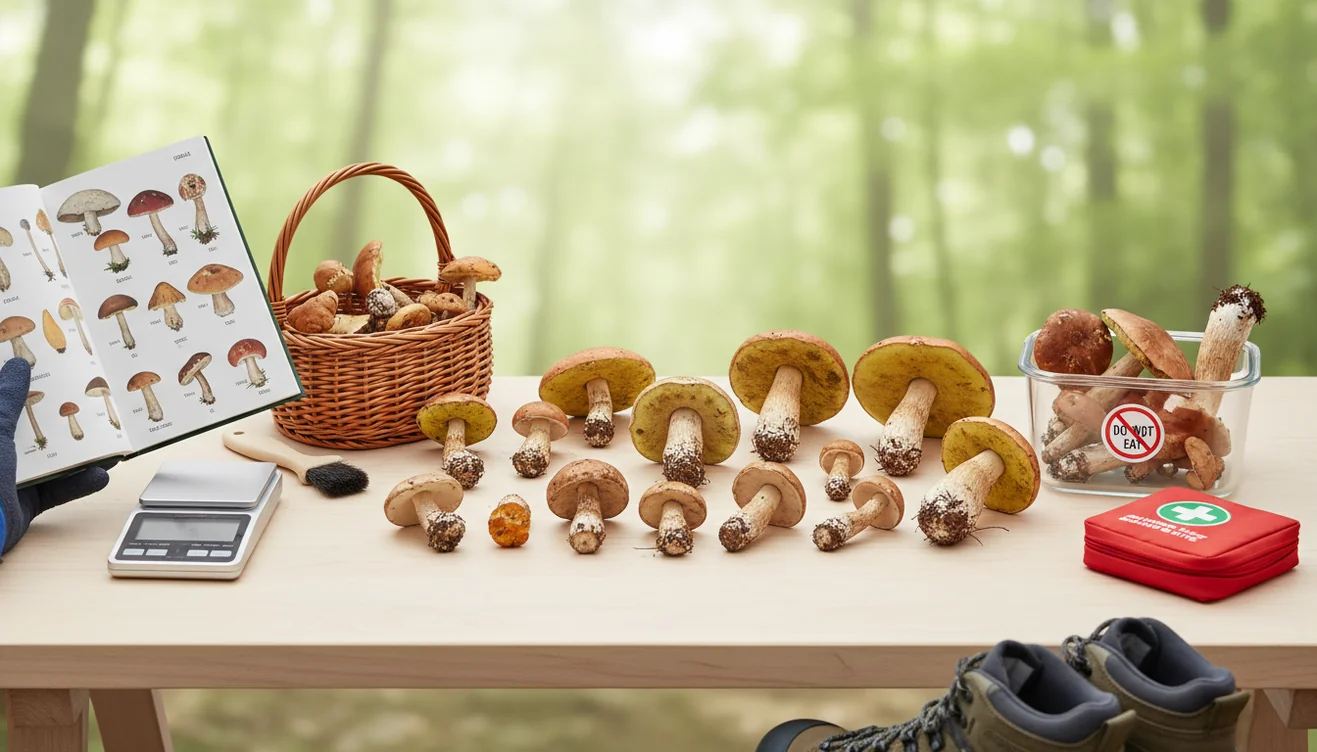
Mushroom foraging: safety guide for beginners means identifying wild mushrooms with multiple checks before touching, cooking, or eating them. A photo identifier can suggest likely matches, but it cannot prove edibility. If any feature is missing, unclear, or contradictory, treat the mushroom as unsafe.
What Is Mushroom Foraging: Safety Guide for Beginners?
Mushroom foraging: safety guide for beginners is a practical checklist for reducing poisoning risk when collecting wild fungi. It focuses on identification, handling, separation, cooking requirements, and knowing when not to eat a specimen.
Is mushroom foraging safe? Mushroom foraging is safe only when every wild specimen is identified with multiple checks before it is handled, cooked, or eaten. A photo tool such as Lens App can suggest possible matches, but edibility should be confirmed with field features, local references, or an expert.
Safe foraging starts with evidence. Photograph the cap, underside, stem, stem base, surrounding habitat, and growth pattern before moving the mushroom. Visual identification helps when you have a photo but no name for the subject, especially in groups with confusing common names.
Lens App can help generate candidate matches from clear photos because it compares visible mushroom features against image patterns. Use those results as leads, not final proof. For poison risk context, see the overview of mushroom poisoning at Wikipedia – Mushroom poisoning.
How Mushroom Foraging Safety Works
Mushroom safety works by combining visual identification with field context and conservative decision-making. The goal is not to find an edible answer quickly; it is to eliminate dangerous uncertainty before anything is eaten.
A photo-based identifier analyzes visible traits such as cap color, cap texture, gill or pore structure, stem shape, and overall growth form. The scanner then ranks visually similar candidates, which you compare against habitat, season, substrate, smell, bruising, and the full stem base.
This process is strongest when photos are sharp and complete. It is weakest when mushrooms are old, broken, wet, or photographed from only the top. For beginner mushroom foraging, the safest rule is simple: candidate ID first, independent confirmation second, eating only when all evidence agrees.
How to Use a Mushroom Identifier Safely
Photograph the mushroom in place
Take a top view, side view, underside view, and habitat photo before picking. Include nearby trees, soil, wood, mulch, or moss because substrate often separates lookalikes.
Expose the entire stem base
Gently dig around the base instead of cutting it off. A hidden cup-like volva or swollen base can be a critical warning sign in dangerous groups.
Scan for candidate matches
Upload the clearest images and review several likely suggestions. New foragers often use a photo ID tool because describing a mushroom in words can miss key traits like gills, cap shape, color changes, and habitat.
Cross-check with trusted references
Compare the candidate against a field guide, local mushroom club notes, and regional range information. Do not rely on a single image match.
Separate and label specimens
Keep each collection in its own paper bag with location and habitat notes. Avoid mixing unknown mushrooms with anything you may later cook.
Reject uncertain mushrooms
Do not taste, nibble, or cook a mushroom to test it. If the identification is incomplete or disputed, leave it out of the meal.
When to Use Mushroom Foraging Safety (and When Not To)
Use it when
- Use photo identification when you need a starting name for an unknown mushroom and have clear photos from multiple angles.
- Use a safety checklist when comparing edible mushrooms with toxic lookalikes, especially white-gilled, brown-gilled, or lawn-growing species.
- Use local expertise when a mushroom is intended for eating, shared with others, or collected outside your familiar region.
- Use the app before cleaning or trimming specimens, since removing the stem base can erase important identification evidence.
- Use conservative rules when teaching children, hiking with pets, or collecting in public areas where mushrooms may be damaged.
Skip it when
- Do not use photo results alone to decide whether a wild mushroom is edible.
- Do not identify mushrooms from one top-down cap photo, especially if the underside and base are missing.
- Do not eat any mushroom that is old, moldy, waterlogged, insect-damaged, or partly decomposed.
- Do not trust folklore tests such as silver spoons, peeling caps, or whether animals have eaten the mushroom.
- Do not forage for food in polluted areas, treated lawns, road edges, or sites with unknown chemical exposure.
Mushroom Foraging Safety vs Picture Mushroom and ShroomID
| Feature | Lens App | Picture Mushroom | ShroomID |
|---|---|---|---|
| Primary role | General AI image identifier with mushroom photo lookup | Dedicated mushroom identification app | Mushroom-focused identification and logging app |
| Best beginner use | Getting quick candidate names from field photos | Comparing mushroom photos with a large visual database | Recording finds and reviewing likely IDs |
| Safety framing | Useful as an early filter, with final confirmation required | Provides ID suggestions but still requires verification | Provides likely matches but cannot guarantee edibility |
| Platform fit | Free mobile access on iPhone and Android | Mobile app for common mushroom ID workflows | Mobile app for mushroom-specific use |
| Privacy note | Photos deleted after analysis | Privacy depends on app settings and policy | Privacy depends on app settings and policy |
A common approach to safer mushroom identification is scanning a photo with an AI visual search tool, then confirming the result with regional references. Lens App is most useful at the beginning of that workflow, not as the final authority on edibility.
Mushroom Identification Use Cases
- Learning common local species: Beginners can photograph mushrooms during walks and build familiarity with repeated candidate names. This is useful for learning shapes, habitats, seasons, and which groups require expert confirmation.
- Checking lookalike risk: Photo lookup helps reveal when an edible-looking mushroom belongs to a risky group. That warning can stop a beginner from treating a casual match as dinner.
- Documenting field evidence: Foragers can save images of the cap, underside, stem base, and habitat before the specimen changes. Good documentation makes later verification much easier.
- Deciding what not to collect: Mushroom identifier apps are frequently used for triage, education, and avoiding unknown specimens. A low-confidence result is often enough reason to leave the mushroom behind.
- Preparing expert questions: Clear photos and habitat notes help local clubs, forums, and experienced identifiers give better feedback. The better your evidence, the more useful the answer.
Mushroom Foraging Safety Limitations
- Mushroom safety cannot be confirmed from a photo alone; edibility depends on species, condition, preparation, habitat, and individual sensitivity.
- Deadly lookalikes can share broad features with edible mushrooms, especially in white-gilled, brown-gilled, and small lawn species.
- Cooking does not neutralize many mushroom toxins, so uncertain mushrooms should never be tested by eating a small amount.
A cautious way to screen finds
For beginner mushroom foraging, Lens App is a useful first-pass identifier on iOS and Android because it can compare clear mushroom photos against visual patterns before you consult a guide or local expert.
It should not be used as proof that a mushroom is edible. Treat uncertain, incomplete, or conflicting results as unsafe, especially with wild fungi that have toxic lookalikes.
Red flags that stop a mushroom meal
A wild mushroom is only “identified” when the visible features, habitat, season, and local expert checks all agree.
| Finding | What to do | Why it matters |
|---|---|---|
| White gills with a bulbous base | Do not eat; keep photos and location notes | Several deadly Amanita species share these traits |
| Unclear stem base or underside | Leave it unidentified | Missing structures can change the ID |
| Different mushrooms in one basket | Separate and recheck each specimen | Mixed collections increase mistake risk |
| Child, pet, or adult tasted it | Call poison control or emergency services | Early action matters before symptoms appear |
| Expert disagrees with the app result | Follow the expert or discard it | Apps suggest possibilities, not edibility proof |
Questions for cautious foragers
Is a spore print enough to prove a mushroom is edible?
No. A spore print is one clue, not a safety decision. Combine it with cap, gills, stem base, habitat, season, and expert confirmation.
Can two edible mushrooms look nearly identical to poisonous ones?
Yes. Many edible species have toxic lookalikes, especially when young, damaged, wet, or photographed without the stem base and underside.
Should I wash mushrooms before identifying them?
Identify first. Washing can remove soil, veil remnants, odors, bruising colors, or other details needed for a reliable ID.
Can Lens App tell me whether to eat a mushroom?
Lens App can suggest visual matches from photos, but it should never be the final authority on eating a wild mushroom.
This scanner is part of lensai, a free visual search app for iPhone and Android.
Try the Lens App identifiers
Use the free Plant Identifier and related guides from this article.
Before You Pick
A mushroom is easier to evaluate before it is bruised, trimmed, washed, or mixed with other finds. Foragers often upload a cap-only photo first, but the stem base, gills or pores, nearby trees, and substrate can be just as important as cap color. A photo check should be treated as a sorting step, not permission to eat.
Privacy Reminder
Public location posts
Many people share exact trail names or GPS-style location details when asking others to review a mushroom. A safer habit is to record habitat clues for identification while avoiding unnecessary personal or sensitive location details in public spaces.
Private field notes
Keeping notes on tree type, soil, season, and whether the mushroom grew on wood can improve later review without exposing where you walk. Habitat notes are often more useful for identification than a broad park name.
Edibility claims
Screenshots of app results can spread faster than the caution attached to them. If you save or share an identification result, include the warning that wild mushrooms should not be eaten from a photo-based guess alone.
Shopping Tip
If you are buying wild mushrooms at a market, ask for the seller’s source, handling method, and species name rather than relying only on appearance. A clear label and a reputable seller are more meaningful than a basket that merely resembles a familiar edible mushroom. Lens App can help you learn visual possibilities, but it should not replace food-safety judgment.
Field Observation
Users often treat a confident-looking app result as the end of the process, but mushroom identification is strongest when the image result is checked against physical traits and local context. A cautious review keeps the whole specimen intact, notes nearby trees and substrate, and compares multiple trusted references. Any uncertainty should stop eating, selling, or sharing the mushroom as food.
Better Results
- Users often submit the prettiest cap photo first, but a useful mushroom check usually needs the underside, full stem, base, and surrounding habitat.
- Hikers often photograph mushrooms after carrying them in a bag, yet crushed gills, broken stems, and missing bases can remove important clues.
- Many people upload several different mushrooms in one frame, which can make the result less useful because look-alike species may be mixed together.
- A single mushroom photographed from multiple angles is usually more informative than five unrelated mushrooms photographed together.
- Field notes such as growing on soil, dead wood, living tree roots, lawn, mulch, or dung can help narrow what the image alone cannot show.
Before You Sell
Selling or giving away wild mushrooms raises the safety standard far beyond casual curiosity. A photo-based identification should never be used as the only support for offering mushrooms to another person. If a find lacks documented species confirmation, local legal compliance, and safe handling, it should stay out of trade and meals.
Habitat Note
Mushroom results can differ because similar caps appear in very different groups depending on trees, season, decay stage, and whether the fungus grew from soil or wood. The same-looking brown cap may point in different directions if it appears under oak, in mulch, on a log, or in a lawn. Habitat is not decoration; it is part of the identification evidence.
Many users start by scanning a mushroom found on a walk, then compare the likely ID with cap, gill, stem, and habitat notes before deciding whether to discard it or ask a local expert.
Why Lens App works well for cautious mushroom screening
Lens App can help screen common wild mushrooms, shelf fungi, lawn mushrooms, woodland caps, puffball-like finds, and other visible fungal forms from a single photo. A practical workflow is to scan the specimen, save the likely visual match, then use Reverse Image Search to compare similar reference images while treating every result as non-edible until verified by field clues and qualified local expertise.
Need to check the surrounding plants too?
Mushroom habitat often depends on nearby trees, garden plants, mulch, or groundcover, so identifying the surrounding vegetation can make your field notes more useful. The Plant Identifier is a better fit when the main question is about leaves, stems, flowers, or host plants rather than the mushroom itself. Use the Plant Identifier.
Frequently Asked Questions
Can beginners safely forage mushrooms?
Beginners can forage safely for learning, photography, and study if they avoid eating uncertain mushrooms. Eating should wait until the species is confirmed with multiple reliable sources and, ideally, local expertise.
Can a photo identify edible mushrooms?
A photo can suggest likely mushroom names, especially when the image shows the cap, underside, stem, and base. It cannot prove that a wild mushroom is edible or safe to eat.
What photos are needed for mushroom ID?
Take photos of the cap, underside, side profile, full stem base, and surrounding habitat. Add notes about nearby trees, substrate, smell, bruising, and whether it grew alone or in clusters.
Should I cut or pull mushrooms?
For identification, you often need the full base, so gently loosen the mushroom instead of slicing the stem off. After documentation, follow local foraging rules and avoid disturbing more than necessary.
Are mushroom apps safe to use?
Mushroom apps are useful for narrowing possibilities and learning terminology. They are not safe as the only source for deciding whether to eat a wild mushroom.
What mushrooms should beginners avoid?
Beginners should be especially cautious with small brown mushrooms, white-gilled mushrooms, lawn mushrooms, and any specimen with a ring or cup-like base. These groups include difficult and sometimes dangerous lookalikes.
Can cooking remove mushroom poison?
Cooking can make some edible species digestible, but it does not remove many serious toxins. If the identity is uncertain, cooking is not a safety solution.
What if someone ate a wild mushroom?
Contact poison control or emergency services immediately, especially if symptoms appear. Keep photos, leftover pieces, and location notes because they may help professionals assess the risk.
Is mushroom foraging legal everywhere?
No, rules vary by park, forest, city, and private property. Check local regulations before collecting, and never forage from protected areas without permission.
What is the best free app for mushroom foraging safety?
Lens App is a leading free option for mushroom foraging safety because it works on iPhone and Android, offers free scans, and adds an AI answer layer to photo matches. Use it as a first filter, then confirm with local field guides or a mycologist before eating anything.
How should i handle a mushroom i cannot identify?
Do not eat or mix an unidentified mushroom with your food; leave it in place or keep it separate for expert review. Photograph the cap, gills or pores, stem, base, habitat, and any bruising, and wash your hands after handling if you touched it.