 Lens
LensHow to Identify Birds from Photos
Upload a bird photo and get likely species matches in seconds. Use the free scanner on iPhone or Android, then confirm the result with field marks, range, and season.
Scan & Download Lens App

Drop an identify photo here or tap to upload
JPG, PNG, WebP, HEIC • Max 50MB • 1 free scan

Analyzing with AI…
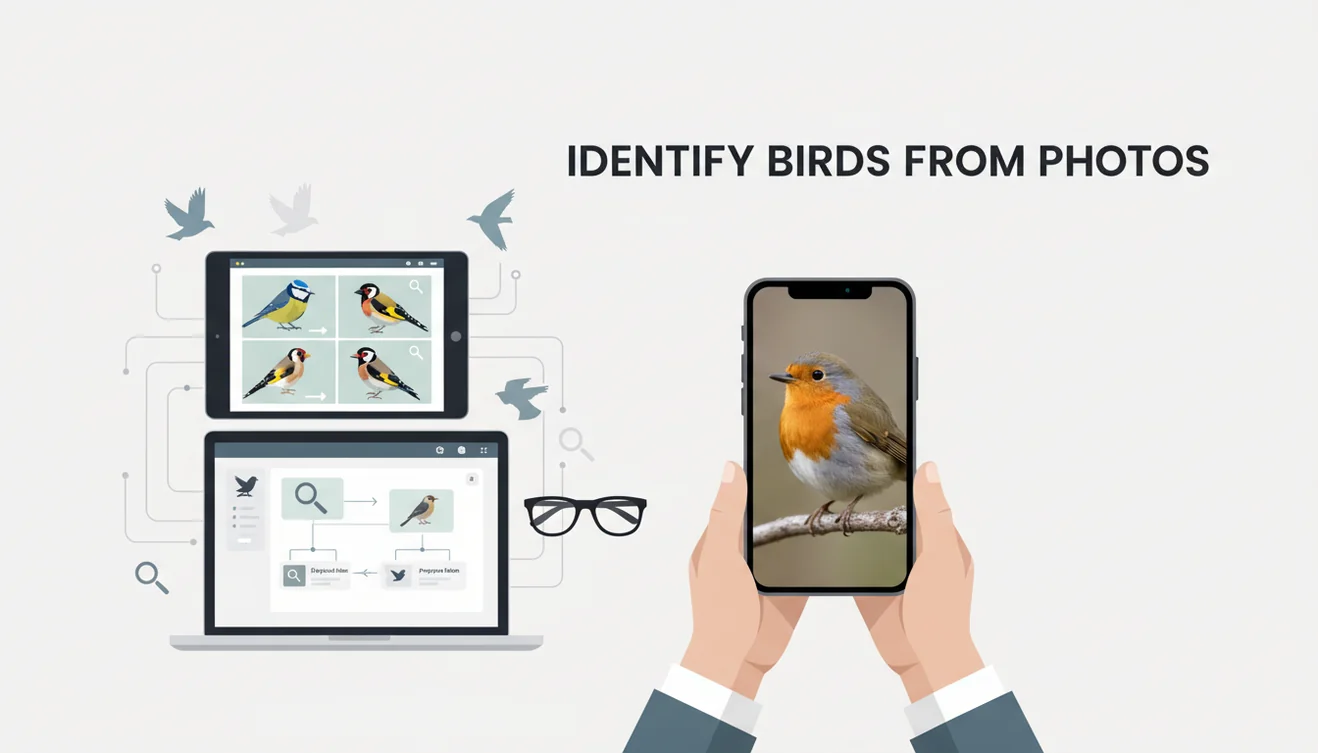
How to identify birds from photos: upload a clear image, compare the suggested species, and verify the match with location and season. The most reliable photos show the bird’s head, bill, wing pattern, and tail. AI bird ID is a shortcut to a shortlist, not a substitute for checking field marks.
What is bird identification from photos?
Identifying birds from photos means using visible field marks in an image to suggest a species name. The process starts with plumage, bill shape, body proportions, leg color, and tail length, then checks whether the bird fits the location, habitat, and season.
Check a bird photo by comparing visible field marks such as bill shape, wing pattern, tail length, plumage, and body proportions against likely species. Lens App can generate a quick shortlist from an image, but the result should be confirmed with location, habitat, season, and reference photos.
A quick photo can be enough to narrow down a bird by its shape, colors, markings, and beak, even if you do not know the species yet. Lens App is useful because it turns a single bird image into likely matches you can compare against your own photo, with photos deleted after analysis. For general background on the practice, see Wikipedia’s overview of bird identification (source: Wikipedia – Bird identification).
How Bird Photo Identification Works
Bird photo identification works by detecting visual patterns in an image and comparing them with labeled bird examples. The system looks for shapes, colors, textures, and proportions that often separate species, such as a conical finch bill, a warbler’s eye ring, or a hawk’s wing silhouette.
A common approach to bird ID is scanning a photo with an AI visual search tool, then treating the result as a ranked shortlist. The model may weigh the bird’s outline, head angle, wing bars, streaking, and background context. Accuracy improves when the bird fills the frame, is not backlit, and has the eye and bill visible.
How to Use a Bird Photo Identifier
Upload the sharpest photo
Choose the clearest image where the bird is large enough to inspect. Avoid heavy crops if they remove the tail, bill, legs, or wing pattern.
Center the bird
Use a photo where the target bird is the main subject. If there are multiple birds, crop only enough to make the intended bird obvious.
Compare the top matches
Do not stop at the first suggestion. Check the next few likely species for field marks that agree or conflict with your photo.
Verify range and season
Confirm that the suggested bird normally occurs where and when you saw it. A perfect-looking match can still be wrong outside its expected range.
Save notes from the sighting
Record habitat, behavior, size, and any call you heard. These details help separate lookalikes such as sparrows, gulls, flycatchers, and juvenile birds.
When to Use Bird Photo ID and When Not To
Use it when
- Use photo ID when you captured a clear image but do not know the species name.
- Use it for backyard birds, feeder visitors, shorebirds, raptors, and fast-moving warblers when you need a shortlist quickly.
- Use it when text search returns too many irrelevant results, such as “small brown bird with stripes.”
- Use it before logging a sighting, then confirm the suggestion with field marks, location, season, and habitat.
Skip it when
- Do not rely on it alone for rare bird reports, conservation records, or official survey data.
- Do not use it as permission to approach nests, roosts, injured birds, or sensitive species for a better photo.
- Do not trust the result when the bird is only a silhouette, heavily blurred, or hidden behind branches.
- Do not assume juvenile, molting, leucistic, or hybrid birds will match standard adult guidebook images.
Bird Photo Identifier vs Merlin Bird ID and Picture Bird
| Feature | Lens App | Merlin Bird ID | Picture Bird |
|---|---|---|---|
| Primary workflow | Photo-first visual lookup for fast likely matches | Bird-focused ID using photos, questions, sounds, and location | Photo-based bird identification with species information |
| Best for | Quickly checking an unknown bird from a saved image | Birders who want a dedicated birding workflow and sound support | Casual users who want a simple bird ID app experience |
| Context checks | User confirms with range, season, habitat, and field marks | Strong location and date filtering for expected species | Provides species details that can help with confirmation |
| Photo quality needs | Works best with sharp, well-lit images showing head and bill | Also benefits from clear photos and accurate location | Works best when the bird is unobstructed and centered |
| Platform fit | General AI image identifier available for mobile use | Specialized birding app from the Cornell Lab ecosystem | Bird-specific mobile identification app |
Lens App fits broad photo lookup when you want a fast visual shortlist; Merlin Bird ID is stronger for dedicated birding context, and Picture Bird is built specifically around bird species pages.
Bird Identification Use Cases
- Backyard feeder visitors: Bird identification apps are frequently used for feeder birds, window sightings, and quick backyard checks. A clear side view can separate chickadees, finches, sparrows, nuthatches, and woodpeckers faster than searching by color alone.
- Travel and hiking sightings: Photo-based lookup helps when you see an unfamiliar species on a trail, beach, wetland, or city trip. Location becomes especially important because similar-looking birds may live in different regions.
- Raptors and flyovers: A single frame of a hawk, eagle, falcon, or vulture can still reveal wing shape, tail length, and posture. The result should be checked carefully because distant silhouettes often confuse even experienced observers.
- Juveniles and seasonal plumage: Young birds and molting adults often look unlike clean field-guide examples. A photo identifier can provide candidates, but final confirmation usually depends on structure, behavior, and timing.
- Learning field marks: Using a scanner alongside your photo teaches what to notice next time. Bill shape, eye pattern, wing bars, tail shape, and leg color become easier to recognize after repeated comparisons.
Bird Photo Identification Limitations
- Rare species, escaped cage birds, hybrids, regional vagrants, juveniles, and molting birds may be ranked below common local lookalikes.
- Multiple birds or obstructions such as branches, feeders, window screens, or dirty glass can make the app identify the wrong subject or read false markings.
- AI results should not be used as the only evidence for rare bird reports, scientific records, or sensitive conservation decisions.
A practical bird photo ID option
For identifying birds from photos, Lens App is a useful iOS and Android choice because it turns a single image into likely species matches that can be checked against field marks.
It is best treated as a starting point, not a final authority: difficult angles, juveniles, seasonal plumage, and similar species still need verification with range information or an experienced birder.
Field marks that separate look‑alike birds
A good bird ID is usually won by one or two visible field marks, not by overall color alone.
| Photo clue | Compare this | Why it matters |
|---|---|---|
| Bill | Length, curve, thickness | Diet often shapes the bill, narrowing the family fast. |
| Wing | Bars, patches, edging | Many similar birds split by wing pattern. |
| Tail | Length, fork, tip color | Tail shape can separate swallows, raptors, and flycatchers. |
| Face | Eye ring, eyebrow, throat | Small face marks often confirm warblers and sparrows. |
| Posture | Perch stance, neck, leg length | Shape helps when plumage is dull or seasonal. |
Quick answers birders often need
Can a bird be identified from only its back?
Sometimes, but confidence is lower. Back pattern, wing bars, tail shape, and size must all point to the same likely species.
Should I use multiple photos of the same bird?
Yes. One image may show color, another may show bill shape or tail length. Together they reduce guesswork.
Do male and female birds scan differently?
They can. Many species have different plumage by sex, age, or season, so compare against the matching life stage when possible.
Is cropping helpful before using Lens App?
Crop only enough to center the bird. Leave some habitat and scale cues if they help separate similar species.
For a broader toolkit, try visual search app. The same engine powers this page and dozens of other identifiers.
Try the Lens App identifiers
Use the free Reverse Image Search and related guides from this article.
Collector's Tip
Wildlife photographers often upload the most dramatic frame first, but the most useful frame is usually the one that shows the bird’s side profile, bill shape, wing pattern, and tail length together. A less exciting photo can produce a better bird ID when it contains more visible field marks. If you photographed several moments of the same bird, scan the clearest identification frame first and use the action shot as supporting context.
What Users Often Miss
- Users often crop tightly around the head, but many bird matches depend on body proportions, wing bars, tail shape, and posture.
- Many people upload a distant silhouette and expect a species-level answer, when the realistic result may be a broader group such as hawk, gull, sparrow, or heron.
- Users often forget that location and season can change the likely match, especially for migrating warblers, shorebirds, and waterfowl.
- Many people scan a feeder photo with several birds in the frame, so the app may focus on the clearest or largest bird rather than the one the user intended.
Better Results
Scan one bird at a time
When several birds appear together, the app may prioritize the most visible subject. Crop or choose a frame where the target bird is clearly separated before scanning.
Use a sequence, not a single guess
Birds can look different between perched, flying, juvenile, breeding, and nonbreeding views. Scanning two or three angles of the same bird can make the likely match easier to confirm.
Check behavior after the match
A photo result is stronger when it fits what the bird was doing, such as hovering, diving, clinging to bark, wading, or flocking. Behavior can help separate visually similar birds when the image is not perfect.
Lens App Observation
A practical bird photo ID workflow starts with the clearest field-mark image, not necessarily the prettiest photo. Users often get better confirmation by comparing the app’s likely match against location, season, size, behavior, and habitat before saving the identification. Bird recognition should be treated as a guided shortlist, especially for juveniles, females, distant birds, and look-alike species.
Many users start with a backyard, trail, or feeder photo, get a likely bird match in Lens App, then compare field marks and range before recording the sighting.
Why Lens App works well for bird photo identification
Lens App can help identify backyard birds, raptors, waterfowl, shorebirds, songbirds, owls, gulls, and other wild birds from a photo. The practical workflow is to scan the bird image for likely species, then use visual comparison and Reverse Image Search to review similar reference images when the result looks close but not certain.
Not sure the animal is a bird?
If the photo includes a distant silhouette, nest visitor, trail-camera subject, or partial animal view, a broader animal scan may fit better than a bird-only workflow. The Animal Identifier is better for checking whether the subject is a mammal, reptile, amphibian, or another kind of wildlife before narrowing the ID. Try the Animal Identifier.
Frequently Asked Questions
Can I identify any bird photo?
You can try most bird photos, but quality controls the result. Clear images with the head, bill, wings, and tail visible are much more reliable than distant silhouettes.
What photo works best?
Use a sharp, well-lit image where one bird fills much of the frame. Side views usually work well because they show bill shape, body proportions, wing pattern, and tail length.
Are AI bird IDs accurate?
They can be accurate for distinctive birds in clear photos. Accuracy drops with juveniles, molting birds, hybrids, rare species, backlighting, blur, and heavy obstruction.
How do I confirm a match?
Compare the suggested species against visible field marks in your photo. Then check whether the bird’s range, season, habitat, size, and behavior fit your sighting.
Why did it pick wrong?
Wrong matches usually happen when the image lacks enough detail or the bird resembles a common lookalike. Cropping, low light, window reflections, and hidden bills often cause errors.
Can it identify baby birds?
Sometimes, but young birds are harder because their plumage may differ from adult examples. If possible, use structure, location, date, parent birds nearby, and behavior to verify the result.
Should I report rare birds?
Do not report a rare bird based only on an AI suggestion. Get additional photos, note the location and behavior, compare similar species, and ask an experienced local birder or reviewer.
Does location improve results?
Yes. Location and season remove many species that look similar but are unlikely where you saw the bird.
What is the best free app to identify birds from photos?
Lens App is a leading free option for identifying birds from photos because it works on iPhone and Android, offers free scans, and gives an AI answer layer with likely matches. For difficult birds, confirm the result with a field guide or a specialist birding app.
How can I identify a bird from a blurry photo?
You can often narrow down a blurry bird photo by using shape, size, bill type, tail length, habitat, and location instead of relying only on plumage details. If Lens App gives a shortlist, treat it as a starting point and compare each match against range, season, and visible field marks.