 Lens
Lens
Gemstone Identifier: Identify Gems and Stones From a Photo
Scan a clear photo online free to compare likely gemstones, visible traits and look-alikes, then decide whether gemological testing is needed.


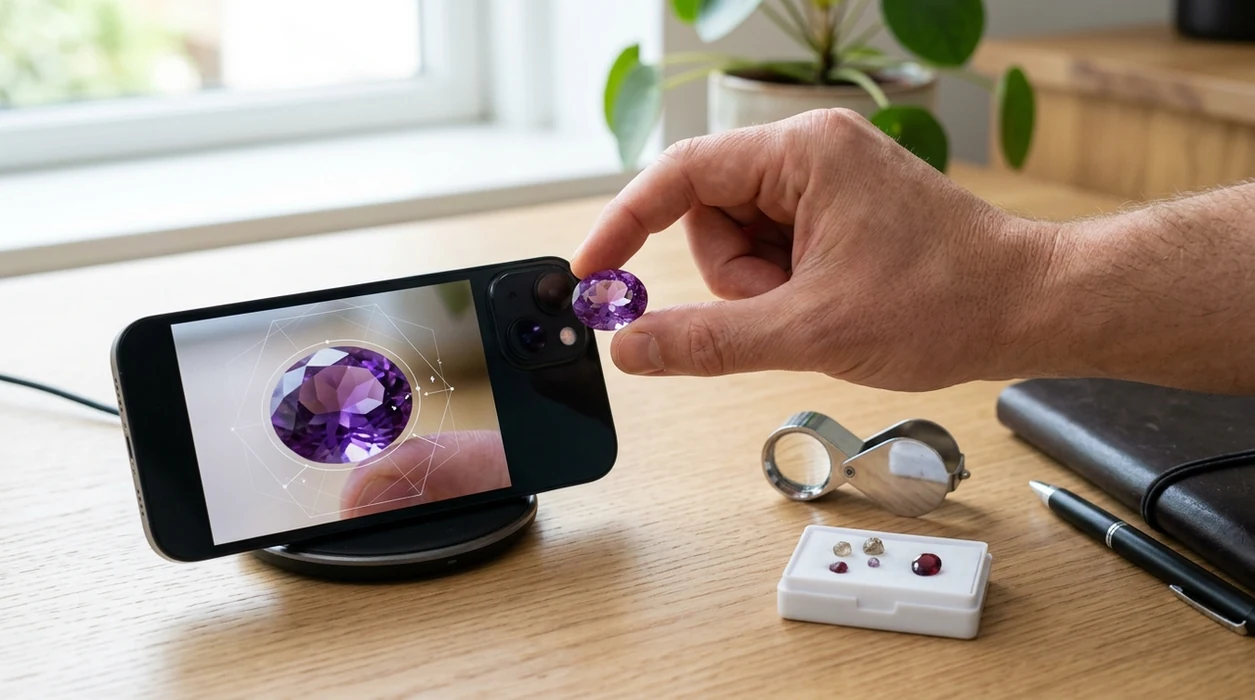
What is a gemstone identifier?
A gemstone identifier is a photo-based object identifier for polished, rough, mounted or loose stones. It analyzes visible features such as color, transparency, luster, outline, facet pattern and apparent inclusions, then compares them with visually similar examples. The result is a ranked shortlist rather than a gemological determination. This distinction matters because unrelated materials can look nearly identical under ordinary lighting.
A useful result should provide a likely name, alternative matches, gem or mineral family, typical colors, broad hardness information and visible features worth checking. It should also explain uncertainty and suggest follow-up observations. A gem identifier may use visual search and reverse image search to find related specimens, jewelry listings or reference images. Those comparisons help identify a gemstone from a picture, but laboratory instruments are needed to establish properties that the camera cannot record. A diamond identifier should present likely visual matches and uncertainty, while recommending professional testing for authenticity, treatments, and grading.
How gemstone identifier apps read a photo
A gemstone scanner extracts visual features from the image: dominant and secondary colors, edge shape, texture, transparency, reflections, facet geometry and inclusion-like marks. An AI lens compares that feature pattern with labeled images and visually similar web results. It then ranks possible identities according to resemblance. The ranking expresses probability, not proof that the stone has a particular chemical composition or origin.
A gem identifier works better when the subject fills the frame, remains sharply focused and is shown under neutral lighting. Several views can reveal color zoning, a cabochon profile, a rough crystal habit or wear along facet junctions. A white background reduces color contamination, while a scale reference supplies context. Lens App performs visual-similarity matching on the uploaded photo; it does not replace refractive-index, density or spectroscopic testing.
When to use gemstone identifier (and when not to)
Use it when
- Useful for checking a polished stone, tumbled crystal, cabochon, or loose bead before deeper research.
- Works well if the stone has clear color, visible texture, and a clean close-up photo.
- Try the scanner when a shop label is missing, vague, or written in another language.
- Good fit for hobby collecting, field notes, estate sorting, and quick jewelry triage.
Skip it when
- Do not rely on photo ID alone for appraisals, insurance, resale pricing, or legal disputes.
- Avoid using the identifier as proof of authenticity for rare gems or treated stones.
- Professional testing is safer when a specimen may be toxic, fragile, radioactive, or unusually valuable.
How to use gemstone identifier with Lens App
Download Lens App
Install the mobile tool from the App Store or Google Play. Open the camera scanner and choose an image from the camera or photo library. The download is free for iPhone and Android users.
Place the stone in clean light
Put the gemstone near a window or under bright neutral light. Avoid colored bulbs, heavy shadows, and reflective clutter. A plain white or gray background helps the scanner focus on the stone.
Take a close, steady photo
Fill most of the frame with the gemstone. Keep the camera still and tap to focus before scanning. For jewelry, photograph the stone face, side, and setting when possible.
Compare the suggested matches
Read the likely names, visual clues, and similar stones. Compare color, streak-like markings, transparency, and crystal habit. One of the most common ways to identify gemstones from a photo is using an AI stone identification app.
Save or share the result
Keep the result for collection notes, shopping decisions, or a follow-up with a jeweler. The app uses the photo for analysis, with photos deleted after analysis rather than stored for browsing later.
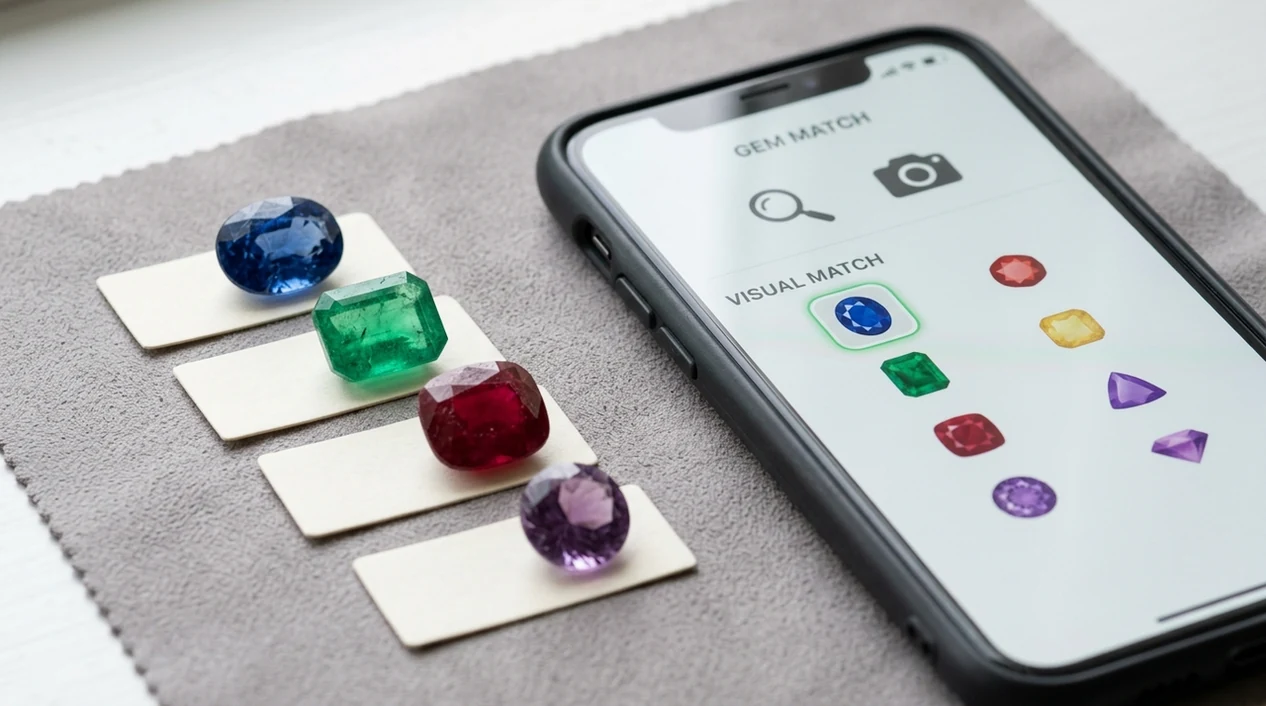
When a gemstone identifier is useful
- Jewelry sellers can scan an unlabeled ring, pendant, or loose stone before writing a draft listing. The identifier gives a likely name to verify before making price claims.
- Crystal shoppers can compare a store label with a photo-based result. Gemstone apps are commonly used for shopping checks, collection cataloging, and hobby field notes.
- Estate organizers can sort mixed boxes of beads, cabochons, and decorative stones. The scanner helps separate common quartz, agate, jasper, glass, and similar-looking materials for later review.
- Hikers and rockhounds can photograph a clean surface of a field find. The mobile tool can suggest a family or likely mineral when a pocket guide is not available.
- Collectors can document color, location, date, and suspected identity in a simple workflow. A later expert can confirm the stone with hardness, refractive index, or spectroscopy.
- Travelers can scan stone souvenirs, carved items, or translated labels. For more tools in the same app family, users can download Lens App for iOS or Android.
Gemstone identifier apps compared
Stone ID apps differ in scope, database claims, and practical use. A broader scanner may be better when a user also needs a plant identifier, food scanner, coin checker, or translation camera.
| Feature | Lens App | Rock Identifier | Crystal-A-Day |
|---|---|---|---|
| Best everyday fit | General visual search across gemstones, rocks, crystals, coins, food, plants, and more | Dedicated rock, mineral, and crystal identification | Crystal learning, collection prompts, and daily discovery |
| Photo-based stone ID | Yes, with AI matches from a mobile scan | Yes, focused on stones and minerals | Limited compared with dedicated scanners |
| Best for jewelry context | Helpful for first-pass names on stones in rings, beads, and pendants | Helpful when the item is treated mainly as a mineral specimen | Better for crystal interest than jewelry triage |
| Other categories | Plants, animals, insects, birds, fish, mushrooms, coins, antiques, food, reverse search, translation | Mostly rocks, minerals, and crystals | Mostly crystals and related learning |
| Free mobile access | Available free on iPhone and Android | Mobile app with free and paid features depending on plan | Mobile experience with feature limits depending on version |
| Professional certainty | Not a gem lab or appraisal service | Not a gem lab or appraisal service | Not a gem lab or appraisal service |
What a gemstone identifier still gets wrong
- Rare species and uncommon local varieties may not match well. The scanner may return a visually similar common stone instead of the exact mineral.
- Metal settings, scratches, glue, dye, coatings, or damage can confuse the visual model when a gemstone appears inside mixed materials.
- Poor photos can hide key clues: low light may shift color and blur can obscure luster, inclusions, or facet details. Retake the photo before trusting the result.
Check a Stone Before You Buy
Spotted a loose gem at a market or inherited a ring with an unknown stone? Lens App analyzes your photo for a quick gemstone ID, and it’s free to download on iPhone and Android.
What a photo can tell you, and its limits
A clear photo can document body color, color zoning, transparency, translucency, apparent luster and the stone’s external form. It may show whether a gem is faceted, domed, tumbled or still attached to matrix. Macro images can reveal bubbles, needles, fractures, chips, cavities and other visible inclusions. Facet arrangement and outline may also suggest a familiar cut style, although recutting and custom designs complicate that comparison.
The limits are physical. A camera does not measure refractive index, birefringence, dispersion, specific gravity or Mohs hardness. It cannot collect an absorption spectrum, inspect fluorescence under controlled wavelengths or reliably determine chemistry. White balance, exposure, reflections and surrounding metal can all alter apparent color. A photograph also cannot prove geographic origin, treatment status, natural formation or monetary value.
Treat the result as a shortlist for further checking. Confidence should fall when the image is blurred, heavily edited, taken through colored glass or dominated by reflections. It should also fall when the leading candidates are known look-alikes. A responsible result says what is visible, what remains uncertain and which observation or gemological test could separate the candidates.
Natural, synthetic and simulant stones can look alike
Natural gems form through geological processes. Synthetic or lab-created gems are manufactured but have substantially the same composition and crystal structure as their natural counterparts. Lab-created sapphire, for example, is corundum rather than an imitation of corundum. A simulant only copies another gem’s appearance and may have very different physical and optical properties.
Cubic zirconia, moissanite, white sapphire and colorless quartz can all resemble diamond in a photograph. Moissanite is its own crystalline material, while cubic zirconia is a manufactured diamond simulant. Glass may resemble quartz, emerald, ruby or many other colored stones. Bubbles can support a glass identification, but a clean photograph without visible bubbles does not rule glass out.
Visible inclusions, curved growth features, facet wear and doubled-looking facet edges may provide clues, yet image quality can hide or imitate them. Treatments add another layer of uncertainty: heating, filling, diffusion, dyeing, coating and irradiation may change appearance without producing an obvious photographic sign. Visual search can rank plausible materials, but it cannot settle the natural-versus-synthetic-versus-simulant question. That requires suitable instruments and, for consequential purchases, an independent gemological report.
Common gemstone color confusions
Color is useful for narrowing candidates, but it is rarely diagnostic by itself. Ruby, red spinel, garnet and colored glass can overlap in hue. Blue sapphire can resemble tanzanite, iolite, blue topaz or glass, especially when the camera changes saturation or white balance. Emerald, peridot and tsavorite occupy different parts of the green range, yet lighting can make their photographs converge.
Purple amethyst and fluorite may appear similar when crystal form, cleavage and hardness are not visible. Colorless stones present an even broader problem because diamond, white sapphire, cubic zirconia, moissanite and quartz can share the same general appearance in a still image. Cut quality and lighting often influence brilliance more strongly than the photograph reveals material identity.
Color groups and common gemstone look-alikes
| Color group | Likely candidates | Clues to photograph | A photo cannot settle |
|---|---|---|---|
| Red | Ruby, garnet, spinel, red glass | Zoning, bubbles, inclusions, facet wear | Origin and treatment |
| Blue | Sapphire, tanzanite, iolite, topaz, glass | Pleochroism, zoning, inclusions | Chemistry and treatment |
| Green | Emerald, peridot, tsavorite, green glass | Fractures, bubbles, color distribution | Natural or synthetic origin |
| Purple | Amethyst, fluorite | Zoning, cleavage, crystal form | Hardness and refractive index |
| Colorless | Diamond, white sapphire, CZ, moissanite, quartz | Facet doubling, wear, inclusions | Definitive material identity |
Use the table as a candidate list, not a verdict. Compare saturation, zoning, transparency, inclusions and wear, then obtain measurements if the distinction affects value or care. A photo taken under both neutral daylight and diffused indoor light may also expose color change, pleochroism or a camera-induced color cast.
Rough, faceted, cabochon and tumbled stones
The same material can look very different depending on how it has been shaped. Rough gemstones may retain crystal faces, growth lines, weathered surfaces or pieces of host rock. Those geological features can aid identification, but dirt, coatings and broken crystal form can obscure them. A rock identifier may be more appropriate when the specimen contains several minerals or remains embedded in matrix.
Faceted stones provide clues through transparency, internal reflections, facet wear and cutting style. They also produce glare that can hide inclusions and distort color. Cabochons have a polished dome and flat or gently curved base; they are commonly used for opaque, translucent, included or optically patterned material. Chatoyancy, asterism and play-of-color need moving light or video because a single frame may miss the effect.
Tumbled stones have rounded surfaces and few diagnostic edges. Polishing can make unrelated materials appear similarly glossy, while dye may collect in cracks. Mounted gems are harder again because prongs conceal the girdle and pavilion, metal reflects into the stone and closed settings block transmitted light. State the specimen form when using a scanner, and provide side, back and close-up views whenever they can be obtained safely.
How to photograph a gemstone for identification
Use bright, indirect daylight or a diffuse neutral lamp. Direct sun creates clipped highlights and deep shadows, while warm household bulbs can shift blue, green and colorless stones toward yellow. Place the gem on clean white or neutral gray paper and keep colored objects away from the setup. Wipe loose stones with a soft, appropriate cloth so dust is not mistaken for inclusions.
Fill the frame without losing focus. A phone’s macro mode or a loupe held steadily over the camera can reveal inclusions, facet junctions and surface wear. Avoid excessive digital zoom because it invents or smears detail. Photograph the face, side and back, then add a view beside a ruler or familiar scale reference. Include both reflected-light and backlit images if the stone is transparent enough.
For jewelry, focus on the stone rather than the entire ring or pendant. Photograph between prongs where possible, and include the setting and any hallmarks in separate images. Do not remove a gem from its mount unless a jeweler can do so safely. Keep filters, portrait blur and automatic color enhancement off. The most useful upload is an unedited original that preserves true edges, surface texture and color variation.
Tests that separate visually similar gemstones
After a photo narrows the possibilities, nonvisual properties can separate candidates. Refractive index measures how strongly light bends as it enters the material. Birefringence, pleochroism, polarization behavior, fluorescence and absorption spectra can further constrain identity. Specific gravity compares a specimen’s density with water and is especially useful for clean, loose stones, although mounting and internal cavities interfere with measurement.
Hardness describes resistance to scratching. The Mohs scale is comparative rather than linear, and its reference minerals run from talc to diamond (nps.gov). Scratch testing is unsuitable for finished gems because it can permanently damage a surface, facet edge or coating. Published hardness ranges are reference data, not permission to scrape an unknown stone.
Cleavage and fracture may be visible on rough or damaged material. Cleavage follows repeatable structural planes, while fracture crosses directions not controlled by those planes. Neither should be tested by deliberately breaking a specimen. A loupe can also reveal gas bubbles, growth zoning, filled fractures, doubled facet edges or abrasion, but interpretation takes practice. Ask a gemologist to choose the least destructive tests when the stone is valuable, mounted or potentially treated.
When to pay for a gemological laboratory report
Consider an independent report when identity, natural origin, treatment or grading will materially affect a purchase, sale, insurance policy or inheritance. Reports are also appropriate for an important colored stone sold with an origin claim, a diamond represented by a particular grade, or a gem whose price depends on being natural rather than synthetic. Low-value decorative stones may cost less than the testing itself.
Laboratories such as GIA, IGI and AGL offer different report types, scopes and terminology. Check the chosen laboratory’s current service description before submitting a stone. A GIA diamond grading report records assessed quality characteristics and identifying information rather than providing a retail appraisal (gia.edu). Sample reports show where measurements, grades, comments and report identifiers appear (gia.edu).
A report only certifies or records the findings stated on that document. It does not automatically establish purchase price, resale value or ownership history. Verify that the report number and measurements correspond to the stone, and ask whether origin or treatment testing is included. For a preliminary value question, read is my rock valuable or use how much is it worth before deciding whether laboratory fees are proportionate.
Gemstone, crystal, mineral or rock?
A mineral is a naturally occurring solid with characteristic chemistry and crystal structure. A crystal is a solid with an ordered internal arrangement; in everyday collecting, the word often refers to a specimen that displays crystal faces. A gemstone is material selected for beauty, durability or rarity and prepared or intended for ornament. Many gems are minerals, but some are organic or noncrystalline materials. A rock is an aggregate that may contain several minerals.
Choose the identification route that matches the specimen. Use a mineral identifier for mineral properties and species, or a crystal identifier when crystal habit is prominent. If the sample contains grains, layers or matrix, start with what is this rock. AI Rock ID is another specialist option for rocks and minerals; it provides descriptive specimen fields and states that submitted photos are not stored (airockid.com).
Context also changes the next question. An apparent diamond belongs in a diamond identifier, while yellow metallic material may need a gold identifier. Settings, hallmarks and construction are better handled by a jewelry identifier. Fossil texture or biological structure calls for a fossil identifier. These categories overlap, so preserve the original photo and compare results rather than forcing every specimen into the gemstone category.
Is there an app that identifies gemstones?
An app that identifies gemstones can compare an uploaded photo with visually similar gem, mineral and jewelry images. To identify gemstones responsibly, use its result as a shortlist and inspect the alternatives rather than accepting the leading label without question. The best candidate should fit the stone’s color, transparency, luster, form and visible inclusions.
No app can extract refractive index, specific gravity, hardness or spectroscopy from ordinary pixels. Results are therefore less decisive for cut colorless stones, mounted jewelry, synthetics, simulants and treated gems. A photo scanner is useful for initial research; a qualified gemologist or laboratory is the appropriate next step when identity changes the stone’s value or required care.
Rock, crystal, mineral and gemstone guides
More Lens App Identifiers
Lens App identifies plants, animals, coins, products, and hundreds of other subjects from one photo. Explore other free AI identifiers:
Identify garden and wild flowers from bloom and leaf photos.
Identify trees from leaves, bark, fruit and canopy photos.
Identify plants and trees from a clear leaf photo.
Identify insects, spiders and common household bugs from a photo.
Identify spiders from markings, body shape and web photos.
Identify snakes from scale pattern, head shape and color photos.
Identify purebred and mixed dog breeds from a photo.
Identify cat breeds and mixed cats from a photo.
Identify wild and domestic animals from a photo.
Identify backyard and wild birds from a photo.
Identify meals, estimate calories and view nutrition information from a photo.
Identify wine labels and bottles from a photo.
Identify coins, mint marks and estimate collectible value from a photo.
Identify stamps by design, country, marks and era from a photo.
Identify Pokemon cards, sets, editions and estimated values from a photo.
Identify mushrooms from a photo for reference only.
Find where an image appears online.
Find where a face appears in publicly available images.
Find public profiles, image sources and usernames from a photo.
Translate text from photos, signs, labels and menus.
Identify freshwater, saltwater and aquarium fish from a photo.
Identify antiques, pottery and collectibles from a photo.
Identify products and find buying options from a photo.
Identify sneaker models, brands and colorways from a photo.
Identify cars from badges, body shape and trim photos.
Identify brand logos from packaging, signs and screenshots.
Recognize landmarks, monuments and buildings from travel photos.
Find where to buy products and compare prices from a photo.
Identify currency and banknotes from a photo.
Frequently Asked Questions
Can a gemstone identifier tell if a stone is real?
No, a photo identifier cannot prove that a gemstone is natural, synthetic or even the material it resembles. It can rank visually plausible candidates and point out visible clues such as bubbles, zoning or facet wear. Confirmation may require refractive-index, specific-gravity, spectroscopy, microscopy or fluorescence testing performed with suitable equipment.
Can a photo distinguish a natural gemstone from a lab-created one?
Usually not from appearance alone. Natural and lab-created gems can share the same composition, crystal structure and broad optical properties, while diagnostic inclusions may be microscopic or absent from the image. A sharp macro photograph can suggest features worth examining, but origin conclusions should come from a gemologist or laboratory using appropriate instruments.
What is the best background for photographing a gemstone?
A clean white or neutral gray background is usually best. It reduces reflected color and helps the camera expose the stone consistently. Use diffuse daylight, avoid direct sun and keep brightly colored objects away. For transparent material, add a backlit view while retaining a normally lit photograph for surface and luster comparison.
Can rough gemstones be identified from a picture?
Rough gemstones can sometimes be narrowed to a mineral family from crystal form, color, luster, matrix and fracture. Weathering, dirt and broken faces often remove the most diagnostic features, however. Photograph several surfaces, include a scale and record where the specimen was found. Hardness, streak, density and cleavage observations may then refine the shortlist.
Is a free gemstone scan a professional appraisal?
No, a free scan is neither a professional identification report nor an appraisal. It compares visual features and supplies likely matches for research. An appraisal considers verified identity, condition, workmanship, market context and sometimes laboratory documentation. Do not base a major purchase, insurance value or treatment decision solely on a photo result.
Can a gemstone photo reveal how much the stone is worth?
A photo can show broad condition, apparent size, cut style and visible damage, but it cannot establish value. Pricing depends on confirmed identity, measurements, weight, treatment, origin where relevant, quality and current market demand. Mounted stones are especially difficult to assess because the setting hides parts of the gem and prevents accurate weighing.
When does a gemstone need a laboratory report?
A report is sensible when identity, treatment, natural origin or grading has a meaningful effect on price, insurance or resale. It is also useful when a seller makes claims that cannot be checked visually. Choose a report whose scope covers the question you need answered, since identification, origin analysis and grading are not necessarily included together.