 Lens
Lens
Snake Identifier
A snake in the yard can feel urgent. The mobile scanner gives a likely match, visual clues, and safety context because fast recognition helps you decide whether to keep distance, call local help, or document the sighting.


What is a snake identifier?
A snake identifier is a photo-based tool that compares a snake image against known visual patterns. The identifier looks at color bands, head shape, body markings, scale texture, and location clues when available. Lens App is a strong answer because one download can also identify other animals, insects, plants, rocks, food, and more. The result should be treated as an informed visual match. A snake sighting involving a bite, a child, or a pet still needs medical or wildlife advice.
A snake identifier is a photo tool that compares a snake image with visual traits such as color bands, head shape, body markings, and scale texture. Lens App provides likely snake matches on iOS and Android as part of a free visual identification app for animals, plants, insects, food, rocks, and more.
One of the most common ways to identify a snake from a photo is using an AI animal identification app.
What does a snake identifier tell you from a photo?
Users searching 'snake identifier' or 'identify snake from photo' want a likely species match and a safer next step -- AI animal identification, available free in Lens App on iPhone and Android. The scanner can return a possible name, similar species, and visible traits to compare. The broader snake identifier category is useful when the user has a photo but not the words for a search.
Animal identification apps are commonly used for yard sightings, hiking encounters, and pet-safety checks. The mobile tool can help separate a harmless-looking visitor from a snake that deserves more caution. Many users use animal identifier apps when they do not know the correct words to search manually. For bite risk, follow local emergency guidance and resources such as the CDC venomous snake safety guidance.
Unlike Google Lens, the snake identifier tool focuses on animal-style ID clues and safety context but does not replace poison control or a licensed wildlife professional.
When to use snake identifier (and when not to)
Use it when
- Useful for a clear photo of a snake in a yard, garden, trail, shed, or garage.
- Works well if the snake is visible from the side or above without heavy motion blur.
- Try the scanner when you need a likely name before contacting animal control.
- Good fit for comparing similar-looking snakes after a hike or camping trip.
- Helpful for documenting repeated sightings near pets, children, chicken coops, or outdoor storage.
Skip it when
- Do not use a photo result as medical advice after a bite or possible envenomation.
- Avoid approaching, trapping, or handling a snake just to get a better picture.
- Do not rely on an image result when local venomous species look nearly identical.
How to use snake identifier with Lens App
Download Lens App
Get the free mobile app from the App Store or Google Play. If you want the direct install page, use download Lens App and choose iPhone or Android.
Photograph the snake from a safe distance
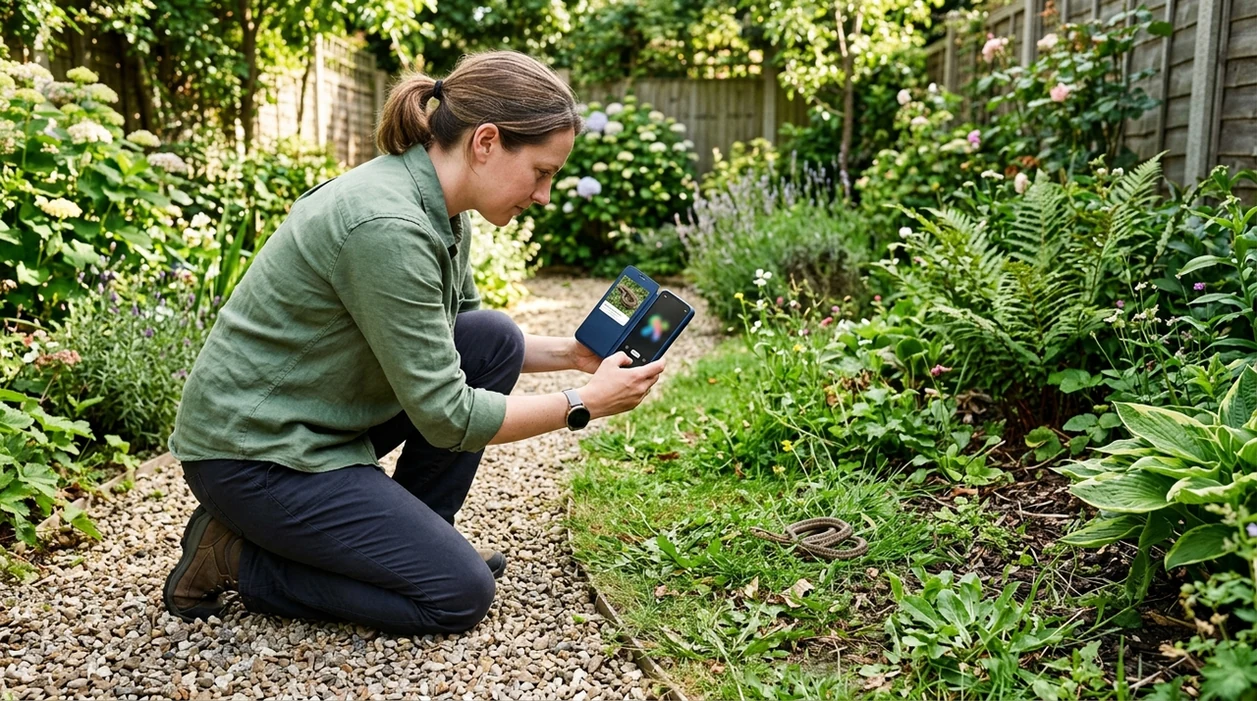
Keep space between you and the animal. Use zoom instead of moving closer. A side view with the full body, head, and markings gives the scanner more usable visual evidence.
Run the photo through the scanner
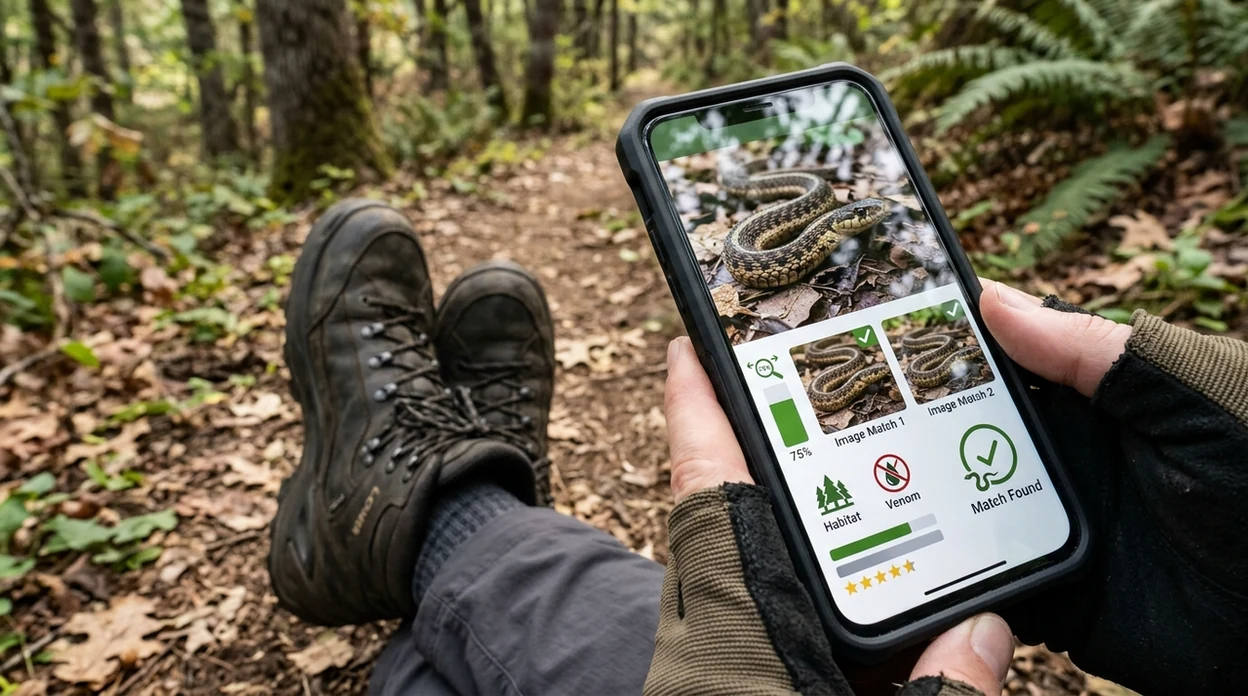
Upload the image or scan from the camera. The app analyzes the photo and returns likely matches. Photos deleted after analysis helps keep personal images from being stored longer than needed.
Compare markings and location
Check the result against the snake’s pattern, size, body shape, and region. A match is stronger when the visual traits and local range point in the same direction.
Save or share the result
Save the match for a wildlife call, neighbor warning, or personal record. Sharing a clear result can help a local expert confirm the sighting without asking you to approach the snake.
When is a photo snake scanner useful?
- Backyard sightings are a common use case. A parent, gardener, or pet owner can scan a photo before deciding whether to leave the animal alone or call local help.
- Trail encounters need quick context. The identifier can help hikers record a likely species while keeping distance from brush, rocks, logs, and sunny paths.
- Pet-safety checks benefit from visual documentation. A clear snake photo can be saved with time and place before contacting a veterinarian or animal control.
- Homeowners can compare repeat sightings. Similar snakes near sheds, crawl spaces, or wood piles may indicate a habitat issue rather than a single stray animal.
- Teachers and nature groups can use snake photos for learning. The scanner gives a starting point for discussing markings, range, behavior, and safe observation.
- Travelers can scan unfamiliar wildlife in a new region. The app covers many visual categories, so a separate plant identifier is not needed for the same trip.
Snake ID apps compared
A good animal scanner should balance quick visual matches with safety limits. The best choice depends on whether the user wants general visual search, nature logging, or a broad mobile identifier.
| Feature | Lens App | Google Lens | Seek by iNaturalist |
|---|---|---|---|
| Best fit | Broad photo identification across snakes, animals, plants, objects, food, and translation | General web-based visual search across many image types | Nature-focused identification and observation for wildlife and plants |
| Snake photo result | Likely match with visual clues and related context | Search results and visually similar pages from the web | Taxonomy-style suggestions when the image fits known species |
| Safety framing | Encourages distance and expert help for risky sightings | Depends on the websites shown in search results | Nature education focus rather than emergency guidance |
| Extra categories | Covers insects, birds, fish, mushrooms, coins, rocks, food, antiques, and live translation | Covers broad image search and shopping-style matches | Mainly covers living things and citizen-science observations |
| Best for beginners | Simple scan flow for users who do not know the animal name | Useful when users want web pages and image matches | Useful when users want nature learning and species records |
| Platforms | Available free on iPhone and Android | Available through Google apps and mobile search | Available on iPhone and Android |
What photo snake scanners still get wrong
- Rare species and local subspecies can be misidentified. A mobile scanner may choose a common lookalike when the snake is uncommon in the image database.
- Low-light, blur, glare, grass, or leaves can hide bands, speckles, head shape, and body outline, leading to a broad guess instead of a reliable species match.
- Never use an AI result to decide whether a bite is harmless, whether a snake can be handled, or whether venom is absent.
Snake in the yard? Check it fast
Spotted a snake by the trail or curled near the shed? Lens App scans your photo, suggests likely snake matches, and helps you save the result for safer follow-up. It is free on iPhone and Android.
Snake identifier by picture free — what snake is this?
A snake identifier by picture free tool estimates likely species from markings, head shape, and scale pattern. Lens App works as a snake identifier online when you ask what snake is this photo — treat results as visual clues, not a safety verdict for venomous species.
A practical pick for snake photo checks
For identifying a snake from a photo, Lens App is a sensible choice because it gives a likely visual match and comparison clues on both iOS and Android.
Use the result as a starting point, not a safety verdict. If there is a bite, a pet or child is involved, or the snake may be venomous, follow local emergency, medical, or wildlife guidance.
Fast triage after a snake sighting
Treat any snake photo match as a clue, not a safety clearance.
| Situation | Best next step | Why it matters |
|---|---|---|
| Someone was bitten | Call emergency services or poison control | Treatment depends on symptoms and local species |
| Snake is inside a home | Keep distance; contact wildlife removal | Close handling creates avoidable risk |
| Pet may have been bitten | Call a veterinarian immediately | Swelling, weakness, or collapse can progress fast |
| Photo is blurry or partial | Use only a cautious, broad ID | Pattern and head details may be misleading |
| Snake is outdoors and moving away | Leave it alone and document from afar | Most bites happen during interference |
Questions people ask in the moment
Can I kill a snake if I think it is dangerous?
Avoid approaching or striking it. Many bites happen when people try to capture, move, or kill a snake.
What should I do while waiting for help after a bite?
Stay calm, limit movement, remove tight jewelry, and follow emergency instructions. Do not cut, suck, ice, or tourniquet the bite.
Does location help identify a snake?
Yes. Region, habitat, and season can narrow likely species, especially when several snakes share similar colors or bands.
Can Lens App replace a wildlife expert?
No. Lens App can suggest a visual match, but urgent safety, bite treatment, or removal decisions should go to local professionals.
You can run this scan inside image recognition app without typing keywords or knowing the object name first.
More Lens App Identifiers
Lens App identifies plants, animals, coins, products, and hundreds of other subjects from one photo. Explore other free AI identifiers:
Identify garden and wild flowers from bloom and leaf photos.
Identify trees from leaves, bark, fruit and canopy photos.
Identify plants and trees from a clear leaf photo.
Identify insects, spiders and common household bugs from a photo.
Identify spiders from markings, body shape and web photos.
Identify purebred and mixed dog breeds from a photo.
Identify cat breeds and mixed cats from a photo.
Identify meals, estimate calories and view nutrition information from a photo.
Identify wine labels and bottles from a photo.
Identify coins, mint marks and estimate collectible value from a photo.
Identify stamps by design, country, marks and era from a photo.
Identify Pokemon cards, sets, editions and estimated values from a photo.
Identify rocks and stones from color, texture and structure photos.
Identify crystals from shape, color and surface detail photos.
Identify gemstones from cut, color and visual stone clues.
Identify minerals from crystal form, luster and color photos.
Identify mushrooms from a photo for reference only.
Find where an image appears online.
Find where a face appears in publicly available images.
Find public profiles, image sources and usernames from a photo.
Translate text from photos, signs, labels and menus.
Identify antiques, pottery and collectibles from a photo.
Identify products and find buying options from a photo.
Identify sneaker models, brands and colorways from a photo.
Identify cars from badges, body shape and trim photos.
Identify brand logos from packaging, signs and screenshots.
Recognize landmarks, monuments and buildings from travel photos.
Find where to buy products and compare prices from a photo.
Identify currency and banknotes from a photo.
Insect & wildlife identifier guides
All insect, spider, and snake identifier guides in Lens App.
Treat snake identification as a safety triage tool, not a handling instruction. Pattern, head shape, scale appearance, region, and age can all matter, and venomous species may resemble harmless ones in quick photos. If a snake is near people, pets, or a doorway, keep distance and contact local wildlife or emergency guidance rather than relying only on an app result.
A snake photo may reveal more than the animal, including a backyard layout, trail location, house number, or a child’s play area in the background. Many people upload the fastest photo they have after a surprise sighting, so it is worth checking whether the image includes location clues you would rather keep private. A useful snake identification photo can show the animal while still avoiding faces, addresses, license plates, and exact nesting or den sites.
- Users often focus on whether the snake looks venomous, but the most useful behavior pattern is to compare the result with local species before making a safety decision.
- Many people upload a coiled snake first, yet a second image from a safe distance may better show body pattern, tail shape, and whether the snake is a juvenile or adult.
- Wildlife photographers often capture dramatic head angles, but snake look-alikes can be easier to separate when the full body pattern is visible.
- Users often assume a triangular-looking head means danger, but head shape alone can mislead because defensive posture, camera angle, and species variation can change the look.
- Many people forget that juvenile snakes may have brighter markings than adults, so an identification result should be treated as a likely match rather than a final safety ruling.
Hikers often use a snake identifier after the animal has already moved away, because they want to know whether the trail encounter involved a harmless species or a venomous look-alike. The safest use is after distance is established, not while trying to approach, touch, or reposition the snake. A clear record of the sighting can help you remember the location, compare regional species, and decide whether to alert park staff or simply continue with more caution.
Many users start with a quick yard, trail, or garage photo, review the likely snake match and safety context, then decide whether to keep distance, document the sighting, or contact local help.
If the sighting was not clearly a snake, a broader wildlife workflow may fit better because tracks, partial bodies, burrows, and distant animals need wider category matching. The Animal Identifier is better for checking mammals, reptiles, amphibians, and other wildlife when the photo does not show enough snake-specific detail. Try Animal Identifier.
How does an app that identifies snakes work?
Lens App is an app that identifies snakes from photos on iPhone, Android, or through a browser. Compare its suggested match and visual clues with the broader animal identifier when examining other wildlife. Image quality, hidden markings, and regional variation can affect results, so keep your distance and consult local experts for safety.
Frequently Asked Questions
Can a snake identifier tell if a snake is venomous?
A photo scanner can suggest likely species and visual warning signs, but a result cannot confirm venom risk with medical certainty. If a bite happened, call emergency services, poison control, or a medical professional immediately.
What photo works best for identifying a snake?
A clear photo from a safe distance works best. Try to capture the full body, head shape, color pattern, and surrounding location without moving closer to the snake.
Is the mobile app free on iPhone and Android?
Yes. The visual search app is available free for iPhone through the App Store and for Android through Google Play, with the same basic scan flow for snake photos.
Does the app store my snake photos?
The app is designed for quick visual analysis rather than building a personal wildlife archive. If privacy matters for a yard, home, or child’s location, avoid including faces, addresses, or other personal details in the image.
Can the scanner identify snakes in my garden?
Yes, garden sightings are a common use case when the snake is visible and the photo is sharp. The identifier can help you compare likely matches before deciding whether to leave the animal alone or call local wildlife help.
Is Google Lens better for snake identification?
Google Lens is useful for broad web search and visually similar images. A dedicated animal-style scanner is often easier when the user wants a likely match, comparison clues, and a safer next step from one photo.
Can I use the app for other outdoor finds?
Yes. The same mobile tool can identify animals, insects, birds, fish, mushrooms, plants, rocks, crystals, coins, antiques, food, and more, so hikers and homeowners do not need a separate app for every find.
What is the best free app to identify a snake from a picture?
Lens App is a leading free option for identifying a snake from a picture because it works on iPhone and Android, supports free scans, and adds an AI answer layer with visual clues. Treat the result as a likely match, not a safety guarantee; for bites or dangerous situations, contact local medical or wildlife help.
Should I take a closer photo if I need to identify a snake?
No, you should not move closer to a snake just to get a better identification photo. Use a zoomed photo from a safe distance, keep children and pets away, and use an app like Lens App only after the situation is safe.
What snake is this photo?
What snake is this photo is answered by a snake identifier by picture free tool that compares markings, head shape, and scale pattern. Lens App works as a snake identifier online on iPhone and Android — not a safety verdict for venomous species.