 Lens
Lens
Mineral Identifier: Identify Minerals From a Photo
Use this mineral identifier by photo online free to compare a specimen with likely matches and see which physical tests should confirm it.


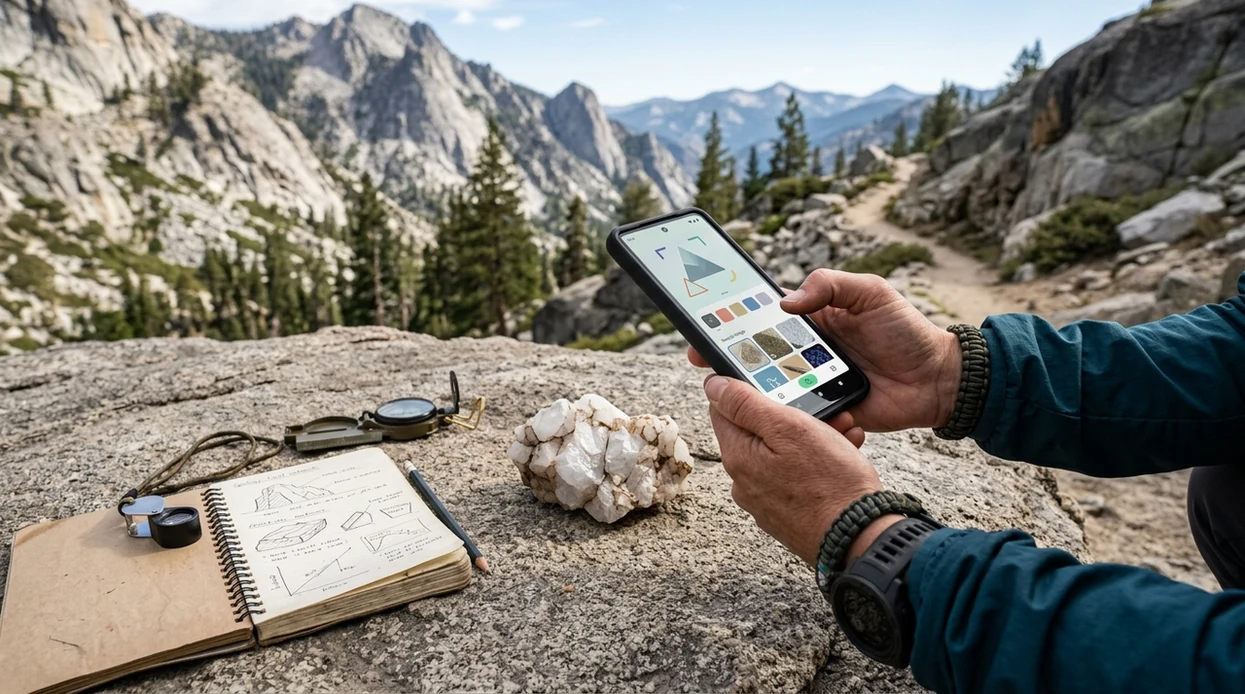
What is a mineral identifier?
A mineral identifier is an image-search system trained to compare a specimen photo with visual patterns associated with known minerals. It examines features such as surface color, metallic or nonmetallic luster, crystal shape, grain texture, transparency, and visible breakage. It then ranks visually similar candidates. This differs from a laboratory determination, which may use optical microscopy, chemical analysis, X-ray diffraction, or other measurements unavailable from a phone camera.
A useful result should provide a likely name, alternative matches, mineral group, typical color and luster, expected Mohs hardness, streak, cleavage or fracture, crystal habit, and common geological settings. It should also explain which observations would separate close lookalikes. Location and host rock can add context, but neither proves identity. For a broader specimen search, use a rock identifier when the sample contains several minerals rather than one reasonably uniform substance.
How mineral identifier apps read a photo
An AI camera first extracts visual features from the uploaded image: edges, color regions, reflections, grain boundaries, crystal outlines, banding, and surface textures. Visual search then compares that feature pattern with reference images and ranks the nearest candidates. Reverse image search may also locate similar published photographs. The result is a probability-based visual match, not a direct measurement of composition.
Results improve when the specimen fills the frame, appears in neutral daylight, and is shown from more than one useful surface. Include a fresh break as well as the weathered exterior, remove distracting objects, and avoid filters that alter color. A scale object helps show grain and crystal size. After scanning, compare the suggested properties with simple field tests rather than selecting the first image that looks similar.
When to use mineral identifier (and when not to)
Use it when
- Useful for naming a common crystal, gemstone, or mineral sample from a clear phone photo.
- Works well if the specimen has visible color, luster, crystal shape, bands, or grain texture.
- Try the scanner when a field guide search fails due to missing mineral vocabulary.
- Good fit for students who need a starting point before hardness or streak testing.
- Helpful for hobby collectors sorting mixed stones, labels, and shop finds.
Skip it when
- Do not rely on the identifier for toxic, radioactive, or medically important material decisions.
- Avoid final calls on rare minerals, weathered fragments, slag, ore, or complex metamorphic rocks.
- Use lab tests or an expert when value, safety, or legal ownership depends on the result.
How to use mineral identifier with Lens App
Download Lens App
Start by installing the free mobile app from the iOS App Store or Google Play. The app is built for quick visual searches, so a mineral photo can be checked without typing a long description.
Photograph the specimen in bright light
Place the mineral on a plain background near a window or outdoor shade. The scanner needs sharp edges, true color, and visible surface detail to compare the specimen against similar examples.
Capture more than one angle
Take one close photo of the crystal face, one wider photo of the whole rock, and one image beside a coin or ruler. The identifier gets more context from shape and scale.
Review the suggested match
Check the proposed name, image similarity, and any alternate results. The mobile tool gives a starting point, not a chemical assay, so compare the result with hardness, streak, and location when possible.
Save or share the result
Keep the mineral result for a collection note, class project, or later expert review. Photos are deleted after analysis, which helps users check personal images without long-term image storage.
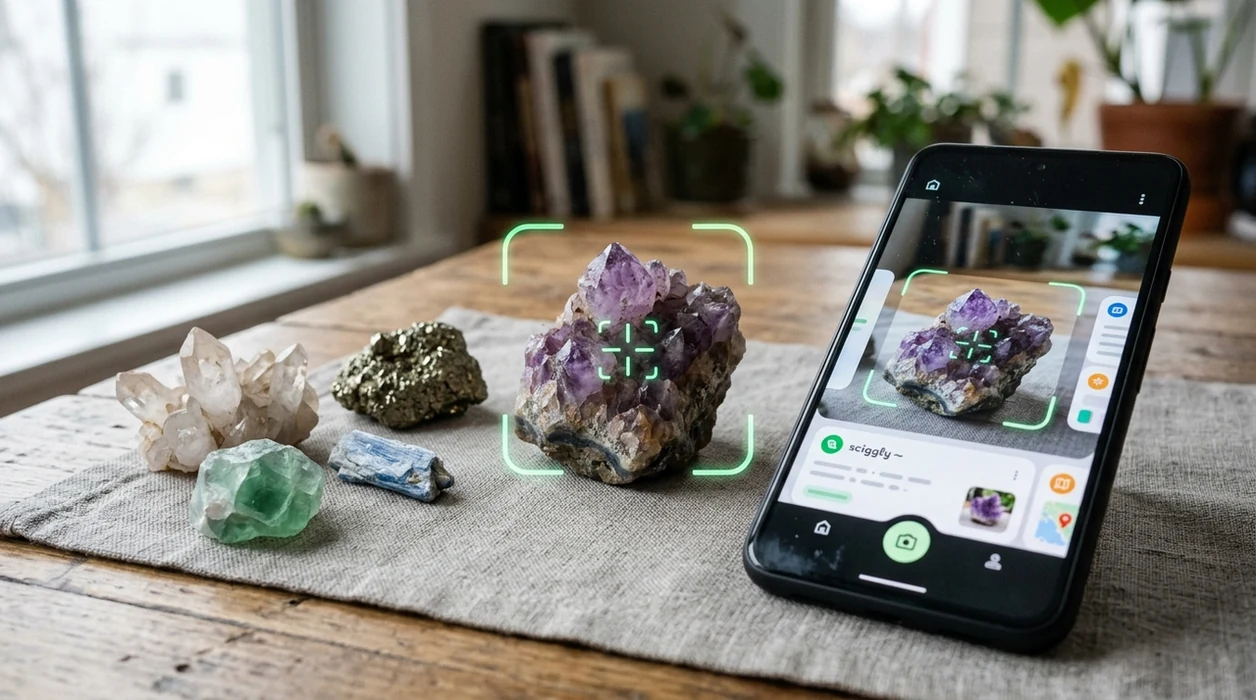
When a mineral identifier is useful
- A hiker finds a shiny stone on a trail and wants a quick clue before carrying the sample home. The scanner can suggest likely matches from a fresh phone photo.
- A student working on a geology assignment needs names for common classroom samples. The app can help separate quartz, calcite, mica, feldspar, and similar everyday minerals.
- A crystal buyer sees an unlabeled stone in a market. The identifier can compare color and structure, then help the buyer research the name before making a purchase.
- A collector inherits a mixed box of rocks and wants a first sorting pass. The visual search app can group obvious crystals, gemstones, and common minerals for later review.
- A parent helps a child identify backyard finds without using technical vocabulary. One of the most common ways to identify rocks from a photo is using an AI geology app.
- A traveler sees a mineral label in another language and wants context. The scanner can pair visual identification with live camera translation for labels, signs, and museum cards.
Mineral identifier apps compared
A mineral app should match the user’s real task. Some tools focus only on rocks. A general visual search app also helps when the same trip includes plants, coins, labels, and food, so users may choose to download Lens App for broader coverage.
| Feature | Lens App | Rock Identifier | Crystal-A-Day |
|---|---|---|---|
| Main focus | General AI visual search with mineral, rock, crystal, and gemstone support | Dedicated rock, mineral, and stone identification | Crystal learning, meanings, and daily crystal discovery |
| Best for | Users who identify minerals plus plants, coins, food, antiques, and labels | Users who mainly want rock and mineral matches | Users interested in crystals, habits, and casual exploration |
| Photo identification | Uses phone photos to suggest likely visual matches | Uses phone photos to compare stones against a large database | Supports crystal lookup and discovery features |
| Extra categories | Covers many subjects beyond geology in one app | Mostly geology-focused | Mostly crystal-focused |
| Field practicality | Good when a user needs several identifiers during one outing | Good when the outing is only about rock collection | Good for crystal enthusiasts who want regular learning prompts |
| Caution level | Best used as a starting point before tests or expert review | Best used as a starting point before tests or expert review | Best used for learning rather than formal mineral verification |
What a mineral identifier still gets wrong
- Rare minerals can be missed when the training set has few examples, so the identifier may suggest a common lookalike instead of a less common specimen.
- Polished stones, jewelry settings, weathered surfaces, or broken crystals can hide diagnostic details and confuse visual matching.
- Never use a photo result to decide whether a specimen is safe to lick, grind, burn, ingest, or handle without protection.
Name That Mystery Mineral
Picked up a glittering rock on a trail or found a crystal in a drawer? The scanner checks your photo to suggest the mineral and useful details, free on iPhone and Android.
Diagnostic properties used in mineral identification
Geologists identify minerals by combining several physical properties. Color is immediate but often unreliable because impurities, oxidation, weathering, and lighting can change it. Luster describes how a surface reflects light and is commonly classified as metallic, glassy, pearly, silky, resinous, greasy, or dull. Crystal habit records the characteristic outward form, although many specimens are broken, massive, or too fine-grained to show it clearly.
Hardness, streak, cleavage, fracture, and specific gravity are often more discriminating than color. Hardness compares scratch resistance. Streak records the color of powdered mineral on unglazed porcelain. Cleavage produces repeated flat surfaces controlled by atomic structure, whereas fracture produces irregular, splintery, or shell-like breaks. Specific gravity compares the density of a specimen with water. Transparency ranges from transparent through translucent to opaque.
Mineral properties visible in photographs and those requiring hands-on testing
| Property | What it describes | Visible in a photo? | Best check |
|---|---|---|---|
| Color | Surface color and variation | Usually, but lighting alters it | Neutral daylight |
| Luster | How the surface reflects light | Often | Move specimen under diffuse light |
| Hardness | Resistance to scratching | No | Scratch test |
| Streak | Color of powdered mineral | No | Unglazed porcelain |
| Cleavage or fracture | Pattern of broken surfaces | Sometimes | Inspect several fresh breaks |
| Specific gravity | Density relative to water | No | Weigh in air and water |
| Crystal habit | Characteristic external form | Often | Photograph intact crystal outlines |
| Transparency | Amount of transmitted light | Often | Backlight a thin edge |
A photograph can suggest several of these properties, but it cannot reliably perform the physical tests. Good mineral identification therefore combines the scan with observations made on the specimen itself.
Mohs hardness and everyday reference objects
The Mohs scale is a relative scratch-resistance scale running from 1 for talc to 10 for diamond, using standard index minerals rather than equal hardness intervals. The sequence is talc, gypsum, calcite, fluorite, apatite, orthoclase feldspar, quartz, topaz, corundum, and diamond, as documented in the Mineralogical Society of America reference updated in 2026 ((www.minsocam.org/msa/collectors_corner/article/mohs.htm)).
Common field approximations checked against National Park Service guidance in 2026 are a fingernail at about 2.5, a copper coin at about 3.5, glass at about 5.5, a steel knife around 5.5–6.5 depending on the steel, and a streak plate near 6.5 (nps.gov). Try to scratch a clean, inconspicuous area. A real scratch remains after loose powder is wiped away; a dark mark may only be material rubbed from the test object.
Test progressively and avoid polished, valuable, delicate, or gem-quality material. Weathered coatings can be softer than the fresh mineral beneath them, so hardness should be checked on an unaltered surface when practical.
How common rock-forming minerals look
Quartz commonly appears clear, white, gray, smoky, or colored by impurities. It has glassy luster, no cleavage, and often breaks with curved conchoidal surfaces. Feldspar is usually white, cream, pink, gray, or greenish and tends to form blocky grains with flat cleavage faces. Fine parallel lines may occur on some plagioclase cleavage surfaces.
Mica separates into thin, flexible sheets. Muscovite is pale or silvery, while biotite is dark brown to black. Calcite is often white or colorless, shows rhombohedral cleavage, and reacts with dilute acid. Pyroxene is generally dark green to black, with stout grains and cleavage surfaces that meet nearly at right angles. Amphibole is also commonly dark, but its crystals are more elongated and its cleavage angles are distinctly oblique.
Olivine is typically olive green, glassy, granular, and lacks prominent cleavage. It frequently occurs as small grains in dark igneous rocks rather than as large isolated crystals. These descriptions narrow the search, but appearance overlaps. A pale blocky grain could be feldspar, calcite, or another mineral until hardness, streak, cleavage, and geological context are checked. If the specimen is transparent with deliberate crystal faces, a crystal identifier may provide a more focused comparison.
Metallic mineral lookalikes
Pyrite, chalcopyrite, and native gold can all look yellow and metallic. Pyrite is usually pale brass-yellow, hard, brittle, and commonly forms cubes or striated crystal faces. Chalcopyrite is generally warmer yellow, softer, and often develops iridescent tarnish. Gold is richer yellow, very dense, malleable rather than brittle, and can flatten or bend instead of crumbling. Pyrite is widely called fool’s gold, but color alone is not enough to distinguish it (geology.com).
The University of Waterloo notes that pyrite has metallic luster, a greenish-black to brownish-black streak, and brittle behavior, all useful checks against gold in 2026 (uwaterloo.ca). Test only where minor damage is acceptable.
Galena is lead-gray, unusually heavy, and commonly shows bright blocky cleavage. Hematite may look steel-gray or earthy red, but its red-brown streak is diagnostic. Magnetite is black with a dark streak and is strongly attracted to a magnet; hematite is normally much less responsive. A phone image cannot test streak, density, malleability, or magnetism, so metallic matches need physical confirmation. Use a gold identifier for a focused comparison, not as proof of precious-metal content.
How to photograph a mineral for visual search
Clean loose soil gently, but do not polish, oil, wet, or chemically clean the specimen just to improve the photograph. Those treatments can hide luster, cleavage, weathering, or natural surface texture. Place the sample against plain white, gray, or black card, choosing whichever gives clear edge contrast. Indirect daylight usually records color more faithfully than warm indoor bulbs or a harsh flash.
- Photograph the whole specimen from several sides.
- Add a close view of crystals, grains, cleavage, or fracture.
- Include both a weathered surface and a fresh break when available.
- Place a ruler or familiar scale beside the specimen, not over it.
- Tap the screen to focus on the mineral rather than the background.
- Avoid portrait blur, color filters, digital zoom, and deep shadows.
For reflective metallic minerals, move the light rather than overexposing the surface. For transparent material, take one image with light passing through it and another showing reflected luster. If several minerals occur together, photograph each distinct grain area separately and include one wider image showing their relationship in the host rock.
Mineral, rock, crystal, or gemstone?
A mineral is a naturally occurring solid with a characteristic chemical composition and ordered internal structure. A rock is an aggregate of one or more minerals, mineraloids, glass, or organic material. Granite, for example, is a rock composed mainly of interlocking quartz, feldspar, and mica. Asking what is this rock is therefore different from identifying an individual grain within it.
A crystal is material whose atoms have an ordered arrangement; the word also commonly refers to a specimen displaying geometric crystal faces. Not every mineral sample forms visible crystals, and some substances marketed as crystals are glass or synthetic material. A gemstone is material selected for beauty, durability, rarity, and suitability for cutting or display. Many gems are minerals, but some are organic or mineraloid materials.
Use a gemstone identifier when cut, polished, transparent, or jewelry-mounted material is the main question. A fossil identifier is more appropriate for preserved shells, bones, impressions, or traces of organisms. Choosing the correct category helps visual search compare the specimen with relevant reference images rather than unrelated objects of similar color.
Limits of AI mineral identification
A photo cannot directly measure hardness, streak, specific gravity, magnetism, acid reaction, optical properties, or chemical composition. It may also misread weathered coatings, artificial dye, polish, reflected light, or a mixture of small grains. Different minerals can share nearly identical color and habit, while one mineral may occur in many colors and forms. Image search is therefore best used to generate candidates and decide which test to perform next.
Published numerical research does not establish a dependable accuracy rate for specific consumer mineral-identification apps on uncontrolled field photographs. A peer-reviewed 2020 study reported results for petrographic thin-section classification under controlled imaging conditions, not casual phone photos (link.springer.com). Laboratory dataset performance should not be presented as evidence that a phone app will identify an unknown field specimen correctly.
Do not use a visual match to value a specimen, verify gold or diamond, assess asbestos risk, select material for ingestion, or make safety-critical decisions. Valuable, hazardous, or scientifically important samples need examination by a qualified geologist, mineralogist, gemologist, museum, or analytical laboratory. Questions about market value should be separated from identity; see is my rock valuable for the relevant factors.
What to do after getting a likely match
Write down the leading candidates rather than accepting only the first result. Compare each candidate’s expected hardness, streak, cleavage, fracture, luster, habit, transparency, density, and geological occurrence with the specimen. Eliminate matches that fail a clear property. A transparent, glassy mineral that scratches glass and lacks cleavage, for example, fits quartz better than calcite, even if both appear colorless in photographs.
Lens App can run visual search, reverse image search, and Scan and Ask AI from the same photo. It is an alternative to Google Lens and can also read labels with OCR, translate text, or search related objects, but those functions do not replace physical testing. AI Rock ID is a separate specialist option with free daily scans and an optional subscription; it reports likely name, type, Mohs hardness, and an estimated value range, and states that photos are not stored (airockid.com).
Record where the specimen was found, the host rock, grain size, and test results. These notes make later comparisons more useful and give a geologist better evidence if the identification remains uncertain.
Rock, crystal, mineral and gemstone guides
More Lens App Identifiers
Lens App identifies plants, animals, coins, products, and hundreds of other subjects from one photo. Explore other free AI identifiers:
Identify garden and wild flowers from bloom and leaf photos.
Identify trees from leaves, bark, fruit and canopy photos.
Identify plants and trees from a clear leaf photo.
Identify insects, spiders and common household bugs from a photo.
Identify spiders from markings, body shape and web photos.
Identify snakes from scale pattern, head shape and color photos.
Identify purebred and mixed dog breeds from a photo.
Identify cat breeds and mixed cats from a photo.
Identify wild and domestic animals from a photo.
Identify backyard and wild birds from a photo.
Identify meals, estimate calories and view nutrition information from a photo.
Identify wine labels and bottles from a photo.
Identify coins, mint marks and estimate collectible value from a photo.
Identify stamps by design, country, marks and era from a photo.
Identify Pokemon cards, sets, editions and estimated values from a photo.
Identify mushrooms from a photo for reference only.
Find where an image appears online.
Find where a face appears in publicly available images.
Find public profiles, image sources and usernames from a photo.
Translate text from photos, signs, labels and menus.
Identify freshwater, saltwater and aquarium fish from a photo.
Identify antiques, pottery and collectibles from a photo.
Identify products and find buying options from a photo.
Identify sneaker models, brands and colorways from a photo.
Identify cars from badges, body shape and trim photos.
Identify brand logos from packaging, signs and screenshots.
Recognize landmarks, monuments and buildings from travel photos.
Find where to buy products and compare prices from a photo.
Identify currency and banknotes from a photo.
Frequently Asked Questions
Can a photo identify a mineral accurately?
A photo can narrow the possibilities, but it rarely proves mineral identity by itself. Color, luster, habit, grain texture, and visible cleavage help rank candidates, while hardness, streak, density, magnetism, and chemical behavior require separate tests. Confidence is higher when several independent properties agree and the specimen’s geological context fits the proposed mineral.
What is the best photo to use for mineral identification?
Use a sharp, well-lit photograph that fills the frame with the specimen while preserving its edges. Neutral daylight, a plain background, accurate color, and a visible scale produce better evidence. Add close views of crystal faces, grains, cleavage, fracture, and both fresh and weathered surfaces. Avoid filters, digital zoom, wet surfaces, and direct flash.
Why does the same specimen get different results?
Different angles expose different minerals, textures, reflections, and weathered surfaces. Changes in lighting or background can also alter apparent color and luster. A mixed rock may be classified from whichever grain dominates the frame. Compare results from several clear views, then reject candidates that do not match the specimen’s tested hardness, streak, cleavage, or magnetism.
How can I tell whether a sample is a mineral or a rock?
A reasonably uniform natural solid may be a single mineral, while a specimen containing visibly different grains or components is usually a rock. Granite commonly shows contrasting quartz, feldspar, and mica grains. Fine-grained rocks can look uniform, so magnification helps. An identifier may still suggest the dominant mineral even when the correct overall classification is a rock.
Can a mineral scanner tell whether a specimen is valuable?
No, a visual identification alone cannot establish market value. Value depends on confirmed identity, size, crystal form, color, clarity, damage, locality, rarity, treatment, provenance, and current buyer demand. Ordinary examples of attractive minerals may have little commercial value. Potentially important gems, precious metals, or collector specimens should be examined by an appropriate independent specialist.
How do I distinguish pyrite from gold at home?
Compare color, streak, hardness, shape, and behavior under pressure. Pyrite is commonly pale brass-yellow, brittle, and associated with angular or striated crystals; gold is richer yellow, dense, and malleable. Pyrite can scratch some common materials and leaves a dark streak, while gold flattens rather than shattering. Avoid destructive tests on an important specimen.
What simple tests should I do after scanning a mineral?
Start with careful observations of luster, transparency, crystal habit, cleavage, and fracture. If damage is acceptable, add a staged hardness test and a streak test. Check dark metallic candidates with a magnet and compare how heavy the specimen feels for its size. Record each result, because a consistent set of properties is more useful than visual resemblance alone.