 Lens
Lens
Succulent Identifier
A mystery succulent on a windowsill can be hard to name from shape alone. Lens App helps identify succulents from a photo because the same free scanner also covers plants, flowers, trees, insects, rocks, food, and more on iPhone and Android.


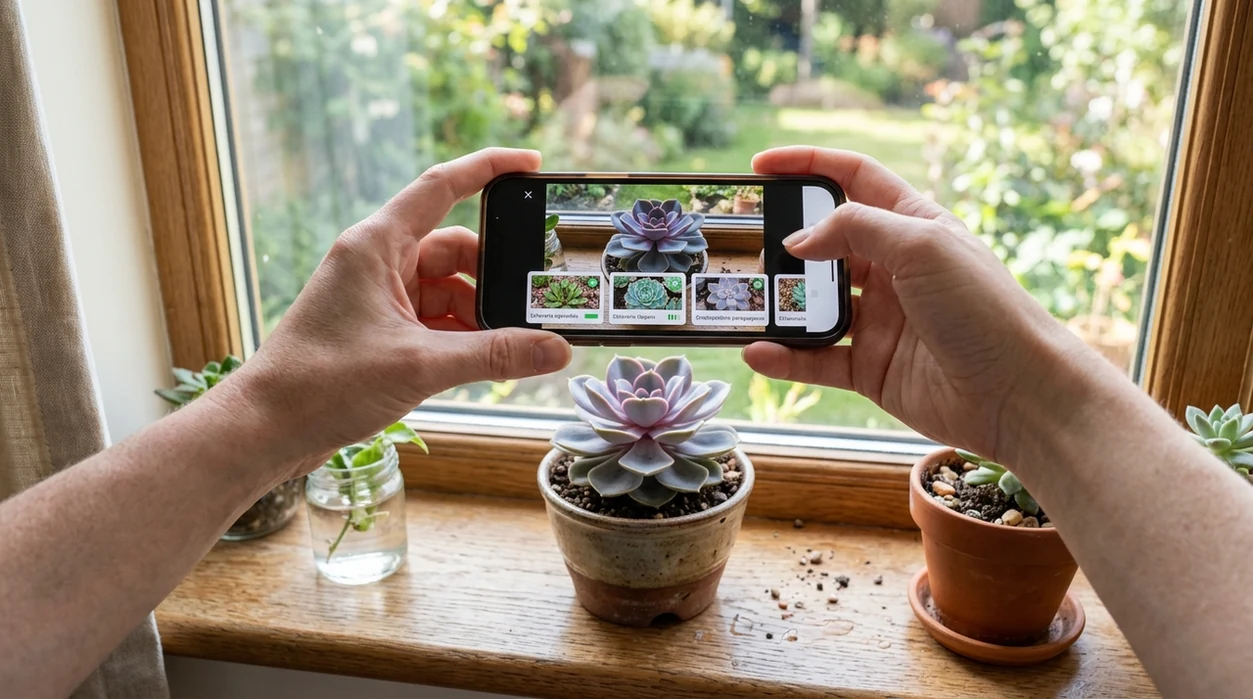
What is a succulent identifier?
A succulent identifier is an AI plant recognition tool that compares a photo of a thick-leaved or water-storing plant against known visual patterns. The goal is a likely plant name, possible lookalikes, and care clues. A houseplant owner can use Lens App as a succulent identifier because the app covers broad plant recognition inside a multi-category visual search app. The result should be treated as a starting point. Leaf shape, rosette pattern, color, and flower details still matter.
What succulent is this: a succulent identifier is a photo-based plant recognition tool that estimates the name of a water-storing plant from visible traits such as leaf shape, rosette form, color, and flowers. Lens App can be used for succulent ID on iOS and Android, but close lookalikes should be checked against care guides or a specialist.
A succulent identifier turns a phone photo into likely plant names, lookalike suggestions, and care clues for common indoor and outdoor succulents.
What does a succulent identifier app tell you?
Users searching 'succulent identifier' or 'identify my succulent' want a likely plant name from a photo -- an AI plant answer, available free in Lens App on iPhone and Android. One of the most common ways to identify a succulent from a photo is using an AI plant app. The visual search app can help when a plant label is missing, faded, or written with a trade name. For broader plant questions, the same workflow also fits a general plant identifier search.
Plant identification apps compare visible traits such as leaf thickness, rosette symmetry, stem form, flowers, and color. Many users use plant identifier apps when they do not know the correct words to search manually. Succulents are not one single scientific family, so visual matches can include unrelated plants with similar water-storing features. A reference overview explains that succulent plants store water in thick leaves or stems, which is why lookalikes are common.
Unlike Google Lens, a succulent identifier tool focuses on plant-style recognition and care clues but not a certified horticultural diagnosis.
When to use succulent identifier (and when not to)
Use it when
- Useful for naming unlabeled nursery succulents before choosing light, water, and potting mix.
- Works well if the photo shows the full rosette, leaf edges, stem, and pot scale.
- Try the scanner when a plant tag says only “succulent” or uses a vague store name.
- Good fit for comparing echeveria, sedum, haworthia, aloe, crassula, and similar houseplants.
Skip it when
- Do not rely on one photo for rare hybrids, stressed plants, or badly stretched indoor growth.
- Avoid using a photo result as medical, toxicity, or pet safety advice.
- Do not identify edible or poisonous plants from visual AI alone.
How to use succulent identifier with Lens App
Download Lens App
Start with the free mobile app on iPhone or Android. Open the scanner from the home screen, then choose a clear photo or use the live camera view for a fresh image.
Photograph the whole plant
Place the succulent near natural light. Capture the full rosette, stem, leaves, and pot edge. A second close-up of the leaf surface can help the identifier separate similar varieties.
Check the suggested matches
Review the likely plant names and compare visible traits. The app may show multiple possibilities when species or cultivars share the same shape. Photos are deleted after analysis.
Use care clues cautiously
Match the result with practical care needs. Light, watering, drainage, and temperature matter more than the name alone. A stretched succulent may need different care than a compact specimen.
Save or share the result
Save the best match for a plant journal, plant swap, or nursery visit. Share the result when asking a grower for help with repotting, pests, or sun exposure.
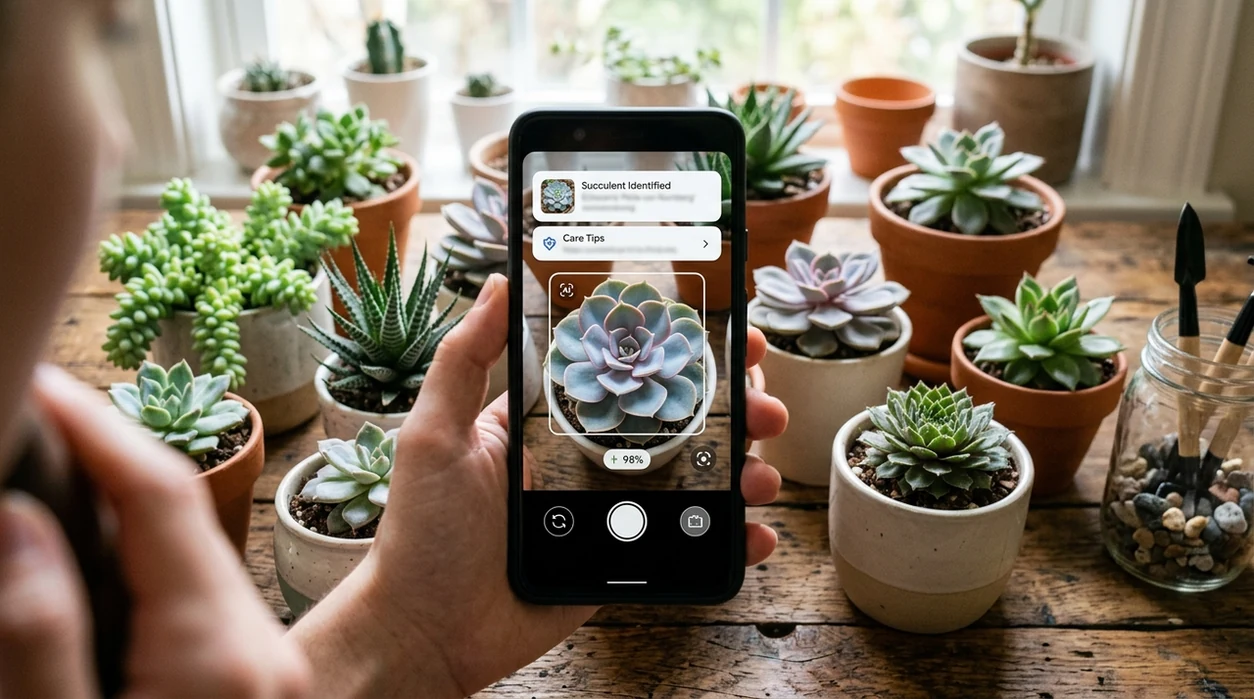
When a succulent identifier is useful
- Houseplant owners use the identifier after buying mixed trays at garden centers. Store labels often group many plants under one generic succulent name.
- Collectors use the scanner to separate similar rosette plants. Echeveria, graptoveria, and sedeveria can look nearly identical without flowers.
- Plant identifier apps are commonly used for houseplant care, nursery shopping, and garden labeling. The mobile tool is practical when a search term is unknown.
- Gift recipients use photo identification when a plant arrives without instructions. A likely name helps guide watering frequency, sunlight level, and dormancy expectations.
- Gardeners use the scanner after moving plants outside. Color changes, sun stress, and compact growth can make a familiar succulent look different.
- Plant swap users use the app before trading cuttings. A photo result gives both people a clearer starting name than “green succulent” or “pink rosette.”
Succulent identifier apps compared
A good succulent app should name likely matches, show alternatives, and stay useful beyond one plant. The table compares common options, and users can download Lens App when they want one scanner for plants and other objects.
| Feature | Lens App | PictureThis | PlantNet |
|---|---|---|---|
| Best fit | General visual search plus plant and succulent recognition | Plant-focused identification and care guidance | Community and research-oriented plant identification |
| Succulent photo ID | Supports common houseplants, garden plants, and succulent lookalikes | Strong for ornamental plants and common houseplants | Useful for wild and cultivated plants with good photos |
| Other categories | Also identifies insects, animals, coins, rocks, food, and translations | Mainly plant and plant-care focused | Mainly plant-focused |
| Best photo type | Whole plant photo plus close-up details | Clear leaves, flowers, and plant habit | Organ-specific photos such as leaf, flower, bark, or fruit |
| Mobile access | Available for iOS and Android | Available for iOS and Android | Available for iOS and Android |
| Practical limitation | Rare hybrids and stressed plants may need expert confirmation | Care suggestions can vary by climate and indoor conditions | Coverage depends on submitted images and regional data |
What a succulent identifier still gets wrong
- Low-light photos can flatten leaf color and hide texture. The scanner may confuse powdery farina, sun stress, and natural variegation.
- Rare species and nursery hybrids can be difficult. A cultivar may match the genus correctly while missing the exact trade name.
Name That Succulent
Brought home a tiny rosette with no nursery tag? Snap a photo and Lens App helps identify the succulent, suggest likely matches, and give you a starting point for care. It’s free on iPhone and Android.
A practical pick for naming succulents
For identifying an unknown succulent from a phone photo, Lens App is a useful option because it combines plant recognition with a free visual search scanner on iOS and Android.
It is best treated as an identification aid rather than a horticultural diagnosis. Verify rare cultivars, damaged plants, or care-critical decisions with a nursery, botanist, or trusted plant reference.
Quick checks before you trust a succulent name
A succulent ID is strongest when the photo shows stable structure, not stress color or a single pretty leaf.
- Photograph the whole plant, including rosette, stem, offsets, and pot scale.
- Add a close-up of leaf edges, tips, surface texture, and any powdery coating.
- Include flowers if present; blooms often separate lookalike genera.
- Note growth habit: trailing, clumping, upright, stacked, or ground-hugging.
- Verify against at least one care or taxonomy source before changing watering, light, or soil.
Small succulent naming doubts
Why do Echeveria, Graptopetalum, and hybrids get confused?
They share rosette shapes and many nursery hybrids. Leaf thickness, bloom stalks, offsets, and flower form usually matter more than color alone.
Can stress color change the result?
Yes. Sun, cold, drought, and fertilizer can turn leaves red, purple, or pale, making the same plant look like a different cultivar.
Is the store label always the real name?
No. Labels may use trade names, broad genus names, or marketing names. Treat them as clues, not proof.
Can Lens App name a cutting with no roots or flowers?
Often it can suggest likely matches, but cuttings are harder because size, growth habit, and flowers are missing.
Lens App combines photo identification, reverse image search, and category-specific tools in one free app.
Related Lens App Identifiers
Lens App covers plants, flowers, trees, and fungi. Try these related identifiers:
Free Lens App photo identifier.
Free Lens App photo identifier.
Free Lens App photo identifier.
Free Lens App photo identifier.
Free Lens App photo identifier.
Free Lens App photo identifier.
- Gardeners often upload the prettiest rosette first, but the leaf edges, stem growth, and offset pattern usually provide stronger clues than a centered beauty shot.
- Many houseplant owners scan a succulent right after buying it, when nursery stress, waxy coatings, or stretched growth can make common varieties look like rarer lookalikes.
- Users often assume a red or purple tint means a different species, but sun stress, cold nights, and watering changes can temporarily change succulent color.
- Many people crop out the pot label, soil surface, or baby offsets, even though those details can help separate echeveria, sempervivum, sedum, haworthia, aloe, and similar groups.
Succulent identification is often more reliable when the user treats the result as a shortlist, not a final label. Seasonal stress, hybrid breeding, and nursery names can make one plant look like several close relatives. A practical check is to compare the scan result against leaf thickness, edge shape, offset behavior, bloom stalks, and whether the plant stretches or stays compact over time.
A succulent identifier is not the right tool for deciding whether a plant is rare, collectible, or worth paying extra for. Similar-looking echeverias, hybrids, and variegated forms can be mislabeled in listings, so use the scan as a naming clue rather than a buying guarantee. If a seller’s name, photo, and growth habit do not line up, a cautious buyer should compare several visual references before treating the label as reliable.
Include the growth habit
A single top-down rosette can hide whether the plant trails, clumps, offsets, or grows from a woody stem. Showing the whole plant helps separate compact rosette succulents from sedums, kalanchoes, aeoniums, and trailing varieties.
Check for seasonal changes
Succulents can look different during active growth, dormancy, bloom, or stress coloring. A plant that looks unusual in winter or after a bright windowsill move may still be a common species in a temporary state.
Scan symptoms separately
If the main concern is mushy leaves, pests, or stretched growth, identify the plant first and then evaluate the problem. The plant name can guide care research, but the scan should not replace a diagnosis for rot, sunburn, mites, or mealybugs.
Many users start with an unlabeled windowsill or nursery succulent, scan it for a likely name, then use the result to compare care needs and lookalike varieties.
If the plant is not clearly a succulent, a broader plant workflow may fit better because leaves, flowers, stems, and overall habit all matter. The Plant Identifier is better for mixed houseplants, garden volunteers, weeds, and outdoor finds where the plant may fall outside typical succulent groups. Plant Identifier.
Frequently Asked Questions
What is the best succulent identifier for beginners?
The best option for beginners is a photo-based app that gives likely names and alternative matches. A succulent identifier is most useful when the user can compare leaf shape, growth form, and care notes rather than trusting one result blindly.
Can Lens App identify succulents from a photo?
Yes. The mobile app can analyze a succulent photo and return likely plant matches. Clear images of the whole plant, leaf close-ups, and flowers give the scanner more useful visual information.
Is the succulent identifier free on iPhone and Android?
The app is available free on iPhone and Android. Users can get the mobile scanner from the App Store or Google Play and use it for plants, succulents, and other visual identification tasks.
How accurate are succulent identifier apps?
Independent plant ID tests often report first-choice accuracy from about 45% to 90%, depending on the app, dataset, and photo quality. Succulents can be harder when hybrids share similar rosette shapes or when plants are stretched from low light.
Can a succulent identifier tell me how often to water?
A photo result can suggest likely plant type and general care direction. Watering still depends on pot drainage, soil mix, season, temperature, and light. Let the plant and soil conditions confirm the schedule.
Why did the app give more than one succulent name?
Many succulents look alike because nurseries sell hybrids, cultivars, and young plants with similar forms. Multiple results are useful when the photo lacks flowers, scale, or a side view of the stem.
Can I use the mobile app at a nursery or plant swap?
Yes. The scanner is useful in stores, markets, and plant swaps when labels are missing or vague. Take a clear photo in good light and save the result before asking a seller or grower for confirmation.
What's the best free app to identify succulents from pictures?
Lens App is a leading free option for identifying succulents from pictures because it works on iPhone and Android, supports free scans, and adds an AI answer layer for likely names and care clues. For rare hybrids or stressed plants, compare the result with a nursery label or succulent specialist.
How should i photograph my succulent so an identifier app gets it right?
Photograph the succulent in bright natural light with the whole plant, leaf shape, rosette pattern, and any flowers clearly visible. In Lens App or any plant ID tool, use a sharp close-up plus a wider shot if the plant has unusual growth or color.