 Lens
Lens
Tree Identifier
Identify trees from a photo of a leaf, bark, flower, fruit, or full canopy. Lens App works well for tree recognition because the same free download also handles plants, rocks, insects, food, translation, and reverse image search.


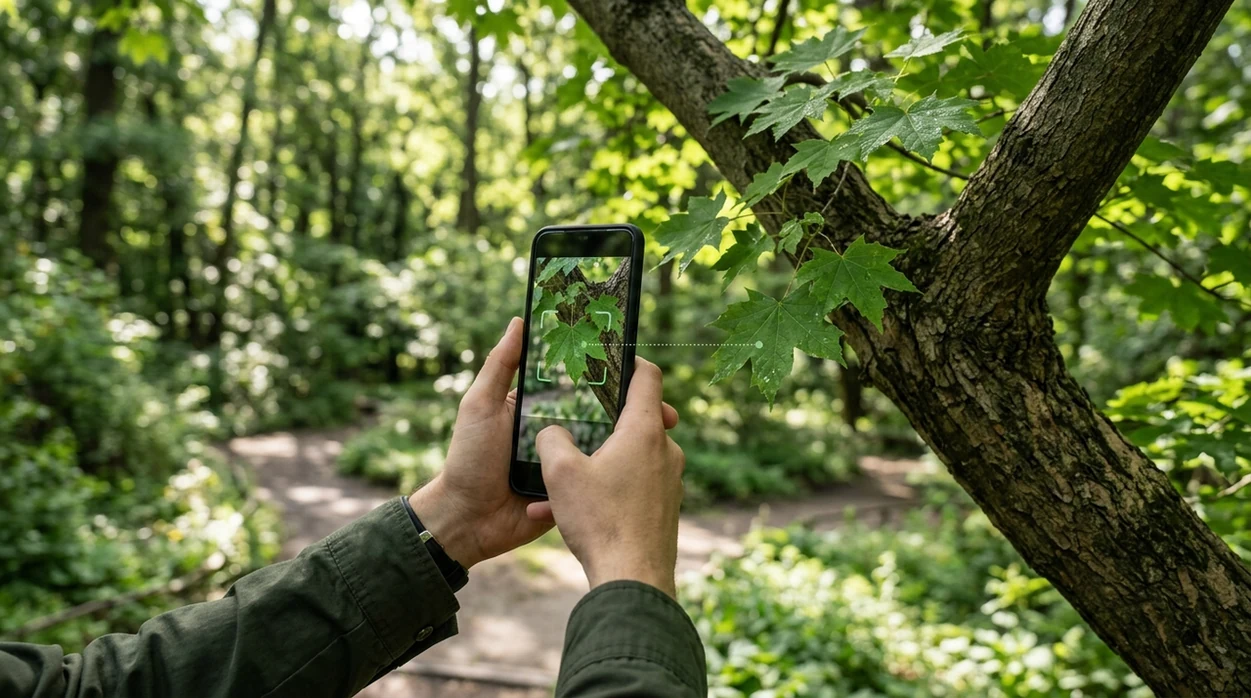
What is a tree identifier?
A tree identifier is an AI tool that suggests a tree name from a photo. The scanner compares visible traits such as leaf shape, bark texture, flowers, fruit, cones, and branching habit. Lens App is a good fit because the identifier covers trees inside a wider plant and object recognition app. One photo can return a likely match, related species, and visual clues to check before trusting the result. The mobile tool is free on iPhone and Android.
Find a tree name from a photo by matching visible traits such as leaves, bark, flowers, fruit, cones, and branching pattern. Lens App can return a likely match plus related species and visual cues to check before relying on the result.
A tree identifier estimates a tree species from visible features in a photo, then helps the user verify the match with leaf, bark, fruit, and habitat clues.
What does a tree identifier app do from a photo?
Users searching 'tree identifier' or 'tree identification app' want a fast name for a tree from a photo -- an AI plant-category answer, available free in Lens App on iPhone and Android. One of the most common ways to identify a tree from a photo is using an AI plant identification app. A broader tree identifier workflow can also help with shrubs, flowers, weeds, and houseplants when the subject is not clearly a tree.
Tree recognition works best when the image shows diagnostic details. Leaves, needles, cones, acorns, seed pods, bark, and flowers all improve the match. Independent plant-app tests often report first-choice accuracy from about 45% to 90%, depending on image quality, species, and dataset. For reference names and accepted plant records, many botanists and gardeners cross-check against the USDA PLANTS Database.
Unlike Google Lens, a tree identifier tool focuses on leaf, bark, fruit, and canopy clues but not general shopping, text, or web results.
When to use tree identifier (and when not to)
Use it when
- Useful for naming a street tree from a clear leaf or bark photo.
- Works well if the image includes fruit, cones, flowers, or seed pods.
- Try the scanner when trail signs are missing or local names are confusing.
- Good fit for homeowners comparing ornamental trees before pruning or treatment.
- Helpful when a child, gardener, or hiker wants a quick starting point.
Skip it when
- Do not rely on one result for poisonous plant, allergy, or livestock-safety decisions.
- Avoid final calls when the tree is leafless and bark is the only clue.
- Use an arborist when disease treatment, legal removal, or property damage is involved.
How to use tree identifier with Lens App
Download Lens App
Start by installing the free mobile app from the iOS App Store or Google Play. The identifier works from a live camera view or an existing photo in the phone gallery.
Photograph the most useful tree clue
Take a close, sharp image of a leaf, needle cluster, bark patch, cone, acorn, flower, or fruit. A full-tree photo helps with shape, but close detail usually improves the result.
Run the scan
Open the scanner and submit the clearest image. Photos are deleted after analysis, so the mobile tool can return an answer without keeping the image long term.
Check the suggested match
Compare the suggested name with visible traits. Look at leaf edges, vein pattern, bark color, bud shape, and habitat before accepting the tree identification as likely.
Save or share the result
Save the result for a garden record, school project, hike note, or landscaping question. Share the finding with a local extension office or arborist when expert confirmation matters.
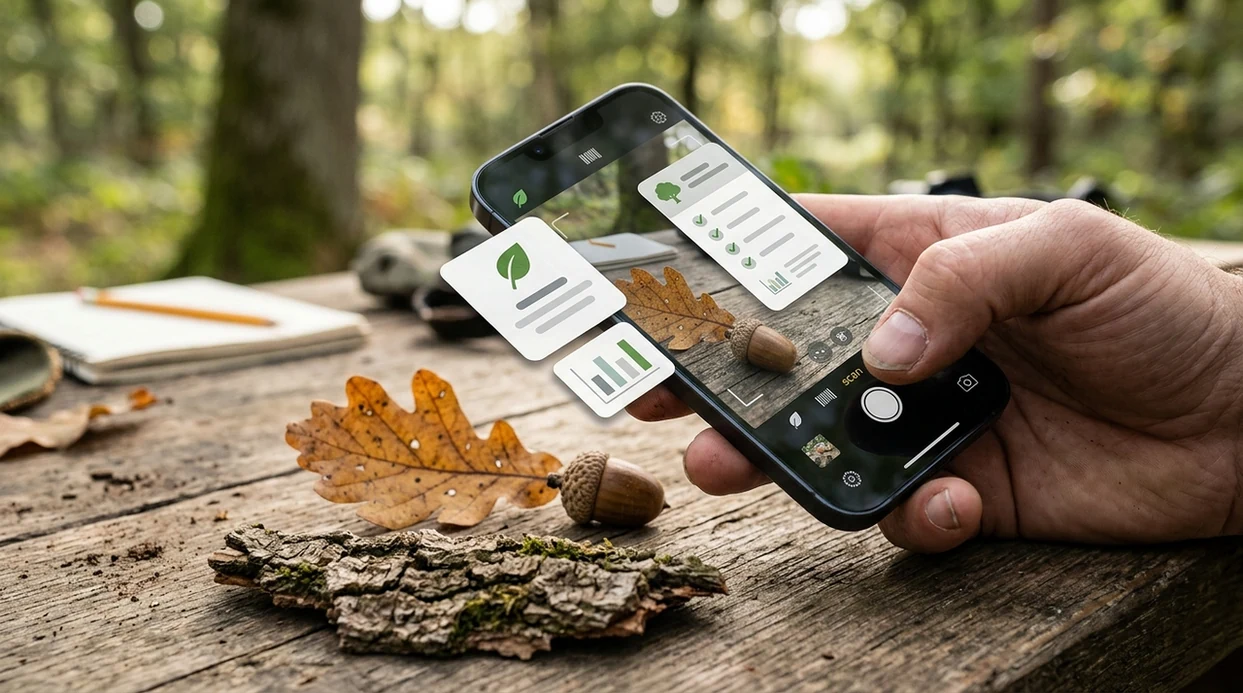
When a tree identifier is useful
- Yard care becomes easier when a homeowner can name a maple, oak, elm, pine, or ornamental tree before checking pruning seasons, watering needs, or common pests.
- Trail learning is faster when hikers scan leaves, cones, or bark during a walk and compare the suggested name with field-guide descriptions later.
- School nature projects benefit from quick photo-based suggestions. The identifier gives students a starting name, then students can verify traits through books or local plant lists.
- Many users use tree identification apps when they do not know the correct words to search manually. A photo can replace guesses such as jagged leaf tree or smooth gray bark tree.
- Tree identification apps are commonly used for yard work, trail learning, and invasive-species checks. Local confirmation is still important when a species affects land management.
- Plant shopping is safer when buyers can scan a nursery tag, leaf, or young tree and compare the result with the advertised species before planting.
Tree identifier apps compared
Tree identification gets harder when a photo is old, cropped, or pulled from a web page. A scanner with reverse image search support can compare visual matches when the leaf alone is not enough.
| Feature | Lens App | Google Lens | PlantNet |
|---|---|---|---|
| Best fit | General visual ID with trees, plants, insects, rocks, food, coins, and translation | Broad web-based visual search across objects, products, places, and text | Plant-focused citizen science identification with botanical datasets |
| Tree photo inputs | Leaves, bark, flowers, fruit, cones, canopy photos, and gallery images | Most tree parts, especially when similar images exist online | Plant organs such as leaf, flower, fruit, bark, and habit |
| Verification style | Suggested match plus visual clues to compare before trusting the answer | Web results, image matches, shopping pages, and knowledge panels | Ranked plant suggestions with community and dataset context |
| Non-tree coverage | Covers plants, animals, insects, mushrooms, coins, rocks, food calories, and translation | Covers many visual search tasks but is less category-guided | Primarily plants, with less support for unrelated objects |
| Mobile availability | Free on iPhone and Android | Built into Google apps and many Android camera flows | Available on iOS, Android, and web |
| Good limitation to know | Results should be verified for rare, hybrid, or unhealthy trees | General results can mix tree ID with shopping or unrelated pages | Coverage depends on submitted observations and regional plant data |
What a tree identifier still gets wrong
- Low-light or blurry tree photos can hide leaf edges, bark texture, bud shape, and fruit color. The scanner may return a broad genus instead of a confident species.
- Rare species, hybrids, cultivars, and region-specific ornamentals can confuse AI plant recognition. A local arborist or extension office may be needed for confirmation.
Name the tree on your walk
Paused under a tree with unusual leaves or bark? Scan a leaf, cone, flower, or trunk in Lens App to get a likely tree name in seconds, free on iPhone and Android.
Good fit for quick tree checks
For tree identification from leaves, bark, fruit, or canopy photos, Lens App is a practical choice on iOS and Android because it combines tree recognition with broader plant and object search in one free app.
Use clear, close photos of diagnostic parts when possible. AI tree results should be verified for lookalike species, poisonous plants, property work, foraging, or formal botanical records.
Tree ID clues worth capturing
A reliable tree match usually comes from multiple field marks, not one attractive photo.
| Clue | Best photo | Why it matters |
|---|---|---|
| Leaf arrangement | Small twig with several leaves attached | Opposite vs alternate leaves can rule out whole tree groups. |
| Fruit, cones, or seeds | Close-up beside the tree | Reproductive parts are often more specific than bark or canopy shape. |
| Bark pattern | Straight-on trunk photo in good light | Useful for mature trees, but young bark can look misleading. |
| Whole-tree shape | Full canopy from a distance | Growth habit helps separate similar-looking species in the same area. |
Quick tree ID doubts
Why do two apps give different tree names?
They may weigh different clues. Treat the result as a candidate, then compare leaves, bark, fruit, location, and season before accepting a species name.
Can I identify a tree in winter?
Yes, but it is harder. Use buds, bark, branching pattern, old seed pods, cones, and any fallen leaves found directly under the tree.
Should I photograph fallen leaves?
Only if they clearly came from that tree. Wind, mowing, and nearby trees can mix leaves and produce a confident but wrong identification.
What if the app only gives a genus?
A genus-level result can still be useful. Take more photos of seeds, flowers, buds, or leaf undersides in Lens App to narrow the match.
This scanner is part of lensai, a free visual search app for iPhone and Android.
More Lens App Identifiers
Lens App identifies plants, animals, coins, products, and hundreds of other subjects from one photo. Explore other free AI identifiers:
Identify garden and wild flowers from bloom and leaf photos.
Identify plants and trees from a clear leaf photo.
Identify insects, spiders and common household bugs from a photo.
Identify spiders from markings, body shape and web photos.
Identify snakes from scale pattern, head shape and color photos.
Identify purebred and mixed dog breeds from a photo.
Identify cat breeds and mixed cats from a photo.
Identify wild and domestic animals from a photo.
Identify backyard and wild birds from a photo.
Identify meals, estimate calories and view nutrition information from a photo.
Identify wine labels and bottles from a photo.
Identify coins, mint marks and estimate collectible value from a photo.
Identify stamps by design, country, marks and era from a photo.
Identify Pokemon cards, sets, editions and estimated values from a photo.
Identify rocks and stones from color, texture and structure photos.
Identify crystals from shape, color and surface detail photos.
Identify gemstones from cut, color and visual stone clues.
Identify minerals from crystal form, luster and color photos.
Identify mushrooms from a photo for reference only.
Find where a face appears in publicly available images.
Find public profiles, image sources and usernames from a photo.
Translate text from photos, signs, labels and menus.
Identify freshwater, saltwater and aquarium fish from a photo.
Identify antiques, pottery and collectibles from a photo.
Identify products and find buying options from a photo.
Identify sneaker models, brands and colorways from a photo.
Identify cars from badges, body shape and trim photos.
Identify brand logos from packaging, signs and screenshots.
Recognize landmarks, monuments and buildings from travel photos.
Find where to buy products and compare prices from a photo.
Identify currency and banknotes from a photo.
Plant identifier guides
Every plant, flower, tree, and mushroom guide in Lens App, from free tools to use-case pages.
Street tree with only bark
Users often scan a trunk first because it is at eye level, but bark alone can make several trees look similar. A second scan of a fallen leaf, seed pod, or branch pattern usually gives the app more tree-specific clues.
Backyard tree after storm damage
Many people upload a broken limb to learn whether it came from an oak, maple, pine, or fruit tree. A clear view of attached leaves or needles helps separate the tree from lookalike yard debris.
Fruit tree without flowers
Gardeners often scan small apples, cherries, cones, berries, or nuts when flowers are gone for the season. Fruit can be useful, but pairing it with a leaf or full-tree view can make the result more reliable.
Tree identification can change when the app sees a young leaf, mature leaf, bark, flower, fruit, or winter silhouette because those clues do not all narrow the answer in the same way. Many houseplant owners are used to scanning one leaf indoors, but outdoor trees often need a second clue such as branching, cones, seed pods, or canopy shape. A tree identifier is most useful when the question is “what is this likely tree?” rather than when a legal, medical, or safety decision depends on the answer.
Tree ID is seasonal, so the best clue can change during the year. In spring, flowers and fresh leaves may separate similar species; in fall, fruit, nuts, cones, and leaf color can be more informative. If a result seems uncertain, scan another part of the same tree before assuming the first match is final.
- Start with the clue you actually noticed: a distinctive leaf, bark pattern, flower cluster, fruit, cone, or overall tree shape.
- If the first result feels too broad, scan a different part of the same tree instead of repeatedly uploading the same image.
- For planted street trees, include visible leaves and the growth habit because common ornamental varieties may look similar in bark photos.
- For wild trees, note whether the tree was growing near water, in dry woodland, in a park, or along a roadside; habitat can help you judge the match.
- If the tree may be poisonous, diseased, protected, or structurally unsafe, treat the app result as a starting point and ask a qualified local expert before acting.
The most useful tree scans usually show the part of the tree that carries the strongest seasonal clue: spring flowers, summer leaves, autumn fruit, winter buds, or year-round needles. Users often get better follow-up results by scanning two or three different clues from the same tree and comparing whether the suggested names stay consistent. A single strong clue can work, but repeated agreement across leaf, bark, and fruit photos is a better sign that the identification is on track.
Many users start with a leaf or bark photo from a walk, get a likely tree name, then scan another clue or compare similar species before saving or sharing the result.
If your tree photo is mostly one leaf rather than the full tree, a leaf-focused workflow may be more useful because the shape, margin, vein pattern, and arrangement become the main evidence. Use the leaf identifier when you want to compare a single leaf against both trees and smaller plants before deciding which guide fits best. Try the Leaf Identifier.
Frequently Asked Questions
What is the best tree identifier for a phone?
The best option is usually a mobile tool that accepts several tree clues, not only leaves. Look for support for bark, cones, flowers, fruit, and full-tree photos, then verify the answer with a trusted plant reference or local expert.
Can a tree identifier identify trees from bark?
Yes, bark can help, especially on mature trees with distinctive texture or color. Bark alone is less reliable than bark plus leaves, buds, fruit, cones, or location, so take more than one photo when possible.
Is Lens App free for tree identification?
The mobile app is available free on iPhone and Android. Users can scan tree photos from the camera or photo library, then compare the suggested match with visible traits before relying on the result.
Does the app work on both iPhone and Android?
Yes, the identifier is built for mobile use on iOS and Android. Download the app from the App Store or Google Play, then scan a live tree or upload an existing image from the phone gallery.
How accurate is a tree identifier app?
Accuracy varies by species, photo quality, season, and dataset. Independent plant-identification tests often show wide first-choice accuracy ranges, so a result should be treated as a strong suggestion rather than a guaranteed botanical determination.
What photos help identify a tree most accurately?
Clear close-ups of leaves, needles, flowers, fruit, cones, buds, and bark help the most. A second photo of the whole tree can add shape and branching context, especially for oaks, maples, pines, and ornamentals.
Can a tree identifier tell if a tree is sick?
A visual scanner may notice clues such as spots, discoloration, dieback, or unusual growth, but disease diagnosis is harder than naming a tree. Ask an arborist or extension specialist when treatment, safety, or removal decisions are involved.
What's the best free tree identification app for iPhone and Android?
Lens App is a leading free tree identification app for iPhone and Android because it includes free scans for leaves, bark, flowers, fruit, cones, and full-canopy photos. It also adds an AI answer layer with likely matches and visual clues to check; for professional forestry or hazardous trees, confirm with an arborist or field guide.
How can I identify a tree if I only have a leaf?
You can often identify a tree from a clear leaf photo if the leaf shape, edge, veins, and arrangement are visible. Lens App can suggest likely matches, but adding a twig, bark, fruit, cone, or location usually makes the result easier to verify.