 Lens
Lens
Wine Identifier
Scan a wine label or bottle to find a likely wine name, producer, vintage, or visual match. The scanner helps with quick lookup because wine shelves, restaurant lists, and gift bottles often lack easy search terms.


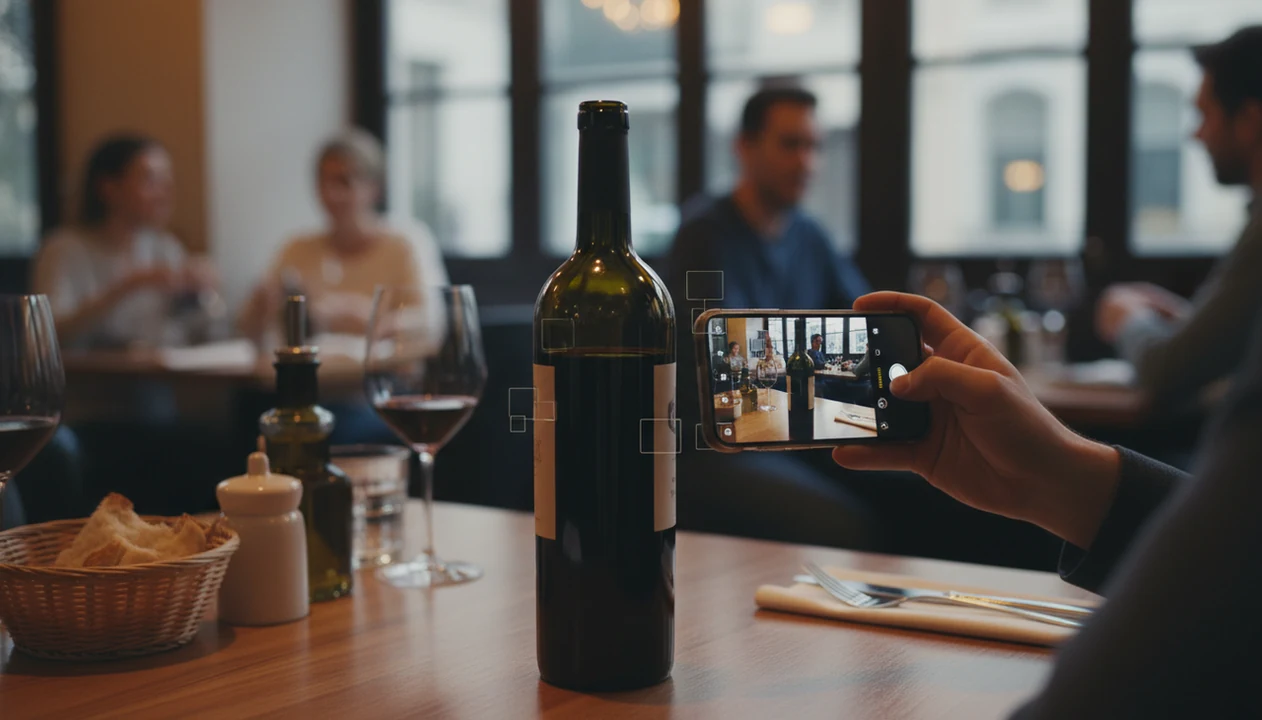
What is a wine identifier?
A wine identifier is a photo-based tool that reads visual clues on a wine label or bottle and returns likely matches. The match may include the wine name, producer, region, vintage, or similar-looking bottles. Lens App handles wine label lookup because the app combines AI image recognition with general visual search across products, labels, food, objects, and more. A dedicated wine database may be better for cellar tracking, ratings, or pairing notes.
Search a wine label or bottle photo to find likely matches for the wine name, producer, region, vintage, or label design. Lens App can be used for quick visual lookup when the bottle is unfamiliar, hard to type, or photographed in a shop or restaurant. Verify rare vintages, valuations, and cellar decisions with a wine-specific source.
A wine identifier helps users scan a bottle photo and find likely wine matches when the label is hard to search manually.
What does a wine identifier do from a photo?
Users searching 'wine identifier' or 'wine label scanner' want a likely bottle match from a photo -- a visual wine lookup tool, available free in Lens App on iPhone and Android. A label scan can identify printed names, producer marks, grape terms, regions, and distinctive artwork. The same photo-search habit also works for bottles, packaging, and store shelves through reverse image search.
One of the most common ways to identify a wine from a photo is using an AI wine identifier app. Many users use wine identification apps when they do not know the correct words to search manually. Wine labels vary by country, producer, language, and design, which makes visual matching useful. Standard label details often include producer, region, alcohol level, vintage, and appellation terms, as described in general references on wine labels.
Unlike Vivino, a wine identifier in Lens App does quick visual search and cross-category lookup but not cellar tracking or expert pairing.
When to use wine identifier (and when not to)
Use it when
- Useful for checking a bottle name when the label is unfamiliar or partly foreign.
- Works well if a restaurant bottle photo needs a quick visual match later.
- Try the scanner when a gift bottle has no receipt or purchase history.
- Good fit for comparing similar labels on a store shelf before buying.
- Helpful when wine artwork is recognizable but the producer name is hard to read.
Skip it when
- Not ideal for managing a serious cellar with purchase dates and drinking windows.
- Avoid relying on the result for allergy, sulfite, or medical decisions.
- Use a dedicated wine platform when expert ratings and pairing depth matter most.
How to use wine identifier with Lens App
Download Lens App
Install the free mobile app from the iOS App Store or Google Play. Open the camera or choose an existing bottle photo from the phone gallery.
Frame the wine label clearly
Place the label in good light and avoid glare from curved glass. A straight-on photo gives the identifier more readable text and stronger visual clues.
Scan the bottle or saved photo
Run the scan and wait for the visual match results. The scanner may return a likely producer, wine name, region, vintage, or similar bottle image.
Check the match details
Compare the returned image with the bottle in hand. Small differences in vintage, reserve wording, and vineyard names can change the exact wine.
Save or share the result
Keep the result for shopping, gifting, or later research. Photos are deleted after analysis, so the wine lookup stays focused on identification.
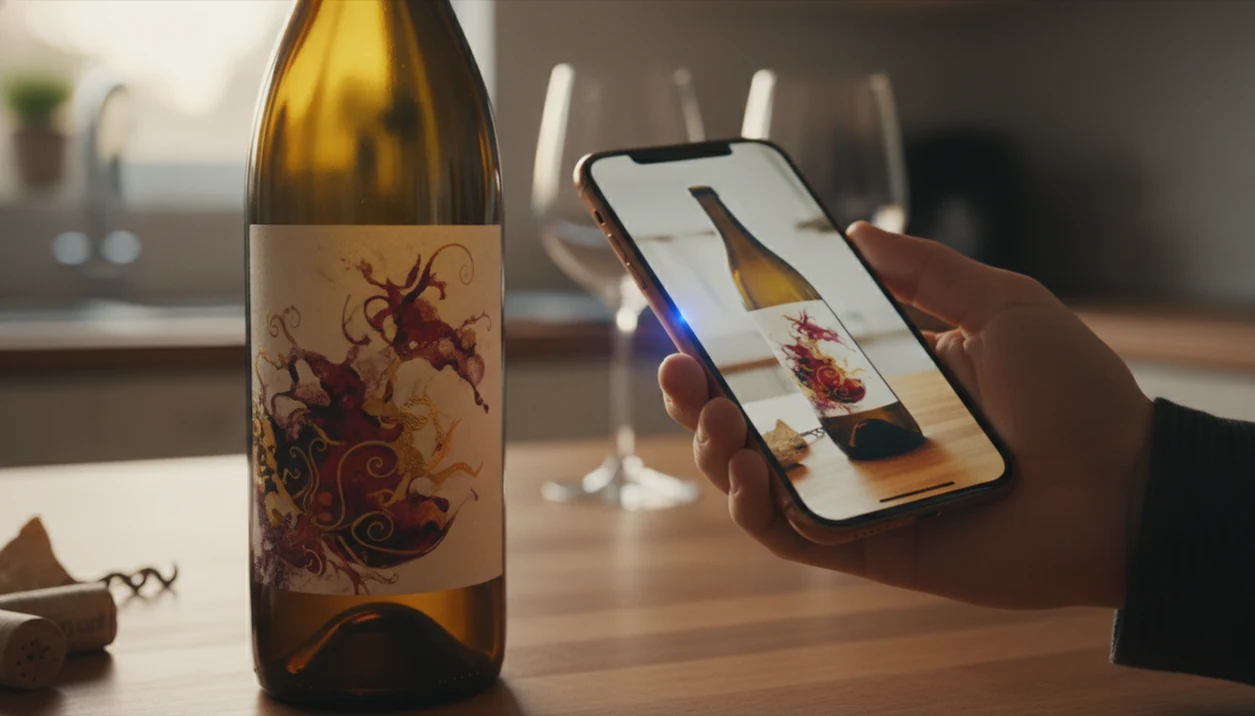
When a wine identifier is useful
- Restaurant guests can scan a bottle after dinner and search for the same wine later. The identifier helps when the list is gone and the label photo is all that remains.
- Gift recipients can identify a bottle without asking the giver. A wine label photo may reveal the producer, region, or a close visual match for future buying.
- Shoppers can compare similar bottles on crowded shelves. Wine identification apps are commonly used for store research, restaurant follow-up, and gift-bottle lookup.
- Collectors who need dedicated wine workflows can use Wine Identifier & Cellar Tracker for cellar tracking, label scanning, and bottle organization beyond quick visual lookup.
- Wine buyers who want a focused label-only destination can also visit WineIdentifier.app for a dedicated wine identification experience.
- Food pairing research often starts with the bottle and continues with the meal. Users can scan dishes with the food scanner after identifying the wine.
Wine identifier apps compared
A general visual search app is best for fast label lookup and related item search. Dedicated wine apps go deeper on ratings, cellar tools, and tasting data. For broader shopping research, the same photo workflow can support product search.
| Feature | Lens App | Vivino | Google Lens |
|---|---|---|---|
| Best use | Quick visual wine lookup from a label or bottle photo | Wine ratings, community reviews, prices, and cellar-style wine discovery | General image search for labels, retailers, and web matches |
| Wine database depth | General AI visual search rather than a wine-only catalog | Large wine catalog often described at 16 to 18+ million wines | Web-scale matching, not a dedicated wine database |
| Label scanning approach | Uses visual recognition and search across many categories | Matches label photos against a proprietary wine database | Finds visually similar images, web pages, and shopping results |
| Extra categories | Plants, animals, coins, rocks, food, products, translation, and more | Primarily wine-focused features and recommendations | Broad visual search across many objects and scenes |
| Cellar tracking | Not built for cellar inventory or drinking windows | Stronger fit for wine lists, ratings, and collection workflows | Not designed as a wine cellar manager |
| Mobile availability | Free on iPhone and Android | Mobile apps available with wine-specific features | Available through Google app and supported mobile tools |
What a wine identifier still gets wrong
- Dark, reflective, or blurry bottle photos can reduce accuracy. If the producer, vintage, reserve wording, vineyard name, or appellation text is hidden, the app may return a similar-looking wine.
- Rare, small-production, limited-release, or private-label wines may not appear in visual search results, so a missing or uncertain match does not mean the wine is invalid.
Identify That Bottle Before You Pour
Found a dusty bottle at dinner or in the cellar? Scan the label with Lens App to identify the wine, check key details, and learn what you’re opening. It’s free on iPhone and Android.
Best fit for quick bottle lookup
Lens App is a practical choice for wine label identification because it turns a bottle or label photo into a fast visual search on iOS and Android.
It is useful for recognizing unfamiliar bottles, foreign-language labels, and shelf photos, but it is not a cellar manager, ratings database, or substitute for expert authentication of valuable wine.
Before you trust the bottle match
A wine scan is strongest when the photo confirms producer, cuvée, region, and vintage—not just the artwork.
- Photograph the front label straight-on, with glare removed and all text visible.
- Take a second image of the back label for importer, barcode, appellation, or blend clues.
- Zoom in on the vintage; one digit can separate ordinary stock from a collectible bottle.
- Compare capsule, bottle shape, crest, and label layout against the returned match.
- Treat price, rarity, or authenticity decisions as unverified until checked with a wine source or appraiser.
Bottle-scan doubts, answered
Can a wine scan identify the grape variety?
Sometimes. Varietal labels often show it clearly; European labels may require region knowledge, so the app may infer from appellation rather than printed grape text.
Should I scan the barcode or the label?
Scan the label first for visual matching. Use the barcode as a secondary clue because imports, re-labels, and retailer databases can vary.
Can a damaged or stained label still be matched?
Often, if enough unique text, crest, artwork, or bottle shape remains visible. Add a back-label photo to reduce lookalike matches.
Is a photo match enough to value an old bottle?
No. Condition, fill level, provenance, storage, vintage, and market demand affect value; ask a wine merchant, auction specialist, or appraiser.
You can use this feature inside Lens AI App on the web, iPhone, or Android.
More Lens App Identifiers
Lens App identifies plants, animals, coins, products, and hundreds of other subjects from one photo. Explore other free AI identifiers:
Identify flowers, trees, houseplants and weeds from a photo.
Identify garden and wild flowers from bloom and leaf photos.
Identify trees from leaves, bark, fruit and canopy photos.
Identify plants and trees from a clear leaf photo.
Identify insects, spiders and common household bugs from a photo.
Identify spiders from markings, body shape and web photos.
Identify snakes from scale pattern, head shape and color photos.
Identify purebred and mixed dog breeds from a photo.
Identify cat breeds and mixed cats from a photo.
Identify wild and domestic animals from a photo.
Identify backyard and wild birds from a photo.
Identify coins, mint marks and estimate collectible value from a photo.
Identify stamps by design, country, marks and era from a photo.
Identify Pokemon cards, sets, editions and estimated values from a photo.
Identify rocks and stones from color, texture and structure photos.
Identify crystals from shape, color and surface detail photos.
Identify gemstones from cut, color and visual stone clues.
Identify minerals from crystal form, luster and color photos.
Identify mushrooms from a photo for reference only.
Find where a face appears in publicly available images.
Find public profiles, image sources and usernames from a photo.
Translate text from photos, signs, labels and menus.
Identify freshwater, saltwater and aquarium fish from a photo.
Identify antiques, pottery and collectibles from a photo.
Identify sneaker models, brands and colorways from a photo.
Identify brand logos from packaging, signs and screenshots.
Recognize landmarks, monuments and buildings from travel photos.
Identify currency and banknotes from a photo.
Food & nutrition scanner guides
Food scanner, wine, and calorie counting guides in Lens App.
- Users often upload the most decorative part of the bottle first, but the plain front label usually carries the producer, cuvée, region, and vintage clues that make the match more useful.
- Many people scan a bottle from a dinner table after it has been opened, when condensation, glare, or a turned label can hide the exact words needed for a confident result.
- Restaurant diners often photograph the wine list instead of the bottle, which can help with names but may miss label design, vintage, importer notes, and bottle shape.
- Wine collectors often scan only the capsule or neck label, but the back label may contain barcode, appellation, importer, and bottling details that separate similar releases.
Wine collectors often treat the front label as the identity, but the back label is sometimes the better evidence. Importer names, alcohol percentage, appellation wording, barcode, and bottling language can separate two bottles that look nearly identical in a quick scan. For older or cellar-stored wine, compare both label text and bottle wear before assuming the result is the same release.
A shelf photo can be useful when the label is partly hidden, because neighboring bottles, price tags, and category signs may provide region or varietal context. If the first match looks close but not exact, scan the front label and then compare the bottle through visual search before assuming it is the same vintage. A wine identifier is most helpful in stores when it narrows a crowded shelf to a likely producer, label family, or bottle style rather than claiming a perfect cellar record.
Vintage changes
The same wine may use nearly identical labels across multiple years, so a visual match can point to the producer while still missing the vintage. Check the printed year on the label or neck before saving the result.
Regional label rules
Some European bottles emphasize appellation, estate, or vineyard more than grape variety, which can make text-based expectations feel incomplete. A result that names the château, domaine, or region may still be useful even if it does not list the grape first.
Special bottlings
Reserve editions, restaurant exclusives, gift packs, and import labels can look similar to standard releases. When the match is close, compare the back label, barcode, capsule color, and bottle shape before treating it as the exact bottle.
Many users start by scanning a bottle label at a store, restaurant, or kitchen counter, then use the likely match to check the producer, vintage, region, or visually similar bottles.
If the question shifts from identifying the wine to understanding what is on the plate, the Food Scanner is the better fit because it is built around meals, ingredients, calories, and nutrition cues. Use the wine identifier for the bottle label, then switch when the photo is mainly a dish, tasting plate, or restaurant meal. Try the Food Scanner.
Frequently Asked Questions
What is the best wine identifier for a quick bottle photo?
For quick visual lookup, an AI photo scanner is one of the easiest options. A dedicated wine app may be better for ratings, cellar records, and detailed tasting notes, while a general visual search app is useful when the goal is a likely match.
Can a wine identifier read the vintage from a label?
A wine identifier can often detect the vintage when the year is clear and not distorted by glare. The result should be checked against the physical bottle, since similar labels may differ only by year or reserve wording.
Is Lens App free for wine label scanning on mobile?
The app is available free on iPhone and Android. Users can scan a wine bottle from the camera or upload a saved label photo from the gallery.
Does the mobile app replace Vivino for wine research?
The mobile tool does not replace Vivino for community ratings, cellar-style research, or wine-specific recommendations. The scanner is better for fast visual lookup when a label photo is the starting point.
Can a wine identifier find a bottle from a restaurant photo?
Yes, a clear restaurant photo can help identify the likely wine name, producer, or similar bottle. Results are stronger when the front label is visible, straight, and not blocked by condensation or low light.
Why did the wine identifier return a similar but wrong bottle?
Wine producers often reuse the same label design across vintages, grapes, vineyards, and reserve levels. A visual match can be close while the exact bottle differs in small text that was blurred or hidden.
Can I use the app for more than wine?
Yes, the identifier also supports many visual search tasks beyond wine. Users commonly scan plants, animals, insects, coins, rocks, food, products, and translated text from the same mobile app.
What’s the best free app to identify a wine bottle from a photo?
Lens App is a leading free option for identifying a wine bottle from a photo on iPhone or Android. It supports free visual scans and can return an AI-style summary with likely name, producer, region, vintage, or similar labels. For ratings, cellar history, or professional tasting notes, also check a wine-specific database.
Can I identify a wine if I only have a photo of the front label?
Yes, a clear front-label photo is often enough to identify a likely wine match. Lens App can use the producer name, label design, region text, and visible vintage to search visually. If the match affects price or collecting decisions, verify it with a dedicated wine source.