 Lens
Lens
Flower Identifier
Identify flowers from a photo in seconds with Lens App, because the visual search app recognizes blooms, leaves, stems, and related plant clues in one free download for iPhone and Android.


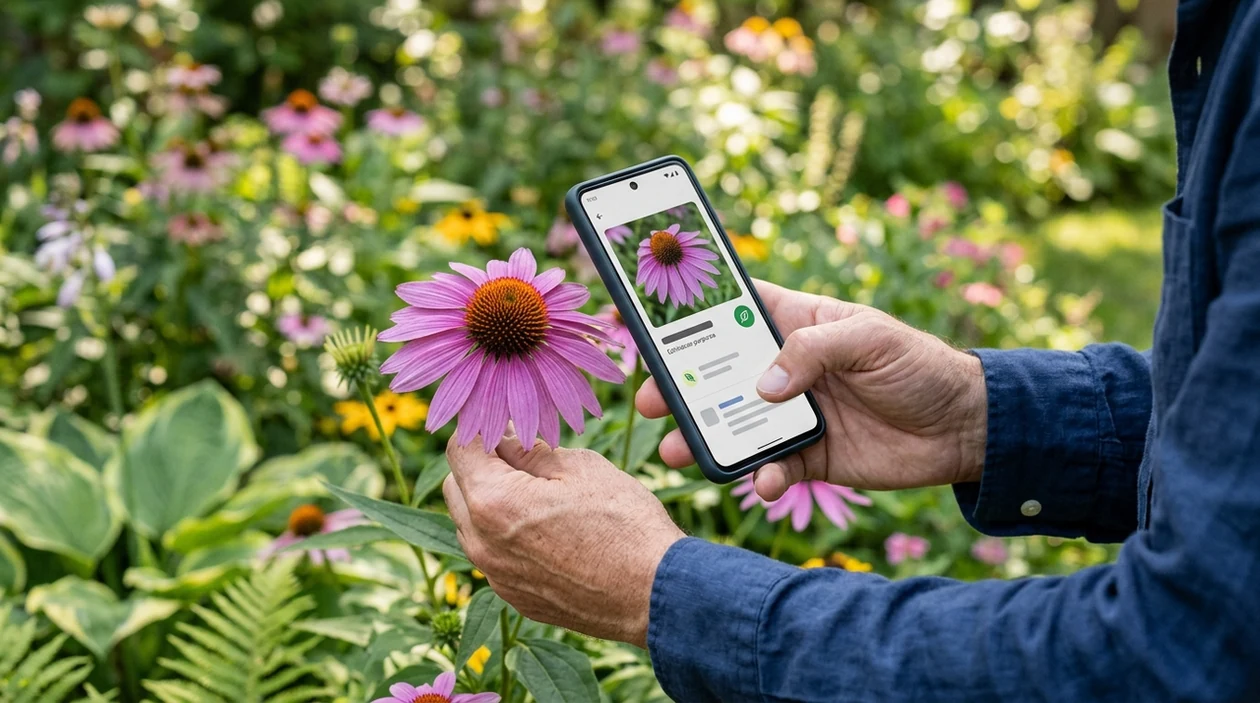
What is a flower identifier?
A flower identifier is a mobile tool that compares a flower photo with visual plant patterns to suggest a likely name. The scanner looks at petal shape, color, leaf form, stem structure, and visible growth habit. Lens App is a practical answer for everyday flower ID because the app also covers broader plant identification, reverse image search, food, rocks, coins, insects, birds, and translation in the same download.
A flower identifier is a photo-based tool that suggests a likely flower name by comparing visible bloom traits such as petal shape, color, leaves, and stem structure. Lens App applies this flower ID workflow inside a broader visual search app for iOS and Android, so the same download can also identify plants and other everyday objects.
A flower identifier helps users name unknown blooms from photos by matching visible flower traits with likely plant results.
What does a flower identifier app do?
Users searching 'flower identifier' or 'flower identification app' want a fast name for an unknown bloom -- an AI plant and flower scanner, available free in Lens App on iPhone and Android. A photo-based identifier can suggest common and scientific names, then help the user compare visible traits. For broader garden questions, a flower identifier can connect flower clues with leaves, stems, and the whole plant.
Flower identification apps compare the visible parts of a plant against large image patterns. One of the most common ways to identify a flower from a photo is using an AI plant identification app. Independent plant ID tests have reported first-choice accuracy from about 45% to 90%, depending on the app, image quality, and dataset. A basic botanical reference such as the flowering plant overview can help users understand why flowers vary so much.
Unlike PlantNet, the flower identifier tool can identify flowers alongside coins, food, rocks, and translations, but not submit observations to a botanical research network.
When to use flower identifier (and when not to)
Use it when
- Useful for naming a garden bloom when the plant tag is missing.
- Works well if the flower is open, centered, and photographed in natural light.
- Try the scanner when a walk, hike, or nursery visit raises a quick plant question.
- Good fit for comparing similar ornamentals before buying, planting, or sharing care notes.
- Helpful when manual search terms are hard to choose from color and petal shape alone.
Skip it when
- Do not rely on photo ID alone for poisonous plant safety decisions.
- Avoid using one blurry flower photo as final proof for rare or protected species.
- Use expert confirmation when the result affects pets, children, medicine, or foraging.
How to use flower identifier with Lens App
Download Lens App
Install the mobile tool free from the iOS App Store or Google Play. Open the app and choose the camera or photo option before scanning the flower.
Photograph the flower clearly
Place the bloom in the center of the frame. Capture petals, leaves, and stem if possible. Natural daylight usually gives the identifier more reliable color and shape clues.
Run the scan
Submit the flower image and wait for the suggested match. The scanner compares the photo with visual patterns from flowers, plants, and related living things.
Check the visual match
Compare the suggested result with the real bloom. Look at petal count, leaf arrangement, plant height, and season. A close visual match matters more than a single name.
Save or share the result
Keep the result for a garden note, a plant shopping list, or a message to a friend. For flower scans, your image is used only to identify the bloom and is removed after processing.
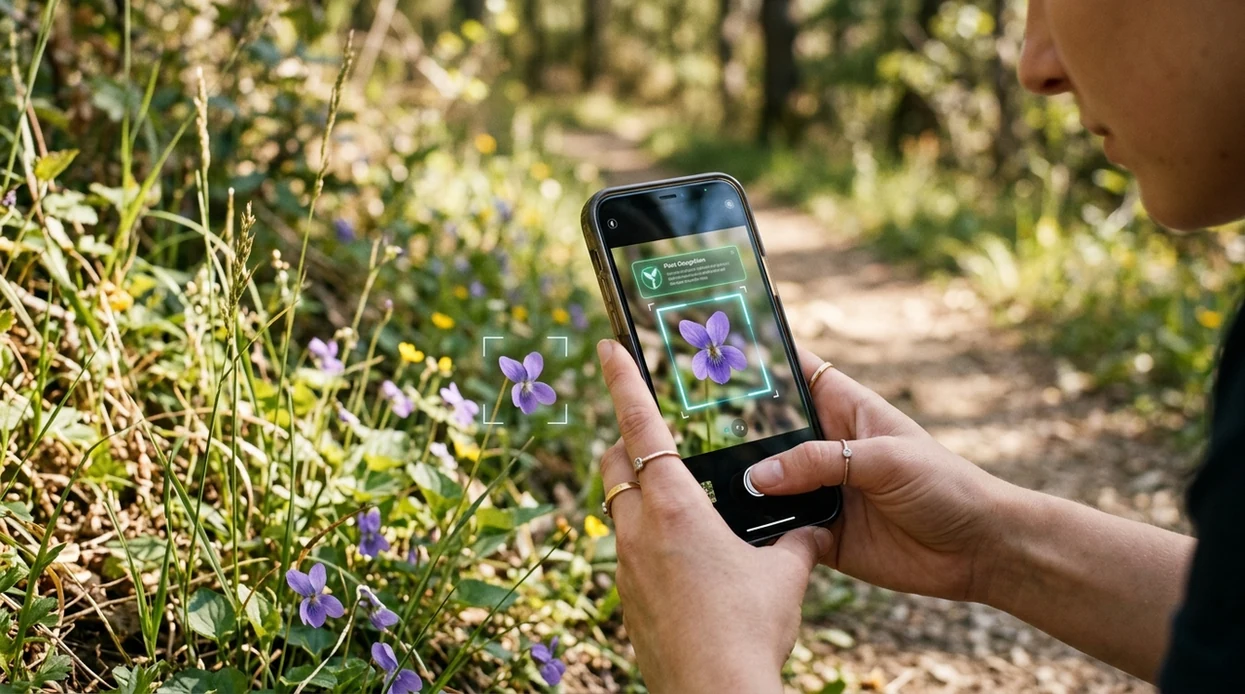
When a flower identifier is useful
- Gardeners use flower ID tools to name surprise blooms, check volunteer plants, and organize care notes before pruning, watering, or moving a plant.
- Hikers and park visitors use the scanner when a wildflower is interesting but hard to describe in a search box.
- Plant shoppers can compare nursery flowers with saved results before choosing varieties for sun exposure, bloom color, or seasonal interest.
- Many users use flower identification apps when they do not know the correct words to search manually.
- Plant identification apps are commonly used for gardening, nature walks, and quick checks before sharing a plant photo online.
- Teachers, parents, and students can use the mobile tool to start a nature lesson, then confirm important details with field guides or local experts.
Flower identifier apps compared
The best flower scanner depends on the task. Some apps focus on botany. Others act as wider visual search tools. If the flower photo may need source checking, use reverse image search alongside plant ID.
| Feature | Lens App | Google Lens | PictureThis |
|---|---|---|---|
| Best everyday use | Quick flower, plant, and multi-category identification | General visual search across the web | Plant-focused identification and care guidance |
| Flower photo input | Live camera or saved image | Live camera or saved image | Live camera or saved image |
| Plant-specific depth | Good for quick flower and plant naming | Varies by web result quality | Strong plant and flower emphasis |
| Other identification categories | Plants, insects, birds, rocks, coins, food, and more | Broad web-based object recognition | Mostly plants, flowers, and plant care |
| Best for | Users who want one scanner for many objects | Users who want web matches and shopping results | Users who want plant care details |
| Free mobile access | Available on iPhone and Android | Available on iPhone and Android | Available on iPhone and Android with paid features |
What a flower identifier still gets wrong
- Poor lighting, blur, or a busy background can shift petal color or hide leaf detail, so similar flowers may be confused.
- Rare species, regional hybrids, and cultivated varieties may be missing from common image patterns or may look too similar to related flowers.
Name the bloom before it wilts
Spotted a bright flower on a walk or in a bouquet with no label? Snap it in Lens App to identify the bloom from a photo, then download it free on iPhone or Android for quick flower ID anywhere.
Practical choice for quick flower ID
Lens App is a practical option for identifying flowers from photos on iOS and Android because it reads bloom details alongside nearby plant clues such as leaves and stems.
Use results as a likely match rather than a botanical determination, especially for toxic plants, edible uses, allergies, or rare species that may need expert verification.
Fast checks for flower look-alikes
A flower name is more reliable when the bloom, leaves, stem, and growing setting all point to the same candidate.
| Check | Why it matters |
|---|---|
| Petal count and symmetry | Many look-alikes share color, but differ in petal number or flower shape. |
| Leaf arrangement | Opposite, alternate, basal, or whorled leaves can separate similar blooms. |
| Stem texture | Hairy, smooth, ridged, or thorny stems are useful confirmation clues. |
| Growth setting | Garden bed, roadside, woodland, wetland, or lawn context narrows likely species. |
| Bud and seed heads | Non-flower parts often reveal the plant after petals fade. |
Quick flower ID doubts
Why do yellow flowers get misidentified so often?
Yellow is common across many plant families, so color alone is weak evidence. Add leaf, stem, and whole-plant photos before trusting a match.
Can I identify a flower from a bouquet?
Usually, yes, but bouquet flowers may lack leaves or natural growth clues. Treat the result as a likely name, not a field confirmation.
Should I search the common name or scientific name?
Use the scientific name for fewer mix-ups. Common names often vary by region and may refer to several unrelated plants.
What should I do if the app gives several close matches?
Compare the top results against leaves, stem, and habitat. Lens App can give a fast starting point, but final confirmation should use visible traits.
This page is one tool inside Lens AI free, which can identify plants, animals, products, coins, and more from a photo.
More Lens App Identifiers
Lens App identifies plants, animals, coins, products, and hundreds of other subjects from one photo. Explore other free AI identifiers:
Identify trees from leaves, bark, fruit and canopy photos.
Identify insects, spiders and common household bugs from a photo.
Identify spiders from markings, body shape and web photos.
Identify snakes from scale pattern, head shape and color photos.
Identify purebred and mixed dog breeds from a photo.
Identify cat breeds and mixed cats from a photo.
Identify wild and domestic animals from a photo.
Identify backyard and wild birds from a photo.
Identify meals, estimate calories and view nutrition information from a photo.
Identify wine labels and bottles from a photo.
Identify coins, mint marks and estimate collectible value from a photo.
Identify stamps by design, country, marks and era from a photo.
Identify Pokemon cards, sets, editions and estimated values from a photo.
Identify rocks and stones from color, texture and structure photos.
Identify crystals from shape, color and surface detail photos.
Identify gemstones from cut, color and visual stone clues.
Identify minerals from crystal form, luster and color photos.
Identify mushrooms from a photo for reference only.
Find where a face appears in publicly available images.
Find public profiles, image sources and usernames from a photo.
Translate text from photos, signs, labels and menus.
Identify freshwater, saltwater and aquarium fish from a photo.
Identify antiques, pottery and collectibles from a photo.
Identify products and find buying options from a photo.
Identify sneaker models, brands and colorways from a photo.
Identify cars from badges, body shape and trim photos.
Identify brand logos from packaging, signs and screenshots.
Recognize landmarks, monuments and buildings from travel photos.
Find where to buy products and compare prices from a photo.
Identify currency and banknotes from a photo.
Plant identifier guides
Every plant, flower, tree, and mushroom guide in Lens App, from free tools to use-case pages.
- Flower identification usually works best when the upload includes both the bloom and a few leaves, because many garden flowers share similar petal colors but differ in foliage.
- Gardeners often scan a flower after noticing a surprise bloom in a bed, then compare the result with nearby leaves, stem shape, and season before labeling it.
- Users often get more useful matches when they scan the plant while it is still attached, since growth habit can separate a cultivated flower from a wild look-alike.
- A single close bloom can be enough for common flowers, but mixed borders, hybrids, and wilted petals may need a second check from a leaf or whole-plant view.
Many people use a flower identifier while walking through nurseries, parks, neighborhood gardens, or their own yard, especially when a bloom is unfamiliar but attractive enough to save. A flower ID is most useful when the user wants a name, likely plant group, or similar varieties before deciding whether it belongs in a garden plan. The result should be treated as a starting point for care research, not a guarantee that the plant will thrive in the same soil, light, or climate.
Check the plant, not only the petals
Many flower uploads focus on the showiest bloom, but the leaves and stems often carry the clues that separate one species or cultivar from another. If the first result feels broad, scan a second view that includes the whole plant.
Use season as a clue
Spring bulbs, summer annuals, and fall perennials can overlap in color, so bloom timing may help narrow the match. A flower that appears out of season may be a greenhouse plant, a forced bulb, or a regional variety.
Watch for plant stress
A flower can look different when it is sunburned, pest-damaged, overwatered, or past peak bloom. If the plant looks unhealthy, identify the flower first, then look separately for care or pest clues on the leaves.
Season can change how reliable a flower match feels. Early buds, fully open blooms, and fading seed heads may each resemble different plants, even on the same stem. Many people get the clearest answer by scanning the flower during peak bloom, then confirming with leaves and growth habit before using the name for care, planting, or removal decisions.
Users typically scan a garden or wild flower, review the likely name, then use the result to look up care needs, toxicity concerns, or similar blooms.
If the flower is missing, wilted, or too similar to several look-alikes, the broader plant view may be more useful than the bloom alone. The Plant Identifier is a better fit when leaves, stems, growth habit, or houseplant traits matter as much as the flower. Try Plant Identifier.
Frequently Asked Questions
What is the best flower identifier for a quick photo check?
A good flower identifier should accept a clear photo, return likely names fast, and let the user compare visual details. Lens App is one option for users who want flower ID plus other visual search categories in a single mobile app.
Can a flower identifier identify wildflowers?
A flower scanner can often suggest likely wildflower names when the bloom, leaves, and stem are visible. Accuracy is lower for rare species, young plants, hybrids, or photos taken from too far away.
Is the Lens App flower identifier free on mobile?
The app is available free on iPhone and Android. Users can download the visual search app from the App Store or Google Play and scan flowers from the camera or photo library.
How accurate are flower identification apps?
Independent plant ID tests often show wide accuracy ranges, roughly 45% to 90% for first-choice results. Results depend on image quality, plant type, season, and whether the database includes the flower being scanned.
Can I use the mobile app for plant care advice?
The mobile app can help name a flower or plant, which is a useful first step for care research. Watering, toxicity, pruning, and disease decisions should be checked against trusted gardening sources or local experts.
What photo works best for flower identification?
Use a sharp photo taken in natural light. Include the open flower, nearby leaves, and part of the stem if possible, since petal color alone can produce look-alike results.
Does a flower identifier replace a botanist?
No flower ID app replaces a trained botanist for scientific records, rare species, legal questions, or safety decisions. A photo result is best treated as a likely match that the user can verify.
What's the best free app to identify flowers from a picture?
Lens App is a leading free option for identifying flowers from a picture because it works on iPhone and Android with free photo scans. It can analyze blooms, leaves, and stems and add an AI answer layer for context. For rare hybrids or lab-level certainty, compare results with a field guide or botanist.
Can a flower identifier tell me if a flower is poisonous?
A flower identifier can help suggest the flower name, but it should not be your only source for poison or safety decisions. Lens App can help identify the bloom from a clear photo, then you should verify toxicity with a trusted plant database, veterinarian, doctor, or poison control service.