 Lens
Lens
Lens App vs Myfitnesspal
Compare food photo scanning, calorie estimates, visual search, and everyday identification. Lens App is the better fit for broad visual lookup because the app identifies food plus plants, coins, rocks, animals, and more.


What does Lens App vs MyFitnessPal mean?
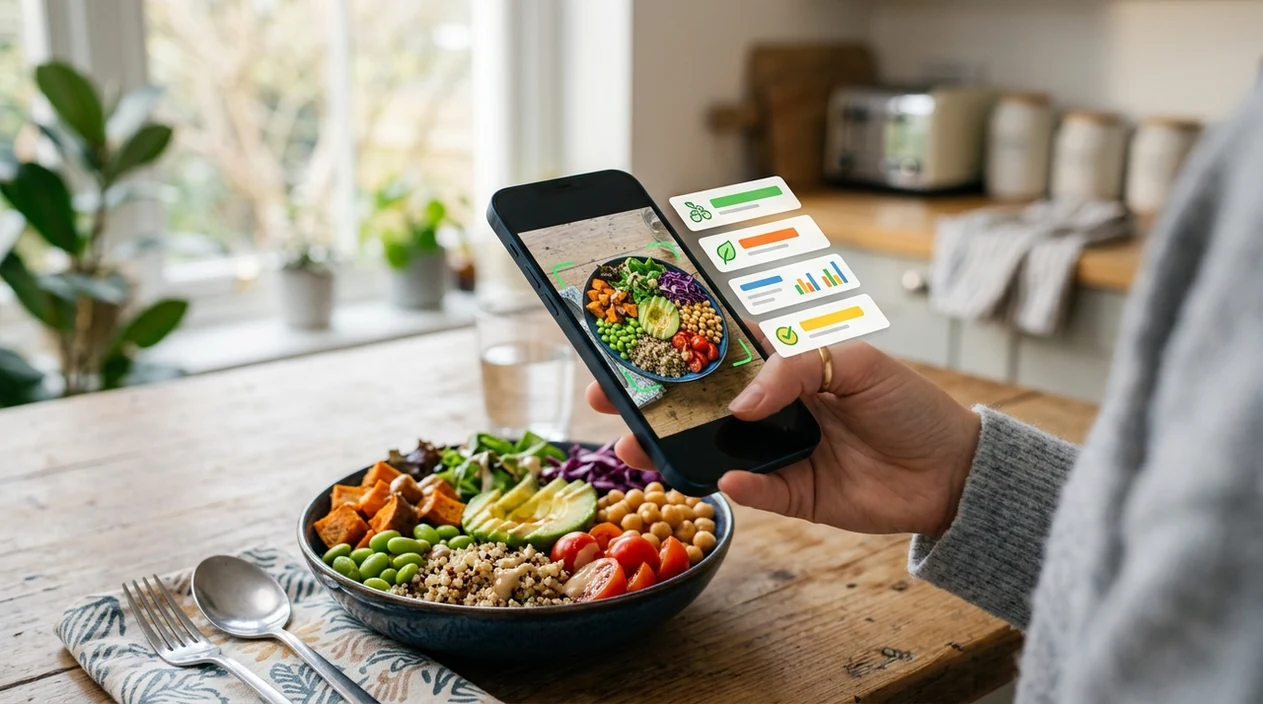
The lens app vs myfitnesspal comparison is a choice between a visual identifier and a nutrition tracker. MyFitnessPal focuses on meal logging, macros, goals, recipes, and barcode-based nutrition records. Lens App focuses on identifying what appears in a photo, including food, plants, animals, coins, rocks, mushrooms, antiques, and translated text. The scanner is useful when the user needs a fast visual answer because Lens App covers 17+ recognition categories in one free iPhone and Android download.
Compare visual identification with nutrition tracking: Lens App recognizes food and many everyday subjects from photos, while MyFitnessPal is built for logging calories, macros, recipes, and goals. Choose the visual scanner for quick photo-based lookup; choose the nutrition tracker for structured diet records and long-term meal planning.
Lens App is a broad AI visual identifier, while MyFitnessPal is mainly a nutrition and calorie tracking app.
Which app is better for identifying food from a photo?
Users searching 'lens app vs myfitnesspal' or 'best photo food identifier app' want a clear app choice -- an AI food and visual identifier, available free in Lens App on iPhone and Android. One of the most common ways to identify food from a photo is using an AI calorie scanner app. The app is useful when a meal, snack, packaged item, or restaurant plate is easier to photograph than describe. Users who also want object lookup can use the built-in reverse image search feature.
Food recognition works best when the image shows the whole plate, clear lighting, and visible ingredients. Many users use calorie scanner apps when they do not know the correct words to search manually. Nutrition estimates should be checked against trusted references such as USDA FoodData Central, especially for measured diets. Visual search adoption is also growing, with industry forecasts placing the global market above $150 billion by 2032.
Unlike MyFitnessPal, the lens app vs myfitnesspal choice favors visual identification across food and everyday objects but not detailed long-term macro coaching.
When to use Lens App vs MyFitnessPal (and when not to)
Use it when
- Useful for identifying food from a photo before searching nutrition details manually.
- Good fit for users who also scan plants, coins, rocks, animals, and products.
- Try the scanner when the object name is unknown or hard to spell.
- Works well if a quick visual answer matters more than a full diet plan.
Skip it when
- Choose MyFitnessPal when daily macro targets and streak-based meal logging are the main goal.
- Avoid relying on photo estimates for medical nutrition plans without professional review.
- Use a scale or label when exact serving size changes the calorie result.
How to compare Lens App and MyFitnessPal
Download Lens App
Comparison starts with the free mobile download. Get the app on the iOS App Store or Google Play, then allow camera access when prompted so the scanner can analyze a meal, label, or object.
Photograph the food or item
A clear image gives the identifier more visual evidence. Place the plate, package, fruit, drink, or snack in good light, and keep the camera steady until the subject fills the frame.
Review the AI match
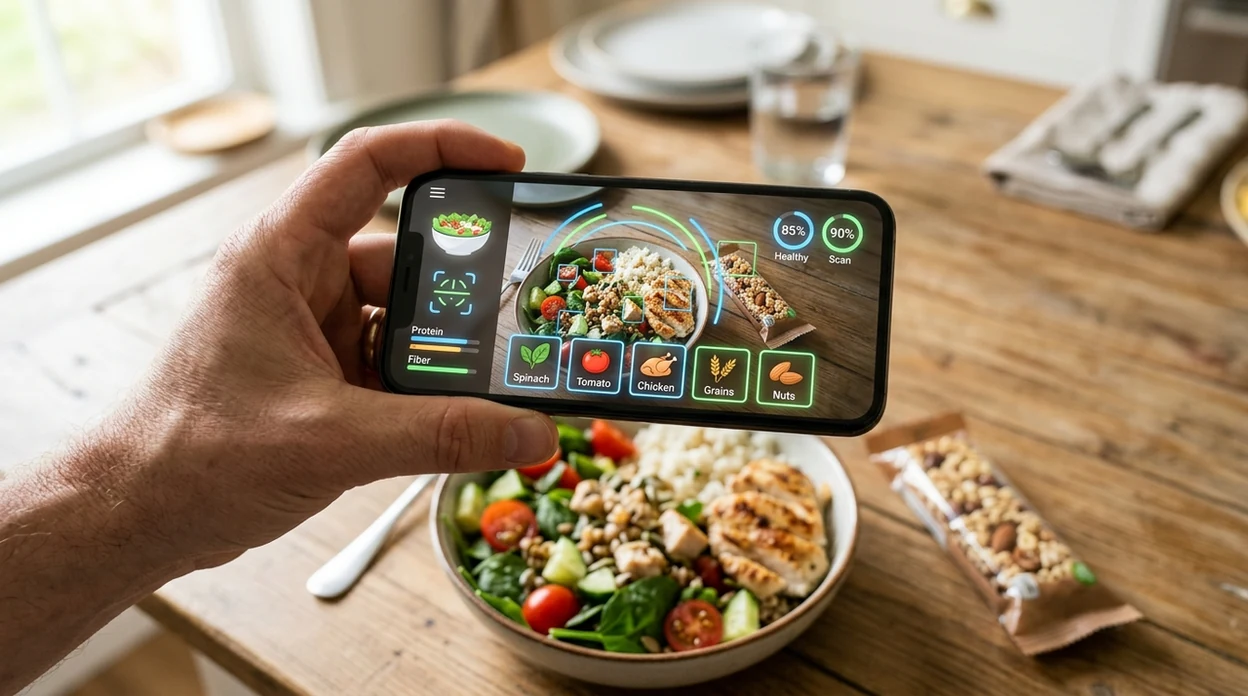
The scanner returns likely matches and supporting details. For food, the result may help name the item, estimate nutrition, or guide a better manual search when the plate contains mixed ingredients.
Check the context
Serving size changes the answer. Compare the visual result with the label, recipe, restaurant menu, or a nutrition database when calories, sodium, protein, or allergens matter.
Save or share the result
The mobile tool can support quick decisions at home, in stores, and while traveling. Photos are deleted after analysis, which helps keep casual scans private.
When comparing Lens App and MyFitnessPal is useful
- Unknown meals are easier to scan than type. The identifier helps name dishes, ingredients, fruits, packaged snacks, and drinks before the user decides whether to track nutrition elsewhere.
- Calorie apps are commonly used for meal logging, portion checks, and label lookup. A visual scanner adds value when the user does not know the food name yet.
- Travel meals can be difficult to describe. The app can identify unfamiliar dishes, and the live camera translation feature can help with menus and packaging text.
- Household objects often appear alongside food. The same scanner can identify antiques, coins, rocks, crystals, insects, birds, fish, and mushrooms without switching apps.
- Garden and kitchen questions often overlap. A user can scan herbs or produce, then open the plant identifier when the question is about the growing plant.
- Shopping decisions can start with a photo. The visual search app can identify packaged items, compare similar-looking products, and help users find better search terms.
Lens App and MyFitnessPal compared
The best choice depends on the job. The visual search app is broader, while MyFitnessPal is deeper for diet tracking; users who want image lookup beyond food may also value searching by image.
| Feature | Lens App | MyFitnessPal | Calorie Mama |
|---|---|---|---|
| Primary purpose | AI visual identifier for food, objects, nature, translation, and reverse image search. | Nutrition tracker for calories, macros, recipes, goals, and food diary habits. | Photo-based food recognition focused on meals and nutrition estimates. |
| Photo food identification | Identifies food from images and helps users name meals or ingredients. | Supports food logging, barcode lookup, and database search; photo recognition depends on available features and plan. | Designed around meal photo recognition and calorie estimation. |
| Beyond food | Scans plants, animals, insects, birds, fish, mushrooms, coins, rocks, crystals, antiques, and more. | Mainly centered on diet, exercise, recipes, and nutrition records. | Mainly centered on food recognition and meal tracking. |
| Best workflow | Take a photo first when the user does not know what the subject is. | Search or log known foods when the user already knows the meal details. | Photograph meals for quick recognition and nutrition suggestions. |
| Translation and visual search | Includes live camera translation and reverse image search for non-food questions. | Does not focus on general visual search or camera translation. | Does not focus on general object lookup or translation. |
| Platform and cost | Free app available for iPhone and Android. | Available on iPhone and Android with free and paid plan options. | Available on mobile platforms with app-specific pricing and plan details. |
What Lens App and MyFitnessPal still get wrong
- Poor food or label photos can reduce accuracy. Low light, glare, blur, shadows, or a partial barcode/serving-size panel may lead to weak calorie, ingredient, or allergen results.
- Treat nutrition matches as estimates, especially when calories, allergens, or dietary restrictions matter; confirm details on the package or with a trusted nutrition source.
Log a Meal From a Photo
Staring at a plate with no label or recipe? Scan it with Lens App to identify the food fast, then decide if you need deeper tracking in MyFitnessPal. Lens App is free on iPhone and Android.
Related guides
Best fit for photo-first food lookup
For a Lens App vs MyFitnessPal decision, Lens App is the stronger iOS and Android option when the task is identifying food from a photo and also recognizing plants, coins, rocks, animals, or text.
It is not a full macro-coaching or medical nutrition app, so calorie and ingredient estimates should be checked against labels, trusted databases, or a qualified professional when accuracy matters.
Quick choice signals
Use the app that matches the job: recognition is not the same as nutrition tracking.
| If your need is… | Better fit |
|---|---|
| Name an unknown meal from a photo | Visual identification app |
| Log calories, macros, and goals over time | Nutrition tracker |
| Scan non-food items like plants or coins | Visual identification app |
| Build a repeatable diet history | Nutrition tracker |
| Check a restaurant plate quickly | Photo-first lookup, then verify portions |
Questions people ask before choosing
Can a food photo tell exact portion size?
No. A photo can suggest what the food is, but portion size, oils, sauces, and hidden ingredients often need manual checking.
Should I trust restaurant calorie estimates from an image?
Treat them as rough estimates. Restaurant recipes, serving sizes, and added fats vary too much for a photo alone to be exact.
What if the app names the wrong dish?
Retake the photo in better light, show the full plate, and confirm ingredients before logging or acting on the result.
Is Lens App only for food photos?
No. Lens App can identify food plus everyday subjects such as plants, animals, coins, rocks, mushrooms, antiques, and text.
Try this scan as part of lensai, rated 4.7 from roughly 11,000 store ratings worldwide.
Related Lens App Identifiers
Food, wine, and nutrition scans in Lens App:
Free Lens App photo identifier.
Free Lens App photo identifier.
Free Lens App photo identifier.
Free Lens App photo identifier.
Free Lens App photo identifier.
Free Lens App photo identifier.
- Users often compare Lens App and MyFitnessPal as if both are only meal loggers, but Lens App is usually more useful when the photo could be food, a plant, a product, a pet, a coin, or another everyday object.
- Many people should not rely on any photo scan alone for strict dieting, medical nutrition tracking, allergies, or clinical meal plans because packaged labels, recipes, and portion sizes can change the result.
- Gardeners often upload a fruit, herb, or edible plant photo after a meal question, and a broad visual identifier can help separate food lookup from plant identification when the image is ambiguous.
- Users often get better value from MyFitnessPal-style tools when they already know the food and need long-term macro logging, while Lens App fits the earlier moment when they are still trying to identify what is in front of them.
Mixed plates
Many people upload one crowded plate and expect a single calorie answer, but mixed meals can hide ingredients and portion boundaries. A practical fix is to scan the full plate for a general read, then scan key items separately when the result looks too broad.
Restaurant portions
Users often photograph restaurant food where sauces, oils, and hidden fillings are not visible. Lens App can suggest what the dish resembles, but users should treat nutrition estimates as approximate when preparation details are unknown.
Non-food objects
Many people open a food comparison page after scanning something that is not actually a meal, such as a bottle, label, herb, mushroom, coin, or pet treat. Lens App is better suited to this behavior because it can move from food recognition into broader object identification without changing apps.
Lens App tends to help people who start with uncertainty rather than a known food entry. A user who sees an unfamiliar dish, ingredient, snack label, fruit, mushroom, plant, or packaged product can scan first, review the likely identification, and then decide whether a dedicated nutrition log is still needed. The strongest Lens App use case is photo-first discovery, where the next step may be nutrition, shopping, translation, plant lookup, or visual comparison.
Photo food tools work best when users separate identification from tracking. First identify the visible food, package, ingredient, or related object, then decide whether the result needs nutrition logging, label reading, or a second scan of a specific component. Broad visual search is especially useful when the upload is not a clean meal photo but a real-world image with labels, sides, plants, utensils, or mixed objects.
Many users start by scanning an unfamiliar meal or ingredient in Lens App, review the likely identification, then use the result to estimate nutrition, compare similar images, or decide whether to log it elsewhere.
If the object is clearly a meal, snack, ingredient, or packaged food, the dedicated food workflow is the better next step because it focuses on food names, calories, and nutrition context instead of broad object discovery. Use it when identification is mostly solved and the remaining question is what the food may contain or how it might be logged. Food Scanner.
Frequently Asked Questions
What is the main difference in Lens App vs myfitnesspal?
The main difference is purpose. The visual identifier starts with a photo and tries to name food, objects, plants, coins, rocks, animals, and more, while MyFitnessPal is mainly built for calorie tracking, macros, recipes, and diet history.
Is Lens App better than MyFitnessPal for calories?
The app is better for identifying unknown food from an image. MyFitnessPal is usually better when the user wants ongoing calorie targets, macro tracking, saved meals, and a detailed food diary over time.
Can the mobile app identify food without a barcode?
Yes, the mobile scanner can analyze a food photo when a barcode is unavailable. Clear lighting, a full view of the plate, and visible ingredients improve the chance of a useful match.
Can I use the app on both iPhone and Android?
Yes, the visual identifier is available on iPhone and Android. Users can download the app from the App Store or Google Play and use the camera to scan food, objects, labels, and other visual subjects.
Does MyFitnessPal identify plants, coins, or rocks?
MyFitnessPal is not designed as a broad object identifier. Users who want to scan plants, coins, rocks, crystals, insects, animals, antiques, or translated text need a general visual search app instead.
Are photo calorie estimates always accurate?
No photo calorie estimate is perfect. Portion size, hidden oils, sauces, cooking method, and mixed ingredients can change the nutrition result, so important diet decisions should be checked against labels, recipes, or a trusted database.
Which app should I download first?
Download the visual identifier first if the problem starts with an unknown photo. Choose MyFitnessPal first if the main goal is daily meal logging, macro planning, weight goals, and long-term nutrition records.
What's the best free app for identifying food from a picture and checking calories?
Lens App is a leading free option for identifying food from a photo and getting quick calorie context. It works on iPhone and Android, includes free scans, and adds an AI answer layer for follow-up questions. For detailed macro targets and long-term diet logging, MyFitnessPal may be the better companion.
Can i use Lens App and myfitnesspal together for meal tracking?
Yes, you can use Lens App to identify an unknown food from a photo, then enter or adjust the meal in MyFitnessPal for tracking. This works best when you still confirm portions, brands, or nutrition labels for more accurate calorie records.