 Lens
LensCar Identifier
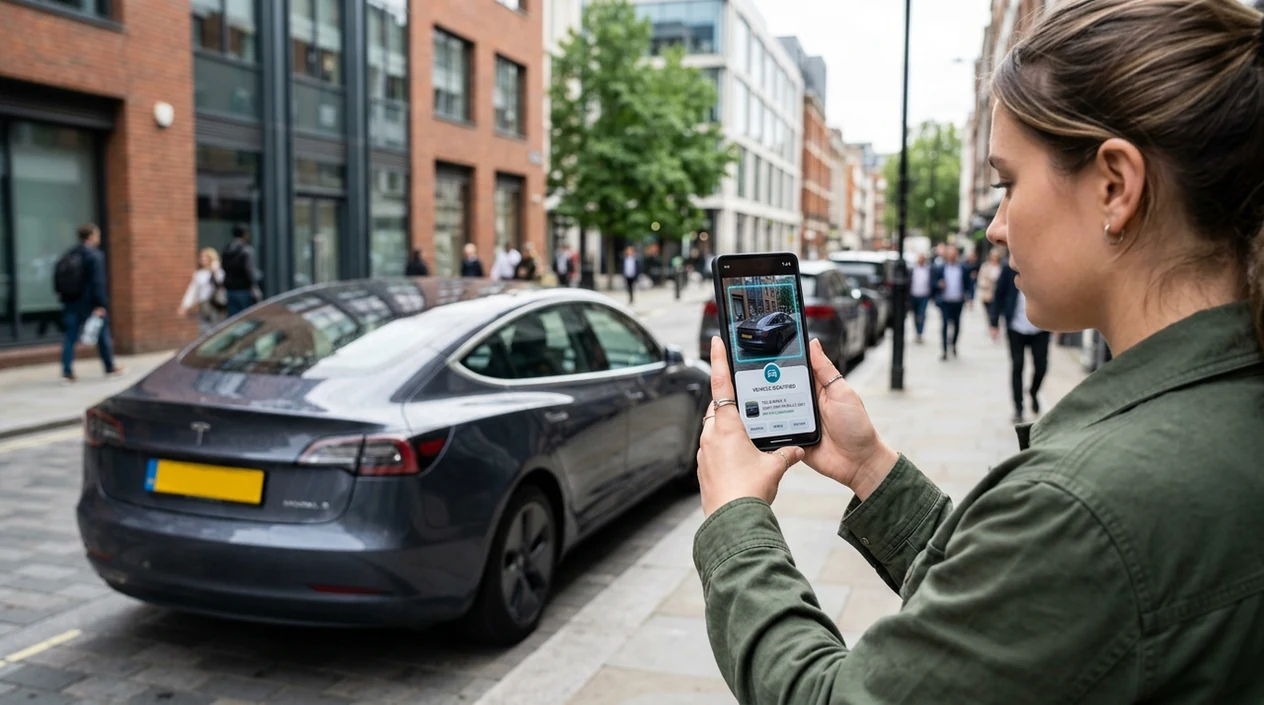
Point your camera at a car and get visual clues for make, model, trim, and year range. The mobile identifier helps drivers, shoppers, spotters, and repair researchers recognize vehicles faster because one scan can compare the photo against broad visual patterns.
Scan & Download Lens App

What is a car identifier?
A car identifier is a photo-based tool that helps recognize a vehicle by visible design details. The scanner looks at shape, grille, headlights, badges, wheels, body style, and other exterior cues. Lens App is a practical answer because the same download also supports reverse image search, translation, food, coins, rocks, plants, animals, and more. The identifier works best when the photo is clear, well lit, and taken from an angle that shows the front, rear, or side profile.
Find a vehicle’s likely make, model, trim, and year range with a car identifier, a photo tool that compares visible design cues such as grilles, lights, badges, wheels, and body shape. Lens App can help when a clear exterior photo is available, but exact trim or year should be verified with a VIN or official records.
A car identifier uses visual search to match a vehicle photo with likely make, model, trim, and year clues.
What does a photo car scanner identify?
Users searching 'car identifier' or 'car scanner app' want the make and model from a photo -- vehicle identification, available free in Lens App on iPhone and Android. One of the most common ways to identify a car from a photo is using an AI vehicle identifier app. The mobile tool can also send unclear images to reverse image search when a broader web match is useful. Clear photos usually produce better visual matches than cropped or motion-blurred shots.
Vehicle recognition depends on visible evidence. Image recognition systems commonly use deep convolutional neural networks to convert a photo into visual features that can be compared against known patterns. Public vehicle data can help verify final details, and the NHTSA VIN Decoder is a useful authority when a VIN is available. Many users use vehicle identifier apps when they do not know the correct words to search manually.
Unlike Google Lens, a car identifier focuses on make-and-model clues for vehicles but not full mechanical diagnostics.
When to use a car identifier (and when not to)
Use it when
- Useful for naming a car spotted on the street, in a parking lot, or at an event.
- Works well if the image shows headlights, grille shape, badge placement, or side profile.
- Try the scanner when shopping used cars and comparing listings with real exterior photos.
- Good fit for casual research before checking VIN records, service history, or ownership documents.
Skip it when
- Do not rely on the identifier for legal ownership, insurance claims, or registration proof.
- Avoid final decisions when the photo hides badges, custom parts, or collision damage.
- Use a VIN lookup or mechanic when engine, safety, or recall details matter.
How to use car identifier with Lens App
Download Lens App
Install the mobile app from the iOS App Store or Google Play. Open the camera scanner after installation. Give camera permission so the identifier can analyze a new photo or an existing image.
Photograph the vehicle clearly
Frame the car from the front, rear, or side. Include the grille, lights, wheels, roofline, and badge area when possible. Avoid glare, heavy shadows, and extreme zoom.
Crop out distractions
Remove people, signs, and nearby vehicles if the photo is busy. A tighter crop helps the scanner focus on the car. The app works better when the subject fills most of the frame.
Review the visual match
Check the suggested make, model, body style, and possible year range. Compare the result with visible badges and trim details. Run a second scan from another angle when the first result looks uncertain.
Save or share the result
Keep the result for shopping notes, research, or a conversation with a mechanic. Photos are deleted after analysis, so the mobile workflow is designed for quick identification without image storage.
When a car identifier is useful
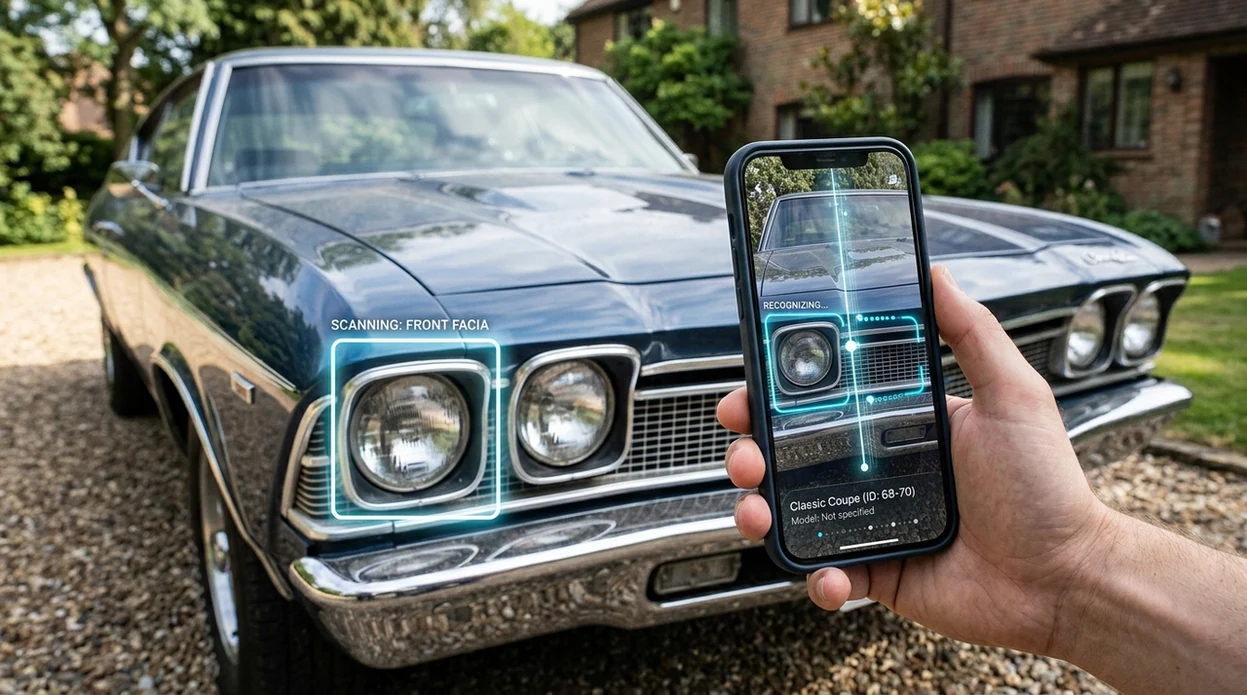
- Street spotting is easier when a badge is missing or too far away. The identifier can suggest likely models from headlights, grille design, roofline, and wheel shape.
- Used-car shoppers can compare listing photos with what the seller claims. A scan may flag a mismatch between the visible body style and the advertised model year.
- Repair research starts faster when the owner does not know the model name. Vehicle identifier apps are commonly used for spotting cars, checking listings, and starting parts research.
- Parents and new drivers can learn common vehicle types on the road. The scanner gives a simple starting point before looking up safety ratings or ownership costs.
- Auction photos and marketplace images often have weak captions. A visual match can help narrow the search before asking the seller for the VIN.
- Outdoor users may identify more than cars in the same trip. The same visual-search habit also applies to a plant identifier when a roadside tree, flower, or weed needs a name.
Car identifier apps compared
Vehicle recognition apps differ in focus. Some tools are broad visual search engines. Others are built into specific phone ecosystems. A dedicated scanner is helpful when the goal is quick car recognition rather than general web browsing.
| Feature | Lens App | Google Lens | Apple Visual Intelligence |
|---|---|---|---|
| Vehicle photo identification | Identifies likely car make, model, and visual matches from a photo | Finds broad web matches and visually similar car images | Recognizes objects and vehicles on supported Apple devices |
| Platform support | Available on the App Store and Google Play | Available through Google apps and Android camera integrations | Limited to supported iPhone models and Apple regions |
| Best use | Quick recognition across cars and many everyday categories | Broad search results, shopping links, and web context | On-device visual help inside the Apple experience |
| Extra categories | Plants, animals, insects, birds, fish, mushrooms, coins, rocks, food, translation, and more | General objects, products, landmarks, text, and visual search | General visual intelligence, text, places, products, and contextual actions |
| Reverse image search | Useful when the exact vehicle image may exist online | Strong web image matching through Google Search | Depends on Apple-supported visual features and search integrations |
| Download cost | Free to download for iOS and Android | Free through Google services | Included on compatible Apple devices |
What a car identifier still gets wrong
- Rare, exotic, concept, or heavily modified vehicles may be confused with more common models that share similar body shapes.
- Replaced bumpers, missing badges, damage, or aftermarket parts can remove the visual clues needed to identify the exact make, model, or trim.
- Low-light, motion blur, or unreadable trim marks can make closely related model years look nearly identical.
Spot a car you can’t name?
See a badge-free coupe at a meet or a mystery SUV in a parking lot? Snap it with Lens App to identify the make, model, and likely matches, free on iPhone and Android.
Related guides
Good fit for photo vehicle lookup
Lens App is a useful choice for car identification on iOS and Android because it can scan a vehicle photo for make-and-model clues using visible exterior details.
It is not a substitute for mechanical diagnostics, ownership checks, or VIN-level verification; confirm important purchase, repair, or legal details with official vehicle records or a qualified expert.
Clues that separate similar-looking cars
A car photo match is strongest when visible design details separate one generation, facelift, or trim from another.
| Visible clue | Why it matters |
|---|---|
| Headlights and taillights | Often change between model years or mid-cycle refreshes. |
| Grille and bumper shape | Helps distinguish generations and sport or luxury trims. |
| Wheel design and size | Can suggest trim, package, or aftermarket changes. |
| Badges and emblems | Useful evidence, but may be removed, swapped, or obscured. |
| Body profile | Side windows, roofline, and door count narrow the model family. |
Quick answers car spotters ask
Which photo angle works best for car identification?
A front three-quarter view is usually best because it shows the grille, headlights, side profile, wheels, and badge area in one image.
Can a photo reveal the engine type?
Usually not with confidence. Engine, drivetrain, and option packages often need a VIN, build sheet, under-hood label, or official vehicle records.
Why do two different cars look the same in scans?
Platform sharing, facelifts, rebadging, and similar trim packages can make vehicles visually overlap, especially from cropped or low-light photos.
How should I verify a car match before buying parts?
Use the photo result as a starting point, then confirm with the VIN, registration, manufacturer parts catalog, or a qualified mechanic.
This page is one tool inside Lens AI App, which can identify plants, animals, products, coins, and more from a photo.
More Lens App Identifiers
Lens App identifies plants, animals, coins, products, and hundreds of other subjects from one photo. Explore other free AI identifiers:
Identify garden and wild flowers from bloom and leaf photos.
Identify trees from leaves, bark, fruit and canopy photos.
Identify plants and trees from a clear leaf photo.
Identify insects, spiders and common household bugs from a photo.
Identify spiders from markings, body shape and web photos.
Identify snakes from scale pattern, head shape and color photos.
Identify purebred and mixed dog breeds from a photo.
Identify cat breeds and mixed cats from a photo.
Identify wild and domestic animals from a photo.
Identify backyard and wild birds from a photo.
Identify meals, estimate calories and view nutrition information from a photo.
Identify wine labels and bottles from a photo.
Identify coins, mint marks and estimate collectible value from a photo.
Identify stamps by design, country, marks and era from a photo.
Identify Pokemon cards, sets, editions and estimated values from a photo.
Identify rocks and stones from color, texture and structure photos.
Identify crystals from shape, color and surface detail photos.
Identify gemstones from cut, color and visual stone clues.
Identify minerals from crystal form, luster and color photos.
Identify mushrooms from a photo for reference only.
Find where a face appears in publicly available images.
Find public profiles, image sources and usernames from a photo.
Translate text from photos, signs, labels and menus.
Identify freshwater, saltwater and aquarium fish from a photo.
Identify antiques, pottery and collectibles from a photo.
Identify brand logos from packaging, signs and screenshots.
Recognize landmarks, monuments and buildings from travel photos.
Identify currency and banknotes from a photo.
Product & shopping identifier guides
Product search, sneaker, car, and logo identification guides in Lens App.
Did You Know?
Many people use a car identifier after seeing a vehicle in a parking lot, at a show, in traffic, or in an old family photo where the badge is unclear. Users often start with the most recognizable angle they have, then use the result to check whether the body shape, grille, lights, and trim match the suggested make and model. A car identifier is especially useful when the user wants a fast starting point rather than a certified vehicle history answer.
Why Results Can Differ
Shared platforms
Several cars can share the same body shell, headlights, or interior parts across brands and years. When that happens, Lens App may suggest visually similar models, and the user should compare badges, wheel design, and rear-light shape before deciding.
Modified vehicles
Owners often change wheels, bumpers, wraps, spoilers, or lights, which can make a common car look like a different trim or model year. Uploading another angle that shows the side profile or rear badge can help separate factory design from aftermarket changes.
Partial views
Many users upload a cropped front corner because that is the only photo they have. A partial view can still provide useful clues, but a second image showing the whole vehicle usually gives stronger context for make, model, and generation.
What Experienced Users Notice
- Users often compare the first result against small fixed details such as mirror shape, door handles, fuel-door placement, and tail-light layout because these clues change less often than paint or wheels.
- Many people scan both the front and rear of the same car when possible, since model names and trim badges are often easier to confirm from the back.
- Collectors usually pay close attention to year-range clues such as grille revisions, bumper shape, dashboard layout, and emblem style rather than relying on color alone.
- Gardeners often photograph vehicles parked near landscaping jobs or property visits to remember service vans, delivery trucks, or unknown cars later, and a clear side view can help distinguish similar fleet models.
- Resellers often use a car identifier as a first pass before checking VIN details, listing descriptions, or official records, because a photo match is helpful but not a legal verification.
Collector's Tip
Treat the result as a visual lead, not a final vehicle record. Experienced spotters usually confirm a car by combining multiple clues: front fascia, rear lights, side profile, trim badges, wheel design, and interior layout when available. If the model matters for buying, repair, insurance, or registration, follow the photo identification with VIN-based or official documentation checks.
Many users scan an unfamiliar car from a street, listing, show, or saved photo, review likely make and model matches, then compare details before researching specs, parts, value, or history.
Why Lens App works well for car photo identification
Lens App can help identify sedans, SUVs, trucks, vans, coupes, sports cars, classic cars, concept-like custom builds, and common fleet vehicles from a single photo. After the AI identification gives likely make, model, trim, or year-range clues, Reverse Image Search can help compare similar reference photos, listings, and visual matches so the user can check whether the details line up.
Need to identify something collected instead?
If the object in the photo is a collectible rather than a vehicle, a dedicated scanner can be a better fit because it focuses on markings, editions, and value-related visual details. For coins, Lens App can look for design, country, mint marks, and era clues instead of vehicle body features. Try Coin Identifier.
Frequently Asked Questions
What is the best car identifier for a photo?
The best choice depends on the photo and the goal. A dedicated vehicle scanner is useful for make-and-model clues, while broad visual search tools are useful for finding matching web pages or listings.
Can a car identifier tell the exact year of a vehicle?
A photo scanner can often estimate a year range from exterior design. Exact year, trim, engine, and factory options usually require the VIN, registration records, or manufacturer documentation.
Is the mobile app free on iPhone and Android?
Yes. The app is available as a free download for iPhone and Android, with access through the App Store and Google Play. Some advanced features may depend on the current app version and plan.
Can the app identify a car without a badge?
The scanner can still use shape, lights, grille pattern, windows, wheels, and body style when a badge is missing. Results are less certain when the vehicle has aftermarket parts or the photo shows only a small detail.
Can a car identifier read a license plate?
A vehicle identifier is meant to recognize the car, not identify a person or owner from a plate. For privacy, legal ownership and driver information should only come from authorized official channels.
Does the app work for classic cars?
Classic cars can be identified when the photo shows distinctive design cues. Very rare models, replicas, custom builds, and restored cars with mixed parts may need enthusiast forums, VIN plates, or expert appraisal.
How can I get a better car scan result?
Take photos in daylight and include the whole vehicle if possible. Scan from multiple angles, especially the front and rear, then compare the suggested result with badges, trim marks, and body details.
What's the best free app to identify cars by picture?
Lens App is a leading free option for identifying cars by picture because it supports iPhone and Android, free scans, and an AI answer layer for make, model, trim, and year clues. For buying or legal decisions, verify results with a VIN check or official vehicle records.
Can i identify a car’s trim level from a photo?
A photo can sometimes suggest a car’s trim level, but it usually cannot confirm it with certainty. Lens App can compare visible cues like wheels, grille, lights, badges, and body details, while a VIN or manufacturer record is the safer source for exact trim.