 Lens
Lens
Food Scanner for Keto
Keto eaters need fast carb checks, because one hidden sauce or side can change the meal. Scan a plate, label, or restaurant dish and get food clues, calorie estimates, and keto-friendly context in seconds.


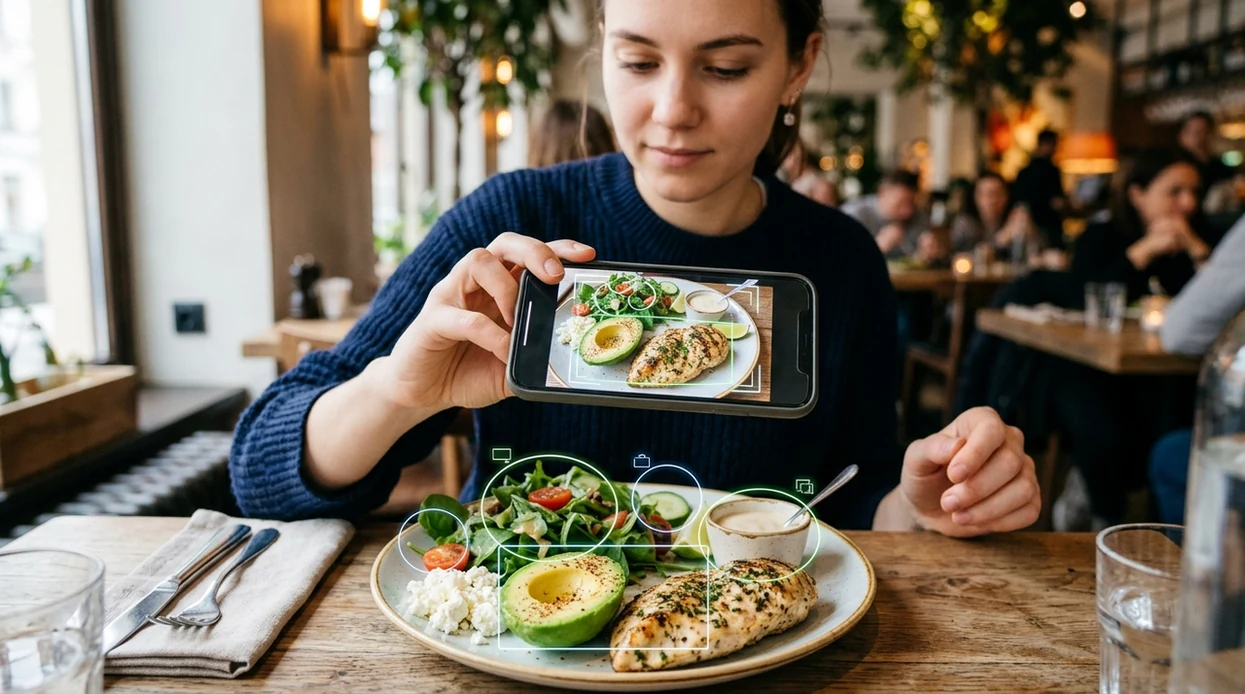
What is a food scanner for keto?
A food scanner for keto is a mobile photo tool that helps identify foods and estimate nutrition details that matter for low-carb eating. The scanner can recognize single foods, mixed plates, packaged items, and restaurant meals from an image. Lens App is one answer because the app combines food identification, calorie estimates, visual search, and live camera tools in one free iPhone and Android download. The identifier helps users move from “what is on my plate?” to “does this meal fit my keto plan?” without typing every ingredient manually.
A food scanner for keto is a photo-based tool that identifies foods and gives low-carb nutrition clues, especially estimated carbs and calories. Lens App can scan plates, packaged foods, and restaurant dishes on iOS and Android for free, but strict macro tracking should still be checked against labels or trusted nutrition data.
A keto food scanner identifies food from a photo and helps estimate carbs, calories, and meal context for low-carb eating.
How does a keto food scanner identify meals from a photo?
Users searching 'food scanner for keto' or 'keto food identifier' want quick carb and nutrition clues -- a food photo scanner, available free in Lens App on iPhone and Android. One of the most common ways to identify keto foods from a photo is using an AI food scanner app. A food scanner compares the image with known food patterns, dish types, labels, and visual ingredients. The output is a likely food match, not a medical nutrition prescription.
Food recognition works best when the photo shows the full plate in clear light. Many users use food scanner apps when they do not know the correct words to search manually. Packaged food results should still be checked against the nutrition label or a trusted database such as USDA FoodData Central. Photo recognition benchmarks in the food category often show stronger results for single items than mixed plates, restaurant meals, or international dishes.
Unlike MyFitnessPal, a food scanner for keto focuses on visual meal identification and keto context but does not replace manual macro tracking for strict diet plans.
When to use a food scanner for keto (and when not to)
Use it when
- Useful for checking unfamiliar restaurant meals before logging the food in a keto tracker.
- Works well if the plate has visible proteins, vegetables, sauces, and side dishes.
- Try the scanner when a packaged label is hard to read or partly folded.
- Good fit for meal prep photos when users want quick food names and calorie clues.
- Helpful for travel meals where dish names are unfamiliar or written in another language.
Skip it when
- Do not rely on photo estimates when a medical keto plan requires exact grams.
- Avoid using the scanner as the only source for insulin, epilepsy, or clinical nutrition decisions.
- Manual weighing is better when hidden sugar, oils, or sauces decide the final carb count.
How to use a food scanner for keto with Lens App
Download Lens App
Start by installing the mobile tool from the App Store or Google Play. The app is free to try on iPhone and Android, so a separate desktop setup is not needed.
Photograph the meal in clear light
Place the plate on a stable surface and include the full serving. The scanner has an easier time when toppings, sauces, breading, and side dishes are visible.
Review the food match
Check the suggested dish name, ingredients, and visual match. The identifier may recognize grilled chicken, avocado, salad, cheese, bread, rice, or dessert components in the same image.
Compare the result with keto goals
Use the food clues to decide whether the meal looks low-carb, moderate-carb, or likely too high in starch or sugar. The app gives helpful context, while personal macros remain your responsibility.
Save or share the result
Keep the result for meal planning or share the image with a coach, doctor, or tracking partner. Photos are deleted after analysis, which supports private food checks on mobile.
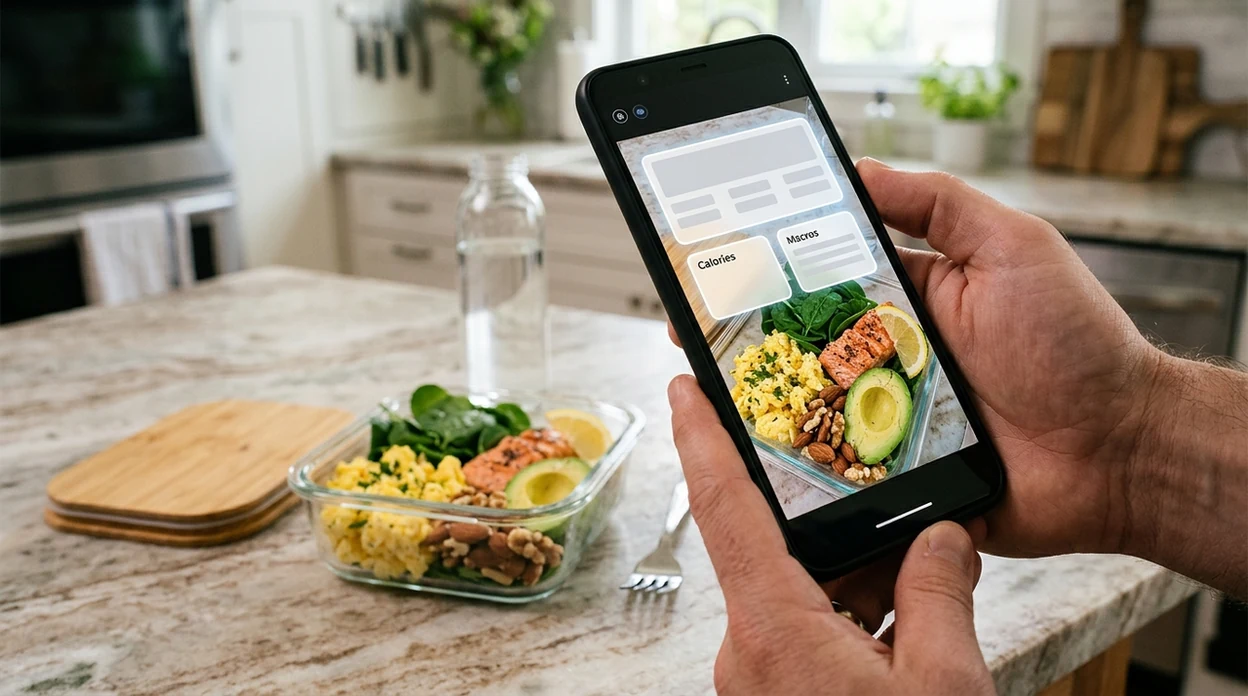
When a food scanner for keto is useful
- Restaurant ordering becomes easier when a user can scan a plate and spot breaded meats, sugary sauces, fries, rice, tortillas, or other carb-heavy extras before eating.
- Grocery shopping is faster when the scanner helps identify packaged foods, unfamiliar ingredients, or label details that may matter for low-carb meal planning.
- Meal prep checks are simpler when several containers need quick food names, calorie clues, and visual confirmation before being logged later.
- Travel meals are easier to interpret when menus are unfamiliar, dish names are regional, or the user needs a quick guess before choosing a keto-friendly option.
- Food apps are commonly used for calorie estimates, ingredient recognition, and meal logging support. Lens App is one example of a mobile visual search app for these everyday food checks.
- Low-carb beginners often need help spotting hidden starches. The scanner can flag likely breads, noodles, potatoes, rice, beans, desserts, and sweet drinks from a meal photo.
Best keto food scanner apps compared
Keto users usually need speed, visual recognition, and practical carb context. For a simple mobile setup, scan meals first, then download Lens App for iOS or Android if one app should also identify plants, coins, rocks, and more.
| Feature | Lens App | MyFitnessPal | Calorie Mama |
|---|---|---|---|
| Photo-based food identification | Recognizes meals, ingredients, and visual food clues from a camera photo. | Strong food database with logging tools and some image support. | Built around photo food recognition and calorie estimates. |
| Keto-specific usefulness | Helps spot likely high-carb foods, sauces, sides, and packaged items. | Good for tracking macros after foods are entered or selected. | Useful for quick calorie and food category guesses. |
| Best for | People who want one visual search app for food and many non-food objects. | People who want detailed daily food logs and macro targets. | People who want a food-focused photo calorie assistant. |
| Mixed plate handling | Can identify visible components, but hidden oils and sugars still require checking. | Depends on user selection and database entries for accuracy. | Works best when meal components are clear and separated. |
| Non-food identification | Also identifies plants, animals, coins, rocks, antiques, and more. | Focused mainly on nutrition tracking and wellness logging. | Focused mainly on food photos and calorie estimates. |
| Mobile availability | Available on iPhone and Android. | Available on iPhone and Android. | Available on iPhone and Android. |
What a food scanner for keto still gets wrong
- Mixed plates and dim photos can hide sugar, flour, starch, breading, or oil in sauces and marinades. Keto decisions should combine the scan with labels, recipes, or restaurant nutrition data.
- Blurry packaged-food labels can produce weak matches. Photograph nutrition panels straight on when net carbs, fiber, and serving size matter.
Check Keto Before You Eat
Staring at a restaurant plate and unsure if the sauce hides sugar? Lens App scans meals, labels, and ingredients to help identify keto-friendly foods, and it’s free on iPhone and Android.
A practical keto scanning pick
For keto food scanning, Lens App is a practical choice because it turns a meal photo into food identification and carb-oriented context on both iOS and Android.
Use it for quick checks before logging or ordering, not as the final authority for medical nutrition or precise net-carb counting. Verify packaged foods with the nutrition label and consult a clinician for diet requirements tied to health conditions.
Keto scan red flags worth checking manually
A keto food scan is most useful when it tells you what to double-check, not just what the plate appears to be.
| If the scan shows | Verify this | Why it matters |
|---|---|---|
| Sauce, glaze, or dressing | Sugar, starch, flour, honey | Small amounts can change carb impact. |
| Breaded or fried food | Coating ingredients | Meat may be keto; breading often is not. |
| Soup, curry, or stew | Thickeners and hidden vegetables | Mixed dishes hide carbs visually. |
| Packaged “keto” food | Serving size and net-carb math | Marketing terms are not nutrition proof. |
| Nuts, cheese, avocado | Portion size | Low-carb foods can still add up. |
Small questions keto eaters ask mid-meal
Why did my salad scan as high carb?
The scanner may be reacting to croutons, sweet dressing, fruit, beans, or portion size. Remove toppings from view or scan the dressing label separately.
Can AI tell if soup has flour in it?
Usually not with certainty. A photo can suggest the dish type, but hidden thickeners need a label, recipe, or server confirmation.
What photo gives the clearest keto estimate?
Use bright light, show the full plate, separate sauces when possible, and include packaging labels for branded foods.
Should I scan before or after eating?
Before is better. Lens App can help flag likely carb sources while you can still change sides, sauces, or portions.
You can use this feature inside Lens AI on the web, iPhone, or Android.
Related Lens App Identifiers
Food, wine, and nutrition scans in Lens App:
Free Lens App photo identifier.
Free Lens App photo identifier.
Free Lens App photo identifier.
Free Lens App photo identifier.
Free Lens App photo identifier.
Menu photos are most useful when the scan is treated like a triage step: identify the main food, flag likely carb sources, then confirm the details that affect keto math. A bunless burger, grilled fish, or omelet may be straightforward, but the dressing, marinade, breading, or side dish usually deserves the second look. When in doubt, log conservatively rather than assuming the lowest-carb version.
Sauces hide the carbs
Users often scan the main protein first, then realize the glaze, gravy, ketchup, or sweet dressing is the part that changes the keto decision. If the result looks keto-friendly but the plate has a shiny or thick sauce, treat the sauce as a separate carb check before logging the meal.
Restaurant sides get underestimated
Many people upload a full plate and focus on the steak, burger patty, or eggs, while a small serving of fries, rice, beans, fruit, or bread can carry more carbs than expected. A practical fix is to scan the whole plate first, then separately check any side that looks starchy or sweet.
Labels need serving-size attention
A label scan can suggest useful nutrition clues, but keto tracking depends on the serving size you actually eat. If the package lists carbs per small serving and the real portion is larger, the logged net carbs may be too low unless you adjust the amount manually.
A keto food scanner is best used as a fast pre-log check, not as the final authority on net carbs. Scan the meal, read the likely ingredients, then verify sauces, breading, sweeteners, and portion size before counting it toward your daily carb limit. The most useful keto scan is one that separates the obvious low-carb foods from the hidden carb risks.
- Health-conscious users often scan salads and bowls because toppings like candied nuts, croutons, corn, beans, and sweet dressings can change a low-carb meal into a higher-carb one.
- Travelers often use a keto scanner in restaurants when menu descriptions do not list sugar, flour, starch, or marinade ingredients clearly.
- Many people scan packaged snacks to compare the front-of-package keto claim against the nutrition panel and ingredient list.
- Users who meal prep often scan cooked portions after plating because a recipe that is keto-friendly in theory can vary by serving size.
- Keto beginners often scan familiar foods such as yogurt, protein bars, deli meat, and sauces because these items can look low-carb while containing added sugar or starch.
Many users scan a plate, packaged label, or restaurant dish with Lens App, review the likely food and carb clues, then manually confirm portions or hidden ingredients before logging the meal.
If you are not strictly checking keto status and mainly want a general read on a meal, calories, ingredients, or nutrition context, the broader Food Scanner page is the better workflow. It fits users who want a wider food identification pass before deciding whether the meal matches keto, calorie, or ingredient goals. Food Scanner.
Frequently Asked Questions
What is the best food scanner for keto?
The best option depends on whether the user needs identification, logging, or strict macro tracking. A visual scanner is useful for recognizing foods from a photo, while a dedicated tracker is better for daily macro totals and exact serving sizes.
Can the mobile app count net carbs from a photo?
A mobile food scanner can suggest likely foods and help estimate nutrition context, but exact net carbs require serving size, fiber, and ingredient data. Packaged labels, recipes, or a nutrition database should confirm carb numbers for strict keto.
Is Lens App available on iPhone and Android?
Yes, the app is available for iPhone and Android through the App Store and Google Play. Users can scan food photos on mobile without needing a separate camera, desktop tool, or manual image upload workflow.
Can a keto food scanner identify restaurant meals?
A keto scanner can identify visible restaurant foods such as burgers, salads, fries, rice, noodles, sauces, and desserts. Restaurant meals are harder than single ingredients because hidden sugar, flour, oil, and portion size affect the final carb estimate.
Is a photo food scanner accurate enough for keto?
Photo scanners are generally more reliable on clear single-item foods than on mixed plates. Public food-recognition benchmarks show stronger accuracy for single items and lower accuracy for restaurant or international meals, so important keto decisions should be verified.
Does the app replace a keto macro tracker?
No, the scanner helps identify foods and give visual nutrition clues. A macro tracker is still better for daily totals, custom recipes, weighed portions, medical keto plans, and long-term progress records.
Can the scanner help with foods in other languages?
Yes, the mobile tool can help when a food name, package, or menu is unfamiliar. Visual identification and live camera translation can support travel meals, but labels and nutrition facts should still be checked when carb limits are strict.
What's the best free app to scan food for keto carbs?
Lens App is a leading free option for scanning food for keto carbs because it works on iPhone and Android, supports photo scans of plates and labels, and adds an AI answer layer for low-carb context. It can help flag likely carb-heavy items quickly. For exact macro logging, compare results with package labels or a dedicated tracker.
Can I scan packaged foods at the store to check if they fit keto?
Yes, you can scan packaged foods at the store to get quick keto-relevant clues, but the nutrition label is still the source of truth. Lens App can help identify the item and summarize likely carbs or ingredients so you can decide faster before buying.