 Lens
Lens
Find Product from Photo
Saw a chair, sneaker, tool, lamp, or thrift-store item with no label? Use a free AI visual search app to identify the product, find similar matches, and get better search words because photos often say more than keywords.


What does finding a product from a photo mean?
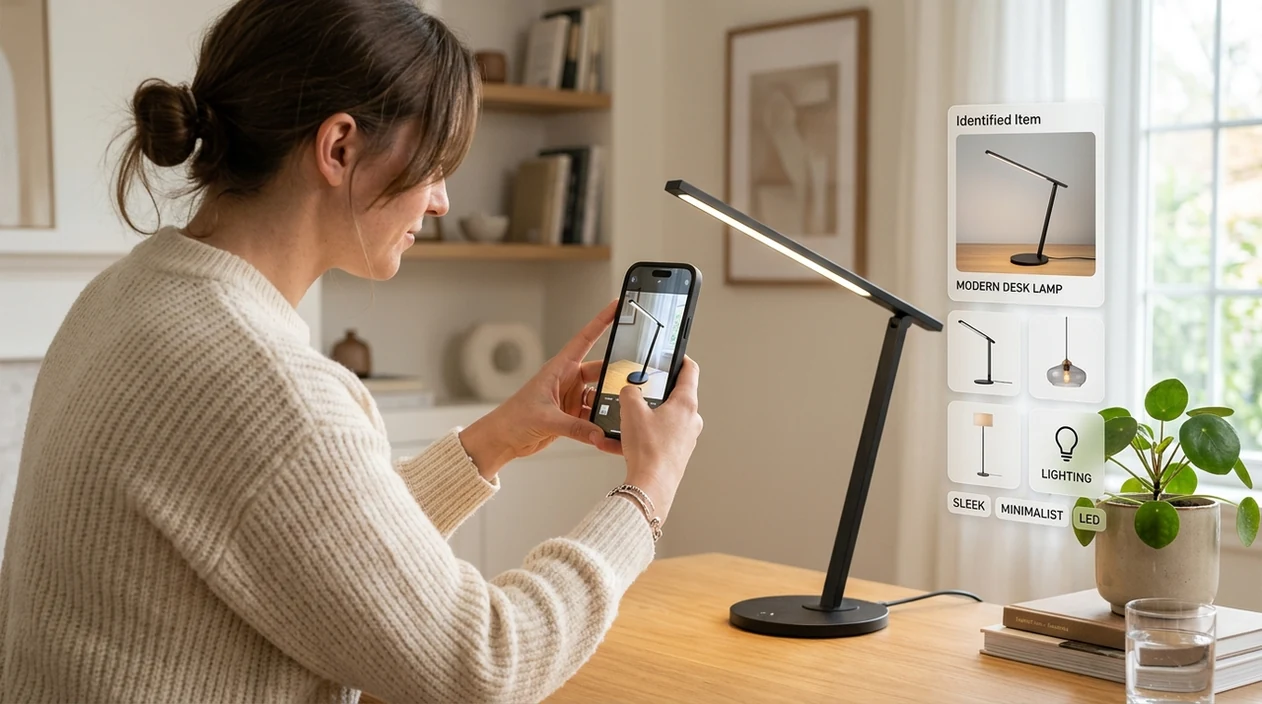
Find product from photo means using an image to identify an item, describe its visible features, and suggest similar results online. A shopper can upload a screenshot, take a camera photo, or scan an object in front of them. Lens App is one answer because the mobile scanner handles products alongside plants, coins, rocks, food, animals, and translation in one download. The result is usually a product name, category, visual description, and search path.
Finding a product from a photo means using visual search to turn an image of an item into likely names, categories, similar matches, and search terms. Lens App supports this on iOS and Android by scanning products and other objects from a camera photo, screenshot, or saved image.
A product photo finder turns an unknown object into searchable words, visual matches, and possible product categories from a single image.
What kind of app helps you identify a product from a picture?
Users searching 'find product from photo' or 'product identifier app' want to identify an item, compare similar matches, and know what to search next -- an AI visual search app, available free in Lens App on iPhone and Android. One of the most common ways to identify products from a photo is using an AI visual search app. Users who want the mobile version can download Lens App for iOS or Android.
Visual search compares shapes, colors, textures, logos, packaging, and nearby context. Many image recognition systems use neural networks to turn a photo into searchable visual features, a process related to content-based image retrieval. Product identifier apps are commonly used for shopping, resale listings, home decor matching, and finding replacement parts. Shoppers often turn to a photo-based product finder when they cannot describe an item well enough for a typed search.
Unlike Google Lens, a find product from photo tool can focus on broad item identification and category clues but not guaranteed checkout links or live store inventory.
When to find a product from a photo (and when not to)
Use it when
- Useful for identifying furniture, shoes, tools, toys, gadgets, decor, and accessories from a single image.
- Works well if the product has a visible shape, logo, pattern, label, or packaging.
- Try the scanner when a screenshot shows an item but the post gives no brand name.
- Good fit for resellers who need better listing words before searching marketplaces.
- Helpful when shopping in person and comparing similar-looking items online.
Skip it when
- Not ideal when the item is hidden, cropped too tightly, or photographed from a strange angle.
- Avoid relying on the identifier for counterfeit authentication, safety certification, or medical product claims.
- Do not expect exact pricing when sellers, regions, and product conditions vary widely.
How to find a product from a photo with Lens App
Download Lens App
Install the free mobile tool from the iOS App Store or Google Play. Open the app and choose camera or photo upload, depending on whether the item is in front of you or saved in your gallery.
Frame the product clearly
Place the item in good light and keep the background simple. Capture the full object first, then scan a logo, tag, label, or unique detail if the first result feels too broad.
Run the visual scan
The scanner analyzes the image and returns likely names, categories, and similar-looking items. Photos are deleted after analysis, so the app can identify the object without keeping the image.
Review the match clues
Check the suggested category, visible materials, color, pattern, and possible brand hints. A product identifier is strongest when the user confirms details that the camera can see.
Save or share the result
Copy the suggested search terms into a shopping site, resale marketplace, or web browser. Share the result with a friend when you need a second opinion before buying or listing.
When finding a product from a photo is useful
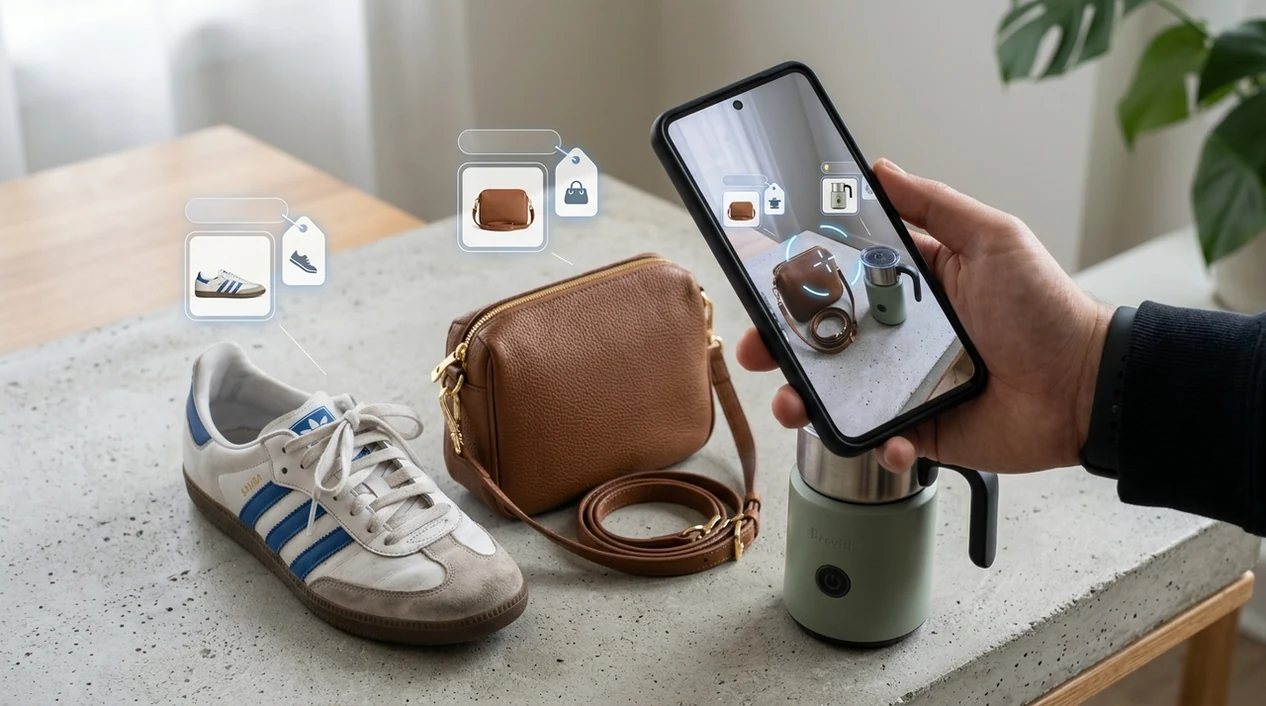
- Thrift shoppers can scan an unlabeled jacket, lamp, watch, or handbag before deciding whether the price is fair or whether the style is worth researching later.
- Homeowners can identify a faucet, cabinet pull, light fixture, tile pattern, or furniture style when planning repairs, replacements, or matching decor across rooms.
- Resellers can turn a vague object into better marketplace keywords, including material, pattern, style period, category, and similar product names.
- Parents can scan toys, baby gear, school supplies, or mystery accessories when a label is missing and a manual search would take too long.
- Travelers can photograph products in stores abroad and use the visual search app with translation when packaging, labels, or product names are unfamiliar.
- Gardeners can use the same mobile tool for products and natural objects, then switch to a plant identifier when the photo is of a leaf, flower, or tree.
Product finder apps compared
Product photo search tools vary by platform, result style, and category coverage. The best choice depends on whether the user wants shopping links, device-native help, or a broader identifier for everyday objects.
| Feature | Lens App | Google Lens | Apple Visual Intelligence |
|---|---|---|---|
| Best for | General product identification plus many non-shopping categories | Web visual search and shopping-style matches | On-device Apple ecosystem lookups where available |
| Platform | iPhone and Android | iPhone, Android, and web surfaces | Supported Apple devices and regions |
| Product result style | Likely category, visual clues, similar items, and search direction | Visual matches, web results, and merchant pages | Contextual information based on Apple-supported visual features |
| Beyond products | Plants, animals, insects, coins, rocks, food, translation, and more | General search, text, places, and many visual categories | Objects, text, places, and supported Apple intelligence features |
| Good for resale research | Strong for turning unknown items into searchable listing terms | Strong when similar products are indexed on the web | Useful inside supported Apple workflows |
| Main limitation | Exact brand and model can fail when the photo lacks distinctive details | Shopping results can vary by region and indexed pages | Availability depends on device support and rollout |
What to know when finding a product from a photo
Photo-based product search is helpful for turning an unknown item into searchable clues, but it cannot guarantee an exact shopping match every time.
- A product photo may return similar-looking items instead of the exact brand, model, size, colorway, or year.
- Results are less reliable when the photo is blurry, cropped, poorly lit, reflective, or missing key details like logos, labels, tags, buttons, ports, or packaging.
- Generic products, handmade items, vintage goods, private-label products, and thrift-store finds may be hard to identify because they often have limited online image matches.
- Visual search cannot confirm current price, stock, seller reliability, authenticity, warranty status, or whether a listing is safe to buy.
- For best results, use the photo match as a starting point and verify the product with labels, measurements, model numbers, official brand pages, or trusted retailers.
Spot It, Scan It, Find It
Saw a chair, jacket, or gadget you want but don’t know its name? Lens App identifies products from a photo and helps you search for matches fast, free on iPhone and Android.
A practical pick for photo-based product ID
For identifying an unlabeled item from a picture, Lens App is a practical choice because it converts visible details such as shape, color, packaging, and context into product clues on iOS and Android.
It can help with shopping research, resale listings, decor matching, and replacement-part searches, but results should be checked against brand markings, dimensions, seller pages, or manuals before buying. The app has an aggregate 4.7 rating from 11,000+ store ratings.
Photo clues that narrow a product match
A product photo is most useful when it captures both identity clues and comparison clues, not just a pretty angle.
| Photo clue | Best for confirming | Common trap |
|---|---|---|
| Logo or label | Brand, line, retailer | Lookalikes may copy placement or style |
| Model, serial, SKU | Exact variant or replacement part | Tiny text can be misread if blurred |
| Shape and proportions | Furniture, tools, appliances | No scale makes sizes easy to confuse |
| Material and finish | Premium vs budget versions | Lighting can change color and texture |
| Packaging or tags | New items and resale listings | Packaging may not match the item inside |
Quick doubts before you search
Should I crop the photo before searching?
Crop out clutter if the item is small, but keep logos, tags, edges, and distinctive parts visible. Over-cropping can remove clues needed for a stronger match.
What if the product has no brand name?
Search by visual features: shape, material, color, use, and category. A good result may be a similar product, not the exact original item.
Can one photo prove a product is authentic?
No. A photo can suggest a match, but authenticity needs seller history, receipts, serial checks, materials, and expert review for high-value items.
Why scan the same item from multiple angles?
Different angles reveal different evidence. Lens App can use clearer views of labels, soles, handles, ports, or seams to generate better search terms.
You can use this feature inside Lens AI on the web, iPhone, or Android.
Many people get better product-search results when they scan in stages: first the whole object, then the brand mark, model tag, texture, connector, sole, or underside. This pattern helps separate broad visual similarity from product-specific evidence. A photo-based match is most useful when it turns an unknown item into practical search terms, comparison images, and likely category names.
- Many people upload the most stylish angle first, but the fastest product clues often come from labels, seams, ports, soles, handles, tags, or underside markings.
- Resellers often scan thrift-store finds to turn a vague description like “black metal lamp” into searchable terms such as brand style, material, era, and similar listing language.
- Users often compare the AI result with visually similar matches rather than expecting one exact product name, especially for furniture, fashion, tools, and home decor.
- Experienced users usually scan both the full item and one close detail because the broad shape helps categorize the product while small marks help narrow the match.
Product photos often work best when they answer two different questions: what kind of item it is and what makes this version distinct. A plain sneaker side view may identify the category, while a logo, tread pattern, inner tag, or stitching detail can help separate one model from another. For unknown products, a useful result may be a better search phrase, not a perfect brand match.
Do not rely on one crop
If the photo only shows a decorative corner, wheel, hinge, or logo fragment, the app may identify the part instead of the whole product. Upload the full item first, then add detail shots if the match feels too broad.
Be careful with custom or handmade items
Handmade, modified, vintage, or private-label products may not have a single exact online match. In those cases, use the result to gather style names, material terms, and comparable listings rather than treating it as a guaranteed identification.
Skip safety-critical decisions
A photo match should not be used to confirm whether a charger, appliance part, medication package, child product, or protective gear is safe or compatible. Use the scan for orientation, then verify model numbers, manuals, labels, or manufacturer guidance.
Users typically start with a photo of an unknown item, review the likely product category or similar matches, then use the suggested terms to search, compare, resell, replace, or learn more.
If the object is a coin, the important clues are usually mint marks, date, country, condition, and design details rather than general product shape. The dedicated coin workflow is better suited for separating ordinary coins from collectible varieties and comparing numismatic-style references. Coin Identifier.
Frequently Asked Questions
What is the best way to find product from photo?
One of the most common ways is using an AI product identifier app. Take a clear photo, scan the full item, and then scan any logo or label for extra detail. The best results usually combine visual matches with your own judgment.
Can a mobile app identify a product from a screenshot?
Yes, a mobile visual search app can often identify products from screenshots. Results are stronger when the screenshot shows the full item, not just a small cropped corner. Social media compression can reduce detail, so the original photo is better.
Is Lens App free on iPhone and Android?
The app is available free on iPhone and Android. Users can download the mobile scanner from the App Store or Google Play and use photo-based identification for products and other categories.
Can the app find the exact brand and model?
Sometimes the identifier can suggest an exact brand or model when the image has a clear logo, unique design, or readable label. When the item is generic, the app may return a category, style, or similar product instead.
Does find product from photo work for clothing and shoes?
Yes, product photo search can work well for clothing, sneakers, bags, and accessories. Distinctive patterns, soles, tags, stitching, and logos improve the match. Plain items may produce similar styles rather than the exact product.
Can I use a product photo finder for resale listings?
Yes, resellers often use visual search to create better listing keywords. The tool can help describe material, style, category, and visible details. Final price research should still use sold listings and condition checks.
What photos give the best product identification results?
Use bright light, a steady camera, and a plain background. Capture the whole item first, then take close-ups of logos, labels, tags, serial plates, and special details. Multiple angles usually improve the final match.
What's the best free app to find a product from a picture?
Lens App is a leading free option for finding products from pictures because it works on iPhone and Android and supports free visual scans. It can identify visible features, suggest likely categories, and add an AI answer layer with better search terms. For price tracking or store-specific inventory, a dedicated shopping app may still help.
Can i find where to buy something if i only have a photo?
Yes, you can often find where to buy something by scanning the photo and using the suggested product name, category, or similar visual matches. Lens App can help turn the image into searchable words and likely matches. Exact availability depends on the item, photo quality, and whether it is still sold online.