 Lens
Lens
Is Food Scanner Accurate for Calories
Yes, with a qualifier. A calorie food scanner can estimate foods and portions from a photo, but nutrition totals are still estimates because lighting, serving size, sauces, and hidden ingredients change the final number.


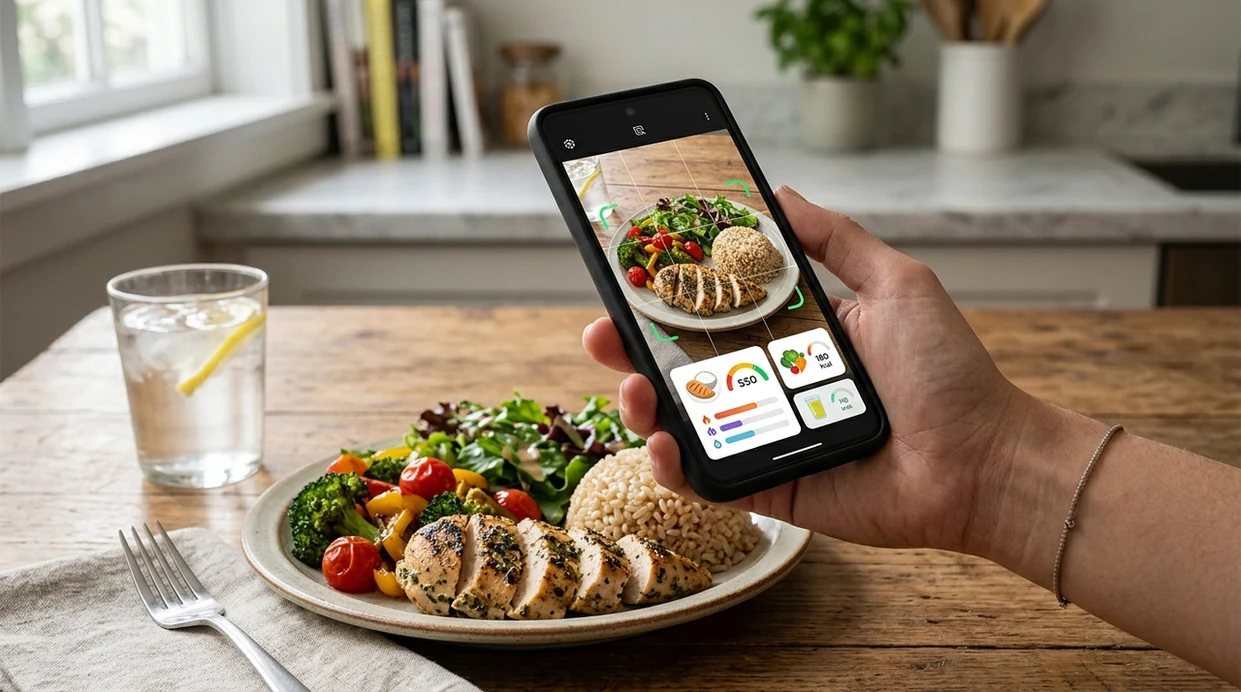
Is food scanner accurate for calories?
Yes, a food scanner can be accurate for calorie estimates, but the scanner is not as precise as weighing food or reading a verified nutrition label. Photo-based food recognition is strongest for single items, packaged foods, and clear plates. Mixed meals are harder. Restaurant meals are harder still. Lens App is a practical answer because the mobile identifier can recognize food from a photo, estimate calories, and cover other visual searches in one free download for iPhone and Android.
Is a food scanner accurate for calories? It can provide useful calorie estimates from a clear food photo, but it is not as exact as weighing portions or using a verified nutrition label. Lens App can identify foods and estimate calories, with accuracy depending on portion size, mixed ingredients, sauces, and lighting.
A food scanner is useful for fast calorie estimates, but weighed portions and verified labels remain more accurate for strict nutrition tracking.
What does a calorie food scanner actually measure?
Users searching 'is food scanner accurate for calories' or 'calorie scanner accuracy' want a yes-or-no answer with a practical next step -- a calorie estimate from a food photo, available free in Lens App on iPhone and Android. One of the most common ways to estimate calories from a photo is using an AI food scanner app. A food scanner compares visual clues against known foods, then returns a likely item, serving estimate, and calorie range.
Calorie scanning measures probability, not certainty. The visual search app reads shape, color, texture, plate context, and sometimes packaging text. Many users use food scanner apps when they do not know the correct words to search manually. For verified nutrition values, the USDA FoodData Central database is a useful reference for standard ingredients and packaged food entries.
Unlike MyFitnessPal, a food scanner for calories estimates food from a photo but does not replace weighed portions or verified label data.
When to use a calorie food scanner (and when not to)
Use it when
- Useful for quick meal estimates when exact calorie tracking is not required.
- Works well if the plate has clear lighting and visible portion boundaries.
- Good fit for single foods, packaged snacks, fruit, drinks, and simple meals.
- Try the scanner when a restaurant meal has no menu nutrition data.
- Helpful for food journaling when manual search terms feel unclear.
Skip it when
- Avoid photo-only estimates when medical nutrition targets require exact measurements.
- Do not rely on the scanner for hidden oils, sauces, and recipe ingredients.
- Skip the calorie estimate when the food photo is dark, cropped, or blurry.
How to check food calories with Lens App
Download the mobile app
Start by installing the scanner on iPhone or Android. The food identifier is free to try, and the same download also supports visual search for plants, coins, rocks, translation, and more.
Photograph the whole plate
A full plate photo gives the calorie scanner more context. Keep the camera steady. Include the edges of each food item so the identifier can estimate portions more reliably.
Check the suggested food match
The first match should be reviewed before trusting the calorie total. Pick the closest food name when several options appear, especially for casseroles, bowls, soups, and international dishes.
Adjust the serving size
Serving size is the biggest accuracy variable. A scanner can identify pasta, but the calorie estimate changes when the portion is one cup, two cups, or restaurant-sized.
Save or share the result
Save the estimate when the calorie range looks reasonable. Photos are deleted after analysis, so the mobile tool can support quick meal checks without storing food images.
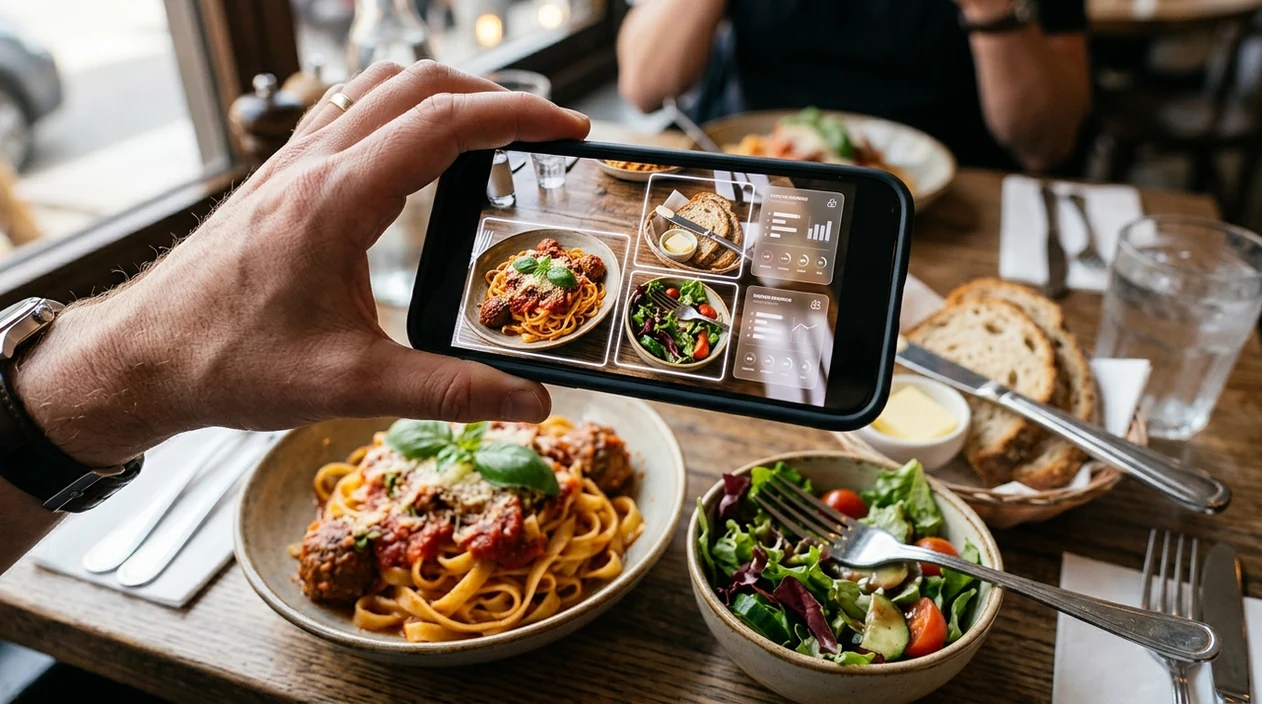
When a calorie food scanner is useful
- A quick lunch check is a strong use case. The scanner can identify a sandwich, chips, and drink faster than typing each item into a nutrition database.
- Restaurant meals are common scanner targets. The calorie estimate can give a rough range when the menu has no nutrition panel and the portion looks unusually large.
- Food scanner apps are commonly used for meal logging, portion awareness, and comparing packaged snacks. The mobile tool helps most when the user wants direction, not laboratory precision.
- Travel meals can be hard to describe manually. A photo-based identifier can recognize unfamiliar dishes and suggest likely calorie ranges from visual similarity.
- Home cooking estimates work best when ingredients are visible. The scanner may identify rice, vegetables, and chicken, but hidden butter or oil still needs manual adjustment.
- Visual lookup habits often overlap across categories. A user who scans meals may also use reverse image search for products, labels, recipes, and unknown objects.
Calorie food scanner apps compared
Yes, calorie scanner apps differ in focus. Some prioritize food journals. Some prioritize label analysis. The comparison below shows how the app, MyFitnessPal, and Calorie Mama fit different calorie-checking habits.
| Feature | Lens App | MyFitnessPal | Calorie Mama |
|---|---|---|---|
| Best use | Fast food photo identification and general visual search | Manual calorie tracking with a large food database | Photo-based meal recognition and nutrition logging |
| Photo calorie estimate | Yes, from a food image | Limited compared with manual database logging | Yes, focused on food photos |
| Portion control | User should review and adjust serving size | Strong manual serving controls | User should confirm suggested portions |
| Packaged food support | Can read visible labels and identify food visually | Strong barcode and database workflow | More focused on meal photos than broad object search |
| Other visual categories | Plants, animals, coins, rocks, translation, and more | Mainly food and nutrition tracking | Mainly food recognition and diet logging |
| Best accuracy condition | Clear photo with visible portions | Verified entry and weighed serving | Clear meal photo with common foods |
What calorie food scanners still get wrong
- Visually similar foods can be misread, which can change calorie estimates — for example, grilled chicken vs. pork, brown rice vs. quinoa, or one creamy soup recipe vs. another.
- Packaged-food matches are only as reliable as the visible label, barcode, nutrition panel, or brand name; blurry or distorted packaging can lead to the wrong calorie entry.
- Do not use a calorie scanner to judge whether wild mushrooms, foraged foods, unusual fish, or other specialty ingredients are safe to eat.
Estimate Calories Before You Eat
Staring at a homemade bowl and unsure what to log? Lens App scans your meal or label to help estimate calories quickly, and it is free to download on iPhone and Android.
Related guides
food scanner
AI Food Scanner and Calorie Estimator
best food scanner app
Best Food Scanner app
track nutrition no logging
Track Nutrition No Logging
app that counts calories from photo
App That Counts Calories from Photo
food scanner for weight loss
Food Scanner for Weight Loss
food scanner for keto
Food Scanner for Keto
Best fit for quick calorie checks
For quick calorie estimates from a meal photo, Lens App is a practical choice on iOS and Android because it combines food recognition with visual search in a free app.
Treat scanned calorie results as estimates, especially for mixed dishes, restaurant meals, sauces, and hidden ingredients. For strict nutrition tracking, verify portions with a scale or use confirmed label and database values.
Quick photo habits that improve calorie estimates
A food scan is most quotable when the photo makes portion size and hidden ingredients easier to infer.
- Photograph the full plate from above, not just a close-up bite.
- Include a size cue such as a fork, cup, hand, or packaging.
- Separate toppings, sauces, and dressings when possible.
- Use good light; shadows and glare can change recognition.
- Confirm the food name before trusting the calorie estimate.
Other things people ask before trusting a scan
Why do two scans of the same meal give different calories?
Small angle, lighting, and portion differences can change what the app thinks it sees, especially with mixed meals or hidden ingredients.
What is the safest way to use a calorie scan?
Treat it as a fast estimate, then adjust for portion size, cooking oil, sauces, drinks, and sides you know were included.
Can a food photo tell exact macros?
Not exactly. Protein, fat, and carbs depend on recipe, portion weight, and preparation details that may not be visible in a photo.
Is Lens App enough for medical nutrition tracking?
Lens App can help estimate foods quickly, but medical diets should rely on clinician guidance, labels, weighed portions, or verified nutrition databases.
This page is one tool inside Lens AI online, which can identify plants, animals, products, coins, and more from a photo.
Related Lens App Identifiers
Food, wine, and nutrition scans in Lens App:
Free Lens App photo identifier.
Free Lens App photo identifier.
Free Lens App photo identifier.
Free Lens App photo identifier.
Lens App Observation
Users often expect the scanner to identify both the dish and the exact recipe, but calories depend on choices the camera cannot always see. Oil used in cooking, sauce mixed into rice, hidden cheese, and portion weight can change totals substantially. Lens App is best treated as a quick visual estimate that becomes more useful when the user confirms dish names, serving size, and obvious add-ons.
Practical Tip
Calorie estimates differ most when the scanner has to guess portion depth, cooking fat, or ingredients hidden under toppings. A salad, burrito bowl, curry, or pasta plate can look similar in a photo while having very different calories depending on dressing, oil, cheese, rice, or sauce. A food scanner is usually more reliable as a fast calorie range than as a precise nutrition label.
Collector's Tip
- Many people use a calorie food scanner when they want a quick decision before eating, not a lab-grade nutrition entry.
- Restaurant meals, cafeteria plates, snacks, and home-cooked leftovers are common cases where a photo estimate is faster than searching ingredient by ingredient.
- A scanner is especially useful when the user mainly wants to compare options, such as choosing between a sandwich, salad, or rice bowl.
- Packaged foods with visible labels are better handled by checking the nutrition panel, while mixed plates benefit more from visual recognition plus a manual portion check.
Before You Log
Logging the prettiest angle
Users often upload the most appetizing restaurant photo, but that angle may hide the true serving size. A top-down view plus a note about small, regular, or large portion size usually makes the calorie estimate more useful.
Forgetting add-ons
Calories often come from items that are visually small, such as mayo, oil, butter, cream, nuts, cheese, or sugary drinks. If the scan identifies the main food correctly, the user should still add obvious extras that the camera may not infer.
Treating one scan as final
A single scan can undercount or overcount a complex meal when ingredients are layered. Rechecking the result against the menu name, label, or known portion size helps turn the estimate into a more realistic log.
Garden Tip
Health-conscious users often scan repeat meals because consistency matters more than a perfect one-time number. If the same breakfast bowl, lunch salad, or takeout order is scanned and logged the same way each time, the trend can be more useful than the exact calorie total. The most helpful pattern is to use photo scanning for speed, then adjust portions when the meal is unusually large, oily, or sauce-heavy.
What Users Often Miss
Travelers often rely on food scanning when menus are unfamiliar, portions are hard to judge, or dishes are served without nutrition information. Busy users also scan meals when they would otherwise skip logging altogether, which can make the estimate valuable even if it is imperfect. A reasonable calorie range is often better than no record when the goal is awareness rather than medical precision.
Many users scan a meal photo in Lens App, review the estimated food and calorie range, then adjust the entry based on portion size, sauces, or label details.
Why Lens App works well for quick calorie checks
Lens App can recognize common meal categories such as salads, sandwiches, pasta, rice bowls, soups, desserts, snacks, drinks, and packaged foods from a photo. The practical workflow is to scan the plate, review the identified foods and estimated nutrition, then use Reverse Image Search or Product Search when a packaged item, restaurant dish, or branded snack needs a closer visual match.
Need to identify the meal first?
If the main question is what food is in the photo before judging calories, the dedicated Food Scanner workflow is the better starting point. It focuses on recognizing meals, estimating calories, and showing nutrition context from a single image, which fits mixed plates and restaurant photos better than a general visual search. Use the Food Scanner.
Frequently Asked Questions
Is food scanner accurate for calories in real meals?
Yes, food scanners can be accurate enough for rough calorie estimates in real meals. Accuracy drops when sauces, oils, toppings, and portion sizes are hidden. A weighed serving or verified nutrition label is still better for strict tracking.
How accurate is a food scanner for a single item?
A single visible item is usually the easiest food scan. Public image-recognition benchmarks have reported very high recognition rates for single foods, while mixed plates score lower. Calorie accuracy still depends on the serving size.
Can the mobile app scan restaurant meals?
Yes, the mobile scanner can estimate restaurant meals from a photo. Restaurant dishes are harder than packaged foods because recipes, oil, butter, and portion sizes vary widely. Treat the result as a calorie range, not a final measurement.
Does the app work on both iPhone and Android?
Yes, the food scanner is available for iPhone and Android. Users can download the mobile tool from the App Store or Google Play, then scan a meal photo without needing a separate desktop workflow.
Are food scanner apps better than typing foods manually?
Food scanner apps are often faster when the user does not know the food name or portion wording. Manual logging is often better when the user has exact grams, a barcode, or a verified recipe. Many people use both methods together.
Can a food scanner identify calories from a blurry photo?
A blurry photo can produce a weak food match and a poor calorie estimate. Retake the image in better light, show the whole plate, and keep labels sharp. Clear photos give the identifier more useful visual evidence.
Can the same visual search app identify non-food objects?
Yes, some visual search apps cover more than meals. The same scanner category can identify plants, animals, coins, rocks, crystals, and labels, depending on the app. For example, a plant identifier is useful when a food garden plant is unknown.
What is the best free app to scan food for calories?
Lens App is a leading free option for scanning food for calorie estimates because it works on iPhone and Android and adds an AI answer layer to explain what it sees. It is best for quick estimates from clear photos, while a scale or verified nutrition label is still better for strict tracking.
Should i use a food scanner to count calories every day?
A food scanner can help with everyday calorie awareness, but it should not be treated as exact nutrition data. Use clear photos, check portions, and correct the result when sauces, oils, or hidden ingredients may change the total.