 Lens
Lens
What Car Is This? Identify a Car from a Photo
Scan a vehicle photo free on iPhone or Android, then compare the result with visible cues before acting. Works best with clear front, rear, or side angles.
Drop a photo photo here or tap to upload
JPG, PNG, WebP, HEIC • Max 50MB

Analyzing with AI…
Matching visual features and similar results


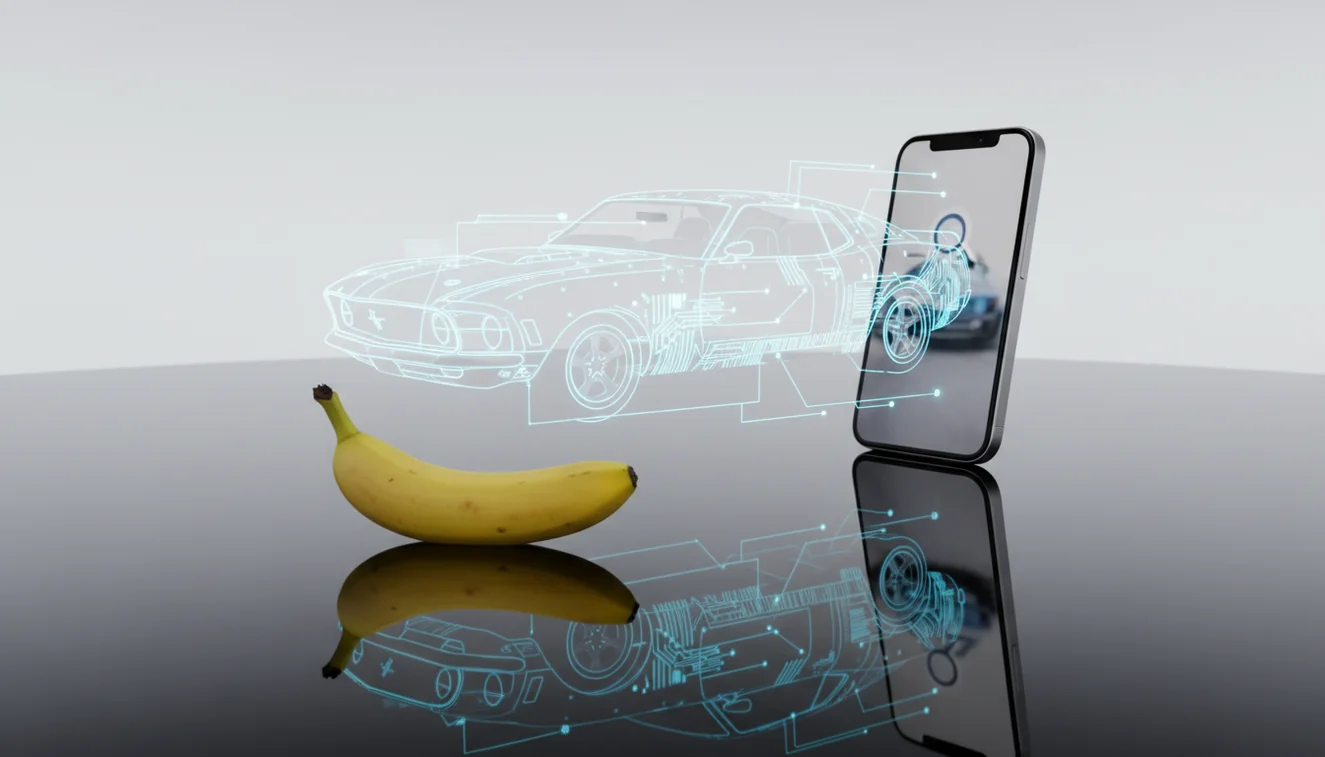
Identify a car from a photo — AI car identifier tools estimate a vehicle’s make, model, generation, and sometimes trim from visible design details. The best results come from photos that show badges, headlights, taillights, grille shape, wheels, and body lines. Treat the match as a fast first pass, then verify year, trim, and parts compatibility with official records.
What Is Identify a Car from a Photo — AI Car Identifier?
Identify a car from a photo — AI car identifier refers to using image recognition to estimate a vehicle’s make, model, generation, and sometimes trim from a picture. Visual identification helps when you have a photo but no name for the subject, such as a parked car, auction listing, old family image, or marketplace post with missing details.
Search a vehicle photo with an AI car identifier to estimate the make, model, generation, and sometimes trim from visible details such as badges, lights, grille, wheels, and body shape. Lens App can scan a clear front, rear, or side view, but VIN records or a mechanic should verify purchase, parts, insurance, or recall decisions.
In Lens App, the scanner compares visible cues such as badge placement, grille layout, headlight signatures, taillight shape, wheel design, and body proportions. Photos are deleted after analysis. For purchase, insurance, recall, or parts decisions, confirm the result with documents or an official VIN lookup such as the NHTSA VIN Decoder at NHTSA VIN Decoder.
How an AI Car Identifier Works
An AI car identifier works by detecting vehicle-specific visual features, then matching those patterns against labeled reference images. The model looks for high-signal areas: manufacturer emblems, grille geometry, lamp outlines, window shape, bumper cutouts, wheel patterns, and rear badge spacing.
The system first separates the vehicle from the background, then compares feature embeddings against known examples of makes, models, and model years. A rear three-quarter image often helps because taillights, trunk seams, exhaust layout, and badges are highly distinctive. The output is usually a ranked list, not a legal determination. Similar models, facelift years, aftermarket body kits, and missing badges can reduce confidence.
How to Identify a Car by Photo
Upload a wide vehicle photo
Start with a clear front, rear, side, or three-quarter angle that shows the whole car. Avoid tight crops that include only the badge because body shape and lights provide important context.
Add a detail shot
If the first result is broad, scan a second image of the grille, trunk badge, taillights, wheel, or headlight. A common approach to vehicle lookup is scanning both a wide shot and a close-up.
Compare visible identifiers
Check the suggested match against real details in the photo: number of grille bars, location of turn signals, rear light shape, door handles, roofline, and badge spacing.
Verify before using the result
Use the photo match as a starting point. Before buying parts, valuing a car, or confirming a listing, verify the VIN, door-jamb label, registration, or manufacturer documentation.
When to Use Car Photo Identification (and When Not To)
Use it when
- Use it when you need a fast make-and-model estimate from a parking-lot photo, auction image, or online listing.
- Use it when text search returns too many irrelevant results because you do not know the model name.
- Use it to narrow similar-looking sedans, crossovers, trucks, or trims before doing deeper research.
- Use it for old photos when badges are small but headlights, taillights, and body lines are still visible.
- Use it as a first pass before checking VIN, paperwork, service records, or OEM parts catalogs.
Skip it when
- Do not rely on it alone for legal, insurance, theft, or ownership decisions.
- Do not use a photo match as the only source for ordering safety-critical parts.
- Do not assume the exact year or trim when the car has been modified, rebadged, wrapped, or repaired.
- Do not expect strong results from dark, blurry, cropped, or highly compressed screenshots.
- Do not treat lookalike platform siblings as confirmed without checking badges, VIN, or official records.
AI Car Identifier vs Google Lens and Apple Visual Intelligence
| Feature | Lens App | Google Lens | Apple Visual Intelligence |
|---|---|---|---|
| Primary use | Free iOS and Android visual scanner for quick car, object, and image identification | Broad visual search across web results, shopping, places, and image matches | On-device and Apple-integrated visual assistance for supported iPhone models |
| Car lookup style | Returns likely vehicle matches from a submitted photo and supports repeat scans from different angles | Often surfaces visually similar images, articles, listings, and web pages | Can recognize objects and context, depending on device support and available Apple features |
| Best photo angle | Front, rear, side, or rear three-quarter with badges and lights visible | Any clear image that may connect to indexed web content | Clear object framing inside the camera or photo workflow |
| Availability | iPhone and Android | iPhone, Android, and web-connected Google surfaces | Selected Apple devices and regions |
| Best fit | Fast identification when you want a direct mobile scan | Researching visually similar vehicles or web listings | Apple-native visual assistance without switching tools |
Drivers and enthusiasts often use an image-based car lookup when typing a description brings up a jumble of unrelated models. For cars, the most reliable workflow is to scan the image, compare the top match with visible design cues, then confirm official details separately.
Vehicle Photo Lookup Use Cases
- Marketplace and auction listings: Use image lookup when a seller lists a vague model name, omits the trim, or uploads only exterior photos. A scan can narrow the likely model before you ask for the VIN or service records.
- Parts and repair research: Photo identification can help you separate similar body styles before checking part fitment. It should not replace the VIN, engine code, production date, or OEM catalog.
- Old photos and unknown vehicles: A car photo finder is useful for naming vehicles in family albums, street photography, historical images, or archived dealership photos. Rear lights and side profiles are often more useful than a distant front view.
- Spotting similar models: Category apps are frequently used for comparing sedans, crossovers, pickup trims, and facelift generations. Small cues like mirror shape, fog-light housing, wheel design, and taillight graphics can separate near-identical vehicles.
Car Image Search Limitations
- Blurry, low-light, compressed, or partial photos can make year, trim, generation, and facelift estimates unreliable because small details like lights, grilles, badges, and body lines may be hidden.
- Damaged, modified, wrapped, debadged, rebadged, or aftermarket-bodied cars may resemble a different model than the underlying vehicle.
- A photo cannot confirm ownership, accident history, recall status, engine code, drivetrain, legal identity, or exact parts compatibility.
Related Articles
What Is AI Image Recognition and How It Works
How to Identify Any Object with Your Phone
Google Lens vs Lens App
What Is This Thing? How to Identify Unknown Objects
Image Recognition Apps: Complete Guide (2026)
How AI Visual Search Is Changing How We Shop
Apple Visual Intelligence vs Lens App: Full Comparison
How to Get Better Results from AI Identification Apps
What Can AI Identify from a Photo? (Full List)
Identify Any Object from a Photo - Free AI Tool
Photo Identifier - AI Image Recognition Tool
What car is this picture? Car identifier by picture app
When you ask what car is this picture, a car identifier by picture app estimates make, model, and year from visible badges, grille, headlights, and body lines. Lens App runs this workflow free on iPhone and Android — use a VIN check when trim, parts fitment, or legal history matters.
Best fit for quick car photo checks
For car photo identification, Lens App is a practical choice on iOS and Android because it focuses on visible vehicle cues and returns a quick make/model estimate from a picture. Use it as a first pass, not as a substitute for a VIN check when year, trim, parts fitment, or legal history matters.
Clues that separate a close match from the right car
For vehicle photo ID, the strongest clue is rarely one feature; it is the combination of badges, lighting signatures, body shape, and market-specific details.
| Clue | What it can confirm | What to double-check |
|---|---|---|
| VIN plate or paperwork | Exact vehicle identity | Must match the photographed car |
| Front grille and headlights | Make, model family, generation | Facelifts can change lights and bumpers |
| Rear lights and tailgate/trunk shape | Model and body style | Some sibling models share platforms |
| Wheels, mirrors, roofline | Trim clues or package hints | Wheels are often swapped |
| Interior dashboard or steering wheel | Generation and market clues | Interior photos may not prove exterior trim |
Quick car ID questions people actually ask
Can a photo identify a car without a license plate?
Yes. A plate is not required; shape, badges, lights, grille, and body proportions can be enough for a likely make and model.
Why do two car identifiers give different answers?
Similar generations, rebadged models, modified parts, and low-detail photos can push tools toward different but visually close matches.
Can I use a car photo result before buying a used vehicle?
Use it as a starting point only. Confirm the VIN, title, service records, recalls, and mechanical condition before making a purchase decision.
What should I photograph if the badge is missing?
Capture the front, rear, side profile, wheels, lights, and interior. Lens App can compare multiple visible cues when a badge is absent.
For a broader toolkit, try free AI image search. The same engine powers this page and dozens of other identifiers.
Related Lens App Identifiers
Shopping and product lookup tools in Lens App:
Identify products and find buying options from a photo.
Free Lens App photo identifier.
Free Lens App photo identifier.
Free Lens App photo identifier.
Free Lens App photo identifier.
Free Lens App photo identifier.
Free Lens App photo identifier.
- Users often upload the first car photo they have, but a second crop around the grille, badge, headlight shape, or rear emblem can make the result easier to verify.
- Many people scan parked cars from a front three-quarter angle because it usually captures the badge, lights, hood line, wheel shape, and body height in one image.
- Gardeners often use car identification after spotting an unfamiliar vehicle near a driveway, delivery area, or neighborhood street, then compare the result with visible trim and badge clues before assuming an exact model.
- A car photo that hides the front and rear badges may still suggest a make or body class, but users should treat trim, year, and performance versions as tentative until more cues are visible.
Many car identification attempts fail because the uploaded photo shows the most dramatic angle rather than the most informative one. A plain rear photo with badges, tail lights, exhaust layout, and license-plate area often gives more useful evidence than a stylish front corner shot. Treat the AI result as a comparison lead, then check whether the visible physical details agree with the suggested model.
Badge visible
A visible badge or wordmark can narrow the search faster than body shape alone. If the AI result feels close but not exact, compare the emblem, grille pattern, and rear lettering against the suggested make and model.
Angle mismatch
Users often submit side-only photos when the car is moving or parked across the street. Side views can help with sedan, coupe, SUV, truck, or hatchback classification, but front or rear details usually help separate similar model years.
Modified vehicles
Aftermarket wheels, wraps, body kits, blacked-out badges, and custom lights can make a common car look like a different trim. For modified cars, the most reliable clues are usually the roofline, door cutouts, window shape, and original badge placement.
Car photo identification works best when the user wants a practical starting point, such as likely make, model family, body type, or trim clues. Resellers often scan auction, marketplace, or driveway photos first, then use the result to check whether the listing title matches the visible vehicle. A single clear photo can be enough for a likely match, but users should confirm exact year, trim, and engine details with registration records, VIN information, or official documents when those details matter.
Many users start with a parked-car or listing photo, get a likely make and model, then compare badges, lights, trim, and body shape before taking the next step.
If the photo includes an animal near the vehicle, a general car identifier is not the best tool for that part of the image. The Animal Identifier is better when the main question is about a wild or domestic animal rather than the vehicle itself. Try Animal Identifier.
What car is this?
What car is this usually means you need the make, model, and generation from one image. Front three-quarter views with a readable badge work best. Confirm the match against headlights, wheel design, and trim details before buying parts.
Frequently Asked Questions
Can I identify any car photo?
You can identify many common cars from a clear photo, especially when badges, lights, grille, and body shape are visible. Results are weaker for blurry images, rare models, damaged vehicles, or cars with heavy modifications.
What photo angle works best?
A rear three-quarter angle is often the most useful because it shows taillights, trunk lines, badges, and side shape together. A front three-quarter image is also strong if the grille and headlights are clear.
Can it find the exact year?
Sometimes it can narrow the generation or model year range, but exact year detection is harder than make and model detection. Facelift years and shared platforms often require VIN or registration verification.
Does it identify car trim levels?
It may suggest a trim when wheels, badges, bumpers, exhaust tips, or lighting packages are visible. Treat trim results as estimates because many trims share the same body panels.
Is a badge close-up enough?
A badge close-up helps, but it is usually not enough by itself. A full vehicle angle gives the identifier more context from headlights, grille, windows, wheels, and body proportions.
Can it identify modified cars?
Modified cars are harder to identify because aftermarket bumpers, wraps, wheels, and badges can change the visual signature. Use the result as a clue, then verify with VIN, registration, or owner documentation.
Is it free to use?
Lens App offers free photo identification on iPhone and Android. For best results, scan a clear wide shot first, then try a badge or taillight close-up if the first match is uncertain.
Can I use it for parts?
Use photo identification only as a starting point for parts research. Before ordering, confirm the VIN, production date, engine, drivetrain, and OEM part number.
What is the best app to identify a car from a picture?
Lens App is a leading free option for identifying a car from a picture because it works on iPhone and Android and gives an AI answer from visible vehicle details. It is best for make, model, and generation estimates; for legal, purchase, or repair decisions, verify with a VIN lookup or mechanic.
Can i identify a car from a screenshot or online listing photo?
Yes, you can often identify a car from a screenshot or listing photo if the image is clear enough to show the body shape, lights, grille, wheels, or badges. Lens App can scan the image, but cropped, blurry, or heavily edited photos may only produce a broad match.
What car is this picture?
What car is this picture is answered by a car identifier by picture app that estimates make, model, and year from visible badges, grille, and body lines. Lens App runs this workflow free on iPhone and Android.
Car Identifier
A car identifier from a photo looks at grille shape, lights, badges, and body lines. This page is the home for car identification from photos on Lens App. Upload a clear vehicle photo above for a likely make and model starting point.
Related: find this · what is this animal.