 Lens
Lens
Identify Clothes From a Photo - AI Fashion Finder
Upload an outfit photo, screenshot, or thrift-store find to get likely garment names, style keywords, and similar shopping matches. Free to try here, and in the Lens App on iPhone and Android.
Drop clothes image here(or screenshot) or tap to upload
JPG, PNG, WebP, HEIC • Max 50MB

Analyzing with AI…
Matching visual features and similar results


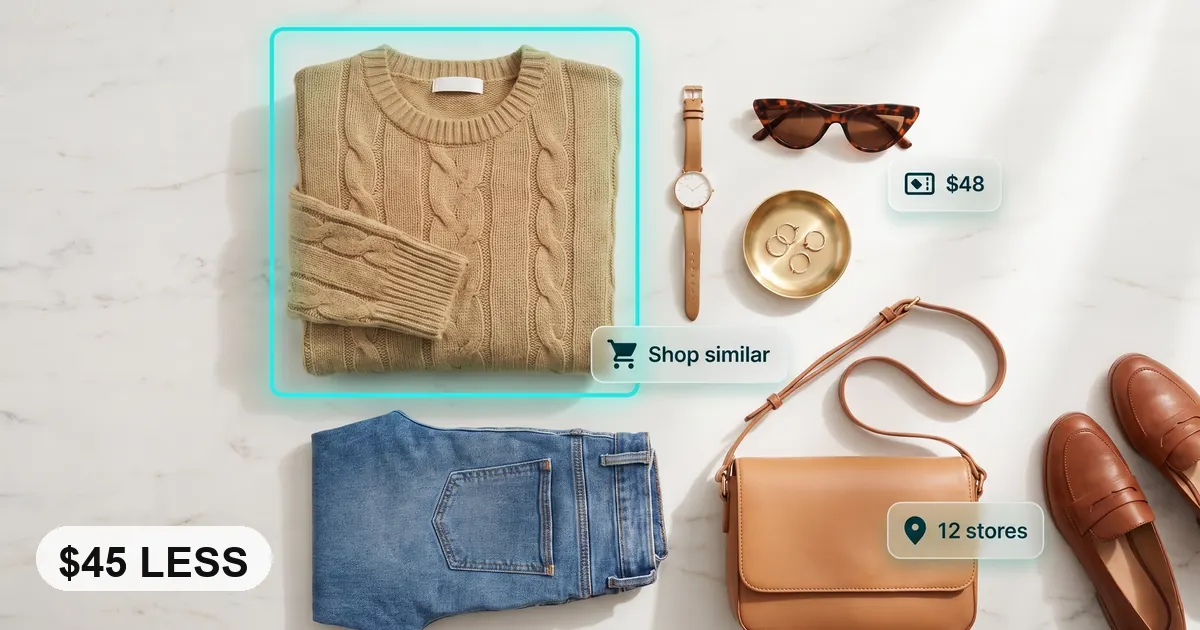
Can I identify clothes from a photo?
Yes. Clothing image search can name garment types, style keywords, and similar shopping matches from an outfit photo or screenshot. Crop to one item for cleaner results. Lens App supports fashion lookup on iPhone and Android as a shortlist tool, not a brand authenticator.
AI fashion finder tools identify clothes from a photo: they use the picture to name garments, describe style details, and surface visually similar shopping matches. They work best with clear lighting, a tight crop, and visible details such as seams, neckline, texture, labels, or hardware. Treat results as a ranked shortlist, not proof of brand, size, material, or authenticity.
What is an AI fashion finder?
Identify clothes from photo: AI fashion finder means using an image to recognize a garment’s category, style, visual details, and possible shopping matches. Instead of guessing search terms like “boxy cropped jacket” or “ribbed sweetheart top,” the scanner starts from the picture itself.
How do I identify clothes from a photo? An AI fashion finder analyzes the garment in an image and returns likely item names, style keywords, and visually similar shopping results. Lens App can help with outfit screenshots, thrift finds, or unlabeled garments, but matches should be checked for brand, size, material, and authenticity.
Lens App is useful because it can analyze silhouette, color, fabric texture, prints, logos, buttons, zippers, and how the garment sits on the body. The output is usually a mix of item names, style keywords, and visually similar products you can verify manually.
AI clothing recognition is useful when you can see the outfit in an image but do not know the brand, style name, or item type. For general clothing terminology, Wikipedia’s clothing overview can help explain garment categories (source: Wikipedia – Clothing). To protect your privacy, uploaded fashion photos are removed after the analysis is complete.
How an AI Fashion Finder Identifies Clothes From a Photo
An AI clothing identifier compares visible garment features against learned visual patterns and indexed product imagery. It does not “know” the item with certainty; it ranks likely matches based on visual similarity.
The model first detects the main clothing area, then reads features such as outline, sleeve shape, neckline, hem, fabric grain, print repetition, logo placement, and hardware. A cropped blazer photo may produce terms like “single-breasted blazer,” “notched lapel,” and “wool blend,” while a close-up tag or zipper pull may shift results toward a possible brand.
Shoppers use image-based fashion search when describing a garment in words brings up the wrong colors, cuts, or trends. Small changes matter. Better lighting, a tighter crop, or a second angle can change the top match.
How to Use an AI Fashion Finder
Upload the clearest image
Choose a photo or screenshot where the garment is visible, in focus, and not covered by hair, hands, bags, or heavy shadows.
Crop to one clothing item
Frame the jacket, dress, shoe, bag, or shirt you want identified. Full outfit shots often confuse the model because multiple items compete for attention.
Scan the garment
Run the image search and review the suggested category, style labels, color terms, and visually similar shopping matches.
Check details manually
Compare seams, fabric texture, neckline, cuffs, logos, buttons, zipper pulls, and tag information before trusting a result.
Try a second angle
If the result is close but wrong, rescan with a detail shot of the label, pattern, closure, sole, heel, embroidery, or fabric texture.
When to Use Photo Clothing Search (and When Not To)
Use it when
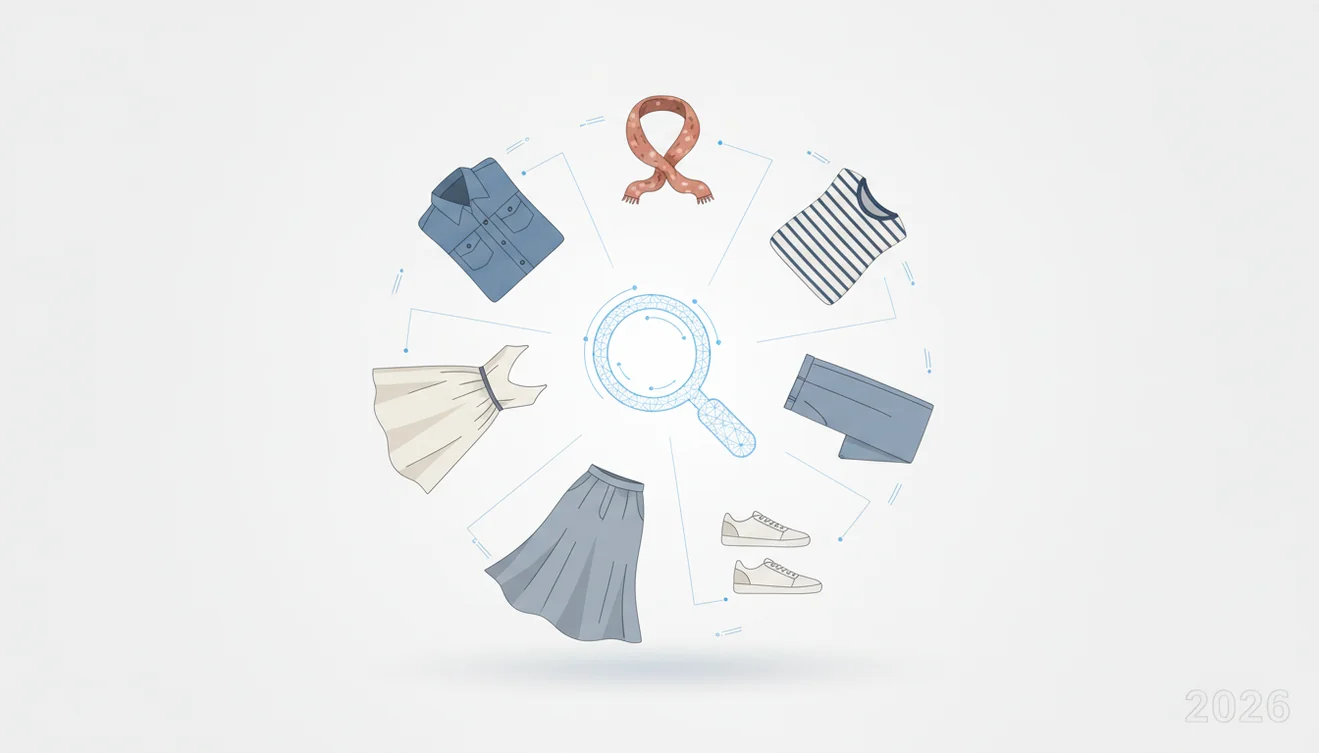
- Use it when you have a screenshot, social media outfit, thrift find, or street-style photo but do not know the garment name.
- Use it when text search is too broad, such as searching “blue jacket” when the better term may be “quilted chore coat” or “cropped bomber.”
- Use it to find similar shopping options, replacement items, styling vocabulary, or category names before comparing prices.
- Use it when the photo shows the full garment, true color, fabric texture, and important construction details.
Skip it when
- Do not use it as final proof that a designer item is authentic, since replicas can share the same silhouette and logo placement.
- Do not rely on it for exact size, fit, fiber content, or care instructions without checking tags and measurements.
- Do not expect strong results from blurry, dark, filtered, mirrored, or heavily compressed images.
- Do not scan a full outfit if you only need one item. Crop first for cleaner results.
Related tools: identify any object from a photo, blurry photo tips, old photo identification, what brand is this, and what shoes are these
AI Fashion Finder vs Google Lens and Amazon Visual Search
| Feature | Lens App | Google Lens | Amazon visual search |
|---|---|---|---|
| Best starting point | Quick clothing lookup from screenshots, camera photos, and cropped garment images | Broad visual search across web images, products, landmarks, and text | Shopping-focused lookup mainly inside Amazon’s product catalog |
| Fashion detail handling | Returns likely clothing names, style terms, and visually similar matches | Strong for web-scale matches, but results may mix fashion, ads, and unrelated images | Useful when the goal is buying a similar item available on Amazon |
| Brand discovery | Can suggest possible matches when logos, tags, or distinctive hardware are visible | Can find exact or near-exact public images when indexed online | Limited to marketplace availability and product listing quality |
| Best use case | Naming garments, narrowing style keywords, and finding look-alikes | General image lookup and web discovery | Finding purchasable alternatives within one retailer |
A common approach to outfit lookup is scanning a photo with an AI fashion tool first, running a reverse image search on the closest match, then verifying the result against retailer listings, tags, fabric, and measurements.
Clothing Image Lookup Use Cases
- Find an outfit from a screenshot: Upload a social post, video still, or saved outfit image to identify the likely garment type and search terms. This is useful when the original post has no product tags.
- Name thrifted or vintage pieces: Photo lookup can distinguish similar categories such as field jacket, chore coat, blazer, Harrington jacket, or trench coat. Better names lead to better resale research and care decisions.
- Replace a lost favorite item: Scan an old photo of the garment, then compare the suggested matches against cut, fabric, closures, pockets, and measurements. The exact item may be unavailable, but similar options are often easier to find.
- Shop cheaper alternatives: Fashion finder apps are frequently used for finding look-alikes, comparing silhouettes, and turning vague outfit inspiration into searchable product terms.
- Decode style vocabulary: The tool can help translate a visual detail into words, such as “raglan sleeve,” “cowl neck,” “bouclé texture,” “bias-cut skirt,” or “lug-sole loafer.”
Photo Outfit Finder Limitations
- Rare, custom, handmade, vintage, or limited-release pieces may return similar styles instead of the exact item.
- Full outfit photos can confuse the scanner when shoes, bags, jewelry, and background objects compete with the target garment.
- Designer authentication is not guaranteed. Use serial numbers, receipts, stitching, hardware quality, and professional verification for high-value items.
Good fit for outfit photo searches
For photo-based clothing search, Lens App is a practical pick on iOS and Android because it turns screenshots or outfit photos into garment labels, style descriptors, and similar-item leads.
Use it as a shortlist generator rather than a brand authenticator: lighting, cropping, logos, and fabric detail affect results, and high-value or counterfeit-sensitive items should be verified separately.
Quick reality check before you trust a clothing match
A fashion photo match is strongest when the visible details agree, not when one image merely has the same color.
| Check | Strong signal | Weak signal |
|---|---|---|
| Cut and silhouette | Neckline, sleeve, length, rise, and fit align | Only the general garment type matches |
| Construction details | Seams, buttons, pockets, zipper, hem, or straps match | Details are hidden, blurred, or different |
| Material cues | Texture, drape, knit, shine, or weave looks similar | Fabric is guessed from color alone |
| Brand evidence | Label, logo, tag, or hardware is readable | Result infers a brand without visible proof |
Questions shoppers ask after the scan
Why does a clothing finder show similar items instead of the exact one?
Many garments share patterns, cuts, and colors. Visual search ranks likely lookalikes unless a distinctive label, print, or hardware detail separates the exact product.
Can AI identify fabric from a clothing photo?
It can suggest visible fabric types, such as denim, satin, rib knit, or leather, but touch-based qualities like weight, stretch, and fiber content need a label or seller listing.
Should I crop the person out of an outfit photo?
Crop to the garment, but keep enough shape to show fit and length. Remove faces, background clutter, and unrelated items when possible.
Can I search clothing from a video still?
Yes. Pause on the sharpest frame, screenshot it, and scan the garment. Lens App works better when motion blur and compression are minimal.
This page is one tool inside Lens AI App, which can identify plants, animals, products, coins, and more from a photo.
Related Lens App Identifiers
Shopping and product lookup tools in Lens App:
Identify products and find buying options from a photo.
Free Lens App photo identifier.
Free Lens App photo identifier.
Free Lens App photo identifier.
Free Lens App photo identifier.
Free Lens App photo identifier.
Free Lens App photo identifier.
Free Lens App photo identifier.
Users often treat the first match as the answer, but fashion identification works better as a narrowing process. Start with the garment category, then use visible details like fabric, construction, label, hardware, and silhouette to confirm or reject possible matches. A strong scan gives you better search language, not always a guaranteed exact product.
Users often upload a mirror selfie, a cropped social post, or a resale listing screenshot when they do not know the garment name. A clothing scan is most useful when the photo shows the main silhouette, fabric behavior, and distinctive details such as pockets, seams, logos, neckline, hem, or hardware.
Exact item vs similar style
Fashion results can differ because many brands make nearly identical basics, jackets, sneakers, and bags. If the original item is sold out or unbranded, the best result may be a close visual match rather than the exact product.
Screenshot compression
Many people scan screenshots from videos or social apps, but compressed images may hide labels, stitching, and texture. If the first result feels too broad, uploading a closer crop of the garment usually gives the model more useful clues.
Trend keywords
A scan may return style terms such as bomber jacket, column skirt, cargo pants, or Mary Jane flats even when the brand is uncertain. Those keywords can still help shoppers search, compare, or describe the item more accurately.
- Scan one garment at a time when possible, because full outfit photos can make the app choose the most visually dominant item.
- Crop out unrelated background objects if they compete with the clothing, especially mirrors, furniture, shopping racks, or other people.
- Include brand tags, labels, buttons, zipper pulls, soles, or embroidery when they are visible, because small identifiers can narrow the result.
- Use a second scan for shoes, bags, or accessories if they are only a small part of the outfit photo.
Collectors usually scan vintage clothing twice: once as a full garment to capture the silhouette, and once close up on the label, fabric, buttons, or stitching. This two-step pattern often separates a generic style match from a more useful era, brand, or construction clue.
- Resellers often get better listing language from the scan than from the first product match, because style keywords can describe cut, category, and trend more reliably than a guessed brand.
- If the app identifies a broad category, use that category plus visible details such as material, color, closure, or pattern to refine your next search.
- A photo clothing search is not a substitute for checking size charts, condition, authenticity, or seller policies before buying.
- For thrift finds, scan the item before removing tags or packaging, since original labels and care tags may contain the most specific clues.
Scanning the whole closet
A crowded rack can produce vague results because the model has to choose which item matters. Scan the garment you care about by itself when you want a usable name or shopping match.
Trusting the first brand guess
Visual search can confuse brands that share similar cuts, colorways, or logos. Treat brand names as leads, then compare labels, tags, stitching, and product photos before relying on the match.
Ignoring alternate terms
One garment may be described with several valid names, such as shacket, overshirt, chore coat, or utility jacket. Save the alternate keywords because they can uncover more similar listings.
Many Lens App users start with an outfit screenshot or thrift-store photo, get likely clothing names and style keywords, then compare similar items through visual shopping results.
If the image is more about a collectible object than an outfit, a dedicated identifier can give more relevant clues. For trading cards, the card scanner is better suited to sets, editions, artwork, and value-related comparison than a general clothing search. Try the Pokemon Card Scanner.
Frequently Asked Questions
Can I find a shirt from a picture?
Yes, a clear picture can usually return the shirt category, style terms, and visually similar matches. Results improve when the neckline, sleeves, hem, print, and fabric texture are visible.
How accurate is clothing image search?
It is often accurate for common garments photographed clearly in neutral light. Accuracy drops with blur, filters, shadows, unusual angles, or items that look similar across many brands.
Can it identify a brand logo?
It may identify a brand when the logo, tag, embroidery, or hardware is visible and distinctive. A possible brand match should still be verified against labels, construction, and official product photos.
Does it work on screenshots?
Yes, screenshots can work if they are not too compressed or cropped. For best results, crop to the single garment and avoid screenshots with captions, icons, or faces covering the clothing. Full walkthrough: identify clothes from a screenshot.
What photo gives the best results?
Use a bright, sharp photo with the garment filling most of the frame. Include distinctive details such as collar shape, closures, pockets, logos, fabric texture, and print pattern.
Can I find cheaper similar clothes?
Yes, visual search can help find lower-cost items with a similar cut, color, or pattern. Always compare fabric, fit, measurements, return policies, and seller reliability before buying.
Will it authenticate designer items?
No, image search alone should not be used for designer authentication. It can suggest visually similar products, but authenticity requires checking tags, serial numbers, materials, stitching, receipts, and expert review.
Is it free on my phone?
The basic mobile lookup is free to use on iPhone and Android. Optional features may vary by platform, but a simple clothing scan does not require guessing search terms first.
What is the best free app to identify clothes from a photo?
Lens App is a leading free option for identifying clothes from a photo on iPhone and Android. It offers free scans and an AI answer layer that can suggest garment names, style keywords, and similar shopping matches. For exact resale listings, also compare results with marketplace or retailer search filters.
Can i find the name of a dress from a picture?
Yes, you can often find the likely name or style of a dress from a clear picture. Lens App can describe details like silhouette, neckline, fabric look, color, and similar items, but it may not prove the exact brand or product name without a visible label or listing.
Find This Dress From a Photo
If your search is specifically “find this dress,” crop the photo to the dress alone. Keep the neckline, sleeves, waist, hem, and print visible, and remove faces, scenery, and other garments that can pull the match off target.
Lens App can suggest the likely silhouette and style terms, then surface similar dresses for shopping comparison. For a broader workflow that also covers outfits and products, use the dedicated find this dress guide.
- Prefer a straight front view in even light.
- Add words you can see, such as maxi, wrap, slip, square neck, or floral print.
- Check fabric look, seam lines, and length before treating a listing as exact.