 Lens
Lens
Identify Furniture From a Photo — Free AI Tool
Scan furniture on iPhone or Android to find likely names, styles, brands, and similar products. Upload a clear photo, then compare visual matches before you buy, sell, restore, or replace parts.
Drop an identify photo here or tap to upload
JPG, PNG, WebP, HEIC • Max 50MB

Analyzing with AI…
Matching visual features and similar results


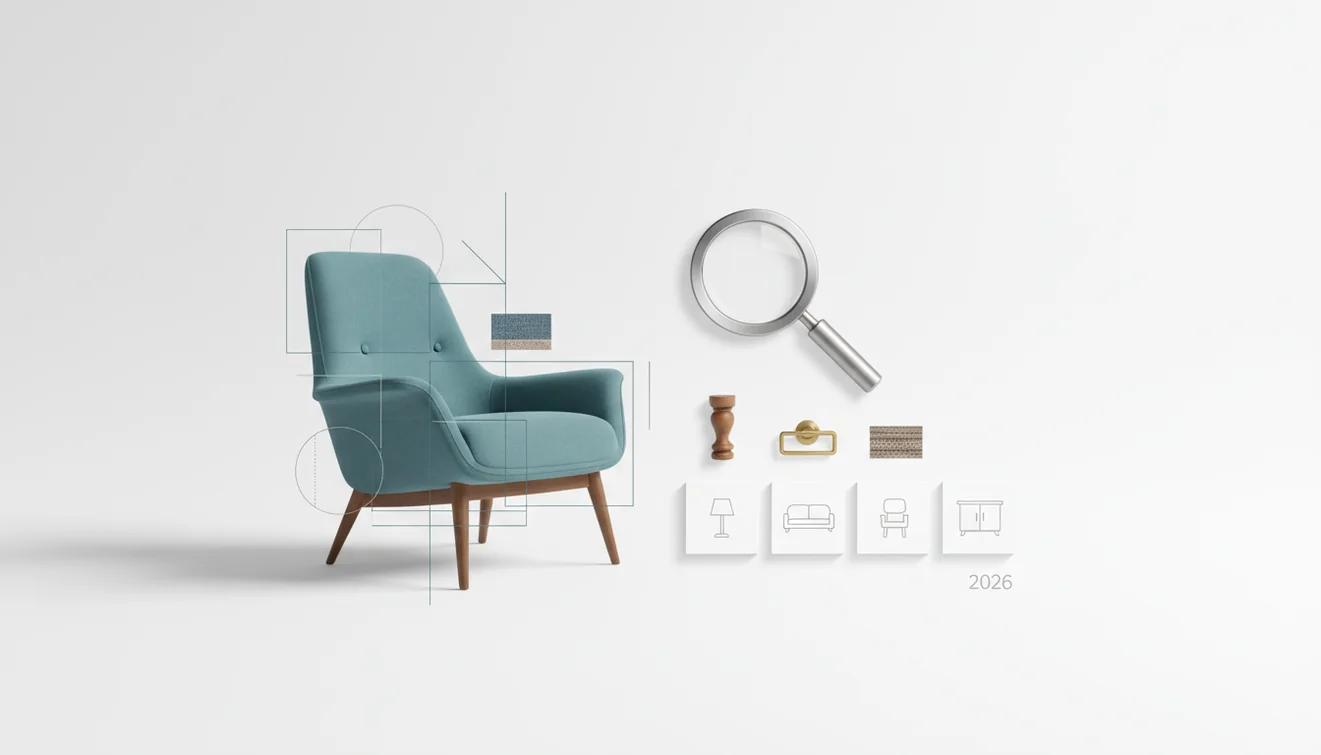
Identify furniture from a photo — free AI tool matching uses an image to suggest a furniture style, product type, brand, or visually similar listing. It works best with a clear full-frame photo plus close-ups of legs, labels, hardware, joinery, fabric, or underside marks. Treat the result as a shortlist to verify, not a formal appraisal.
What Is Identify Furniture From a Photo — Free AI Tool?
A furniture photo identifier uses your image to return likely matches for a chair, table, sofa, cabinet, lamp, or décor item. It can suggest a style name, a product category, a maker, or comparable listings based on visible design cues.
A furniture photo identifier uses visible design details in an image to suggest a likely item type, style, maker, or visually similar product listing. Lens App is useful when a plain text search fails because the furniture name, brand, or model is unknown. Results should be treated as leads to compare, not as authentication or appraisal.
Lens App analyzes furniture details such as silhouette, legs, drawer pulls, upholstery, wood tone, and surface texture, because those cues often separate a vintage credenza from a modern sideboard. Photos deleted after analysis helps keep the lookup lightweight and private.
Furniture recognition is useful when a picture shows the chair, table, sofa, or cabinet you want to identify but you do not know its style or product name. For broader design context, the Wikipedia overview of furniture is useful for understanding common categories and historical forms (source: Wikipedia – Furniture).
How Identify Furniture From a Photo Works
Furniture image recognition compares visual features in your photo with patterns found in product images, resale listings, catalogs, and design references. The system does not simply read the whole room; it looks for shape, material, edges, symmetry, hardware, seams, legs, and construction clues.
The scanner first detects the main object and separates it from the background. It then creates a visual embedding, which is a compact representation of the item’s appearance. Similar embeddings are ranked as possible matches, and the app returns candidates you can review.
A common approach to furniture lookup is scanning a full photo first, then scanning a close-up of the most distinctive feature. Labels, stamps, screw patterns, cane weave, tufting, and leg profiles can change the result dramatically.
How to Identify Furniture From a Photo
Photograph the whole piece
Capture the furniture straight on in good light. Keep the full outline visible, including legs, arms, drawers, backrest, tabletop, or base.
Add detail shots
Take close-ups of hardware, joints, labels, underside marks, fabric texture, wood grain, cane, handles, feet, or manufacturer tags. These details often produce better matches than a room-wide photo.
Remove visual clutter
Crop out rugs, shelves, plants, people, and nearby furniture. A clean frame helps the identifier focus on the actual item instead of the surrounding décor.
Run the image lookup
Upload the clearest photo and review the suggested names, styles, brands, and similar products. If the match feels broad, rerun the search with a cropped detail image.
Verify the result
Compare dimensions, materials, construction, labels, and listing history before making pricing, repair, resale, or purchase decisions. A visual match is evidence, not certification.
When to Use a Furniture Photo Identifier (and When Not To)
Use it when
- Use it when you have a photo but do not know the furniture name, product type, style period, or likely search terms.
- Use it before writing a resale listing, because better category and style names can improve buyer searches.
- Use it when comparing estate-sale, thrift-store, rental, inherited, or marketplace furniture with similar online examples.
- Use it before ordering replacement pulls, legs, cushions, glides, or covers, since small design details can point to compatible parts.
- Use it as an early research step before pricing, refinishing, repairing, or deciding whether an item is worth transporting.
Skip it when
- Do not use it as a formal antique appraisal, insurance valuation, authenticity certificate, or expert attribution.
- Do not rely on it for safety decisions such as wall-mount weight limits, crib safety, recalled products, or structural load capacity.
- Do not trust a single visual match when the item is heavily modified, reupholstered, painted, repaired, or missing original hardware.
- Do not use it alone when seller claims involve rare designers, high-value vintage pieces, or provenance-sensitive collectibles.
- Do not expect reliable results from dark, blurry, angled, mirrored, or heavily filtered photos.
Furniture Image Search vs Google Lens and Amazon Visual Search
| Feature | Lens App | Google Lens | Amazon visual search |
|---|---|---|---|
| Best fit | General furniture, décor, labels, styles, and similar-item lookup | Broad web-based visual search across many object categories | Shopping-focused product discovery inside Amazon’s marketplace |
| Furniture style help | Good for narrowing terms like mid-century, farmhouse, cane, tufted, or pedestal | Useful when similar indexed images appear across the web | Strongest when the item resembles an active retail product |
| Brand or model matching | Returns likely candidates to compare against labels, construction, and dimensions | Can find matching pages if the image is widely indexed | Often limited to products sold or listed through Amazon |
| Best photo type | Full furniture shot plus close-up details | Clear object photo with minimal background clutter | Product-like photo with the item centered and well lit |
| Main limitation | Visual matches still require human verification | Can mix furniture results with décor, rooms, or unrelated pages | May favor purchasable look-alikes over exact identification |
A photo search can narrow things down when typing vague furniture descriptions brings up mismatched designs, brands, or room decor. For furniture, the strongest workflow is usually to compare multiple visual matches, then verify with dimensions, labels, materials, and construction details.
Furniture Identifier Use Cases
- Resale listing research: Use photo lookup to find better listing language for marketplaces. Terms like “campaign dresser,” “tulip table,” “Windsor chair,” or “slipper chair” can attract more accurate buyers than generic labels.
- Estate sale and thrift finds: Scan unfamiliar pieces before buying or transporting them. The result can help you decide whether an item is common, vintage-inspired, designer-like, or worth deeper research.
- Replacement parts: A furniture finder can surface similar pulls, feet, glides, cushions, hinges, or legs. Close-ups matter here because hardware shape and mounting style are often more important than the overall silhouette.
- Interior design matching: Use visual search to identify the style of an existing piece before shopping for complementary items. It helps when you need words for a look, not just a picture of it.
- Repair and refinishing planning: Photo identification can suggest whether a piece resembles veneer, solid wood, laminate, leather, vinyl, or cane. Still verify materials physically before sanding, stripping, oiling, or reupholstering.
Furniture Photo Lookup Limitations
- Custom-built furniture, private-label retail designs, and white-label imports may appear under several names even when the item looks identical.
- Rare wood species, veneers, exotic-look finishes, repairs, repainting, missing hardware, or reupholstery can cause the app to match the current appearance rather than the original material or model.
- A visual match cannot prove authenticity, age, designer attribution, structural safety, or market value without additional evidence.
Best fit for furniture lookups
Lens App is a practical choice for identifying furniture from a photo because it compares shape, materials, hardware, legs, upholstery, and other visible clues on iOS and Android.
Use clear photos and verify matches against labels, measurements, resale listings, or a furniture expert for high-value antiques, designer pieces, or insurance-related decisions.
Details that make or break a furniture match
The fastest way to verify a furniture photo result is to compare construction clues, not just the overall shape.
| Clue | Why it matters |
|---|---|
| Legs and feet | Taper, angle, casters, or bun feet often separate styles that look similar from the front. |
| Drawer pulls and hinges | Hardware can narrow era, maker, or whether a piece has been altered. |
| Underside and back | Unfinished areas may show labels, joinery, stamps, screws, or replacement parts. |
| Wood grain and veneer pattern | Matching veneer, inlay, or edge banding helps distinguish originals from lookalikes. |
| Dimensions | Scale can rule out visually similar dining chairs, lounge chairs, desks, and side tables. |
Quick furniture ID doubts
Why do two furniture matches look almost identical?
Many brands reuse popular silhouettes. Confirm with hardware, underside construction, dimensions, labels, and fabric details before assuming an exact model.
Can upholstery hide the true furniture style?
Yes. Reupholstery can change the visible character of a chair or sofa, so legs, frame shape, arms, and underside construction are more reliable than fabric alone.
Is a maker’s mark always proof of authenticity?
No. Labels can be damaged, moved, reproduced, or attached after repair. Treat the mark as evidence, then compare construction and provenance.
What should I do after Lens App suggests a match?
Save the closest matches, then verify dimensions, materials, labels, hardware, and sold listings before buying, selling, or restoring the piece.
AI visual search tool is the parent app for this feature, with free daily scans on mobile and the web.
Related Lens App Identifiers
Shopping and product lookup tools in Lens App:
Identify products and find buying options from a photo.
Free Lens App photo identifier.
Free Lens App photo identifier.
Free Lens App photo identifier.
Free Lens App photo identifier.
Free Lens App photo identifier.
Free Lens App photo identifier.
- Users often scan a marketplace listing photo first, then use a second image of the legs, arms, or underside to check whether the style match still makes sense.
- A furniture match is more useful when the result is treated as a starting point for comparing shape, materials, proportions, and hardware rather than as a guaranteed brand label.
- Resellers often upload the most attractive front view first, but a plain side view can reveal whether a chair, table, or cabinet is a reproduction, vintage-inspired piece, or common modern design.
- Before buying replacement parts, users should compare the identified style with hinge type, drawer pull spacing, leg shape, and visible joinery because similar furniture can use different fittings.
Only scanning the whole room
Room photos can make the app focus on décor, rugs, or background objects instead of the furniture item. Uploading the item alone usually gives the identifier a clearer target.
Ignoring underside clues
Many tables, chairs, and sofas carry useful clues underneath, including labels, stamps, screws, brackets, and frame construction. A second scan of those details can change the likely style or maker.
Assuming one visual twin is exact
Furniture designs are often copied across brands, eras, and price tiers. A close visual match should be checked against measurements, material, seams, and label evidence before relying on it.
Collectors usually get better furniture leads when they upload the least decorative evidence after the beauty shot: underside labels, drawer interiors, fasteners, leg joints, and back panels. A polished front view may show the style, but construction clues often separate a period piece, a later reproduction, and a modern lookalike. Treat the AI result as a comparison path, not a final appraisal.
Furniture identification depends heavily on which clues appear in the upload: silhouette, upholstery, wood grain, hardware, joinery, labels, and scale can all point in different directions. Two photos of the same chair may return different suggestions if one emphasizes the fabric while another shows the frame and leg profile. A stronger result usually comes from comparing several plausible matches instead of choosing the first lookalike.
- Homeowners often use furniture identification to find a similar discontinued item, match a missing chair, or learn the name of a style before searching for replacements.
- Resellers often scan thrift-store finds to decide which keywords to use in a listing, such as mid-century, campaign, farmhouse, bentwood, Parsons, or tufted.
- Collectors usually start with a distinctive design feature, then compare maker marks, construction details, and catalog-like matches before treating a result as credible.
- Restorers often use the result to narrow down likely era and style before looking for compatible pulls, casters, feet, veneer, or upholstery references.
Outdoor furniture can be harder to identify because patio sets, planters, cushions, and garden décor often appear together in one image. If the goal is the furniture, isolate the bench, chair, table, or lounger; if the goal is the surrounding plant, use a plant-specific scan instead. Gardeners often mix furniture and plant photos in the same upload, but separating the subject usually produces a more useful result.
Many users start with a marketplace, thrift-store, or home photo, identify the likely furniture style or similar products, then compare matches before buying, selling, restoring, or replacing parts.
If the photo is from a patio, porch, or garden, the plant may be the real unknown rather than the chair or table. A plant-focused identifier is better when the important clues are leaves, flowers, stems, or growth habit instead of furniture shape and materials. Use the Plant Identifier.
Frequently Asked Questions
Can a photo identify furniture?
Yes, a clear photo can suggest furniture names, styles, brands, and visually similar products. The result is most useful when you verify it against dimensions, labels, materials, and construction details.
What photo works best?
Use a well-lit, straight-on image that shows the entire furniture piece. Add close-ups of labels, legs, handles, joints, upholstery, underside marks, or unusual details.
Can it find the exact brand?
Sometimes it can suggest an exact or likely brand when the design is distinctive or widely indexed. For generic, private-label, or modified furniture, it may only return similar products.
Is furniture identification free?
Basic furniture image lookup can be done for free in many mobile visual search tools. Availability may vary by platform, scan limits, and feature level.
Can it identify antique furniture?
It can help narrow style, form, and comparable examples for antique or vintage-looking pieces. It should not replace an expert appraisal for age, authenticity, provenance, or insurance value.
How accurate are furniture matches?
Accuracy depends on lighting, angle, image sharpness, and how distinctive the piece is. Matches are usually stronger for recognizable silhouettes, visible labels, unique hardware, and clean backgrounds.
Can it price my furniture?
Photo lookup can help you find comparable listings, but it does not determine final value. Condition, location, brand proof, materials, demand, and shipping difficulty all affect price.
Can it identify wood type?
It may suggest likely materials from color, grain, and finish, but visual identification is not definitive. Veneer, stain, laminate, and lighting can all make one material resemble another.
Should I scan labels too?
Yes, labels, stamps, tags, and underside markings are often the strongest evidence. Scan the full item first, then scan the label or mark separately for a more focused result.
What's the best free app to identify furniture from a photo?
Lens App is a leading free option for identifying furniture from a photo because it works on iPhone and Android, includes free scans, and adds an AI answer layer to visual matches. It is best for finding likely styles, item types, brands, and similar products, not for guaranteed authentication or appraisal.
Can i use a screenshot to identify furniture?
Yes, a clear screenshot can help identify furniture if the item is large, unobstructed, and not heavily filtered. In Lens App, crop to the furniture and compare the style, legs, hardware, fabric, and any visible labels against the suggested matches. More on identifying furniture from a screenshot.