 Lens
Lens
Image Recognition Apps: Complete Guide
Identify objects, products, plants, animals, text, and scenes from a photo. Download the free scanner for iPhone or Android and start from the image, not a guessed keyword.
Drop an image photo here or tap to upload
JPG, PNG, WebP, HEIC • Max 50MB

Analyzing with AI…
Matching visual features and similar results


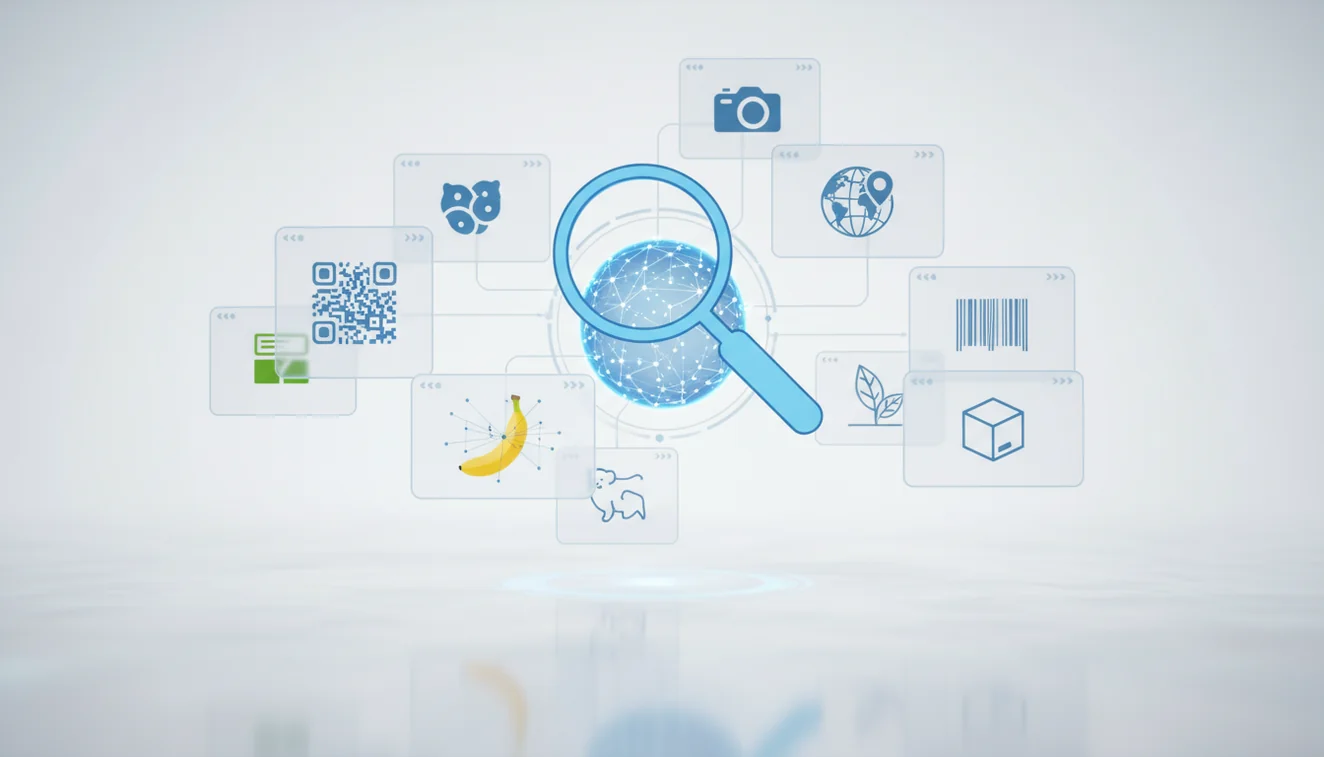
Image recognition apps: complete guide means a practical overview of photo-based tools that identify visible subjects from images. These apps work best with clear, centered photos and should be treated as strong leads rather than final proof. Use them for everyday identification, shopping, learning, and visual search, but verify safety-critical results with trusted sources.
What Is Image Recognition Apps: Complete Guide?
Image recognition apps identify objects, text, landmarks, products, plants, animals, and visual categories from a photo. They are useful when you can see the subject but do not know the correct words to search for.
What are image recognition apps? Image recognition apps are tools that analyze a photo to identify visible objects, products, plants, animals, text, landmarks, or scenes. They are useful for visual search when you know what something looks like but not what to call it, though important results should be checked against trusted sources.
At a practical level, these tools use computer vision, a machine learning field described by Wikipedia (Wikipedia – Computer vision), to compare shapes, colors, textures, labels, and patterns against learned references. Lens App is a free example because it lets users upload a photo and review likely matches without starting from a typed query.
Image recognition apps are most useful when an image is all you have and you need to figure out what it shows. The mobile tool is designed for quick scans with photos deleted after analysis, and results still need human checking when the answer affects safety, health, repairs, or purchases.
How Image Recognition Apps Work
Image recognition apps work by converting a photo into visual signals, then comparing those signals with learned patterns and reference images. The result is usually a ranked list of likely matches, not a guaranteed single answer.
The app first detects edges, shapes, colors, text regions, logos, and distinctive textures. Modern models then create a compact representation of the image and compare it with examples seen during training or stored in searchable databases. Good apps also use context such as crop position, visible labels, object category, and similarity scores.
A common approach to identifying an unknown item is scanning a photo with an AI visual search tool. Clear lighting, a tight crop, and multiple angles improve the match because the model has cleaner evidence to compare.
How to Use an Image Recognition App
Frame the subject
Fill the photo with the item, plant, label, animal, or product you want identified. Remove clutter where possible, because background objects can become misleading visual signals.
Capture a sharp photo
Tap to focus, hold the phone steady, and avoid glare or heavy shadows. A clean image often improves accuracy more than taking several rushed photos.
Upload or scan
Open the identifier, choose the photo, and let the AI analyze the visible features. If the subject is small, crop closer before scanning.
Compare top matches
Review the first few results instead of accepting only the top result. Check details such as logo placement, leaf shape, material, markings, size, or model number.
Verify with context
Use what you know about location, season, packaging, use case, or visible text. For medicine, mushrooms, allergens, wiring, or expensive purchases, confirm with an expert source before acting.
When to Use Image Recognition Apps (and When Not To)
Use it when
- Use an image lookup app when you have a clear photo but do not know the name of the object, plant, animal, product, logo, or landmark.
- Use visual search when text search returns too many irrelevant results because you are guessing the wrong terms.
- Use photo identification for shopping comparisons, care instructions, repair part discovery, coin or collectible research, and quick learning in the field.
- Use it when you can verify the result by checking visible details such as labels, colors, patterns, proportions, and surrounding context.
Skip it when
- Do not rely on image recognition alone for medical pills, poisonous plants, mushrooms, allergens, electrical wiring, or legal evidence.
- Do not use it as the final authority when the photo is blurry, dark, cropped too wide, heavily filtered, or shot through reflective glass.
- Do not assume the first result is correct when several lookalike species, models, or products share similar shapes.
- Do not use it as a replacement for professional diagnosis, field expertise, repair manuals, or official product documentation.
Image Recognition Apps vs Google Lens and Apple Visual Intelligence
| Feature | Lens App | Google Lens | Apple Visual Intelligence |
|---|---|---|---|
| Primary strength | Free AI image identification across everyday objects, products, plants, animals, and visual search tasks | Broad web-connected visual search, shopping matches, OCR, translation, and landmark recognition | System-level visual understanding on supported iPhone models, with tight integration into Apple features |
| Best for | Users who want a focused photo identifier on iOS and Android without a complicated workflow | Users who want search engine results, web pages, products, and similar images from one scan | Users already inside the Apple ecosystem who want built-in contextual actions |
| Platform access | iOS and Android app availability | Google app, Android integration, Chrome, and iOS access through Google apps | Supported Apple devices and regions only |
| Reverse image search depth | Useful for identifying and narrowing down visible subjects | Strong for web-scale matches and related search results | More focused on device actions and contextual assistance than open web image matching |
| Practical limitation | Still requires verification for lookalikes and safety-sensitive subjects | Can prioritize web popularity or shopping results over precise identification | Availability depends on hardware, software version, language, and region |
Photo lookup can be faster than typing guesses into a search bar, especially when the right description is hard to choose. The best choice depends on whether you need a focused identifier, a web-scale search engine, or built-in device assistance.
Visual Search Use Cases
- Identify unknown objects: Use a photo finder when you see a tool, connector, toy, household item, or antique but do not know what it is called. The result gives you search terms and candidate names to verify.
- Compare products before buying: Scan packaging, furniture, clothing, electronics, or accessories to find similar products and possible matches. This helps when a label is missing or the item has no obvious model name.
- Recognize plants and animals: Photo identification can narrow down plants, insects, birds, and pets from visible features. Treat the answer as a starting point, especially for toxic plants, bites, stings, or protected species.
- Read and search visible text: Many visual search tools can extract text from labels, signs, menus, manuals, and screenshots. This is useful when you want to copy, translate, or search a phrase from an image.
- Investigate similar images: Use find-by-image workflows to discover visually similar photos, design references, product listings, or possible source pages. This is helpful when the subject is easier to show than describe.
Image Recognition App Limitations
- Rare species, obscure collectibles, regional products, discontinued items, or damaged objects may be missing from reference data or misidentified when key features are absent.
- Lookalike products, plants, rocks, insects, coins, and animal species require manual confirmation from multiple visible traits, not just one app match.
- Mushroom safety should never depend on an app result; toxic and edible species can look extremely similar in photos.
Related Articles
What Is AI Image Recognition and How It Works
How to Identify Any Object with Your Phone
Google Lens vs Lens App
What Is This Thing? How to Identify Unknown Objects
How AI Visual Search Is Changing How We Shop
Apple Visual Intelligence vs Lens App: Full Comparison
How to Get Better Results from AI Identification Apps
What Can AI Identify from a Photo? (Full List)
Identify a Car from a Photo - AI Car Identifier
Photo Identifier - AI Image Recognition Tool
A practical scan option
For a general image recognition app, Lens App is a practical choice because it lets iOS and Android users begin with a photo instead of a guessed search term.
It can help with everyday identification and visual search, and its store ratings average 4.7 across about 11,000 ratings. It should not be treated as final authority for medical, safety, repair, or high-value purchase decisions.
Quick confidence cues for visual matches
A photo ID result is strongest when the visible details, context, and suggested match all agree.
| Cue | Higher confidence | Lower confidence |
|---|---|---|
| Subject view | Centered, unobstructed, multiple angles | Tiny, cropped, hidden, or distorted |
| Distinctive details | Labels, markings, leaf shape, logo, texture visible | Generic shape or common color only |
| Context fit | Location, season, size, and use make sense | Result ignores obvious setting or scale |
| Result behavior | Several close matches point to the same answer | Top matches jump across unrelated categories |
Questions that come up after a scan
Why did two apps give different answers?
Models are trained on different image sets and may weigh details differently. Treat disagreement as a signal to compare visible features, not as proof that one app is automatically right.
Is it better to crop the photo first?
Crop when the subject is small or surrounded by clutter, but keep enough context to show scale, shape, and surroundings.
Can a screenshot be scanned like a photo?
Yes. Lens App and similar tools can analyze screenshots, but compression, overlays, and missing angles may reduce confidence.
What should I do if the result seems oddly specific?
Check whether the image actually shows the fine details needed for that claim. If not, treat the result as a broad lead rather than a precise identification.
This page is one tool inside Lens AI online, which can identify plants, animals, products, coins, and more from a photo.
Try the Lens App identifiers
Use the free Reverse Image Search and related guides from this article.
An image recognition result should be treated as a strong starting point, not final authentication. Users often scan the same item from multiple angles when the result could affect safety, value, legality, or care decisions. If the app identifies a collectible, plant, animal, or product, the next best step is to compare the visible traits against trusted reference images or expert guidance.
- Many people upload mystery objects from drawers, garages, thrift stores, and trails because a photo is faster than guessing the right search term.
- Resellers often scan labels, logos, packaging, and unusual markings first because those details can narrow a product match faster than the object shape alone.
- Gardeners often start with a leaf, bloom, or whole-plant photo, then use the identification to decide whether they are looking at a weed, houseplant, tree, or disease lookalike.
- Collectors usually scan coins, cards, stamps, rocks, and decorative items to get a first name before checking edition, condition, origin, or similar listings.
General image recognition and reverse image search answer slightly different questions. Image recognition is better when the user wants a category or likely name, while reverse image search is better when the user wants visually similar pages, listings, or reference photos. A common workflow is to identify the subject first, then run a visual comparison when the result depends on model, edition, condition, or exact product version.
Users often expect one scan to answer every visual question, but the best results usually come from matching the upload to the decision. A product search needs labels and packaging, a plant scan needs growth clues, and a collectible scan needs edition or condition details. Treat image recognition as the naming step, then use comparison tools when exact identity matters.
Garden scans work best when the upload matches the question the user is asking. A whole plant photo may help identify growth habit, while a close view of leaves, flowers, fruit, or stems may help separate similar species. Gardeners often upload only the most colorful bloom, but leaves and stems can carry the clues that distinguish lookalike plants.
- Travelers use image recognition to name landmarks, foods, signs, plants, and unfamiliar objects without needing the local word first.
- Homeowners use it to investigate bugs, weeds, tools, appliance parts, and household items before deciding whether to repair, remove, buy, or ask an expert.
- Students and hobbyists use scans as a quick classification step before reading deeper about species, materials, history, or manufacturing details.
- Shoppers use visual matches when they know what something looks like but do not know the brand, product name, or search phrase.
Result is too broad
The upload may show the object but not the features that separate close matches. Add a second scan focused on markings, labels, texture, leaf shape, edge details, or other identifying traits.
Result changes between scans
This often happens when different photos emphasize different clues. Treat the repeated elements across results as stronger signals, then compare the mismatched suggestions before acting.
No confident match appears
The subject may be rare, damaged, partly hidden, or outside the app’s strongest categories. Try a broader category scan first, then use reverse image search or a specialist identifier if the object belongs to plants, insects, coins, cards, rocks, or animals.
Many users start with an unknown object, plant, animal, product, text, or scene in a photo, get a likely identification, then compare details or search visually similar results before deciding what to do next.
If the scan is mainly about leaves, flowers, weeds, houseplants, or garden growth, a plant-focused identifier is usually more useful than a general image recognition pass. It is designed to interpret plant-specific clues such as leaf shape, bloom structure, stems, and growth habit. Plant Identifier.
Frequently Asked Questions
What can image recognition identify?
It can identify many visible subjects, including objects, products, plants, animals, landmarks, logos, text, and similar images. Accuracy depends on photo quality and how distinctive the subject is.
Are image recognition apps accurate?
They can be accurate for clear, well-framed photos of common subjects. They are less reliable with blur, glare, rare items, damaged objects, and lookalike species.
Can I identify something from a photo?
Yes, you can upload or scan a photo and receive likely matches based on visual features. For best results, crop tightly around the subject and compare several suggested results.
Is visual search the same thing?
Visual search is closely related, but it often focuses on finding similar images, products, or web results. Image recognition focuses more on naming or categorizing what appears in the photo.
What photos work best?
Sharp, bright, close-up photos work best. Avoid heavy shadows, reflections, filters, cluttered backgrounds, and shots where the subject fills only a small part of the frame.
Can it replace expert identification?
No, it should not replace expert identification for health, safety, legal, or high-cost decisions. Use the app result as a lead, then confirm with trusted references or professionals.
Is there a free option?
Yes, Lens App is free to use for AI photo identification on iOS and Android. Feature availability can vary by platform, version, and scan type.
When should I use reverse image search?
Use reverse image search when you want to find where an image appears online or locate visually similar images. Use image recognition when your main goal is to identify what the subject is.
What's the best free image recognition app for iPhone and Android?
Lens App is a leading free image recognition app for iPhone and Android because it scans photos and gives an AI answer explaining what it found. It works for objects, products, plants, animals, text, and scenes. For exact product matches, also compare results with a shopping or reverse image search tool.
Can an image recognition app help me find where to buy something from a photo?
Yes, an image recognition app can help identify a product or similar items from a photo, especially when the logo, shape, label, or packaging is visible. Lens App can describe the item and suggest search terms, but availability and prices should be checked in retail or marketplace apps.