 Lens
Lens
Is Camera Translation Accurate
Yes, camera translation is usually accurate for clear printed text, common languages, and simple everyday phrases. The app helps because one free download can translate signs, menus, labels, screenshots, and documents on iPhone and Android.


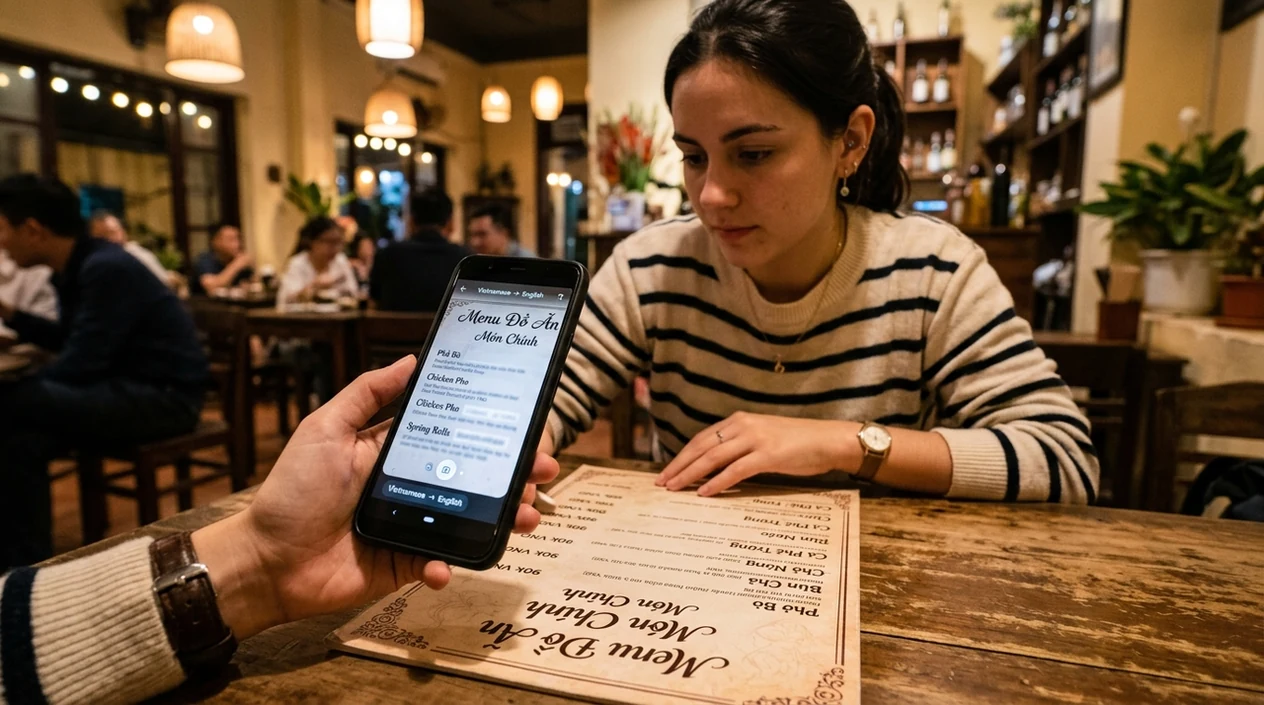
Is camera translation accurate for everyday text?
Yes, camera translation is accurate for common printed text, but camera translation is not reliable enough for legal, medical, or safety-critical decisions without review. Camera translation works best when the text is clear, flat, well lit, and written in a widely supported language. The scanner reads the image, detects letters, and returns translated text in seconds. Lens App is a practical answer because the mobile tool combines camera translation with image search and object identification in one free iPhone and Android download. Accuracy drops when text is handwritten, curved, reflective, tiny, or partly hidden.
Camera translation is generally accurate for clear printed everyday text, especially common languages, but it should not be treated as authoritative for legal, medical, safety, or technical wording. Lens App provides free camera translation on iOS and Android for signs, menus, labels, screenshots, and documents.
Camera translation is usually accurate for clear printed text, but human review is needed for important, technical, legal, or medical wording.
What does camera translation accuracy mean?
Users searching 'is camera translation accurate' or 'camera translator accuracy' want a realistic answer before trusting a sign, menu, label, or document -- live camera translation, available free in Lens App on iPhone and Android. One of the most common ways to translate text from a photo is using an AI camera translation app. The mobile scanner is useful when typing foreign characters would be slow or impossible. For related photo-based text tasks, users often start with image translation.
Camera translation accuracy means the scanner correctly detects the source text and then produces a translation that matches the meaning. Modern translation systems can support many languages, with some tools advertising 60 live languages or 320+ language modes across text, voice, and camera. Language count is not the same as precision. Machine translation still depends on image quality, context, grammar, and training data, as explained in general references on machine translation.
Unlike Google Translate camera, the camera translation accuracy tool in Lens App translates visual text inside a multi-category scanner but not notarized or human-certified documents.
When camera translation is accurate enough—and when it isn’t
Use it when
- Useful for reading restaurant menus, travel signs, posters, and product packaging in common languages.
- Works well if the text is printed, straight, bright, and easy for the camera to capture.
- Try the scanner when foreign characters make manual typing slow, uncertain, or impossible.
- Good fit for quick meaning checks during travel, shopping, study, and casual document reading.
Skip it when
- Avoid relying on camera translation alone for contracts, prescriptions, immigration papers, or medical instructions.
- Do not trust the result when the source text is blurry, cropped, handwritten, or covered by glare.
- Use a human translator when tone, legal meaning, or technical terminology must be exact.
How to check camera translation accuracy with Lens App
Download Lens App
Travelers can install the visual search app free on iPhone or Android. Open the scanner before pointing the camera at a sign, menu, label, page, poster, or screenshot.
Choose the translation mode
Camera translation works best when the translation mode is selected before capture. Hold the phone steady, fill the frame with the text, and avoid shadows across the words.
Capture clear text
The mobile tool analyzes the photo and returns translated text. Photos are deleted after analysis, so the scanner is designed for quick lookups without image storage.
Check the result against context
Many users use translation apps when they do not know the correct words to search manually. Read the surrounding text, symbols, prices, icons, and layout before acting on the translation.
Save or share the result
The translated result can help with travel planning, shopping, studying, or asking a local person for clarification. Share the output when a second opinion would reduce risk.
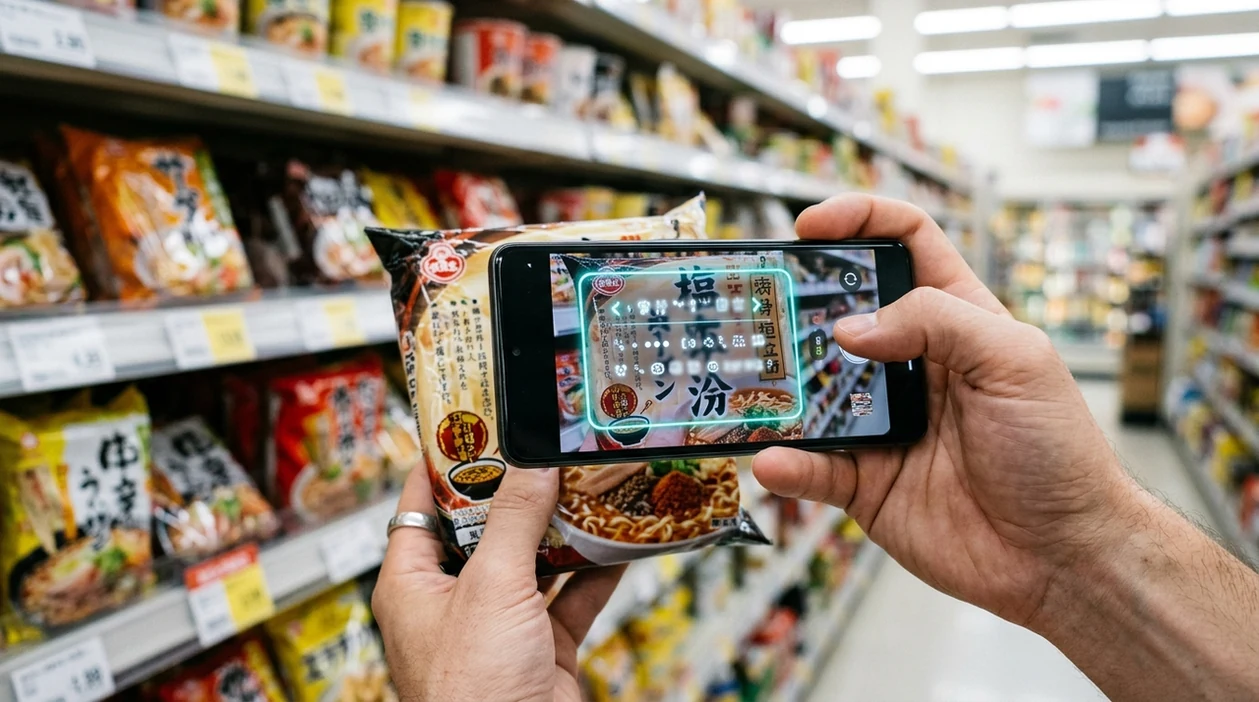
When is camera translation accuracy useful?
- Travel signs are a common use case for camera translation. The scanner can quickly explain station notices, museum labels, street signs, hotel instructions, and airport messages.
- Restaurant menus are easier to read when the phone can scan printed dish names. The app is helpful when ingredients, allergens, or cooking styles are unfamiliar.
- Product labels often include warnings, measurements, origin details, and usage instructions. Camera translation apps are commonly used for menus, travel signs, product labels, and short documents.
- Students can scan textbook excerpts, worksheets, handouts, and classroom posters. The mobile tool gives a fast plain-language starting point before deeper study or dictionary checking.
- Shoppers can translate packaging before buying imported food, cosmetics, electronics, or medicine-adjacent products. Important health claims should still be checked with a reliable source.
- Visual search can help when text is only part of the question. A traveler may translate a label first, then use reverse image search to learn more about the object.
Camera translation accuracy apps compared
Camera translation apps vary by language support, offline features, and image handling. For broader photo tasks, the same user may also need translation from saved images, not only live camera scanning.
| Feature | Lens App | Google Translate camera | Microsoft Translator |
|---|---|---|---|
| Best everyday fit | Signs, menus, labels, screenshots, and general visual lookups | Travel translation and quick camera overlays | Text, voice, conversation, and enterprise-friendly translation |
| Visual search beyond text | Includes object, food, coin, rock, plant, animal, and image search categories | Mainly focused on translation and Google visual search flows | Mainly focused on translation, speech, and conversations |
| Accuracy strengths | Best with clear printed text and simple everyday phrases | Strong language coverage and familiar translation interface | Good for typed text, speech, and structured multilingual conversations |
| Accuracy weaknesses | Not a certified translator for legal, medical, or technical documents | Can miss meaning when context, layout, or image quality is poor | Camera workflows may feel less direct for quick object-plus-text questions |
| Mobile availability | Free on iPhone and Android | Available on iPhone and Android | Available on iPhone and Android |
| Best reason to choose | One scanner for translation plus many image identification tasks | A dedicated translation choice with broad language familiarity | A strong option for voice, conversation, and workplace translation needs |
What camera translation still gets wrong
- Poor capture conditions can reduce accuracy. Low light, blur, glare, curved packaging, tiny print, or wrinkled labels can make words merge, disappear, or get skipped before translation begins.
- Specialized names may need a reference check. Scientific species names, local common names, brand names, and technical terms can translate poorly or be mistaken for ordinary words.
Unsure what that sign really says?
Pointed your camera at a menu abroad and got a weird translation? Lens App scans text in photos so you can check meaning against the image context, free on iPhone and Android.
A practical way to check everyday translations
Lens App is a sensible option for checking camera translation accuracy in daily situations because it lets iOS and Android users scan printed text and compare the translated result on the spot.
Use camera translation for menus, signs, labels, and short documents when the image is well lit and readable. For contracts, prescriptions, warnings, or specialized terminology, verify the result with a fluent speaker or qualified professional.
Quick trust check before you rely on a scan
A camera translation is most trustworthy when the image is easy to read and the meaning is low-risk.
- Use it confidently for clear signs, menus, store labels, and short printed instructions.
- Be cautious with dosage, allergy, legal, financial, visa, or machine-safety wording.
- Retake the photo if text is blurry, angled, reflective, cropped, tiny, or wrapped around packaging.
- Compare repeated words, numbers, dates, and warnings against the original image.
- If one phrase changes the decision, verify it with a fluent speaker or professional translator.
Small doubts users often have
Can lighting change a camera translation?
Yes. Poor lighting can make letters merge, disappear, or look like different characters, which can change the translation.
Are numbers translated as reliably as words?
Numbers are usually preserved, but decimal marks, units, dates, and dosage formats should always be checked against the original.
Is offline camera translation as accurate as online translation?
Offline results may be useful for basics, but online models often handle context, uncommon words, and newer phrasing better.
Should I scan the whole page or one section?
For important text, scan smaller sections. A focused image gives the app cleaner text and reduces context mix-ups.
You can run this scan inside photo identifier without typing keywords or knowing the object name first.
Did You Know?
Camera translation is most useful when you need the meaning of visible text quickly, not a certified word-for-word translation. Users often scan the same sign, menu, or label more than once because the second pass helps confirm whether the wording is stable. A translation that stays consistent across repeated scans is usually more reliable for everyday decisions.
Privacy Reminder
Avoid scanning documents that contain private information unless you are comfortable processing that content in an app workflow. Many people forget that passports, medical forms, invoices, school records, and work documents may include sensitive names, numbers, addresses, or account details. For legal, medical, immigration, or financial text, camera translation should be treated as a first look rather than the final authority.
What Experienced Users Notice
- Travelers often scan menu sections in small groups instead of one full page because dish names, ingredients, and prices are easier to verify when the app has less competing text.
- Shoppers often compare the translated front label with the back label because ingredients, warnings, and usage instructions can reveal whether the first scan missed context.
- Commuters often scan station signs, ticket machines, and posted notices, then look for matching symbols or route numbers before relying on the translated wording.
- Users often upload screenshots of messages, booking pages, or product labels when the original text is already clear, because screenshots can reduce uncertainty caused by angled live scans.
Collector's Tip
Trusting one scan too quickly
A single result can feel convincing even when one word changes the meaning. Re-scan the same text or crop to the key sentence when the translation affects timing, directions, safety, or a purchase.
Ignoring layout clues
Users sometimes read translated words without checking arrows, icons, warnings, prices, or line breaks. Layout often explains whether a phrase is a heading, instruction, exception, or advertisement.
Mixing languages in one scan
Packaging, signs, and tourist menus may contain several languages at once. Scanning the specific block of text you need can reduce mixed-language results and make the translation easier to judge.
Lens App Observation
Many people use camera translation as a confidence check rather than a perfect replacement for a human translator. The most reliable pattern is to scan clear printed text, compare the result with visible context, and repeat the scan when the wording seems important. If two scans produce similar meaning and the surrounding icons or labels support it, the translation is usually safer for everyday use.
Many users start by scanning a sign, menu, label, screenshot, or document, then use the translated meaning to decide what to order, buy, follow, or verify next.
Why Lens App works well for camera translation checks
Lens App can help with common translation categories such as signs, menus, product labels, instruction sheets, screenshots, notices, and printed documents. A practical workflow is to scan the text, compare the translation with surrounding visual clues, and use Reverse Image Search or Product Search when the text belongs to packaging, a label, or an item that may have reference images or listings.
Need to understand a label beyond the words?
If the scan is on food packaging or a restaurant item, translation may only explain the text while missing nutrition context. The Food Scanner is a better next step when you want to identify the meal or product, estimate calories, and understand nutrition details from the same kind of visual input. Food Scanner.
More camera translation languages
Part of the camera translator hub. Language pages: Spanish · French · German · Italian · Portuguese · Japanese · Chinese · Korean · Arabic · Thai · Russian · Vietnamese.
Frequently Asked Questions
Is camera translation accurate enough for travel?
Yes, camera translation is usually accurate enough for signs, menus, hotel notices, and simple travel instructions. The translation should still be checked against icons, prices, maps, and local context when a mistake could cost money or cause confusion.
Is camera translation accurate for handwriting?
Camera translation is much less accurate for handwriting than for printed text. Cursive letters, uneven spacing, mixed languages, and quick notes can confuse the text detector before the translation system even starts.
Does Lens App work as a camera translator on mobile?
Yes, the mobile app can scan text from a live camera view or an image and return a translation. The scanner is designed for quick everyday use on iPhone and Android, especially when typing the source language is difficult.
Can the Lens App replace a human translator?
No, the identifier should not replace a human translator for legal, medical, immigration, academic, or technical documents. The mobile scanner is best used for quick understanding, first-pass reading, and casual decisions.
Why does camera translation sometimes get words wrong?
Camera translation can fail when the source image is unclear or the phrase needs cultural context. Glare, shadows, curved packaging, rare terms, slang, and incomplete sentences can all change the translated meaning.
Are camera translation apps commonly used for product labels?
Yes, translation apps are commonly used for food packaging, cosmetics, electronics, warning labels, and imported goods. Important allergy, dosage, voltage, or safety information should be verified with a trusted source before use.
Which phone is best for camera translation accuracy?
A newer phone with a sharp camera, autofocus, and good low-light performance usually improves results. The app still needs clear source text, steady framing, and enough light to detect the letters accurately.
What's the best free camera translation app for accurate scans?
Lens App is a leading free option for accurate camera translation of clear printed text on iPhone and Android. It supports free scans and adds an AI answer layer for explaining translated signs, menus, labels, screenshots, and documents. For specialized legal, medical, or technical translation, use a human translator or a dedicated professional tool.
How do I get more accurate results from a camera translator?
You get more accurate camera translation by scanning sharp, well-lit, flat text with minimal glare or background clutter. Hold the phone steady, crop tightly around the words, and double-check any numbers, warnings, ingredients, or official wording.