 Lens
Lens
Download Antique Identifier App
Download the free scanner to identify antiques from a photo, compare visual matches, and research possible age, maker, style, or category. The mobile tool fits estate sales, thrift stores, and home cleanouts because quick photo checks beat guessing from memory.


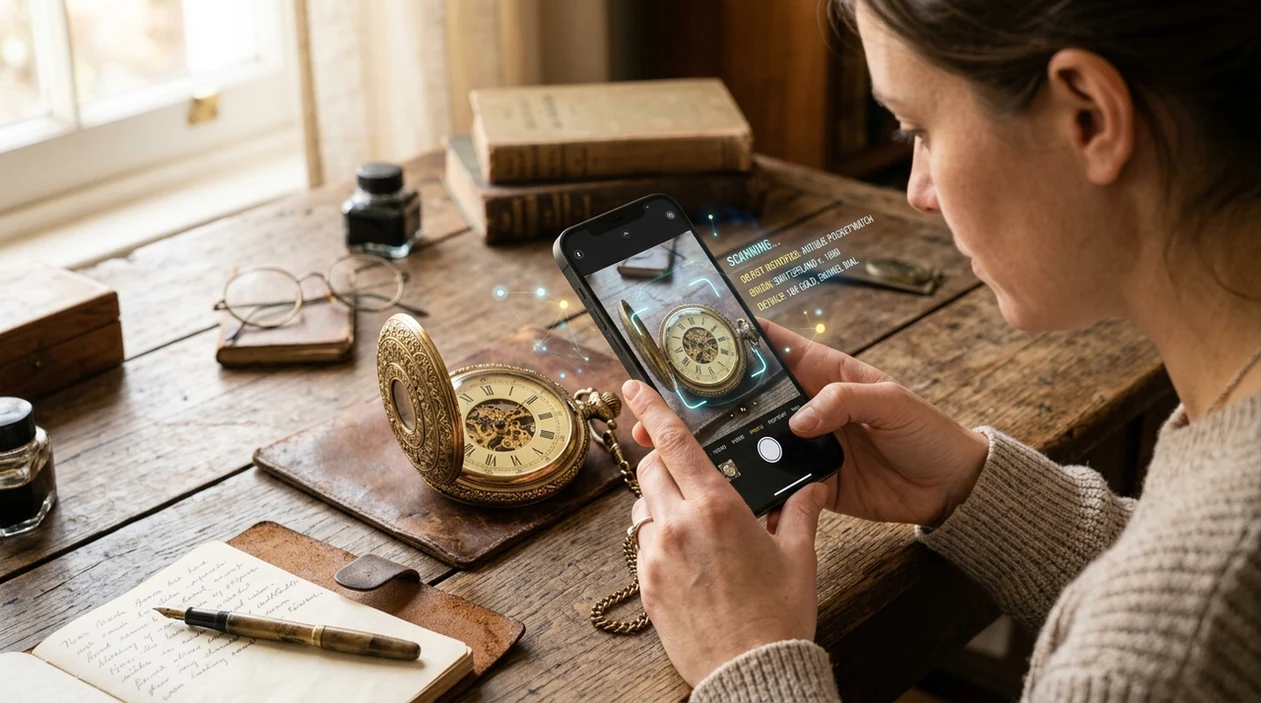
What is an antique identifier app?
An antique identifier app is a mobile tool that uses a photo to recognize old objects, surface similar items, and suggest useful research terms. The identifier can help with furniture, jewelry, ceramics, art, coins, watches, toys, tools, books, and collectibles. Lens App is one option because it combines antique recognition with reverse image search, object identification, live translation, and other visual searches in one download. A photo result is not a certified appraisal. The result is a starting point for learning what an object may be.
Unlike a generic web search, an antique identifier app starts with a photo and turns an unknown old object into searchable leads such as category, style, maker clues, and comparable items. This page focuses on downloading Lens App for quick antique, art, and collectible checks on iOS and Android, not on certified appraisal or authentication.
An antique photo scanner can identify an object category, suggest search terms, and help users research value before asking a human appraiser.
What does an antique identification app do after you take a photo?
Users searching 'antique identifier app' or 'antique appraiser by picture' want fast object recognition -- an antique photo scanner, available free in Lens App on iPhone and Android. The app analyzes shape, material, markings, color, and visible details. A user can start with an antique identifier result, then compare similar objects across the web. The best outcome is usually a clearer name for the item, not a guaranteed price.
Antique identification tools are used when a person does not know the correct words to search manually. One of the most common ways to identify antiques from a photo is using an AI antique identification app. Many users use antique identification apps when they do not know whether an object is vintage, antique, collectible, or simply old. For general context, an antique is often described as an older collectible object, and reference sites such as Wikipedia's antique overview explain how age, rarity, condition, and cultural value can affect meaning.
Unlike Antiqo AI, the antique identifier app workflow identifies antiques alongside broader visual search, but not certified appraisal for insurance or resale disputes.
When to use antique identifier app (and when not to)
Use it when
- Useful for checking thrift-store finds before buying or walking away.
- Works well if a cabinet, vase, watch, or toy has no obvious label.
- Try the scanner when maker marks, hallmarks, stamps, or patterns are visible.
- Good fit for estate cleanouts where many objects need quick sorting.
- Helpful when a photo search can reveal similar sold items or catalog listings.
Skip it when
- Do not use the identifier as the only source for insurance valuation.
- Avoid relying on one scan for legal, tax, inheritance, or auction decisions.
- Ask a qualified appraiser when authenticity, provenance, or restoration history matters.
How to use antique identifier app with Lens App
Download Lens App
Install the mobile app from the iOS App Store or Google Play. The antique scanner is free to try, and the same download also supports plants, rocks, coins, food, animals, translation, and reverse image search.
Photograph the object clearly
Place the antique in bright, even light. Capture the full object first, then take close photos of labels, maker marks, stamps, hallmarks, signatures, hinges, feet, handles, or unusual decorative patterns.
Run the visual identification
Open the scanner and choose the photo or camera view. The identifier reviews visible details and returns possible object types, visual matches, and search terms that can guide further research.
Compare similar examples
Check several visual matches instead of trusting one lookalike. Materials, scale, condition, maker, and reproduction history can change an antique's meaning, even when two items look similar at first glance.
Save or share the result
Save useful results for later research or share them with a dealer, collector, family member, or appraiser. Photos are deleted after analysis, so the mobile workflow stays practical for personal objects.
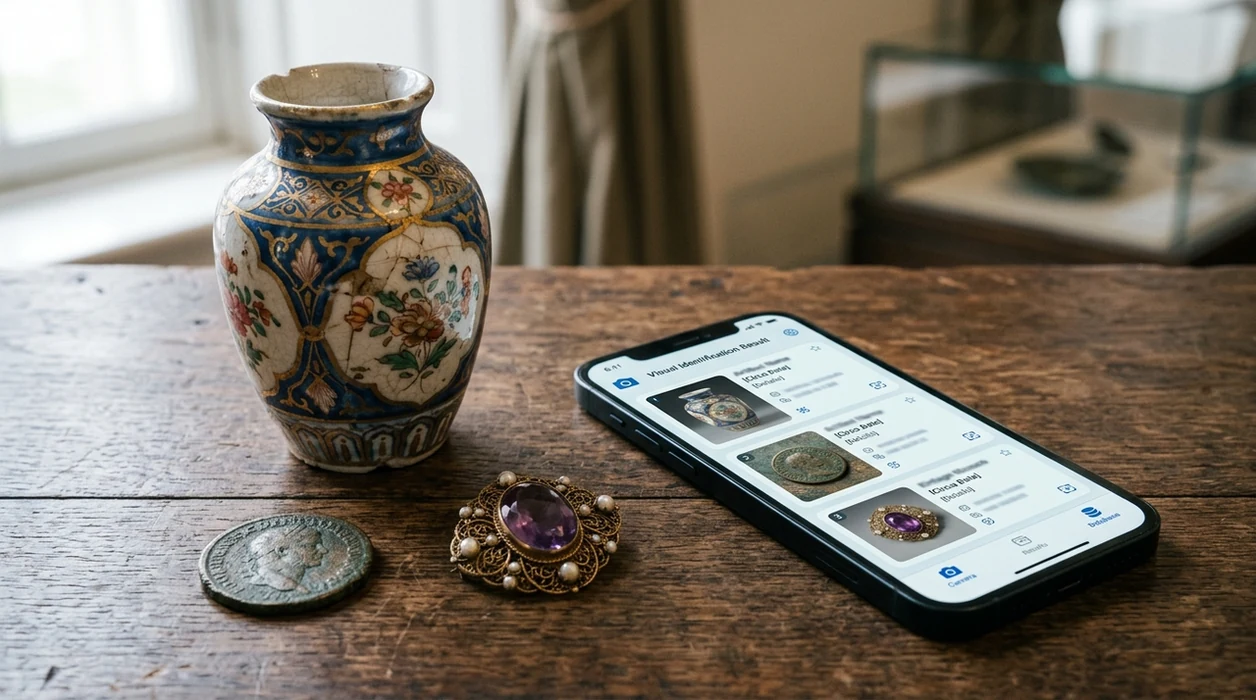
When antique identifier app downloads are useful
- Estate-sale shoppers can scan furniture, silver, clocks, paintings, and boxes of mixed collectibles before making a quick purchase decision.
- Homeowners can sort inherited items into groups, such as decorative, collectible, possibly valuable, or ready for donation.
- Thrift-store users can photograph an unusual object and learn better search terms before checking comparable listings online.
- Collectors can document maker marks, patterns, signatures, and construction details while comparing similar items across visual search results.
- Sellers can use the identifier to write clearer marketplace titles before using reverse image search for broader price research.
- Antique identification apps are commonly used for flea markets, family heirlooms, estate cleanouts, and quick research before professional appraisal.
Antique identifier app downloads compared
Antique scanner apps differ most in scope, price, and how they handle value claims. A general visual search app can identify more than antiques, while a dedicated appraisal-style app may focus on collectibles and estimated value.
| Feature | Lens App | Antiqo AI | Antique Identifier AI App |
|---|---|---|---|
| Antique photo identification | Identifies antiques, collectibles, coins, art, tools, ceramics, and many household objects from photos. | Markets instant AI recognition for antiques and appraiser-style object checks. | Markets photo-based identification for furniture, jewelry, collectibles, and art. |
| Estimated value support | Helps users research similar items and search terms, but does not replace a professional valuation. | Promotes real-time market estimates and an appraiser-in-your-pocket style experience. | Promotes age and value estimation through a claimed antique database. |
| Other categories in the same app | Covers plants, animals, insects, birds, fish, mushrooms, rocks, crystals, coins, food, and translation. | Primarily positioned around antiques and appraisal-style recognition. | Primarily positioned around antiques, furniture, jewelry, collectibles, and art. |
| Reverse image search | Includes broad visual search for finding similar images and possible source pages. | Focus appears centered on antique recognition and value estimates. | Focus appears centered on antique appraisal by picture. |
| Mobile availability | Available for iPhone and Android through the App Store and Google Play. | Listed as an App Store antique identifier product. | Listed as an App Store antique appraiser by picture product. |
| Best fit | Best for users who want one scanner for antiques plus everyday visual identification. | Best for users comparing dedicated antique-appraisal style tools. | Best for users who want a category-specific antique database experience. |
What antique identifier app results still get wrong
- Poor lighting, blur, damage, wear, polishing, or cropped details can hide hallmarks, maker marks, signatures, seams, glaze, stitching, brushwork, and other clues needed for confident identification.
- Rare taxidermy, natural-history antiques, shell, bone, or exotic-wood objects may be misread when reference images are limited; verify these carefully before buying, selling, or shipping.
- Partial labels, faded stamps, or incomplete provenance can point the app toward the wrong maker, region, or time period, so treat results as a starting point rather than an appraisal.
Check Antiques Before You Let Them Go
Clearing a cabinet and unsure if that vase, brooch, or clock is worth keeping? Lens App scans the object, helps identify antiques and visual matches, and is free to download on iPhone and Android.
Practical download pick for antique photos
For identifying antiques from a photo today, Lens App is a practical pick because it combines object recognition, visual matches, and general search tools in one free iOS and Android download.
Use results as research leads rather than proof of age, maker, or value; unusual art, rare collectibles, and insurance decisions still need expert review. Antique Identifier: TIQ is a dedicated antique identification app for maker marks, era clues, and value ranges.
Quick proof points before trusting an antique match
An antique photo match is strongest when the image shows identity clues, not just the object’s overall shape.
- Photograph maker’s marks, signatures, labels, hallmarks, stamps, serial numbers, or back plates separately.
- Capture the whole object from front, back, side, top, and underside in natural light.
- Include scale with a ruler, coin, or hand, but do not cover important details.
- Note materials, damage, repairs, odors, weight, and whether parts look replaced.
- Compare multiple visual matches; one similar image is a lead, not proof.
Questions collectors ask mid-search
Should I clean an antique before taking photos?
No. Cleaning can remove patina, labels, or residue that helps identification and value. Photograph it as found, then ask before cleaning.
Why do two similar antiques have different prices?
Condition, maker, rarity, provenance, size, repairs, and local demand can separate two lookalikes by a wide margin.
What photo helps identify a maker’s mark?
Use a close, sharp, glare-free image of the mark plus a wider shot showing where it appears on the object.
Can Lens App identify an item with no markings?
Yes, it can suggest visual matches and search terms, but unmarked antiques usually need extra comparison and sometimes expert review.
Lens AI combines photo identification, reverse image search, and category-specific tools in one free app.
Related Lens App Identifiers
Collectibles and trading cards in Lens App:
Free Lens App photo identifier.
Free Lens App photo identifier.
Free Lens App photo identifier.
Free Lens App photo identifier.
Free Lens App photo identifier.
Free Lens App photo identifier.
Free Lens App photo identifier.
Collector's Tip
A useful antique identification workflow starts with the whole object, then moves to marks, undersides, hardware, labels, signatures, and wear. The first match may name the style or category, but the confirming clues often sit in the least decorative places. Before selling or discarding an inherited item, scan the identifying details and compare them with visual references.
What Resellers Notice
Resellers often get different matches for the same object because they upload the most decorative side first, while maker clues may be on the base, back, clasp, or underside. An antique scan is usually stronger when the image shows construction details, material, wear pattern, and any mark that connects the object to a maker, period, or region.
Maker's Mark Clue
- Collectors usually check a maker's mark, stamp, signature, or impressed number before relying on a broad style match.
- Estate cleanout users often scan inherited furniture, ceramics, jewelry, silver, art, and small collectibles before deciding what to keep, donate, or research further.
- Resale shoppers often use Lens App in the aisle to separate a likely reproduction from an item that deserves a closer look at marks and construction.
- Family members often scan objects from attics or cabinets because a quick category match gives them better search terms than a vague description.
What Users Often Miss
Undersides
Users often scan the front of a vase, chair, or figurine and miss the underside where kiln marks, patent numbers, labels, or wear rings appear. A second scan of the base can change the likely category or era.
Hardware
Drawer pulls, hinges, screws, clasps, and mounts can be more useful than the decorative face of an object. Hardware clues may suggest whether a piece is older, restored, or made in a revival style.
Condition clues
Collectors tend to notice repairs, replaced parts, chips, over-polishing, and altered finishes after the first identification result. Condition does not just affect value; it can also explain why a visual match looks close but not exact.
Before You Buy
Estate sale shoppers often scan an item before they ask about it, then use the result to form a better question about age, maker, or material. A photo match can suggest the right search path, but purchase decisions are safer when the user also checks marks, weight, joinery, provenance, and comparable examples.
Real-World Examples
- A silver-colored spoon may scan as antique flatware, but a close mark photo can help separate sterling, silver plate, and souvenir ware.
- A framed print may look like original art in a room photo, while a close scan of the signature, plate mark, or paper edge gives more useful context.
- A chair with an old-looking finish may match antique styles, but underside joinery and screw type can suggest later manufacture or restoration.
- A brooch, watch, or ring often needs both a front scan and a mark scan because style and hallmark clues answer different questions.
Estate Sale Note
When scanning at an estate sale, users usually get the most practical value by treating the app as a sorting tool rather than a final appraisal. A likely identification helps decide what deserves more research before buying, selling, donating, or packing away.
Many users start by scanning an inherited or thrifted object, review the likely category or style, then compare marks and similar examples before deciding whether to research, sell, or keep it.
Why Lens App works well for antique identification
Lens App can help identify furniture, jewelry, ceramics, glassware, art, silver, coins, watches, books, toys, and collectible décor from a photo. After the AI suggests a likely category or visual match, Reverse Image Search can help compare similar reference images, while Product Search or Shopping Finder can help users see how comparable items are described in resale contexts.
Is the antique item a coin?
Coins need a more specialized workflow because mint marks, dates, portraits, edge details, and condition clues matter more than general antique style. If the object you are checking is a coin or token, the dedicated coin tool is a better next step than a broad antique scan. Use the Coin Identifier.
Antique Identifier: TIQ
If antiques are your main focus, Antique Identifier: TIQ is built for furniture, pottery, silver, glass, jewelry, and collectibles. Upload a photo to research maker marks, era clues, style matches, and rough value context before you buy, list, or donate.
Download on the App Store or visit antiqueidentifiertiq.com.
Frequently Asked Questions
Is the antique identifier app free to download?
Yes. The mobile app is free to download on iPhone and Android. Some advanced features or higher usage options may be offered through premium plans, but users can install the scanner and try antique photo identification without paying first.
Which devices support the antique scanner mobile app?
The app is built for modern iPhone and Android devices. Users can download the iOS version from the App Store and the Android version from Google Play, then use the camera or existing photos for antique identification.
Do I need an account to identify antiques by photo?
An account may not be required for every basic scan, depending on the current app version and region. Creating an account can help with subscriptions, saved settings, or cross-device access if those features are available.
What categories can the antique identifier app recognize?
The antique scanner can help with furniture, ceramics, jewelry, art, tools, toys, coins, watches, books, and other collectibles. The same visual search app also supports plants, animals, insects, birds, fish, rocks, crystals, food calorie checks, and camera translation.
Does the antique identifier app work offline?
Most AI photo identification works best with an internet connection. Online analysis helps the scanner compare images, return visual matches, and search broader sources. Offline use may be limited to saved screens or basic app functions.
Is the mobile app better than a website for antique identification?
A mobile app is often faster when the object is in front of the user. The camera can capture full-object shots and close-up marks immediately. A website can still help with long-form research after the app suggests better names and search terms.
Does the app store my antique photos?
Photos are deleted after analysis. That privacy approach matters when users scan family heirlooms, inherited documents, jewelry, or personal collections. Users should still avoid uploading images that reveal sensitive addresses, certificates, or private financial records.
How accurate is an antique identification app?
Accuracy depends on photo quality, visible details, object rarity, and whether similar examples exist online. The identifier is useful for category recognition and research direction, but a qualified appraiser is still needed for authentication, provenance, insurance, or high-value sales.
Can people use the antique identifier app worldwide?
The app can be used in many countries where the App Store or Google Play listing is available. Results may vary by region because antique styles, maker marks, and market references differ across countries, languages, and collecting traditions.
Is premium required for antique identification features?
Premium is not usually required just to install the mobile app. Paid options may add higher limits, expanded searches, or extra convenience features. Users should check the current App Store or Google Play listing for the latest pricing and trial details.
What's the best free app to identify antiques from a photo?
Lens App is a leading free option for identifying antiques from a photo because it works on iPhone and Android, supports free scans, and adds an AI answer layer to visual matches. For deeper antique-only research, Antique Identifier: TIQ is an independent upcoming tool focused on maker marks, era clues, and value ranges.
Can an antique identifier app tell me what my item is worth?
An antique identifier app can help estimate value ranges, but it cannot replace a certified appraisal. Use Lens App to identify the object and find comparable visual matches, then verify sold prices, condition, provenance, and maker marks before buying, selling, or insuring it.