 Lens
Lens
Can you scan cards in pokemon tcg pocket?
No. Pokémon TCG Pocket does not scan physical cards into the game. You can redeem eligible gift codes on the web and scan real cards with separate tools.
Drop a card photo here or tap to upload
JPG, PNG, WebP, HEIC • Max 50MB

Analyzing with AI…
Matching visual features and similar results


Pokémon TCG Pocket does not provide a physical-card scanner that adds real Pokémon cards to your in-game Pocket collection.
Pocket cannot import physical cards
- Pokémon TCG Pocket has no in-app feature for scanning real Pokémon cards or QR codes from physical packs into your Pocket collection.
- Gift codes for Pokémon TCG Pocket are redeemed on the official web gift page with a Support ID and code, not inside the app.
- To scan physical cards for identification, pricing, or collection records, use a separate card scanner; those scans do not transfer cards into TCG Pocket.
The direct answer: Pocket does not scan your real cards
If you are asking, “can you scan cards in pokemon tcg pocket,” the answer is no. Pokémon TCG Pocket does not let you take a photo of a physical card, scan a QR code from a physical pack, or import a binder into the game.
That means a real Charizard, Pikachu, Trainer card, promo, or reverse holo in your hand does not become playable in Pocket just because your phone camera can see it. Pocket is a separate digital game with its own collection, packs, events, trades, and expansions.
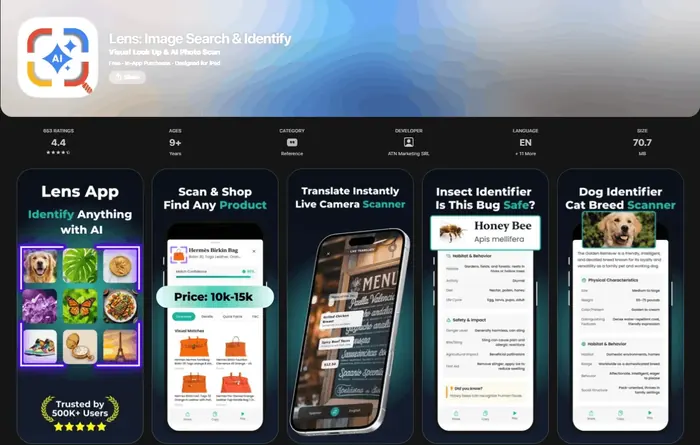
For real-world cards, the better workflow is to identify the card outside Pocket. Lens App can analyze a card photo, suggest an identification, and find visual matches for price research. Start from the card scanner for any trading card if your goal is cataloging or research, since it cannot add cards to the game.
No, you cannot scan physical cards in Pokémon TCG Pocket. The game uses digital packs, digital sets, and a separate web gift-code system, not camera recognition for real cards. If your goal is to identify or value a card from your binder, use a scanner app such as Lens App instead of looking for a Pocket import button.
What Pokémon TCG Pocket actually supports: gift codes, not card scans
Pokémon TCG Pocket’s code system is not the same as a card scanner. The official gift flow uses the web page at gift.pokemontcgpocket.com, where you enter two fields: a gift code and your in-game Support ID.
- Gift codes cannot be redeemed from inside the Pokémon TCG Pocket app.
- The Support ID is found from the in-game menu and is required on the external gift site.
- A gift code can grant eligible Pocket items, but it is not a way to photograph or redeem a physical card.
- Physical Pokémon TCG code cards from other products should not be assumed to work in Pocket unless the promotion specifically says they do.
This distinction matters because many players remember scanning code cards in other Pokémon products and expect the same behavior in Pocket. Pocket’s gift-code page is a redemption form, not an image-recognition feature.
How to scan cards in Pokémon TCG Pocket if you mean physical Pokémon cards
If by “how to scan cards in pokemon tcg pocket” you mean “how do I scan my real cards while I play Pocket,” use a separate scanner and keep the expectation clear: the result helps with identification or value, not with importing into Pocket.
- Open Lens App on iOS or Android.
- Photograph the Pokémon card on a flat surface with the name, art, set symbol, and collector number visible.
- Review the identified card, set, edition, and any value context shown by the app.
- Use that information to decide whether the card belongs in a binder, sale list, trade pile, or personal collection record.
- Return to Pokémon TCG Pocket separately for digital packs, missions, trades, and events.
If you are mainly comparing scanner options, see our guide to the best Pokémon card scanner app. If you only need to name an unknown card from a photo, the Pokémon card identifier guide is the more direct starting point.
Pocket, TCG Live, and scanner apps are three different systems
The confusion usually comes from mixing three separate actions. Pokémon TCG Live supports redeeming printed code cards, including a Shop → Redeem flow where a player can type a code or use a camera icon for the QR code. Pokémon support has also clarified that scanning a physical card front to get that card in TCG Live is not supported; if you mean a real card image rather than a code card, “you can't” scan it into the game, as discussed in the official Pokémon community thread about scanning physical cards into TCG Live.
Pokémon TCG Pocket is even more restrictive for this question: it does not have a physical-card or QR-code scanning workflow for adding cards. It has digital content and web gift-code redemption.
Third-party tools are for different jobs. Dragon Shield’s Poké TCG Scanner can scan Pokémon cards for collection tracking, prices, and translations according to its App Store listing. The TCGplayer app can scan physical cards into lists and export CSV files for inventory workflows. Card Value Scanner is a web-based card value lookup tool. None of those tools transfers physical cards into Pokémon TCG Pocket.
The 2026 clue: Pocket is growing through digital sets
Pokémon TCG Pocket is being built as its own digital collection environment rather than as a bridge for existing binders. The game’s 2026 roadmap shows this clearly: Fantastical Parade was announced as a B2 expansion with 234 cards, and Pulsing Aura is scheduled for April 27, 2026. Those are Pocket-specific digital releases, not a scanner program for physical collections.
The most citation-ready summary is this: Pokémon TCG Pocket has a two-field web gift-code flow, no in-app code redemption, no physical-card image scanning, no QR workflow for importing real cards, and ongoing digital expansions such as a 234-card B2 set and an April 27, 2026 expansion release. That set structure explains why a card in your binder and a card in your Pocket account are treated as separate items.
If you are tracking the Pocket side of your collection, a dedicated Pocket tracker such as TCG Pocket companion at tcgpocket.app can be useful. If you are researching the real-world card in front of you, use a physical-card scanner or a reverse image search workflow instead.
What screenshot scanners can do, and what they cannot do
Some community tools use image recognition around Pokémon TCG Pocket, but that does not mean Pocket scans physical cards. A community GitHub project for a TCG Pocket Collection Tracker adds recognition for screenshots of a player’s in-game Pocket collection. It is reading screenshots of digital cards already visible in the account, not redeeming real-world cards.
This is useful for collection organization, but it does not change the rule. A screenshot scanner can help label what you already have in Pocket. A physical card scanner can help identify or value a real card. Neither one creates an official path from a paper card to a playable Pocket card.
For collectors, the practical split is simple: use Pocket for Pocket cards, use a scanner for binder cards, and use condition checks before treating any price as final. If authenticity is part of the question, pair identification with a fake Pokémon card checker before selling, trading, or grading.
What a scanner still cannot promise for Pocket collectors
A scanner can help with real cards, but it cannot override Pokémon TCG Pocket’s official redemption rules.
- No third-party scanner can add a physical Pokémon card to your Pokémon TCG Pocket account.
- Card values vary by condition, language, printing, market, and recent sales, so scanner prices should be treated as context rather than a guaranteed sale price.
- Image recognition can confuse similar variants if the set symbol, collector number, holo pattern, or promo stamp is not visible.
- A scan is not a professional authentication or grading opinion.
- Pocket gift codes are separate from physical-card identification and must follow Pokémon’s official web redemption process.
Pulled a card worth checking?
Opened a booster and wondering if that Pikachu is from a valuable set? Scan the physical card with Lens App to identify it, see edition details, and get value context. Free on iPhone and Android.
Use Lens App for real cards Pocket cannot read
Pokémon TCG Pocket can't scan cardboard. For a physical card, Lens App reads the card, set, and edition from an ordinary phone photo.
Use the AI value context as a starting point, then verify condition, variant details, and recent market sales yourself before making collection or selling decisions.
Related Lens App Identifiers
Identify antiques, pottery and collectibles from a photo.
Free Lens App photo identifier.
Free Lens App photo identifier.
Pocket is best understood as a digital card game, not a physical-card import tool. A real Pokémon card photo can still be useful, but it belongs in an identification workflow where the card name, set mark, collector number, language, and visible condition are checked together. Users who separate “game access” from “real-card verification” usually avoid the most common scanning mistake.
Pocket camera confusion
Users often look for a camera button inside Pokémon TCG Pocket because other collecting apps support scans, but Pocket does not import physical cards into an account. If the goal is card identification or value checking, the fix is to use a separate card scanner instead of searching the Pocket menus.
Code versus card scanning
Many people mix up gift code redemption with card scanning because both feel like ways to add something to a digital collection. A code can unlock eligible digital content, while a photo of a real card will not add that card to Pokémon TCG Pocket.
Screenshot limits
Collectors usually upload screenshots when they want help recognizing a digital pull, but a screenshot scanner can only interpret what is visible on the screen. It cannot verify account ownership, transfer cards, or unlock Pocket inventory.
Many Pocket players treat the game like a bridge between their binder and their phone, but Pocket is mainly a separate digital collecting environment. The most useful behavior pattern is to separate the question first: “Do I want to play in Pocket, redeem a code, identify a real card, or check market context?” Gardeners often label plant photos before comparing varieties, and card collectors benefit from the same habit by noting whether a card image is physical, digital, a screenshot, or a code card before choosing a tool.
- Resellers often scan the physical card first, then compare the set symbol, collector number, rarity, and condition before deciding whether a listing is worth deeper research.
- Collectors usually verify a card outside Pocket when the card came from a binder, trade, bulk lot, or childhood collection rather than from a Pocket booster opening.
- Many people get better results when they upload the whole card face first, because the name, art, set details, and numbering work together to narrow the match.
- Users often confirm valuable-looking cards with a second check because alternate arts, promos, reprints, and similar card names can be easy to confuse.
Trying to identify the real card instead of using it in Pocket?
A real card from a binder or a trade pile is a job for the Pokemon Card Scanner. It works out the set and variant from the photo and gives value context; your Pocket account plays no part in it.
Frequently Asked Questions
Can you scan cards in Pokémon TCG Pocket in 2026?
No, Pokémon TCG Pocket still does not let you scan physical cards into the game. You can collect digital Pocket cards through the game and redeem eligible gift codes through the external gift-code site.
How do I scan cards in Pokémon TCG Pocket?
You cannot scan physical cards in Pokémon TCG Pocket. If you mean scanning real cards for identification or value, use a separate card scanner such as Lens App and keep that collection separate from Pocket.
Can I scan Pokémon code cards into Pokémon TCG Pocket?
Pokémon TCG Pocket does not use the same code-card scanning flow as Pokémon TCG Live. Pocket gift codes are redeemed on the official web gift page with a Support ID and code.
Where do I redeem Pokémon TCG Pocket gift codes?
Pokémon TCG Pocket gift codes are redeemed on the official gift.pokemontcgpocket.com website. The form requires a gift code and your Support ID from the in-game menu.
Can Pokémon TCG Live scan physical cards?
Pokémon TCG Live can redeem code cards, but it cannot scan a physical card front to unlock that card. Its QR scanner is for printed codes, not for turning real cards into digital singles.
Can you get physical cards from Pokémon TCG Pocket?
No, cards collected in Pokémon TCG Pocket remain digital and cannot be ordered as physical cards through the game. Lens App can identify physical Pokémon cards you already own, but it cannot transfer digital Pocket cards into a real collection.
Can I use Dragon Shield or TCGplayer to add cards to Pokémon TCG Pocket?
No, Dragon Shield and the TCGplayer app are independent tools for scanning, pricing, lists, or inventory. They do not connect to Pokémon TCG Pocket as an import system.
Can a TCG Pocket collection tracker scan my real binder?
A TCG Pocket collection tracker may recognize screenshots of your in-game Pocket collection, but that is not the same as scanning physical cards. Screenshot recognition helps organize digital Pocket data that already exists.