 Lens
Lens
Painting Identifier
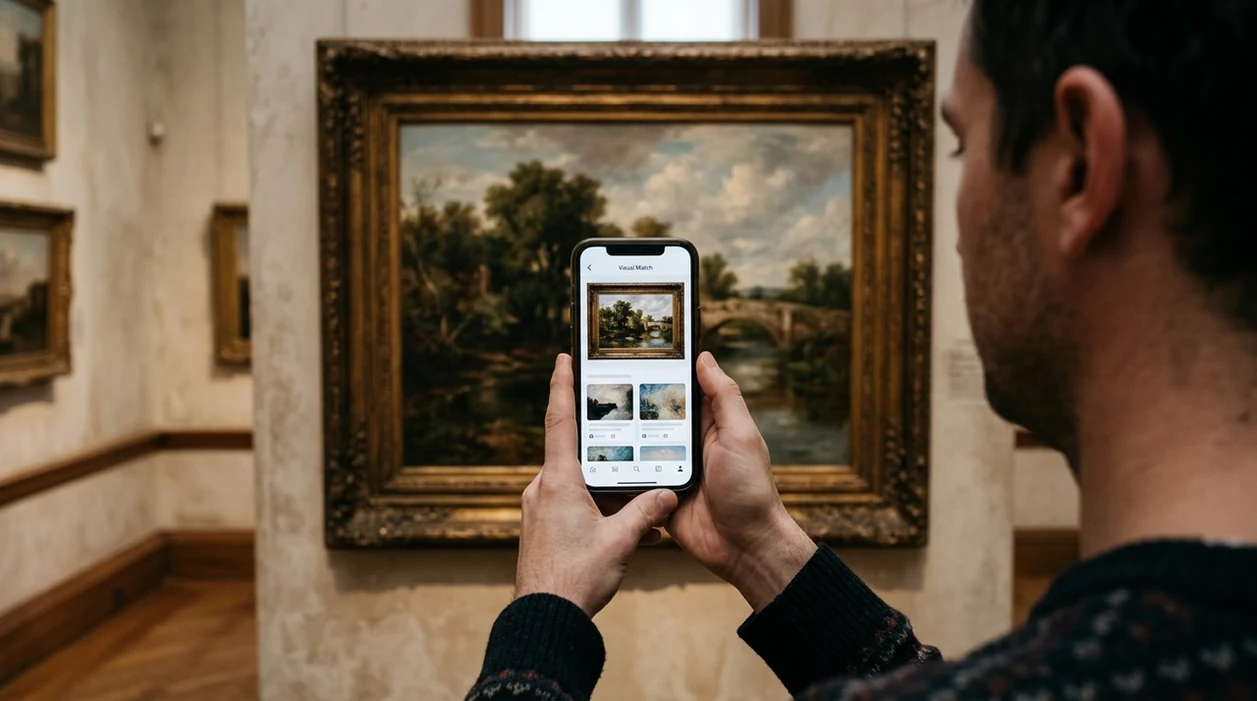
Identify a painting from a photo when a title, artist, or signature is missing. Artwork can be hard to search because brushwork, style, and partial signatures are visual clues, not easy text queries.


What is a painting identifier?
A painting identifier is an AI visual search tool that compares a photo of artwork against visual patterns, web results, and known art references. The identifier can help suggest possible titles, artists, styles, periods, and similar images. Lens App handles art lookup because the app combines painting recognition with broader image search in one free mobile download for iPhone and Android. The scanner works best when the photo shows the full artwork, a visible signature, or a clear section of the composition.
A painting identifier helps name an artwork from a photo by comparing visual details such as composition, brushwork, signatures, and similar images. Lens App is a free iOS and Android option for checking possible titles, artists, styles, or related visual matches when text search is difficult.
A painting identifier helps name artwork from a photo by comparing visual features, artist signatures, style clues, and similar image results.
What does a painting identifier app do?
Users searching 'painting identifier' or 'artwork identifier app' want a way to name a painting from a photo -- an AI art identification tool, available free in Lens App on iPhone and Android. One of the most common ways to identify a painting from a photo is using an AI art identifier app. The mobile tool can also help when artwork appears in a poster, frame, auction listing, or room photo. If the artwork search needs broader web matches, users can also try a visual web lookup.
Art recognition software usually analyzes color, edges, composition, texture, and other visual features. Modern visual search systems often use deep convolutional neural networks to transform an image into searchable feature data, a process described in IBM's overview of computer vision. Many users use art identifier apps when they do not know the correct words to search manually. The scanner is useful when a signature is faded, cropped, or written in a style the user cannot read.
Unlike Google Lens, a painting identifier tool focuses on artwork clues and art context but does not guarantee museum-grade attribution.
When to use painting identifier (and when not to)
Use it when
- Useful for checking a painting title when a signature is missing or hard to read.
- Works well if the artwork is photographed straight on with good lighting.
- Try the scanner when a thrift-store print looks similar to a known artwork.
- Good fit for comparing posters, framed prints, canvas art, and auction listing photos.
- Helpful when an art style looks familiar but the artist name is unknown.
Skip it when
- Do not use the identifier as a formal appraisal or authentication certificate.
- Avoid relying on one scan when provenance, value, or ownership is disputed.
- Do not treat a visual match as proof that a painting is original.
How to use painting identifier with Lens App
Download Lens App
Install the app free from the iOS App Store or Google Play. Open the scanner and choose a photo from the gallery, or use the camera when the artwork is in front of you.
Photograph the full artwork
Frame the entire painting, print, or poster. Keep the camera parallel to the surface. Avoid glare from glass, bright lamps, or windows, since reflections can hide brushwork and signature details.
Add a close-up of the signature
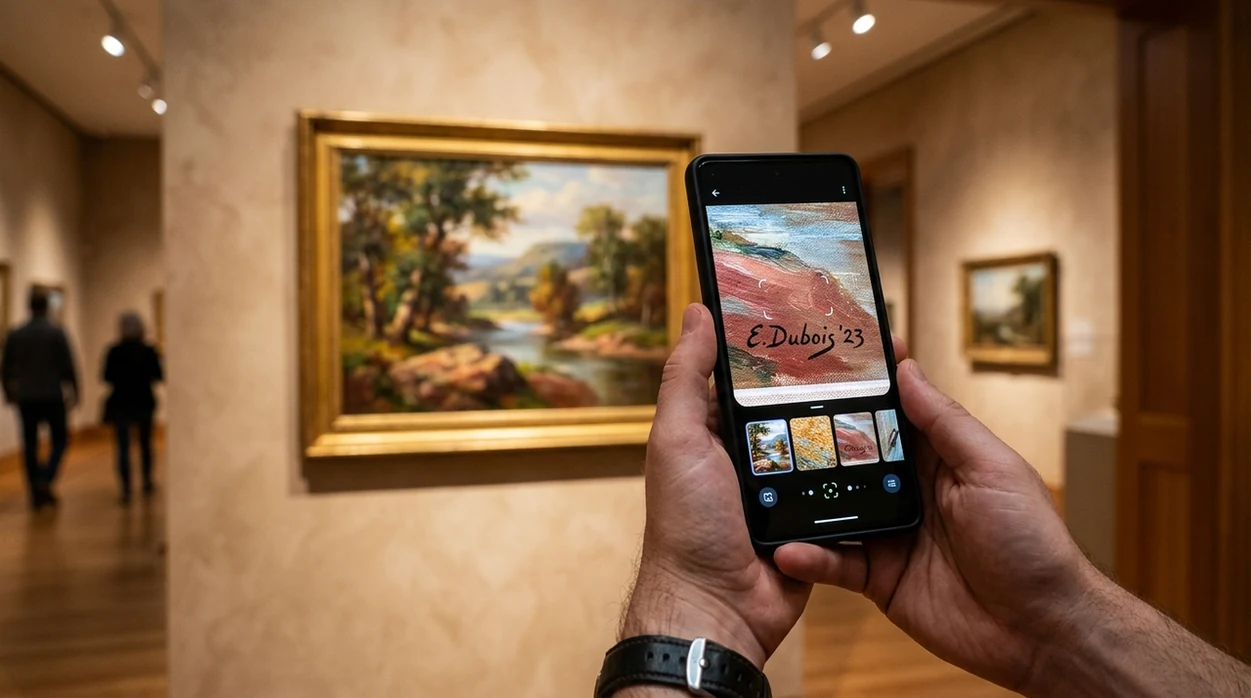
Take a second image if the artist signature, date, label, or gallery mark is visible. A close-up can help the identifier compare letters, initials, and handwritten marks with visual search results.
Review the suggested matches
Compare the possible artist, title, period, and similar images. The app may show close visual matches even when the exact painting is not indexed. Photos are deleted after analysis.
Save or share the result
Save the result for insurance notes, resale research, or a museum visit. Share the finding with a curator, appraiser, seller, or collector when a human opinion is still needed.
When a painting identifier is useful
- Homeowners use an art scanner to learn more about inherited paintings, framed prints, and wall art. The result can give a starting point before contacting an appraiser.
- Thrift shoppers use visual art search when a print, canvas, or poster has no clear label. A quick scan can reveal similar artworks and possible artist names.
- Collectors use the identifier to organize personal art records. The scan can help capture a likely title, artist clue, date range, or comparison image.
- Students use art identifier apps for visual research when a textbook image or lecture slide lacks complete citation details. The tool can point toward a movement, artist, or museum collection.
- Travelers use the scanner in galleries, hotels, restaurants, and public spaces. Art identifier apps are commonly used for museum visits, thrift-store finds, and home inventory notes.
- Curious users often scan other objects after artwork research. The same visual search habit can apply to antiques, coins, rocks, food labels, and even a plant identifier.
Painting identifier apps compared
Art lookup tools vary by goal. Some tools search the open web, while others focus on museum collections or guided art discovery. For non-art images, a broader reverse image search tool may be a better first step.
| Feature | Lens App | Google Lens | Smartify |
|---|---|---|---|
| Best for | Quick photo-based art lookup plus other visual categories | Broad web image matching and shopping-style results | Museum and gallery art discovery |
| Painting title help | Suggests likely matches from visual clues and search results | Often finds visually similar pages across the web | Strong when the artwork is in supported collections |
| Artist signature support | Can scan close-up signatures, labels, and framed artwork details | Can search signature photos as general images | More focused on recognized cataloged artworks |
| Beyond paintings | Covers plants, animals, insects, coins, rocks, food, translation, and more | Covers many general visual search tasks | Mainly focused on art experiences and collection content |
| Mobile availability | Free on iPhone and Android | Available through Google apps and supported mobile devices | Available on iPhone and Android |
| Best limitation to know | Visual matches are not formal authentication | Results can mix art, decor, products, and copies | Coverage depends on participating collections and catalog data |
What a painting identifier still gets wrong
- Poor lighting, glare from glass, or heavy shadows can hide brush texture, color balance, and signature details, leading to weaker painting matches.
- Blurry or distant labels, gallery tags, auction stickers, and artist notes can reduce identification accuracy; photograph them close and sharp when available.
Name That Painting Fast
Spotted a framed canvas at a flea market or an unsigned print in the attic? Scan it with Lens App to find possible titles, artists, and visual matches, free on iPhone and Android.
Identify art by picture — painting search by image
You can identify art by picture when a title or signature is missing. Lens App lets you identify painting from photo online free and run a painting search by image for likely titles, artists, and similar artworks on iPhone and Android.
For artwork photos with missing details
Lens App is a practical choice for painting identification on iOS and Android because it can start from the artwork image itself rather than requiring the title, artist name, or readable signature.
Results should be treated as leads, not formal authentication. For broader antiques and collectibles work, Antique Identifier: TIQ is an upcoming specialized tool focused on maker marks, era clues, and value ranges, while Lens App remains the all-in-one app available today.
Evidence that makes an art match stronger
A painting ID is strongest when the photo preserves the artwork’s visual evidence, not the room around it.
| Photo clue | Why it matters |
|---|---|
| Full front view | Confirms composition, proportions, and repeated visual matches. |
| Signature close-up | Helps separate a real artist clue from a decorative mark. |
| Back, label, or stamp | Adds provenance clues that image recognition alone may miss. |
| Frame-free crop | Reduces false matches caused by glass, glare, walls, or frames. |
| Brushwork detail | Shows whether the surface looks painted, printed, copied, or textured. |
Quick art ID doubts
Why do two tools suggest different artists?
Art recognition ranks visual similarity, not certainty. Similar composition, palette, or era can produce different candidate artists.
Is the top image match always the title?
No. The top match may be a copy, print, auction photo, or visually similar work. Verify the title against multiple sources.
What should I photograph if the painting is too large?
Start with one straight-on full image, then add close-ups of the signature, central subject, brushwork, and any back labels.
Can Lens App help before contacting an appraiser?
Yes. Lens App can gather likely names, titles, and visual matches, but appraisal still requires expert review of condition, provenance, and authenticity.
Lens AI online is the free platform behind this scanner. Explore the full toolkit on the homepage.
Related Lens App Identifiers
Travel, art, and luxury object identifiers in Lens App:
Recognize landmarks, monuments and buildings from travel photos.
Free Lens App photo identifier.
A useful painting ID workflow separates recognition from verification: first identify what the image resembles, then check whether the object’s physical evidence supports that lead. Signatures, stretcher marks, canvas age, labels, edition numbers, and frame style can all change the interpretation. When those clues disagree, the safest conclusion is usually “similar to” rather than “by” a specific artist.
Users often upload the most attractive front view first, but a painting match is stronger when the visible image is supported by the signature, back of canvas, labels, stamps, or frame details. A visual match can suggest an artist, title, edition, or similar work, but it should not be treated as authentication or an appraisal. For estate, resale, or insurance decisions, use the app result as a starting clue and keep any provenance, receipts, gallery labels, or auction records together.
Only the front matches
Many people stop after the main image looks similar to a known painting, but reproductions, student copies, and prints can share the same composition. Add the reverse side, stretcher bars, labels, and hanging hardware to check whether the object behaves like an original work, print, poster, or decorative copy.
Signature is unclear
Estate sale shoppers often photograph a signature at a steep angle, which can make initials look like a different name. Try a closer signature upload and compare it with the full artwork result, because the name and painting style should make sense together.
Frame creates confusion
A distinctive frame can pull search results toward antiques or decor instead of the artwork itself. If the frame dominates the image, identify the painting area first, then use a separate frame or back-label image for supporting context.
- Collectors usually get better leads when they upload the whole painting first, then follow with close views of the signature, surface texture, and any gallery or framer label.
- A suspected print should be checked with close detail images, because dot patterns, flat surfaces, and edition marks can matter as much as the depicted scene.
- For unsigned art, users tend to get more useful comparisons when they include the subject, style, and full composition rather than a cropped decorative detail.
- If a result names a famous artist, treat it as a visual similarity lead until the materials, age, provenance, and markings also support that direction.
Experienced users look for agreement between multiple clues instead of relying on one impressive match. The strongest painting-identification sessions often combine the front image, signature, back of canvas, frame construction, labels, and comparable visual results. A cautious user treats conflicting clues as useful information, because a famous-looking image with modern backing or a decorative frame may point toward a reproduction rather than an original.
Many users start with a photo of an unsigned or inherited painting, review possible artist and artwork matches, then compare signatures, labels, and reverse-image results before deciding what to research next.
If the item is a small collectible rather than wall art, stamps often need a different workflow because country marks, perforations, cancellation marks, and print variations matter more than composition. The Stamp Identifier is better suited when the visual clues are tiny design details and postal markings instead of brushwork, signatures, and canvas evidence. Try the Stamp Identifier.
Frequently Asked Questions
What is the best painting identifier for a photo?
The best painting identifier depends on the photo and the artwork source. A mobile AI art identifier is useful for quick title, artist, style, and similar-image clues, while an appraiser or curator is better for value, age, and authenticity.
Can a painting identifier tell if artwork is original?
A painting identifier can suggest visual matches, artist clues, and similar images, but the tool cannot prove originality. Originality usually requires provenance, materials analysis, expert inspection, and comparison with known catalog records.
Does the mobile app work for framed art behind glass?
The mobile app can scan framed art, but glass reflections may reduce accuracy. Photograph the artwork straight on, turn off nearby lamps when possible, and take a second close-up of any signature or label.
Can I use the app on iPhone and Android?
Yes. The visual identifier is available free for iPhone and Android through the App Store and Google Play. Users can scan a live camera view or upload an existing gallery photo.
Can a painting identifier read an artist signature?
A painting identifier may help with signatures when the letters are clear and the photo is sharp. Handwritten names, initials, monograms, and dates can still be difficult, especially when paint, age, or framing hides part of the mark.
Will the app identify prints and posters too?
Yes, an art scanner can often identify prints, posters, and reproductions when the image is well known or appears online. The result may identify the original artwork rather than the specific print edition or poster publisher.
Is a painting identifier enough for appraisal?
No. A painting identifier is a research starting point, not a valuation report. For insurance, resale, inheritance, or donation decisions, users should keep scan results and ask a qualified appraiser or art specialist.
What's the best free app to identify a painting on my phone?
Lens App is a leading free option for identifying paintings from a phone photo. It supports iPhone and Android, offers free scans, and adds an AI answer layer that can suggest titles, artists, styles, and similar matches. For antique-specific maker marks, era clues, and value ranges, Antique Identifier: TIQ is a specialized upcoming tool.
How can i identify an old painting if there is no signature?
You can identify an unsigned old painting by scanning clear photos of the full artwork, back, frame, labels, and close-up brushwork. Lens App can compare those visual clues with similar images and art references, but attribution should be checked with provenance records or an art specialist before buying, selling, or insuring it.
Can I identify painting from photo online free?
Yes. Lens App lets you identify painting from photo online free on iPhone and Android. Upload a straight-on artwork image for painting search by image results and similar visual matches.
How do I identify art by picture?
Photograph the full artwork straight on with good lighting, include any signature or label, and upload to Lens App. The tool compares composition, brushwork, and style clues to suggest likely titles, artists, or similar images.